B2B Leads Database in 2026: How to Build One That Converts
A B2B leads database is only as good as its accuracy, freshness, and fit. Here is how to build, buy, and maintain one that actually drives pipeline in 2026.
A B2B leads database is the contact and company data layer your entire go-to-market motion runs on. Get it right and reps spend their time selling. Get it wrong and they spend their time guessing at bounced emails and dead phone numbers. This guide breaks down what a modern database actually contains, whether to build or buy, and how to keep it from rotting.
TL;DR#
- A B2B leads database stores verified company and contact records (emails, phones, titles, firmographics) that feed prospecting, enrichment, and CRM workflows.
- Accuracy and freshness beat size — a clean list of 5,000 verified contacts outperforms a stale dump of 5 million.
- You can build one from scratch (control, lower long-term cost) or buy/license one (speed, breadth) — most teams do a hybrid.
- B2B data decays at roughly 22.5–30% per year, so verification and re-enrichment are recurring tasks, not one-time projects.
- Compliance (GDPR, CAN-SPAM, CCPA) is non-negotiable; sourcing and consent matter as much as the data itself.
What is a B2B leads database?#
A B2B leads database is a structured store of information about potential business buyers — the people and companies you might sell to. Think of it like a contacts app for your whole revenue team, except every entry is enriched with the context a rep needs to start a conversation: who the person is, what they do, where they work, and how to reach them.
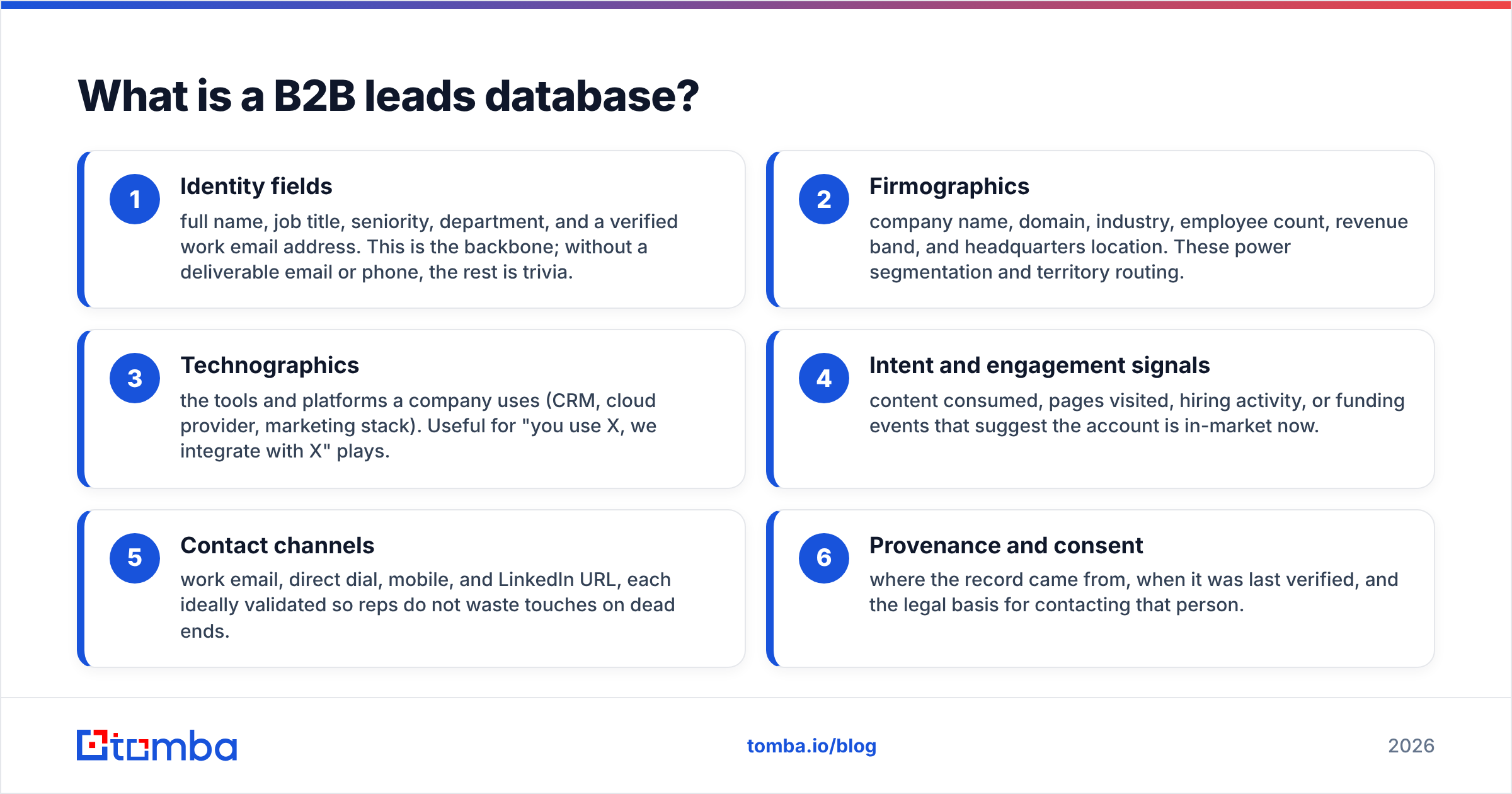
At minimum, a usable record ties a person to a company with at least one verified channel of contact. In practice, the records that convert carry far more. Here are the core field groups that separate a working database from a spreadsheet of names:
- Identity fields — full name, job title, seniority, department, and a verified work email address. This is the backbone; without a deliverable email or phone, the rest is trivia.
- Firmographics — company name, domain, industry, employee count, revenue band, and headquarters location. These power segmentation and territory routing.
- Technographics — the tools and platforms a company uses (CRM, cloud provider, marketing stack). Useful for "you use X, we integrate with X" plays.
- Intent and engagement signals — content consumed, pages visited, hiring activity, or funding events that suggest the account is in-market now.
- Contact channels — work email, direct dial, mobile, and LinkedIn URL, each ideally validated so reps do not waste touches on dead ends.
- Provenance and consent — where the record came from, when it was last verified, and the legal basis for contacting that person.
That last group is the one most teams skip and later regret. A field noting "last verified 2026-05-01" tells you whether a record is safe to use or overdue for a re-check.
Why does data quality matter more than database size?#
Quality wins because every bad record costs you twice: once in wasted rep time and again in damaged sender reputation. A bounced cold email does not just fail to land — it drags down your domain's email deliverability, which means your good emails start hitting spam too.
The math is unforgiving. B2B contact data decays fast as people change jobs, companies rebrand, and domains get retired. Industry estimates from data vendors and analysts put annual decay between 22% and 30%. According to Gartner research on data quality, poor data costs organizations millions annually in wasted effort and missed revenue. So a database you bought in January is meaningfully wrong by summer if nobody maintains it.
This is why verification is the highest-leverage activity in database management. Before any record enters an active campaign, it should pass an email verifier check to confirm the mailbox exists and accepts mail. Catch-all domains — where the server accepts everything regardless of whether the mailbox is real — need a dedicated catch-all verifier because standard SMTP checks return false positives on them.
A simple rule: never measure your database by row count. Measure it by deliverable, in-territory, in-ICP records. That number is almost always a fraction of the raw total, and it is the only one that predicts pipeline.
Should you build or buy a B2B leads database?#
Buy for speed and breadth; build for control and long-term cost. Most mature teams run a hybrid — license a provider for coverage, then build and verify their own records for accounts that matter most.
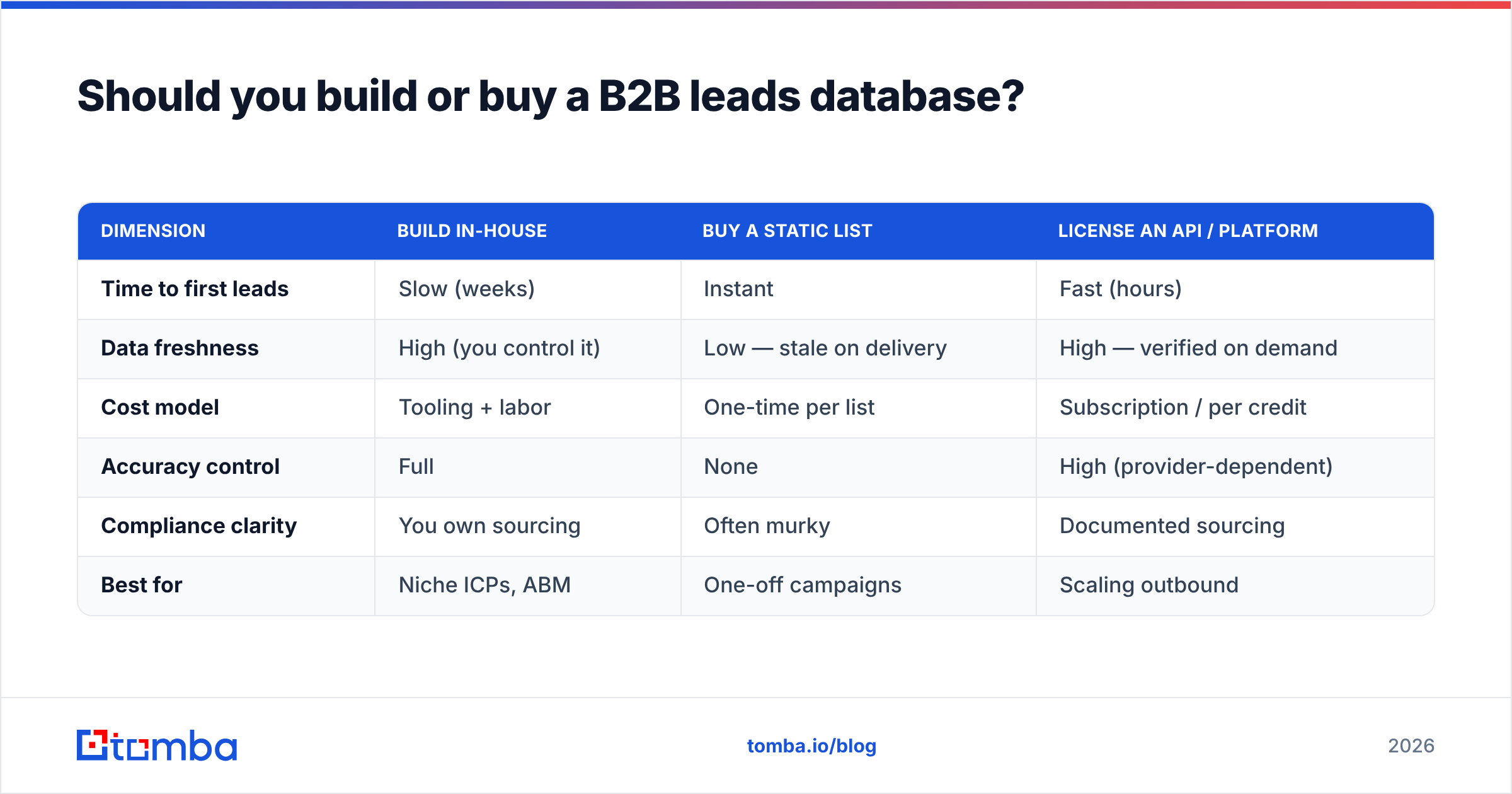
Here is how the three approaches compare on the dimensions that actually drive the decision:
| Dimension | Build in-house | Buy a static list | License an API / platform |
|---|---|---|---|
| Time to first leads | Slow (weeks) | Instant | Fast (hours) |
| Data freshness | High (you control it) | Low — stale on delivery | High — verified on demand |
| Cost model | Tooling + labor | One-time per list | Subscription / per credit |
| Accuracy control | Full | None | High (provider-dependent) |
| Compliance clarity | You own sourcing | Often murky | Documented sourcing |
| Best for | Niche ICPs, ABM | One-off campaigns | Scaling outbound |
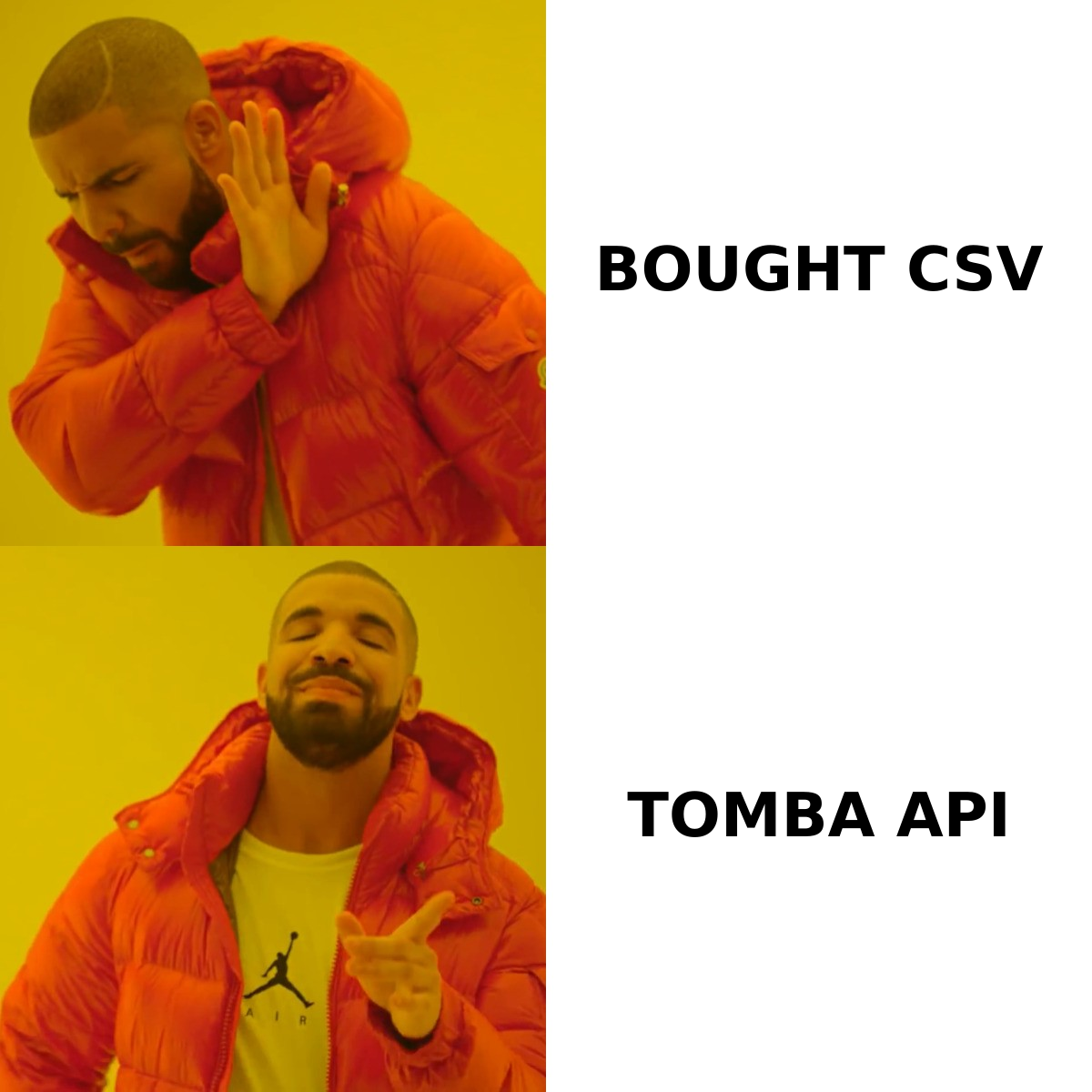
The "buy a static list" column is where teams get burned. A purchased CSV is a snapshot of a moment that has already passed, sourcing is frequently undocumented, and you inherit whatever consent problems came with it. It feels cheap until the bounces and spam complaints arrive.
Building and licensing both solve the freshness problem, just differently. Building means you assemble records from primary sources — your website visitors, event lists, and targeted research — then verify each one. Licensing means you tap a maintained dataset through a B2B database or an email finder API and pull fresh, verified records into your CRM as you need them, paying for what you use instead of a giant upfront list.
How do you build a B2B leads database step by step?#
Start narrow, verify everything, and enrich continuously. A database built this way stays small enough to trust and current enough to use.
Step 1 — Define your ICP precisely. Write down the firmographics (industry, size, region) and the buyer personas (titles, departments) you actually close. Every record you add should match. A database that tries to cover everyone serves no one.
Step 2 — Source contacts from your ICP. Use a domain search to pull every public professional email pattern at a target company, then narrow to the roles you defined. For inbound demand, a website visitor reveal tool identifies anonymous companies browsing your site so you can add accounts that are already curious.
Step 3 — Find and verify the right contacts. For each target person, use an email finder to locate the work address, then immediately validate it. Capture direct dials with a phone finder where calling is part of your motion.
Step 4 — Enrich the record. Add firmographics, technographics, and LinkedIn URLs through data enrichment so reps open a complete profile, not a bare name and email.
Step 5 — Process in bulk. Once your workflow is proven on a handful of records, scale it with a bulk email finder to find and verify hundreds or thousands at once rather than one at a time.
Step 6 — Schedule re-verification. Set a recurring job — quarterly at minimum — to re-validate emails and re-enrich firmographics. Flag and suppress anything that fails. This is the step that keeps the whole thing alive.
The order matters. Verify before you enrich, and enrich before you load into the CRM, so junk never reaches a rep's queue.
What makes a B2B leads database compliant?#
Compliance comes down to lawful sourcing, a defensible basis for contact, and an easy way out for recipients. The data being accurate does not make it legal to use — those are separate questions.
A few anchors that apply to most B2B programs:
- GDPR (EU/UK) requires a lawful basis to process personal data. For B2B outreach, legitimate interest is common, but it demands documentation and an honored opt-out. The official GDPR text and guidance is the primary reference.
- CAN-SPAM (US) requires accurate headers, a real physical address, and a working unsubscribe in commercial email. It does not require prior consent, but it does require an exit.
- CCPA/CPRA (California) gives individuals rights to know and delete data you hold, including business contacts.
Practically, this means your database needs three operational features: a provenance field (where each record came from), a suppression list (people who opted out, globally enforced), and a last-verified timestamp so you can prove records are current. Vendors that publish their data sources make this far easier than mystery lists ever will. When you evaluate any provider, check independent reviews on G2 to see how real users rate accuracy and compliance, not just the marketing page.
How do you keep a B2B leads database fresh?#
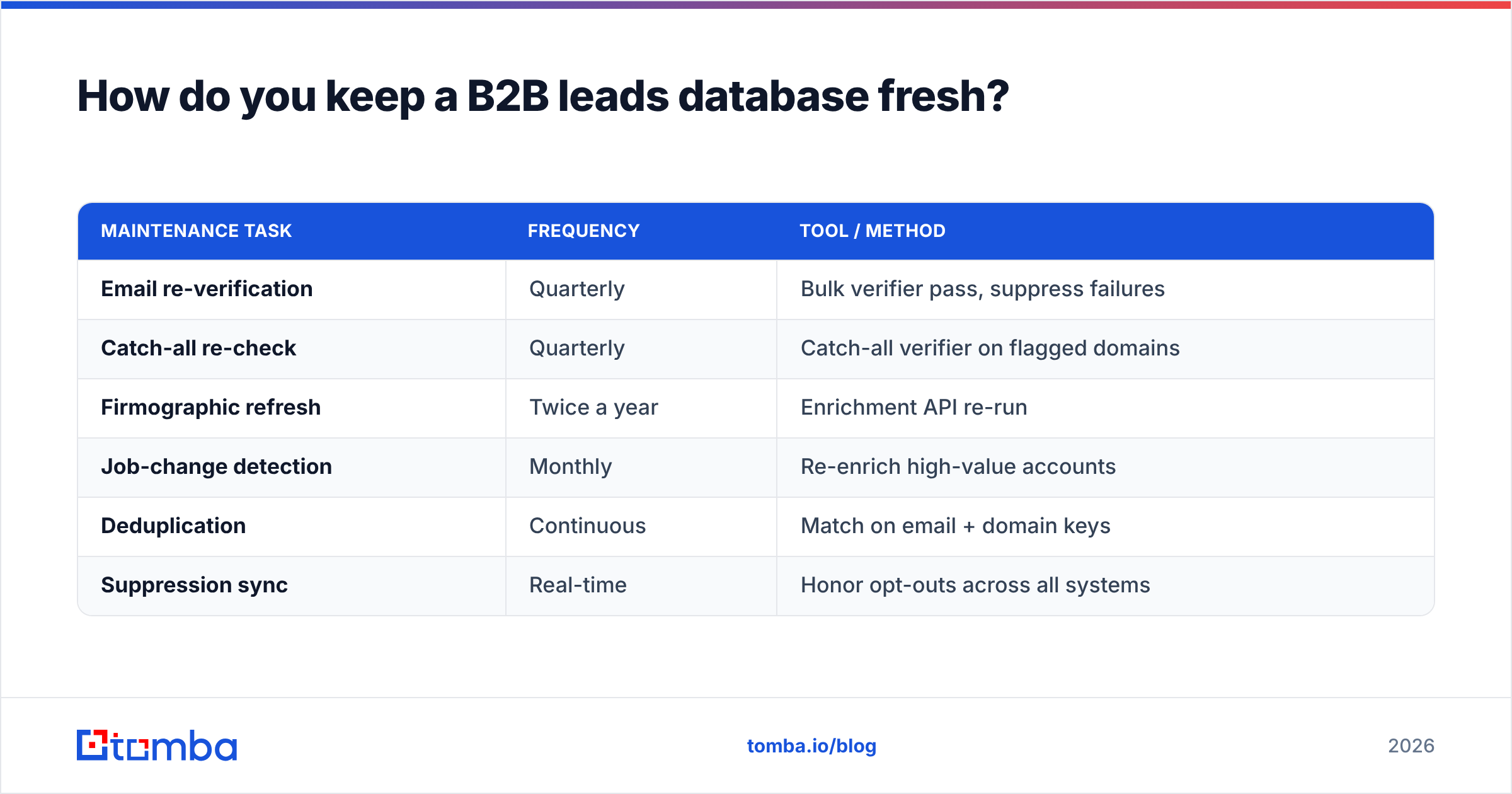
Treat freshness as a pipeline, not a project. The teams with reliable data run continuous, automated maintenance instead of occasional cleanup sprints.
| Maintenance task | Frequency | Tool / method |
|---|---|---|
| Email re-verification | Quarterly | Bulk verifier pass, suppress failures |
| Catch-all re-check | Quarterly | Catch-all verifier on flagged domains |
| Firmographic refresh | Twice a year | Enrichment API re-run |
| Job-change detection | Monthly | Re-enrich high-value accounts |
| Deduplication | Continuous | Match on email + domain keys |
| Suppression sync | Real-time | Honor opt-outs across all systems |
Automation is what makes this sustainable. Pipe your database through an integration so that new records get verified on entry and existing ones get re-checked on schedule — connect directly to your HubSpot or Salesforce instance so the CRM and the database never drift apart.
Deduplication deserves special attention because merged datasets breed duplicates, and duplicates inflate your counts while splitting a single person's engagement history across two records. Match on a stable key — the verified email plus company domain — rather than on name alone, since names are messy and non-unique.
One more habit: track a decay rate for your own database. Each quarter, note what percentage of records failed re-verification. If that number climbs, your sources are degrading and it is time to re-evaluate where new records come from.
What are the best B2B leads database tools in 2026?#
The right tool depends on whether you need raw coverage, surgical accuracy, or workflow integration. Most teams combine a finder/verifier layer for accuracy with their CRM for storage. The platforms worth knowing fall into a few buckets:
- Email-finder and verification platforms like Tomba focus on accuracy at the contact level — finding the right address and proving it is deliverable before it ever reaches your CRM.
- All-in-one sales-intelligence suites bundle a large database with sequencing and dialers, trading some accuracy for breadth. If you are weighing one of these, compare honest Apollo alternatives and RocketReach alternatives on cost-per-verified-contact, not headline database size.
- Enrichment specialists that take a partial record and fill in the gaps, useful when you already have a list and need depth.
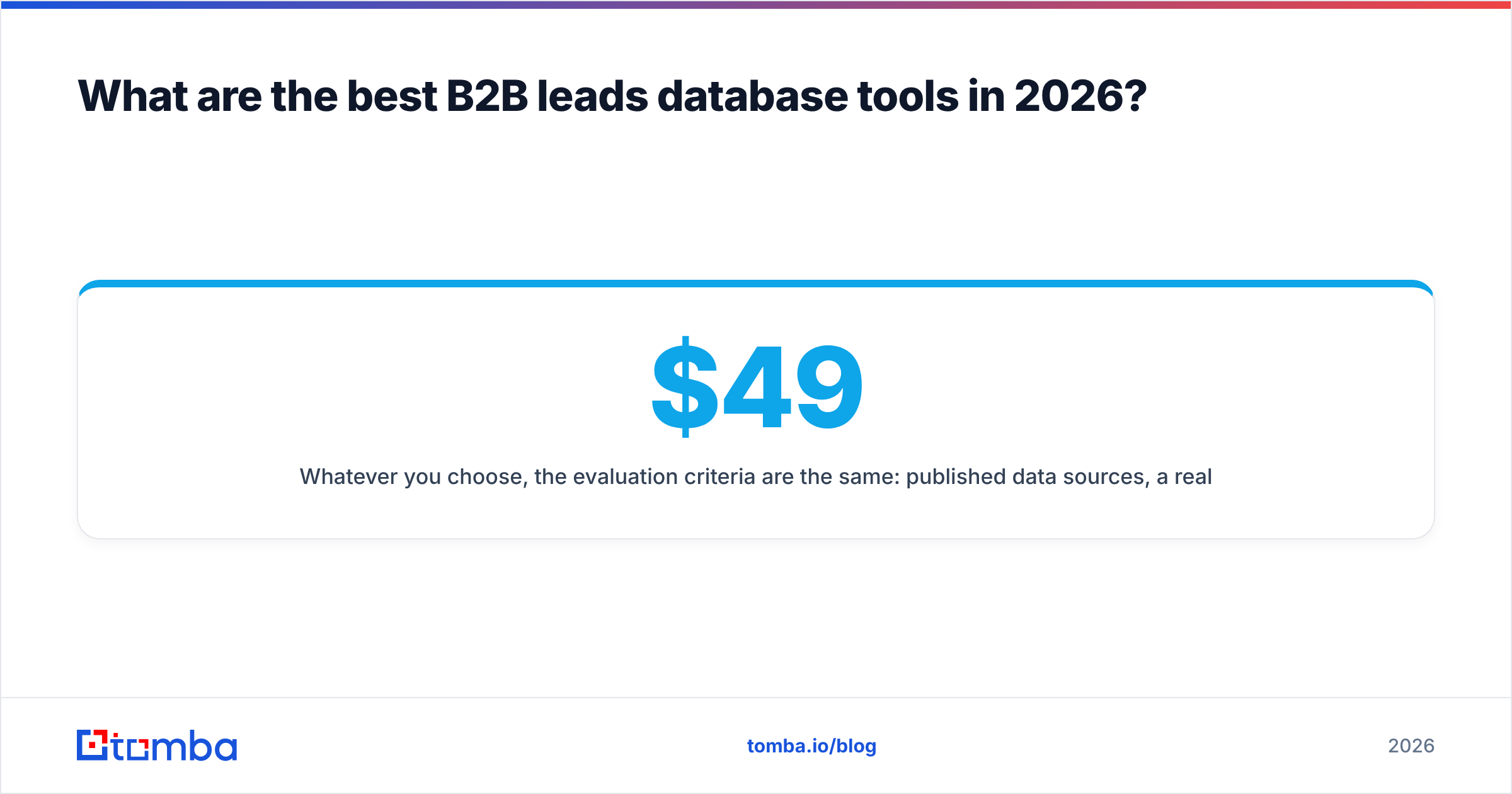
Whatever you choose, the evaluation criteria are the same: published data sources, a real free tier to test accuracy on your own ICP, transparent pricing, and an API for automation. You can review full Tomba pricing to see how a finder-first model is structured: a free tier with 25 searches per month, then paid plans starting at $49/mo (Starter), $99/mo (Growth), and $249/mo (Pro), with Enterprise priced on request.
Build a database your reps actually trust#
A big database is easy to buy and impossible to trust. A clean one is harder to build and worth everything — because every verified record is a touch that lands, a call that connects, and a reply that turns into pipeline. Start by defining a tight ICP, then find and verify contacts one workflow at a time before you scale.
The fastest way to start building that clean layer is the Tomba Email Finder. Search by domain, name, or company to surface verified professional emails, validate them before they hit your CRM, and enrich each record with the firmographics your reps need. Spin up the free tier, test it against your own target accounts, and keep only the data that proves itself.
// get started
Find, verify and enrich your first contacts today
Start on the free plan with 25 searches a month, then scale when your team is ready.
Free plan · No credit card required · GDPR & CCPA
// about the author