Best Domain for Business Email in 2026: A Complete Guide
Choosing the best domain for business email shapes your deliverability, brand trust, and inbox placement. Here's how to pick, structure, and protect it in 2026.
Your domain is the first thing a prospect, a spam filter, and a procurement team all judge before they read a single word you wrote. Picking the best domain for business email is not a branding afterthought — it decides whether your mail lands in the inbox, gets quarantined, or bounces outright.
This guide walks through the real trade-offs: which top-level domain (TLD) to register, when to use a subdomain, why a free address quietly costs you deals, and the DNS records that separate professional senders from spammers.
TL;DR#
- Buy a
.commatching your brand whenever it's available — it carries the most trust and the fewest deliverability penalties. - Never run business email from
@gmail.comor@outlook.comfor outbound; a custom domain is table stakes in 2026. - Use a dedicated subdomain (like
mail.yourbrand.comorgo.yourbrand.com) for cold outreach so a reputation hit never touches your primary domain. - Authentication beats the domain name itself — SPF, DKIM, and DMARC matter more than your TLD for inbox placement.
- Verify every address you send to before the first send; a clean list protects whatever domain reputation you've built.
Why does your business email domain matter so much?#
Think of your domain like the return address on a physical letter. A handwritten address on a crumpled envelope gets tossed; a printed address from a known company gets opened. Mailbox providers — Gmail, Outlook, Yahoo — make the same snap judgment thousands of times per second, except they automate it with reputation scoring.
Your sending domain is the unit they track. Every complaint, bounce, spam-trap hit, and engagement signal attaches to that domain. A strong domain reputation means your mail clears filters; a damaged one means even legitimate messages slide into spam. This is why email deliverability is inseparable from the domain decision — you are not just picking a name, you are picking the identity your sender reputation will be built on.
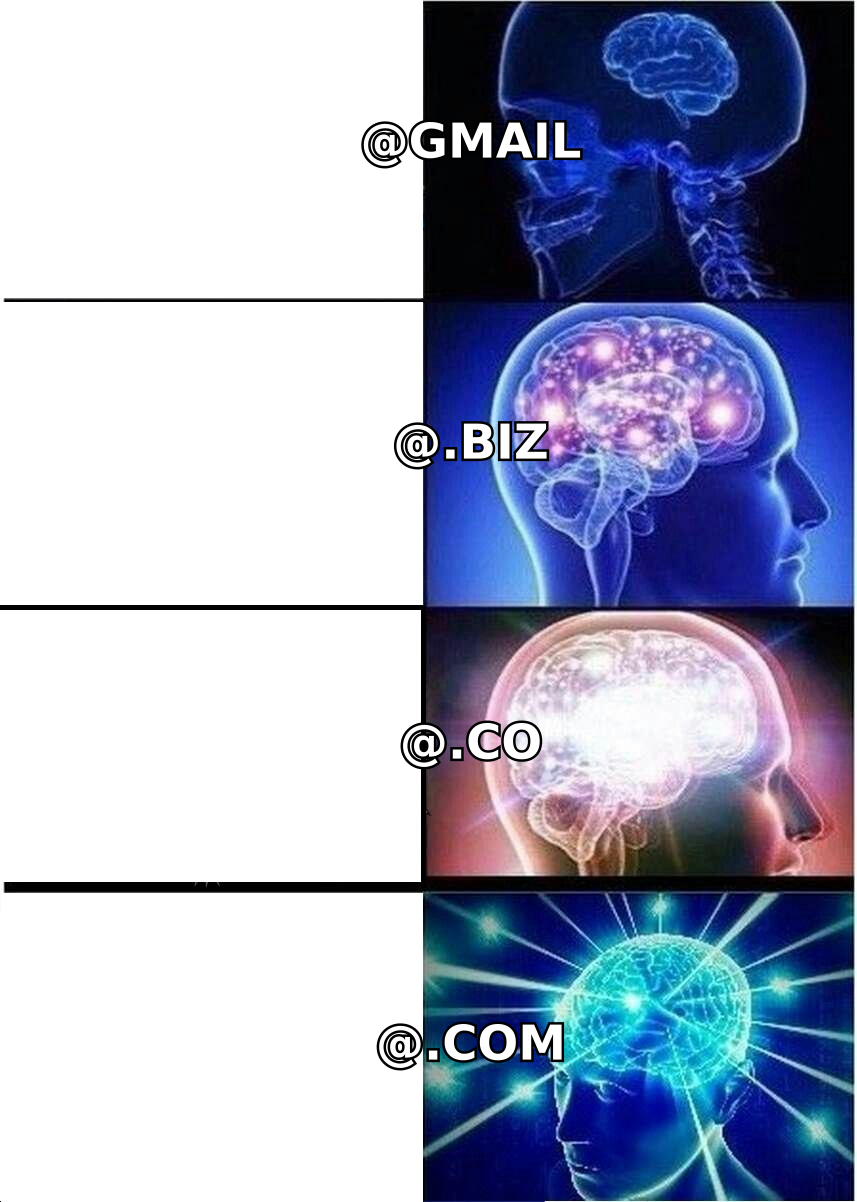
There's also the human layer. A buyer who sees sarah@acmepayroll.com trusts it more than acmepayroll2024@gmail.com. According to HubSpot research on email engagement, sender legitimacy is one of the strongest predictors of open and reply rates. The domain does double duty: it convinces both the filter and the person.
What is the best TLD for a business email domain?#
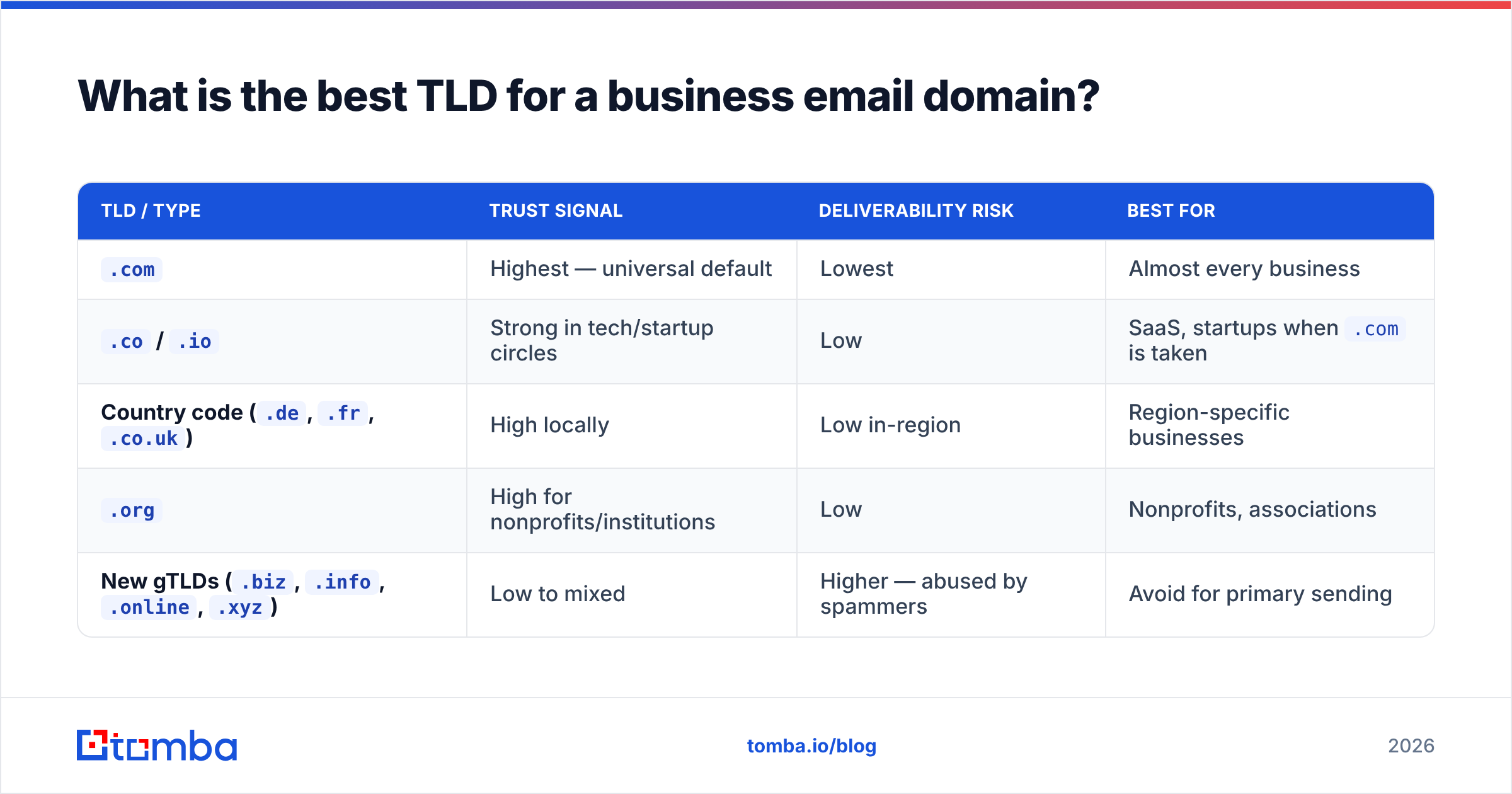
The short answer: .com if you can get it. It remains the default people type, trust, and remember. But the landscape has more nuance than it did a decade ago.
Here's how the main options compare for business email use.
| TLD / Type | Trust signal | Deliverability risk | Best for |
|---|---|---|---|
.com |
Highest — universal default | Lowest | Almost every business |
.co / .io |
Strong in tech/startup circles | Low | SaaS, startups when .com is taken |
Country code (.de, .fr, .co.uk) |
High locally | Low in-region | Region-specific businesses |
.org |
High for nonprofits/institutions | Low | Nonprofits, associations |
New gTLDs (.biz, .info, .online, .xyz) |
Low to mixed | Higher — abused by spammers | Avoid for primary sending |
The practical rule: avoid TLDs that spammers have flooded. Filters apply heavier scrutiny to cheap, high-abuse extensions like .xyz, .top, and .info. If your only affordable option is a flagged TLD, you're starting the deliverability race with a weight on your back.
If the exact .com is gone, adding a clean modifier (getbrand.com, brandhq.com) usually beats jumping to a risky TLD. You keep the trust of .com and avoid the filter penalty.
Should you use a free domain or a custom domain?#
Use a custom domain. Full stop. The only acceptable role for a free address (@gmail.com, @yahoo.com) is personal mail or a side experiment you don't care about.
Three concrete reasons a free domain hurts a business:
- You can't authenticate it. You don't control the DNS for
gmail.com, so you can't publish DKIM or DMARC records that say "this mail is really from us." Bulk sending from a free address increasingly gets throttled or blocked outright. - It signals "not a real company." Procurement teams, enterprise buyers, and even spam filters treat free-domain senders as lower trust.
- You own nothing. Your brand, your list reputation, and your continuity all sit on a domain the provider controls. A custom domain is an asset you keep.
The cost gap is trivial. A domain runs roughly $10–15/year, and a business mailbox on Google Workspace or Microsoft 365 starts around $6/user/month. That's a rounding error against one closed deal.
What is the best domain structure for cold outreach?#
Separate your sending streams by subdomain. This is the single most underrated decision in domain setup, and it's where most senders get burned.
If you run cold outreach from your primary domain (yourbrand.com) and a campaign triggers spam complaints, you don't just hurt the campaign — you poison the domain your invoices, password resets, and customer support all rely on. Subdomains let you isolate risk.
A clean structure looks like this:
yourbrand.com— corporate and transactional mail (the crown jewel; protect it)mail.yourbrand.comormarketing.yourbrand.com— newsletters and marketinggo.yourbrand.comorhey.yourbrand.com— cold outreach campaigns
Each subdomain builds its own reputation. If the cold-outreach subdomain takes a hit, your primary domain stays pristine. Some teams go further and register a separate but similar domain (yourbrand-mail.com) purely for high-volume cold sending, keeping the brand domain completely insulated.
Whatever structure you choose, warm it up gradually. A brand-new domain blasting hundreds of cold emails on day one is the clearest spam signal there is. Ramp volume over 2–4 weeks. You can model the schedule with a warmup calculator before you start.
What DNS records does a business email domain need?#
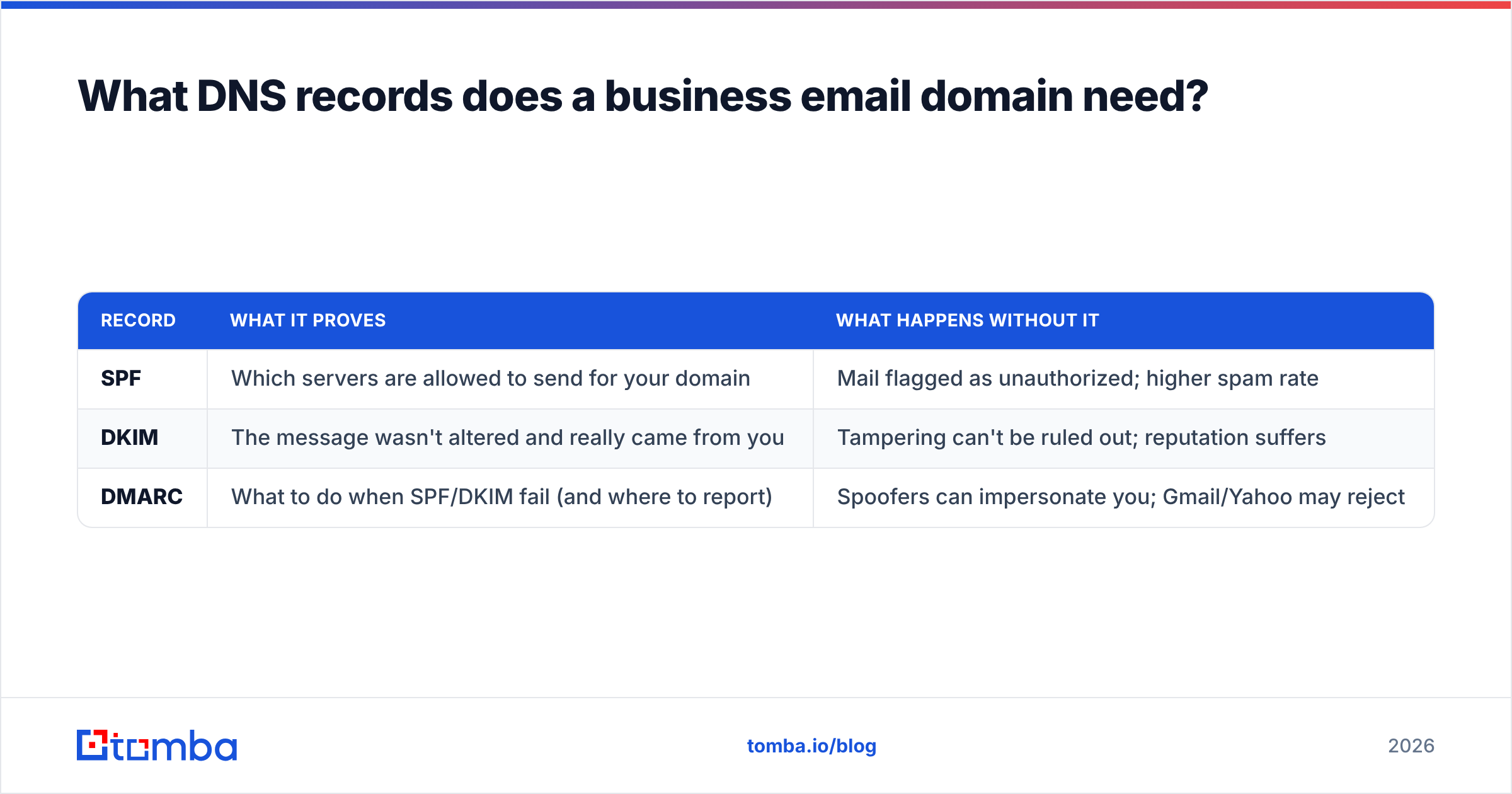
The domain name gets you in the door; authentication gets you into the inbox. Three records are non-negotiable in 2026.
| Record | What it proves | What happens without it |
|---|---|---|
| SPF | Which servers are allowed to send for your domain | Mail flagged as unauthorized; higher spam rate |
| DKIM | The message wasn't altered and really came from you | Tampering can't be ruled out; reputation suffers |
| DMARC | What to do when SPF/DKIM fail (and where to report) | Spoofers can impersonate you; Gmail/Yahoo may reject |
Since Google and Yahoo's 2024 bulk-sender rules took effect, DMARC is effectively mandatory for anyone sending volume. A domain without these records is like a building with no ID checks — anyone can claim to be you, and filters respond by trusting none of it.

Set up checklist for a new sending domain:
- Register the domain and point it at your mail provider.
- Publish SPF including your provider and any sending tools.
- Enable DKIM in your provider's admin console and add the public key to DNS.
- Add a DMARC record, starting at
p=noneto monitor, then tightening toquarantineorreject. - Validate with an SPF checker and confirm there are no syntax errors before sending.
You can read the deeper mechanics in the SPF record glossary entry if you're configuring this yourself.
How does your domain choice affect deliverability over time?#
Reputation compounds. A well-chosen, properly authenticated domain that sends to engaged, valid recipients earns trust month over month — and that trust is portable across every campaign you run.
The fastest way to undo it is sending to bad addresses. Every hard bounce and spam-trap hit tells mailbox providers your list is dirty, and they downgrade your domain accordingly. This is why list hygiene is a domain-protection strategy, not just a marketing nicety. Before any meaningful send, run your list through an email verifier to strip invalid, role-based, and risky addresses.
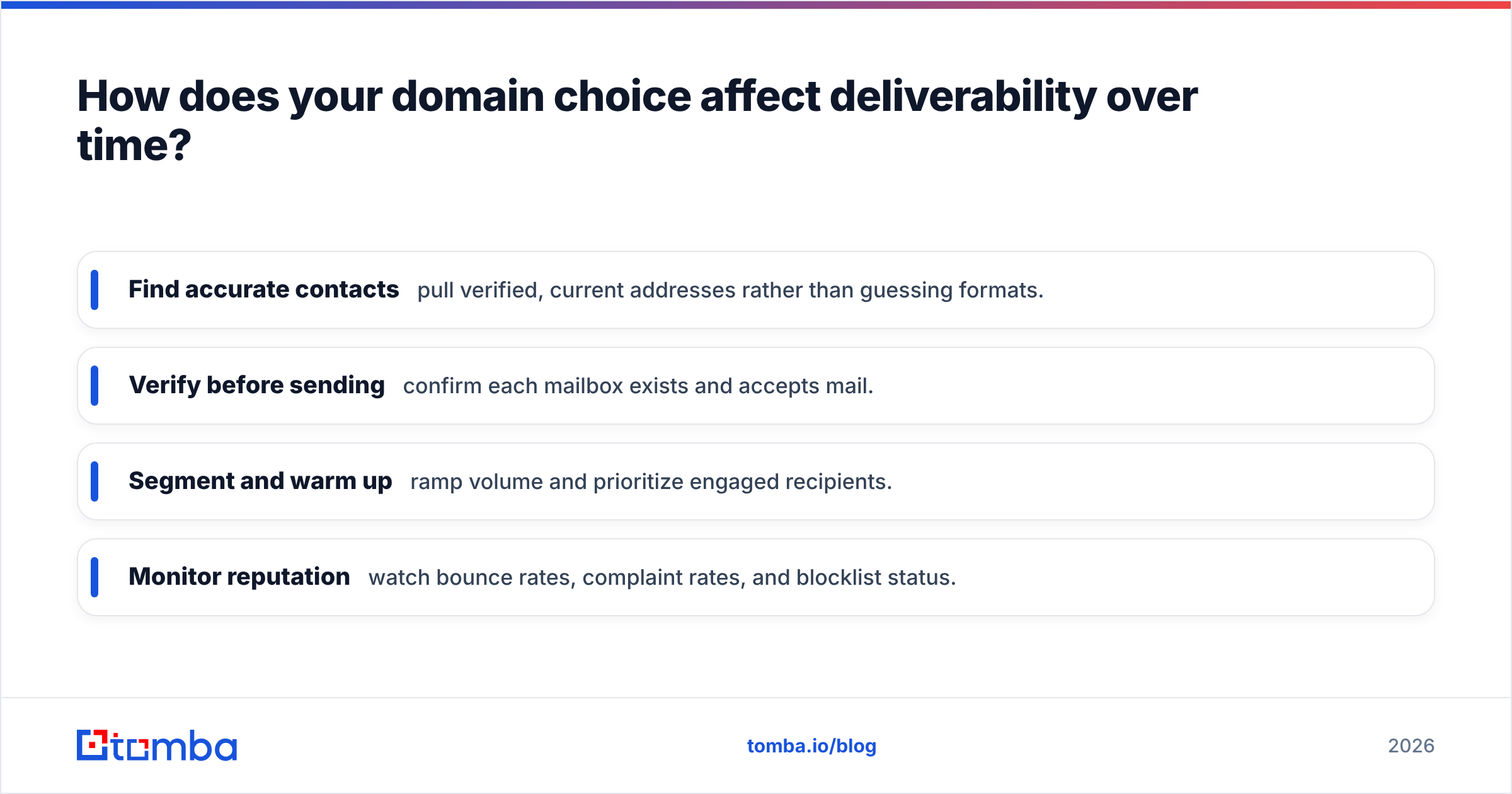
The order of operations that protects a domain:
- Find accurate contacts — pull verified, current addresses rather than guessing formats.
- Verify before sending — confirm each mailbox exists and accepts mail.
- Segment and warm up — ramp volume and prioritize engaged recipients.
- Monitor reputation — watch bounce rates, complaint rates, and blocklist status.
That first step matters more than people admit. If you're sourcing contacts at a target company, a domain search returns the verified addresses and the company's email pattern in one pass, so you're building your list on confirmed data instead of permutations that bounce and erode the domain you just set up.
How do the major email-hosting options compare?#
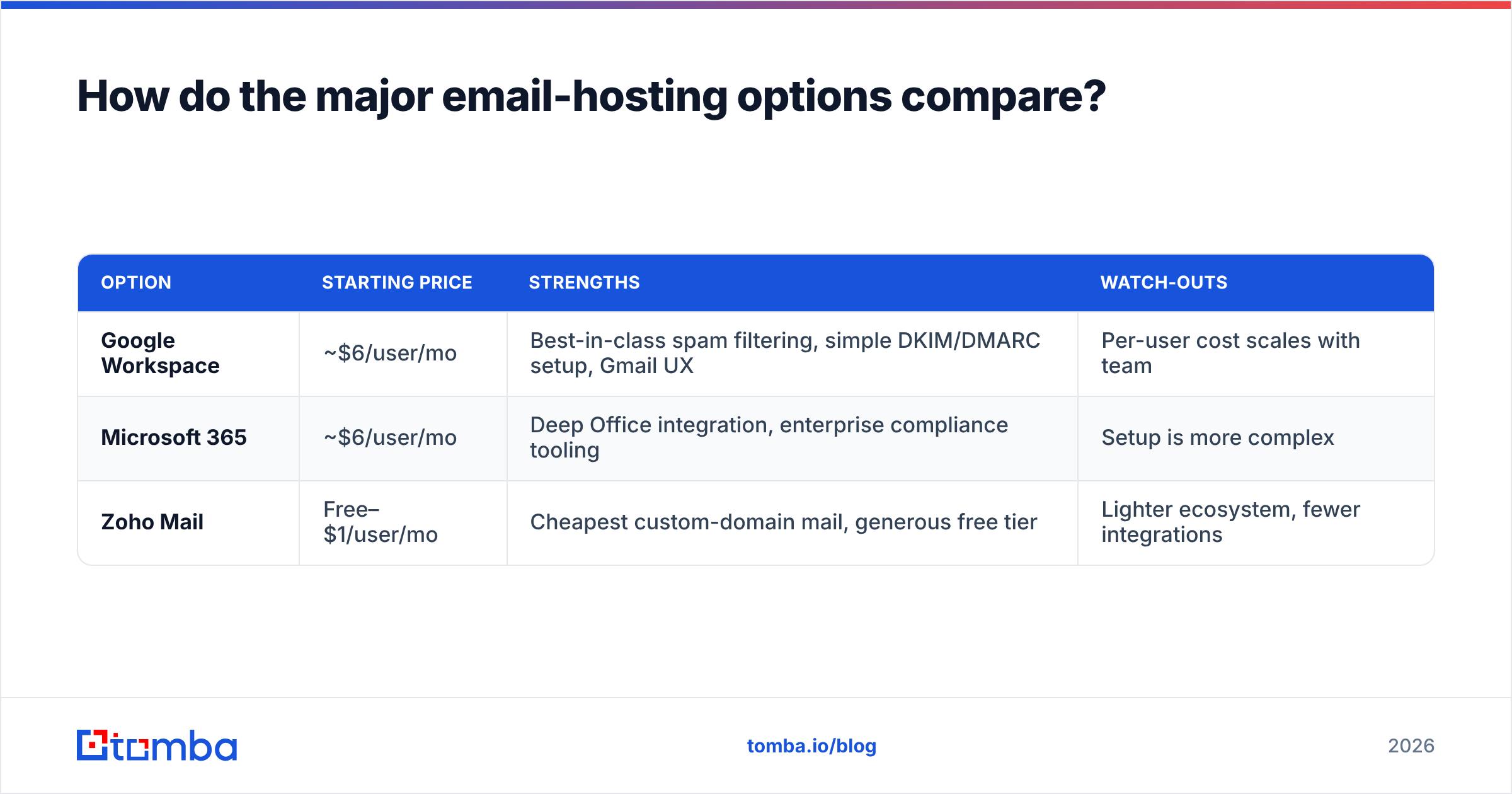
Once your domain is registered, you attach it to a mailbox provider. The two dominant choices — plus a lighter option — stack up like this.
| Option | Starting price | Strengths | Watch-outs |
|---|---|---|---|
| Google Workspace | ~$6/user/mo | Best-in-class spam filtering, simple DKIM/DMARC setup, Gmail UX | Per-user cost scales with team |
| Microsoft 365 | ~$6/user/mo | Deep Office integration, enterprise compliance tooling | Setup is more complex |
| Zoho Mail | Free–$1/user/mo | Cheapest custom-domain mail, generous free tier | Lighter ecosystem, fewer integrations |
For most B2B teams, Google Workspace or Microsoft 365 is the right call — both make authentication straightforward and carry strong sending reputations. Zoho is a reasonable budget entry point for very small teams, but plan to migrate as you scale. Whichever you pick, the domain and authentication principles above don't change.
Common domain mistakes that quietly kill deliverability#
- Buying a flagged TLD to save money. The discount on
.xyzcosts you far more in spam placement. - Sending cold outreach from the primary domain. One bad campaign shouldn't be able to take down your billing emails.
- Skipping warmup on a fresh domain. New domains have zero reputation; treat them gently for the first month.
- Ignoring DMARC reports. They tell you who's spoofing you and which legitimate streams are failing authentication.
- Mailing unverified lists. The single fastest way to torch a brand-new domain's reputation.
Each of these is avoidable with a little upfront discipline, and each is far cheaper to prevent than to recover from. A blocklisted domain can take weeks to rehabilitate — or force you to start over on a new one.
Putting it together#
The best domain for business email is a memorable .com matching your brand, with outbound sending isolated on a dedicated subdomain, fully authenticated with SPF, DKIM, and DMARC, and fed only verified, engaged contacts. The TLD gets you credibility; the authentication gets you inboxed; the list hygiene keeps you there.
Get those four layers right and your domain becomes an appreciating asset — one that opens more inboxes every quarter instead of fewer.
Before you launch your first campaign on a new domain, build your list on data that won't bounce. Tomba's Email Finder returns verified professional addresses by name, company, or domain — so the very first send from your shiny new domain reaches real people, protects the reputation you just set up, and starts your sender score on the right foot. Check the Tomba pricing plans, including a free tier with 25 searches a month, and start finding contacts that land in the inbox.
// get started
Find, verify and enrich your first contacts today
Start on the free plan with 25 searches a month, then scale when your team is ready.
Free plan · No credit card required · GDPR & CCPA
// about the author