Best Email Finder Tools (2026): Accuracy, Pricing & Top Picks
We tested the leading email finders on accuracy, pricing, and bulk workflows. Here are the best email finder tools in 2026 — and how to pick one without wasting credits.
placeholder
TL;DR
- The best email finder tools in 2026 win on three things: verified accuracy, transparent pricing, and bulk throughput — not on the size of the database number on the homepage.
- Tomba leads on accuracy-per-dollar with a real free tier (25 searches/mo), a $49/mo Starter plan, and built-in verification so you don't pay twice.
- Apollo, RocketReach, Hunter, and Findymail each fit specific workflows — all-in-one prospecting, people search, domain lookups, and agency-grade verified leads, respectively.
- Catch-all domains are where most tools quietly fail. Pick one that verifies catch-alls instead of guessing.
- Test on your own list before committing. Vendor-reported accuracy and your real bounce rate are rarely the same number.
If you send cold email or build pipeline, the email finder you choose decides how much of your effort lands in an inbox versus a bounce log. This guide ranks the best email finder tools in 2026 on the metrics that actually move reply rates, shows the pricing side by side, and tells you which tool fits which job.
What is an email finder tool, and how does it work?#
An email finder is software that takes a person's name plus a company domain (or a LinkedIn profile, or just a company website) and returns their professional email address. Think of it as a reverse phone book for work emails: you supply the identity, it supplies the contact.
Under the hood, the best tools combine three layers:
- A crawled database — billions of email-to-identity pairs scraped from public web pages, press releases, and published profiles.
- Pattern inference — if a company uses
first.last@domain.com, the tool predicts the address from the known pattern. - Real-time SMTP verification — the tool pings the mail server to confirm the mailbox exists before handing it to you.
The difference between a cheap finder and a great one is almost entirely in layers two and three. Anyone can guess john@acme.com. Only a good tool tells you, with confidence, whether that mailbox will actually accept your message. That verification step is what protects your sender reputation and keeps your domain off blocklists.
What makes the best email finder tools in 2026?#
Use these five criteria to cut through marketing claims:
- Verified accuracy — the percentage of returned emails that are real and deliverable, ideally measured by an independent benchmark, not the vendor's own blog.
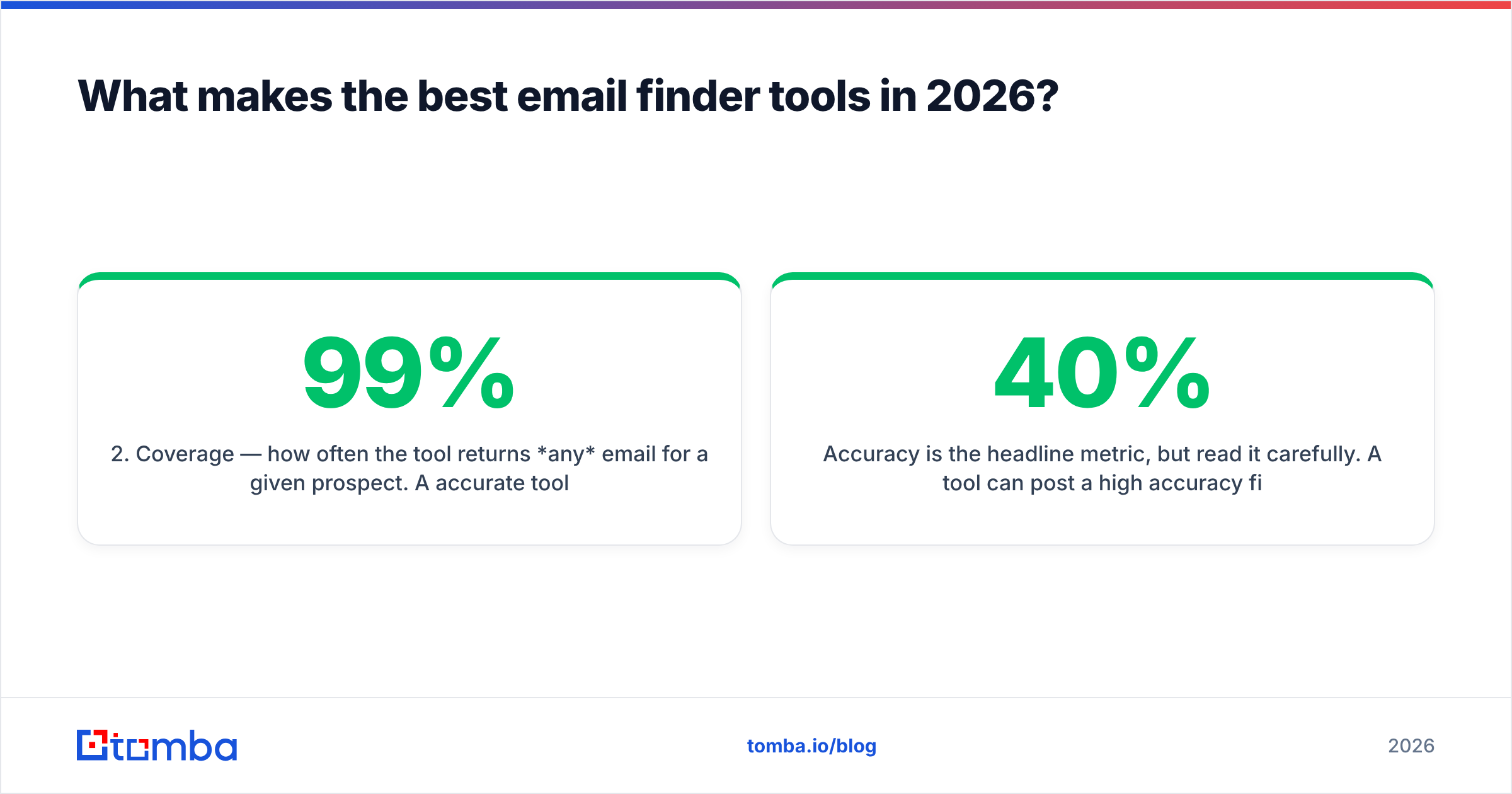
- Coverage — how often the tool returns any email for a given prospect. A 99% accurate tool that only finds 30% of your list is useless at scale.
- Built-in verification — does it verify what it finds, or do you pay a second vendor to clean the output?
- Catch-all handling — catch-all domains accept every address at the SMTP layer, so naive tools mark them "valid" and you bounce anyway. The best tools run deeper checks.
- Pricing that matches usage — credit costs, free tiers, and whether failed lookups burn credits.

Accuracy is the headline metric, but read it carefully. A tool can post a high accuracy figure by only returning emails it's already sure about — quietly suppressing the harder 40% of your list. Always weigh accuracy against coverage together.
Which are the best email finder tools in 2026?#
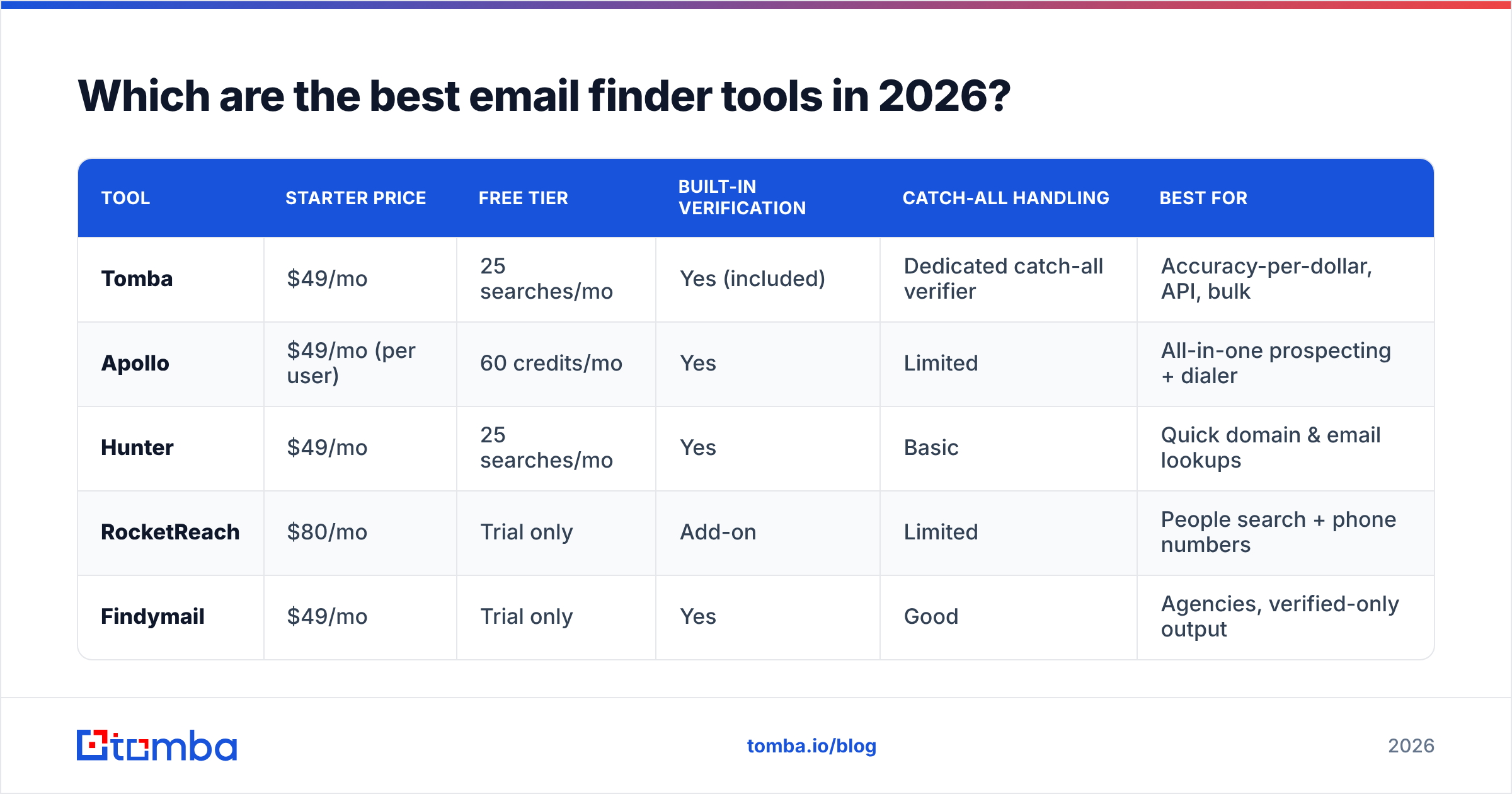
Here's the at-a-glance comparison. Prices are entry paid tiers as published by each vendor; verify current numbers on their pricing pages before you buy.
| Tool | Starter price | Free tier | Built-in verification | Catch-all handling | Best for |
|---|---|---|---|---|---|
| Tomba | $49/mo | 25 searches/mo | Yes (included) | Dedicated catch-all verifier | Accuracy-per-dollar, API, bulk |
| Apollo | $49/mo (per user) | 60 credits/mo | Yes | Limited | All-in-one prospecting + dialer |
| Hunter | $49/mo | 25 searches/mo | Yes | Basic | Quick domain & email lookups |
| RocketReach | $80/mo | Trial only | Add-on | Limited | People search + phone numbers |
| Findymail | $49/mo | Trial only | Yes | Good | Agencies, verified-only output |
A few takeaways from the table:
- Tomba and Hunter offer genuine recurring free tiers (25 searches/month), which is the cheapest way to test on your own data before paying.
- Apollo bundles sequences, a dialer, and a CRM, so its per-seat price buys more than just finding emails — but you pay for the whole suite.
- RocketReach shines for people-level search and phone numbers but treats verification as an add-on.
- Findymail built its reputation on returning only verified emails, which agencies like because it protects client domains.
For a deeper feature-by-feature breakdown, this comparison table covers the same field at the data level:

Tomba — best accuracy-per-dollar#
Tomba's email finder returns an email plus a confidence score and a verification status in one call, so you're not stitching together a finder and a separate verifier. The free tier (25 searches/mo) and $49/mo Starter make it the easiest tool to trial honestly, and the Tomba API plus bulk email finder handle list-scale work. Where it pulls ahead of cheaper tools is the catch-all verifier — instead of marking every catch-all "valid," it runs deeper validation so your bounce rate stays low. See the full Tomba pricing for Growth ($99/mo) and Pro ($249/mo) tiers.
Apollo — best all-in-one#
Apollo is less an email finder and more a complete outbound platform: prospecting database, sequences, a dialer, and basic CRM. If you want one login for the whole motion and don't mind per-seat pricing, it's hard to beat. Its email accuracy is solid but its catch-all handling is weaker than dedicated verifiers, so clean the output before high-volume sends. (If you like the database but not the bundle, see Apollo alternatives.)
Hunter — best for quick lookups#
Hunter is the friendliest tool for one-off domain searches and small campaigns. The UI is clean, the free tier is real, and the Chrome extension is fast. It's less suited to high-volume API work or aggressive catch-all verification, but for SMB sales and founder-led outreach it's a dependable pick.
RocketReach — best for people search and phones#
RocketReach indexes people rather than just domains, so it's strong when you have a name and a company but no obvious email pattern, and it returns phone numbers more often than most. Verification is an add-on, so budget for cleaning. (See RocketReach alternatives if phone coverage isn't your priority.)
Findymail — best for agencies#
Findymail markets verified-only output: if it can't verify an email, it doesn't charge you or hand you a risky address. Agencies running cold email for clients love this because a single bounce spike can torch a client's domain. The trade-off is lower raw coverage on hard-to-find contacts.
How accurate are email finder tools, really?#
Short answer: less accurate than their homepages claim, and the gap widens on hard lists. Vendor-published accuracy is usually measured on clean, common domains. Your prospect list has catch-alls, role accounts, recently-changed jobs, and tiny companies with no crawled data — exactly the cases where finders struggle.
Two practical rules:
- Always run your own test. Take 100 known-good contacts, run them through the free tier, and measure both the hit rate (did it find an email?) and the bounce rate (did the email work?). That single test beats any review, including this one.
- Verify before you send, every time. Even a 97%-accurate source decays — people change jobs at roughly 20% per year. Run found emails through an email verifier right before a campaign, not just at import.

The catch-all problem deserves its own warning. A catch-all domain says "yes" to every address at the SMTP handshake, so a lazy tool reports anything@catchall.com as valid. You only learn the truth when half your campaign bounces. Tools with a dedicated catch-all finder or catch-all verifier use additional signals to separate real mailboxes from the noise — this is one of the clearest dividing lines between budget and serious tools.
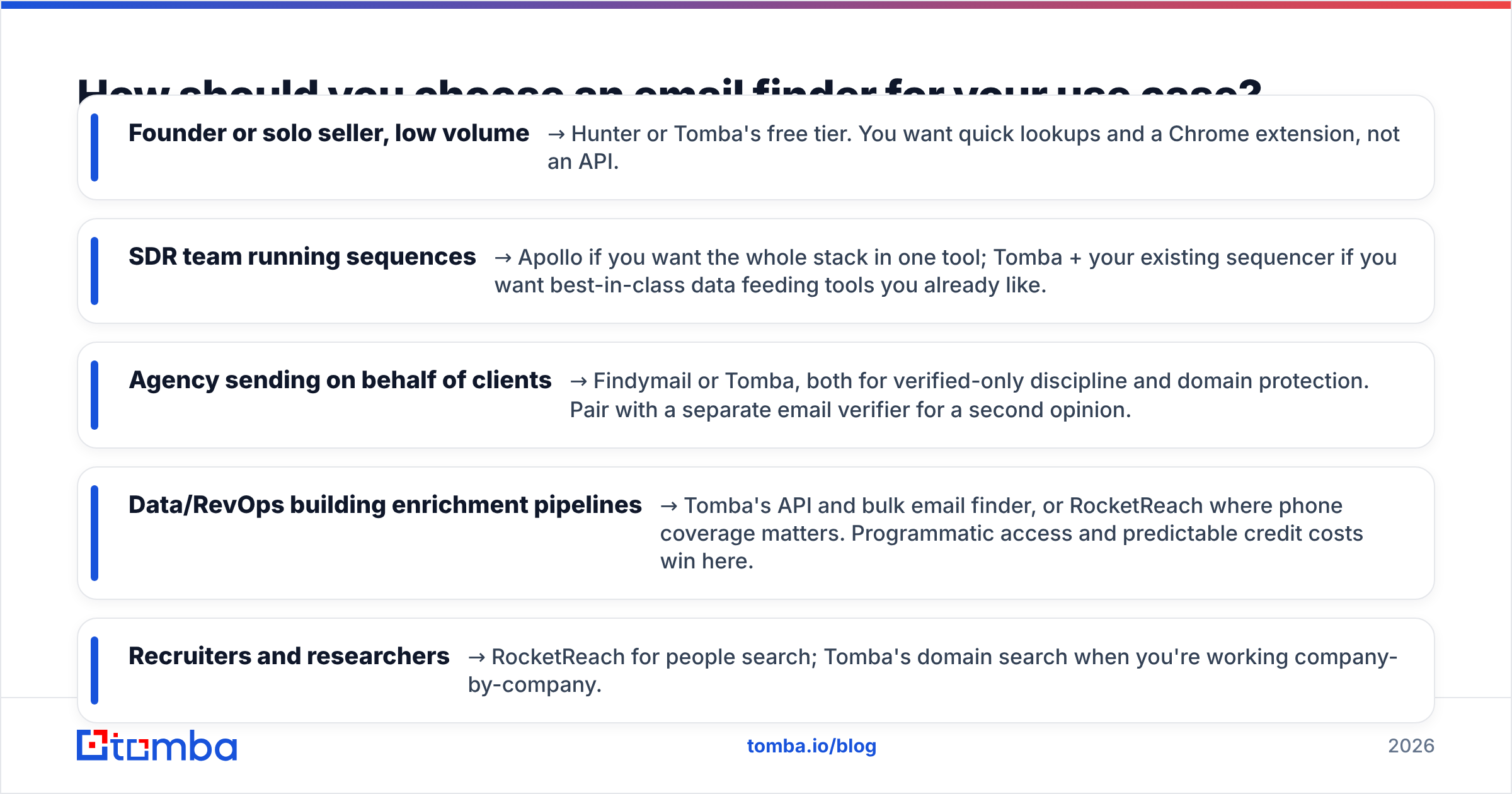
How should you choose an email finder for your use case?#
Match the tool to the job rather than chasing the highest accuracy number:
- Founder or solo seller, low volume → Hunter or Tomba's free tier. You want quick lookups and a Chrome extension, not an API.
- SDR team running sequences → Apollo if you want the whole stack in one tool; Tomba + your existing sequencer if you want best-in-class data feeding tools you already like.
- Agency sending on behalf of clients → Findymail or Tomba, both for verified-only discipline and domain protection. Pair with a separate email verifier for a second opinion.
- Data/RevOps building enrichment pipelines → Tomba's API and bulk email finder, or RocketReach where phone coverage matters. Programmatic access and predictable credit costs win here.
- Recruiters and researchers → RocketReach for people search; Tomba's domain search when you're working company-by-company.
One more cost note: watch how each tool charges for failed lookups. The best tools don't burn a credit when they return nothing. Over a year of bulk work, that policy alone can swing your effective cost per valid email by 30% or more.
Are free email finder tools good enough?#
For testing and very low volume, yes. For production cold email, usually no — but not for the reason you'd expect.
Free tiers are excellent for one thing: trialing accuracy on your own list before you commit a dollar. Use Tomba's 25 free searches or Hunter's free tier to validate hit rate and bounce rate. That's the smartest way to shop.
Where free breaks down is volume and verification. Free standalone "email permutator" or generator tools just produce possible addresses; they don't verify them, so you're back to guessing and bouncing. If you want to scale past a handful of prospects a month, a paid tier that bundles finding and verification is cheaper than the reputation damage from a single bounce-heavy send. Compare that against your domain warmup investment — recovering a burned sending domain costs far more than a Starter plan.
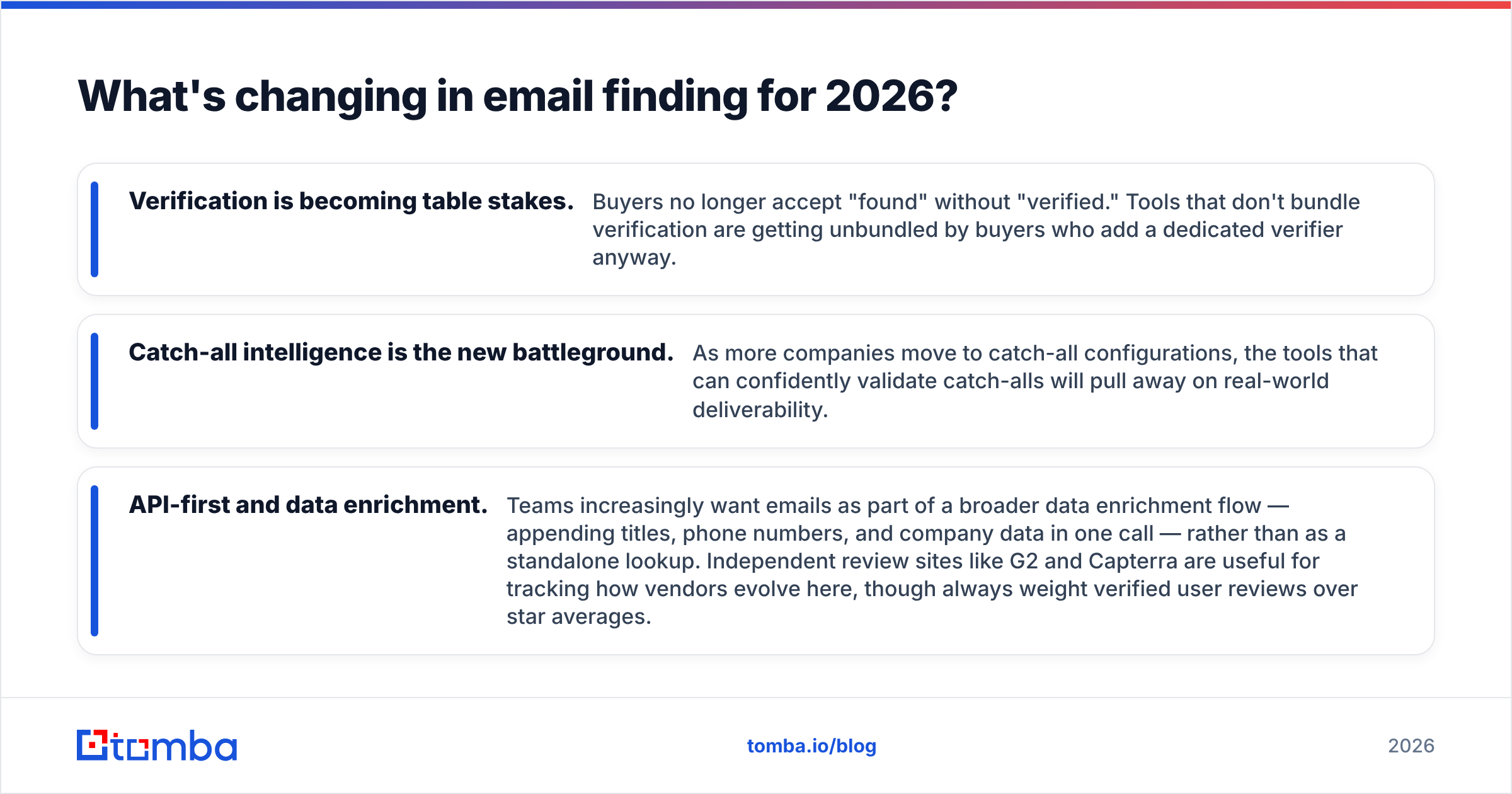
What's changing in email finding for 2026?#
Three shifts are worth planning around:
- Verification is becoming table stakes. Buyers no longer accept "found" without "verified." Tools that don't bundle verification are getting unbundled by buyers who add a dedicated verifier anyway.
- Catch-all intelligence is the new battleground. As more companies move to catch-all configurations, the tools that can confidently validate catch-alls will pull away on real-world deliverability.
- API-first and data enrichment. Teams increasingly want emails as part of a broader data enrichment flow — appending titles, phone numbers, and company data in one call — rather than as a standalone lookup. Independent review sites like G2 and Capterra are useful for tracking how vendors evolve here, though always weight verified user reviews over star averages.
Final verdict: which email finder tool should you pick?#
If you want the best balance of accuracy, verification, and price, start with Tomba's free tier and test it on your own list — that's the only benchmark that matters. If you need an all-in-one outbound suite, Apollo earns its seat price. For quick lookups, Hunter is the friendliest; for people search and phones, RocketReach; for verified-only agency output, Findymail.
Ready to test the data yourself? Spin up the Tomba Email Finder on the free plan (25 searches/month), run it against 100 contacts you already trust, and compare the hit rate and bounce rate to whatever you're using now. When the numbers hold up, the Starter plan at $49/mo — with verification and catch-all checks built in — turns that test into a repeatable pipeline. Find more valid emails per dollar, protect your sender reputation, and stop paying twice for finding and verifying.
// get started
Find, verify and enrich your first contacts today
Start on the free plan with 25 searches a month, then scale when your team is ready.
Free plan · No credit card required · GDPR & CCPA
// about the author