Best Sales Presentations in 2026: Examples, Structure & Tools
What separates the best sales presentations from forgettable decks? A repeatable structure, real prospect data, and a story your buyer cares about. Here's the 2026 playbook.
The best sales presentations don't win because of slick animations or a 60-slide product tour. They win because the rep walked in knowing exactly who was in the room, what that buyer cares about, and how to frame the product as the obvious next step. Everything else — design, structure, delivery — is in service of that.
This guide breaks down what actually separates a deck that closes from one that gets a polite "we'll circle back." You'll get a repeatable structure, real-world examples, a tool comparison, and the personalization workflow that makes the difference in 2026.
TL;DR#
- Structure beats decoration. The best sales presentations follow a problem-first arc, not a feature dump. Lead with the buyer's pain, not your logo wall.
- Personalization is the multiplier. Decks built on real prospect data (role, company, trigger event) convert far better than generic templates.
- Less is more. Aim for 10–15 slides, one idea per slide, and a single clear call to action.
- Story carries the numbers. Frame data inside a before/after narrative so buyers remember the stakes, not just the stats.
- Tools matter, but inputs matter more. A great template with bad contact data still misses. Build your prospect list with an accurate email finder before you ever open the deck.
What makes a sales presentation "the best"?#
The best sales presentations share one trait: they're built around the buyer, not the seller. A forgettable deck answers "what does our product do?" A winning deck answers "why should this specific person, at this specific company, change what they're doing right now?"
Think of it like a doctor's visit. A bad doctor lists every treatment they offer before you've described a symptom. A good doctor asks where it hurts, confirms the diagnosis, then prescribes. Your presentation should do the same — diagnose before you prescribe.
That reframing changes everything downstream:
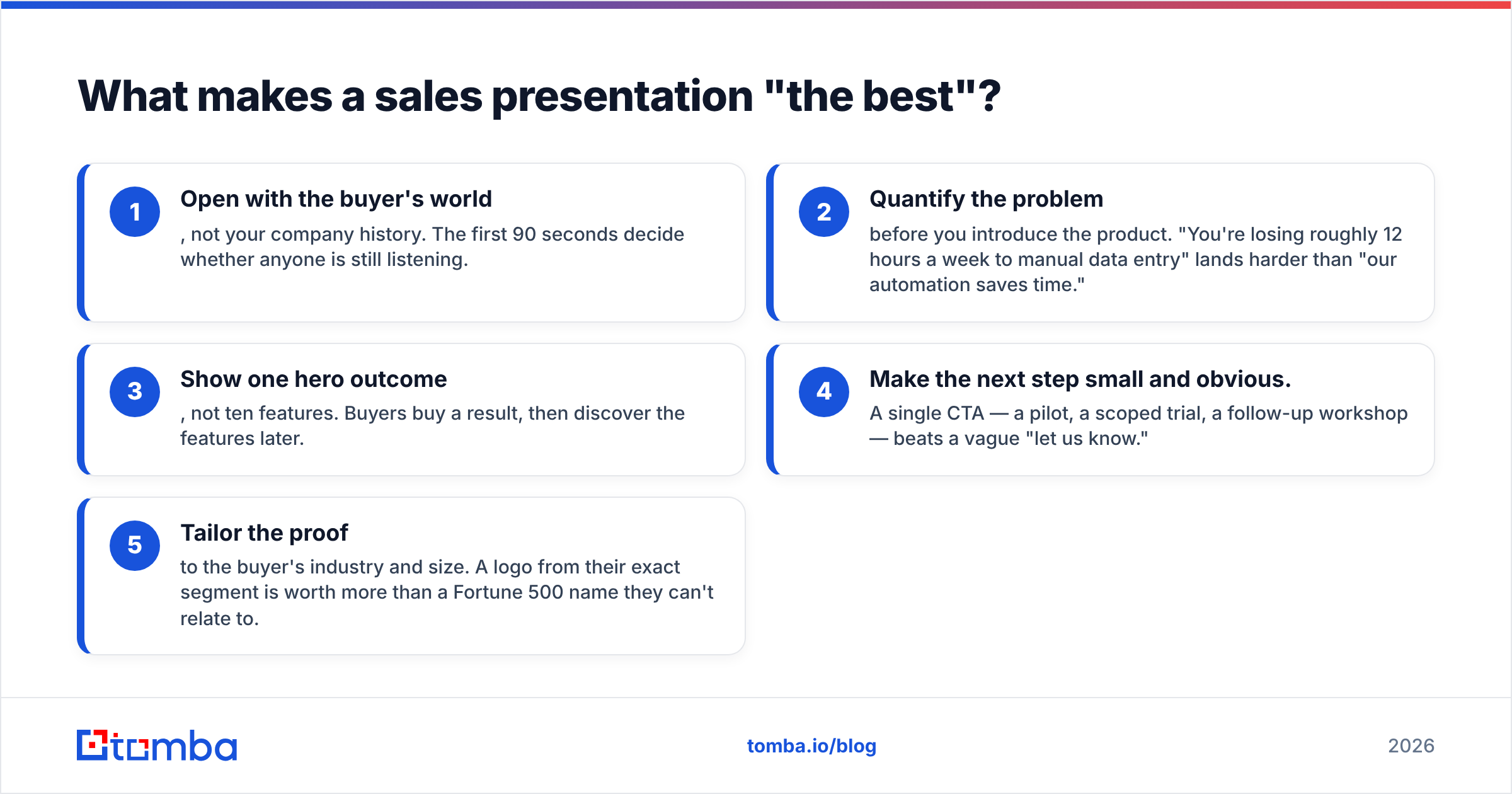
- Open with the buyer's world, not your company history. The first 90 seconds decide whether anyone is still listening.
- Quantify the problem before you introduce the product. "You're losing roughly 12 hours a week to manual data entry" lands harder than "our automation saves time."
- Show one hero outcome, not ten features. Buyers buy a result, then discover the features later.
- Make the next step small and obvious. A single CTA — a pilot, a scoped trial, a follow-up workshop — beats a vague "let us know."
- Tailor the proof to the buyer's industry and size. A logo from their exact segment is worth more than a Fortune 500 name they can't relate to.
)
What is the ideal sales presentation structure?#
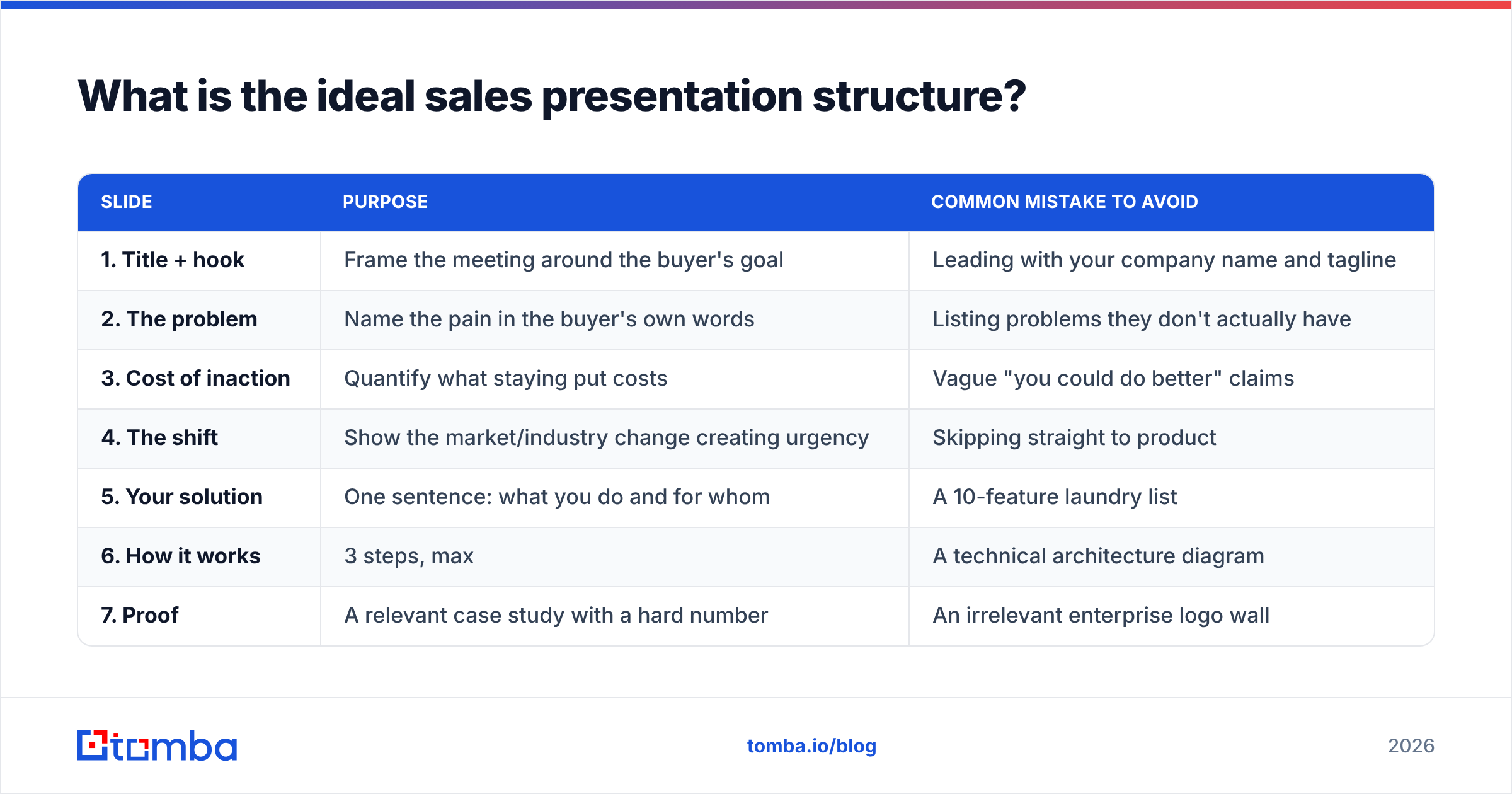
The strongest decks follow a narrative arc borrowed from classic storytelling: status quo, tension, resolution. Below is a 12-slide skeleton that works across most B2B deals, whether you're presenting on a Zoom call or in a boardroom.
| Slide | Purpose | Common mistake to avoid |
|---|---|---|
| 1. Title + hook | Frame the meeting around the buyer's goal | Leading with your company name and tagline |
| 2. The problem | Name the pain in the buyer's own words | Listing problems they don't actually have |
| 3. Cost of inaction | Quantify what staying put costs | Vague "you could do better" claims |
| 4. The shift | Show the market/industry change creating urgency | Skipping straight to product |
| 5. Your solution | One sentence: what you do and for whom | A 10-feature laundry list |
| 6. How it works | 3 steps, max | A technical architecture diagram |
| 7. Proof | A relevant case study with a hard number | An irrelevant enterprise logo wall |
| 8. Differentiation | Why you, not the alternative | Trashing competitors by name |
| 9. Pricing framing | Anchor value before the number | Hiding price until the very end |
| 10. Objection pre-empt | Address the obvious "but what about…" | Pretending objections don't exist |
| 11. The ask | One specific, small next step | Three competing CTAs |
| 12. Q&A / contact | Make it easy to continue | Ending on a generic "thank you" |
The slide count is a guide, not a rule. The discipline that matters is one idea per slide and a logical thread from problem to next step. If a slide doesn't move the buyer closer to a decision, cut it.
For more on connecting the deck to the broader deal motion, our breakdown of the sales process and pipeline fundamentals is a useful companion read.
What are examples of the best sales presentation styles?#
Different deals call for different formats. Here are four proven styles and when each one wins.
- The challenger deck. You teach the buyer something they didn't know about their own business, then reframe the problem so your solution is the natural answer. Best for disrupting an entrenched status quo. Popularized by the Challenger Sale research, it works when the buyer doesn't yet feel urgency.
- The before/after story. You walk through one customer's transformation in narrative form — where they were, what changed, where they are now. Best for relatable, mid-market deals where social proof carries weight.
- The data-led briefing. You open with a striking industry statistic and build the entire case on numbers. Best for analytical buyers (finance, ops, technical evaluators) who distrust hype.
- The interactive demo-first. You skip slides almost entirely and drive the product live, narrating against the buyer's real use case. Best late in the cycle when the buyer already understands the problem and wants to see it work.
Most elite reps don't pick one — they blend. A challenger opening, a before/after proof point in the middle, and a data slide to satisfy the skeptic in the room.
How does personalization separate good decks from great ones?#
Personalization is the single biggest lever, and it's where most presentations fall flat. A generic deck treats a CFO and a frontline manager identically. A personalized deck speaks to each one's specific incentives.
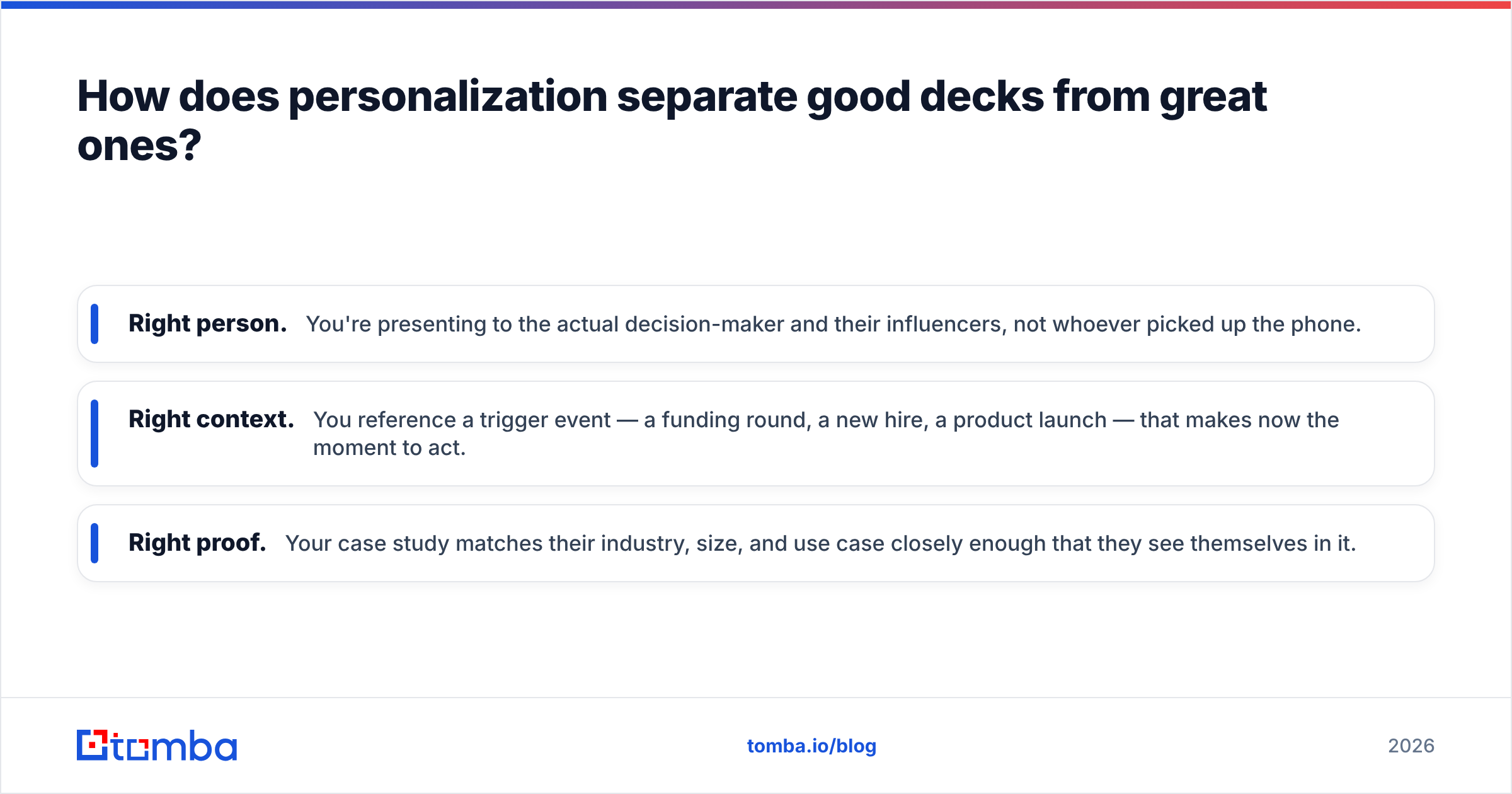
Real personalization means three things:
- Right person. You're presenting to the actual decision-maker and their influencers, not whoever picked up the phone.
- Right context. You reference a trigger event — a funding round, a new hire, a product launch — that makes now the moment to act.
- Right proof. Your case study matches their industry, size, and use case closely enough that they see themselves in it.
All three depend on having accurate contact and company data before you build the deck. This is the unglamorous part nobody puts on a slide: research and list-building. If you're reaching the wrong inbox or the wrong title, the most beautiful presentation in the world never gets seen.
That's why strong teams pair their deck work with reliable prospecting. Pulling verified contacts with a domain search across a target account, then enriching them so you know each stakeholder's role, turns a one-size-fits-all pitch into a tailored one. Clean inputs in, relevant decks out.
)
Which tools build the best sales presentations in 2026?#
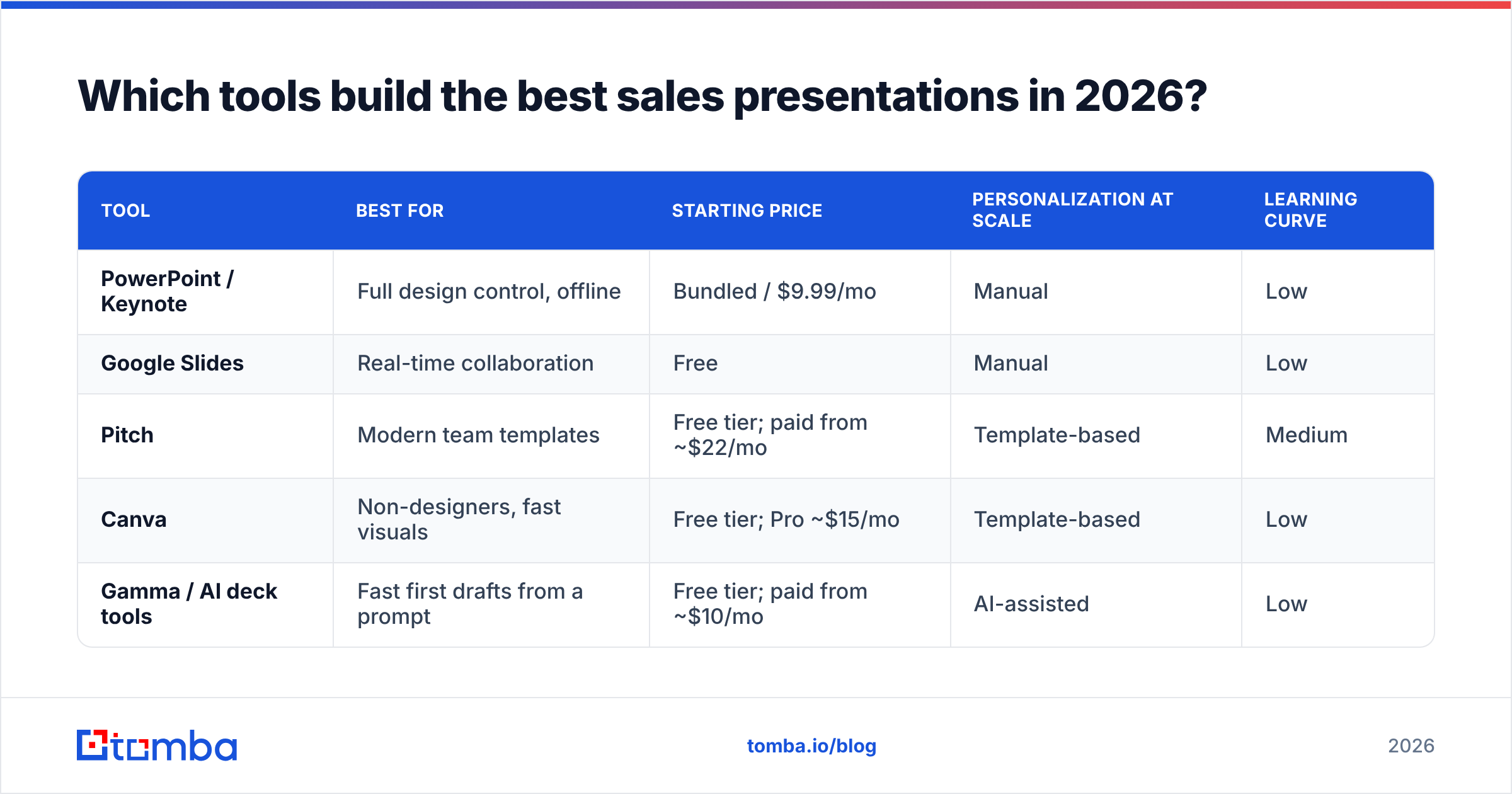
The tool you choose shapes how fast you can produce and personalize decks. Here's how the main categories compare for B2B sales teams.
| Tool | Best for | Starting price | Personalization at scale | Learning curve |
|---|---|---|---|---|
| PowerPoint / Keynote | Full design control, offline | Bundled / $9.99/mo | Manual | Low |
| Google Slides | Real-time collaboration | Free | Manual | Low |
| Pitch | Modern team templates | Free tier; paid from ~$22/mo | Template-based | Medium |
| Canva | Non-designers, fast visuals | Free tier; Pro ~$15/mo | Template-based | Low |
| Gamma / AI deck tools | Fast first drafts from a prompt | Free tier; paid from ~$10/mo | AI-assisted | Low |
A few honest caveats. AI deck generators get you to a draft fast, but they produce generic structure — you still own the personalization and the story. Collaboration tools like Google Slides and Pitch win when multiple reps and managers iterate on a master deck. For most teams, the right answer is a polished master template plus a disciplined process for swapping in buyer-specific data per deal.
For benchmarking any of these against alternatives, third-party review sites like G2 and Capterra carry real user feedback on usability and support — worth a look before you standardize your team on one platform.
How long should a sales presentation be?#
Shorter than you think. The best sales presentations respect the buyer's time and leave room for conversation.
- Discovery / first meeting: 8–12 slides, 15–20 minutes of talking, the rest is dialogue. The goal is to qualify and earn the next meeting, not to close.
- Solution / demo meeting: 12–18 slides or a live product walkthrough scoped to their use case. 30–40 minutes, heavy on proof.
- Executive / closing meeting: 6–10 slides. Senior buyers want the business case, the risk, and the ask — fast.
A reliable rule: if your deck has more slides than the meeting has minutes divided by two, you have too many. Presentations are conversations with visual aids, not documents you read aloud.
How do you measure whether a presentation worked?#
A presentation isn't successful because people nodded. It's successful when it moves the deal to the next stage. Track these signals:
- Advance rate. What percentage of presentations produce a committed next step (not "we'll think about it")?
- Time-to-next-meeting. Tighter gaps usually mean stronger urgency was created.
- Stakeholder expansion. Did the buyer invite more people to the next session? That's a buying signal.
- Objection quality. Specific objections ("how does this integrate with our CRM?") beat vague ones ("we need to discuss internally").
Feed these back into the deck. If everyone stalls on the same slide, that slide is the problem — rebuild it. The best-performing teams treat their master presentation as a living asset and review it monthly, the same way they'd review their response rate on outbound campaigns.
What are the most common sales presentation mistakes?#
Even experienced reps fall into the same traps. Watch for these:
- The feature dump. Listing capabilities the buyer never asked about. Cut anything that doesn't tie to a stated pain.
- The monologue. Talking for 30 uninterrupted minutes. Build in checkpoints: "Does that match what you're seeing?"
- The wrong audience. Presenting a technical deep-dive to a CFO, or an ROI model to an engineer. Know the room before you build.
- The buried CTA. Ending without a clear, specific ask. Always close with one concrete next step.
- The generic proof. A case study from an unrelated industry. Match the proof to the buyer's world.
Most of these come back to the same root cause: not enough research before the deck. When you know who you're presenting to and what they care about, the right structure and content become obvious.
How do you build a presentation pipeline that scales?#
Individual brilliant decks don't scale; a system does. High-performing teams standardize three things:
- A master template with locked branding and a proven structure, so reps personalize content, not design.
- A data layer that feeds each deck accurate, enriched contact and company information — so personalization is fast, not a manual research slog.
- A feedback loop that reviews win/loss notes against specific slides and updates the master accordingly.
The data layer is where most teams under-invest. You can't personalize at scale if every rep spends an hour hunting for the right contact and verifying it's a real, deliverable address. Building that list reliably — and confirming each address with an email verifier before outreach — is what lets the rest of the system run fast. Compare plans on the Tomba pricing page to see which tier fits your team's volume.
Put the right people in the room#
The best sales presentations start long before you open a slide editor. They start with knowing exactly who to present to, why now, and what proof will resonate. Get that right and an average deck outperforms a beautiful one aimed at the wrong inbox.
If your decks are landing in front of the wrong people — or no one at all — fix the input first. Use the Tomba Email Finder to build accurate, verified prospect lists by name, company, or domain, so every presentation you build reaches a real decision-maker. Start free with 25 searches a month, then scale up as your pipeline grows. Better data in means better meetings booked — and better meetings are where the best sales presentations actually happen.
// get started
Find, verify and enrich your first contacts today
Start on the free plan with 25 searches a month, then scale when your team is ready.
Free plan · No credit card required · GDPR & CCPA
// about the author