The Best Way to Find Email Addresses in 2026 (7 Methods Tested)
Manual guessing, Google operators, or an email finder? We tested 7 ways to find email addresses and ranked them by speed, cost, and accuracy for 2026.
Finding one email address is easy. Finding 500 verified ones before your quota resets at the end of the month is the part that separates a working pipeline from a spreadsheet full of bounces. This guide ranks the seven ways people actually find email addresses in 2026 — from free manual tricks to API-driven bulk lookups — and tells you which one fits your volume, budget, and risk tolerance.
TL;DR — What Is the Best Way to Find Email Addresses?#
- For one-off lookups: a free browser extension or a manual LinkedIn-plus-pattern check is fine.
- For repeatable prospecting: a dedicated email finder with built-in verification beats every manual method on speed and accuracy.
- Accuracy is the real metric — a found email that bounces costs you more than no email at all, because bounces damage your sender reputation.
- Always verify before you send. Even the best finder should be paired with an email verifier to catch stale or risky addresses.
- The fastest stack in 2026: domain search to pull a company's whole team, then bulk verify, then export. Minutes, not hours.
What Are the Different Ways to Find Email Addresses?#
There is no single "right" way — there's the right way for your volume. Trying to find one contact for a job application is a different problem than building a 2,000-row outbound list. Here are the seven methods, from most manual to most automated.
- Guess the pattern manually. Most companies use
first.last@domain.comorfirst@domain.com. You can guess and test. - Google search operators. Queries like
"@company.com" "VP Marketing"surface emails published on the open web. - Check the source directly. Personal websites, GitHub commits, conference speaker pages, and "Contact" footers still hold real addresses.
- LinkedIn plus a permutator. Pull the name and company from LinkedIn, then generate likely formats with an email permutator.
- Browser extensions. A Chrome extension surfaces emails as you browse a company site or profile.
- Email finder tools. Enter a name and domain; the tool returns the verified address with a confidence score.
- Domain search and bulk lookup. Pull every public email at a company at once, or upload a list of names and domains for bulk email finding.
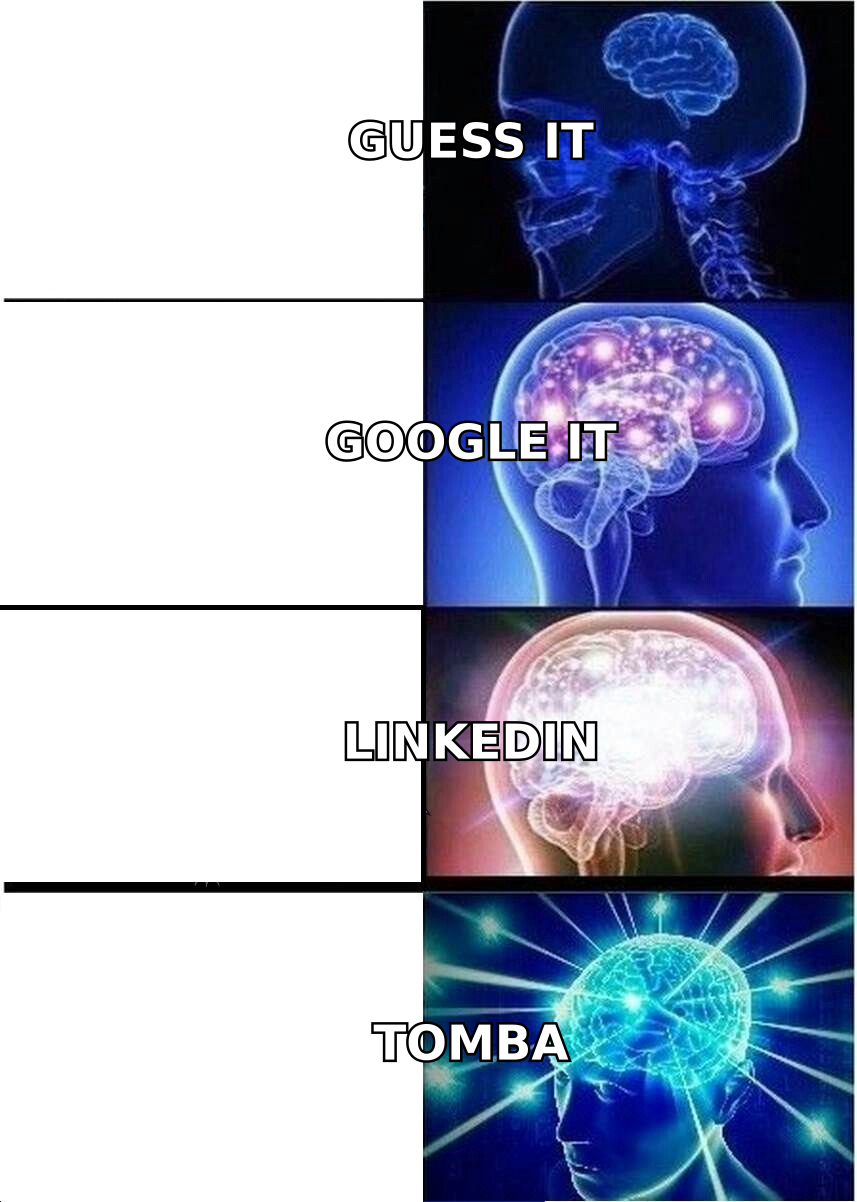
The first four methods are free but slow and error-prone. The last three trade a subscription for speed and, crucially, verification. Which side of that line you belong on depends entirely on how many emails you need per week.
How Accurate Is Each Method for Finding Emails?#
Accuracy is where most "free" methods quietly fall apart. Guessing a pattern gets you a syntactically valid address that may not exist on the mail server. Sending to it produces a hard bounce, and bounces above roughly 2–3% start dragging down your email deliverability for every other message you send.
The honest hierarchy looks like this: manual guessing lands somewhere around a coin flip; published-source scraping is accurate when the source is fresh but rots fast; and a dedicated finder with live SMTP and catch-all checks is the only category that ships a confidence score you can actually filter on.

This is also why the "free permutator + hope" workflow breaks at scale. Generating ten candidate formats for one person is manageable. Doing it for 300 people, then manually checking which one is live, is a full workday. A finder collapses that into a single API call and returns only the address that resolves — which is the difference between a tool and a chore.
Which Method Is Fastest? A Side-by-Side Comparison#
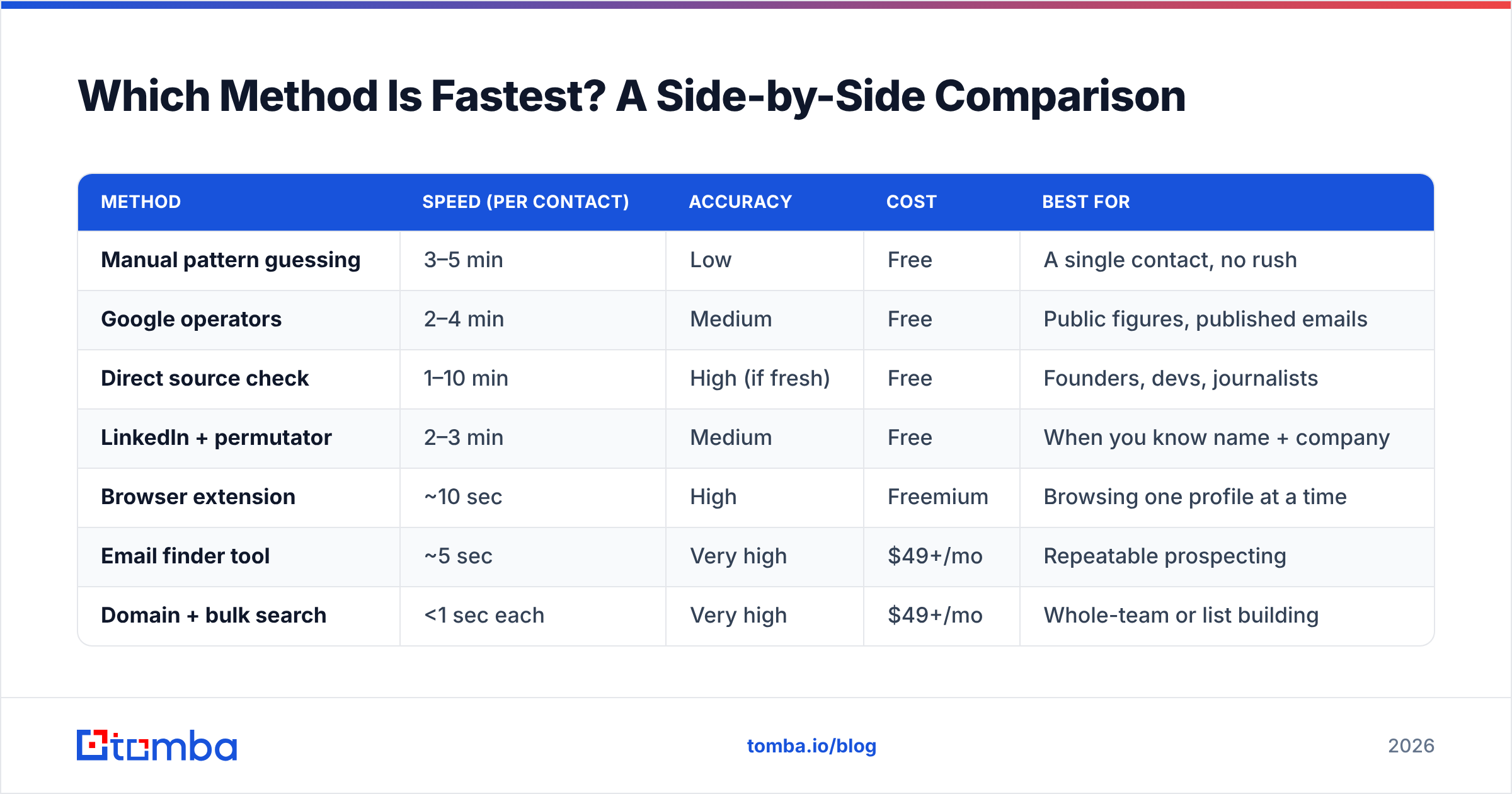
Speed and accuracy usually pull in opposite directions for manual methods and in the same direction for automated ones. Here's how the seven approaches stack up on the metrics that decide your weekly throughput.
| Method | Speed (per contact) | Accuracy | Cost | Best for |
|---|---|---|---|---|
| Manual pattern guessing | 3–5 min | Low | Free | A single contact, no rush |
| Google operators | 2–4 min | Medium | Free | Public figures, published emails |
| Direct source check | 1–10 min | High (if fresh) | Free | Founders, devs, journalists |
| LinkedIn + permutator | 2–3 min | Medium | Free | When you know name + company |
| Browser extension | ~10 sec | High | Freemium | Browsing one profile at a time |
| Email finder tool | ~5 sec | Very high | $49+/mo | Repeatable prospecting |
| Domain + bulk search | <1 sec each | Very high | $49+/mo | Whole-team or list building |
The pattern is clear: anything manual costs you minutes per contact, and minutes per contact do not scale past a few dozen names. The moment your target is "everyone in the marketing department" or "this list of 500 accounts," a domain search or bulk lookup is the only method that finishes the same day.
When Should You Use a Free Method vs. a Paid Tool?#
Use a free method when finding email addresses is occasional and low-stakes — a job application, reaching one author, a single warm intro. Spending money on a subscription to find three emails a month makes no sense, and a free email checker plus a manual guess will get you there.
Switch to a paid tool the moment any of these become true:
- You find more than ~20 emails a week. Manual time cost now exceeds a subscription.
- Bounces are hurting you. You need verification, not just discovery.
- You build lists, not contacts. Domain and bulk search exist precisely for this.
- You need an audit trail. Confidence scores and source attribution matter for compliance and team handoffs.
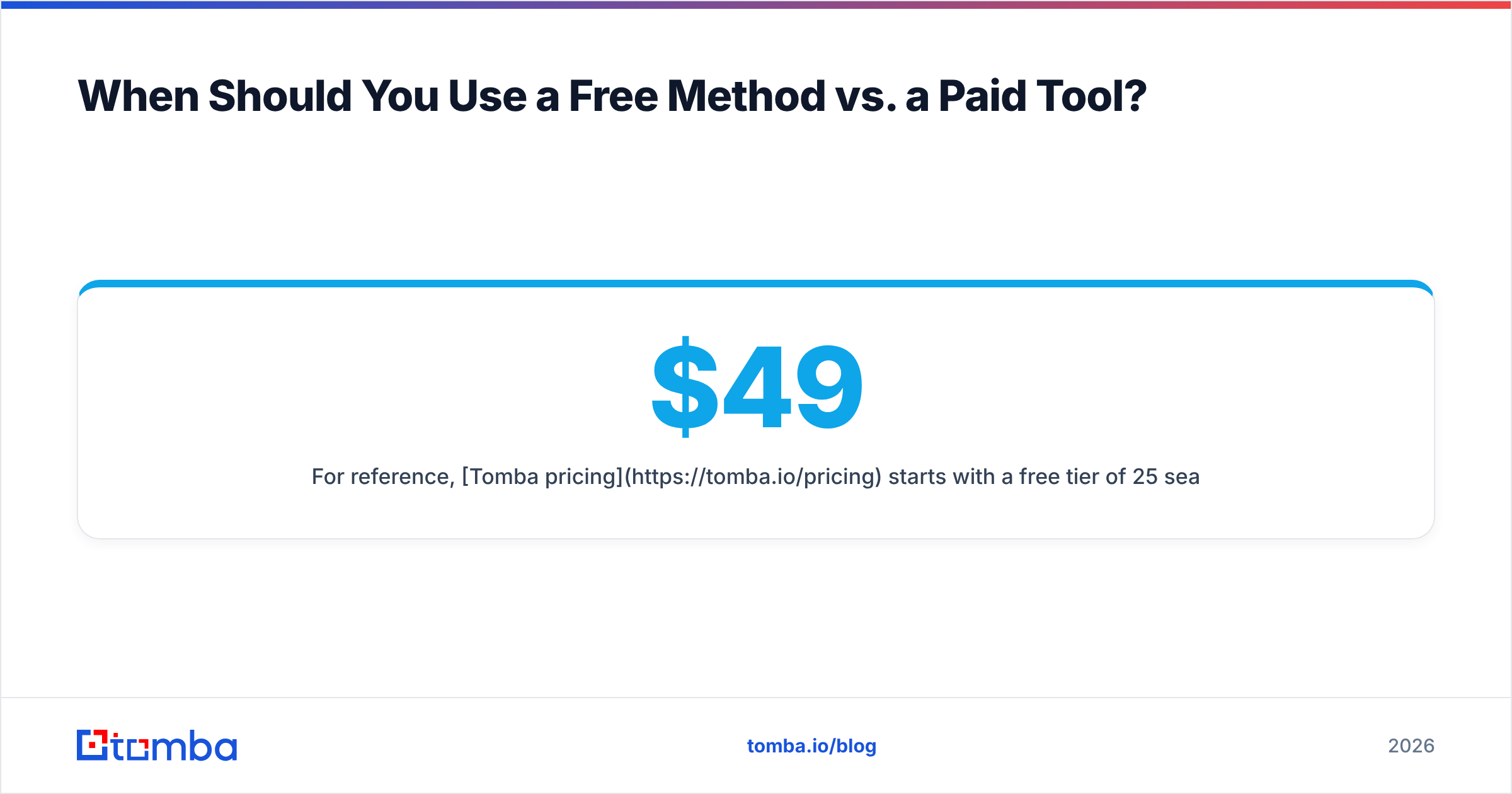
For reference, Tomba pricing starts with a free tier of 25 searches per month, then Starter at $49/mo, Growth at $99/mo, and Pro at $249/mo. The free tier is genuinely enough to test whether automated finding beats your current manual routine before you pay anything.

How Do Email Finder Tools Actually Work?#
An email finder is less magic than it looks. It's a search-and-verify engine. Think of it like a phone book that also calls each number to confirm someone picks up before handing it to you.
When you enter a name and a domain, the tool does three things in sequence. First, it searches its index of previously discovered, public-source emails and known company patterns. Second, it generates the most probable address for that person based on the company's dominant format. Third — and this is the part free methods skip — it runs a real-time check against the mail server to confirm the mailbox accepts mail, flagging catch-all domains where a definitive answer isn't possible. You can read more about where this data comes from if provenance matters to your use case.
The output isn't just an address; it's an address plus a confidence percentage and the sources it was seen on. That metadata is what lets you set a threshold — say, only export contacts above 90% confidence — and keep your bounce rate near zero.
How Do the Leading Email Finders Compare?#
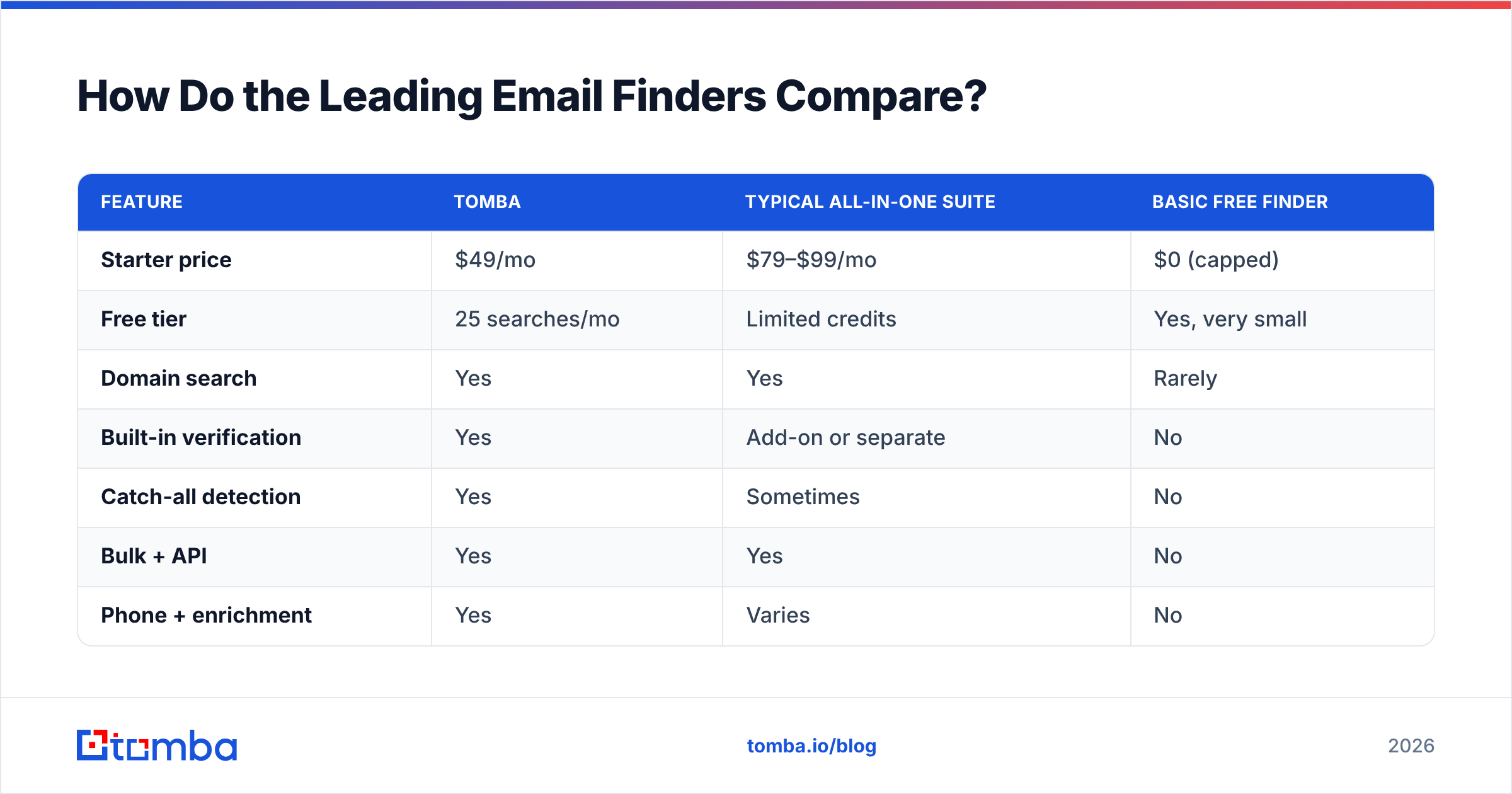
If you've decided a tool is the right call, the next question is which one. The category includes Tomba, Apollo, Hunter, RocketReach, and a dozen others. They differ less on whether they can find an email and more on accuracy, verification depth, and how they price bulk work.
| Feature | Tomba | Typical all-in-one suite | Basic free finder |
|---|---|---|---|
| Starter price | $49/mo | $79–$99/mo | $0 (capped) |
| Free tier | 25 searches/mo | Limited credits | Yes, very small |
| Domain search | Yes | Yes | Rarely |
| Built-in verification | Yes | Add-on or separate | No |
| Catch-all detection | Yes | Sometimes | No |
| Bulk + API | Yes | Yes | No |
| Phone + enrichment | Yes | Varies | No |

The takeaway isn't "Tomba wins every column" — it's that bundling discovery, verification, and catch-all verification into one workflow removes the manual hand-off between separate tools, which is where most teams lose time and accuracy. If you're currently paying for a finder and a verifier separately, consolidating is usually both cheaper and faster. For deeper head-to-heads, see how Tomba stacks up as an Apollo alternative or a RocketReach alternative.
Industry directories like G2 and Capterra are useful for cross-checking real user reviews before you commit, and HubSpot's research on email deliverability is worth reading on why verification is non-negotiable.
What's the Smartest Workflow for Finding Emails at Scale?#
The best way to find email addresses in 2026 isn't a single trick — it's a three-step pipeline that you run once and repeat forever.
- Discover in bulk. Use domain search to pull every public email at a target company, or upload a CSV of names and domains to a bulk finder. This replaces hundreds of manual guesses with one job.
- Verify everything. Run the results through an email verifier to strip out invalid, risky, and catch-all addresses before they ever touch your sending tool. This is the single highest-leverage step for protecting deliverability.
- Enrich and route. Add job titles, company size, and phone numbers with data enrichment, then push clean records straight into your CRM via the Tomba API or a native integration.
This workflow is faster than manual finding and more accurate, because verification is built into the path instead of being an afterthought. A list of 500 names that would take a week to research by hand becomes a single afternoon — most of it spent waiting on the bulk job rather than doing the work yourself.
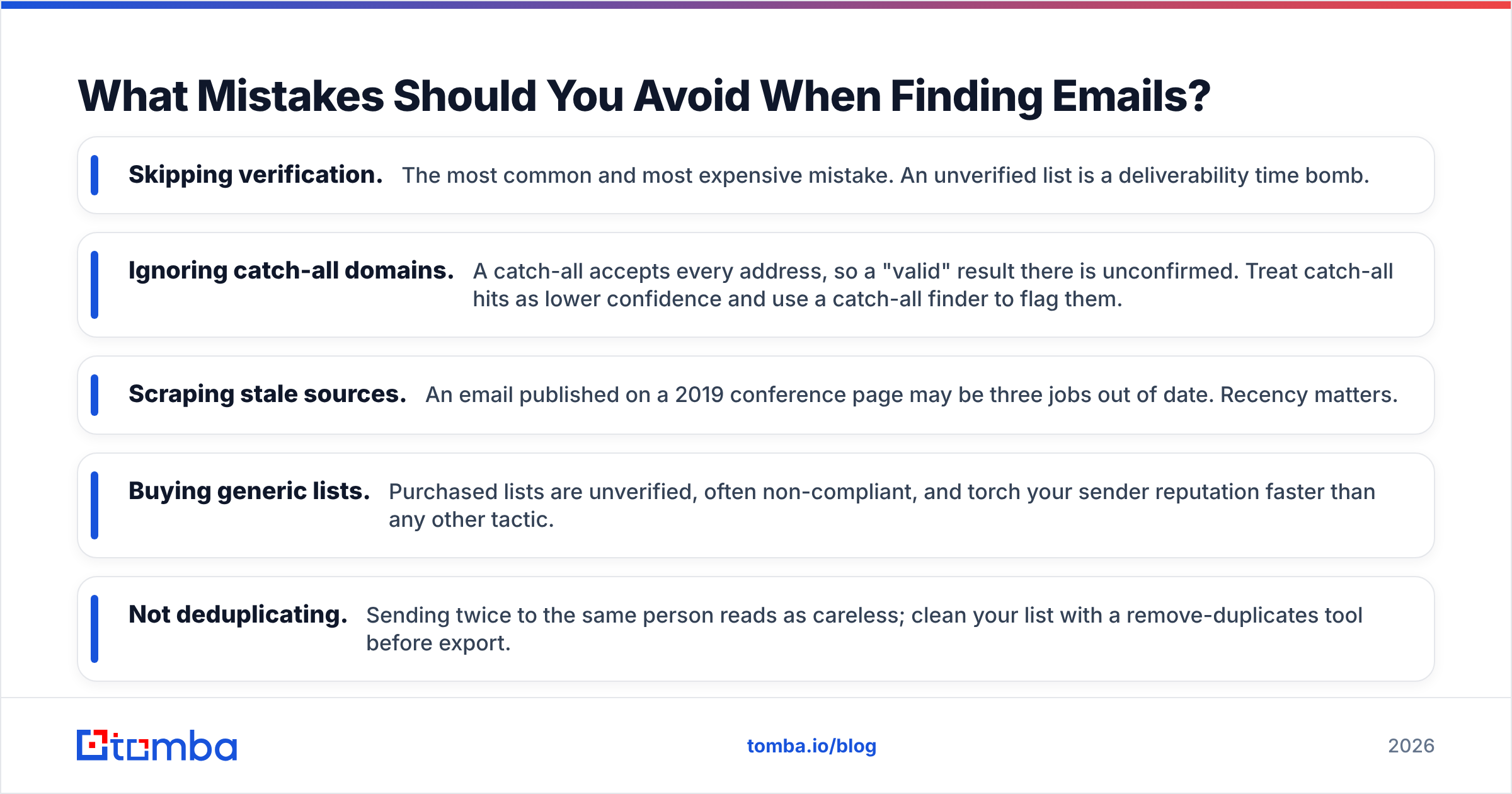
What Mistakes Should You Avoid When Finding Emails?#
- Skipping verification. The most common and most expensive mistake. An unverified list is a deliverability time bomb.
- Ignoring catch-all domains. A catch-all accepts every address, so a "valid" result there is unconfirmed. Treat catch-all hits as lower confidence and use a catch-all finder to flag them.
- Scraping stale sources. An email published on a 2019 conference page may be three jobs out of date. Recency matters.
- Buying generic lists. Purchased lists are unverified, often non-compliant, and torch your sender reputation faster than any other tactic.
- Not deduplicating. Sending twice to the same person reads as careless; clean your list with a remove-duplicates tool before export.
Avoiding these five is most of the battle. The method you choose matters less than the discipline of verifying before you send.
The Bottom Line: Pick the Method That Matches Your Volume#
If you need one email a month, guess the pattern and check it free. If you need dozens or hundreds, stop burning hours on manual lookups — a finder with built-in verification will pay for itself in the first week, and the free tier means you can prove that before spending a cent.
Ready to replace guesswork with verified results? Try the Tomba Email Finder — search by name, company, or whole domain, get a confidence score on every result, and start with 25 free searches a month. Find the right addresses the first time, verify them in the same workflow, and keep your bounce rate where it belongs: near zero.
// get started
Find, verify and enrich your first contacts today
Start on the free plan with 25 searches a month, then scale when your team is ready.
Free plan · No credit card required · GDPR & CCPA
// about the author