Blacklist Delisting: Remove Your IP & Domain Fast in 2026
Landed on a blocklist and watching your inbox rate crater? Here's the exact 2026 playbook to find which blacklist flagged you, fix the root cause, and file a delisting request that sticks.
Blacklist Delisting: How to Remove Your IP and Domain in 2026
Your open rates fell off a cliff overnight. Bounces spiked. A few replies mention they "found you in spam." Before you blame the copy, check a blacklist — because if your sending IP or domain has been listed, no subject line on earth will save you.
TL;DR
- Blacklist delisting is the process of getting your IP address or domain removed from an anti-spam blocklist (Spamhaus, Barracuda, SORBS, and dozens of others) after it has been flagged.
- You can't delist your way out of a problem you haven't fixed first — mailbox providers re-list senders who request removal without addressing the root cause.
- The fastest path: identify which blacklist flagged you, fix the trigger (spam traps, high bounces, compromised account, bad list hygiene), then submit the removal request through that provider's official portal.
- Most reputable lists auto-delist within 24–72 hours once the issue stops. A few require a manual form.
- Prevention beats delisting every time: verify your lists, authenticate your domain, and warm up new IPs before you ever hit send.
What is blacklist delisting?#
Blacklist delisting is removing your sending IP or domain from a database of known spam sources so mailbox providers stop blocking or junking your mail. Think of a blacklist like a bouncer's "do not admit" list at a club — once your name is on it, it doesn't matter how nicely you're dressed, you're not getting in until you're taken off the list.
These databases, formally called DNS-based blocklists (DNSBLs), are queried in real time by receiving mail servers. When an inbound message arrives, the receiving server checks the sender's IP and domain against the lists it trusts. A hit can mean a hard rejection at the SMTP layer, silent routing to spam, or a throttled delivery rate.
Getting off them is a two-part job: stop doing the thing that got you listed, then ask to be removed. Skip the first part and you'll be back on the list within days. For a deeper primer on how inbox placement works end to end, see Tomba's glossary entry on email deliverability.

How do you know if your IP or domain is blacklisted?#
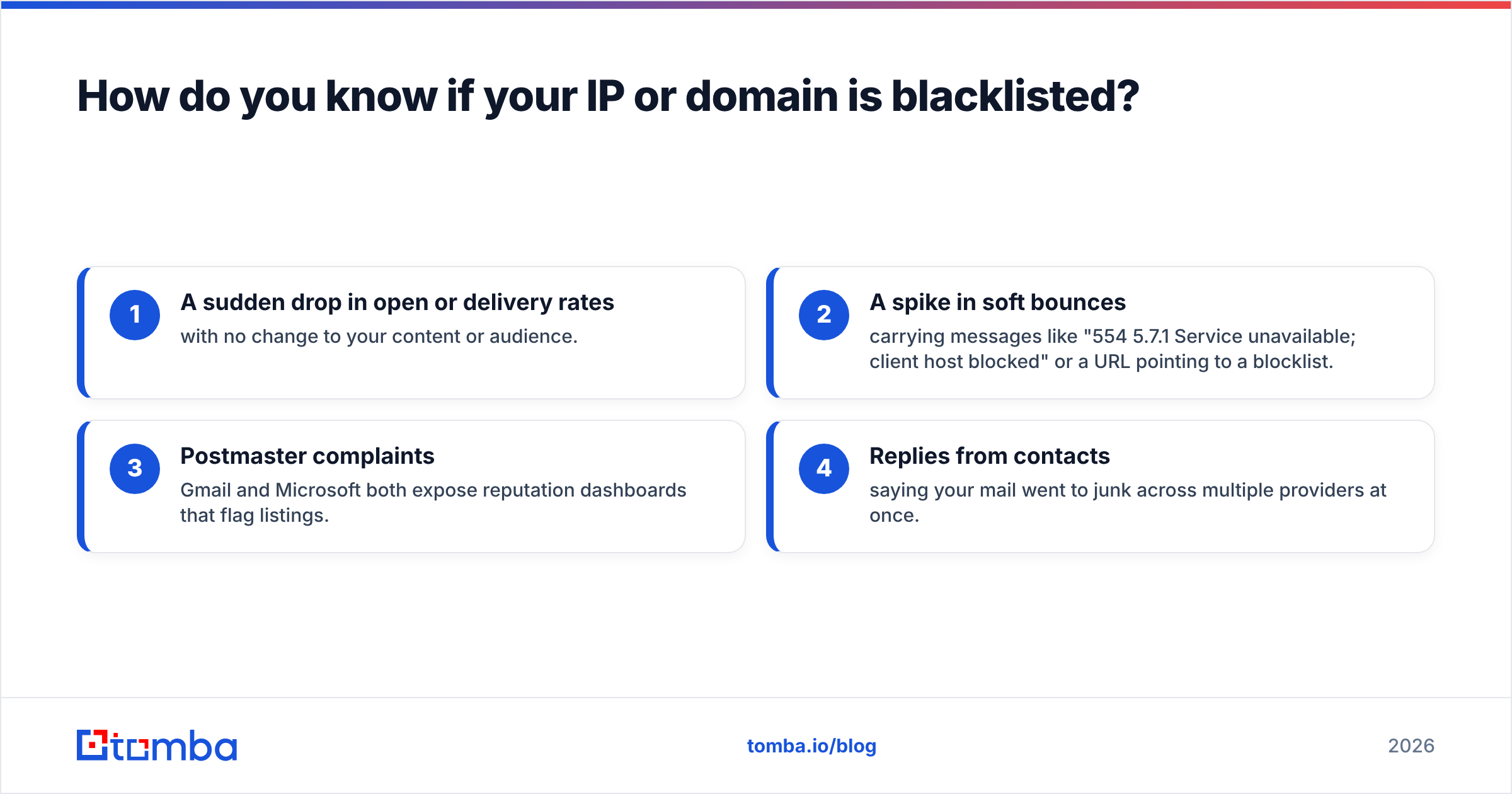
Don't guess — measure. Run your sending IP and your domain through a multi-blacklist lookup. The signs that should trigger a check:
- A sudden drop in open or delivery rates with no change to your content or audience.
- A spike in soft bounces carrying messages like "554 5.7.1 Service unavailable; client host blocked" or a URL pointing to a blocklist.
- Postmaster complaints — Gmail and Microsoft both expose reputation dashboards that flag listings.
- Replies from contacts saying your mail went to junk across multiple providers at once.
Two free tools cover most cases. MXToolbox Blacklist Check queries 80+ DNSBLs at once, and the Spamhaus IP and Domain Reputation Checker is the authority for the most influential lists. Inside Tomba, the email reputation checker and blacklist checker give you a quick read on sender standing before a campaign goes out.
Which blacklists actually matter in 2026?#
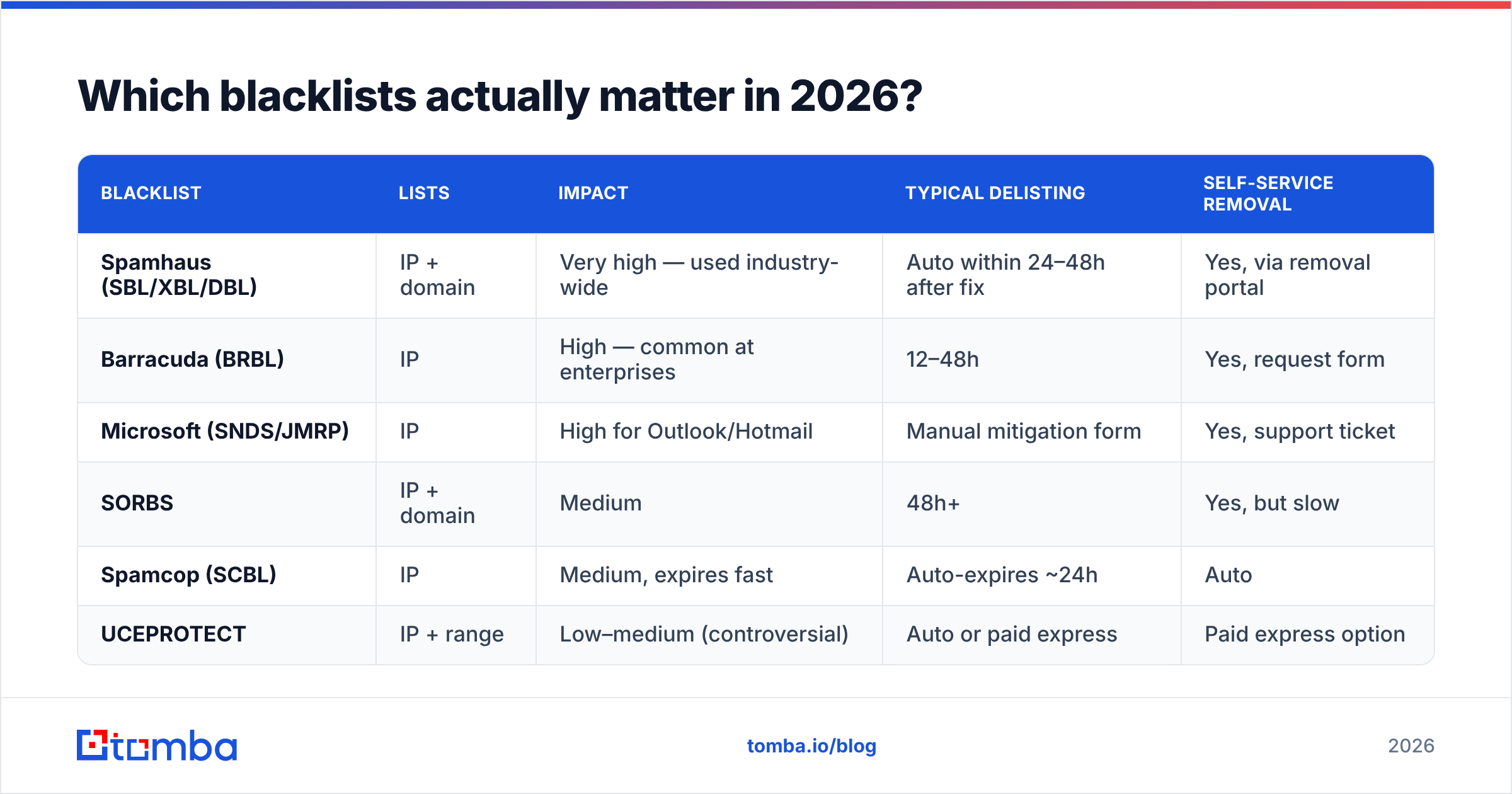
There are hundreds of blocklists, but a handful carry almost all the weight because the big mailbox providers query them. Listings on these hurt; listings on obscure lists rarely affect real delivery.
| Blacklist | Lists | Impact | Typical delisting | Self-service removal |
|---|---|---|---|---|
| Spamhaus (SBL/XBL/DBL) | IP + domain | Very high — used industry-wide | Auto within 24–48h after fix | Yes, via removal portal |
| Barracuda (BRBL) | IP | High — common at enterprises | 12–48h | Yes, request form |
| Microsoft (SNDS/JMRP) | IP | High for Outlook/Hotmail | Manual mitigation form | Yes, support ticket |
| SORBS | IP + domain | Medium | 48h+ | Yes, but slow |
| Spamcop (SCBL) | IP | Medium, expires fast | Auto-expires ~24h | Auto |
| UCEPROTECT | IP + range | Low–medium (controversial) | Auto or paid express | Paid express option |
A practical rule: if Spamhaus and Microsoft are clean, you're in good shape. Chase those first. Don't pay UCEPROTECT's "express delisting" fee — it re-lists quickly and most providers ignore it anyway.
Why did you get blacklisted in the first place?#
You can't fix what you can't name. Listings almost always trace back to one of these root causes:
- Spam traps. You emailed a recycled or pristine trap address — a mailbox that exists only to catch senders with poor list hygiene. One trap hit on a pristine trap can list you instantly.
- High bounce rates. Sending to dead or invalid addresses signals that you bought or scraped a list. Anything above a 2–3% hard-bounce rate is a red flag.
- Spike in spam complaints. When recipients hit "report spam" faster than ~0.3% of volume, providers notice.
- A compromised account or server. Malware, a hijacked SMTP login, or an open relay can blast spam in your name. Microsoft and Spamhaus list the IP, not the attacker.
- Sudden volume spikes. A brand-new IP that sends 50,000 emails on day one looks exactly like a spammer. Warm up gradually instead.
- Missing authentication. No SPF, DKIM, or DMARC makes spoofing trivial and tanks trust. Confirm your records with an SPF checker and review your sender reputation fundamentals.
The single highest-leverage fix is list hygiene. Most blacklist events I've seen trace back to a stale or unverified list — addresses that were valid two years ago and have since turned into traps. Running your contacts through an email verifier before each major send removes the invalids and the obvious traps in one pass.
How do you actually delist your IP or domain? (Step by step)#
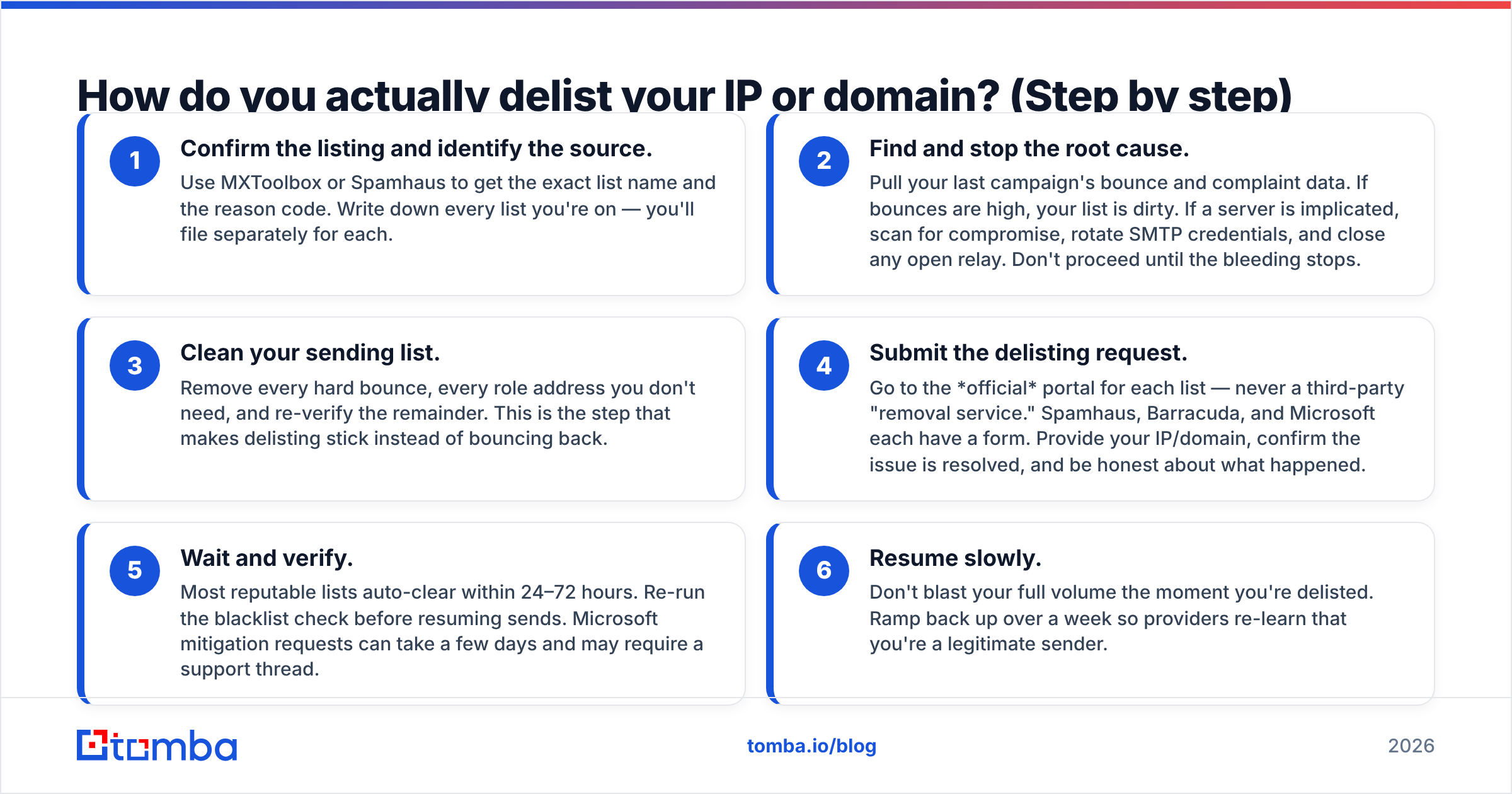
Here's the sequence that works. Do not jump to step 4 first.
- Confirm the listing and identify the source. Use MXToolbox or Spamhaus to get the exact list name and the reason code. Write down every list you're on — you'll file separately for each.
- Find and stop the root cause. Pull your last campaign's bounce and complaint data. If bounces are high, your list is dirty. If a server is implicated, scan for compromise, rotate SMTP credentials, and close any open relay. Don't proceed until the bleeding stops.
- Clean your sending list. Remove every hard bounce, every role address you don't need, and re-verify the remainder. This is the step that makes delisting stick instead of bouncing back.
- Submit the delisting request. Go to the official portal for each list — never a third-party "removal service." Spamhaus, Barracuda, and Microsoft each have a form. Provide your IP/domain, confirm the issue is resolved, and be honest about what happened.
- Wait and verify. Most reputable lists auto-clear within 24–72 hours. Re-run the blacklist check before resuming sends. Microsoft mitigation requests can take a few days and may require a support thread.
- Resume slowly. Don't blast your full volume the moment you're delisted. Ramp back up over a week so providers re-learn that you're a legitimate sender.

How long does blacklist delisting take?#
It depends on the list and whether you fixed the cause.
| Scenario | Realistic timeline |
|---|---|
| Spamcop (auto-expiring) | ~24 hours, no action needed if issue stops |
| Spamhaus, cause fixed, self-removal | 24–48 hours |
| Barracuda removal request | 12–48 hours |
| Microsoft mitigation (Outlook/Hotmail) | 1–7 days, sometimes a support thread |
| Listed again because cause wasn't fixed | Immediate re-listing — back to square one |
The variable that matters most isn't the provider — it's whether your underlying problem is genuinely resolved. Senders who delist three times in a month don't have a delisting problem; they have a list-hygiene problem.
How do you stay off blacklists for good?#
Delisting is the cure. These are the vaccines. Treat blacklist hygiene like dental hygiene — small daily habits beat an emergency root canal.
- Verify before you send. Run new and existing lists through verification to strip invalids, traps, and catch-alls. Tomba's bulk verify handles large lists in one job, and a quick check at the free email checker covers one-off addresses.
- Authenticate everything. Publish SPF, DKIM, and DMARC. This is table stakes in 2026 — Gmail and Yahoo require it for bulk senders.
- Warm up new IPs and domains. Start with a few hundred sends a day to your most engaged contacts and scale gradually.
- Watch complaint and bounce rates. Keep hard bounces under 2% and complaints under 0.1%. Suppress anyone who doesn't engage after several sends.
- Monitor reputation dashboards. Enroll in Google Postmaster Tools and Microsoft SNDS so you see trouble before a listing happens.
- Never buy or scrape lists. Purchased data is the fastest route to a spam trap. Source contacts from a permission-based, accurate provider instead.
That last point is where data quality compounds. A list built from a reliable source — with valid, deliverable addresses — almost never trips a blacklist in the first place. Garbage in, blocklist out.
Should you switch IPs instead of delisting?#
Tempting, but usually wrong. Rotating to a fresh IP to dodge a listing is the email equivalent of changing your name to escape a bad credit score — it works briefly, then catches up with you. Mailbox providers track domain reputation independently of IP, and a clean IP carrying a flagged domain still lands in spam.
Switch IPs only when:
- The IP was compromised and you can't establish it's secured.
- You inherited a "dirty" shared IP from a previous tenant on a shared pool.
- You're moving to a dedicated IP as a deliberate, warmed-up upgrade.
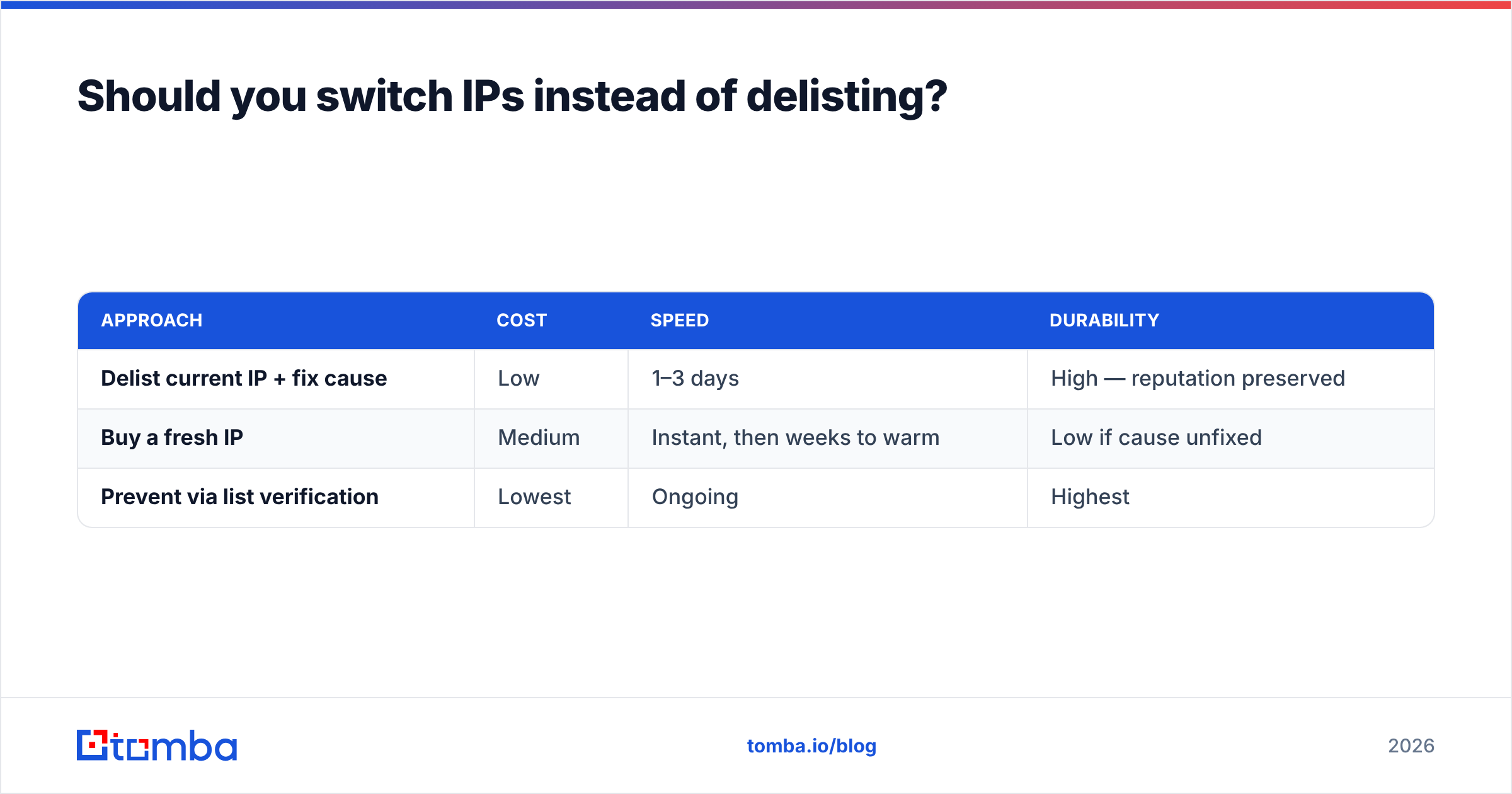
In every other case, fixing the cause and delisting the existing IP preserves the sender history you've built. For most teams the smarter long-term move is upstream: stop sending to addresses that can list you. Compare the two approaches:
| Approach | Cost | Speed | Durability |
|---|---|---|---|
| Delist current IP + fix cause | Low | 1–3 days | High — reputation preserved |
| Buy a fresh IP | Medium | Instant, then weeks to warm | Low if cause unfixed |
| Prevent via list verification | Lowest | Ongoing | Highest |
Frequently asked questions#
Does delisting cost money? The reputable lists — Spamhaus, Barracuda, Microsoft, Spamcop — are free. Be skeptical of any service charging for "guaranteed removal." UCEPROTECT's paid express option is the main exception, and it's widely considered low-value.
Can I be blacklisted even with good content? Yes. Blacklists react to behavior — bounces, traps, complaints, volume — not to how well your email is written. A flawless newsletter sent to a dirty list still gets you listed.
How often should I check my blacklist status? Before every major campaign, and weekly if you send daily. Set up automated reputation monitoring so you're alerted rather than surprised.
Will one bad campaign get me permanently banned? Rarely. Most lists are designed to forgive senders who correct course. Permanent damage comes from repeat offenses, not a single mistake.
The bottom line#
Blacklist delisting is a fix, not a strategy. Identify the list, stop the cause — almost always a dirty or unverified list — clean your data, and file through the official portal. Then never let it happen again by verifying contacts before you send.
That prevention layer starts with knowing your addresses are real and deliverable. Build your outreach lists from accurate, permission-based data using the Tomba Email Finder — it surfaces verified professional emails by name, domain, or company so you're not feeding spam traps into your sequences in the first place. Pair it with verification, authenticate your domain, and the only blacklist you'll think about is the one you used to be on. Check Tomba pricing — the free tier covers 25 searches a month to start.
// get started
Find, verify and enrich your first contacts today
Start on the free plan with 25 searches a month, then scale when your team is ready.
Free plan · No credit card required · GDPR & CCPA
// about the author