Bounceless vs Wiza: Which Tool Wins in 2026?
Bounceless verifies email lists; Wiza finds emails from LinkedIn. They solve different problems. Here's a clear-eyed 2026 breakdown of where each fits, what they cost, and the smarter all-in-one alternative.
You typed "Bounceless vs Wiza" into a search bar expecting a head-to-head winner. Here is the twist that saves you from buying the wrong tool: these two products do not actually compete. One cleans lists you already have. The other builds lists from LinkedIn. Picking between them as if they were interchangeable is how teams end up paying for two subscriptions and still missing half their pipeline.
TL;DR#
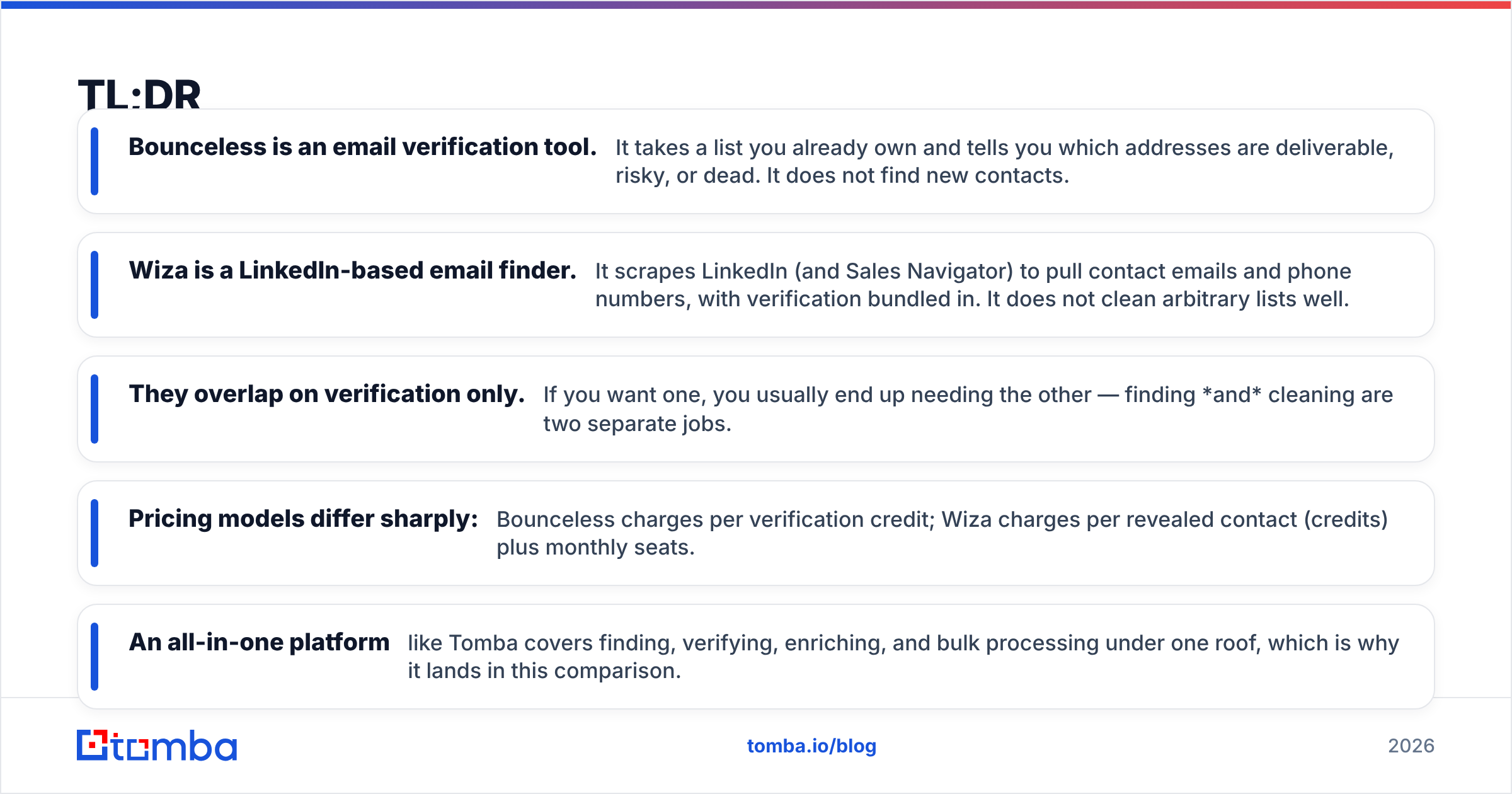
- Bounceless is an email verification tool. It takes a list you already own and tells you which addresses are deliverable, risky, or dead. It does not find new contacts.
- Wiza is a LinkedIn-based email finder. It scrapes LinkedIn (and Sales Navigator) to pull contact emails and phone numbers, with verification bundled in. It does not clean arbitrary lists well.
- They overlap on verification only. If you want one, you usually end up needing the other — finding and cleaning are two separate jobs.
- Pricing models differ sharply: Bounceless charges per verification credit; Wiza charges per revealed contact (credits) plus monthly seats.
- An all-in-one platform like Tomba covers finding, verifying, enriching, and bulk processing under one roof, which is why it lands in this comparison.
What is Bounceless?#
Bounceless is an email verification service. Think of it as a quality-control checkpoint at the end of a factory line: the products (email addresses) are already made, and Bounceless inspects each one before it ships. It runs syntax checks, MX record lookups, SMTP pings, and spam-trap detection, then labels each address as valid, invalid, accept-all (catch-all), or risky.
That is genuinely useful. A dirty list torches your sender reputation and gets your domain blacklisted. Verifying before you send keeps bounce rates low and inboxes happy. But notice the boundary: Bounceless assumes you already have the emails. It is a cleaner, not a hunter. If your CSV is empty, Bounceless has nothing to do.
)
Wait — that placeholder is a meme, not a screenshot. Here is the honest mental model instead:
What is Wiza?#
Wiza is a prospecting tool built on top of LinkedIn. You browse a LinkedIn or Sales Navigator search, run Wiza, and it returns the contacts' work emails and phone numbers in an exportable CSV. It verifies those emails as part of the reveal, so you get a "valid" flag baked in.
The everyday analogy: Wiza is a fishing net you drag through LinkedIn. Bounceless is the inspector who checks the fish are fresh after you've caught them somewhere. Wiza catches and does a quick freshness check; Bounceless only inspects.
The catch (pun intended) is that Wiza's data universe is essentially LinkedIn. If your prospect is not on LinkedIn, or you want to find every email at a company.com domain regardless of social profile, Wiza struggles. That is where a dedicated domain search or email finder pulls ahead.
Is Bounceless better than Wiza?#
Neither is "better" — they answer different questions. Ask yourself what job you are hiring the tool to do:
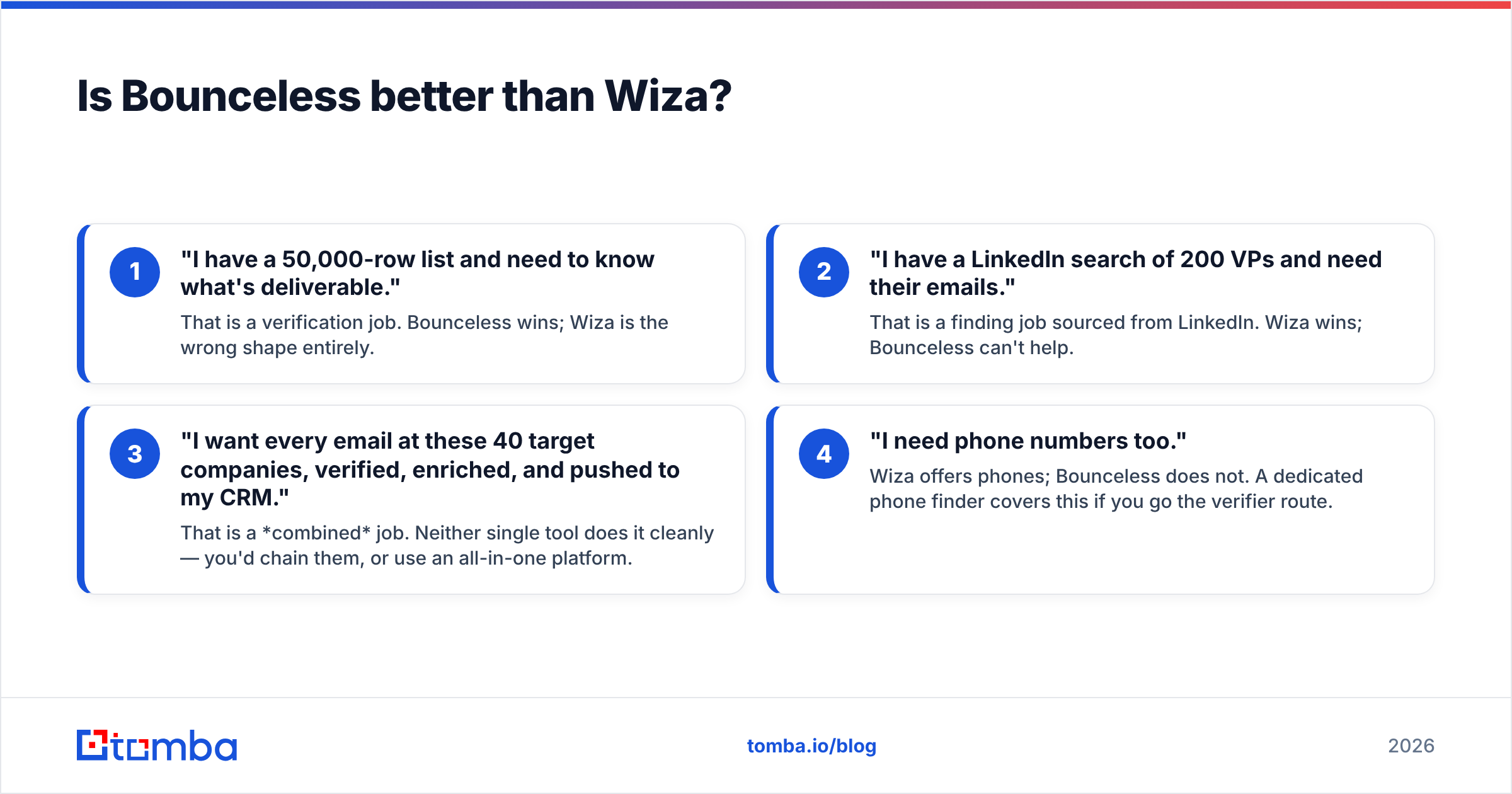
- "I have a 50,000-row list and need to know what's deliverable." That is a verification job. Bounceless wins; Wiza is the wrong shape entirely.
- "I have a LinkedIn search of 200 VPs and need their emails." That is a finding job sourced from LinkedIn. Wiza wins; Bounceless can't help.
- "I want every email at these 40 target companies, verified, enriched, and pushed to my CRM." That is a combined job. Neither single tool does it cleanly — you'd chain them, or use an all-in-one platform.
- "I need phone numbers too." Wiza offers phones; Bounceless does not. A dedicated phone finder covers this if you go the verifier route.
Most teams discover they have job #3, which is why a single-purpose tool always feels like it's missing something.
How do Bounceless and Wiza compare on features and pricing?#
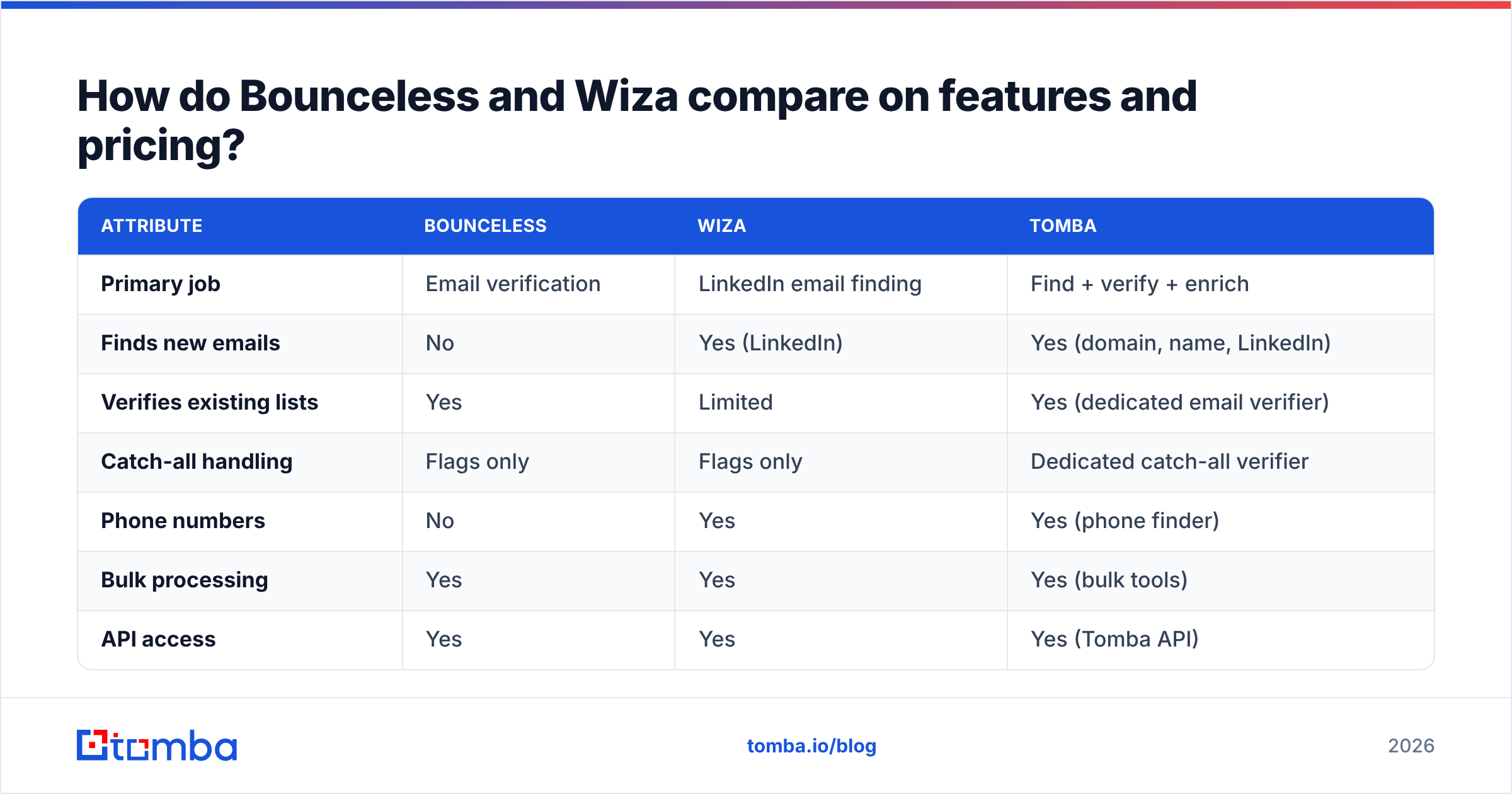
Here is the side-by-side, with Tomba added as the all-in-one reference point. Prices reflect publicly listed 2026 entry tiers and are approximate — always confirm current rates on each vendor's pricing page.
| Attribute | Bounceless | Wiza | Tomba |
|---|---|---|---|
| Primary job | Email verification | LinkedIn email finding | Find + verify + enrich |
| Finds new emails | No | Yes (LinkedIn) | Yes (domain, name, LinkedIn) |
| Verifies existing lists | Yes | Limited | Yes (dedicated email verifier) |
| Catch-all handling | Flags only | Flags only | Dedicated catch-all verifier |
| Phone numbers | No | Yes | Yes (phone finder) |
| Bulk processing | Yes | Yes | Yes (bulk tools) |
| API access | Yes | Yes | Yes (Tomba API) |
| Free tier | Limited credits | 20 credits/mo | 25 searches/mo |
| Entry paid price | ~$29/mo credit packs | ~$49/mo (seat + credits) | $49/mo Starter |
| Best for | List hygiene | LinkedIn prospecting | End-to-end pipeline |
A few honest notes on this table. Bounceless's credit-pack model is cheap if you verify occasionally and in bursts. Wiza's seat-plus-credit model adds up fast once a whole team is revealing thousands of contacts a month. Tomba's pricing bundles finding and verification into one credit pool, which is the cost advantage of not running two subscriptions.
What about accuracy and deliverability?#
Accuracy splits into two very different metrics depending on the tool's job.
For Bounceless, accuracy means: when it says "valid," does the email actually deliver? Verifiers are mature technology, and any reputable one — Bounceless included — gets this right most of the time. The hard case is catch-all domains, where the server accepts everything and no verifier can be 100% certain. This is where a specialized catch-all finder earns its keep, applying pattern intelligence instead of a simple "risky" shrug.
For Wiza, accuracy means: of the contacts it finds, how many emails are correct and current? LinkedIn-sourced data drifts as people change jobs, so freshness matters as much as the initial match. Wiza re-verifies at reveal time, which helps, but it is still bound to what LinkedIn exposes.
The deeper point: a "valid" email is useless if it lands in spam. Verification protects email deliverability, but it is only one input. Your authentication records, warmup, and content matter just as much. Run an SPF checker and confirm your sender reputation before you blame the data.
)
When should you choose each tool?#
Choose Bounceless if: you already have a steady inflow of leads from forms, events, or scraping, and your only gap is cleaning them before send. You don't prospect on LinkedIn, you don't need phones, and you verify in occasional large batches. The credit packs make this affordable.
Choose Wiza if: LinkedIn is your prospecting engine. Your reps live in Sales Navigator, build targeted searches, and need emails and phones exported fast. You accept that your data ceiling is whatever LinkedIn shows, and you're fine paying per seat.
Choose an all-in-one (Tomba) if: you have job #3 from earlier — you want to find emails by domain and by name and from LinkedIn, verify them in the same pool, enrich with firmographics, and pipe everything to your CRM through one API or native integration. One subscription, one credit balance, no CSV ping-pong between two vendors.
How does Tomba fit into the Bounceless vs Wiza decision?#
Tomba exists because the Bounceless-vs-Wiza framing is a false choice for most growth teams. You rarely need only finding or only verifying — you need both, on the same data, without exporting and re-importing.
Here's what that looks like in practice:
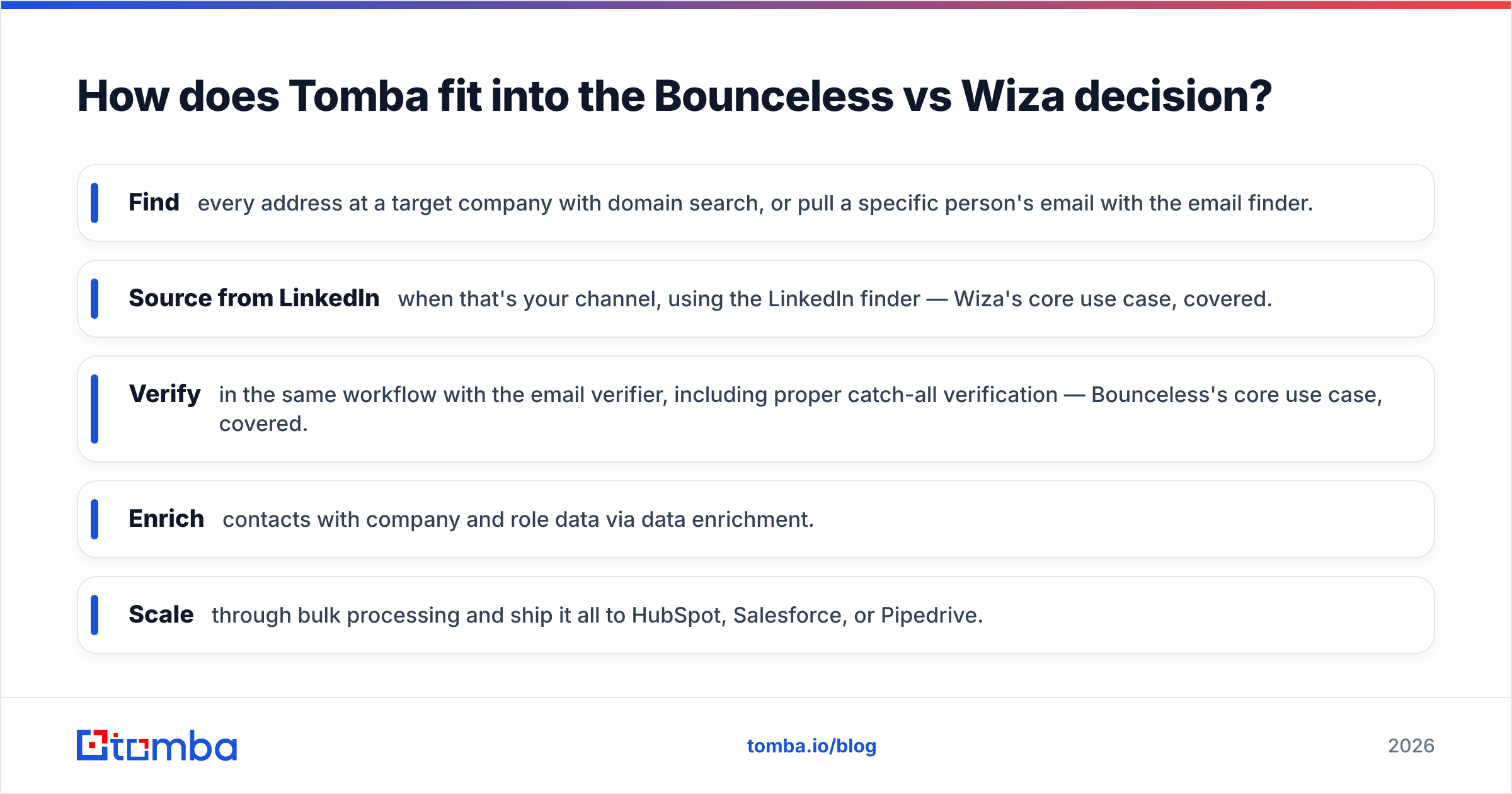
- Find every address at a target company with domain search, or pull a specific person's email with the email finder.
- Source from LinkedIn when that's your channel, using the LinkedIn finder — Wiza's core use case, covered.
- Verify in the same workflow with the email verifier, including proper catch-all verification — Bounceless's core use case, covered.
- Enrich contacts with company and role data via data enrichment.
- Scale through bulk processing and ship it all to HubSpot, Salesforce, or Pipedrive.
The cost logic is simple: instead of paying Bounceless for verification credits and Wiza for reveal credits, you run both jobs out of one pricing plan starting at $49/mo, with a free tier of 25 searches to test the fit.
Want to sanity-check vendor claims before you commit? Cross-reference real user reviews on G2 and Capterra — both list verified ratings for Bounceless, Wiza, and Tomba — and read how the broader category defines accuracy and deliverability on resources like HubSpot's email marketing guides.
Frequently asked questions#
Is Bounceless an email finder? No. Bounceless verifies existing email lists. It checks deliverability but does not discover new contacts. For finding emails you need a dedicated email finder or a LinkedIn-based tool like Wiza.
Does Wiza verify emails? Yes, partially. Wiza re-verifies the emails it reveals from LinkedIn at the moment of reveal. It is not designed to verify large external lists you upload from other sources — that is a verifier's job.
Can I use Bounceless and Wiza together? You can, but you'd be paying two vendors and shuttling CSVs between them. Most teams in that situation consolidate into one platform that finds and verifies in a single credit pool.
Which is cheaper, Bounceless or Wiza? For pure verification, Bounceless's credit packs are typically cheaper. For prospecting, Wiza's per-contact model can get expensive at team scale. Compare both against an all-in-one's blended pricing before deciding.
What's the best alternative to both? An all-in-one platform that handles finding, verifying, and enriching together. That avoids the core trap of this comparison: buying a hunter and a cleaner separately when you needed one tool that does both.
The bottom line#
Stop treating "Bounceless vs Wiza" as a duel. Bounceless cleans lists; Wiza builds them from LinkedIn. If you only ever do one of those jobs, buy the specialist. But if your real workflow is find → verify → enrich → push to CRM — and for most B2B teams it is — running two narrow tools is slower and pricier than running one.
Start with Tomba's Email Finder: find verified, deliverable emails by domain, name, or company, verify them in the same place, and skip the CSV ping-pong entirely. The free tier gives you 25 searches a month to prove it on your own target accounts before you spend a cent.
// get started
Find, verify and enrich your first contacts today
Start on the free plan with 25 searches a month, then scale when your team is ready.
Free plan · No credit card required · GDPR & CCPA
// about the author