Bulk Domain Reputation Check: A Complete 2026 Guide
Checking domain reputation one URL at a time doesn't scale. Here's how to run a bulk domain reputation check across thousands of domains in 2026 — tools, signals, and a repeatable workflow.
If you send cold email, sync purchased lists, or manage outreach across dozens of sending domains, checking reputation one domain at a time is a losing game. A bulk domain reputation check lets you score thousands of domains in a single pass — before they ever touch your sending infrastructure or your CRM.
TL;DR#
- A bulk domain reputation check scores many domains at once against blacklists, infrastructure signals (SPF/DKIM/DMARC), and sending history — instead of one-by-one lookups.
- The signals that matter most: blacklist presence, domain age, MX/authentication records, spam-trap exposure, and engagement history.
- No single source is authoritative. Combine blacklist data (Spamhaus, Talos), Google Postmaster Tools, and your own bounce/complaint logs.
- Automate it. Manual spot-checks miss the scale problem entirely; an API-driven pipeline catches bad domains before import.
- Pair reputation scoring with email verification so you're filtering both the domain and the individual mailbox.
What is a bulk domain reputation check?#
A bulk domain reputation check is the process of evaluating the trustworthiness of many domains simultaneously, using automated lookups instead of manual, single-domain queries.
Think of it like a credit check, but for domains. When a bank approves a loan, it doesn't eyeball your face — it pulls a score built from dozens of data points: payment history, debt load, account age. Domain reputation works the same way. Mailbox providers like Gmail and Outlook silently assign every sending domain a trust score, and that score decides whether your mail lands in the inbox, the spam folder, or nowhere at all.
The "bulk" part is what makes it operationally useful. Anyone can paste a single domain into a lookup tool. The hard problem is scoring 5,000 domains from a freshly purchased list, or auditing the 40 sending domains your agency rotates through, without spending a week on copy-paste.
You'll typically run a bulk check in three situations:
- Before importing a list — you bought or scraped contacts and want to drop the junk domains before they pollute your database.
- Before sending — you're rotating multiple sending domains and need to confirm none have been blacklisted overnight.
- During ongoing hygiene — you re-score your active domains weekly to catch reputation decay early.
)
Why does domain reputation matter for deliverability?#
Domain reputation matters because it's the single biggest lever on whether your email reaches the inbox — and it compounds. A good sender reputation earns you the benefit of the doubt; a bad one means even perfectly legitimate mail gets filtered.
Here's the mechanism. Mailbox providers track how recipients react to your mail: opens, replies, "mark as spam" clicks, deletions without reading. They also watch infrastructure signals — whether your domain authenticates correctly, how old it is, whether it's listed on public blacklists. All of this rolls into a reputation score attached to your domain (and, separately, your IP).
When that score drops, the consequences cascade:
- Inbox placement falls. Your mail starts landing in Promotions or Spam even for engaged recipients.
- Throttling kicks in. Providers slow down how much mail they'll accept from you per hour.
- Hard blocks happen. At the bottom end, providers reject your connections outright with 5xx errors.
The brutal part is that reputation recovers slowly and decays fast. A few hundred spam complaints can tank a domain in a day; rebuilding trust takes weeks of careful, low-volume sending. That asymmetry is exactly why you want to screen domains in bulk before they damage your sending profile — not diagnose the problem after deliverability has already cratered.
What signals make up a domain's reputation?#
A domain's reputation is assembled from infrastructure signals, list-hygiene signals, and behavioral signals. No single one is decisive; providers weight them together.
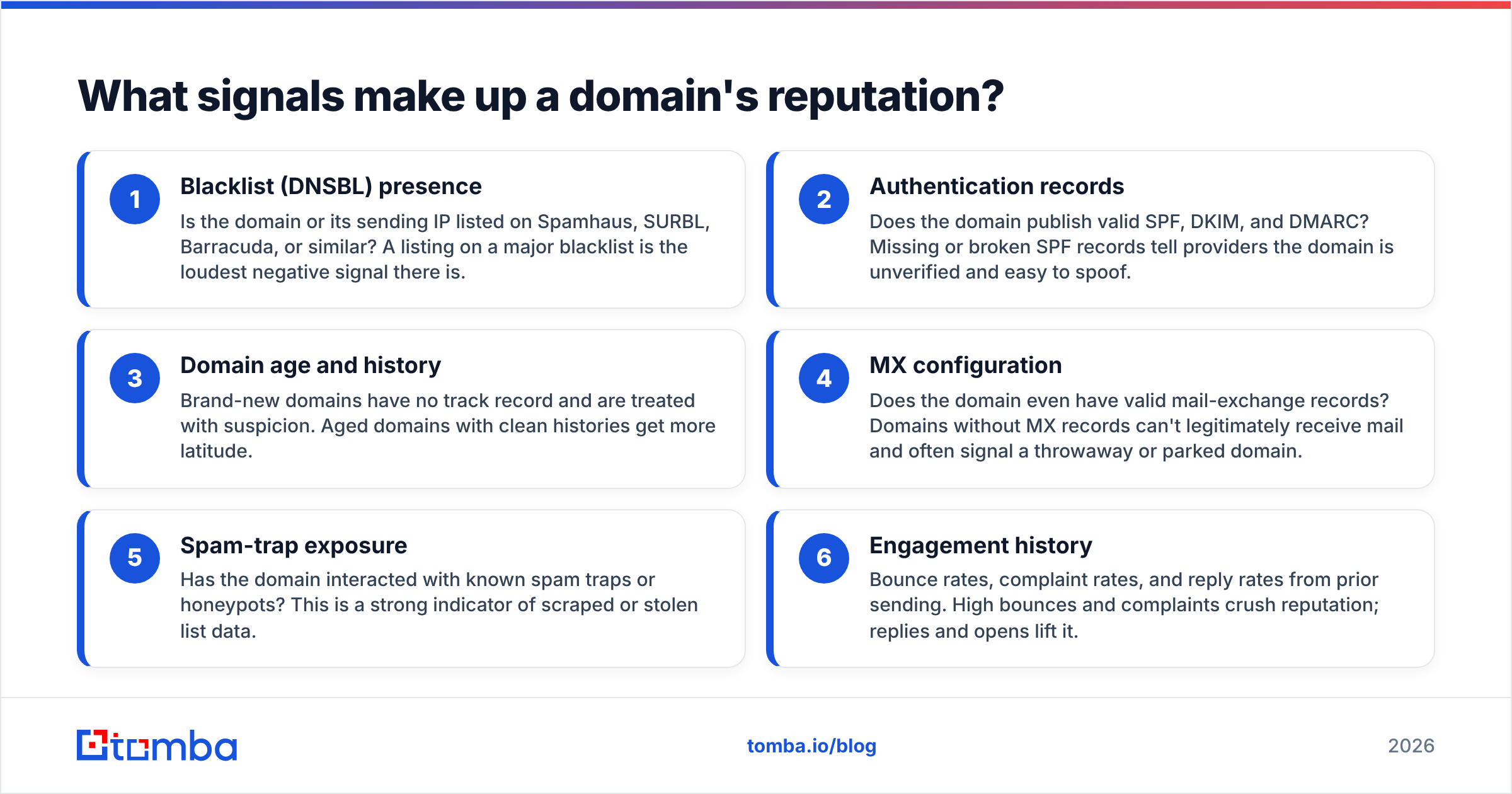
Here are the core inputs to evaluate in any bulk domain reputation check:
- Blacklist (DNSBL) presence — Is the domain or its sending IP listed on Spamhaus, SURBL, Barracuda, or similar? A listing on a major blacklist is the loudest negative signal there is.
- Authentication records — Does the domain publish valid SPF, DKIM, and DMARC? Missing or broken SPF records tell providers the domain is unverified and easy to spoof.
- Domain age and history — Brand-new domains have no track record and are treated with suspicion. Aged domains with clean histories get more latitude.
- MX configuration — Does the domain even have valid mail-exchange records? Domains without MX records can't legitimately receive mail and often signal a throwaway or parked domain.
- Spam-trap exposure — Has the domain interacted with known spam traps or honeypots? This is a strong indicator of scraped or stolen list data.
- Engagement history — Bounce rates, complaint rates, and reply rates from prior sending. High bounces and complaints crush reputation; replies and opens lift it.
When you score in bulk, you're really building a composite: a domain that's blacklisted, lacks DMARC, and is two weeks old is radioactive. A domain that's clean on all three is probably safe to send to.
How do you run a bulk domain reputation check?#
You run a bulk domain reputation check by feeding a list of domains into an automated pipeline that queries each signal source and returns a per-domain score. The manual alternative — pasting domains into web tools one at a time — simply doesn't scale past a few dozen.
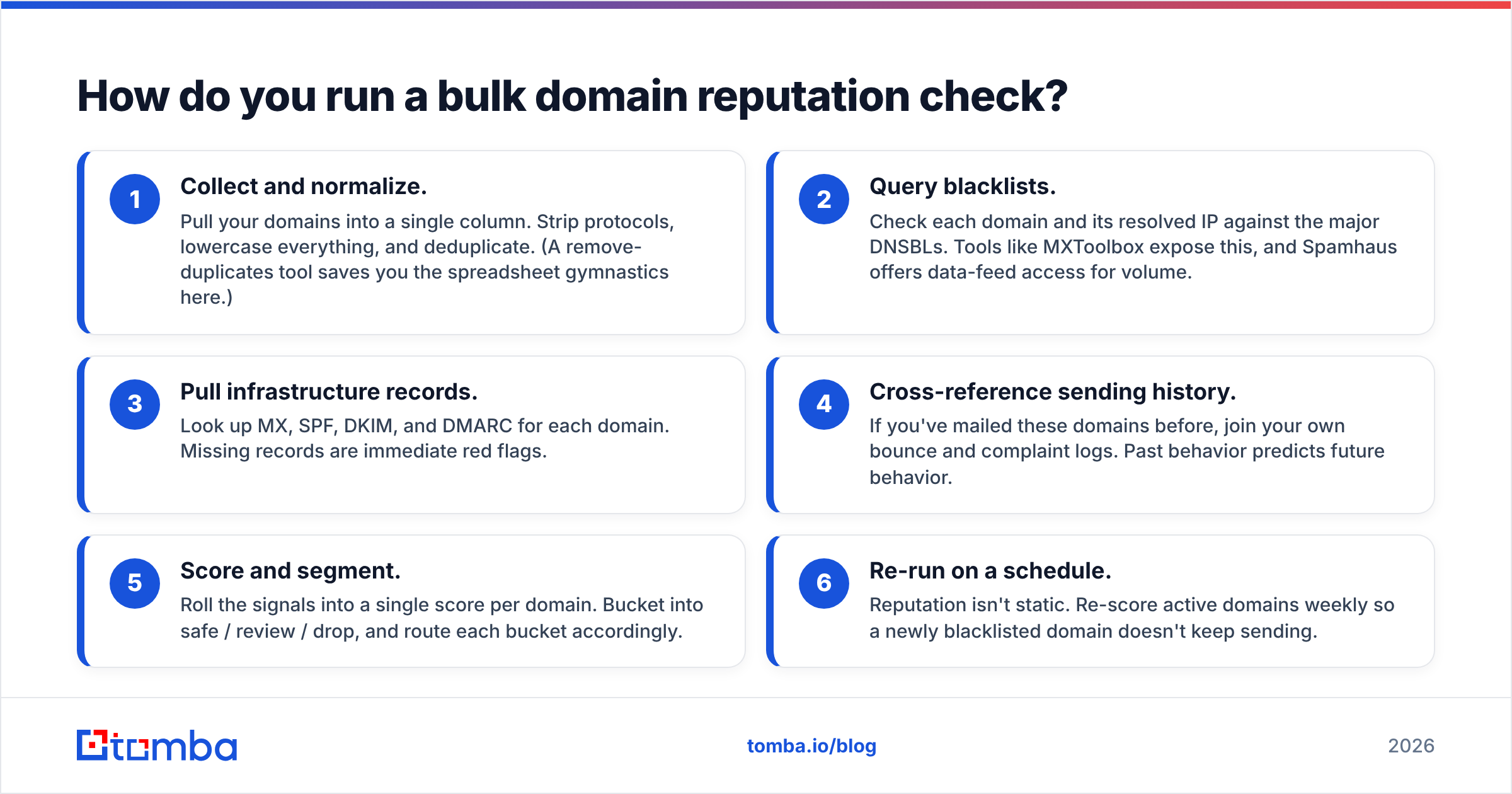
A repeatable workflow looks like this:
- Collect and normalize. Pull your domains into a single column. Strip protocols, lowercase everything, and deduplicate. (A remove-duplicates tool saves you the spreadsheet gymnastics here.)
- Query blacklists. Check each domain and its resolved IP against the major DNSBLs. Tools like MXToolbox expose this, and Spamhaus offers data-feed access for volume.
- Pull infrastructure records. Look up MX, SPF, DKIM, and DMARC for each domain. Missing records are immediate red flags.
- Cross-reference sending history. If you've mailed these domains before, join your own bounce and complaint logs. Past behavior predicts future behavior.
- Score and segment. Roll the signals into a single score per domain. Bucket into safe / review / drop, and route each bucket accordingly.
- Re-run on a schedule. Reputation isn't static. Re-score active domains weekly so a newly blacklisted domain doesn't keep sending.
The bottleneck in this workflow is always step 2 and 3 — the lookups. Doing them by hand is where teams give up. An API that batches these queries (more on that below) turns a multi-day chore into a single job.
)
Which tools handle bulk domain reputation checks?#
The right tool depends on whether you need raw blacklist data, a Google-specific view, or an all-in-one pipeline that also handles verification and enrichment. Most serious operators end up combining two or three.
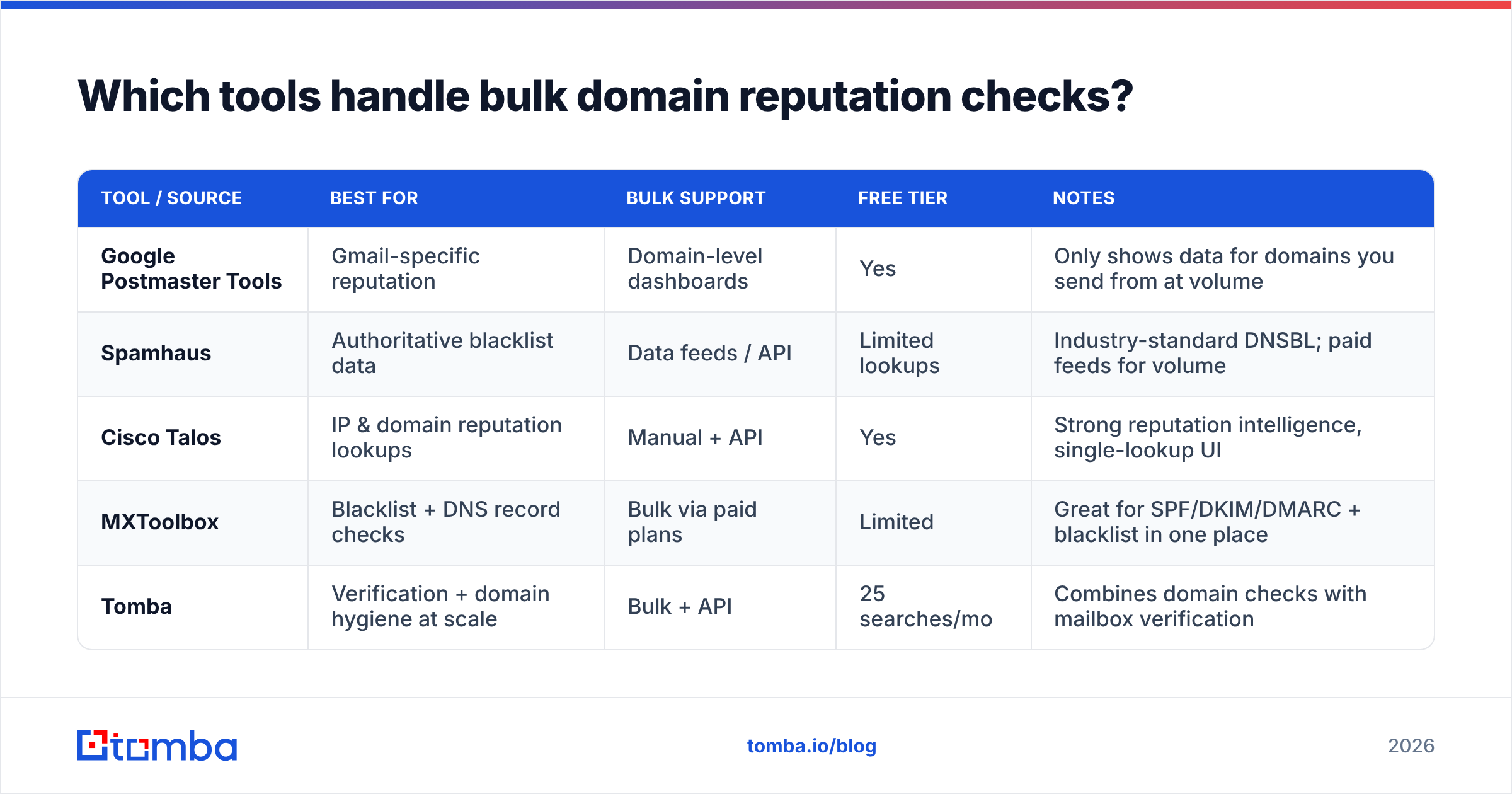
Here's how the main categories compare:
| Tool / Source | Best for | Bulk support | Free tier | Notes |
|---|---|---|---|---|
| Google Postmaster Tools | Gmail-specific reputation | Domain-level dashboards | Yes | Only shows data for domains you send from at volume |
| Spamhaus | Authoritative blacklist data | Data feeds / API | Limited lookups | Industry-standard DNSBL; paid feeds for volume |
| Cisco Talos | IP & domain reputation lookups | Manual + API | Yes | Strong reputation intelligence, single-lookup UI |
| MXToolbox | Blacklist + DNS record checks | Bulk via paid plans | Limited | Great for SPF/DKIM/DMARC + blacklist in one place |
| Tomba | Verification + domain hygiene at scale | Bulk + API | 25 searches/mo | Combines domain checks with mailbox verification |
A few practical notes on reading this table:
- Google Postmaster Tools is non-negotiable if you send any meaningful volume to Gmail — but it only reports on your own authenticated domains, so it can't screen a purchased list of strangers.
- Spamhaus and Talos are where the authoritative blacklist truth lives. Use them as the backbone of your scoring, but be aware that high-volume programmatic lookups require their paid data feeds, not the free web forms.
- MXToolbox is the convenient middle ground for pulling blacklist status and authentication records together.
- Tomba fits when your reputation check is really part of a larger list-hygiene job — you're not just scoring domains, you're verifying mailboxes and enriching contacts in the same pipeline.
For a deeper checklist on the infrastructure side, the Tomba blacklist checker and email reputation checker cover the single-domain diagnostics you'll lean on when a bulk run flags something for review.
How is domain reputation different from IP reputation?#
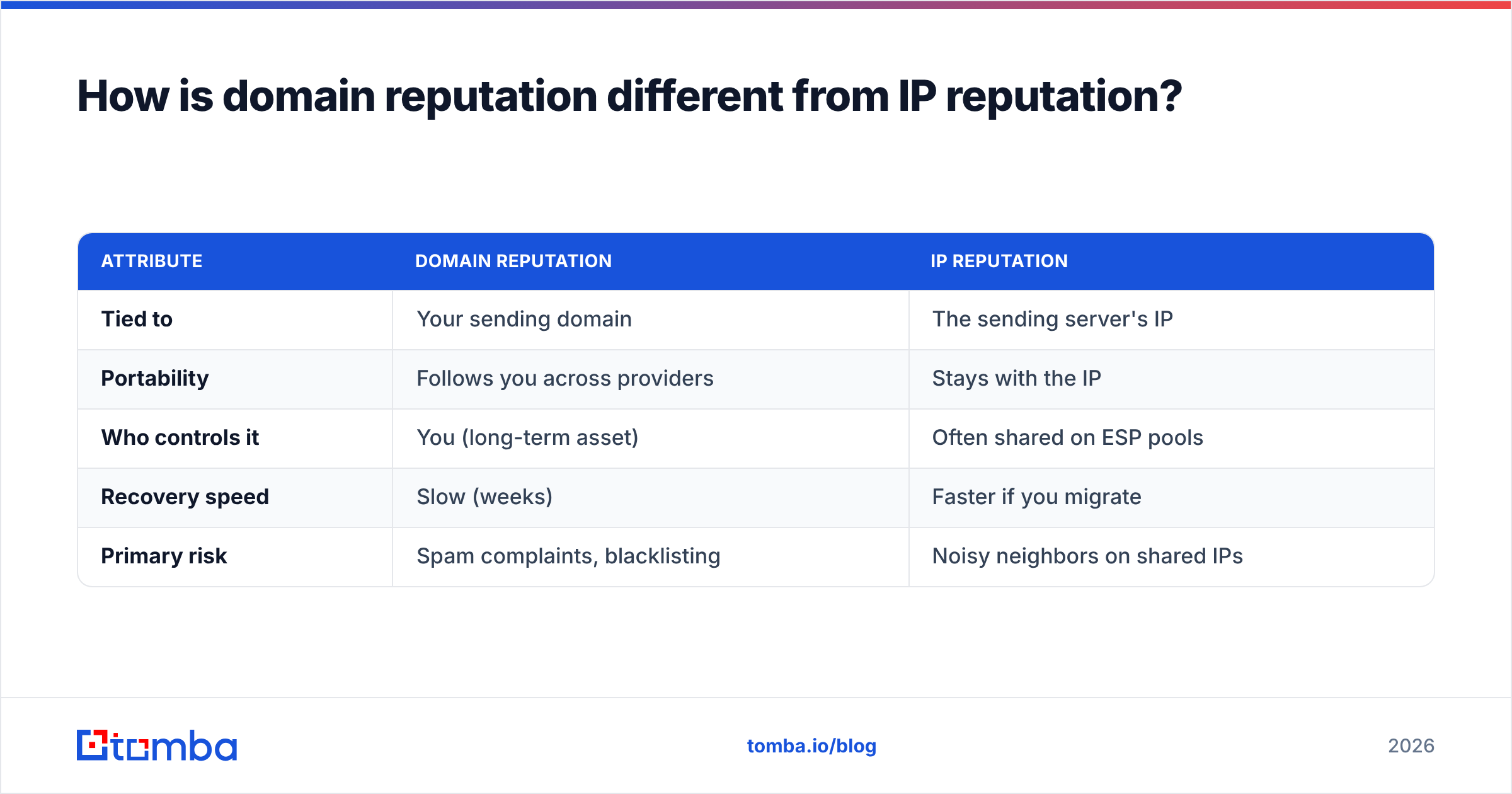
Domain reputation follows your sending domain everywhere; IP reputation is tied to the specific server address you send from. They're related but distinct, and confusing them leads to bad decisions.
The simplest analogy: your domain is your name, and your IP is your home address. You can move to a new address (switch IPs, use a new ESP), but your name — your domain reputation — travels with you. That's why warming up a fresh IP doesn't rescue a domain that already has a poor reputation, and why rotating IPs to dodge filtering rarely works for long.
| Attribute | Domain reputation | IP reputation |
|---|---|---|
| Tied to | Your sending domain | The sending server's IP |
| Portability | Follows you across providers | Stays with the IP |
| Who controls it | You (long-term asset) | Often shared on ESP pools |
| Recovery speed | Slow (weeks) | Faster if you migrate |
| Primary risk | Spam complaints, blacklisting | Noisy neighbors on shared IPs |
For most cold-email and outreach teams in 2026, domain reputation is the one to obsess over. Shared IP pools mean you only partially control IP reputation, but your domain is entirely yours. A bulk domain reputation check is the tool that keeps that asset clean — both the domains you send from and the domains you send to.
How often should you re-check domain reputation?#
Re-check active sending domains at least weekly, and screen every inbound list before import — reputation is a moving target, not a one-time gate.
A sensible cadence:
- Sending domains: weekly automated re-score, plus an immediate check after any spike in bounces or complaints.
- Prospect/recipient domains: screen once at import, then rely on verification at send time to catch domains that have gone dark.
- After incidents: any time you see a deliverability dip — open rates falling, more mail in spam — run an ad-hoc bulk check to find the culprit domain fast.
Bake this into automation rather than memory. A scheduled job that flags any active domain newly appearing on a blacklist will save you the painful discovery that you've been quietly blocked for three days. Tomba's API and bulk tools are built for exactly this kind of recurring, list-scale hygiene.
Common mistakes to avoid#
Even teams that know they should check reputation make these errors:
- Trusting a single source. One blacklist is not the whole picture. A domain clean on Spamhaus can still be flagged elsewhere. Triangulate.
- Checking domains but not mailboxes. A reputable domain can still host dead mailboxes. Pair your domain check with email verification so you catch both.
- Ignoring catch-all domains. Catch-all domains accept everything, which hides invalid addresses. They need separate handling — see the catch-all verifier.
- Treating it as one-and-done. Reputation decays. A list you screened in January is stale by March.
- Manual lookups at scale. If you're copy-pasting domains into web forms, you've already lost. Automate.
The bottom line#
A bulk domain reputation check is the cheapest insurance you can buy on your deliverability. The signals aren't mysterious — blacklists, authentication, age, engagement — but the scale is, and that's exactly where automation earns its keep. Screen domains before they enter your pipeline, re-score your active domains on a schedule, and pair every domain check with mailbox-level verification.
If your reputation problem is really a list-quality problem in disguise — bad domains, dead mailboxes, scraped contacts — start at the source. The Tomba Email Finder builds clean, verified contact data from real domains, and its built-in email verifier and bulk tools mean you're not bolting hygiene on after the fact. You can try it on the free tier (25 searches/month) and scale up through the Starter plan at $49/mo once it's part of your workflow. Clean data in, clean reputation out.
Ready to find emails that actually work?
Join 150,000+ professionals who stopped guessing and started sending. Free credits on signup — no credit card required.
Get the Tomba newsletter
Practical outbound tactics and product updates — once every two weeks.
About the author