Byteplant vs Salesbot (2026): Email Validation Compared
Byteplant vs Salesbot in 2026: a neutral breakdown of accuracy, pricing, and features for email validation and lead data — plus where each one falls short.
Choosing between Byteplant and Salesbot usually comes down to one question: do you need a hardened validation engine, or a broader sales-data layer? This guide compares both on accuracy, pricing, API quality, and real-world fit — without pretending either is perfect.
TL;DR#
- Byteplant is a focused, infrastructure-grade email validation service with strong SMTP checking and a clean API — but it doesn't find emails, only verifies them.
- Salesbot leans toward sales workflow and lead data, which is useful if you want automation, but its raw verification accuracy is harder to audit and less transparent.
- Neither finds new contacts well. If your real bottleneck is sourcing verified emails by domain or name, you need a finder + verifier in one place.
- Pricing: Byteplant is pay-as-you-go credits; Salesbot bundles validation into broader plans, so cost-per-verification is murkier.
- Best combined move: pair a discovery tool like Tomba (find + verify emails + catch-all handling) with whichever workflow layer you already run.
What is Byteplant?#
Byteplant is a German data-quality company best known for its Email Validator product, alongside phone and address validation. Think of it as a quality-control checkpoint on a factory line: data comes in, Byteplant inspects each email for syntax errors, dead domains, and unreachable mailboxes, then passes or fails it.
Its strengths are narrow and deep. The SMTP-level verification checks whether a mailbox actually accepts mail, it flags disposable and role-based addresses, and it exposes a straightforward REST API plus bulk upload. For teams that already have a list and need to scrub it before sending, that focus is a feature, not a limitation.
The trade-off is equally narrow: Byteplant does not discover contacts. It will tell you whether jane@acme.com is deliverable, but it won't tell you Jane's address exists in the first place. If you don't already have the email, Byteplant has nothing to validate.

What is Salesbot?#
Salesbot sits closer to the sales-automation and lead-data side of the market. Rather than a single-purpose validator, it positions itself around workflow: enriching contacts, supporting outreach, and offering validation as one capability among several.
That breadth is the appeal. If you want a tool that touches more of the pipeline — sourcing, light enrichment, and verification — a bundled product reduces the number of vendors you juggle. The cost of breadth is depth: when validation is one feature in a suite rather than the whole product, it's harder to know exactly how its checks work, how often the database refreshes, and what its true bounce rate is on a cold list.
That opacity matters. With a dedicated validator you can usually point to documented SMTP behavior and catch-all logic. With a suite, "validated" can mean anything from a full mailbox handshake to a simple syntax-and-MX check. Always test before you trust the label.

Byteplant vs Salesbot: how do they compare?#
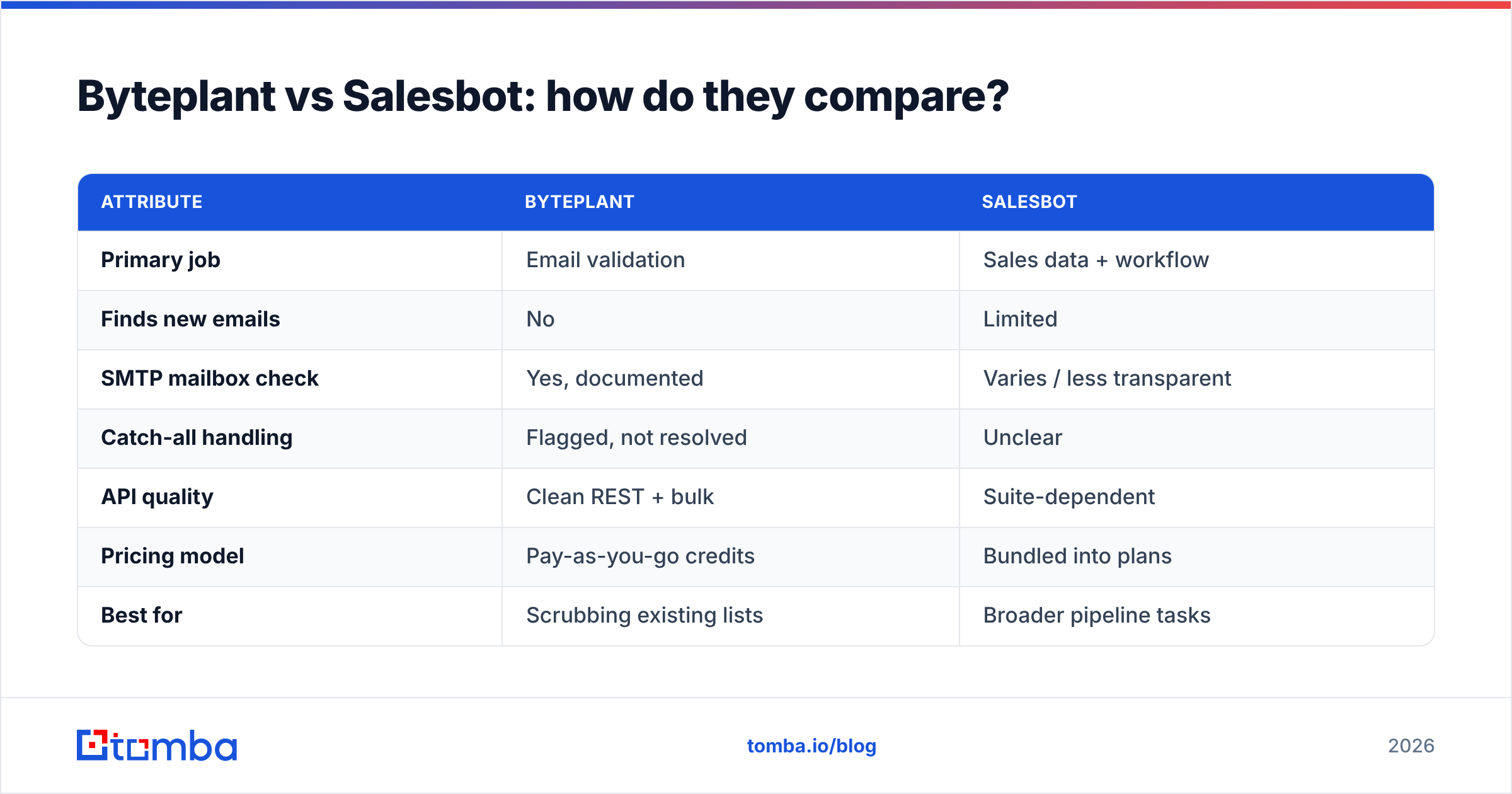
Here's the head-to-head on the attributes that actually change your bounce rate and your bill.
| Attribute | Byteplant | Salesbot |
|---|---|---|
| Primary job | Email validation | Sales data + workflow |
| Finds new emails | No | Limited |
| SMTP mailbox check | Yes, documented | Varies / less transparent |
| Catch-all handling | Flagged, not resolved | Unclear |
| API quality | Clean REST + bulk | Suite-dependent |
| Pricing model | Pay-as-you-go credits | Bundled into plans |
| Best for | Scrubbing existing lists | Broader pipeline tasks |
| Weak spot | No discovery | Auditability of accuracy |
The pattern is clear: Byteplant wins on validation transparency, Salesbot wins on breadth, and both leave the discovery problem unsolved. Most teams discover this the hard way — after they've paid to validate a list they still had to build manually somewhere else.
Which one is more accurate?#
Accuracy depends on what you're measuring, and the honest answer is "test it on your own data." Byteplant's documented SMTP verification gives you a defensible accuracy story: you can see why an address passed or failed. Salesbot's accuracy is real but harder to audit because validation is wrapped inside a larger product.
A few principles hold regardless of vendor:
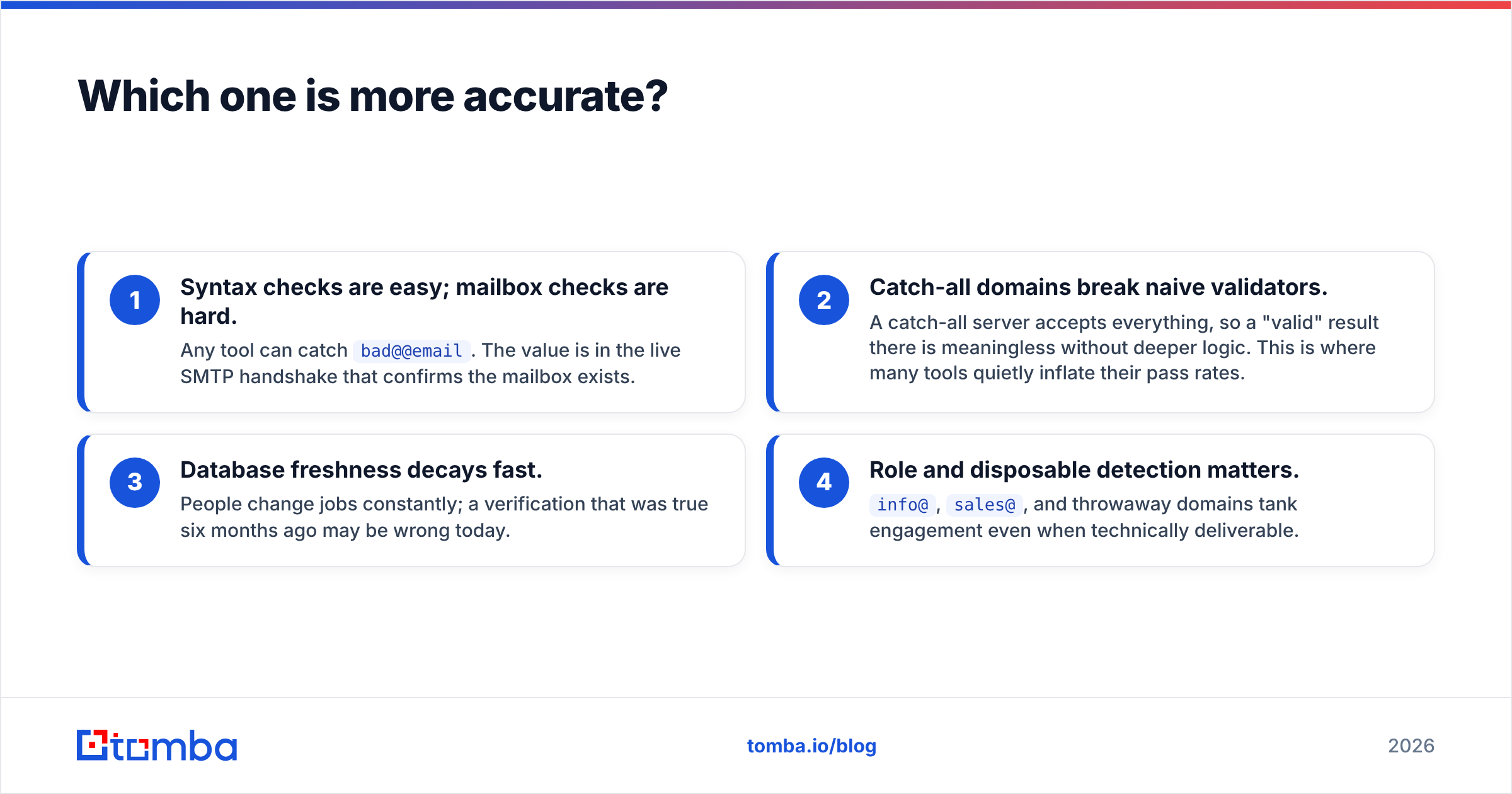
- Syntax checks are easy; mailbox checks are hard. Any tool can catch
bad@@email. The value is in the live SMTP handshake that confirms the mailbox exists. - Catch-all domains break naive validators. A catch-all server accepts everything, so a "valid" result there is meaningless without deeper logic. This is where many tools quietly inflate their pass rates.
- Database freshness decays fast. People change jobs constantly; a verification that was true six months ago may be wrong today.
- Role and disposable detection matters.
info@,sales@, and throwaway domains tank engagement even when technically deliverable.
If catch-all domains are a big part of your list, you'll want a dedicated catch-all verifier rather than relying on a generic pass/fail flag. For more on what separates a real check from a cosmetic one, see Tomba's notes on data accuracy and sources.
What about pricing?#
Byteplant uses transparent pay-as-you-go credits, which makes cost-per-verification easy to model. Salesbot bundles validation into broader plans, so the marginal cost of a single check is harder to isolate — great if you use the whole suite, wasteful if you only want validation.
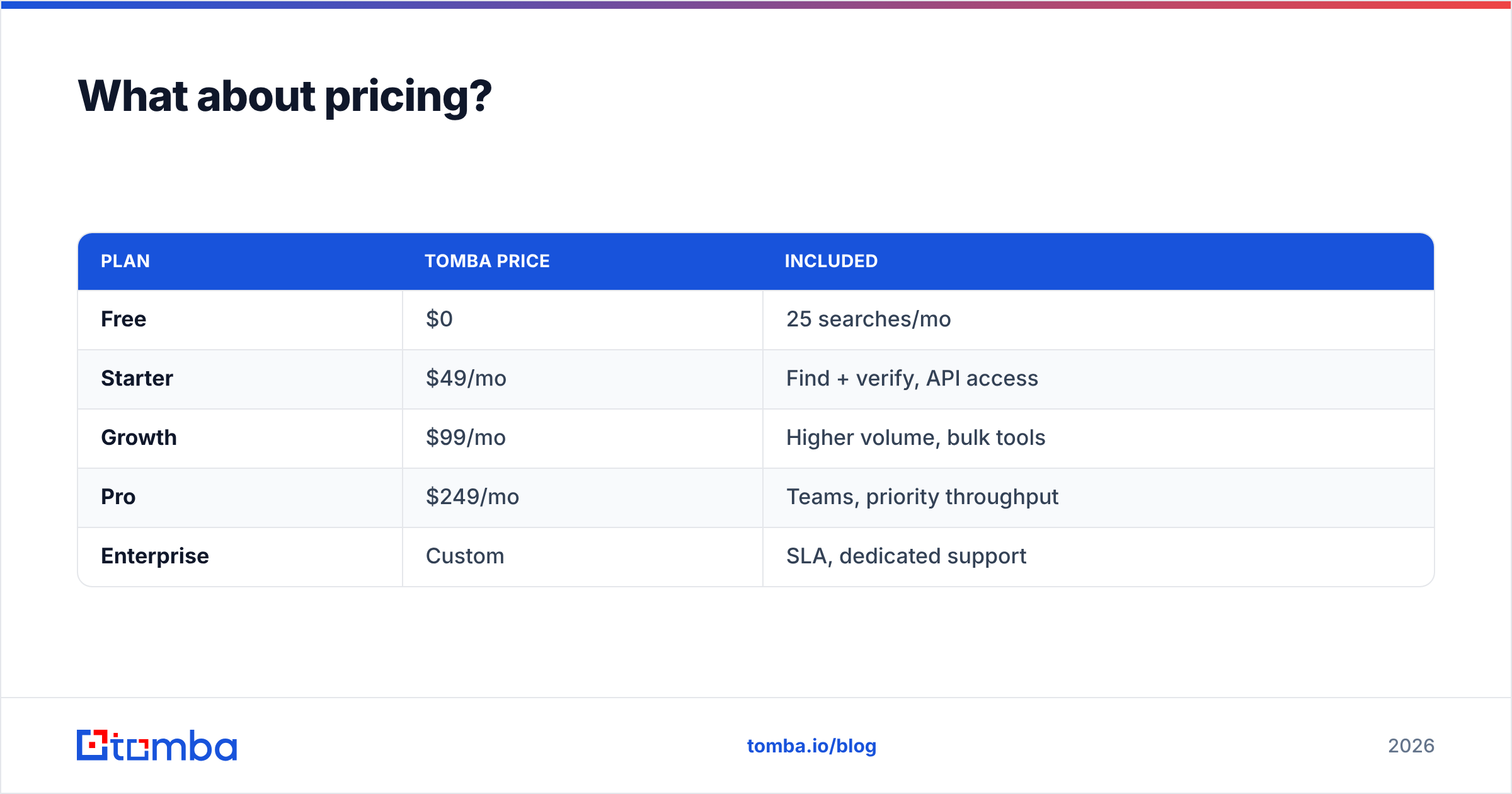
For comparison, here's how a discovery-plus-verification tool prices, since that's the gap neither product fully closes:
| Plan | Tomba price | Included |
|---|---|---|
| Free | $0 | 25 searches/mo |
| Starter | $49/mo | Find + verify, API access |
| Growth | $99/mo | Higher volume, bulk tools |
| Pro | $249/mo | Teams, priority throughput |
| Enterprise | Custom | SLA, dedicated support |
Full Tomba pricing is public, which is the standard you should hold every vendor to. If a tool won't show you cost-per-verification before you commit, treat that as a yellow flag.
What both tools are missing#
The core limitation isn't quality — both Byteplant and Salesbot do their jobs. It's scope. Validation answers "is this email real?" but it can't answer "what is the right person's email at this company?" That second question is where most pipeline actually leaks.
Consider a typical outbound motion:
- You target 500 companies. You have domains, not contacts.
- You need the right person. Title, name, and a deliverable address — not a generic inbox.
- You verify before sending. To protect sender reputation and stay out of spam folders.
- You enrich for personalization. Role, company size, social profiles.
Byteplant only touches step three. Salesbot touches more but with less verification depth. To run the whole motion you either stitch together multiple vendors or use a platform that does discovery and verification together. Tomba's email finder handles steps one and two — find emails by domain or name — and the built-in verifier handles step three before you ever hit send. For account-based work, domain search returns every known address at a company in one call.
This is why "validator vs sales suite" is often the wrong frame. The real question is whether your tool closes the loop from unknown company to verified contact, or just polishes a list you had to build elsewhere.
Is Byteplant or Salesbot better for cold email?#
For cold email specifically, deliverability is everything, and that's a multi-tool problem. Byteplant protects you on the validation side — fewer bounces, lower spam-trap risk. Salesbot helps more with the workflow around the send. But neither is a complete cold-email stack on its own.
Before any campaign, you should confirm three things, and no single validator covers all of them:
- Address is deliverable — handled well by Byteplant, adequately by Salesbot.
- Domain is authenticated — your SPF, DKIM, and DMARC are a separate check. Use an SPF checker and confirm email deliverability fundamentals first.
- List is targeted, not scraped — relevance beats volume; a verified-but-irrelevant address still gets you marked as spam.
If cold outreach is your main use case, lean on the vendor that gives you the most transparent verification and pair it with proper domain setup. Don't assume a "validated" stamp means your campaign is safe.
How to choose between Byteplant and Salesbot#
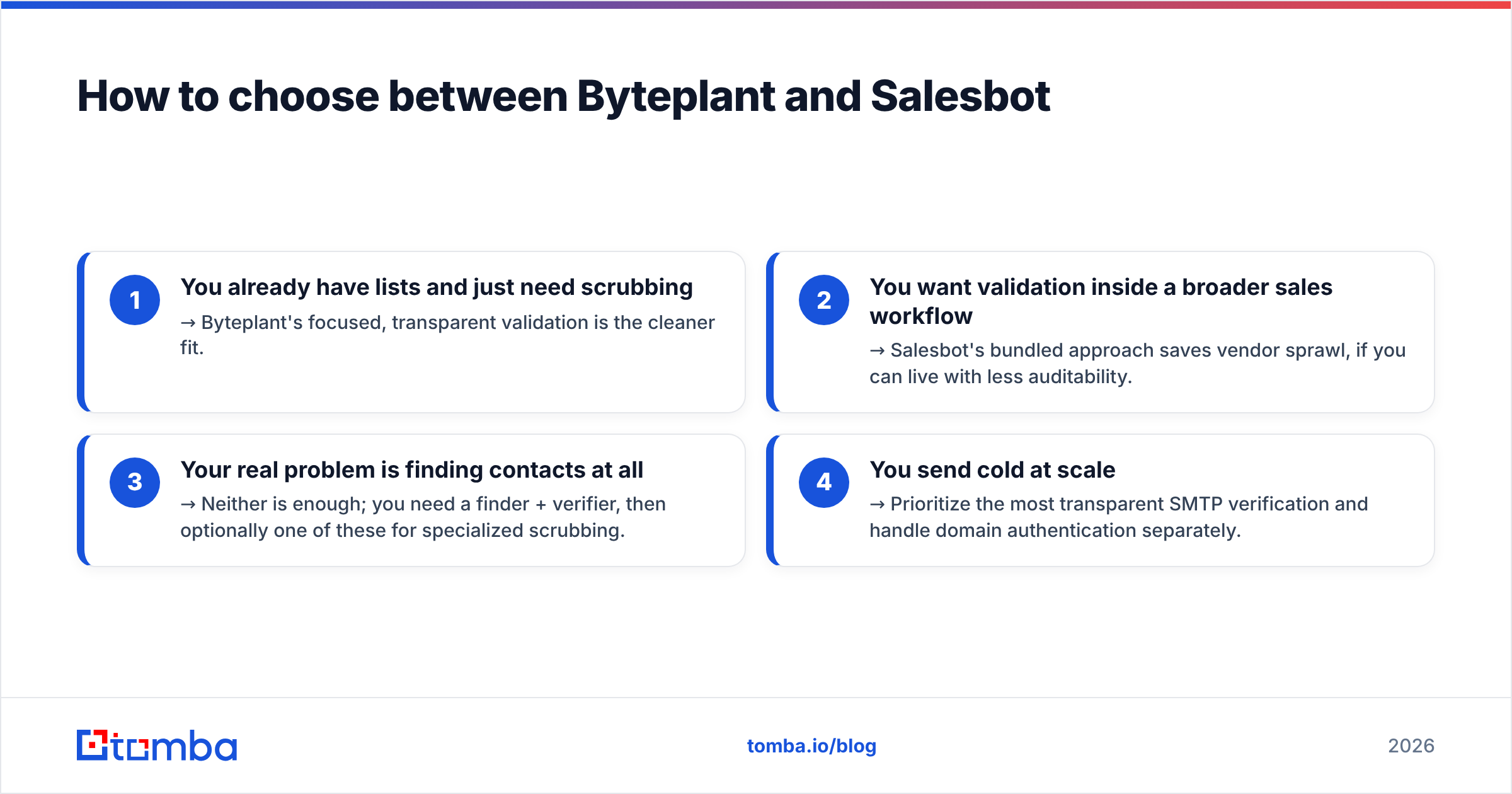
Decide based on your actual bottleneck, not the marketing:
- You already have lists and just need scrubbing → Byteplant's focused, transparent validation is the cleaner fit.
- You want validation inside a broader sales workflow → Salesbot's bundled approach saves vendor sprawl, if you can live with less auditability.
- Your real problem is finding contacts at all → Neither is enough; you need a finder + verifier, then optionally one of these for specialized scrubbing.
- You send cold at scale → Prioritize the most transparent SMTP verification and handle domain authentication separately.
Most teams who start this comparison realize mid-way that they're solving the wrong problem. They don't actually have a validation gap — they have a sourcing gap, and validation is just the visible symptom.
For a deeper look at competing tools in this space, third-party directories like G2 and Capterra list verified user reviews for both validation and lead-data categories, which is a useful sanity check against any vendor's own claims. HubSpot's own guidance on email deliverability is also a solid neutral primer on why list quality matters more than list size.
The bottom line#
Byteplant and Salesbot solve adjacent but different problems: Byteplant is the better pure validator, Salesbot is the broader workflow layer, and both assume you already have the contacts. If that assumption holds, pick based on whether you value depth (Byteplant) or breadth (Salesbot).
If it doesn't hold — if you're still building lists by hand — start one step earlier. Tomba's Email Finder finds professional emails by domain, name, or company and verifies them in the same workflow, so you go from a list of target companies to verified, send-ready contacts without bolting three tools together. Try the free tier at 25 searches a month, then layer a dedicated validator on top only if your volume truly demands it.
Ready to find emails that actually work?
Join 150,000+ professionals who stopped guessing and started sending. Free credits on signup — no credit card required.
Get the Tomba newsletter
Practical outbound tactics and product updates — once every two weeks.
About the author