How to Check Email Deliverability in 2026: Complete Guide
Your open rate is meaningless if your emails never reach the inbox. Here's how to check email deliverability the right way in 2026 — auth, blacklists, inbox placement, and list hygiene.
TL;DR
- "Deliverability" is whether your email lands in the inbox — not whether it gets sent. Those are different metrics, and most teams only track the first.
- Check it across four layers: authentication (SPF/DKIM/DMARC), reputation (domain + IP, blacklists), inbox placement (seed tests), and list quality (bounces and spam traps).
- A dirty list is the fastest way to wreck deliverability. Verify addresses before you send, not after.
- Free tools cover diagnostics (mail-tester, Google Postmaster, blacklist lookups). Paid tools cover scale (bulk verification, seed-list placement).
- Fix the inputs — clean data, warmed domain, correct DNS — and inbox placement follows.
You can have the best subject line in your category and still talk to no one. If your messages are quietly routed to spam, none of your copy, timing, or targeting matters. That is why you check email deliverability before you blame the campaign.
This guide walks through exactly how to measure deliverability in 2026, what each signal means, and how to fix the common failure points.
What is email deliverability, and how is it different from delivery?#
Delivery means the receiving server accepted your message. Deliverability means it landed in the inbox rather than spam, promotions, or a quiet quarantine. A 99% delivery rate with a 40% inbox rate is a disaster dressed up as a success.
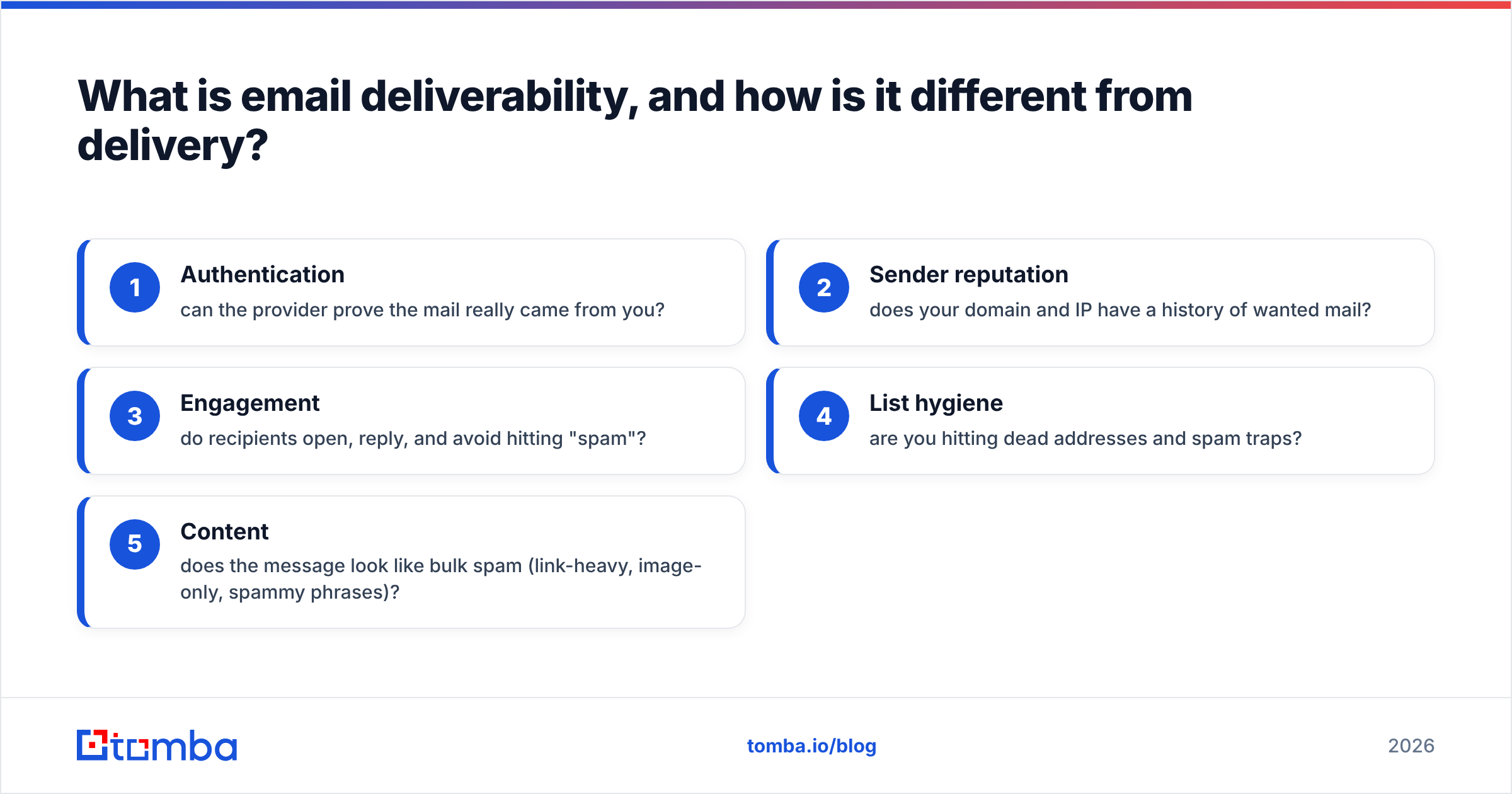
Email deliverability is the product of several signals mailbox providers (Gmail, Outlook, Yahoo) weigh on every send:
- Authentication — can the provider prove the mail really came from you?
- Sender reputation — does your domain and IP have a history of wanted mail?
- Engagement — do recipients open, reply, and avoid hitting "spam"?
- List hygiene — are you hitting dead addresses and spam traps?
- Content — does the message look like bulk spam (link-heavy, image-only, spammy phrases)?
Miss one and you can still get delivered. Miss two or three and you get filtered. The job of checking deliverability is figuring out which layer is leaking.
Wait — that link is a reference, not the meme. Here is the meme:
How do you check email deliverability step by step?#
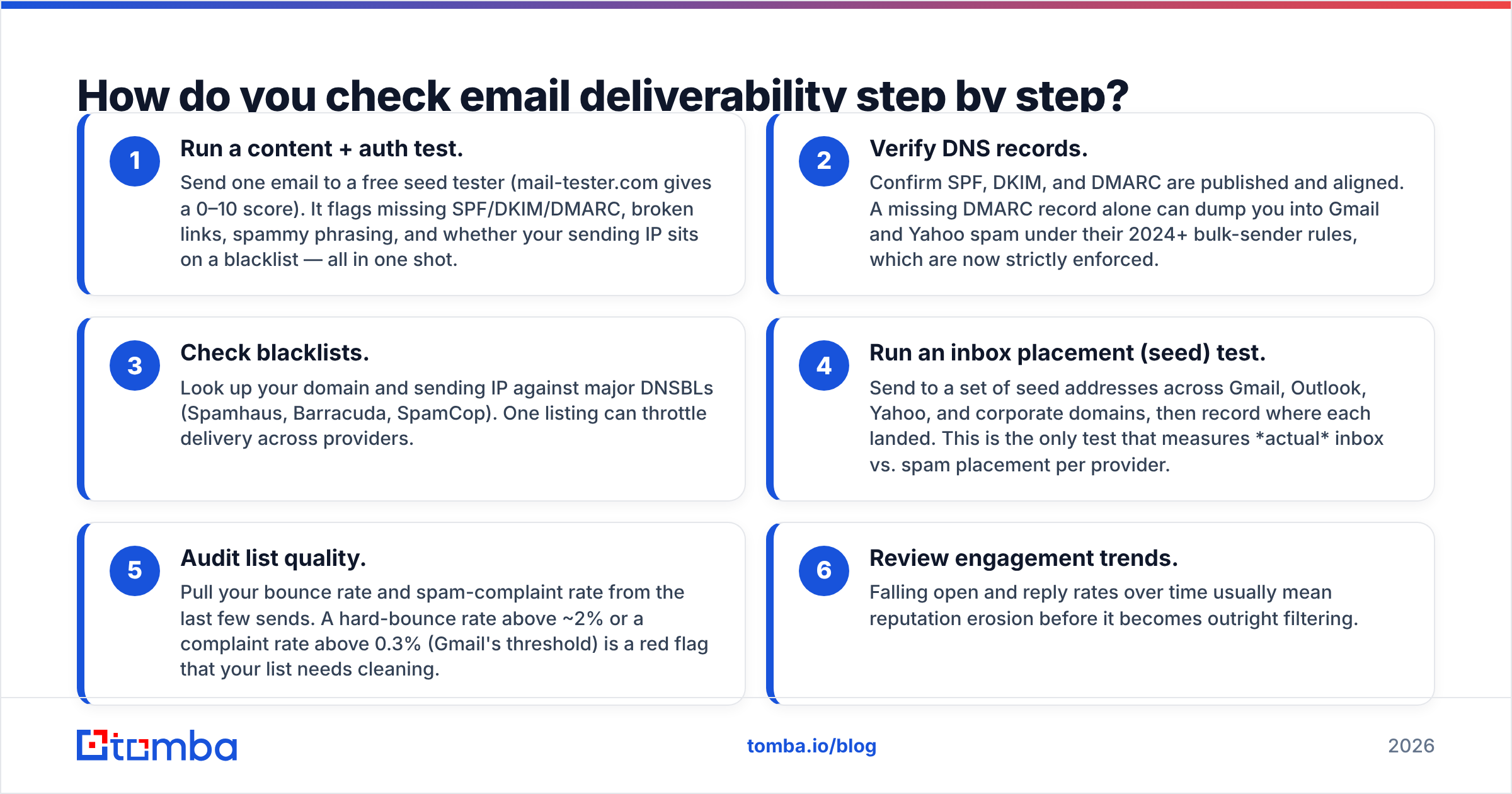
Work the layers from cheapest to most involved. Most problems surface in the first three checks.
- Run a content + auth test. Send one email to a free seed tester (mail-tester.com gives a 0–10 score). It flags missing SPF/DKIM/DMARC, broken links, spammy phrasing, and whether your sending IP sits on a blacklist — all in one shot.
- Verify DNS records. Confirm SPF, DKIM, and DMARC are published and aligned. A missing DMARC record alone can dump you into Gmail and Yahoo spam under their 2024+ bulk-sender rules, which are now strictly enforced.
- Check blacklists. Look up your domain and sending IP against major DNSBLs (Spamhaus, Barracuda, SpamCop). One listing can throttle delivery across providers.
- Run an inbox placement (seed) test. Send to a set of seed addresses across Gmail, Outlook, Yahoo, and corporate domains, then record where each landed. This is the only test that measures actual inbox vs. spam placement per provider.
- Audit list quality. Pull your bounce rate and spam-complaint rate from the last few sends. A hard-bounce rate above ~2% or a complaint rate above 0.3% (Gmail's threshold) is a red flag that your list needs cleaning.
- Review engagement trends. Falling open and reply rates over time usually mean reputation erosion before it becomes outright filtering.
Which deliverability checks matter most?#
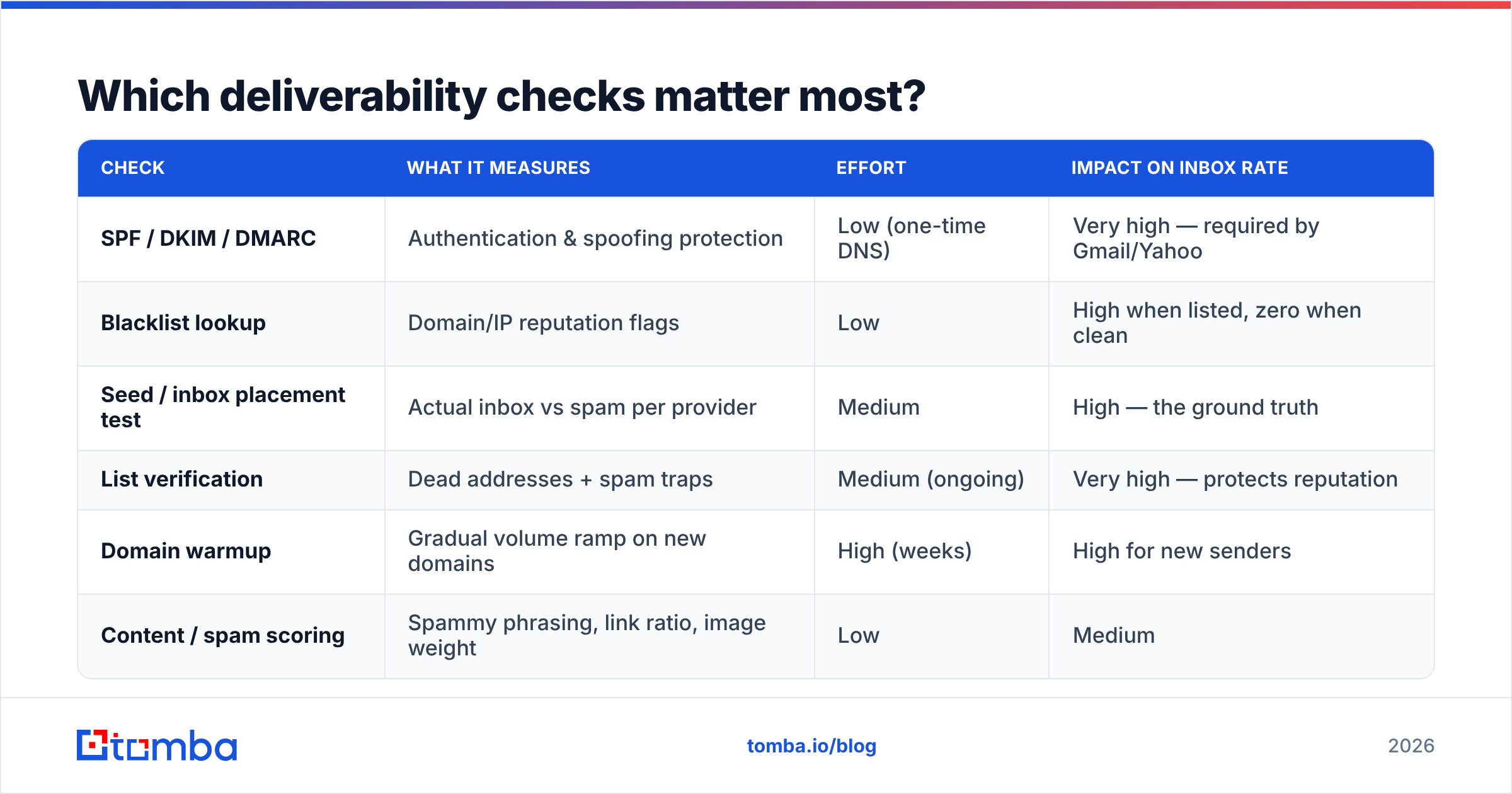
Not all checks are equal. Here is how they stack up by effort and impact.
| Check | What it measures | Effort | Impact on inbox rate |
|---|---|---|---|
| SPF / DKIM / DMARC | Authentication & spoofing protection | Low (one-time DNS) | Very high — required by Gmail/Yahoo |
| Blacklist lookup | Domain/IP reputation flags | Low | High when listed, zero when clean |
| Seed / inbox placement test | Actual inbox vs spam per provider | Medium | High — the ground truth |
| List verification | Dead addresses + spam traps | Medium (ongoing) | Very high — protects reputation |
| Domain warmup | Gradual volume ramp on new domains | High (weeks) | High for new senders |
| Content / spam scoring | Spammy phrasing, link ratio, image weight | Low | Medium |
If you only do two things: publish correct authentication records and verify your list before every campaign. Those two cover the majority of preventable deliverability loss.
How do you set up SPF, DKIM, and DMARC correctly?#
Authentication is the foundation, and in 2026 it is non-negotiable for any sender doing volume.
- SPF (Sender Policy Framework) lists which servers are allowed to send for your domain. Publish it as a TXT record and keep it under the 10-DNS-lookup limit. You can confirm yours with an SPF checker before you trust it. For the underlying spec, SPF on Wikipedia is a solid primer.
- DKIM (DomainKeys Identified Mail) cryptographically signs your messages so receivers can verify they weren't altered. Your ESP usually generates the key pair; you publish the public key in DNS.
- DMARC ties SPF and DKIM together with an alignment policy and tells receivers what to do with failures (
none,quarantine,reject). Start atp=noneto monitor, then tighten.
Gmail and Yahoo now require SPF and DKIM and a DMARC record for bulk senders, plus one-click unsubscribe. Skipping any of these is the single most common reason a previously fine sender suddenly lands in spam. HubSpot keeps a clear, regularly updated breakdown of these sender requirements worth bookmarking.
How do you check if you're on an email blacklist?#
A blacklist (DNSBL) is a database of IPs and domains flagged for sending spam. Mailbox providers query them in real time, so one listing can quietly tank your delivery.
To check: run your sending IP and domain through a multi-list lookup. A blacklist checker queries dozens of DNSBLs at once instead of you visiting each provider. If you find a listing:
- Identify the cause — usually a spike in complaints, a spam trap hit, or compromised credentials.
- Fix the root cause (clean the list, rotate credentials, pause sending).
- Request delisting through the specific blacklist's removal form.
Delisting without fixing the cause just gets you relisted. The reputation damage outlives the listing itself.
Why does list quality decide your deliverability?#
Because mailbox providers treat your bounce and complaint rates as a direct quality signal. Every dead address you hit and every spam trap you trigger tells Gmail "this sender doesn't manage their list," and your reputation drops for everyone on it — not just the bad addresses.
This is where most cold-email and newsletter senders lose the game before they start. They buy or scrape a list, blast it, hit a wall of bounces and traps, and torch their domain in a week.
The fix is order of operations: verify, then send. Run every address through an email verifier to remove invalid mailboxes, role accounts, and likely traps. For large lists, bulk verify the whole file in one pass before it ever touches your sending tool. Clean data keeps your hard-bounce rate low, which keeps your reputation high, which keeps you in the inbox.
This is also why sourcing addresses from a reliable email finder beats scraping — you start with deliverable, pattern-validated addresses instead of guesses you'll pay for later in bounces.
What tools should you use to check email deliverability?#
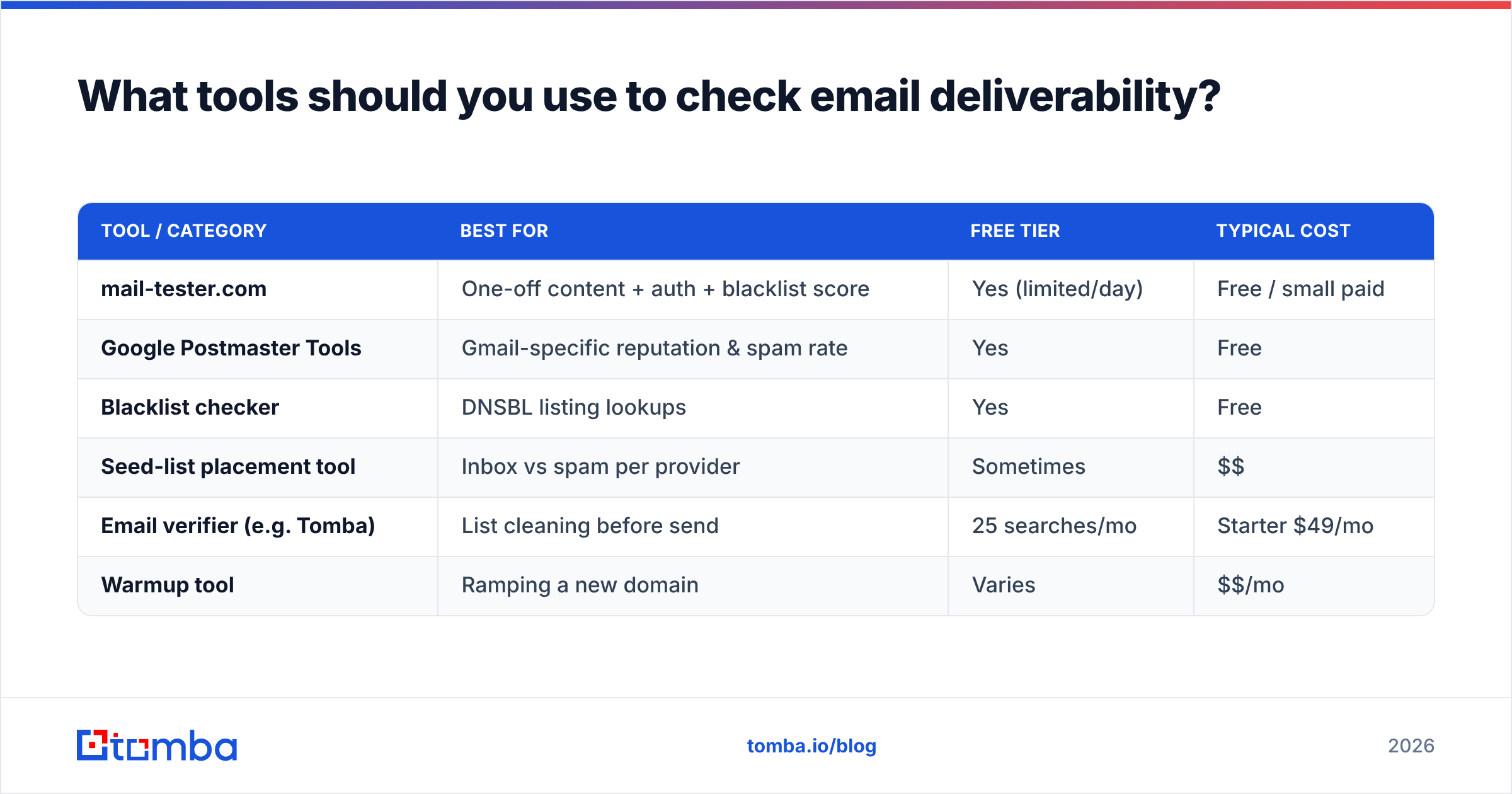
You need diagnostics (what's broken) and prevention (keep it from breaking). Here's how the common options compare.
| Tool / category | Best for | Free tier | Typical cost |
|---|---|---|---|
| mail-tester.com | One-off content + auth + blacklist score | Yes (limited/day) | Free / small paid |
| Google Postmaster Tools | Gmail-specific reputation & spam rate | Yes | Free |
| Blacklist checker | DNSBL listing lookups | Yes | Free |
| Seed-list placement tool | Inbox vs spam per provider | Sometimes | $$ |
| Email verifier (e.g. Tomba) | List cleaning before send | 25 searches/mo | Starter $49/mo |
| Warmup tool | Ramping a new domain | Varies | $$/mo |
A practical free stack: Google Postmaster Tools for Gmail reputation, mail-tester for content and auth, and a blacklist checker for listings. Google Postmaster Tools is the closest thing to seeing your reputation the way Gmail sees it — set it up the moment you authenticate your domain.
For the prevention side — clean lists and good source data — that's where Tomba's pricing plans (Free at 25 searches/mo, Starter $49/mo, Growth $99/mo, Pro $249/mo) cover verification at the volume you actually send.
How do you warm up a new sending domain?#
A brand-new domain has no reputation, so providers are suspicious of sudden volume. Warming up means ramping send volume gradually — starting with a handful of highly engaged recipients per day and increasing over two to six weeks — so you build a track record of wanted mail.
Use an email warmup calculator to plan the ramp instead of guessing. During warmup:
- Send to your most engaged contacts first (replies and opens build reputation fastest).
- Keep daily increases modest (roughly 30–50% step-ups, not 10x jumps).
- Watch your spam rate in Postmaster Tools and slow down if it climbs.
- Don't start cold outreach on a domain you also use for primary business email — use a dedicated sending domain.
Rushing warmup is how new domains end up blacklisted in week one. Patience here is cheaper than recovery.
How often should you check email deliverability?#
Treat it as ongoing monitoring, not a one-time audit.
- Before every campaign: verify the list, run a quick content/auth test.
- Weekly: check Postmaster spam rate and blacklist status.
- Monthly: run a full seed-placement test across providers and review engagement trends.
- After any change: new ESP, new domain, new DNS records, or a sudden volume increase — re-test immediately.
Deliverability decays. A list that was clean three months ago has churned; a domain that was warm goes cold without consistent, wanted sending. The teams who stay in the inbox are the ones who check on a schedule, not the ones who check after open rates collapse.
Common deliverability mistakes to avoid#
- Sending to unverified lists. The number-one cause of reputation damage. Verify first, always.
- Skipping DMARC. "SPF and DKIM are enough" stopped being true. Publish DMARC.
- Image-only emails. A single big image with no text reads as spam. Keep a healthy text-to-image ratio.
- Buying lists. Purchased lists are full of traps and dead addresses. There is no safe way to send to one.
- Ignoring complaints. A rising spam-complaint rate is an early warning. Segment out the unengaged before Gmail does it for you.
- One domain for everything. Separate your cold/bulk sending from your primary business domain so a deliverability hit doesn't take down your real email.
The bottom line#
Checking email deliverability is really four checks: is your mail authenticated, is your reputation clean, does it actually land in the inbox, and is your list worth sending to. Run those on a schedule, fix the inputs, and inbox placement takes care of itself.
The single highest-leverage habit is starting with good data and keeping it clean. Source addresses you can trust, verify before you send, and you remove the most common reason senders end up in spam in the first place. Find accurate, deliverable professional emails with Tomba's Email Finder — and pair it with the email verifier so every address on your list earns its place in the inbox. Start free with 25 searches a month and scale when your sending does.
// get started
Find, verify and enrich your first contacts today
Start on the free plan with 25 searches a month, then scale when your team is ready.
Free plan · No credit card required · GDPR & CCPA
// about the author