How to Check Emails for Validity and Deliverability in 2026
Learn how to check emails for validity, deliverability, and bounce risk before you send — the methods, the tools, and the workflow that keeps your sender reputation safe in 2026.
TL;DR
- To check emails properly you need three layers: syntax, domain/MX records, and mailbox existence (SMTP). Skipping any one of them lets bad addresses through.
- Sending to unverified lists is the fastest way to wreck your sender reputation — most inbox providers start throttling once your bounce rate crosses ~2%.
- Manual checks (SMTP handshakes, MX lookups) work for one-off addresses but don't scale and get you rate-limited fast.
- A dedicated email verifier automates all three layers and handles catch-all domains, role accounts, and disposable addresses.
- For lists over a few hundred rows, batch verification plus catch-all handling is the only sane workflow.
If you collect leads, run newsletters, or do any cold outreach, you already know the pain: you hit send, and a wave of bounce-backs floods in an hour later. Every bounce is a small tax on your domain reputation. This guide shows you how to check emails the right way — what "valid" actually means, the methods that work, and where automation earns its keep.
What does it mean to check emails?#
Checking an email means confirming an address can actually receive mail before you send to it. That's the conclusion most people miss: a "valid-looking" address and a deliverable address are two different things.
Think of it like checking whether a street address exists before mailing a package. The format might be perfect — number, street, city, zip — but if the house was demolished, your package still comes back. Email is the same. john@company.com can pass every format rule and still bounce because the mailbox was deleted last quarter.
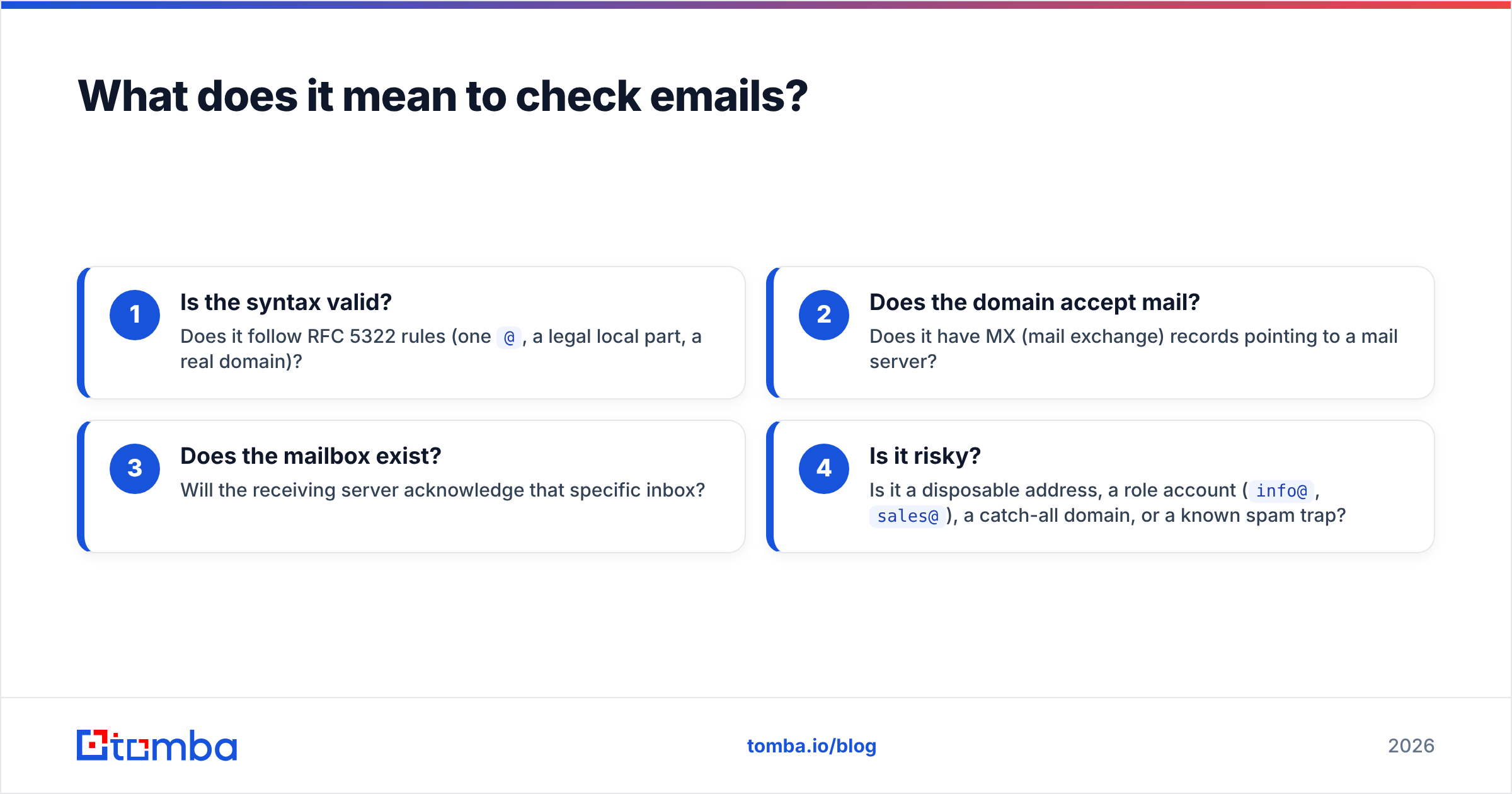
A complete check answers four questions:
- Is the syntax valid? Does it follow RFC 5322 rules (one
@, a legal local part, a real domain)? - Does the domain accept mail? Does it have MX (mail exchange) records pointing to a mail server?
- Does the mailbox exist? Will the receiving server acknowledge that specific inbox?
- Is it risky? Is it a disposable address, a role account (
info@,sales@), a catch-all domain, or a known spam trap?
Only when an address clears all four can you call it safe to send.

Why should you check emails before sending?#
Because your bounce rate is a credit score, and mailbox providers are the lenders. One conclusion drives everything in this section: protect the bounce rate and everything else improves.
Here's the chain reaction when you skip verification:
- Bounces spike. Dead addresses return hard bounces. Gmail, Outlook, and Yahoo log every one against your domain.
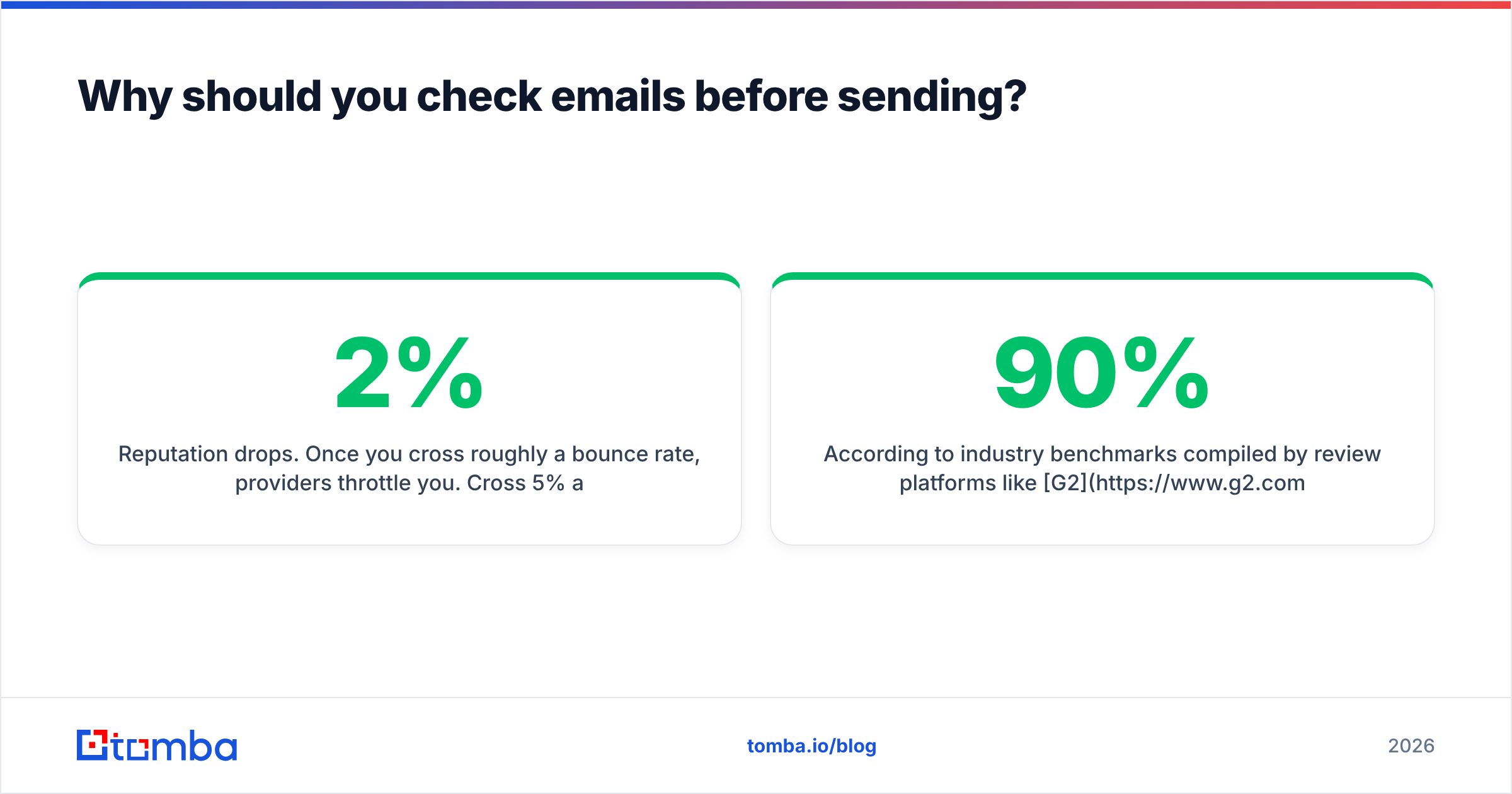
- Reputation drops. Once you cross roughly a 2% bounce rate, providers throttle you. Cross 5% and you risk outright blocking. Google's own Postmaster Tools shows how reputation maps directly to inbox placement (see Google Postmaster guidance).
- Inbox placement collapses. Even your good emails start landing in spam, because the provider no longer trusts your sending patterns.
- Money burns. If you pay per send or per seat on a sending platform, every bounce is wasted spend — and wasted SDR time chasing dead leads.
According to industry benchmarks compiled by review platforms like G2, teams that verify lists before sending routinely cut hard bounces by 90% or more. That's not a marketing number — it's the mechanical result of removing addresses that were never going to deliver.
How do you check emails manually?#
You can verify a single address by hand using free, built-in network tools. This is worth knowing even if you automate later, because it demystifies what verification tools actually do under the hood.
1. Check the syntax. Eyeball it or run it through a free email checker. Reject anything with spaces, double @, or missing TLD.
2. Look up the MX records. Open a terminal and run:
nslookup -type=mx company.comNo MX records returned means the domain can't receive email — stop here, it's invalid.
3. Do an SMTP handshake. Connect to the mail server and ask whether the mailbox exists, without actually sending:
telnet mail.company.com 25
HELO yourdomain.com
MAIL FROM:<you@yourdomain.com>
RCPT TO:<john@company.com>
A 250 response suggests the mailbox accepts mail. A 550 means it doesn't exist. You can also test your own mail server config with an SMTP tester.
The catch: this falls apart at scale. Mail servers rate-limit and greylist repeated probes from the same IP, so after a dozen checks you'll get ambiguous answers or get blocked. And catch-all domains say "250" to every address, so the handshake tells you nothing. Manual checking is a fine scalpel; it's a terrible bulldozer.
What's the difference between checking emails manually and with a tool?#
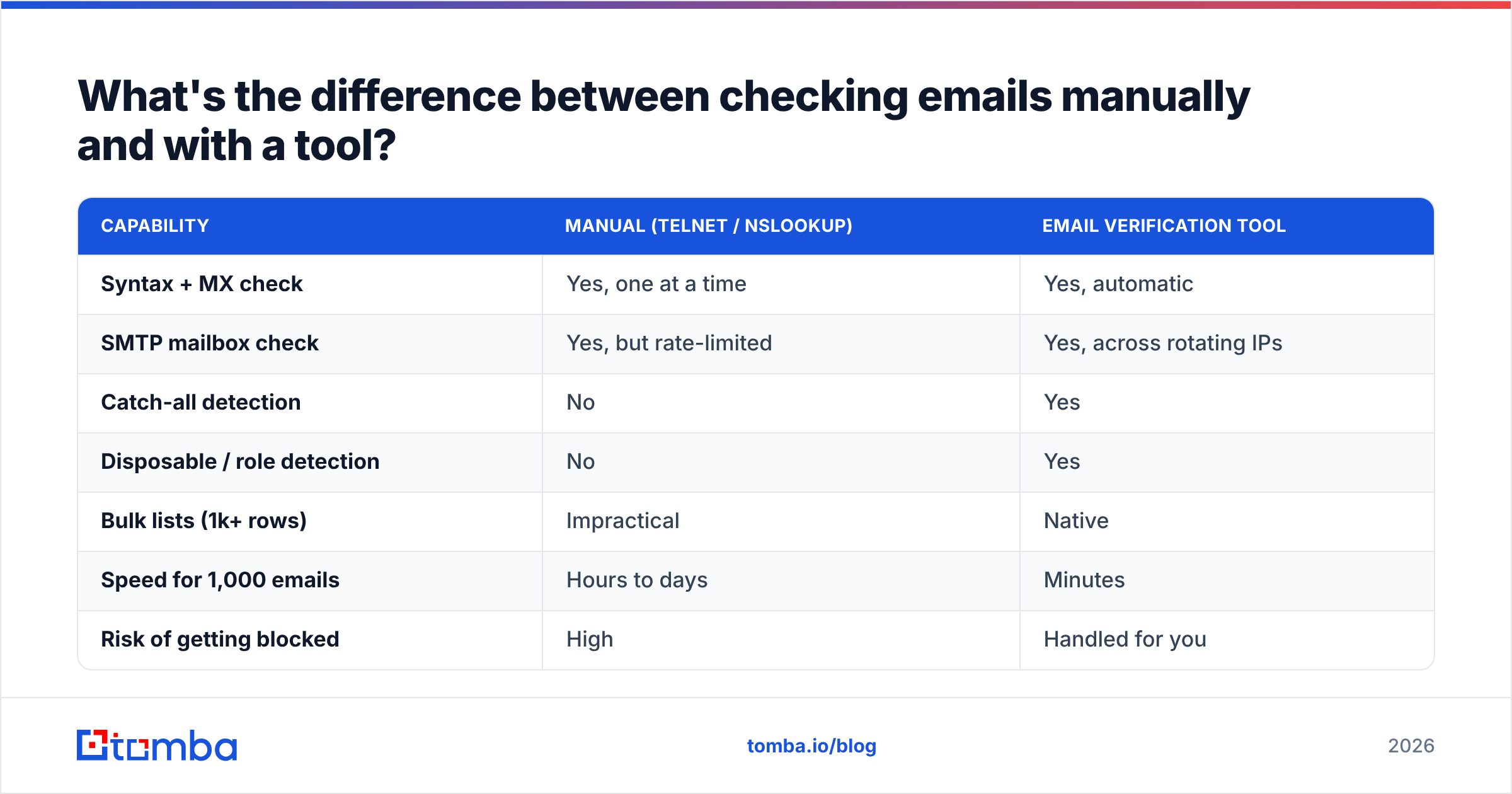
A verification tool does everything the manual method does, but distributes the checks across many IPs, caches results, and adds risk-scoring the command line can't. Here's the honest comparison:
| Capability | Manual (telnet / nslookup) | Email verification tool |
|---|---|---|
| Syntax + MX check | Yes, one at a time | Yes, automatic |
| SMTP mailbox check | Yes, but rate-limited | Yes, across rotating IPs |
| Catch-all detection | No | Yes |
| Disposable / role detection | No | Yes |
| Bulk lists (1k+ rows) | Impractical | Native |
| Speed for 1,000 emails | Hours to days | Minutes |
| Risk of getting blocked | High | Handled for you |
| Cost | Free | Free tier to paid |
The takeaway: use manual checks to confirm one address or to learn the mechanics. Use a tool the moment you have a list. For developers who want to wire checks into their own app, the email verification API skips the UI entirely.

How do email verification tools compare?#
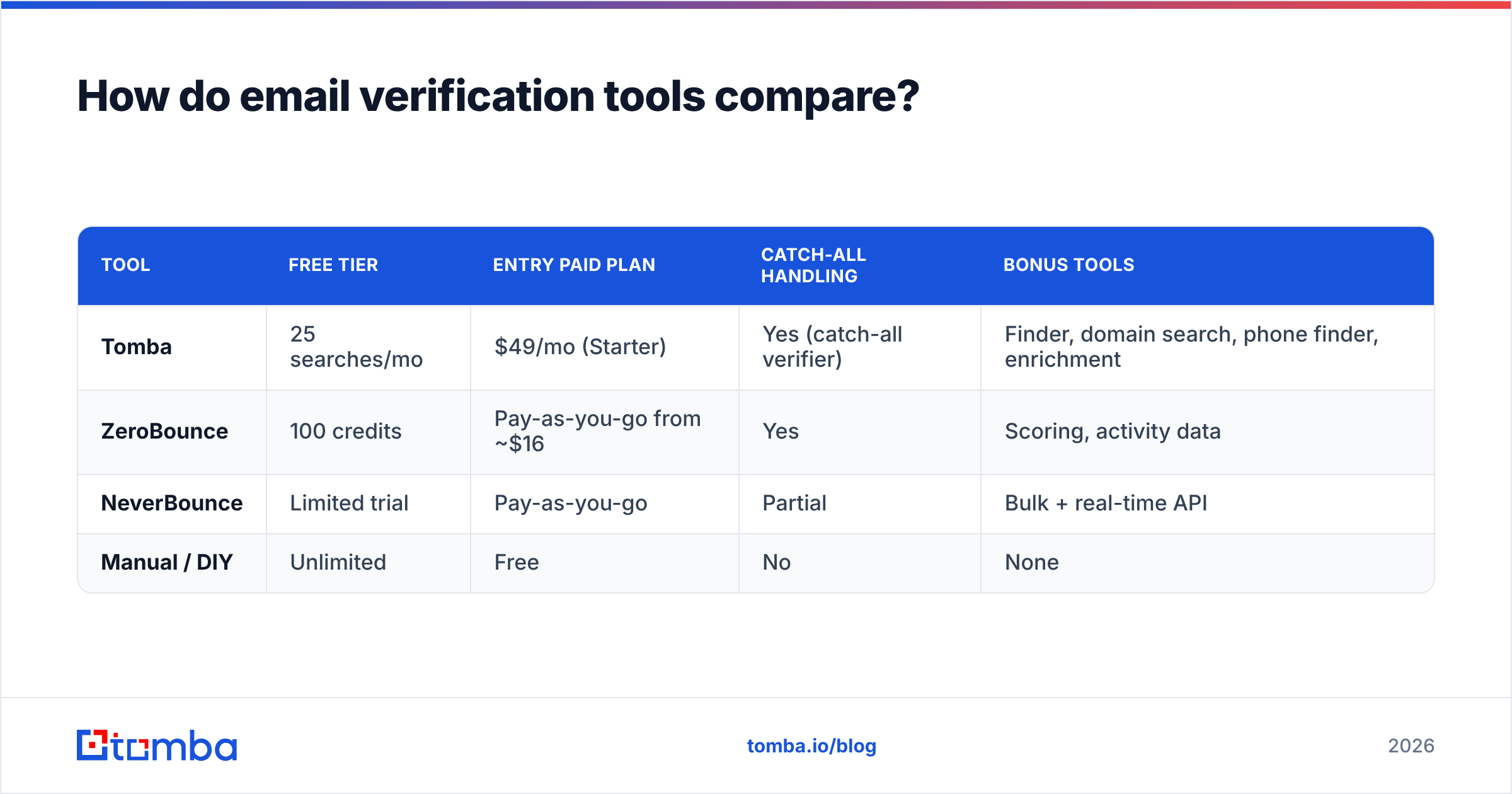
Pricing and free tiers matter as much as accuracy when you're choosing a tool, because verification is a volume game. Here's how a few common options line up. (Always confirm current numbers on each vendor's own page — pricing shifts.)
| Tool | Free tier | Entry paid plan | Catch-all handling | Bonus tools |
|---|---|---|---|---|
| Tomba | 25 searches/mo | $49/mo (Starter) | Yes (catch-all verifier) | Finder, domain search, phone finder, enrichment |
| ZeroBounce | 100 credits | Pay-as-you-go from ~$16 | Yes | Scoring, activity data |
| NeverBounce | Limited trial | Pay-as-you-go | Partial | Bulk + real-time API |
| Manual / DIY | Unlimited | Free | No | None |
Tomba bundles verification with finding and enrichment, so the same platform that confirms an address can also discover it. See full Tomba pricing for the Growth ($99/mo) and Pro ($249/mo) tiers if your volume climbs. If you only ever verify and never find, a single-purpose verifier may be cheaper at low volume — be honest with yourself about which workflow you actually run.
How do you check emails in bulk?#
For any list bigger than a few hundred rows, the workflow is upload, verify, segment, then export. The conclusion first: never send to a raw list, and never delete "unknown" results blindly — segment them.
A clean bulk workflow looks like this:
- Deduplicate first. Remove duplicate rows so you don't pay to verify the same address twice — a remove-duplicates tool does this in seconds.
- Upload to a bulk verifier. A bulk email finder and verifier processes thousands of rows in one job.
- Read the result categories. Most tools return:
deliverable,undeliverable,risky, andunknown. - Handle catch-all domains separately. These need a dedicated catch-all verifier because a normal SMTP check can't see inside them.
- Segment your send. Send confidently to
deliverable. Hold or warm up toriskyandunknown. Dropundeliverableentirely.
That segmentation step is where most people go wrong. "Risky" doesn't mean "bad" — it often means catch-all or role account. Sending to a small, throttled subset of risky addresses and watching the response teaches you more than guessing.
How often should you re-check emails?#
Re-verify any list older than 90 days, and always re-check right before a major send. Email data decays fast: people change jobs, companies fold, and mailboxes get retired. Research from data vendors consistently puts B2B email decay at roughly 2–3% per month, which compounds to about a quarter of your list going stale in a year.
Practical re-check triggers:
- Before every cold campaign, regardless of when the list was built.
- Quarterly for your active CRM and newsletter lists.
- After importing any third-party or scraped list — treat purchased data as guilty until verified.
- When bounce rates creep up, even on lists you trust. A rising bounce rate is the smoke; stale data is usually the fire.
If you're building lists from scratch rather than cleaning old ones, pair verification with a proper email finder so addresses are validated at the moment of discovery — that's far cheaper than finding bad data later.
What mistakes should you avoid when checking emails?#
The biggest mistake is treating "looks valid" as "is deliverable." A few others worth naming:
- Trusting syntax alone. A perfectly formatted address can still be a dead mailbox. Syntax is the floor, not the ceiling.
- Ignoring catch-all domains. If you mark every catch-all as deliverable, you'll bounce. If you mark them all as bad, you'll throw away good leads. Verify them properly.
- Verifying once and never again. A list you cleaned in January is already decaying by spring.
- Running raw SMTP probes from your sending IP. You can get your own domain greylisted just by checking too aggressively. Let a tool with rotating infrastructure do it.
- Sending to role accounts in cold outreach.
info@andsupport@rarely convert and often trigger spam complaints. Filter them unless they're genuinely your target.
Avoid those five and you've already beaten most senders on deliverability hygiene.
The bottom line#
Checking emails is not optional housekeeping — it's the load-bearing wall of every campaign you run. Verify in three layers (syntax, domain, mailbox), handle catch-alls and role accounts deliberately, segment your sends, and re-check anything older than a quarter. Do that and your bounce rate stays low, your reputation stays clean, and your real emails keep landing in real inboxes.
Ready to stop guessing? Tomba's email verifier runs all three verification layers, flags catch-all and disposable addresses, and scales from a single lookup to bulk lists — starting free with 25 searches a month. Pair it with the Tomba Email Finder and you can discover and validate professional addresses in one place, before a single bounce ever touches your domain.
// get started
Find, verify and enrich your first contacts today
Start on the free plan with 25 searches a month, then scale when your team is ready.
Free plan · No credit card required · GDPR & CCPA
// about the author