How to Check If an Email Is Legit in 2026 (Free + Fast)
Fake and mistyped emails wreck your sender reputation. Here's how to check if an email is legit fast — free manual checks plus bulk verification that scales.
TL;DR
- To check if an email is legit, run four layers in order: syntax → domain/MX → mailbox (SMTP) → reputation/risk. Each layer catches a different class of fake.
- Free manual checks (regex, MX lookup, a careful SMTP ping) work for a handful of addresses but break at scale and get throttled by big providers.
- Catch-all domains, role accounts (info@, sales@), and disposable inboxes are the three traps that fool naive checkers.
- A dedicated email verifier automates all four layers and returns a deliverability score, so you stop guessing.
- Verify before every send. A 2% bounce rate is the line where Gmail and Outlook start throttling your domain.
What does it mean to "check if an email is legit"?#
"Legit" means two different things, and you need to know which one you're solving for.
The first meaning is deliverability: will a message sent to this address actually land in a real inbox, or will it bounce? That is the question that matters for cold outreach, signup forms, and list hygiene. The second meaning is trust: is the address tied to a real person or company, or is it a throwaway used by a bot or a fraudster?
Most of the time when you want to check if an email is legit, you care about deliverability first and trust second. Think of it like checking a phone number before you dial: you want to know the line is connected (deliverability) and that it belongs to who it claims (trust). Both checks use overlapping signals, so the good news is that one solid verification pass answers both.

Here is why it matters in dollars. Mailbox providers measure your bounce rate, spam complaints, and engagement to decide whether you reach the inbox or the spam folder. According to Google Postmaster guidelines, keeping bounces and complaints low is core to a healthy sending reputation. Send to a list full of fake addresses and you torch your sender reputation for everyone — including the real prospects who would have replied.
How can you check if an email is legit for free?#
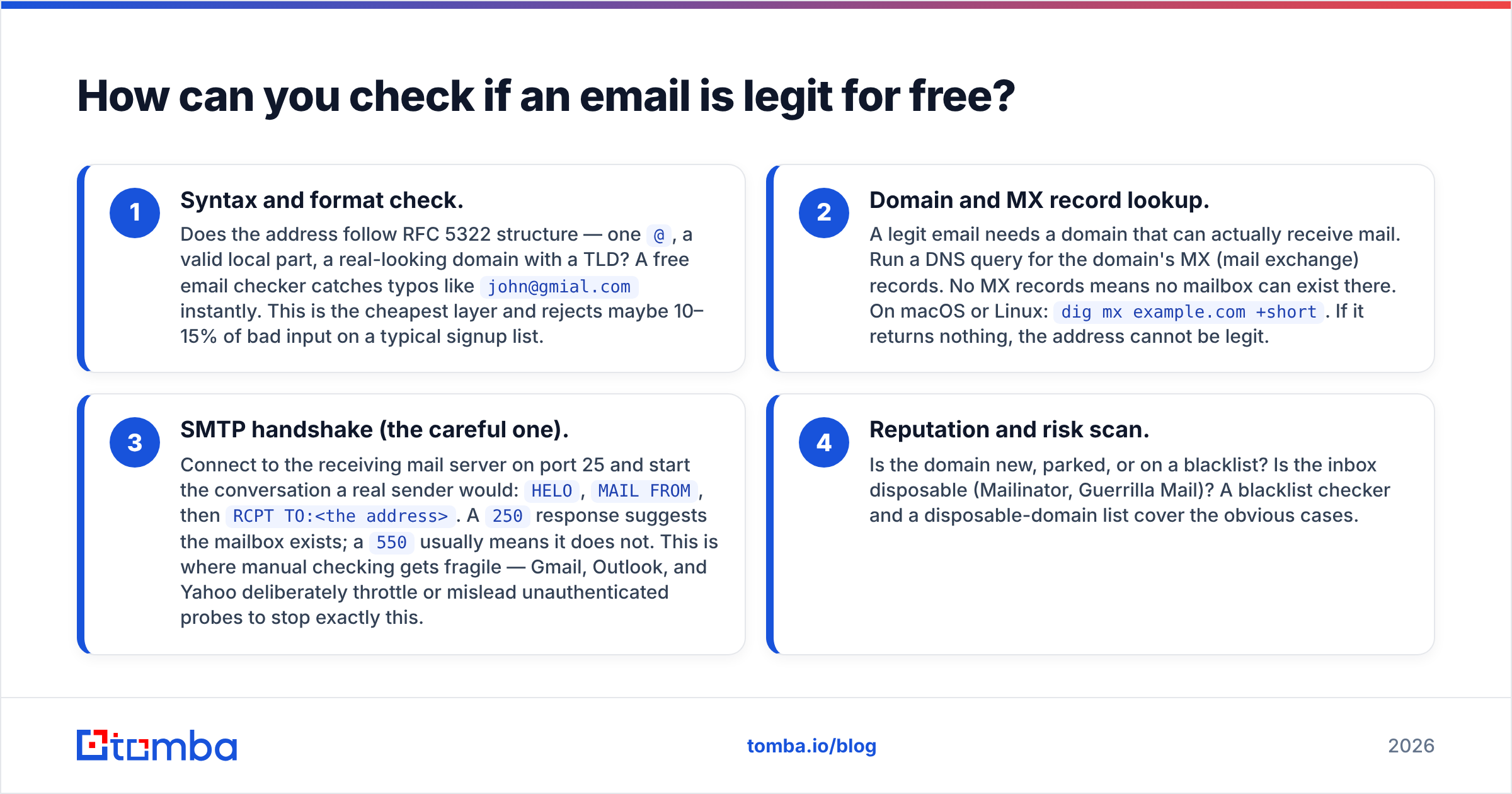
You can do a surprising amount by hand before paying for anything. Here is the manual stack, cheapest to most reliable.
- Syntax and format check. Does the address follow RFC 5322 structure — one
@, a valid local part, a real-looking domain with a TLD? A free email checker catches typos likejohn@gmial.cominstantly. This is the cheapest layer and rejects maybe 10–15% of bad input on a typical signup list. - Domain and MX record lookup. A legit email needs a domain that can actually receive mail. Run a DNS query for the domain's MX (mail exchange) records. No MX records means no mailbox can exist there. On macOS or Linux:
dig mx example.com +short. If it returns nothing, the address cannot be legit. - SMTP handshake (the careful one). Connect to the receiving mail server on port 25 and start the conversation a real sender would:
HELO,MAIL FROM, thenRCPT TO:<the address>. A250response suggests the mailbox exists; a550usually means it does not. This is where manual checking gets fragile — Gmail, Outlook, and Yahoo deliberately throttle or mislead unauthenticated probes to stop exactly this. - Reputation and risk scan. Is the domain new, parked, or on a blacklist? Is the inbox disposable (Mailinator, Guerrilla Mail)? A blacklist checker and a disposable-domain list cover the obvious cases.
For one or two addresses, the manual stack is fine. The problem is volume and the special cases below.
What are the warning signs of a fake or risky email?#
Some patterns should raise your eyebrow before you even run a tool:
- Free-provider mismatch on a B2B contact. A "VP of Procurement" using
@gmail.comon a company form is worth a second look. - Role-based local parts.
info@,support@,sales@,admin@are not people. They are shared aliases, often unmonitored, and many ESPs penalize sending to them. - Random-string local parts.
x7f9q2@domain.comis the signature of a bot signup or a disposable inbox. - Recently registered or parked domains. A domain registered last week with no website is a fraud flag.
- Catch-all domains. These accept mail to any address, so an SMTP check returns "valid" even for
asdfasdf@company.com. They need special handling (see below).
Manual checking vs. an email verifier: which should you use?#
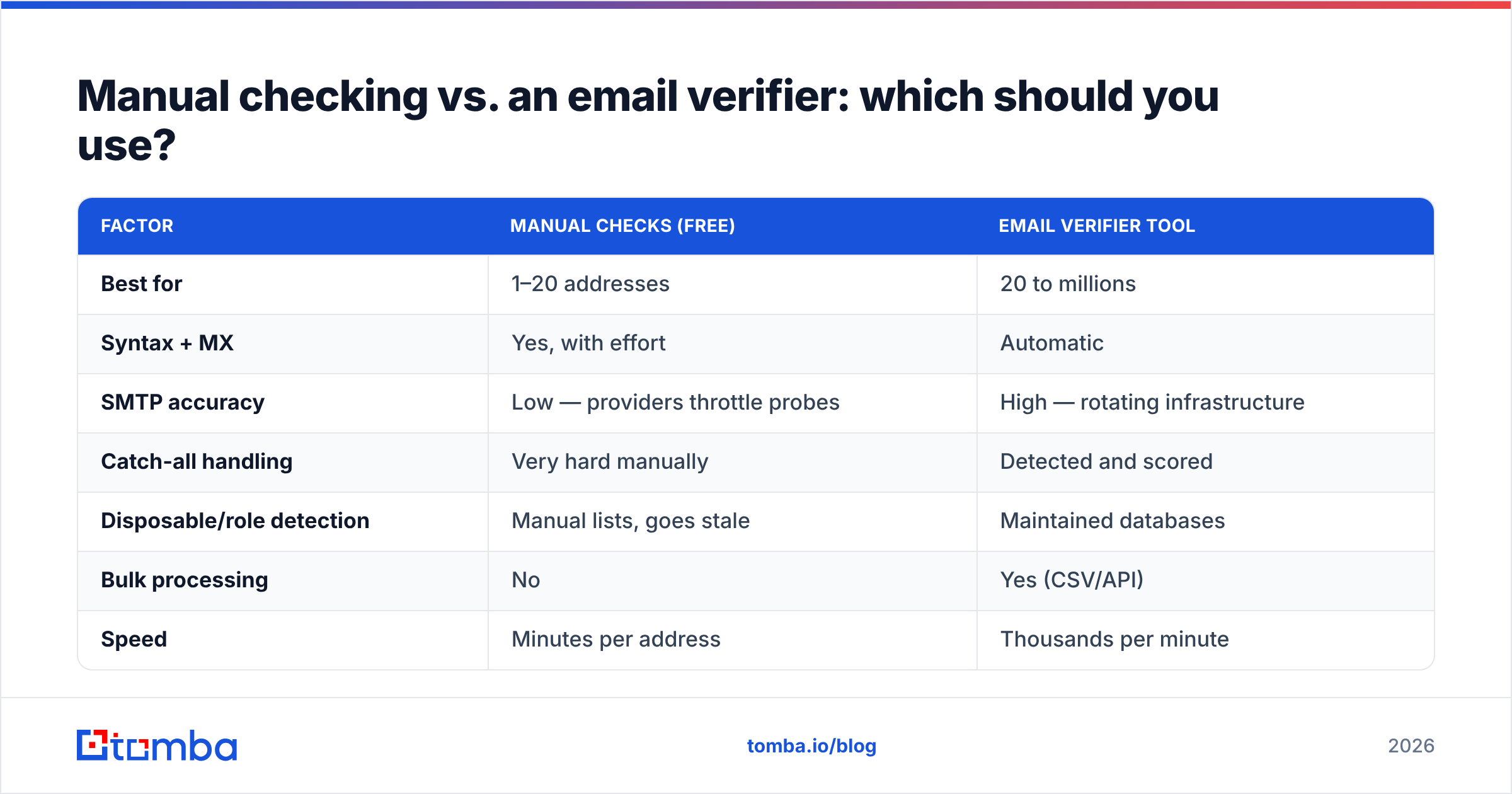
The honest answer depends on volume and how much your reputation is worth. Here is the side-by-side.
| Factor | Manual checks (free) | Email verifier tool |
|---|---|---|
| Best for | 1–20 addresses | 20 to millions |
| Syntax + MX | Yes, with effort | Automatic |
| SMTP accuracy | Low — providers throttle probes | High — rotating infrastructure |
| Catch-all handling | Very hard manually | Detected and scored |
| Disposable/role detection | Manual lists, goes stale | Maintained databases |
| Bulk processing | No | Yes (CSV/API) |
| Speed | Minutes per address | Thousands per minute |
| Cost | $0 | Free tier, then from $49/mo |
| Risk score output | None | Deliverability score per address |
The pattern most teams land on: use free tools for spot-checks and a verifier for anything that touches a real campaign. A platform like Tomba's email verifier runs all four layers, handles the edge cases, and returns a confidence score instead of a vague maybe.

How do you verify an email address in bulk?#
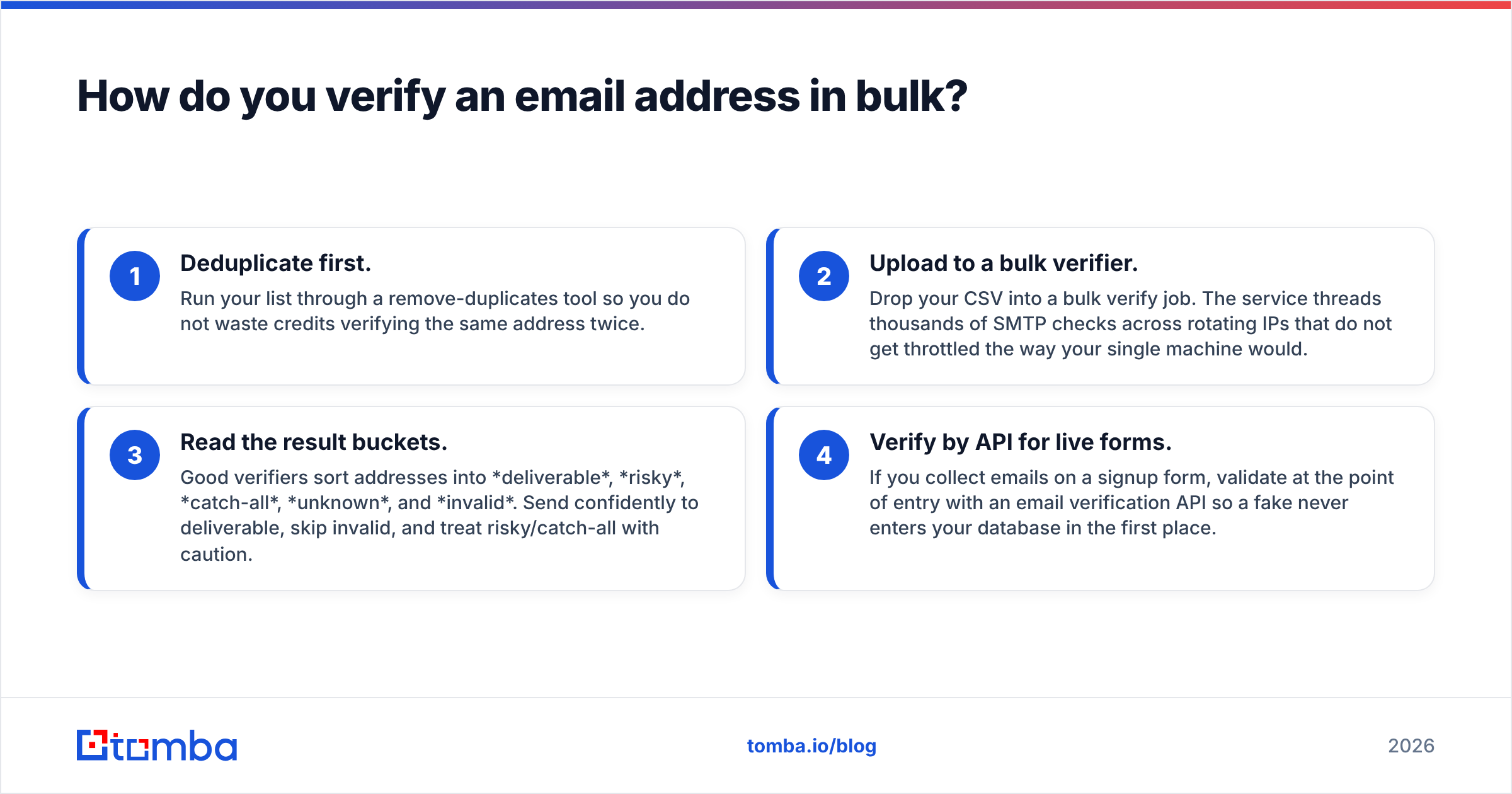
Bulk is where manual checking falls apart and a real workflow pays off. The reliable sequence:
- Deduplicate first. Run your list through a remove-duplicates tool so you do not waste credits verifying the same address twice.
- Upload to a bulk verifier. Drop your CSV into a bulk verify job. The service threads thousands of SMTP checks across rotating IPs that do not get throttled the way your single machine would.
- Read the result buckets. Good verifiers sort addresses into deliverable, risky, catch-all, unknown, and invalid. Send confidently to deliverable, skip invalid, and treat risky/catch-all with caution.
- Verify by API for live forms. If you collect emails on a signup form, validate at the point of entry with an email verification API so a fake never enters your database in the first place.
This is the difference between cleaning a list once and keeping it clean forever. The API check at form-submit time is the highest-leverage move most teams skip.
How do catch-all and disposable domains trip you up?#
These two categories deserve their own section because they defeat naive checks.
A catch-all domain is configured to accept email to every possible address. So when you SMTP-probe random@catchall-company.com, the server says 250 OK even though no such mailbox exists. A basic checker marks it valid; reality bounces it later. The fix is a dedicated catch-all verifier that uses pattern analysis and historical data to estimate whether the specific address — not just the domain — is real.
A disposable email comes from a service that hands out temporary inboxes that self-destruct in minutes. They pass syntax, MX, and even SMTP checks because the mailbox genuinely exists right now. The only defense is an up-to-date database of disposable domains, which is exactly what maintained verifiers keep current and a hand-built list does not.
If your "valid" rate looks suspiciously high, catch-all and disposable addresses are usually the reason your real bounce rate is still bad.
How does email verification protect deliverability?#
Verification is upstream of every deliverability metric you care about. Cut the bounces and the rest improves on its own.
Mailbox providers read a high bounce rate as a signal that you bought a list or scraped carelessly — both spam behaviors. Once flagged, even your legitimate mail gets filtered. Verifying before you send keeps your hard-bounce rate under the ~2% danger line and protects the domain reputation you spent months building. It pairs naturally with the rest of your email deliverability stack: SPF, DKIM, DMARC, and steady warmup. You can confirm your authentication records with a free SPF checker while you are at it.
Tools like Mailchimp and other ESPs will themselves suppress addresses that bounce, but by then the damage to your reputation is already counted. Verifying first means you never hand them a bad address to begin with.
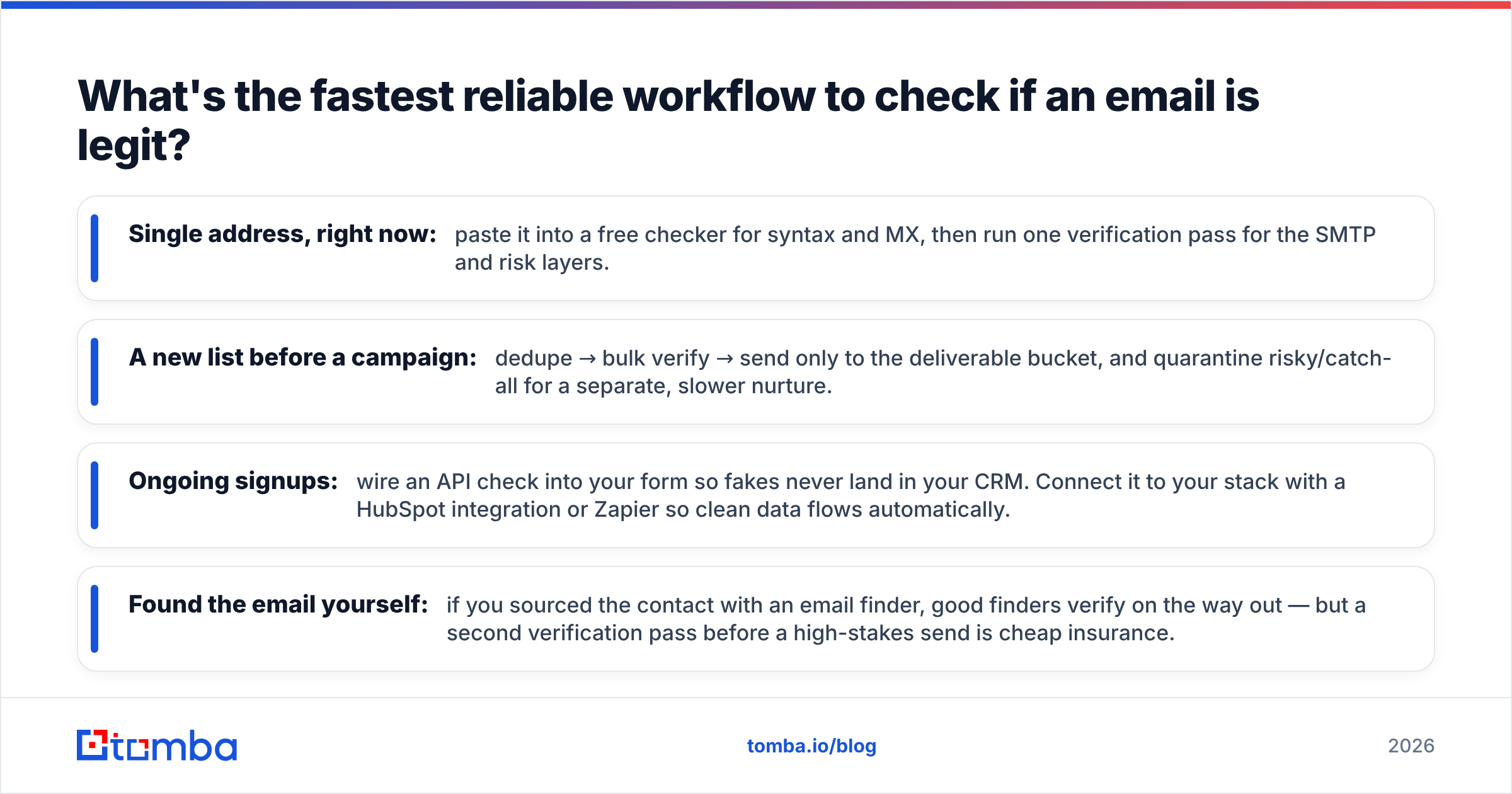
What's the fastest reliable workflow to check if an email is legit?#
Put it together and the end-to-end flow is short:
- Single address, right now: paste it into a free checker for syntax and MX, then run one verification pass for the SMTP and risk layers.
- A new list before a campaign: dedupe → bulk verify → send only to the deliverable bucket, and quarantine risky/catch-all for a separate, slower nurture.
- Ongoing signups: wire an API check into your form so fakes never land in your CRM. Connect it to your stack with a HubSpot integration or Zapier so clean data flows automatically.
- Found the email yourself: if you sourced the contact with an email finder, good finders verify on the way out — but a second verification pass before a high-stakes send is cheap insurance.
Compare verifier vendors the same way you would any tool — check independent reviews on G2 and look at free-tier limits before committing. Pricing should be transparent; you can see Tomba pricing starting with a free tier of 25 searches per month, then Starter at $49/mo and Growth at $99/mo.
Frequently asked questions#
Can you check if an email is legit without sending a message to it? Yes. The SMTP handshake checks whether a mailbox exists without ever delivering a message — the connection is closed before the DATA stage. That is exactly how verifiers test addresses silently.
Does a valid syntax mean the email is real? No. Syntax only proves the address is correctly formatted. nobody@realdomain.com can be perfectly formatted and completely dead. You still need MX and mailbox checks.
Why do some addresses come back as "unknown"? The receiving server refused to confirm or deny the mailbox — common with privacy-protective providers and greylisting. Treat unknowns as risky: send slowly or not at all.
Is free email verification good enough? For a handful of addresses, yes. For a campaign list, free manual checks miss catch-all and disposable traps and get throttled on SMTP, which is why teams move to a dedicated verifier.
Ready to stop guessing?#
You do not need to babysit dig and telnet to know whether an address is real. Run your list — or your single most important prospect — through Tomba's email verifier and get a clear deliverability score across all four layers: syntax, domain, mailbox, and risk. Start on the free tier, verify your first batch in minutes, and protect the sender reputation that every reply depends on. Pair it with the Tomba Email Finder when you need to source new contacts that are verified from the moment you find them.
// get started
Find, verify and enrich your first contacts today
Start on the free plan with 25 searches a month, then scale when your team is ready.
Free plan · No credit card required · GDPR & CCPA
// about the author