Chrome Extension Email Grabber: Best Tools Compared (2026)
A Chrome extension email grabber can build your prospect list in minutes — or wreck your deliverability. Here's how to pick one that actually works in 2026.
TL;DR
- A Chrome extension email grabber pulls professional email addresses straight from the page you're viewing — a LinkedIn profile, a company site, a SERP — so you skip the copy-paste grind.
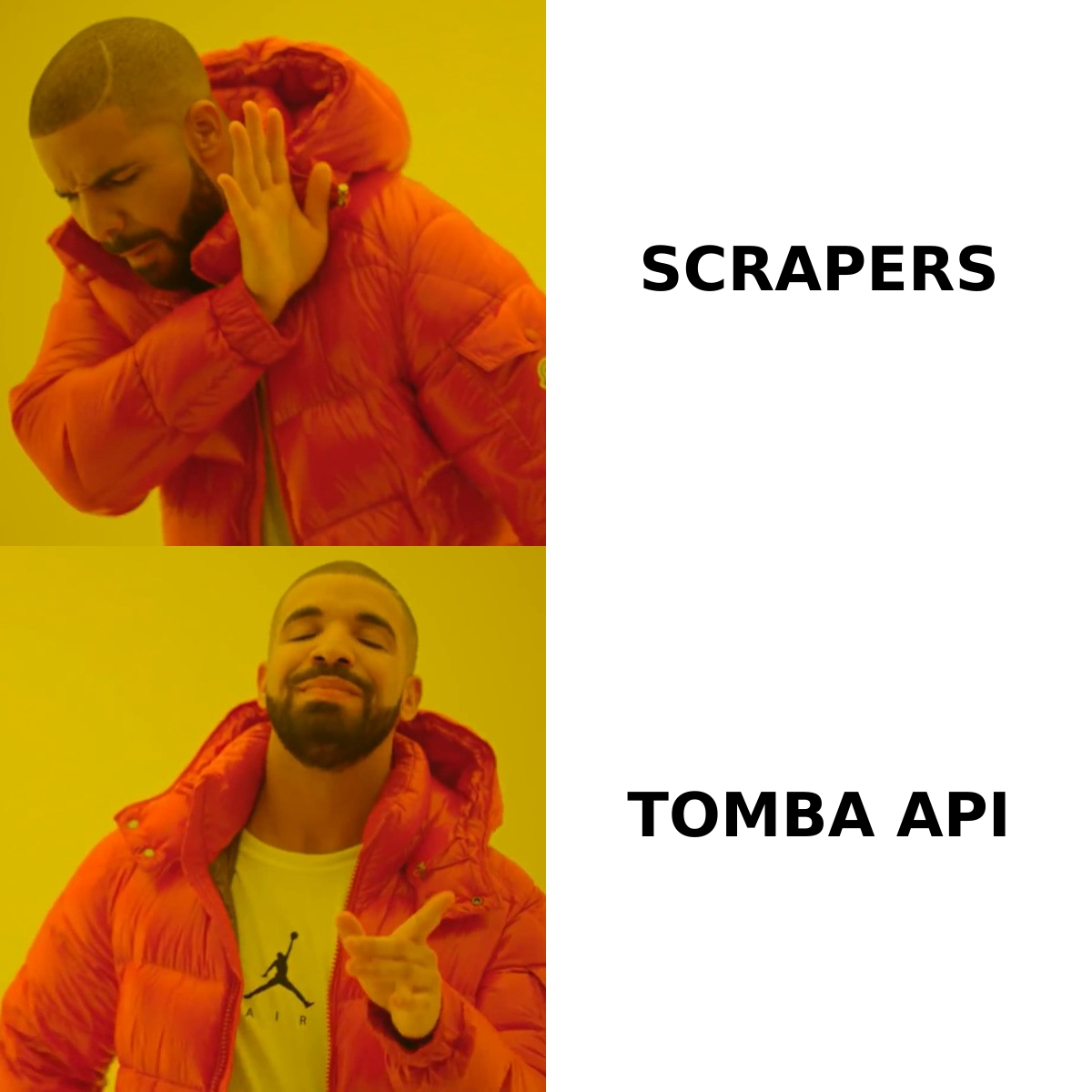
- The cheap "scraper" extensions that promise unlimited free emails are the ones that quietly hand you 30-50% invalid addresses and torch your sender reputation.
- The metric that matters is not how many emails an extension grabs, but how many it grabs that actually deliver — accuracy plus built-in verification.
- Tomba's Chrome extension finds emails by domain or name, verifies them in the same click, and is backed by an API and bulk tools when you outgrow the browser.
- Below: a feature-by-feature comparison table, the buying criteria that separate real tools from data-broker junk, and the legal guardrails you can't ignore in 2026.
What is a Chrome extension email grabber?#
A Chrome extension email grabber is a browser add-on that detects and extracts email addresses from whatever web page you're on, then lets you save or export them without leaving the tab. Think of it like a metal detector you sweep over a beach: instead of digging through every grain of sand (every page, every "Contact Us" link), you wave the detector and it beeps where the valuable thing is buried.
In practice these extensions work three ways, often all at once:
- Pattern scraping — they read the raw HTML and pull any string shaped like
name@domain.com. Fast, but it grabssupport@,noreply@, and other dead-ends. - Domain lookup — you land on
acme.comand the extension queries a database for known email patterns and named contacts at that domain. - Profile resolution — on a LinkedIn or directory page, the extension reads the name + company and resolves the most likely professional address, then verifies it.
The first method is what most "free email grabber" extensions sell. The second and third are what an actual email finder does — and the difference shows up the moment you hit send.
How does an email grabber extension actually find emails?#
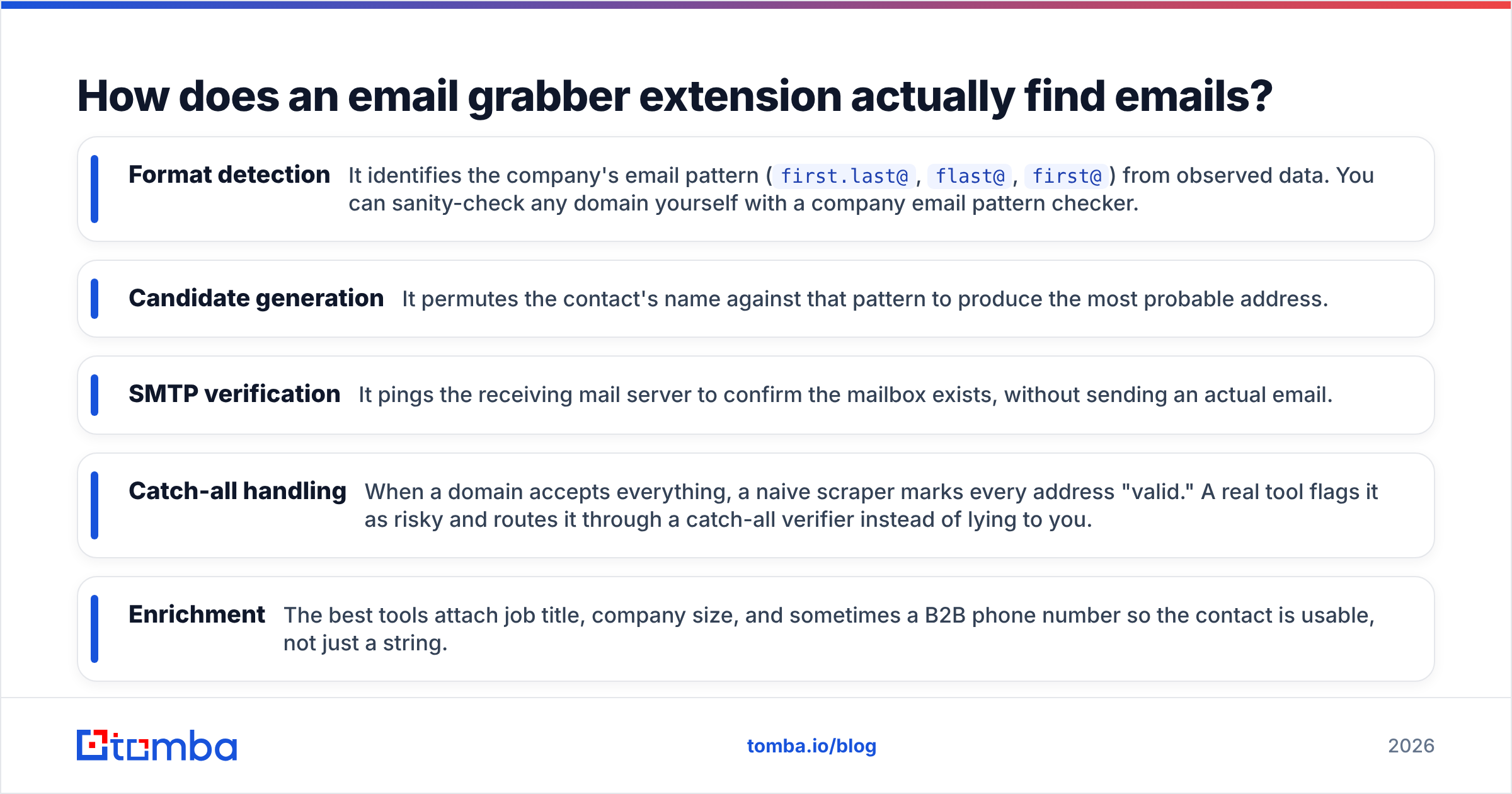
The good ones don't guess in a vacuum. They generate candidate addresses from a company's known format and then confirm each one before it ever reaches your list.
Here's the core flow a quality grabber runs in the background:
- Format detection — It identifies the company's email pattern (
first.last@,flast@,first@) from observed data. You can sanity-check any domain yourself with a company email pattern checker. - Candidate generation — It permutes the contact's name against that pattern to produce the most probable address.
- SMTP verification — It pings the receiving mail server to confirm the mailbox exists, without sending an actual email.
- Catch-all handling — When a domain accepts everything, a naive scraper marks every address "valid." A real tool flags it as risky and routes it through a catch-all verifier instead of lying to you.
- Enrichment — The best tools attach job title, company size, and sometimes a B2B phone number so the contact is usable, not just a string.
That verification step is the whole ballgame. An extension that grabs 100 emails and ships them unverified is worse than one that grabs 60 and confirms all 60 — because the 40 bounces in the first list will get your domain flagged. If you want the mechanics, Tomba documents where its data comes from.
Are free email grabber Chrome extensions safe to use?#
Short answer: most aren't, and the risk is rarely worth the zero dollars.
Free, ad-supported scraper extensions fail in three predictable ways. First, data quality — they scrape role accounts and stale addresses, so your bounce rate spikes. Second, privacy and permissions — many request "read and change all your data on all websites," which is a blank check over every page you visit, including your webmail and bank. The Chrome Web Store has repeatedly pulled extensions caught exfiltrating browsing data; treat broad permissions as a red flag, not a convenience. Third, deliverability fallout — mailbox providers track bounce and spam-complaint rates against your domain. Send to a junk-quality grabbed list once and you can spend weeks rebuilding sender reputation.
There's also a legal layer. In 2026 you're operating under GDPR, CAN-SPAM, and a growing stack of state privacy laws. Scraping personal data has legitimate-interest constraints, and you're expected to have a lawful basis plus a clean opt-out. The FTC's CAN-SPAM guidance is the baseline US reading; a free extension that brags about "unlimited scraping with no limits" is selling you a compliance problem, not a shortcut.
The takeaway isn't "never use a free tool." Tomba has a free tier with 25 searches a month precisely so you can test quality before paying. The takeaway is: judge the data, not the price tag.
What should you look for in a Chrome extension email grabber in 2026?#
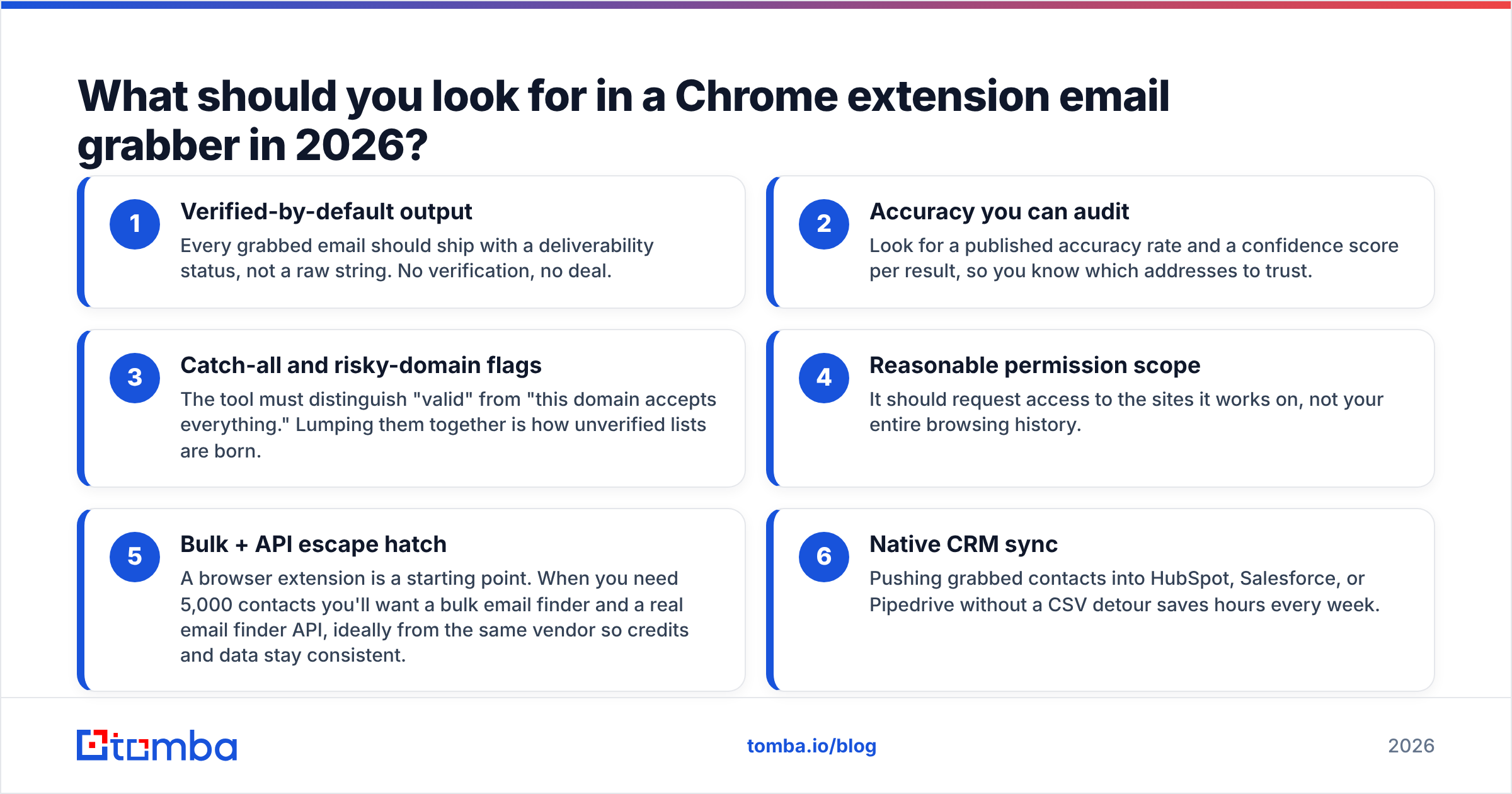
Use these six criteria. They're ordered by how much they affect your actual reply rate.
- Verified-by-default output — Every grabbed email should ship with a deliverability status, not a raw string. No verification, no deal.
- Accuracy you can audit — Look for a published accuracy rate and a confidence score per result, so you know which addresses to trust.
- Catch-all and risky-domain flags — The tool must distinguish "valid" from "this domain accepts everything." Lumping them together is how unverified lists are born.
- Reasonable permission scope — It should request access to the sites it works on, not your entire browsing history.
- Bulk + API escape hatch — A browser extension is a starting point. When you need 5,000 contacts you'll want a bulk email finder and a real email finder API, ideally from the same vendor so credits and data stay consistent.
- Native CRM sync — Pushing grabbed contacts into HubSpot, Salesforce, or Pipedrive without a CSV detour saves hours every week.
If an extension nails 1 through 3, it's a real tool. If it only scrapes and exports, it's a liability with a nice icon.

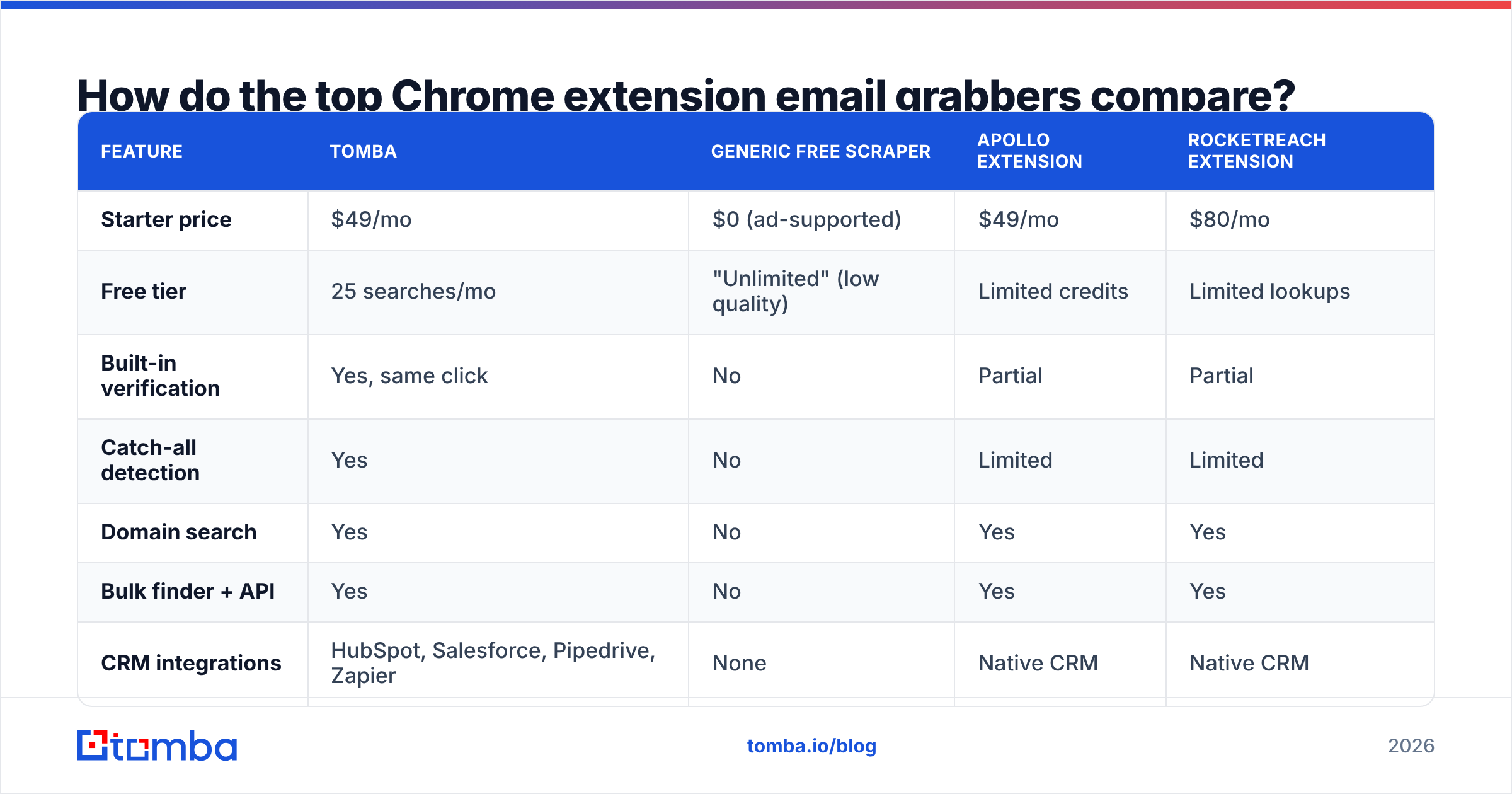
How do the top Chrome extension email grabbers compare?#
Here's a side-by-side of the categories you'll actually choose between. Prices reflect entry paid tiers as of 2026; always confirm on each vendor's pricing page since plans shift.
| Feature | Tomba | Generic free scraper | Apollo extension | RocketReach extension |
|---|---|---|---|---|
| Starter price | $49/mo | $0 (ad-supported) | $49/mo | $80/mo |
| Free tier | 25 searches/mo | "Unlimited" (low quality) | Limited credits | Limited lookups |
| Built-in verification | Yes, same click | No | Partial | Partial |
| Catch-all detection | Yes | No | Limited | Limited |
| Domain search | Yes | No | Yes | Yes |
| Bulk finder + API | Yes | No | Yes | Yes |
| CRM integrations | HubSpot, Salesforce, Pipedrive, Zapier | None | Native CRM | Native CRM |
| Phone numbers | Yes | No | Add-on | Add-on |
| Permission scope | Scoped to work sites | Often full browsing access | Scoped | Scoped |
The pattern is consistent: the free scraper wins on price and loses on everything that determines whether your campaign lands. Among the paid options, the deciding factors become verification depth, how many credits you burn per result, and whether the data is accurate enough that you're not paying twice to clean it.
For a fuller side-by-side of the paid players, this is the comparison most teams reference before they commit:

If you're specifically weighing the bigger platforms, Tomba publishes head-to-head breakdowns like its Apollo alternative and RocketReach alternative pages so you can see where credits and accuracy diverge.
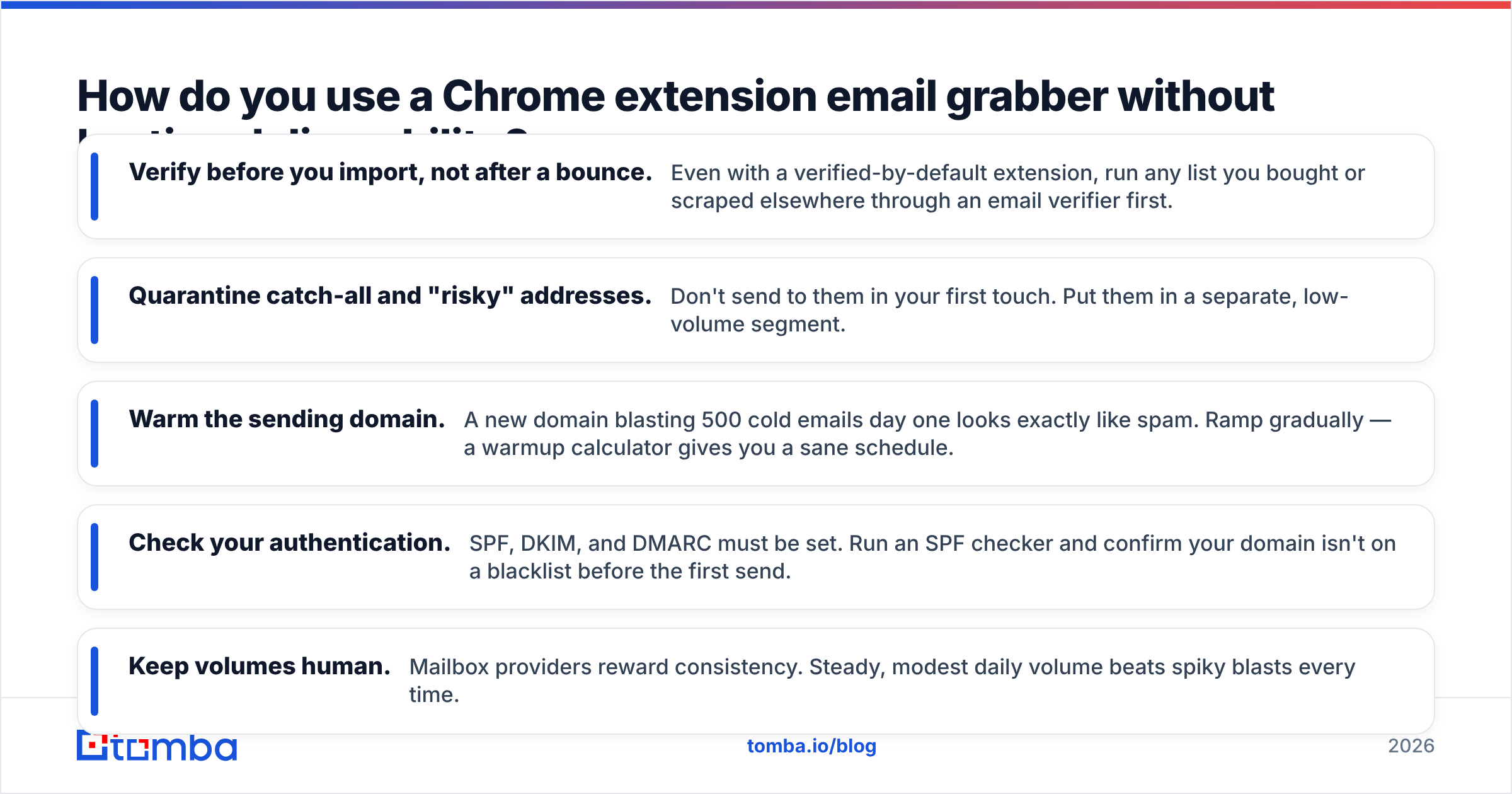
How do you use a Chrome extension email grabber without hurting deliverability?#
Grabbing the email is step one of five. Skip the other four and a clean tool still won't save you.
- Verify before you import, not after a bounce. Even with a verified-by-default extension, run any list you bought or scraped elsewhere through an email verifier first.
- Quarantine catch-all and "risky" addresses. Don't send to them in your first touch. Put them in a separate, low-volume segment.
- Warm the sending domain. A new domain blasting 500 cold emails day one looks exactly like spam. Ramp gradually — a warmup calculator gives you a sane schedule.
- Check your authentication. SPF, DKIM, and DMARC must be set. Run an SPF checker and confirm your domain isn't on a blacklist before the first send.
- Keep volumes human. Mailbox providers reward consistency. Steady, modest daily volume beats spiky blasts every time.

Do this and a grabbed list behaves like an organically built one. Skip it and even a perfectly verified list can underperform, because deliverability is a function of sender behavior, not just data quality. Google's Postmaster Tools is the free dashboard that shows you, in their words, how your domain is actually being received — watch it.
Is a browser extension enough, or do you need the full toolkit?#
A Chrome extension is the right tool for opportunistic prospecting — you're on a profile, you want that one contact, you grab it. It is the wrong tool for systematic list building.
The moment your workflow is "I need every decision-maker at these 200 companies," you've outgrown clicking through pages one at a time. That's where domain-level and bulk tools take over:
- Targeting a whole company? Use domain search to pull every known contact at a domain in one query instead of grabbing them one profile at a time.
- Working from a list of companies or names? A bulk email finder processes thousands of rows and returns verified results with status codes.
- Building inside spreadsheets? The Google Sheets add-on and Excel integration let you find and verify in the grid you already live in.
- Automating? The email finder API drops finding and verification into your own product or sequence stack.
The advantage of picking a vendor whose extension, bulk tool, and API all share one data layer is that your credits, accuracy, and verification logic stay identical no matter which surface you use. Mixing a free scraper extension with a separate verifier and a third enrichment vendor means three bills, three accuracy rates, and three places for your list to rot.
Which Chrome extension email grabber should you choose?#
Match the tool to the job:
- Solo founder or low volume? Start on a free tier, verify everything, stay under the radar on send volume.
- SDR or growth team doing real outbound? You need verified-by-default output, catch-all handling, and CRM sync — the $49/mo class of tool, not the free scraper.
- RevOps or agency at scale? Prioritize API access, bulk processing, and consistent data across surfaces over any single extension feature.
Whatever you pick, run the same test before committing: grab 25 contacts, verify them independently, and check the real bounce rate on a small send. The tool that survives that test is your tool. Most free scrapers don't.
Start grabbing emails that actually deliver#
If you want a Chrome extension email grabber that finds the address and verifies it in the same click — backed by domain search, bulk finding, and an API for when you scale — start with the Tomba Email Finder. The free tier gives you 25 searches a month to test data quality against your own list before you ever pay, and paid plans start at $49/mo with verification, catch-all detection, and native CRM sync included. Grab the extension, run the 25-contact test above, and judge it on bounce rate — that's the only metric that decides whether your next campaign lands in the inbox or the void.
// get started
Find, verify and enrich your first contacts today
Start on the free plan with 25 searches a month, then scale when your team is ready.
Free plan · No credit card required · GDPR & CCPA
// about the author