Clay Pricing in 2026: Plans, Credits, and Real Costs
A clear-eyed breakdown of Clay pricing in 2026 — every plan, how credits actually burn, and when a flat-rate tool saves you money.
Clay is one of the most talked-about GTM tools of the last few years, and almost every conversation about it ends in the same place: what does this actually cost me? The answer is more complicated than a price tag, because Clay sells credits, not seats or simple monthly access. This guide breaks down Clay pricing in 2026 — every plan, how the credit math works in practice, and where the bill quietly grows.
TL;DR#
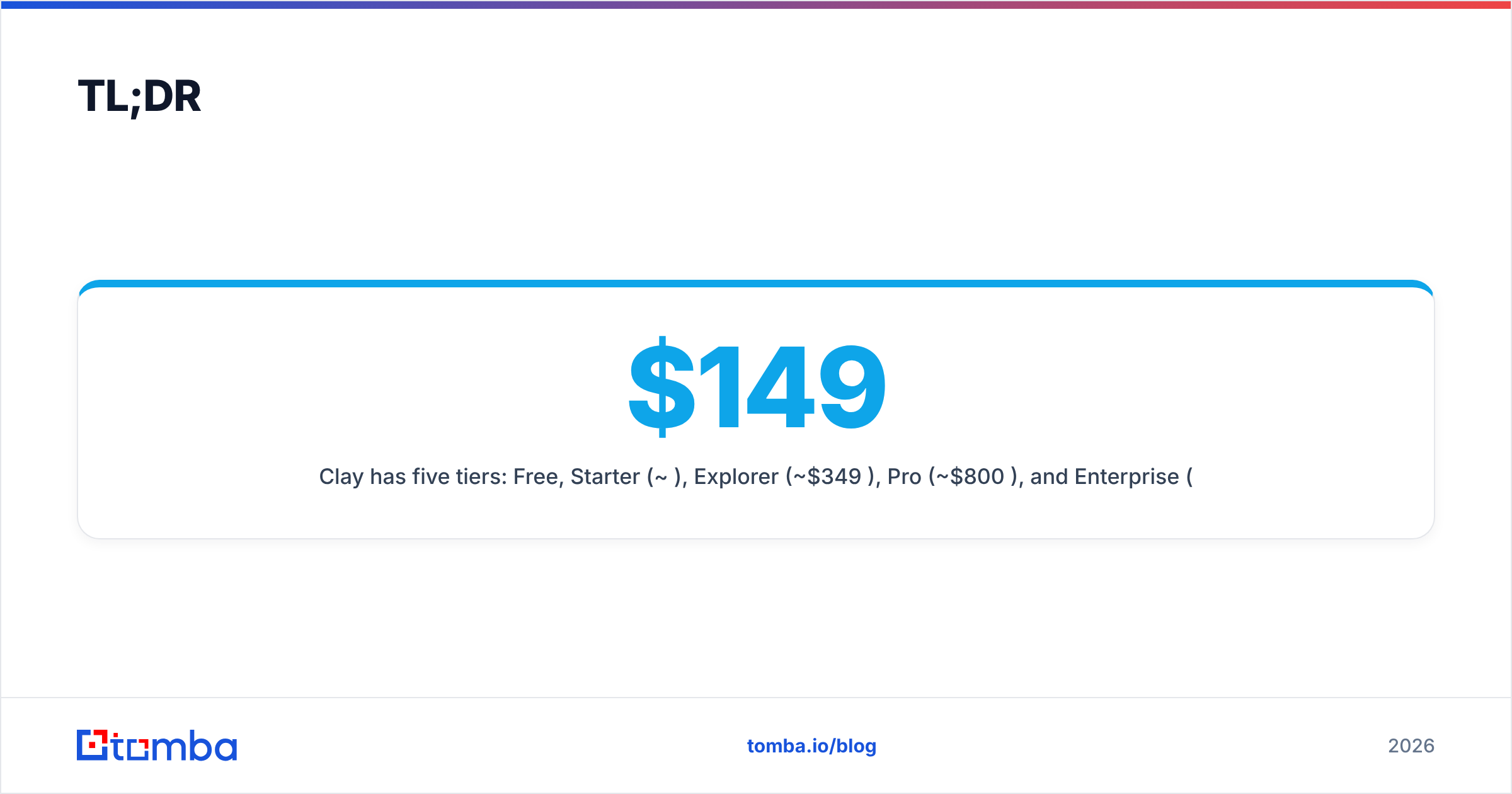
- Clay has five tiers: Free, Starter (
$149/mo), Explorer ($349/mo), Pro (~$800/mo), and Enterprise (custom). Annual billing knocks roughly 10–18% off. - You pay in credits, not lookups. Every enrichment action — find email, verify, scrape, AI prompt — burns credits, and "waterfall" enrichment can spend several credits per row.
- The sticker price is the floor, not the ceiling. Heavy users routinely add credit top-ups or jump tiers mid-month.
- Clay is an orchestration layer, not a single data vendor. Its value is chaining 100+ providers; its cost is paying for that flexibility.
- For pure email finding, a flat-rate tool like the Tomba Email Finder is dramatically cheaper and easier to forecast.
What is Clay and what are you actually paying for?#
Clay is a spreadsheet-style automation platform for go-to-market teams. Think of it like a smart kitchen rather than a single ingredient: you bring raw rows (companies, people, domains), and Clay routes each one through a pipeline of data providers, scrapers, and AI prompts to produce an enriched table. It connects to 100+ data sources and lets you "waterfall" between them — try provider A, and if it returns nothing, fall back to B, then C.
That orchestration is the product. You are not paying Clay for a proprietary database the way you pay a single vendor; you are paying for the engine that coordinates many vendors plus a credit balance to spend across them. This matters for pricing because your cost scales with how many actions you run, not how many users you have.
If you've used a credit-based data enrichment tool before, the model will feel familiar. If you're coming from flat-rate software, it's a mental shift: every column you add to a table is a potential recurring cost.

How much does Clay cost in 2026?#
Here is the current plan structure. Clay adjusts pricing and credit allotments often, so treat these as 2026 reference figures and confirm live numbers on clay.com before you commit.
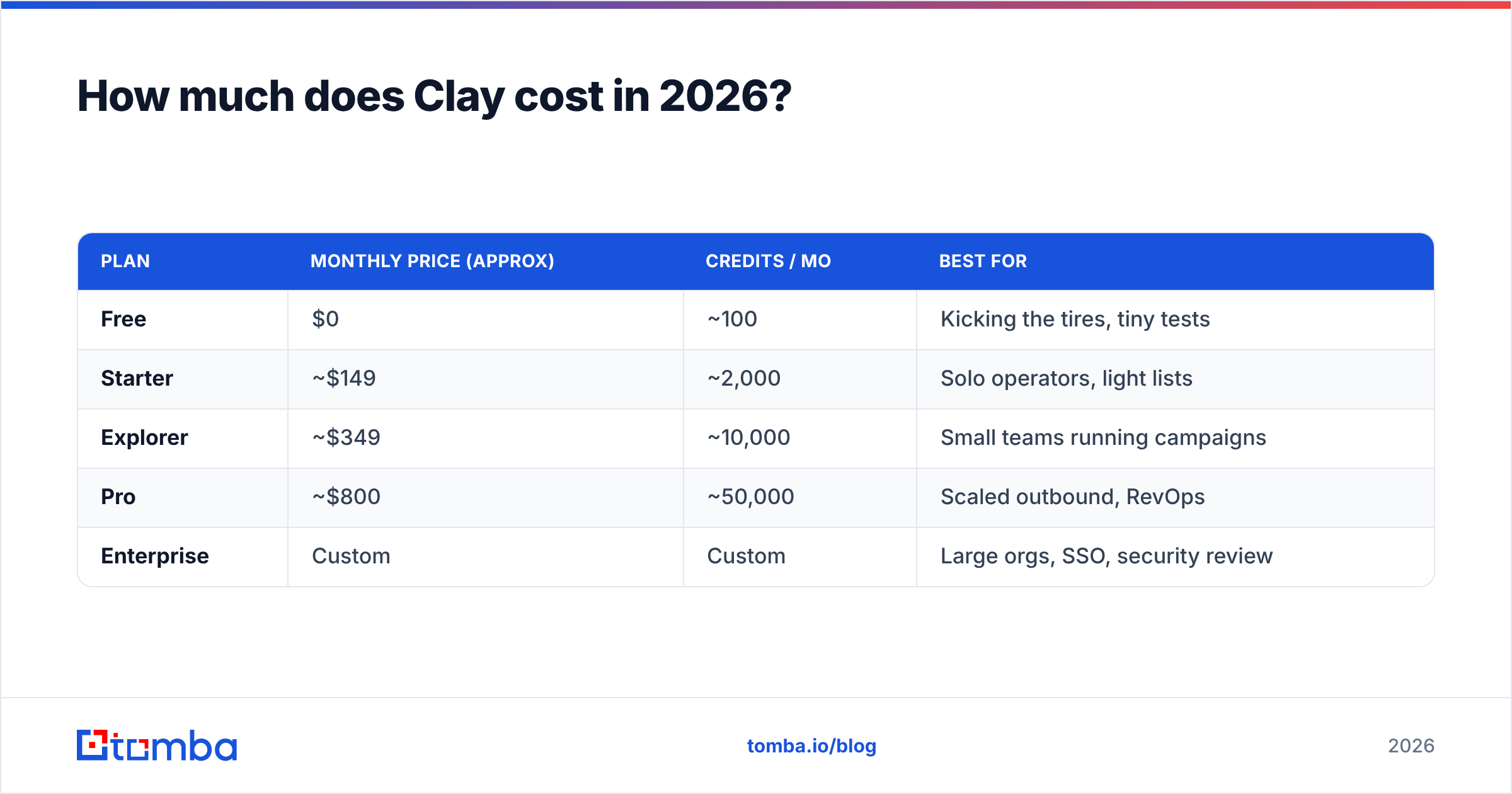
| Plan | Monthly price (approx) | Credits / mo | Best for |
|---|---|---|---|
| Free | $0 | ~100 | Kicking the tires, tiny tests |
| Starter | ~$149 | ~2,000 | Solo operators, light lists |
| Explorer | ~$349 | ~10,000 | Small teams running campaigns |
| Pro | ~$800 | ~50,000 | Scaled outbound, RevOps |
| Enterprise | Custom | Custom | Large orgs, SSO, security review |
A few things to notice immediately:
- The free plan is a demo, not a workhorse. ~100 credits disappears after a few enriched rows with waterfall enabled.
- Annual billing is the real discount lever. Committing yearly typically cuts the effective monthly rate by 10–18%, but you lose flexibility if your volume drops.
- "Credits per month" is the headline number that controls your real cost — far more than which tier name you pick.
- Email-sending features and certain premium providers can sit outside your base credit pool or consume credits faster, depending on the source.
How do Clay credits actually work?#
Credits are where Clay pricing gets slippery, so let's make it concrete. A credit is consumed each time Clay performs a billable action on a row. The trap is that a single "enrich this person" step is rarely one action.
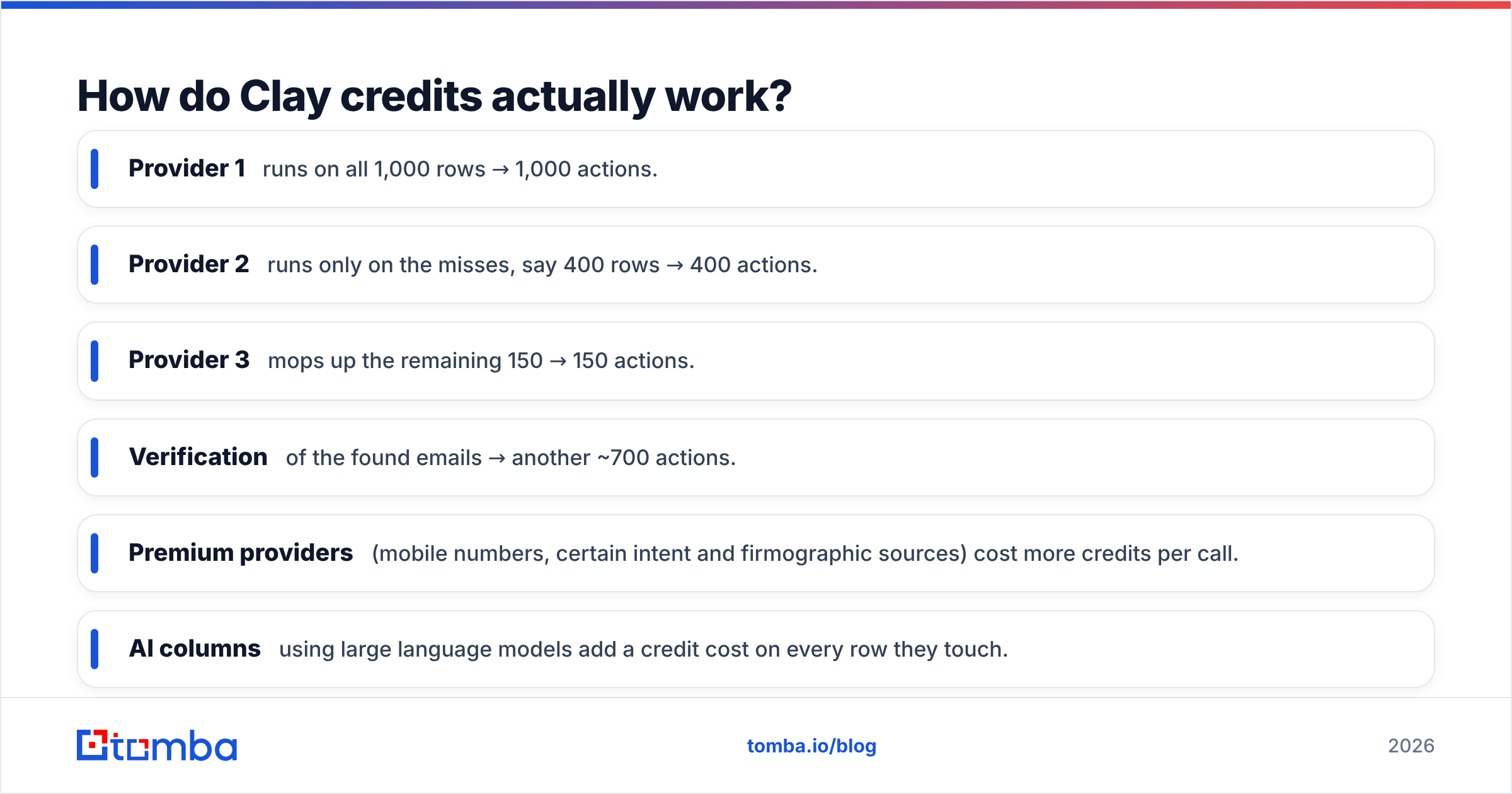
Imagine you want a verified work email for 1,000 prospects using a waterfall of three providers:
- Provider 1 runs on all 1,000 rows → 1,000 actions.
- Provider 2 runs only on the misses, say 400 rows → 400 actions.
- Provider 3 mops up the remaining 150 → 150 actions.
- Verification of the found emails → another ~700 actions.
That single "get me emails" job just cost you roughly 2,250 credits for 1,000 contacts — more than a full month on the Starter plan. Add an AI prompt column to write a personalized first line, and each row burns additional credits on top.
This is not a knock on Clay; waterfalling is why people love it, because hit rates climb when you stack providers. But it means your effective cost-per-contact is variable and often higher than the per-row math you did in your head. Budgeting for Clay means budgeting for actions, not rows.

Where the bill quietly grows#
- Premium providers (mobile numbers, certain intent and firmographic sources) cost more credits per call.
- AI columns using large language models add a credit cost on every row they touch.
- Re-running tables to refresh stale data doubles spend if you're not careful with caching.
- Top-ups at month's end are common, and on-demand credits are priced higher than your plan's bundled rate.
Is Clay worth the price?#
Yes — for the right job. The honest framing is that Clay competes on flexibility and orchestration, not on being the cheapest way to get any single data point. Score it against what you actually need:
- You need to chain many providers, scrape sites, and run AI on every row → Clay earns its price. Few tools replace it.
- You need one reliable data type at predictable cost (say, work emails or company data) → you're overpaying for an engine you barely use.
- You're a non-technical operator → Clay's learning curve is real; the table/automation model rewards people who think in spreadsheets and APIs.
According to user reviews on G2, the most common praise is power and the most common complaint is cost predictability and the learning curve. Both are true. Clay is a Ferrari; the question is whether your commute needs one.
Clay vs a flat-rate email finder: which is cheaper?#
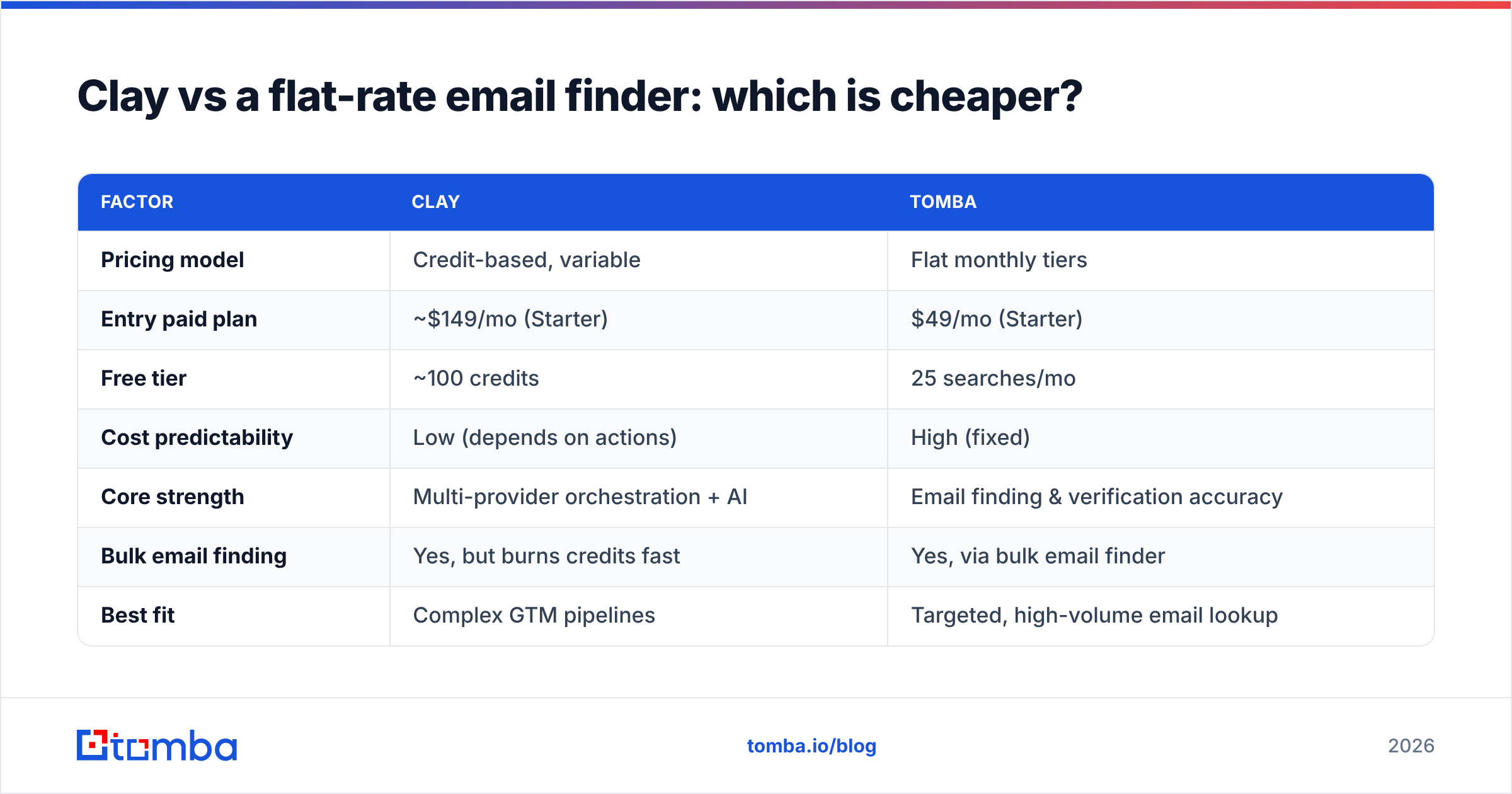
For the specific job of finding and verifying professional email addresses, the math usually favors a dedicated, flat-rate tool. You're not paying for waterfall orchestration you don't need, and your monthly cost doesn't move with volume the way credits do.
Here's a direct comparison for an email-finding use case:
| Factor | Clay | Tomba |
|---|---|---|
| Pricing model | Credit-based, variable | Flat monthly tiers |
| Entry paid plan | ~$149/mo (Starter) | $49/mo (Starter) |
| Free tier | ~100 credits | 25 searches/mo |
| Cost predictability | Low (depends on actions) | High (fixed) |
| Core strength | Multi-provider orchestration + AI | Email finding & verification accuracy |
| Bulk email finding | Yes, but burns credits fast | Yes, via bulk email finder |
| Best fit | Complex GTM pipelines | Targeted, high-volume email lookup |
The takeaway isn't "Clay bad, Tomba good." It's that they solve different problems. Clay is an orchestration platform; Tomba is a focused data tool. If 80% of your Clay spend is just finding emails and verifying them, you're using a freight train to deliver a letter. A flat $49/mo with predictable Tomba pricing covers that one job without the credit anxiety — and you can still use the email verifier and domain search under the same plan.
How do you control Clay costs?#
If you're committed to Clay, you can keep the bill sane with discipline:
- Filter before you enrich. Never run a provider on a full list when a column condition could cut it by half first. Every skipped row is a saved credit.
- Order your waterfalls by hit rate and cost. Put your cheapest, highest-coverage provider first so fewer rows fall through to expensive sources.
- Cache and avoid re-runs. Don't refresh a table out of habit; refresh only the rows that aged out.
- Gate AI columns. Run the LLM prompt only on rows that already passed enrichment, not on the raw import.
- Pre-clean inputs. Deduplicate and validate domains before they hit Clay so you're not spending credits on junk. A free pass through an email extractor or remove-duplicates tool upstream pays for itself.
- Watch your monthly credit burn rate in the first week and project forward — it's cheaper to upgrade deliberately than to top up in a panic.
A useful pattern: handle the commodity work (find email, verify, dedupe) with a cheap flat-rate tool, then reserve Clay credits for the high-value orchestration (intent signals, AI research, multi-source company profiles) that nothing else does well. You get Clay's power where it counts without paying credit rates for basic lookups. Tomba's API and integrations make it straightforward to feed clean, verified contacts into a Clay table.
What about the free plan and trials?#
Clay's free tier is genuinely useful for one thing: learning the interface and proving a workflow before you pay. With ~100 credits you can build a small table, test a waterfall, and see the credit meter move in real time — which is the single best way to estimate your real monthly spend. Run a representative 50-row job, watch the credits drop, multiply out, and you'll have a far more honest budget than any pricing page gives you.
Don't mistake the free plan for a production tool. It's a calculator. Once you've used it to measure your true cost-per-contact, you can decide whether Clay's orchestration justifies the price for your volume — or whether a flat-rate finder covers most of what you need.
The bottom line on Clay pricing#
Clay pricing in 2026 rewards teams that need orchestration and punishes teams that just need data. The five-tier structure looks tidy, but your real cost lives in the credit meter, and waterfall enrichment plus AI columns can push effective per-contact costs well above what the plan names suggest. Model your spend on actions, not rows, lean on annual billing if your volume is stable, and ruthlessly filter before you enrich.
And if you step back and realize most of your enrichment is really just finding and verifying email addresses, you don't need a credit-metered engine for that. Tomba's Email Finder gives you flat, predictable pricing starting at $49/mo — with verification, domain search, and bulk lookup included — so you can spend your Clay credits on the work that actually requires Clay. Start finding emails with Tomba and keep your data costs boringly predictable.
// get started
Find, verify and enrich your first contacts today
Start on the free plan with 25 searches a month, then scale when your team is ready.
Free plan · No credit card required · GDPR & CCPA
// about the author