Clickback vs Saleshandy 2026: Cold Email Tools Compared
Clickback and Saleshandy both promise cold-email results, but they solve very different problems. Here's an honest 2026 breakdown of pricing, deliverability, lists, and automation so you pick the right one.
Choosing between Clickback and Saleshandy feels like a head-to-head, but it really isn't. They sit on opposite ends of the cold-email spectrum: one sells you the list and the sending engine, the other sells you a deliverability-first sequencing workflow and expects you to bring your own data. Pick the wrong one and you'll either overpay for capacity you can't fill or starve a great sending tool of the contacts it needs.
This breakdown cuts through the marketing pages and shows you exactly where each tool wins, where each one quietly costs you more, and how to feed either platform with data that won't torch your domain.
TL;DR — Clickback vs Saleshandy at a glance#
- Clickback is a B2B email lead-generation platform built around its own contact database and a managed, "send to cold lists at scale" model. It's heavier, more enterprise, and priced accordingly.
- Saleshandy is a cold-email outreach and sequencing tool: unlimited email accounts on higher tiers, built-in warmup, and a B2B lead database add-on. It's lighter, self-serve, and far cheaper to start.
- Deliverability is where they diverge most — Saleshandy is engineered around sender reputation and inbox placement; Clickback leans on volume and its own sending infrastructure.
- Data quality decides both. Neither tool fixes a bad list. Verifying contacts before you send — with a dedicated email verifier — protects your reputation no matter which platform you run.
- Best combo for most teams in 2026: Saleshandy for sequencing + a precise email-finding stack for targeted, verified leads. Clickback makes sense for large managed campaigns where you want one vendor to own the whole funnel.
What is Clickback and who is it for?#
Clickback is an "email lead generation" platform aimed at B2B marketers who want to email cold contacts at scale — people who have not opted in. Its pitch combines a contact database, list cleaning, and a sending engine designed to push high volumes of cold email through dedicated infrastructure. The company positions itself for mid-market and enterprise teams running awareness and top-of-funnel campaigns rather than one-to-one sales prospecting.
The strength here is the all-in-one nature. You can source contacts, scrub them, and send from a single tool, with managed onboarding to keep you out of obvious trouble. The trade-off is cost and flexibility: Clickback is a premium, sales-assisted product, and you're often buying capacity and data together whether or not you need both. You can see how reviewers frame it on G2 before committing to a demo.
Clickback is most at home when:
- You email large cold audiences for brand and demand-gen, not 1:1 reply-driven outreach.
- You want one vendor to own list, infrastructure, and compliance guidance.
- You have budget for a managed, enterprise-tier tool and a team to run volume campaigns.

What is Saleshandy and who is it for?#
Saleshandy is a cold-email outreach platform built for sequencing, deliverability, and reply generation. The core workflow is multi-step campaigns: connect multiple sending mailboxes, rotate sends across them, warm them up, personalize with variables and spintax, and automate follow-ups until someone replies. On higher plans it allows unlimited email accounts and unlimited warmup, which is a big deal for agencies running many domains.
Saleshandy also offers a B2B lead-finder database as an add-on, so you can pull contacts inside the same tool. But its center of gravity is the sending side: inbox rotation, bounce handling, spam-test previews, and reply detection. You can review its current plans on the official Saleshandy site and cross-check feature claims against third-party reviews.
Saleshandy fits when:
- You run reply-driven cold email — outbound sales, agency lead gen, founder-led prospecting.
- You manage multiple domains and mailboxes and need rotation plus warmup baked in.
- You want self-serve pricing that starts low and scales with mailboxes, not headcount.
A practical note: Saleshandy gives you the engine, but it doesn't guarantee good contacts. Pairing it with a focused email finder keeps your sequences pointed at real, reachable people instead of guessed addresses.
Clickback vs Saleshandy: the core comparison table#
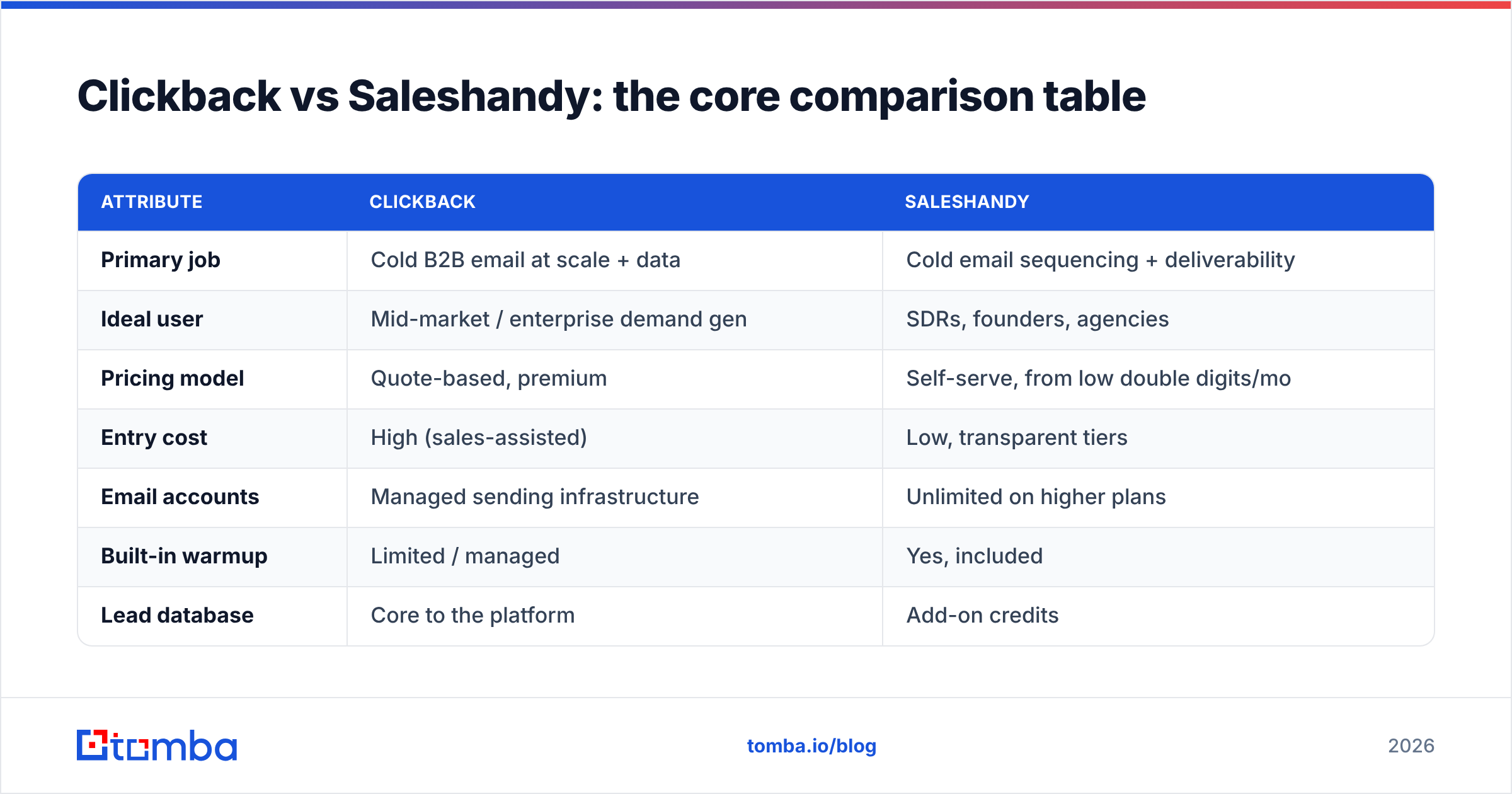
Here's the side-by-side. Treat the pricing as directional — both vendors change tiers, and Clickback in particular is quote-based — but the shape of each product is what matters.
| Attribute | Clickback | Saleshandy |
|---|---|---|
| Primary job | Cold B2B email at scale + data | Cold email sequencing + deliverability |
| Ideal user | Mid-market / enterprise demand gen | SDRs, founders, agencies |
| Pricing model | Quote-based, premium | Self-serve, from low double digits/mo |
| Entry cost | High (sales-assisted) | Low, transparent tiers |
| Email accounts | Managed sending infrastructure | Unlimited on higher plans |
| Built-in warmup | Limited / managed | Yes, included |
| Lead database | Core to the platform | Add-on credits |
| Inbox rotation | Less emphasized | Core feature |
| Best for replies vs reach | Reach / volume | Replies / conversations |
| Learning curve | Higher, managed onboarding | Lower, self-serve |
The headline: Clickback optimizes for reach and a single managed funnel; Saleshandy optimizes for inbox placement and reply rate at a fraction of the entry cost. Most outbound sales teams want the second profile. Demand-gen teams blasting awareness campaigns may prefer the first.
Is Clickback better than Saleshandy for deliverability?#
Short answer: for reply-driven outbound, Saleshandy's model is easier to keep healthy. Deliverability is less about the logo and more about how each tool treats sender reputation — and the two tools encourage very different behavior.
Saleshandy's whole design nudges you toward safe sending: warmup is included, sends rotate across mailboxes so no single inbox gets hammered, and spam-test previews flag problems before launch. That aligns with how email deliverability actually works — small, warmed, well-authenticated senders beat one loud domain.
Clickback's volume-first model can deliver reach, but high-volume cold sending to purchased lists is inherently riskier for your domain reputation. The managed infrastructure helps, yet the underlying physics don't change: send unverified contacts and your bounce rate climbs, mailbox providers notice, and placement drops.
That's the part neither vendor can solve for you. Both platforms live or die on list hygiene. Before a single send, you should:
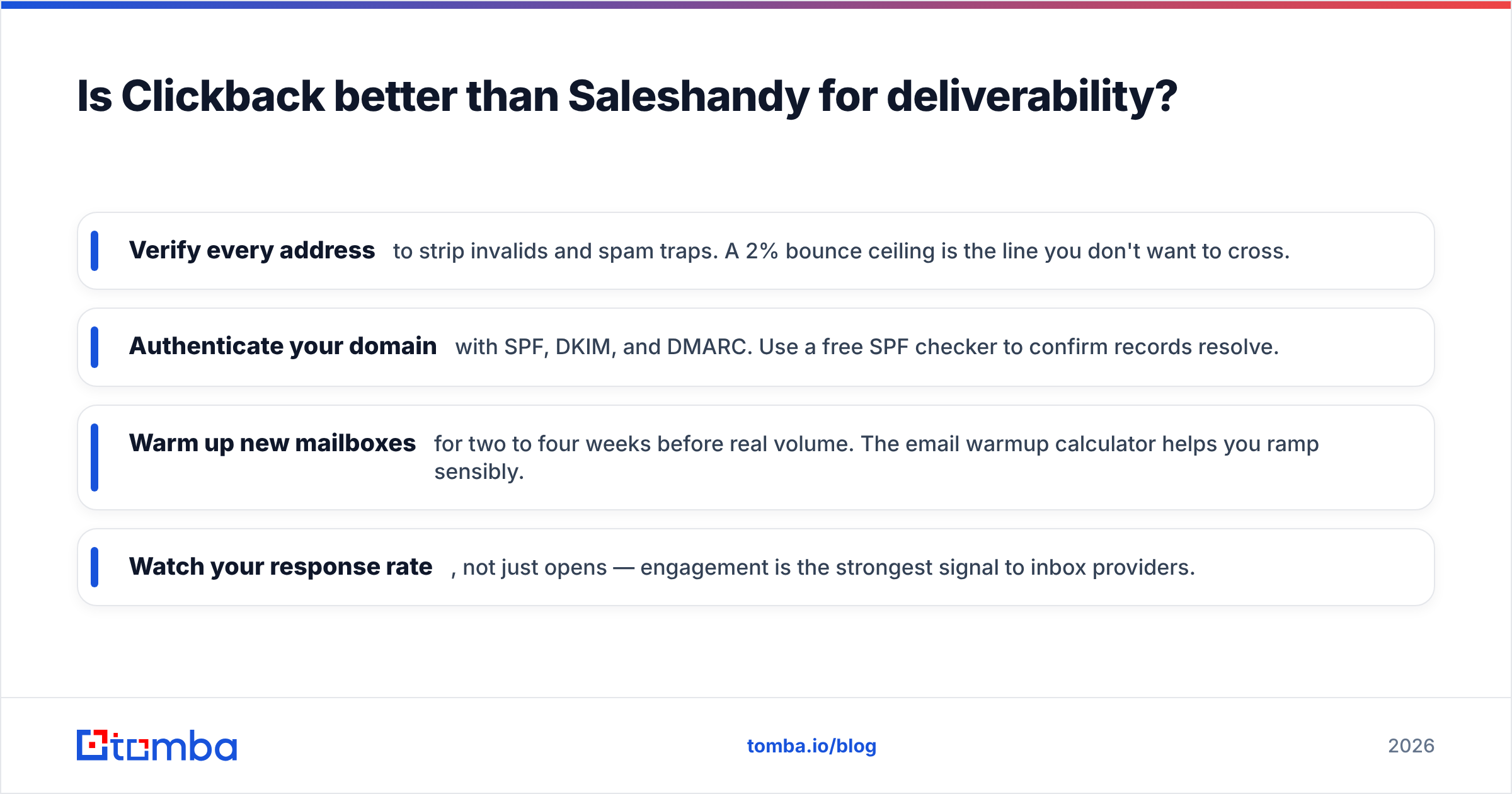
- Verify every address to strip invalids and spam traps. A 2% bounce ceiling is the line you don't want to cross.
- Authenticate your domain with SPF, DKIM, and DMARC. Use a free SPF checker to confirm records resolve.
- Warm up new mailboxes for two to four weeks before real volume. The email warmup calculator helps you ramp sensibly.
- Watch your response rate, not just opens — engagement is the strongest signal to inbox providers.
How do Clickback and Saleshandy handle lead data?#
This is the cleanest dividing line. Clickback builds data into the product — its own contact database is a core selling point, so you can source and send in one place. Saleshandy treats data as an add-on: solid for general firmographic pulls, but secondary to the sending workflow.
Both approaches share the same blind spot: bundled databases are generic. Everyone buying from the same well gets the same over-emailed contacts, and accuracy decays fast as people change jobs. That's why a lot of high-performing teams decouple the two jobs — use the outreach platform for sequencing, and source contacts with a precision email-finding stack that targets exactly the accounts and roles they care about.
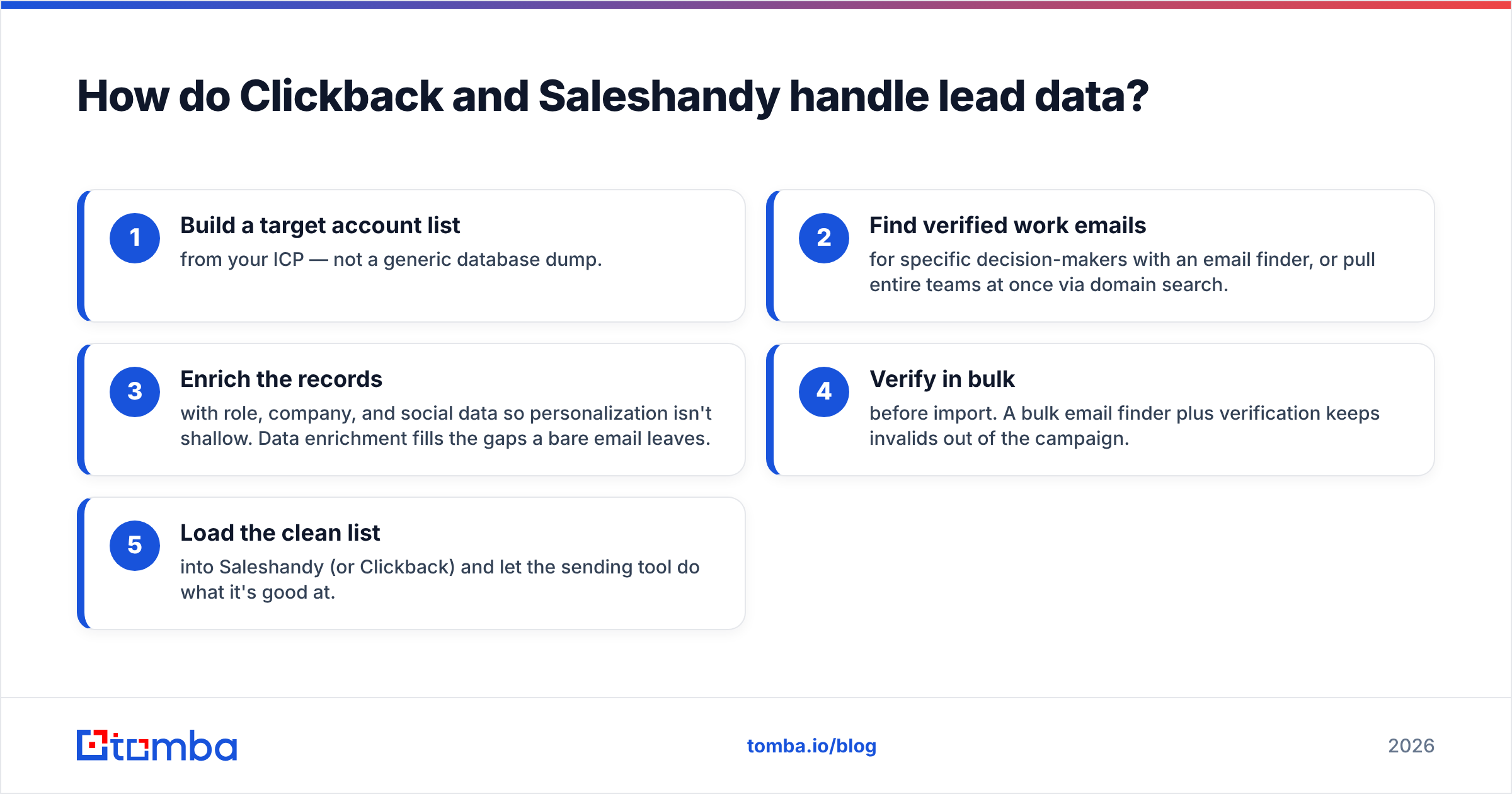
A decoupled data workflow usually looks like this:
- Build a target account list from your ICP — not a generic database dump.
- Find verified work emails for specific decision-makers with an email finder, or pull entire teams at once via domain search.
- Enrich the records with role, company, and social data so personalization isn't shallow. Data enrichment fills the gaps a bare email leaves.
- Verify in bulk before import. A bulk email finder plus verification keeps invalids out of the campaign.
- Load the clean list into Saleshandy (or Clickback) and let the sending tool do what it's good at.
This is where Tomba slots in regardless of which outreach platform you pick. You're not replacing Saleshandy or Clickback — you're feeding them data that's accurate enough to protect deliverability and specific enough to earn replies.
Clickback vs Saleshandy on pricing: what you actually pay#
Saleshandy wins on transparency and entry cost. Its self-serve tiers start low and scale primarily with the number of mailboxes and the size of your lead-database add-on, so a solo founder or small agency can start for the price of a couple of lunches per month. Unlimited email accounts on higher plans is genuinely valuable if you run many sending domains.
Clickback is quote-based and premium. You'll talk to sales, and the package typically bundles data and sending capacity at an enterprise price point. For a large demand-gen team that wants one managed vendor, that can be worth it. For a lean outbound team, it's usually more than you need.
Two cost realities apply to both:
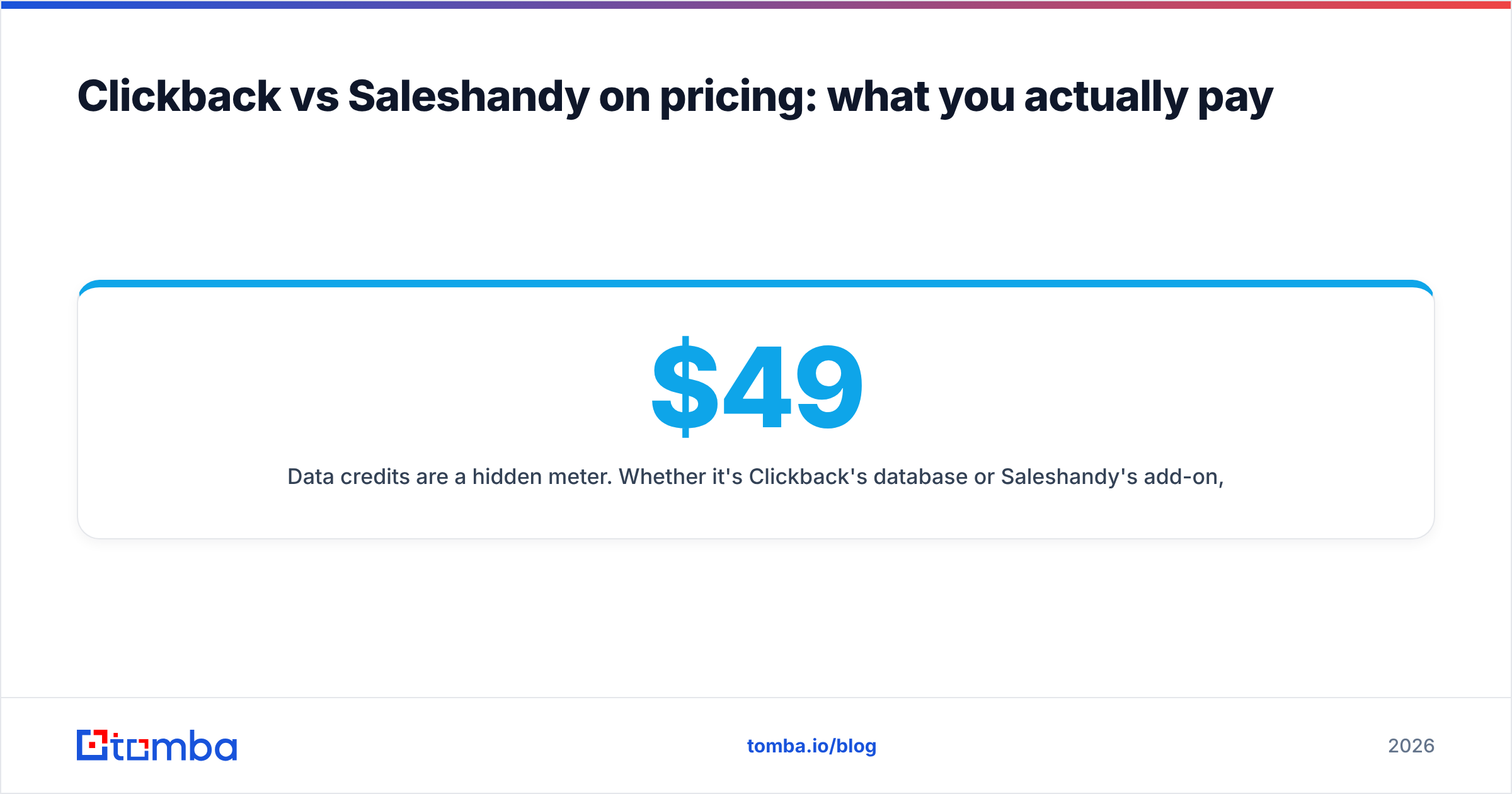
- Data credits are a hidden meter. Whether it's Clickback's database or Saleshandy's add-on, contact sourcing costs add up. Decoupling data to a dedicated finder often lowers total spend because you pay for precise lookups, not a bundled firehose. Compare against transparent Tomba pricing — a free tier, then $49/mo Starter, $99/mo Growth, and $249/mo Pro — to see what targeted sourcing actually costs.
- Bad data is the most expensive line item. A burned domain costs you weeks of warmup and lost pipeline. That cost never appears on either invoice, but it's the one that hurts most.
Which should you choose in 2026?#
Decide by the job, not the brand:
- Choose Saleshandy if you run reply-driven outbound, manage multiple mailboxes and domains, want deliverability features built in, and prefer transparent self-serve pricing. It's the right default for most SDR teams, founders, and agencies. If you're already eyeing it, the practical move is to weigh it against a Saleshandy alternative stack and confirm it fits your sending volume.
- Choose Clickback if you're a mid-market or enterprise marketing team running large cold awareness campaigns, you want one vendor to own data plus infrastructure plus compliance guidance, and you have the budget and people to run volume responsibly.
- Choose neither as a complete solution. Both are sending platforms. The contacts you put into them determine the result. Layer a precise email-finding and verification workflow underneath whichever you pick.
A simple test: if your goal is conversations, lean Saleshandy. If your goal is reach and you have an enterprise budget, consider Clickback. Either way, your reply rate is capped by data quality long before it's capped by the sending tool.
Get the data layer right first#
Before you commit to Clickback's enterprise package or spin up Saleshandy sequences, fix the input. Targeted, verified contacts are what turn any cold-email engine from a domain-risk machine into a pipeline machine.
Start with Tomba Email Finder to source accurate, work-verified emails for the exact decision-makers in your ICP — by name, by company, or in bulk across a whole domain. Begin on the free tier (25 searches a month), verify every address before import, and feed your outreach tool a list that protects your reputation and earns replies. The sending platform is the easy part. The data is the edge.
// get started
Find, verify and enrich your first contacts today
Start on the free plan with 25 searches a month, then scale when your team is ready.
Free plan · No credit card required · GDPR & CCPA
// about the author