Clodura.ai vs PursueApp (2026): Which Sales Tool Wins?
Clodura.ai is a B2B prospecting database with cadences; PursueApp is a cold-email drip engine. Here's an honest, side-by-side breakdown of which one fits your outbound stack in 2026 — and where a dedicated data tool beats both.
Choosing between Clodura.ai and PursueApp feels harder than it should, because most "versus" posts pretend the two tools do the same job. They don't. One is a B2B data-and-cadence platform; the other is a focused cold-email drip engine. Picking correctly starts with knowing which problem you're actually trying to solve.
This breakdown gives you the honest version: what each tool is good at, where each one frustrates real users, how pricing shakes out, and when neither is the right first purchase.
TL;DR — Clodura.ai vs PursueApp at a glance#
- Clodura.ai is an all-in-one prospecting platform: a large B2B contact database, email finder and verifier, buyer intent signals, org charts, and built-in sales cadences. Best if you need data plus outreach in one login.
- PursueApp is a specialist cold-email drip tool: sequences, personalization, inbox rotation, and reply handling. It does not hand you a contact database — you bring your own list.
- They aren't true competitors. Clodura overlaps with Apollo and Lusha; PursueApp overlaps with Instantly and Lemlist. Many teams run a data tool and a sending tool.
- If your bottleneck is finding accurate emails, neither is a pure email-finder — a dedicated tool like the Tomba Email Finder will out-accuracy a bundled database.
- Verdict: Choose Clodura.ai for database + cadence in one seat; choose PursueApp for cheap, flexible drip campaigns on lists you already own.
What is Clodura.ai?#
Clodura.ai is a B2B sales prospecting platform built around a large contact and company database (the vendor advertises hundreds of millions of contacts, direct dials, and technographic data). On top of that data layer it stacks the tools a rep needs to act on it: an email finder, an email verifier, buyer-intent signals, organizational charts, and native sales cadences for multi-step outreach.
The pitch is consolidation. Instead of paying for a database in one app, a verifier in another, and a sequencer in a third, you get one dashboard. For small teams that hate stitching tools together, that's genuinely appealing.
The trade-off is the classic all-in-one tax: each module is good enough rather than best in class. The database is broad but uneven by region and seniority, and bundled email verification tends to lag behind dedicated tools when you hit catch-all domains. That's where a standalone email verifier or a catch-all verifier earns its keep before you ever press send.
What is PursueApp?#
PursueApp is cold-email automation software. Its job is narrow and it owns that job: build drip sequences, personalize at scale, rotate inboxes to protect deliverability, and manage replies. Think of it as the delivery truck, not the warehouse — it moves your messages, but it doesn't stock the shelves.
Because it's list-agnostic, PursueApp assumes you already have verified contacts. You import a CSV (or sync from a CRM), design a sequence, and let it send. That focus keeps it lightweight and generally cheaper than a full data platform.
The catch is equally obvious: PursueApp does nothing to solve where the leads come from or whether the emails are valid. Feed it a dirty list and it will cheerfully torch your sender reputation. Deliverability tooling helps, but garbage in still means bounces out — which is why teams pair it with a bulk email finder and verification step upstream.
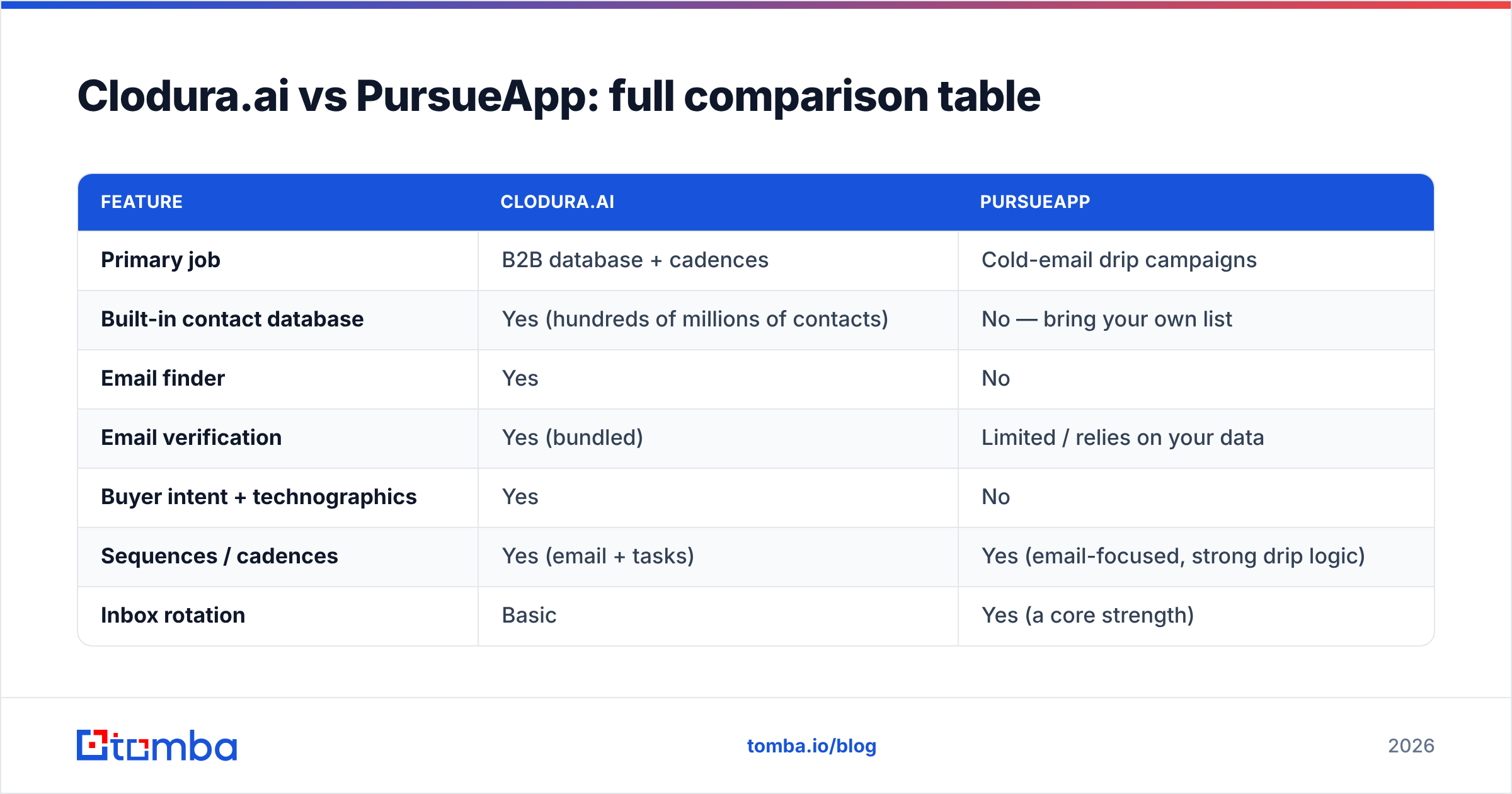
Clodura.ai vs PursueApp: full comparison table#
Here's the side-by-side. Treat pricing as directional — both vendors adjust plans, so confirm current numbers on their sites before you buy.
| Feature | Clodura.ai | PursueApp |
|---|---|---|
| Primary job | B2B database + cadences | Cold-email drip campaigns |
| Built-in contact database | Yes (hundreds of millions of contacts) | No — bring your own list |
| Email finder | Yes | No |
| Email verification | Yes (bundled) | Limited / relies on your data |
| Buyer intent + technographics | Yes | No |
| Sequences / cadences | Yes (email + tasks) | Yes (email-focused, strong drip logic) |
| Inbox rotation | Basic | Yes (a core strength) |
| Free tier | Yes (limited credits) | Trial-based |
| Best-fit user | Team wanting data + outreach in one | Team with a list wanting cheap sending |
| Typical starting price | Mid (~$39–$99/mo range) | Lower (entry-level drip pricing) |
The pattern is clear: Clodura is wider, PursueApp is deeper on sending. If you drew a Venn diagram, the only real overlap is "sends sequenced emails." Everything else is complementary, not competitive.
Is Clodura.ai better than PursueApp?#
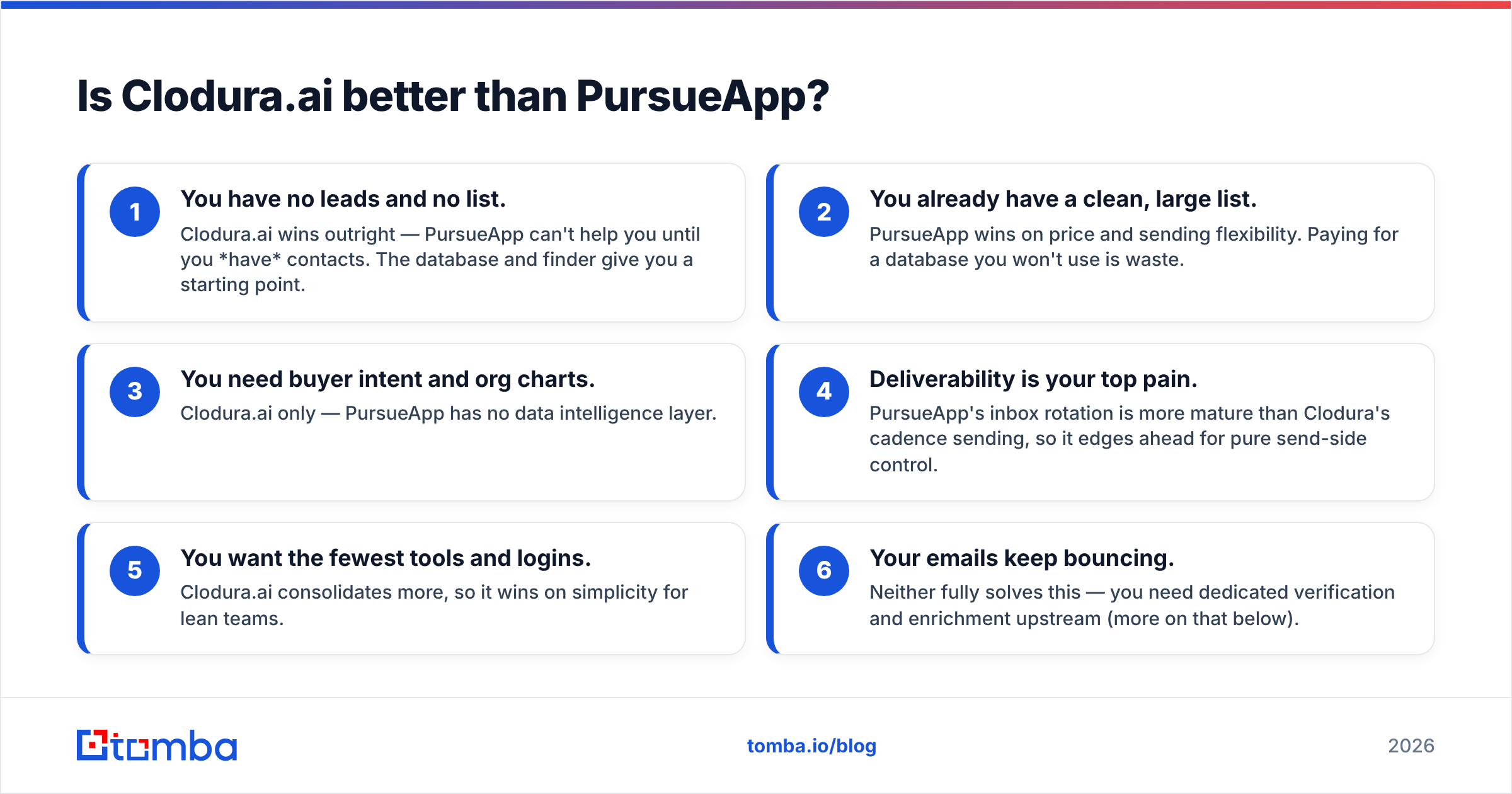
It depends on what's broken in your funnel. Use this quick diagnostic:
- You have no leads and no list. Clodura.ai wins outright — PursueApp can't help you until you have contacts. The database and finder give you a starting point.
- You already have a clean, large list. PursueApp wins on price and sending flexibility. Paying for a database you won't use is waste.
- You need buyer intent and org charts. Clodura.ai only — PursueApp has no data intelligence layer.
- Deliverability is your top pain. PursueApp's inbox rotation is more mature than Clodura's cadence sending, so it edges ahead for pure send-side control.
- You want the fewest tools and logins. Clodura.ai consolidates more, so it wins on simplicity for lean teams.
- Your emails keep bouncing. Neither fully solves this — you need dedicated verification and enrichment upstream (more on that below).
Most honest answer: for a brand-new outbound motion with nothing in hand, Clodura.ai is the more complete starting point. For an established team optimizing send performance on owned data, PursueApp is the sharper, cheaper instrument.
What do real users say about each tool?#
Peer reviews on G2 and similar directories surface consistent themes worth weighing before you commit.
Clodura.ai reviewers praise the all-in-one convenience and the value of getting intent data plus a dialer-adjacent workflow at a mid-market price. The recurring complaint is data freshness and accuracy — contacts that have moved roles, missing direct dials in some regions, and verification that passes emails which later bounce. That's not unique to Clodura; every bundled database fights the same decay curve.
PursueApp reviewers like the straightforward drip builder and deliverability features relative to cost. The common gripe is that it's a sending tool and nothing more — no data, a spartan interface compared with flashier competitors, and a learning curve on advanced personalization.
Neither pattern is a dealbreaker. But both point at the same gap: data quality is the variable that decides whether either tool performs, and neither one is a specialist at it.
Where does a dedicated data tool fit in?#
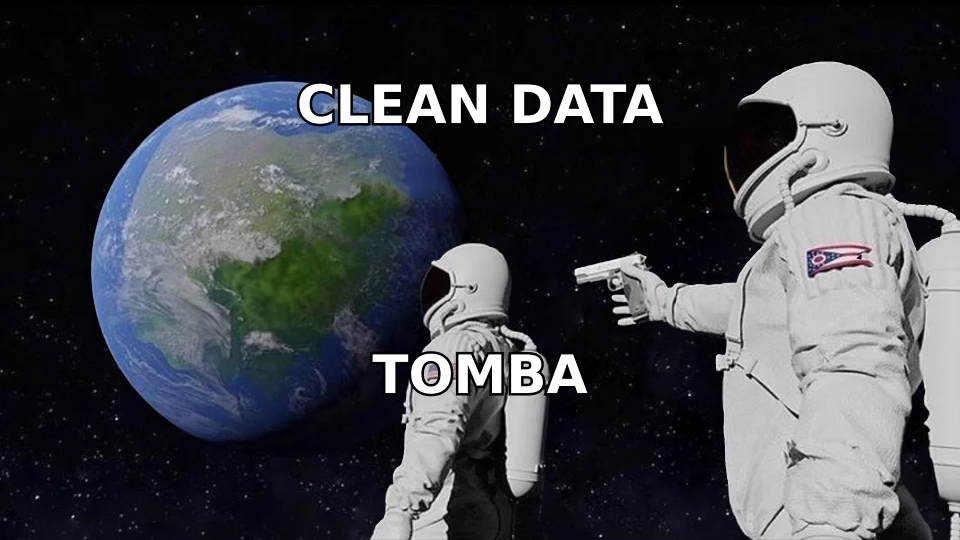
The uncomfortable truth about both platforms is that their weakest link is the same: the accuracy of the email addresses flowing through them. Clodura bundles a database and verifier; PursueApp assumes yours is already clean. In both cases, a specialist data layer beats a bundled one.
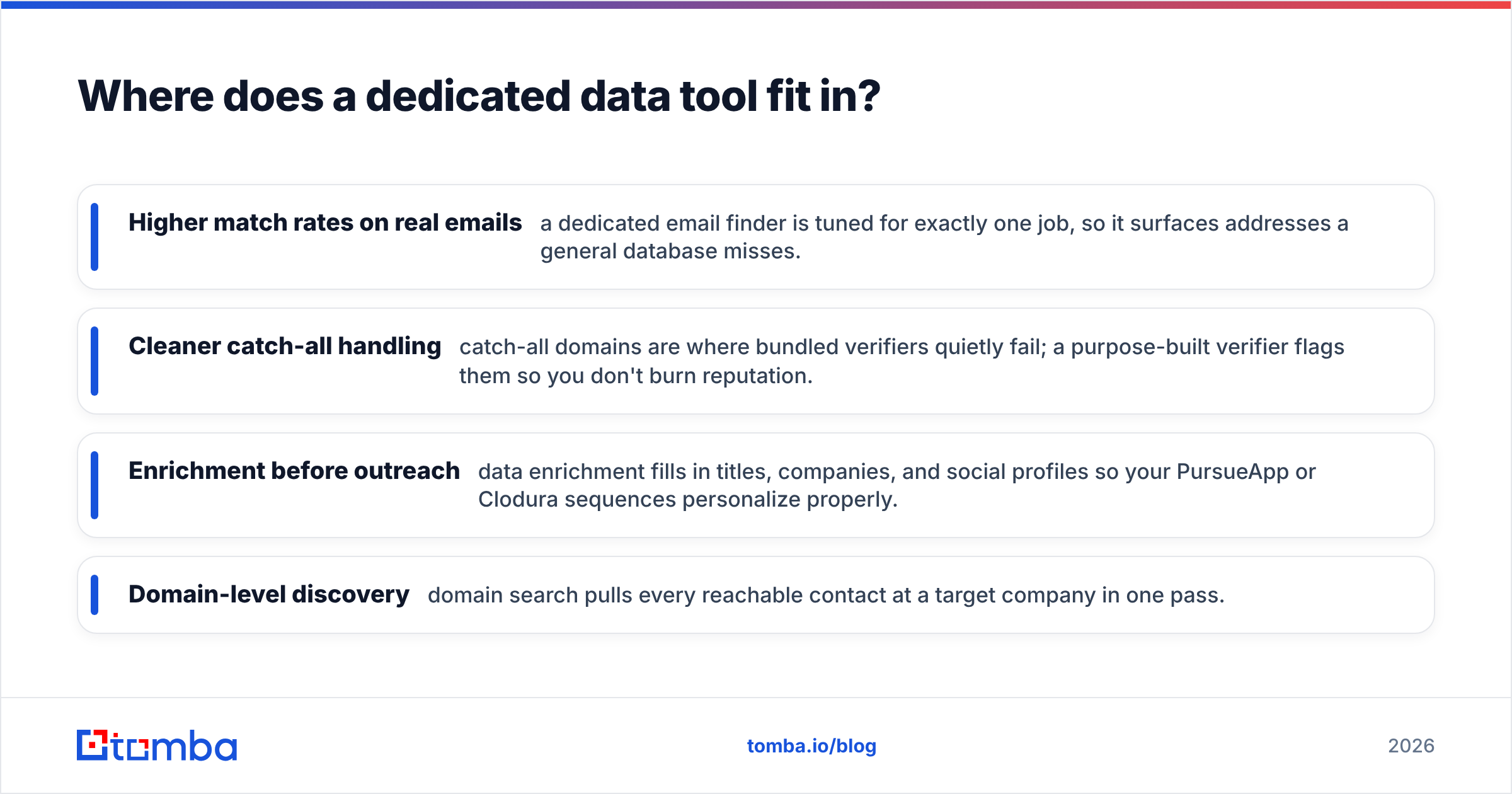
That's the case for slotting a focused finder-and-verifier in front of whichever platform you choose:
- Higher match rates on real emails — a dedicated email finder is tuned for exactly one job, so it surfaces addresses a general database misses.
- Cleaner catch-all handling — catch-all domains are where bundled verifiers quietly fail; a purpose-built verifier flags them so you don't burn reputation.
- Enrichment before outreach — data enrichment fills in titles, companies, and social profiles so your PursueApp or Clodura sequences personalize properly.
- Domain-level discovery — domain search pulls every reachable contact at a target company in one pass.
Here's how the roles stack up if you run all three:
| Job in the funnel | Best-fit tool |
|---|---|
| Find + verify accurate emails | Dedicated finder/verifier (e.g. Tomba) |
| Source company/contact + intent | Clodura.ai database |
| Send + drip + rotate inboxes | PursueApp |
| Personalize with enriched fields | Enrichment layer |
You don't need all three on day one. But knowing which tool owns which job stops you from over-buying a platform to solve a problem it was never built for.
How much do Clodura.ai and PursueApp cost?#
Pricing is where the "not really competitors" point becomes concrete, because you're comparing a data platform's seat pricing against a sending tool's volume pricing.
- Clodura.ai runs a freemium model: a free tier with limited monthly credits, then paid plans that scale with credits, seats, and access to intent data. Expect mid-market platform pricing once you need real volume.
- PursueApp prices closer to a sending tool — lower entry cost, scaling with contacts and sending volume rather than database credits.
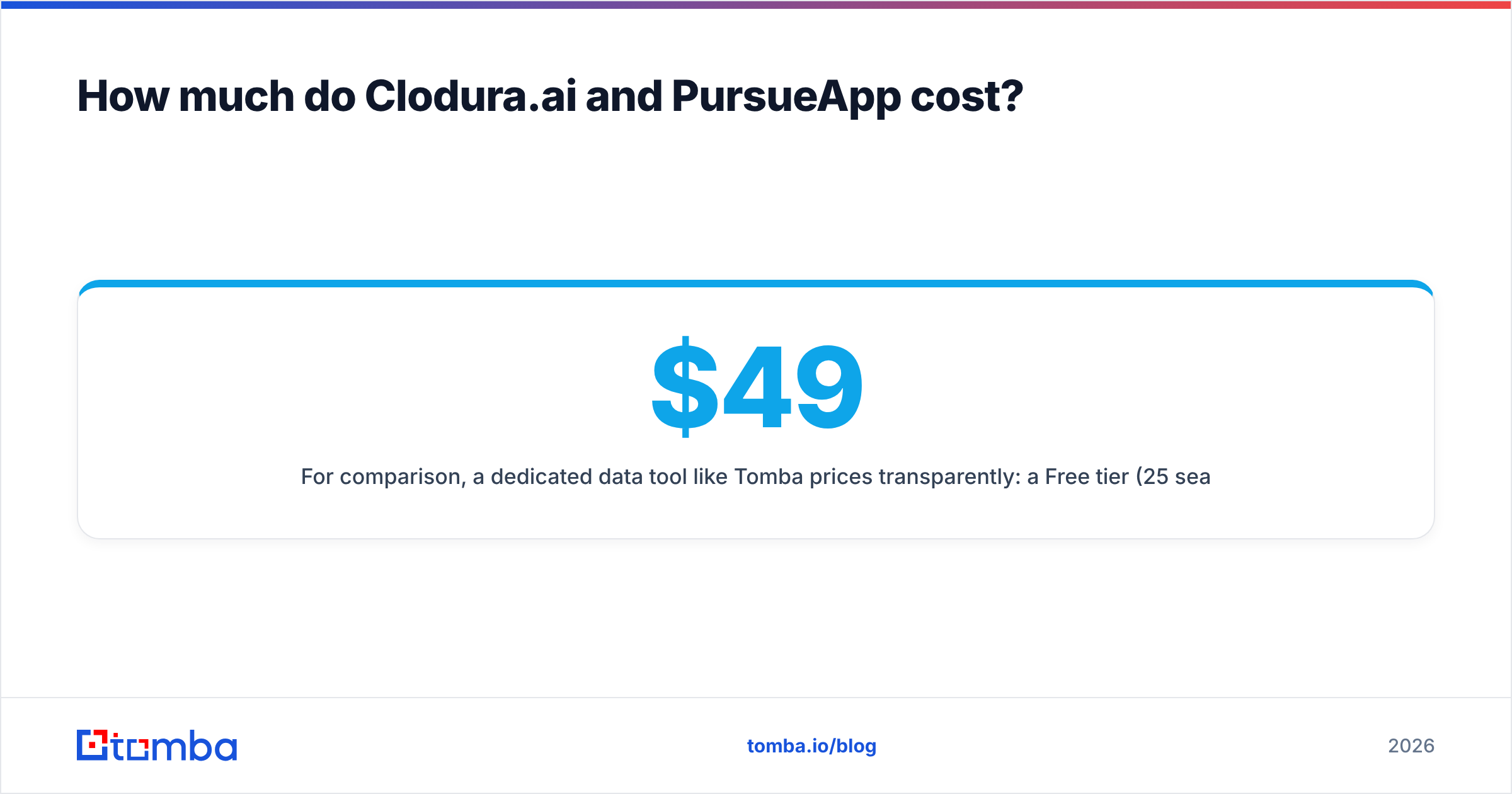
For comparison, a dedicated data tool like Tomba prices transparently: a Free tier (25 searches/month), Starter at $49/mo, Growth at $99/mo, Pro at $249/mo, and custom Enterprise. You can see current Tomba pricing to benchmark cost-per-verified-contact against a bundled database — often the bundle looks cheaper per seat but costs more per usable email once you factor in bounces.
The budgeting lesson: don't compare sticker prices. Compare cost per email that actually lands and gets a reply. A cheap sender feeding a dirty list is the most expensive option there is.
Which should you choose in 2026?#
Here's the decision, stripped down:
- Pick Clodura.ai if you're building outbound from scratch and want database, finder, intent, and cadences behind one login — and you accept "good enough" modules in exchange for consolidation.
- Pick PursueApp if you already have a clean, sizeable contact list and want an affordable, deliverability-focused drip engine without paying for data you won't touch.
- Pick both if you're a growing team: Clodura for sourcing and intent, PursueApp for sophisticated sending. They genuinely complement each other.
- Add a dedicated finder/verifier regardless — because the single biggest lever on outbound ROI is email accuracy, and that's the one thing neither platform specializes in.
There's no universal winner here, and any post that declares one is selling you something. Match the tool to your actual bottleneck: leads, sending, or data quality.
The bottom line#
Clodura.ai and PursueApp solve different halves of the outbound problem. Clodura gives you data and a place to act on it; PursueApp gives you a precise, affordable way to send. Neither is a mistake — the mistake is buying one to do the other's job.
Whatever you land on, the accuracy of your contact data will decide your results before your copy or your cadence ever gets a chance. Start there. Run your list through the Tomba Email Finder to source and verify professional emails at high match rates, then feed clean, enriched contacts into Clodura's cadences or PursueApp's drips. Better data in means more replies out — and that's the comparison that actually moves your pipeline. Spin up the free tier and test it against your current bounce rate before your next campaign.
Related guides#
// get started
Find, verify and enrich your first contacts today
Start on the free plan with 25 searches a month, then scale when your team is ready.
Free plan · No credit card required · GDPR & CCPA
// about the author