Coldlytics vs FindThatLead (2026): Which Wins for Prospecting?
Coldlytics builds prospect lists with human researchers; FindThatLead automates email discovery at scale. Here's how they compare on price, accuracy, and speed — plus where a focused email finder beats both.
Choosing between Coldlytics and FindThatLead is really a choice between two philosophies of prospecting: pay humans to hand-build a precise list, or run software that finds contacts at scale yourself. Both work. Neither is strictly "better" — the right pick depends on whether your bottleneck is volume or precision.
TL;DR — Coldlytics vs FindThatLead#
- Coldlytics is a hybrid service: you brief a research team, and humans build a targeted prospect list for your exact ICP. Best when your niche is hard to find with automation.
- FindThatLead is self-serve software: domain search, email finder, verifier, a prospector, and a built-in cold email sender. Best when you want volume and control.
- Speed: FindThatLead returns emails in seconds; Coldlytics lists take days because a person builds them.
- Cost model: FindThatLead sells monthly credits; Coldlytics sells research capacity. At scale, DIY software is cheaper per contact.
- If you just need accurate emails from a domain or name, a focused email finder like Tomba often beats both on price-per-verified-contact.
What is Coldlytics?#
Coldlytics is a UK-based prospecting platform built around a "human-in-the-loop" model. Instead of scraping a database and hoping the fields are fresh, you submit a request describing your ideal customer — industry, title, region, company size, any signal you care about — and a team of researchers manually assembles and checks the list before it lands in your dashboard.
Think of it like the difference between a vending machine and a personal shopper. Software (the vending machine) gives you whatever is already stocked, instantly. Coldlytics (the personal shopper) goes and finds exactly what you asked for, but you wait while they do it. That trade — patience for precision — is the whole pitch.
Where Coldlytics shines:
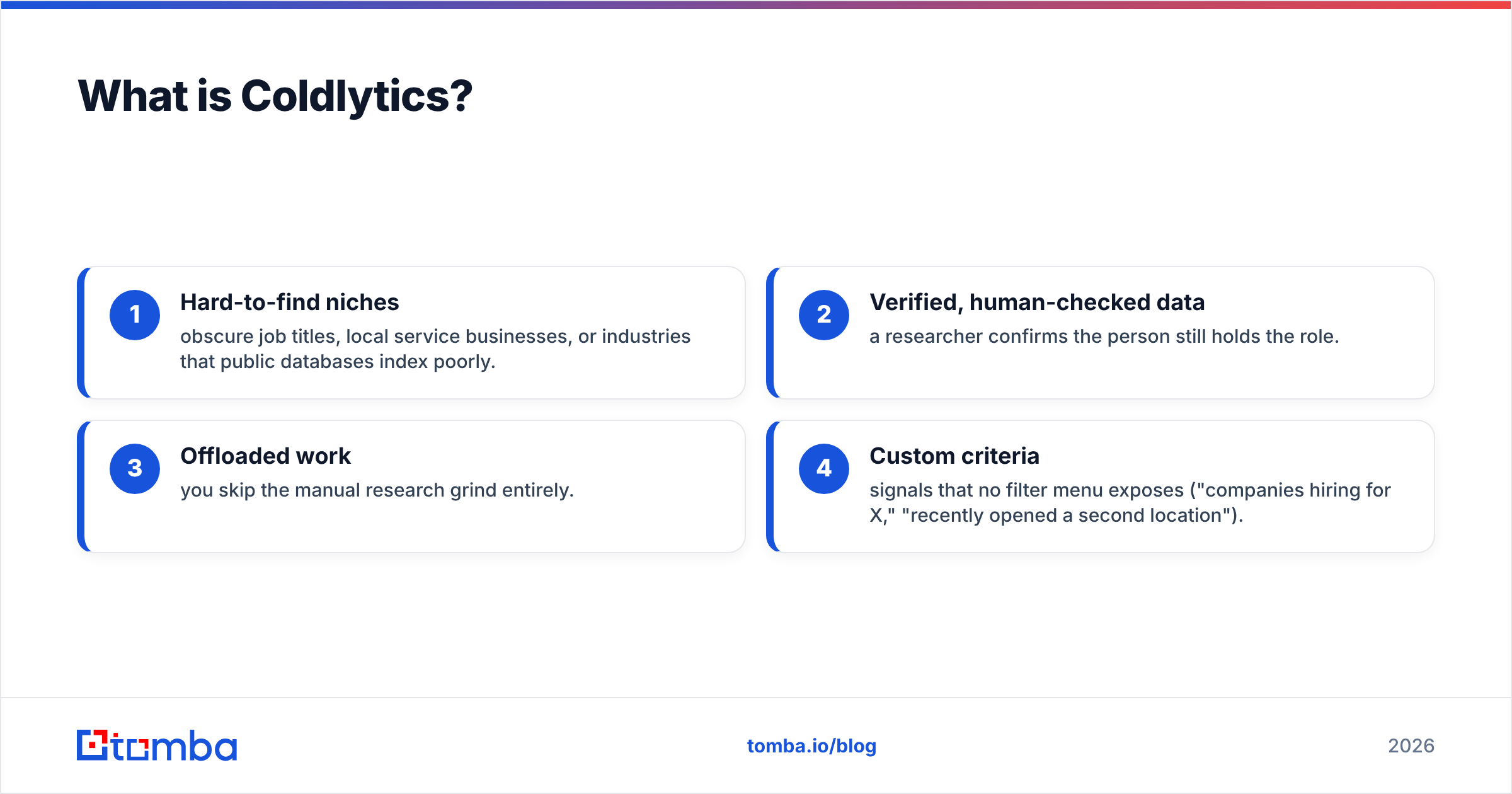
- Hard-to-find niches — obscure job titles, local service businesses, or industries that public databases index poorly.
- Verified, human-checked data — a researcher confirms the person still holds the role.
- Offloaded work — you skip the manual research grind entirely.
- Custom criteria — signals that no filter menu exposes ("companies hiring for X," "recently opened a second location").
The cost of that model is turnaround time and price per record. You are paying for labor, not just data access.
What is FindThatLead?#
FindThatLead is a Spain-based email discovery and cold outreach suite. It has been around since the mid-2010s and bundles several tools: a domain search that returns emails for a company, an individual email finder (name + company → email), a verifier, a bulk prospector for building lists by filters, and a cold email sender for running campaigns end-to-end.
It is closer to the classic self-serve model: you buy credits, run searches, and export results yourself in seconds. There is no waiting on a research team. The trade-off is that automated discovery quality varies by region and role seniority, and you own the work of defining and cleaning the list.

Where FindThatLead fits:
- Volume outreach — thousands of contacts per month across common B2B roles.
- All-in-one workflow — find, verify, and send from one login.
- LinkedIn-driven prospecting — pairs with its Scrab.in tool for social selling motions.
- Founders and small teams who want to move fast without a data vendor relationship.
Coldlytics vs FindThatLead: side-by-side comparison#
Here is the honest head-to-head. Pricing reflects publicly listed tiers at the time of writing — always confirm current rates on each vendor's site, since both change plans periodically.
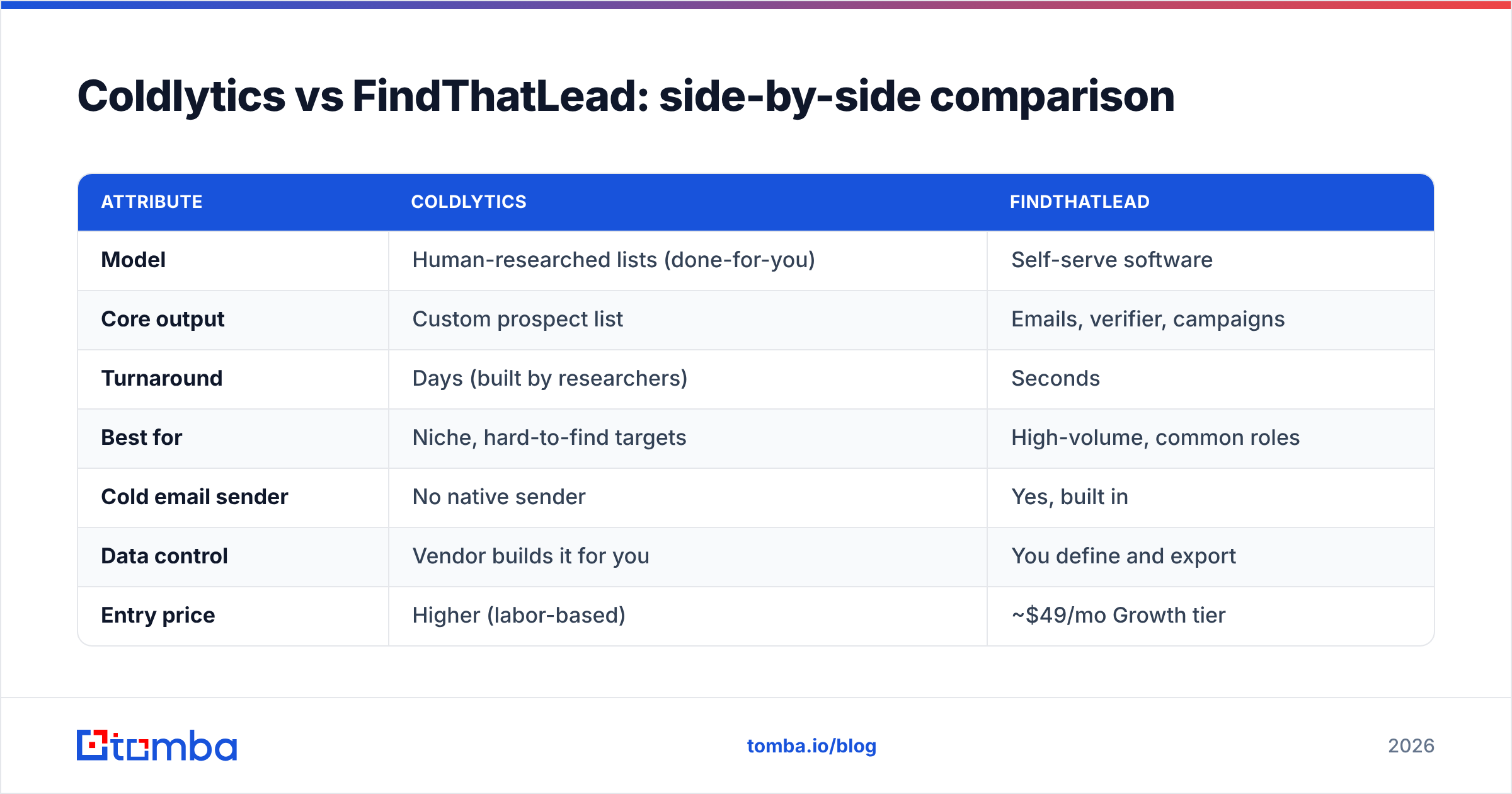
| Attribute | Coldlytics | FindThatLead |
|---|---|---|
| Model | Human-researched lists (done-for-you) | Self-serve software |
| Core output | Custom prospect list | Emails, verifier, campaigns |
| Turnaround | Days (built by researchers) | Seconds |
| Best for | Niche, hard-to-find targets | High-volume, common roles |
| Cold email sender | No native sender | Yes, built in |
| Data control | Vendor builds it for you | You define and export |
| Entry price | Higher (labor-based) | ~$49/mo Growth tier |
| Free option | Limited trial/credits | Free plan with limited credits |
| Scaling cost | Rises with volume | Cheaper per contact at scale |
The pattern is clear: Coldlytics optimizes for precision on difficult lists, FindThatLead optimizes for speed and volume at a lower unit cost. If your reps burn hours hunting for the right 200 accounts, Coldlytics saves that time. If you need 5,000 verified emails for a broad campaign this week, FindThatLead is built for it.
Is Coldlytics or FindThatLead more accurate?#
Accuracy depends on how the data is produced, and the two tools produce it differently.
Coldlytics leans on human verification, so for its list-building use case, the "is this the right person, still in role" question is answered by a researcher. That tends to produce fewer wasted sends on niche lists — but it is slower and does not scale to tens of thousands of records economically.
FindThatLead uses automated discovery plus its own verifier. For common corporate domains and mainstream roles, hit rates are solid; for smaller companies, catch-all domains, and non-US regions, you should always run a verification pass before sending. This is not unique to FindThatLead — every automated finder faces the same ceiling, which is why a good email verifier is non-negotiable in any stack.
A practical rule: no matter which tool sources the contact, verify before you send. Bounces above ~3% start damaging your sender reputation, and no amount of clever copy recovers a domain that spam filters have flagged.
Which one is cheaper?#
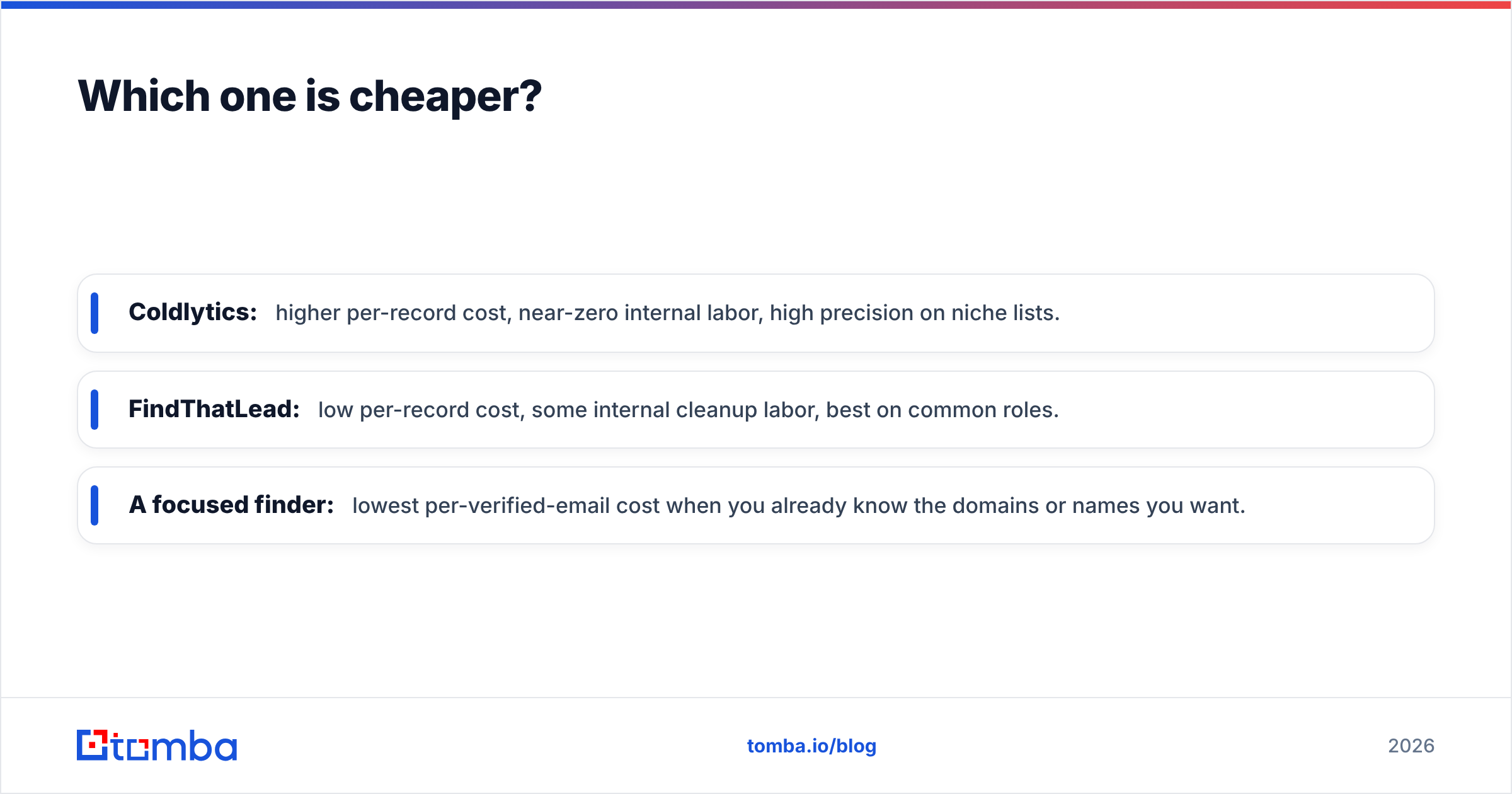
FindThatLead is cheaper per contact once you cross into volume, because software costs do not rise with each record the way human labor does. Coldlytics can be more cost-effective when the alternative is paying an SDR to spend a full day researching a list that a specialist could build faster — you are buying back time, not just data.
Run the math on cost-per-usable contact, not headline price:
- Coldlytics: higher per-record cost, near-zero internal labor, high precision on niche lists.
- FindThatLead: low per-record cost, some internal cleanup labor, best on common roles.
- A focused finder: lowest per-verified-email cost when you already know the domains or names you want.
That third option is where many teams land after trying both. If your real need is "turn a list of companies into verified inboxes," a specialized domain search plus bulk email finder often does the same job for less than either an all-in-one suite or a done-for-you service.
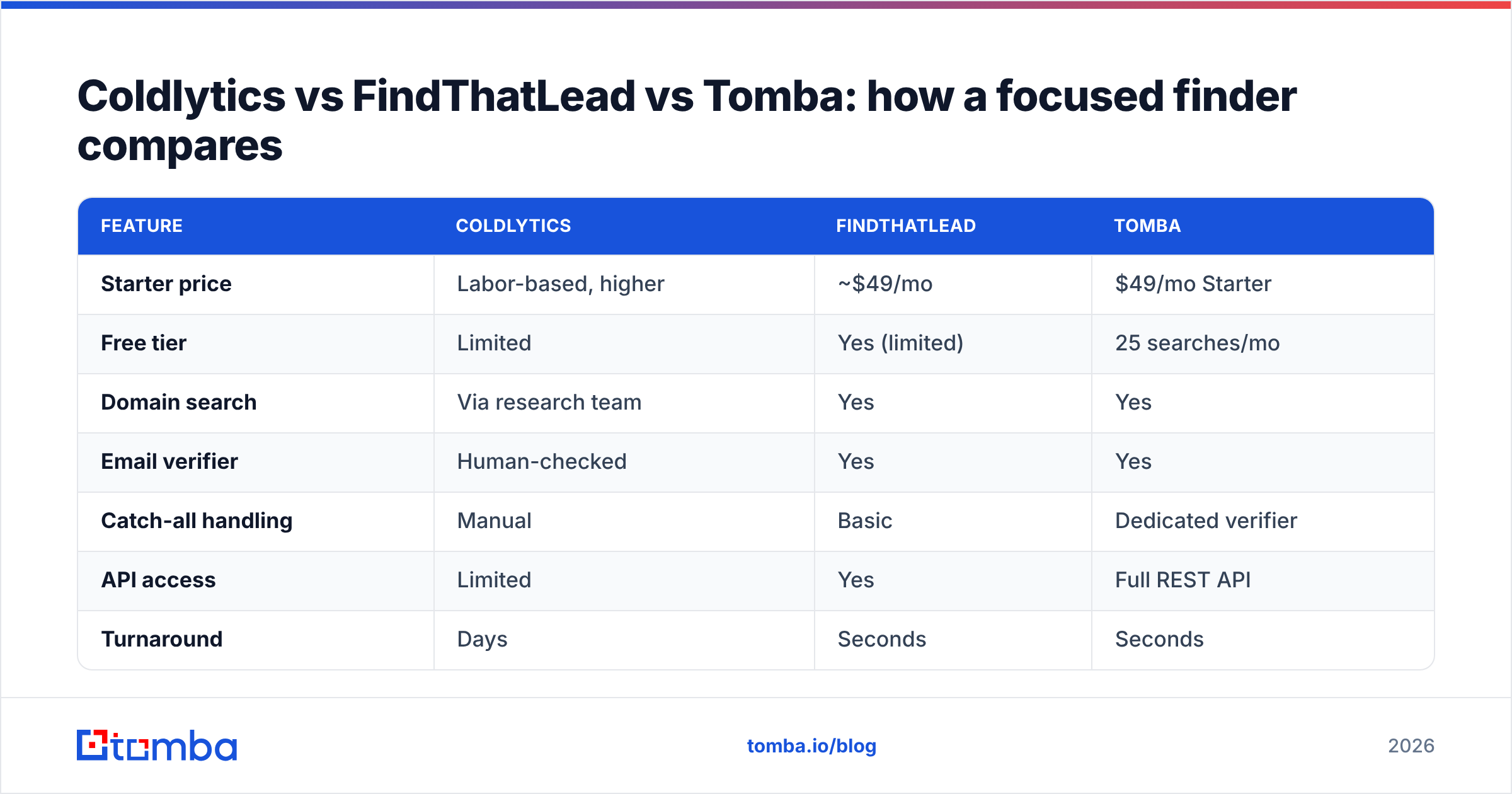
Coldlytics vs FindThatLead vs Tomba: how a focused finder compares#
Neither Coldlytics nor FindThatLead is the only way to solve prospecting. If accuracy-per-dollar and a clean API are what you actually care about, it is worth putting a dedicated email-finding tool in the same frame.
| Feature | Coldlytics | FindThatLead | Tomba |
|---|---|---|---|
| Starter price | Labor-based, higher | ~$49/mo | $49/mo Starter |
| Free tier | Limited | Yes (limited) | 25 searches/mo |
| Domain search | Via research team | Yes | Yes |
| Email verifier | Human-checked | Yes | Yes |
| Catch-all handling | Manual | Basic | Dedicated verifier |
| API access | Limited | Yes | Full REST API |
| Turnaround | Days | Seconds | Seconds |
| Best fit | Niche lists | All-in-one outreach | Accurate finding + enrichment |
Tomba sits deliberately in the "find and verify accurately, then hand off" lane. It does not try to be a cold email sender; it focuses on getting you correct, verified contact data — by name, by domain, or in bulk — with a real API and a catch-all verifier for the tricky domains that trip up automated tools. Pricing is transparent: Free (25 searches), Starter $49/mo, Growth $99/mo, Pro $249/mo, with Enterprise custom. You can see the full breakdown on the Tomba pricing page.
The reason this matters: many teams buy an all-in-one because they assume finding, verifying, and sending must live under one roof. They don't. Pairing a best-in-class finder with a dedicated sending platform (Instantly, Smartlead, or your CRM) frequently beats a suite that does everything at B-minus quality.
When should you choose Coldlytics?#
Pick Coldlytics if:
- Your ICP is genuinely hard to find — automation returns junk, and you need a human eye.
- You have budget but no research time — you'd rather pay for a finished list than build it.
- List quality matters more than volume — 300 perfect prospects beat 3,000 mediocre ones for your motion.
- You run account-based outreach where every target is deliberate.
Skip it if you need speed, high volume, or want to own and iterate on your targeting in real time.
When should you choose FindThatLead?#
Pick FindThatLead if:
- You want an all-in-one find-verify-send workflow under one login.
- You run high-volume campaigns across common B2B roles.
- You value speed and want results in seconds, not days.
- You're a small team or founder who wants to move without a vendor relationship.
Skip it if your targets are obscure, your regions are non-US-heavy, or you'd rather plug a specialized finder into tools you already use.
What most teams actually need#
Here's the uncomfortable truth after comparing both: most prospecting problems are not "I can't find any tool," they're "I'm paying for features I don't use." Coldlytics bundles human labor you may not need on common roles. FindThatLead bundles a sender you may already have in your CRM.
If you strip prospecting down to its core job — get verified, accurate contact data into your workflow — the winning stack is usually a focused finder plus the tools you already run. That keeps cost-per-contact low, keeps your data fresh, and keeps deliverability intact because verification is baked in rather than bolted on. You can check any single address free with the free email checker before you commit credits.
For a broader view of how buyers rate each option, browse verified user reviews on G2 and cross-check current plan details on the FindThatLead and Coldlytics sites before you buy.
The verdict#
Coldlytics wins for niche, human-verified lists; FindThatLead wins for fast, high-volume, all-in-one outreach. If your bottleneck is finding impossible-to-source prospects, Coldlytics earns its premium. If it's running campaigns at scale on a budget, FindThatLead is the more natural fit.
But if what you actually need is the most accurate, verified contact data at the lowest cost per email — with a clean API and no features you'll never touch — start with a dedicated finder. Tomba's Email Finder gives you 25 free searches to test accuracy on your own list, then scales from $49/mo with domain search, bulk finding, and a verifier built in. Find the right emails first; you can always plug them into whichever sender you already trust.
Related guides#
Ready to find emails that actually work?
Join 150,000+ professionals who stopped guessing and started sending. Free credits on signup — no credit card required.
Get the Tomba newsletter
Practical outbound tactics and product updates — once every two weeks.
About the author