CompanyData.com BoldData vs ContactOut: 2026 Comparison
CompanyData.com, BoldData, and ContactOut all sell B2B contact data—but they solve different problems. Here's an honest breakdown of accuracy, pricing, and which one fits your workflow in 2026.
Choosing between CompanyData.com BoldData vs ContactOut is really a choice between three philosophies of B2B data. One sells static company files. One builds custom lists on request. One pulls contacts straight from LinkedIn. Roundups lump them together, but they rarely compete for the same job. This breakdown cuts through the marketing. It shows what each tool does well—and where a real-time email finder beats all three.
TL;DR: Which Tool Wins?#
- CompanyData.com is best for firmographic company records and bulk business databases. It's great for TAM sizing, but weak for verified personal emails.
- BoldData shines when you need a custom, GDPR-compliant list for one market or country, delivered as a one-off file.
- ContactOut is a LinkedIn-first contact finder. It's built for recruiters and SDRs who live in the browser and want personal emails.
- None of the three is a true real-time, pay-as-you-go API for verified work emails at scale. That's where a dedicated email finder like Tomba fits.
- If your outbound depends on deliverability, pick a tool with built-in email verification over one that hands you an unverified CSV.
CompanyData.com BoldData vs ContactOut: What Each Tool Does#
The biggest mistake buyers make is assuming these three are interchangeable. They aren't. Knowing the core model of each saves you from paying for the wrong shape of data.
- CompanyData.com — A large firmographic database vendor. You buy access to company records: industry codes, revenue bands, employee counts, addresses, and website data. It's built around companies, not individual decision-makers. That makes it most useful for market analysis and account lists.
- BoldData — A data agency, not a self-serve platform. You tell them the audience you want (say, "manufacturing CFOs in Germany"). They then build and deliver a targeted list. It's project-based, human-assisted, and priced per list rather than per seat.
- ContactOut — A browser-extension contact finder. It scrapes and matches profiles—mostly from LinkedIn—to surface personal and work emails plus phone numbers. It suits recruiters and sales reps working one profile at a time or in modest bulk.
The distinction matters because your workflow should decide the winner, not the brand name. A RevOps team sizing a market has almost nothing in common with an SDR clearing a prospecting queue.

How Do They Compare Side by Side?#
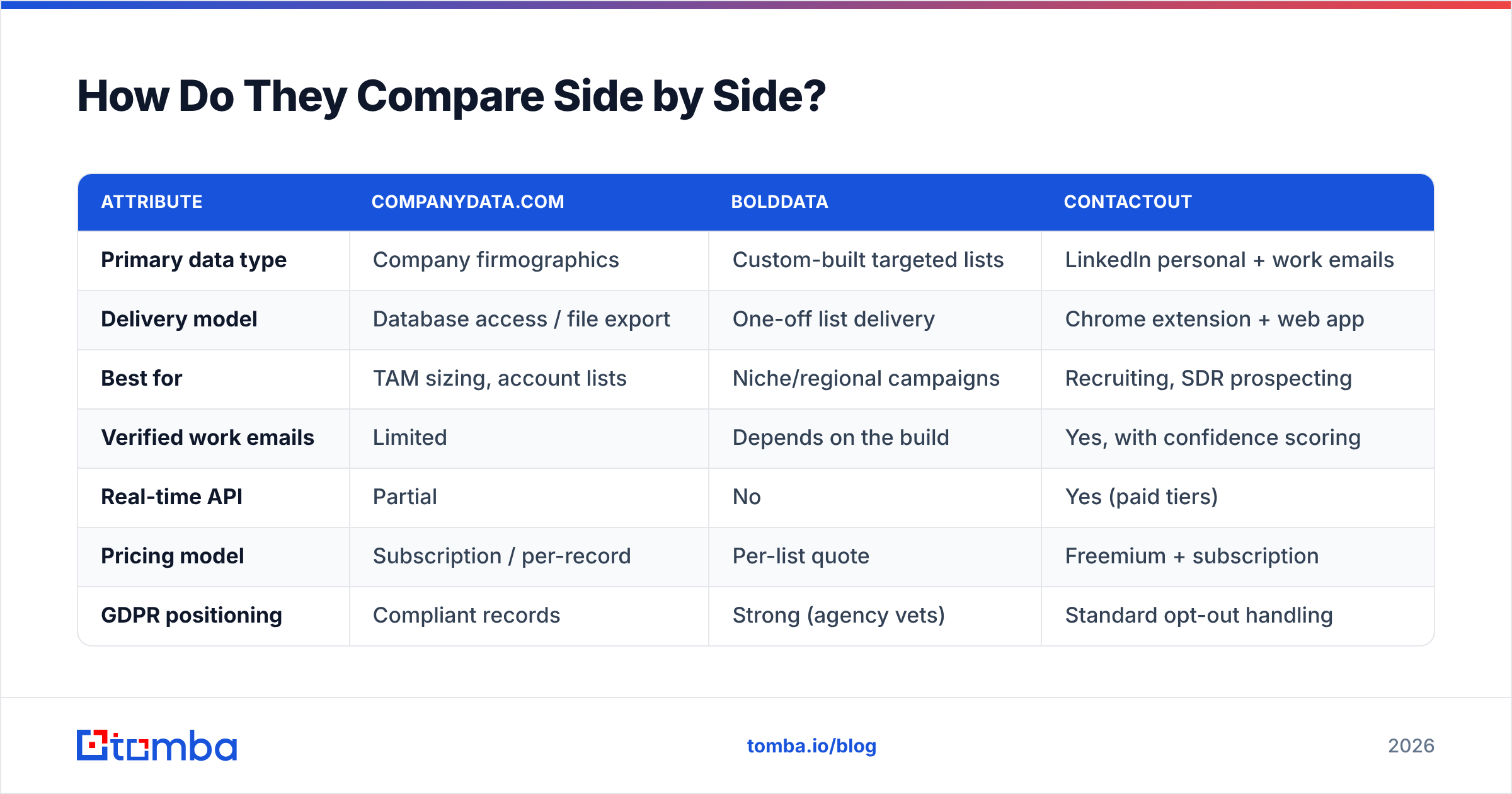
Here's the honest CompanyData.com BoldData vs ContactOut comparison, attribute by attribute. Prices shift, so treat the figures as directional. Confirm them on each vendor's own page before you buy.
| Attribute | CompanyData.com | BoldData | ContactOut |
|---|---|---|---|
| Primary data type | Company firmographics | Custom-built targeted lists | LinkedIn personal + work emails |
| Delivery model | Database access / file export | One-off list delivery | Chrome extension + web app |
| Best for | TAM sizing, account lists | Niche/regional campaigns | Recruiting, SDR prospecting |
| Verified work emails | Limited | Depends on the build | Yes, with confidence scoring |
| Real-time API | Partial | No | Yes (paid tiers) |
| Pricing model | Subscription / per-record | Per-list quote | Freemium + subscription |
| GDPR positioning | Compliant records | Strong (agency vets) | Standard opt-out handling |
| Free tier | No | No | Yes (limited credits) |
A few takeaways. If you need individual verified emails fast, CompanyData.com and BoldData are indirect routes. You'll often get company records or a static file, then still have to find and verify the actual person. ContactOut is closer to that job, but it's LinkedIn-bound. If your prospect isn't active there, coverage drops. And none of the three is designed to drop into an automated enrichment pipeline the way a modern email finder API is.
Which One Is Most Accurate?#
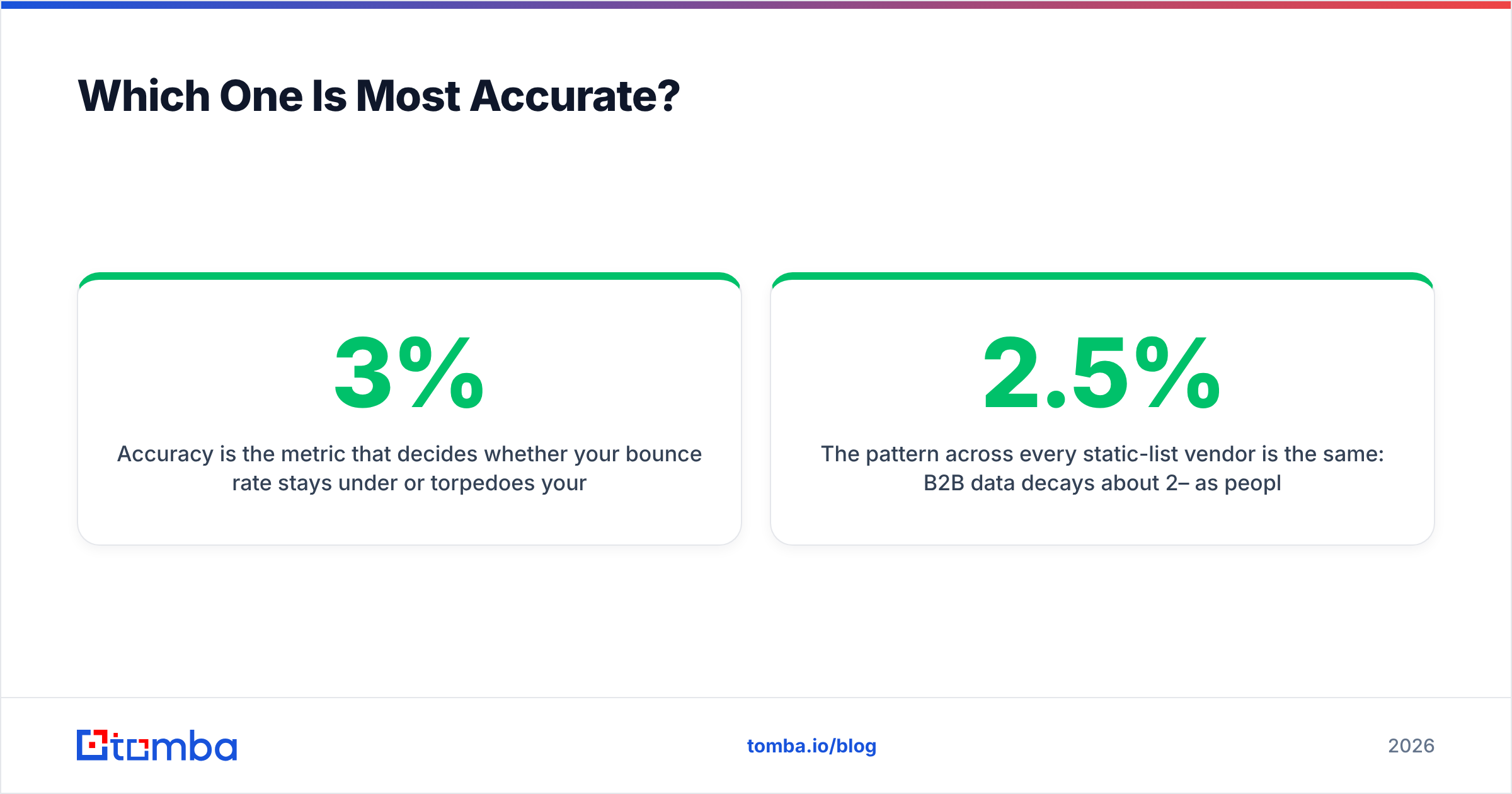
Accuracy decides whether your bounce rate stays under 3% or torpedoes your sender reputation. The three tools fail in different ways.
CompanyData.com's records are solid at the company level—industry, size, location. But personal-contact accuracy is inconsistent, because that's not its core product. BoldData's accuracy depends on the build. A well-scoped, recently refreshed list can be excellent. A broad request pulled from older sources will decay fast. ContactOut does real matching and offers confidence scores. Still, LinkedIn-sourced emails skew toward personal (gmail, outlook) addresses. Those are riskier for B2B cold outreach and often blocked by corporate filters.

The pattern across every static-list vendor is the same: B2B data decays about 2–2.5% per month as people change jobs. A list that was 95% accurate at delivery can slip below 80% within a year. This is the core case for real-time lookup over bulk files. You verify at the moment of use, not the moment of purchase. If you buy a static list from any of these three, budget for a pass through a dedicated catch-all verifier before you send.
What Does Each One Cost?#
Pricing philosophy separates these tools as much as data does.
- CompanyData.com usually sells subscription access or per-record pricing for its database. Costs scale with volume and how many enriched fields you pull. Enterprise deals are quote-based.
- BoldData is quote-per-list. A tightly targeted list of a few thousand records might run a few hundred to a few thousand dollars. The price depends on geography, seniority, and exclusivity. There's no seat subscription—you pay for the deliverable.
- ContactOut runs freemium. You get a limited free tier, then paid plans that scale credits and add API access. It's the most SDR-budget-friendly of the three for day-to-day prospecting.
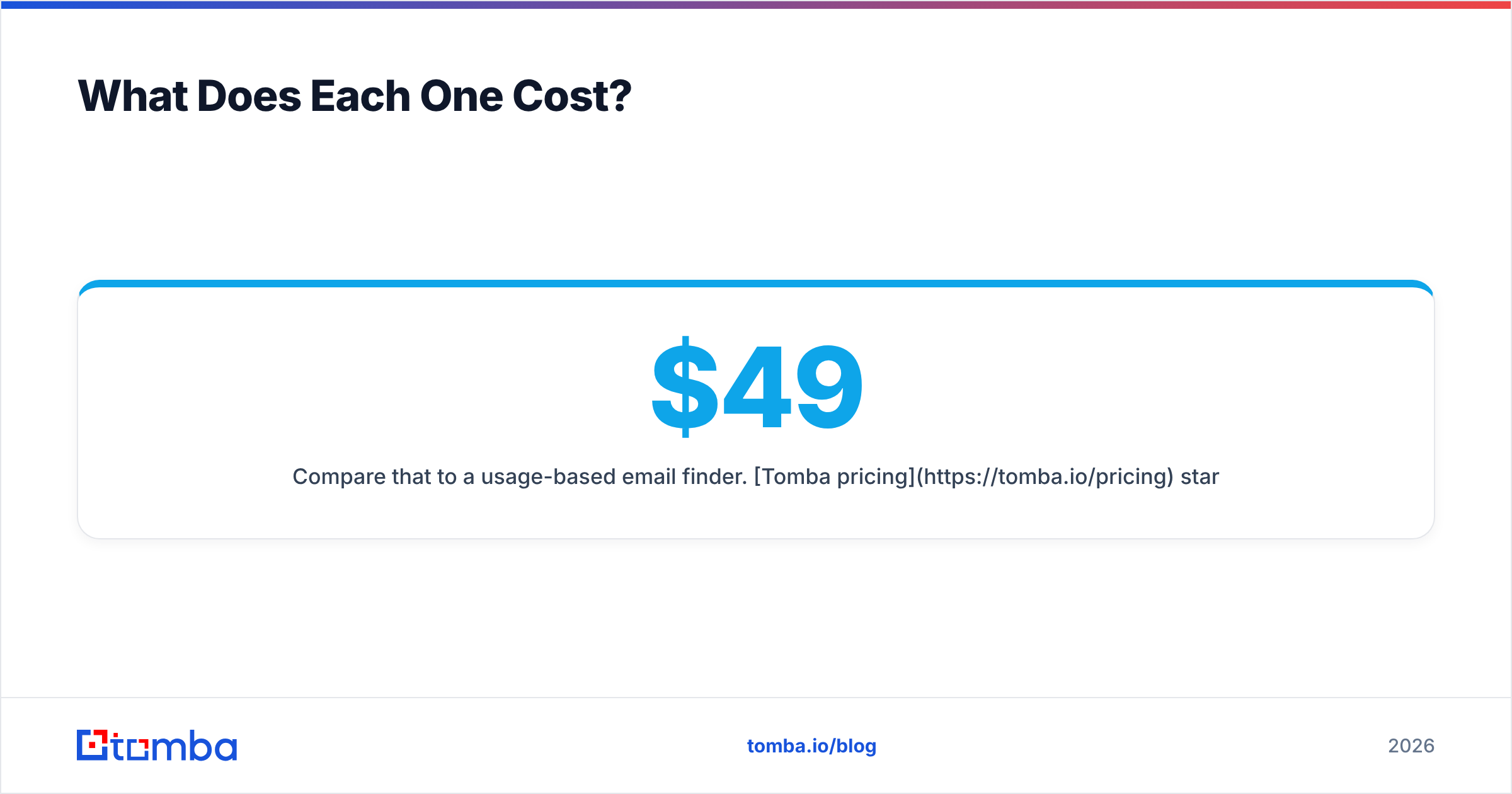
Compare that to a usage-based email finder. Tomba pricing starts with a free tier (25 searches/mo), then Starter at $49/mo, Growth at $99/mo, and Pro at $249/mo. You scale spend to actual search volume instead of paying for a static file that decays the day it lands. For teams that want predictable per-search economics with verification baked in, that model usually wins on cost-per-usable-contact.

Is BoldData Better Than ContactOut?#
It depends on whether you want a list or a tool. This is the real fork in the decision, so answer it before you compare features.
Choose BoldData when:
- You need a one-time, deeply targeted audience (a specific country, industry, or seniority band).
- You value hands-off delivery and don't want to build lists yourself.
- Compliance in a strict market (EU, DACH) is a top concern and you want an agency that vets sources.
Choose ContactOut when:
- You're a recruiter or SDR who works LinkedIn profiles daily.
- You want a self-serve tool with a browser extension, not a procurement cycle.
- You need personal and work emails on demand rather than a bulk file.
They're not really rivals. BoldData is a done-for-you data service. ContactOut is a self-serve finder. The buyer who's torn between them usually hasn't defined whether the work is a one-off campaign or an ongoing motion.
Where Does a Real-Time Email Finder Fit?#
Here's the gap all three leave open: continuous, verified, work-email discovery inside an automated workflow. CompanyData.com gives you companies. BoldData gives you a file. ContactOut ties you to LinkedIn. Say your motion is "for every account in our CRM, find and verify the right decision-maker's work email, then enrich the record." For that, you want a purpose-built finder plus enrichment.
That's the lane a tool like Tomba occupies. Instead of buying a static list, you:
- Find the email by name and domain, or pull every address on a company domain with domain search.
- Verify each one in real time, so you only send to deliverable addresses.
- Enrich the record with firmographic and role data via data enrichment.
- Scale the whole thing through the API or a bulk email finder run.
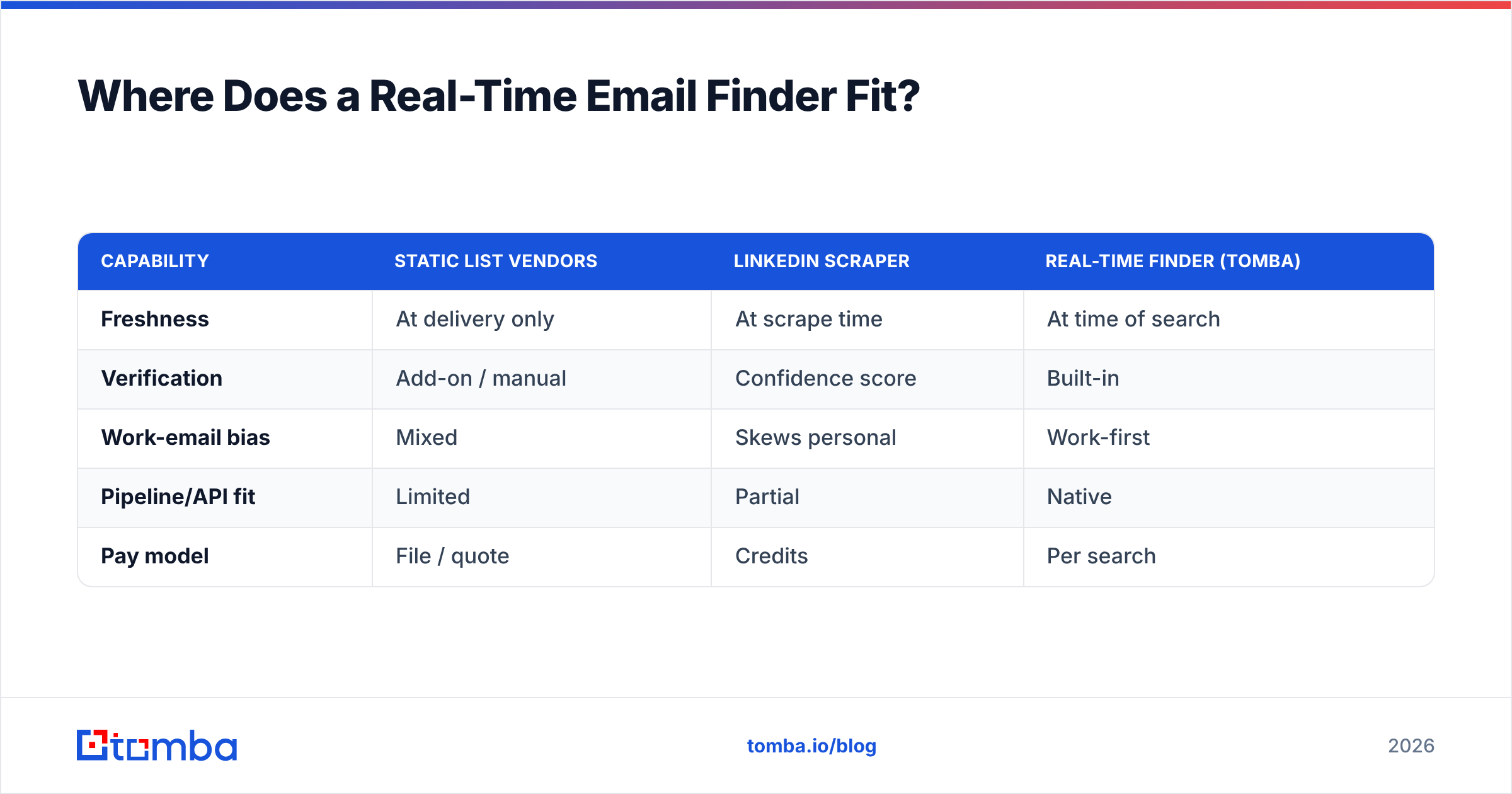
Here's how the finder-first model stacks up against the three list-and-scrape tools on the dimensions that drive outbound results.
| Capability | Static list vendors | LinkedIn scraper | Real-time finder (Tomba) |
|---|---|---|---|
| Freshness | At delivery only | At scrape time | At time of search |
| Verification | Add-on / manual | Confidence score | Built-in |
| Work-email bias | Mixed | Skews personal | Work-first |
| Pipeline/API fit | Limited | Partial | Native |
| Pay model | File / quote | Credits | Per search |
The point isn't that these tools are bad. Each is good at its intended job. It's that "which is best" is the wrong question if your real need is verified work emails feeding an automated system. For that job, none of the three is the natural fit.
The Honest Verdict#
So how does CompanyData.com BoldData vs ContactOut shake out? It comes down to the job in front of you.
- Pick CompanyData.com if you're doing market sizing, account planning, or need broad firmographic company data. It's a database, not a prospecting tool. Use it as one.
- Pick BoldData if you want a compliant, custom-built list for a specific market and prefer a done-for-you agency over self-serve software.
- Pick ContactOut if you're recruiter- or SDR-heavy, live in LinkedIn, and want personal + work emails from a browser extension with a usable free tier.
- Pick a dedicated email finder if your outbound depends on verified work emails at scale, delivered through an API into your CRM and sequencer.
Before you commit to any of them, read real user reviews on G2 and Capterra. Then confirm current pricing on each vendor's own site—ContactOut and BoldData both publish details that change more often than roundup articles do.
Try a Finder-First Approach#
Maybe your goal is verified work emails that flow straight into outreach—not a static file that decays or a scraper tied to one network. If so, start with the Tomba Email Finder. Search by name, company, or domain. Verify results in real time. Enrich records through the same platform. The free tier gives you 25 searches a month to test accuracy against whatever list you're weighing. That way you can compare cost-per-usable-contact before you sign anything. For most B2B teams chasing deliverable pipeline in 2026, finding and verifying on demand beats buying data that was accurate last quarter.
Related guides#
Ready to find emails that actually work?
Join 150,000+ professionals who stopped guessing and started sending. Free credits on signup — no credit card required.
Get the Tomba newsletter
Practical outbound tactics and product updates — once every two weeks.
About the author