Conversion Blitz vs LeadRocks: 2026 Data Quality Comparison
One sells a 10-tool marketing suite, the other sells a LinkedIn-sourced contact database. Here is how Conversion Blitz and LeadRocks actually compare on email accuracy, credits, exports, and true cost per usable lead.
TL;DR
- Conversion Blitz is a bundle: a dozen small marketing tools (email finder, domain scraper, chatbot, review manager, software review widget) sold under one subscription. Breadth is the pitch; depth is not.
- LeadRocks is a single-purpose B2B contact database built largely from LinkedIn-sourced profiles. You search by title, company, or industry and export contacts. It is not a live-verification engine.
- Neither tool wins on email accuracy. Both lean on stored records, which decay roughly 2-3% per month as people change jobs. That is the number that actually decides your bounce rate.
- Buy Conversion Blitz if you want many cheap marketing utilities in one login. Buy LeadRocks if you want a searchable list of people and you accept some staleness.
- If deliverability is the constraint — you're sending cold email and cannot afford a 6%+ bounce rate — pair either one with a real-time verification layer, or replace both with a finder that verifies at query time.
What is Conversion Blitz?#
Conversion Blitz sells itself as an all-in-one lead generation and marketing suite. The product is a collection of separate mini-apps under a single subscription. Depending on the plan, you get some mix of:
- Email finder / B2B lead search — pull contacts by industry, location, or job title from a stored database.
- Domain and website scrapers — crawl a list of sites and pull public email addresses off them.
- Email verifier — syntax and MX checks against your uploaded list.
- Chatbot and popup widgets — on-site conversion tooling.
- Review management and software-review widgets — social proof collection.
- Newsletter / bulk email sender — send campaigns from the same dashboard.
That breadth is the strategy. For a solo founder or a small agency who does not want six subscriptions, one login covering scraping, sending, and on-site widgets has real appeal. The trade-off is predictable: none of those modules is best-in-class against a specialist. The scraper is not Apify. The sender is not Instantly. The verifier is not a dedicated verification API.
The important thing to understand is where the emails come from. A scraper-plus-database model means you are getting addresses that were published somewhere or previously collected. That is fine for info@ and contact@ addresses. It is unreliable for the named decision-maker you actually want to reach.
What is LeadRocks?#
LeadRocks takes the opposite approach: one job, done in one screen. It is a B2B contact database — the vendor markets a pool in the hundreds of millions of records, heavily derived from LinkedIn profiles, with emails and (on some plans) direct phone numbers attached.
The workflow is simple:
- Search by job title, company, industry, location, or company size.
- Preview the matching contacts.
- Reveal / export the ones you want, spending credits.
- Push to CSV or a connected CRM.
LeadRocks became widely known through lifetime-deal marketplaces, which shapes who uses it. A large share of its user base bought a one-time license with a fixed monthly credit allocation and treats it as a "free" list source. That is a legitimate way to buy software — but it changes the honest question from "is it good?" to "is the data still fresh enough for the price you paid?"
Because the records are profile-derived rather than verified at the moment of query, the answer depends entirely on how recently that specific record was refreshed. A VP who moved companies eight months ago may still show her old work email, and the old email may still resolve at the SMTP layer while going straight to a disabled mailbox or a former-employee auto-forward. Neither of those bounces. Both of them waste your sequence.
Conversion Blitz vs LeadRocks: how do they actually compare?#
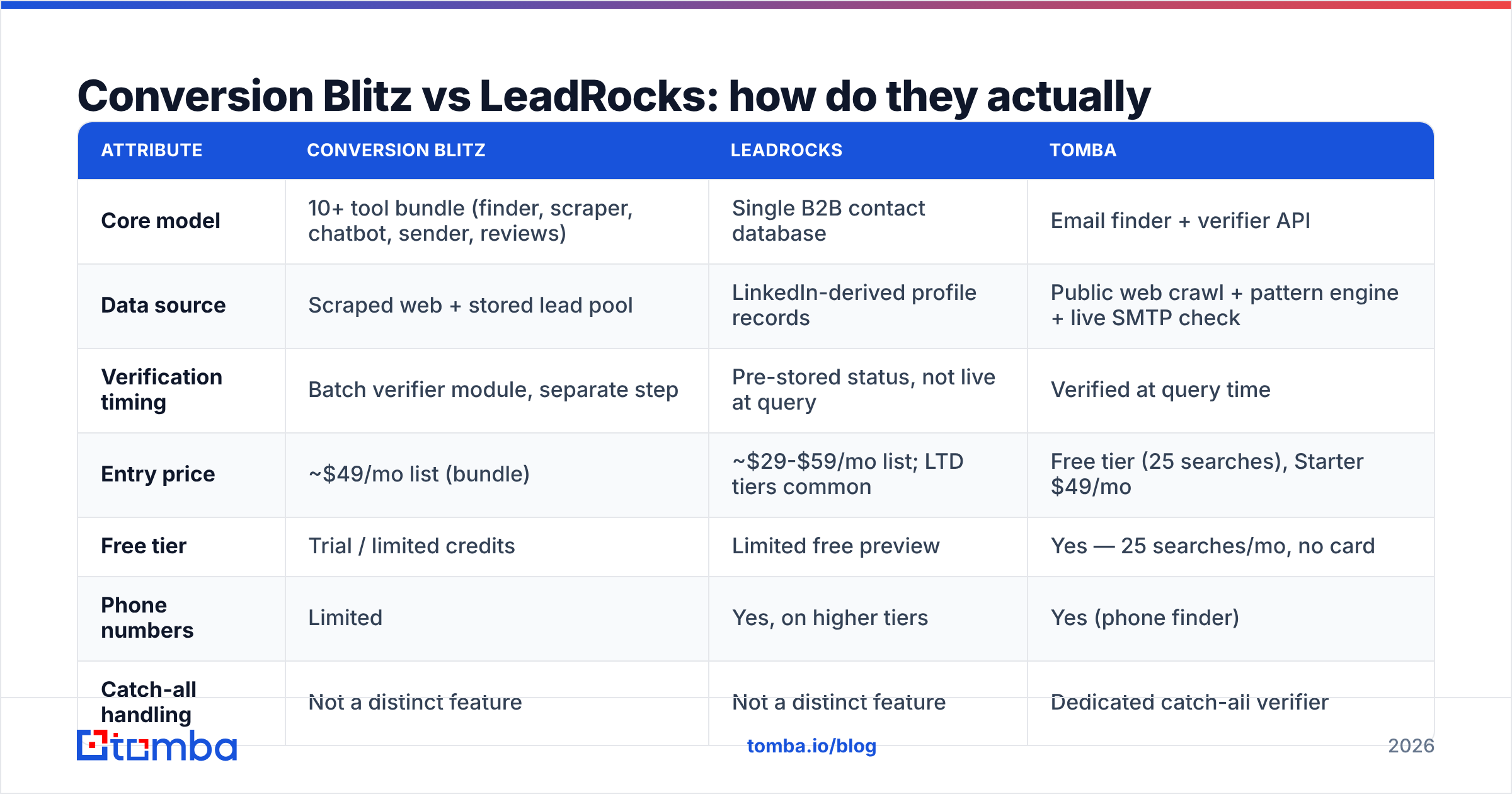
Here is the head-to-head on the attributes that change your outcome. Pricing reflects publicly listed plans at the time of writing — both vendors run promotions and lifetime deals, so check the live pricing page before you commit.
| Attribute | Conversion Blitz | LeadRocks | Tomba |
|---|---|---|---|
| Core model | 10+ tool bundle (finder, scraper, chatbot, sender, reviews) | Single B2B contact database | Email finder + verifier API |
| Data source | Scraped web + stored lead pool | LinkedIn-derived profile records | Public web crawl + pattern engine + live SMTP check |
| Verification timing | Batch verifier module, separate step | Pre-stored status, not live at query | Verified at query time |
| Entry price | ~$49/mo list (bundle) | ~$29-$59/mo list; LTD tiers common | Free tier (25 searches), Starter $49/mo |
| Free tier | Trial / limited credits | Limited free preview | Yes — 25 searches/mo, no card |
| Phone numbers | Limited | Yes, on higher tiers | Yes (phone finder) |
| Catch-all handling | Not a distinct feature | Not a distinct feature | Dedicated catch-all verifier |
| Bulk workflow | CSV upload per tool | Search → reveal → export | Bulk email finder + API |
| API access | Limited | Limited | Full REST email finder API |
| Best for | Solo marketers wanting many utilities | Cheap list building at volume | Teams that need accurate sends |
Read that table by column, not by row. Conversion Blitz wins on breadth per dollar. LeadRocks wins on contacts per dollar. Neither wins on usable contacts per dollar, which is the only metric your reply rate cares about.
Which one has better email accuracy?#
Accuracy is where lead tools stop being interchangeable, and it is worth being precise about what the word means.
There are three separate failure modes, and vendors happily blur them:
- The address does not exist. It hard-bounces. This is the failure everyone measures, because it is visible.
- The address exists but the person left. No bounce. No reply. Your sequence burns four touches on a ghost. Invisible in your dashboard, expensive in your pipeline.
- The domain is catch-all. The server accepts everything, so a naive SMTP check returns "valid" for
nonsense@company.com. Roughly one in five B2B domains behaves this way, and it is the single largest source of inflated accuracy claims across this entire category.
Database tools — LeadRocks included — are structurally strongest on nothing and weakest on #2. A record that was correct when it was ingested stays in the index until it's refreshed. Scraper-plus-suite tools like Conversion Blitz are weakest on #3, because a scraped address from a catch-all domain sails through a basic MX check.

The practical answer: whatever you use to find the address, run a separate, real-time email verifier before the address enters a sequence. Finding and verifying are different jobs, and the tools that bundle them into a single stored "status" column are the ones most likely to hand you a stale green checkmark.
What does each one really cost per usable lead?#
List price is a bad proxy. Work it out per usable lead instead — a contact that exists, still works there, and passes verification.
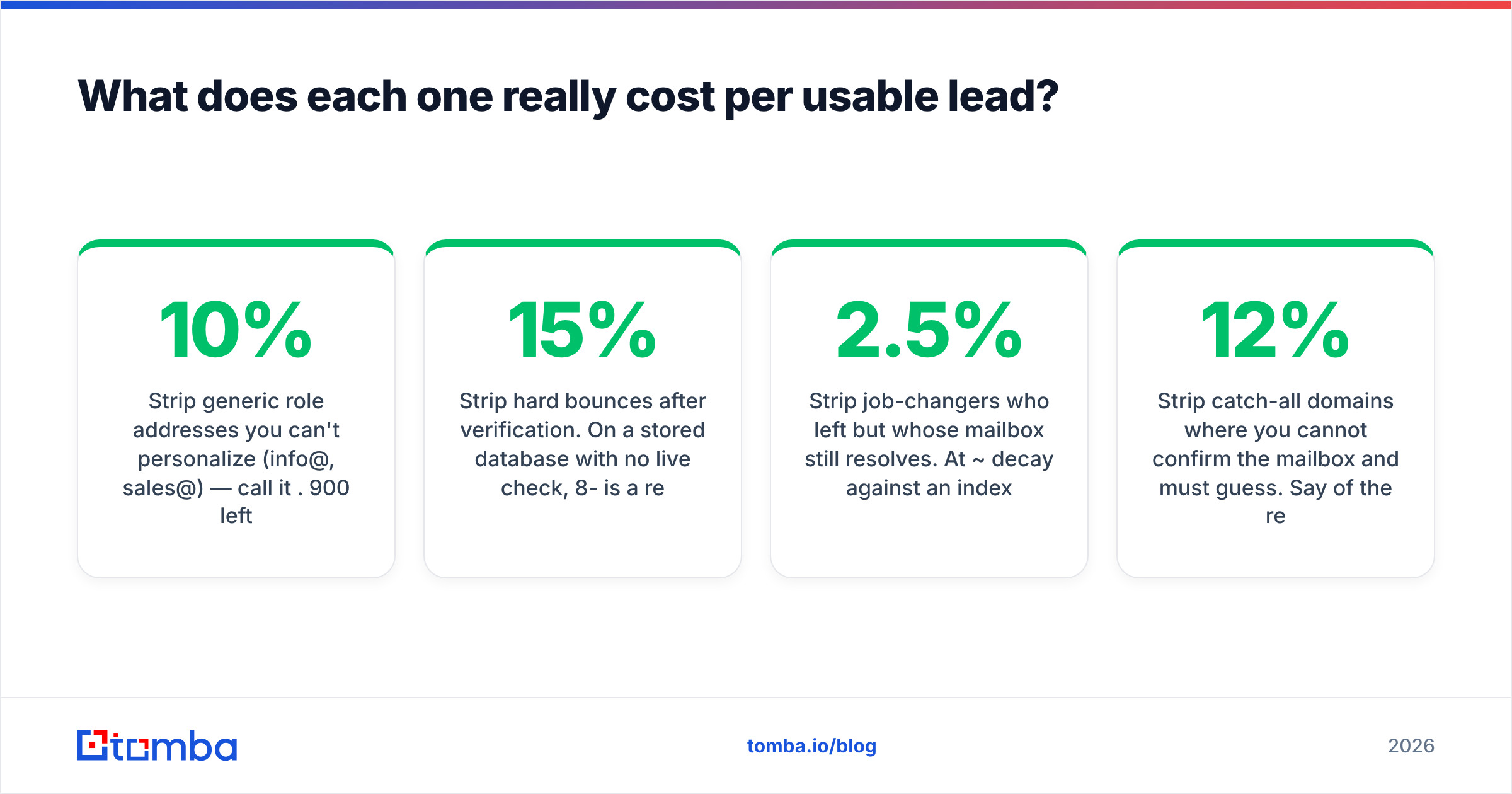
Take a plan that gives you 1,000 exported contacts per month:
- Start with 1,000 raw contacts.
- Strip generic role addresses you can't personalize (
info@,sales@) — call it 10%. 900 left. - Strip hard bounces after verification. On a stored database with no live check, 8-15% is a realistic range. Use 10%. 810 left.
- Strip job-changers who left but whose mailbox still resolves. At ~2.5% decay per month against an index refreshed on an unknown cadence, 15% is not pessimistic. ~690 left.
- Strip catch-all domains where you cannot confirm the mailbox and must guess. Say 12% of the remainder. ~600 usable.
A $49/month plan that advertised 1,000 leads just delivered ~600 usable ones — about $0.08 per usable lead, not $0.049. That is still cheap. But the point is that the multiplier is real, and it is invisible on the pricing page. A tool that costs twice as much but verifies at query time can easily be cheaper per usable lead.

That math also explains the lifetime-deal trap. A one-time payment feels free forever. Then the monthly credit drip runs dry in week two of a real campaign, the top-up credits are priced at retail, and the "lifetime" savings evaporate against the first serious outbound push.
Which should you choose for your use case?#
Skip the feature grid and match the tool to the job:
You run a small agency and need widgets, not just leads. Conversion Blitz. The chatbot, review widget, and on-site popups genuinely replace two or three other subscriptions. Treat the lead database as a bonus, not the reason you bought it.
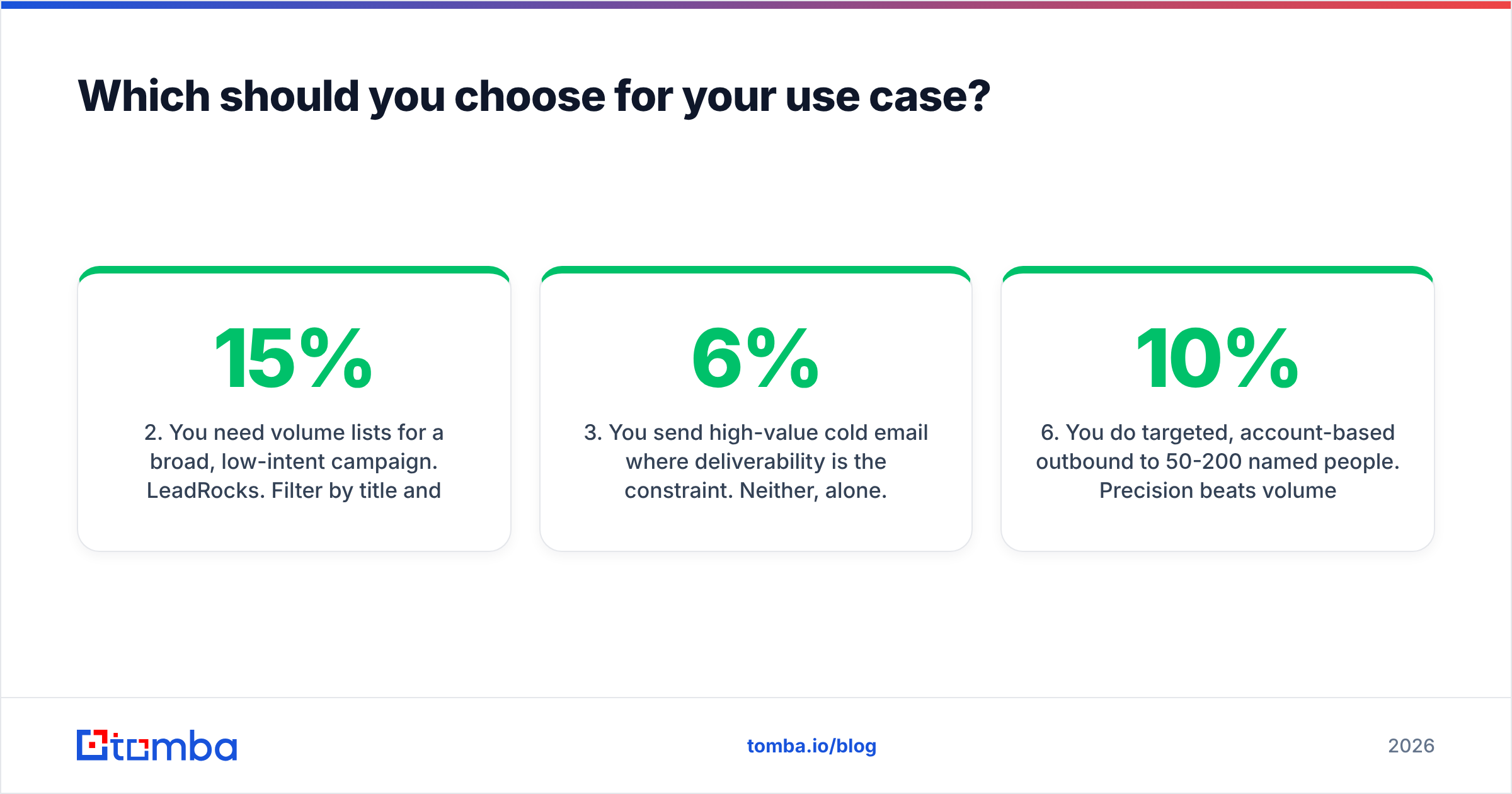
You need volume lists for a broad, low-intent campaign. LeadRocks. Filter by title and industry, export a few thousand rows, verify them elsewhere, and accept the decay. Cheap enough that a 15% waste rate doesn't hurt.
You send high-value cold email where deliverability is the constraint. Neither, alone. A 6%+ bounce rate on a fresh domain is how you get throttled by Google and Microsoft, and no amount of clever copy recovers a burned sending domain. You need find-and-verify in one pass. See Google's bulk sender guidelines for what the mailbox providers now expect from senders.
You're enriching an existing CRM list, not building a new one. Neither is designed for this. You want a data enrichment endpoint you can call on write, so records get fixed as they enter the CRM rather than in a quarterly cleanup that never happens.
You're a developer wiring lead-gen into a product. Neither. Both are dashboard-first tools with thin API surfaces. That is a dealbreaker if the workflow has to run without a human clicking export.
You do targeted, account-based outbound to 50-200 named people. Precision beats volume completely at this scale. One wrong address in a ten-account list is a 10% miss. Use a finder that returns a confidence score per address, and check the pattern with a company email pattern lookup before you send.
What are the honest downsides of each?#
Conversion Blitz — where it frustrates people:
- Feature breadth means shallow depth. Every module is "good enough," none is a category leader. If you already pay for a proper sender or a proper CRM, half the bundle is dead weight.
- The scraper output needs heavy cleaning. Scraped addresses skew toward generic inboxes and old marketing contacts.
- Plan/credit boundaries between the sub-tools can be confusing — you can be "out" of one thing while having plenty of another.
LeadRocks — where it frustrates people:
- Refresh cadence is not transparent. You cannot easily tell how old a given record is, which makes bounce forecasting guesswork.
- LinkedIn-derived data inherits LinkedIn's blind spots: strong on tech and mid-market SaaS, thin on trades, local services, manufacturing, and non-English-speaking markets.
- Credits are consumed on reveal, not on quality. A stale contact costs the same credit as a fresh one.
- Compliance is on you. Profile-derived contact data still sits under GDPR obligations in the EU and UK. Check the vendor's terms and your own basis for processing — the ICO's guidance on direct marketing is the plain-English starting point.
Both are honest products doing what they say. Neither is misrepresenting itself. The mismatch happens when buyers assume "lead tool" implies "verified, current, deliverable" — and those are three separate promises.
How does Tomba compare on the same axes?#
Fair disclosure: this is the Tomba blog, so treat this section as an interested party's argument, not a neutral verdict. Compare it against the same criteria you'd apply to anyone else, and check third-party reviews on G2 before you decide.
The structural difference is when verification happens. Conversion Blitz scrapes and stores. LeadRocks indexes profiles and stores. The Tomba Email Finder resolves the address at the moment you ask — pattern detection against the company's known format, cross-checked against crawled public sources, then an SMTP-level check with explicit catch-all detection — and returns a confidence score rather than a binary green tick.
That has three consequences worth naming:
- Job-change decay hurts less, because there is no index row quietly going stale between refreshes.
- Catch-all domains are labeled, not laundered. You see "catch-all, unverifiable" instead of a false "valid," and you can decide whether to risk the send.
- It composes. Domain search, bulk lookup, and the API are the same engine, so the developer path and the dashboard path return identical results.

Where Tomba does not win: it does not give you a chatbot, a review widget, or an on-site popup. If that bundle is what you're buying, Conversion Blitz genuinely does something Tomba does not. And it does not hand you a giant pre-filtered list of "all VPs of Sales in fintech" the way a database product does — you bring the target, it finds the address.
The verdict: Conversion Blitz vs LeadRocks in 2026#
Choose Conversion Blitz if you want a cheap Swiss Army knife and value the non-lead tools as much as the lead ones. Choose LeadRocks if you want a searchable people-database and can absorb the staleness at volume. Both are defensible purchases at their price.
But if you picked up this comparison because your bounce rate is climbing, your replies are flat, or half your sequence is landing on people who left the company last spring, then the tool isn't the problem — the architecture is. Stored data decays. Live verification doesn't.
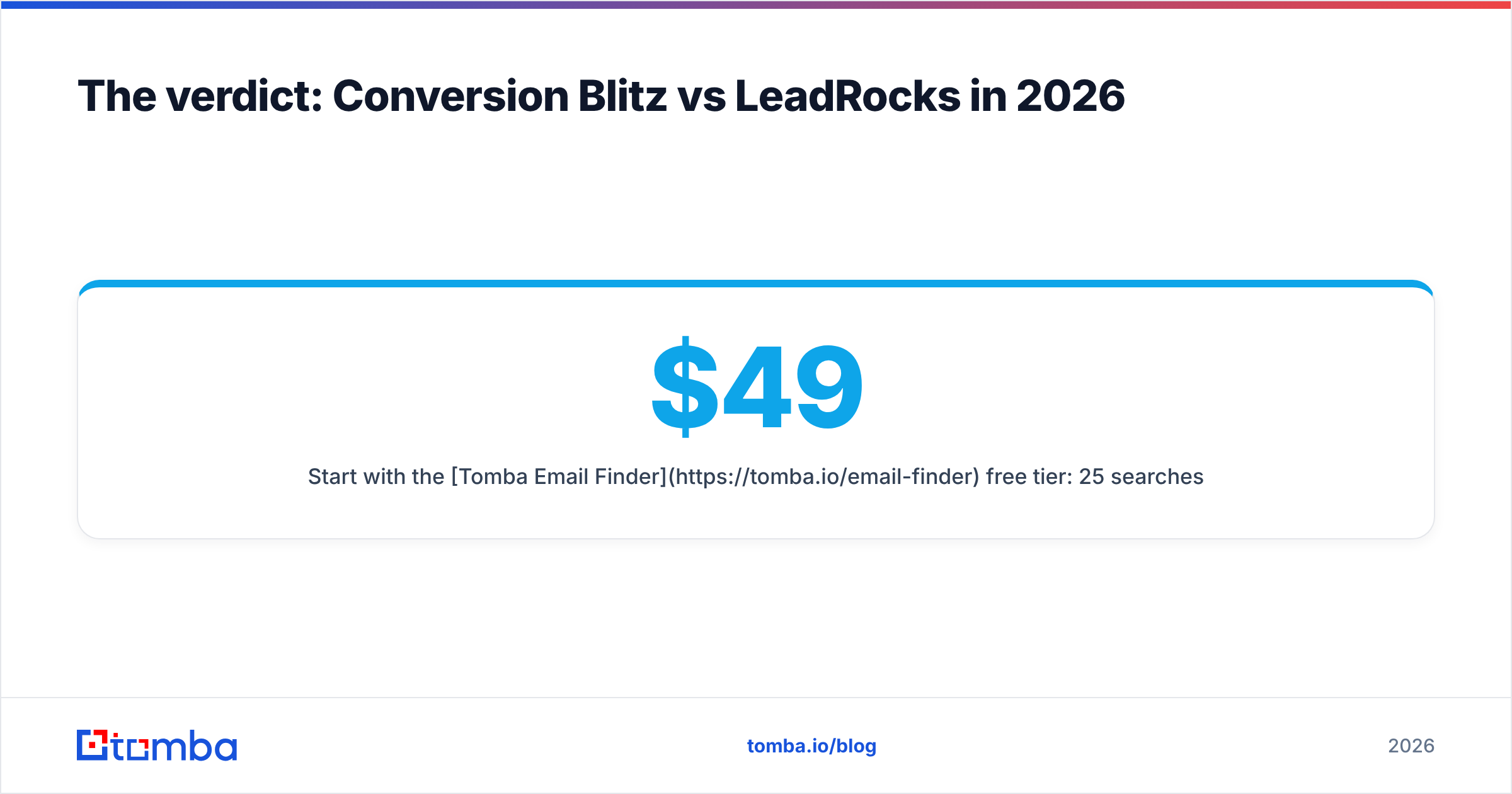
Start with the Tomba Email Finder free tier: 25 searches a month, no credit card, no lifetime-deal countdown. Run the same 25 target contacts through it that you'd run through either tool above, then send all three lists and compare bounce rates. If the numbers don't move, ignore everything in this post. If they do, Tomba pricing starts at $49/month for Starter and scales to $99 (Growth) and $249 (Pro) — and unlike a credit dump, every one of those lookups comes back verified.
Related guides#
Ready to find emails that actually work?
Join 150,000+ professionals who stopped guessing and started sending. Free credits on signup — no credit card required.
Get the Tomba newsletter
Practical outbound tactics and product updates — once every two weeks.
About the author