Crustdata vs SalesQL (2026): Which B2B Data Tool Wins?
Crustdata is an API-first data platform; SalesQL is a LinkedIn email finder. Here's how they compare on accuracy, pricing, and workflow—and where a third option beats both.
You are choosing between two very different B2B data tools that keep landing on the same shortlist: Crustdata and SalesQL. One is an API-first data and enrichment platform built for engineering and RevOps teams. The other is a browser extension that pulls emails and phone numbers off LinkedIn. They solve overlapping problems in almost opposite ways, which is exactly why the comparison is confusing.
This guide breaks down where each one wins, what you actually pay, and how accurate the contact data tends to be—so you can pick the right fit instead of the loudest brand.
TL;DR: Crustdata vs SalesQL at a glance#
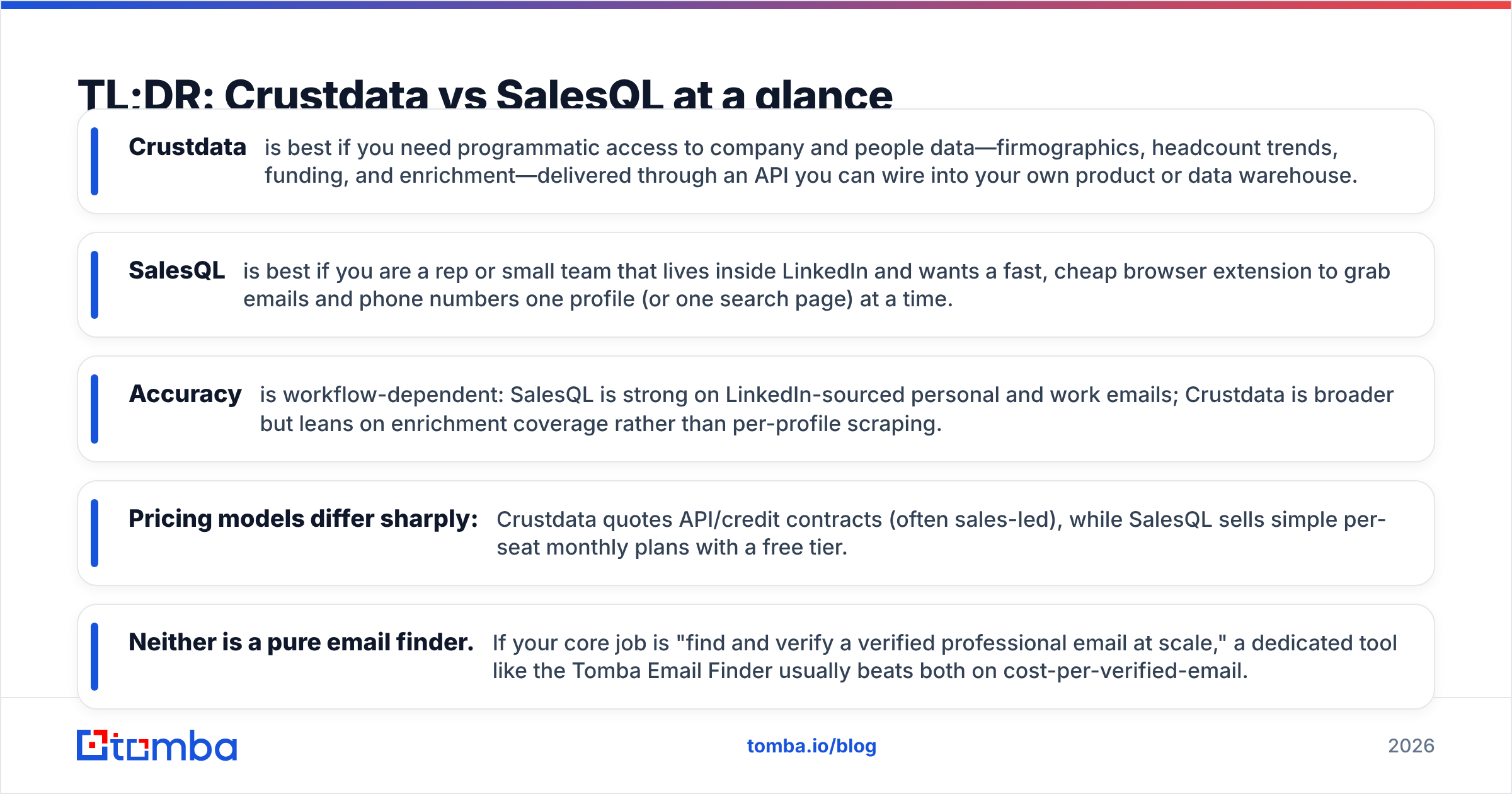
- Crustdata is best if you need programmatic access to company and people data—firmographics, headcount trends, funding, and enrichment—delivered through an API you can wire into your own product or data warehouse.
- SalesQL is best if you are a rep or small team that lives inside LinkedIn and wants a fast, cheap browser extension to grab emails and phone numbers one profile (or one search page) at a time.
- Accuracy is workflow-dependent: SalesQL is strong on LinkedIn-sourced personal and work emails; Crustdata is broader but leans on enrichment coverage rather than per-profile scraping.
- Pricing models differ sharply: Crustdata quotes API/credit contracts (often sales-led), while SalesQL sells simple per-seat monthly plans with a free tier.
- Neither is a pure email finder. If your core job is "find and verify a verified professional email at scale," a dedicated tool like the Tomba Email Finder usually beats both on cost-per-verified-email.
What is Crustdata?#
Crustdata is a data-as-an-API platform. Instead of a point-and-click UI as the main product, its center of gravity is a set of endpoints that return company and people data: firmographics, employee headcount over time, growth signals, tech stack, funding events, and contact enrichment. Teams typically use it to power internal lead-scoring models, enrich records in a warehouse, or feed a homegrown prospecting product.
The mental model is simple: Crustdata is closer to a data supplier than a sales gadget. If you have engineers and a use case that needs fresh company signals at scale—say, ranking accounts by hiring velocity—this is the shape of tool you want. You can read more about how these platforms position themselves in G2's sales intelligence category, which groups API-first data vendors alongside UI-first ones.
The trade-off: an API-first product assumes you can write code, manage credits, and handle rate limits. For a solo SDR, that overhead is real.
What is SalesQL?#
SalesQL is a LinkedIn-native email and phone finder delivered as a Chrome extension. You open a LinkedIn profile (or a search result page), click the SalesQL icon, and it returns likely personal and work emails plus phone numbers. It categorizes results by type and confidence, and you can bulk-extract from search pages, then export to CSV or push into a CRM.
Its appeal is speed and simplicity. There is no API contract to negotiate and no engineering required. A rep can install it, connect LinkedIn, and be pulling contacts in minutes. SalesQL publishes straightforward per-seat pricing on its official site, including a limited free plan—which is rare among LinkedIn extractors.
The trade-off runs the other direction from Crustdata: SalesQL is tightly coupled to LinkedIn browsing. If your workflow is not "person is on a LinkedIn tab in front of me," the tool has less to offer, and it is not designed to enrich a warehouse or power a product.

Crustdata vs SalesQL: side-by-side comparison#
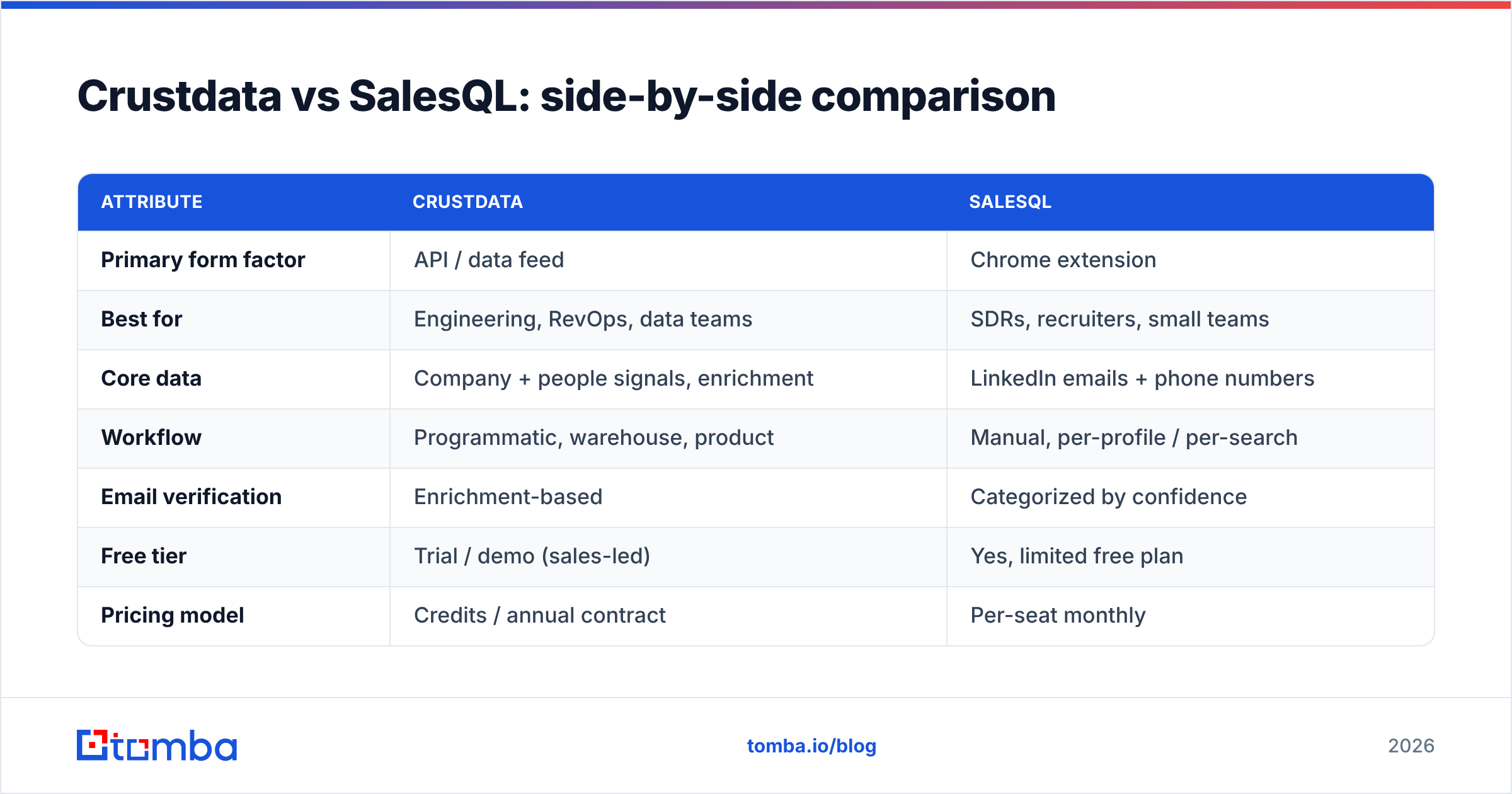
Here is the core matchup across the attributes that actually change a buying decision.
| Attribute | Crustdata | SalesQL |
|---|---|---|
| Primary form factor | API / data feed | Chrome extension |
| Best for | Engineering, RevOps, data teams | SDRs, recruiters, small teams |
| Core data | Company + people signals, enrichment | LinkedIn emails + phone numbers |
| Workflow | Programmatic, warehouse, product | Manual, per-profile / per-search |
| Email verification | Enrichment-based | Categorized by confidence |
| Free tier | Trial / demo (sales-led) | Yes, limited free plan |
| Pricing model | Credits / annual contract | Per-seat monthly |
| Setup effort | High (dev required) | Low (install + login) |
| Bulk export | Via API | CSV / CRM from search pages |
The pattern is clear: these tools rarely compete for the same buyer. Crustdata competes with data APIs and enrichment providers; SalesQL competes with other LinkedIn extractors. If you have been comparing them head-to-head, it is often a sign that your real requirement sits between them—reliable, verified emails at volume without an engineering lift.
Which has more accurate contact data?#
It depends on the source of truth you trust most. SalesQL's accuracy is tightly linked to the LinkedIn profile in front of you, so for an active, well-populated profile it frequently returns a usable work email and sometimes a personal one. Crustdata's accuracy is a function of its enrichment coverage across many sources, which is broader but less "profile-anchored."
Two practical truths cut across both:
- No provider verifies in a vacuum. Any email you pull—from either tool—should pass through an email verifier before you send. Deliverability, not discovery, is what protects your domain reputation.
- Catch-all domains distort accuracy claims. A large share of B2B domains accept every address, so a "valid" flag can be misleading. A dedicated catch-all verifier is the only honest way to grade these, and neither Crustdata nor SalesQL is built primarily for that job.

If accuracy per dollar is your single most important metric, benchmark both tools against a purpose-built finder before you commit to a contract. The gap is usually widest on bulk jobs, where enrichment-based coverage and manual scraping both struggle to stay cheap.
How do Crustdata and SalesQL price compare?#
The pricing philosophies are almost mirror images.
Crustdata typically runs on a credit or annual-contract model, often sales-assisted, because API buyers want committed volume and predictable rate limits. That structure is efficient at scale but creates friction for a small team that just wants to try something this week. You are effectively buying a data pipeline.
SalesQL runs on transparent per-seat monthly plans with a free tier to start. That is ideal for individuals and small squads, but per-seat pricing gets expensive as headcount grows, and credits are tied to LinkedIn-driven lookups rather than a flexible pool you can point anywhere.
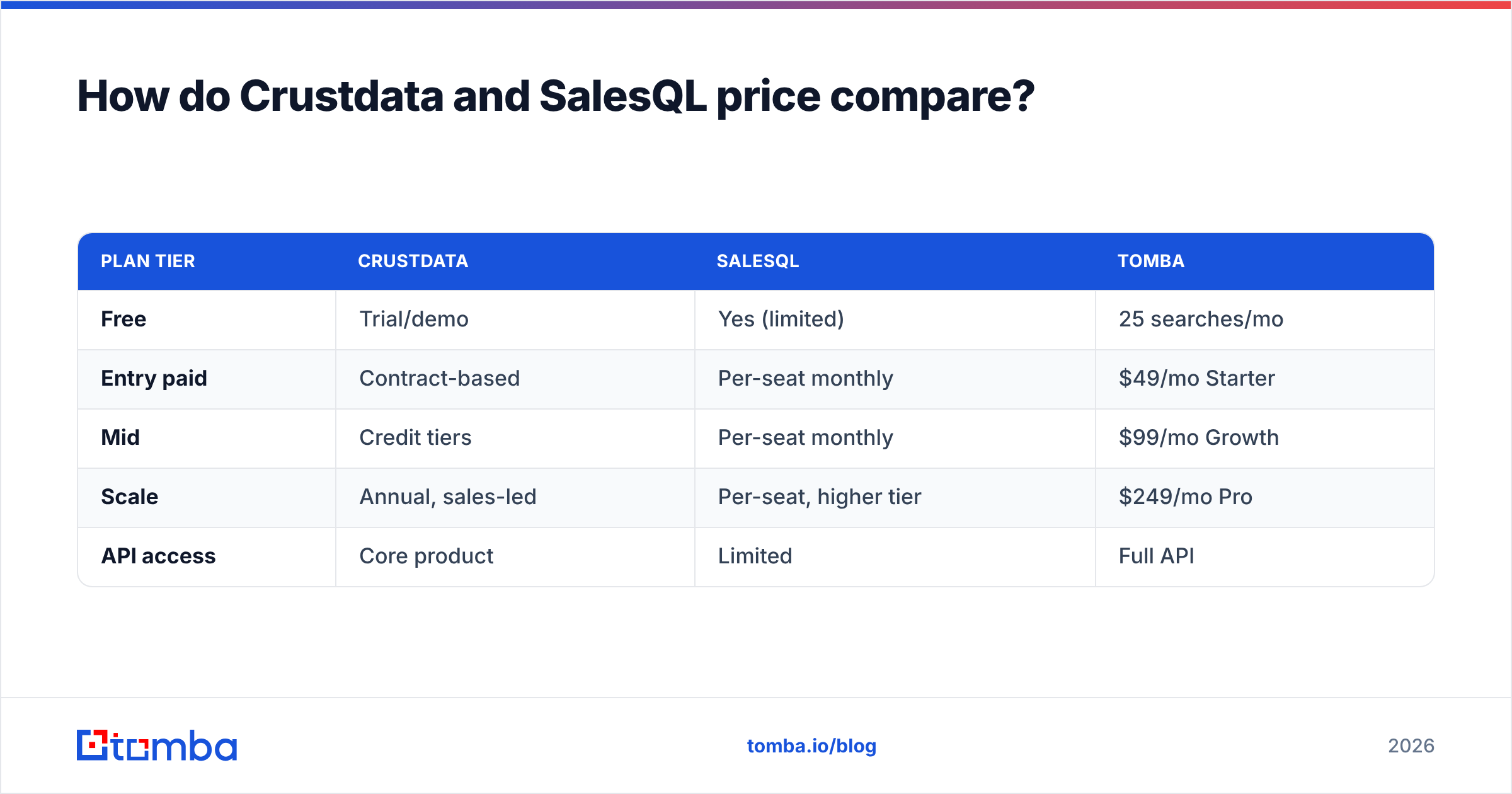
Neither model is "better"—they serve different buyers. But if you are cost-sensitive and want a middle path, it is worth putting a flat, credit-based finder next to both. For reference, Tomba pricing starts with a free tier of 25 searches per month, then $49/mo (Starter), $99/mo (Growth), and $249/mo (Pro)—a model that scales without per-seat penalties.
| Plan tier | Crustdata | SalesQL | Tomba |
|---|---|---|---|
| Free | Trial/demo | Yes (limited) | 25 searches/mo |
| Entry paid | Contract-based | Per-seat monthly | $49/mo Starter |
| Mid | Credit tiers | Per-seat monthly | $99/mo Growth |
| Scale | Annual, sales-led | Per-seat, higher tier | $249/mo Pro |
| API access | Core product | Limited | Full API |
When should you choose Crustdata?#
Choose Crustdata when the phrase "we need this in our data warehouse" describes your project.
- You have engineering support. An API-first tool pays off only when someone can integrate and maintain it.
- You need company-level signals, not just contacts—headcount trends, funding, hiring velocity—to score or route accounts.
- You are building a product or internal tool that consumes fresh data programmatically.
- Volume is predictable, so an annual contract is a feature, not a lock-in risk.
If most of those are true, Crustdata is a serious contender and SalesQL simply is not built for the job. Pair it with a B2B database or your own enrichment layer to fill contact-level gaps.
When should you choose SalesQL?#
Choose SalesQL when your day is spent inside LinkedIn and you want speed over infrastructure.
- You are a rep or recruiter sourcing contacts one profile at a time.
- You want to start today with no contract and a free tier to test.
- Your volume is modest, so per-seat pricing stays affordable.
- LinkedIn is your primary prospecting surface, and you mostly need the email attached to a profile you are already viewing.
For that persona, SalesQL is a clean, low-friction pick. If you later need to scale beyond manual browsing, look at a dedicated LinkedIn finder that can batch the same job without a per-seat ceiling.
Is there a better alternative to both?#
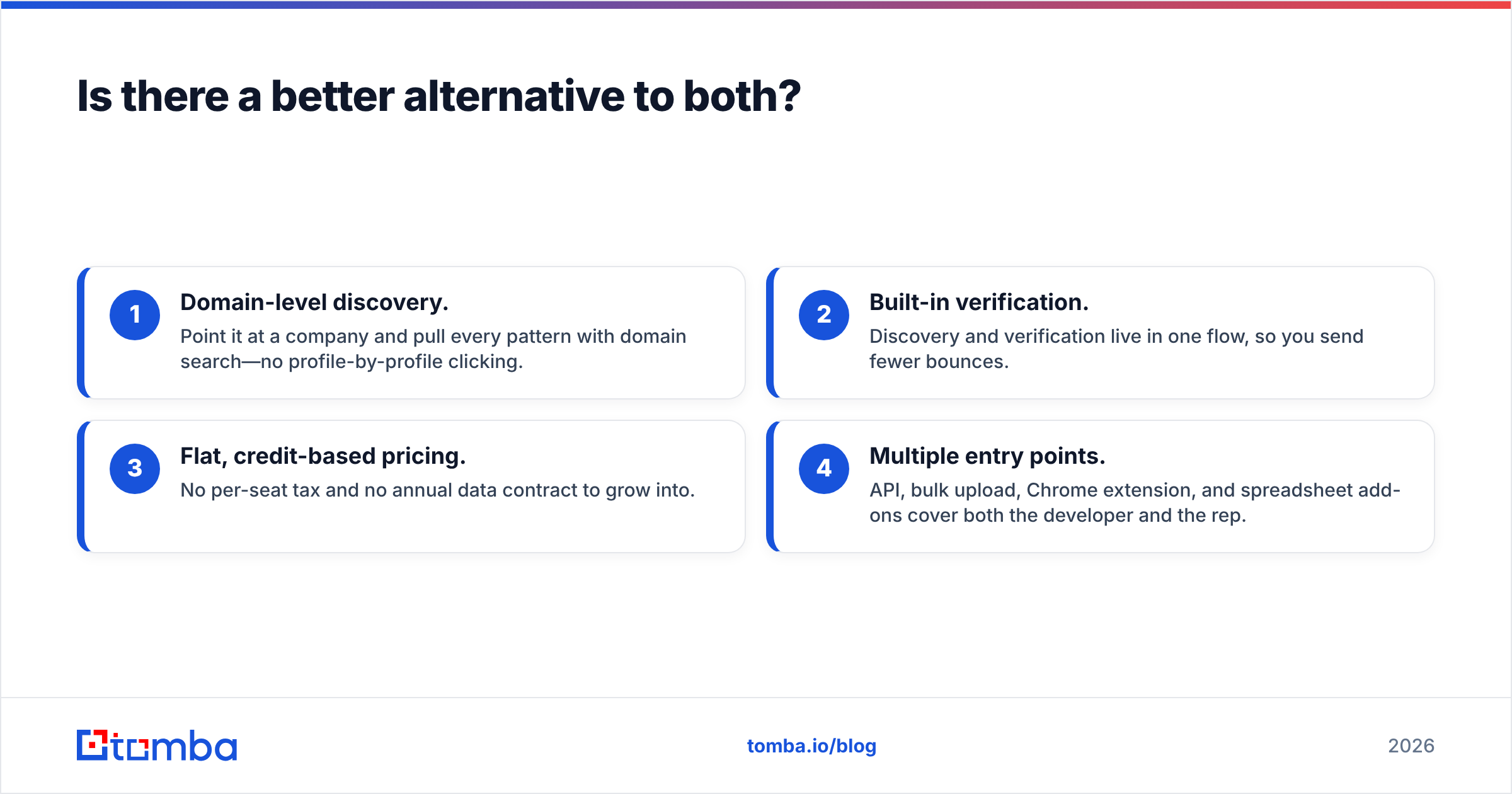
For most teams whose real goal is "find and verify professional emails at scale," a dedicated email-finder platform beats both a data API and a browser extension. Crustdata over-serves you if you just need contacts; SalesQL under-serves you the moment you move beyond LinkedIn.
A finder-first tool sits in the sweet spot:
- Domain-level discovery. Point it at a company and pull every pattern with domain search—no profile-by-profile clicking.
- Built-in verification. Discovery and verification live in one flow, so you send fewer bounces.
- Flat, credit-based pricing. No per-seat tax and no annual data contract to grow into.
- Multiple entry points. API, bulk upload, Chrome extension, and spreadsheet add-ons cover both the developer and the rep.
That is the category Tomba plays in. It is not trying to be a warehouse-scale signals feed like Crustdata, and it is not limited to a single browser tab like SalesQL—it focuses on getting you accurate, verified contacts across whatever surface you work from.
The verdict: Crustdata vs SalesQL in 2026#
Pick Crustdata if you are a data or engineering team that needs company signals through an API. Pick SalesQL if you are an individual rep who wants cheap, fast LinkedIn contact grabs. They are not really rivals; they are answers to different questions.
But if you landed here because you want verified emails, at volume, without a contract or a per-seat bill, that is a third question—and it is the one a dedicated finder answers best. Benchmark all three against your own list before you sign anything, because the right tool is the one that returns the most valid contacts per dollar on your accounts.

Find and verify emails without the trade-offs#
Stop choosing between an over-engineered data API and a LinkedIn-only extension. The Tomba Email Finder lets you find professional email addresses by domain, name, or company—then verify them in the same workflow, with flat credit-based pricing that scales without a per-seat penalty. Start free with 25 searches a month, connect the Tomba API when you are ready to automate, and only pay for the verified contacts you actually use. Try it against your current Crustdata or SalesQL list and compare the valid-email rate for yourself.
Related guides#
Ready to find emails that actually work?
Join 150,000+ professionals who stopped guessing and started sending. Free credits on signup — no credit card required.
Get the Tomba newsletter
Practical outbound tactics and product updates — once every two weeks.
About the author