Cufinder vs LetsExtract: B2B Data & Email Finder Compared
Cufinder pulls live B2B contact data; LetsExtract scrapes and bulk-mails from your desktop. Here's an honest breakdown of which fits your workflow in 2026 — and where a verified email finder beats both.
Choosing between Cufinder and LetsExtract is really a choice between two different philosophies of getting contact data: pull it live from an enriched B2B database, or extract it in bulk from the open web and your own sources. They look similar on a feature grid, but they solve different problems and fail in different ways.
This comparison breaks down what each tool actually does, where the data comes from, how they price, and which one belongs in your stack — plus where a verification-first email finder outperforms both for cold outreach.
TL;DR — Cufinder vs LetsExtract at a glance#
- Cufinder is a cloud B2B data platform: company and contact enrichment, email and phone lookup, and API access pulled from a live database. Best for enrichment and firmographic targeting.
- LetsExtract is desktop email-extraction and marketing software: it harvests addresses from websites, search engines, and files, then verifies and bulk-sends. Best for volume list-building on a one-time license.
- Accuracy favors Cufinder's structured, refreshed data; LetsExtract's scraped lists carry higher bounce and compliance risk.
- Pricing models differ hard: Cufinder is subscription/credit-based; LetsExtract sells perpetual desktop licenses.
- For cold email that lands, neither replaces a dedicated finder-plus-verifier pipeline — verified, permission-aware data beats raw scrape volume every time.
What is Cufinder?#
Cufinder is a cloud-based B2B lead generation and data enrichment platform. You feed it a company name, domain, or partial contact record, and it returns enriched firmographic and contact data — business emails, phone numbers, company size, industry, tech stack, and social profiles — from its aggregated database.
Its core strengths are enrichment and targeting. If you have a list of company domains and need decision-maker emails, or a CRM full of thin records that need firmographics attached, Cufinder is built for that motion. It also offers an API and bulk uploads, so it slots into automated data enrichment workflows rather than living only in a browser tab.
Because it's database-driven, the data is structured and generally deduplicated. The trade-off: coverage depends on whether a contact exists in Cufinder's index, and pricing is metered by credits and seats.
What is LetsExtract?#
LetsExtract is a Windows desktop suite for email extraction and email marketing. Rather than querying a maintained database, it harvests addresses — crawling websites you point it at, scraping search-engine results, and pulling contacts from local files, mailboxes, and social pages. It bundles an email verifier and a bulk mail sender, so the pitch is "extract, clean, and blast" from one installed app.
The model is fundamentally different from Cufinder. LetsExtract doesn't sell you access to their data; it sells you a tool to build lists from public and owned sources on your own machine. That's why it's licensed as perpetual desktop software rather than a monthly SaaS seat.
This makes LetsExtract attractive for one-time, high-volume list building on a fixed budget. It also makes it riskier: scraped addresses are unconsented, frequently stale, and mixing extraction with a built-in blaster is a fast route to deliverability and compliance trouble if you're not careful.

How do Cufinder and LetsExtract compare on features and pricing?#
Here's the head-to-head on the attributes that actually change your workflow and budget.
| Attribute | Cufinder | LetsExtract |
|---|---|---|
| Product type | Cloud B2B data platform | Windows desktop software |
| Primary job | Enrichment + contact lookup | Bulk email extraction + sending |
| Data source | Maintained B2B database | Live scraping (web, SERP, files) |
| Email verification | Built-in on returned data | Built-in verifier module |
| Bulk sending | No native sender | Yes, built-in blaster |
| API access | Yes | Limited |
| Pricing model | Subscription / credits | Perpetual desktop license |
| Best for | Targeted enrichment, CRM fill | One-time volume list-building |
| Main risk | Coverage gaps, credit burn | Bounces, consent + spam risk |
The pattern is clear: Cufinder optimizes for quality and integration, LetsExtract for volume and one-time cost. Neither is strictly better — it depends on whether your bottleneck is data accuracy or raw list size.
Which one fits your use case?#
Use this quick decision guide instead of a spec sheet:
- You need decision-maker emails from a list of domains — Cufinder (or a dedicated domain search tool) wins on structured lookup.
- You're enriching a CRM with firmographics and tech stack — Cufinder, hands down; that's its home turf.
- You want to build a massive list once, on a fixed budget — LetsExtract's perpetual license is cheaper at scale.
- You're running compliant cold email at reply-rate targets — neither; pair a verified finder with a proper verifier and a warmed sending stack.
- You need programmatic enrichment inside an app — Cufinder's API, or a purpose-built email finder API.
- You're a solo operator scraping niche directories — LetsExtract, with heavy verification afterward.
Is Cufinder or LetsExtract more accurate?#
Cufinder is more accurate for structured B2B outreach, but the honest answer is that both need verification before you send.
Cufinder returns data from a maintained index, so records are cleaner and deduplicated — but any static database decays. People change jobs at roughly 20–30% per year, so even good B2B data goes stale fast, and coverage gaps mean some contacts simply aren't there.
LetsExtract's scraped output is the higher-variance option. Harvested addresses include role accounts (info@, sales@), typos, spam traps, and long-dead mailboxes. Its bundled verifier helps, but SMTP-level checks can't catch everything, and catch-all domains defeat naive validation. If you send to a raw scraped list, expect elevated bounces — and bounce rate is the single fastest way to wreck sender reputation.
That's why the accuracy question is less "which tool" and more "what's your verification step." Whatever you pull, run it through a dedicated email verifier and a catch-all verifier before it touches a sending domain.

Where do both tools fall short for cold email?#
Both tools have the same blind spot: they optimize for getting addresses, not for landing in the inbox.
Cufinder gives you clean records but no sending infrastructure, warmup, or deliverability guardrails — that's by design, and it's fine as long as you pair it with a real outbound stack. LetsExtract goes the opposite way and bundles a blaster, which tempts users into the worst possible pattern: scrape unconsented addresses, then mass-mail them from one domain. That combination triggers spam filters, blacklists, and in regulated regions, GDPR and CAN-SPAM exposure.
For cold outreach that actually converts, the winning stack looks like this:
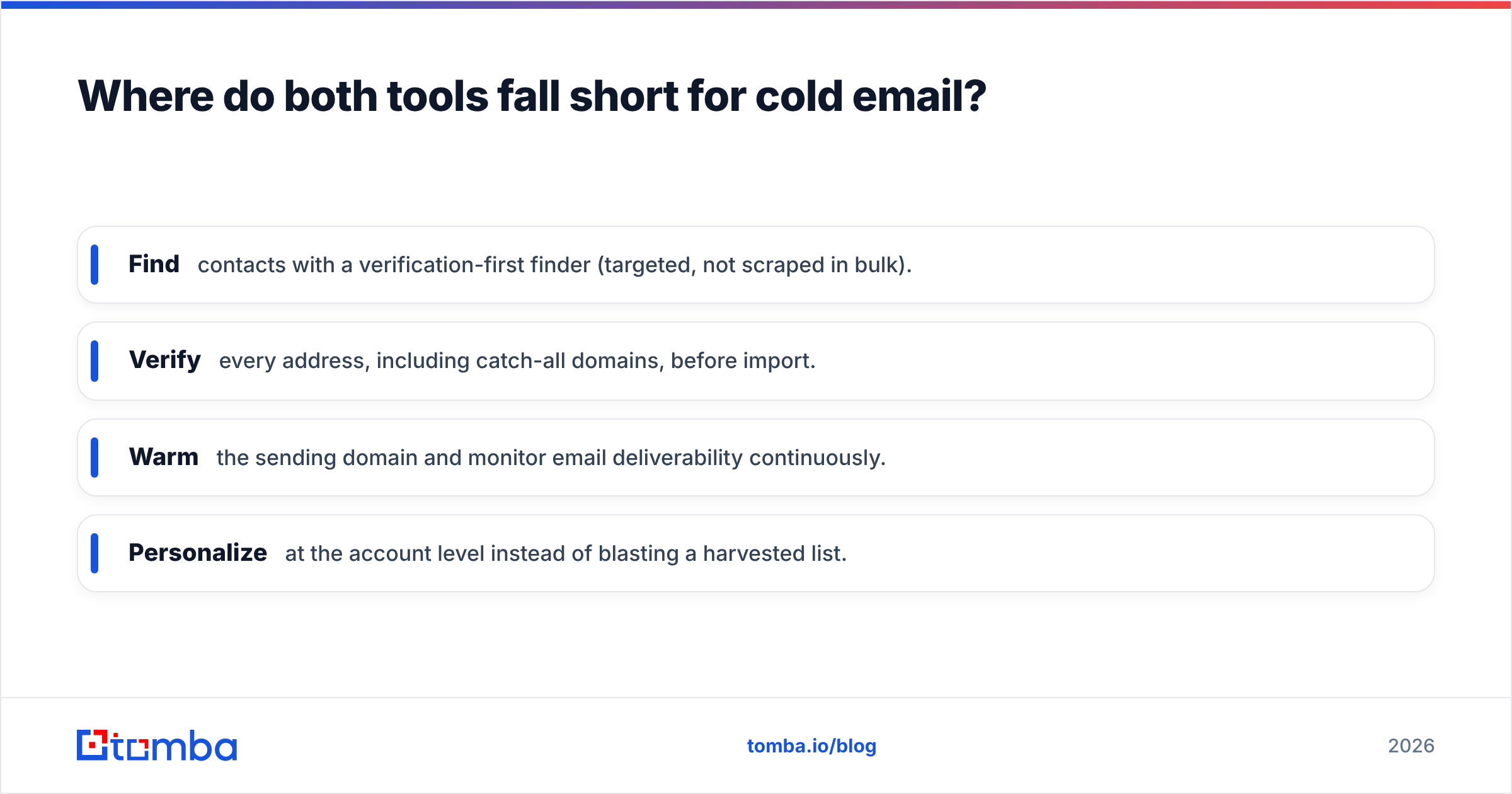
- Find contacts with a verification-first finder (targeted, not scraped in bulk).
- Verify every address, including catch-all domains, before import.
- Warm the sending domain and monitor email deliverability continuously.
- Personalize at the account level instead of blasting a harvested list.
Skip any of these and it doesn't matter whether the address came from Cufinder or LetsExtract — the campaign underperforms.

How does Tomba compare to Cufinder and LetsExtract?#
Tomba sits closer to Cufinder's philosophy — verified, structured data — but leads with a finder-and-verifier pipeline built specifically for outreach that lands, and it's transparent about where the data comes from.
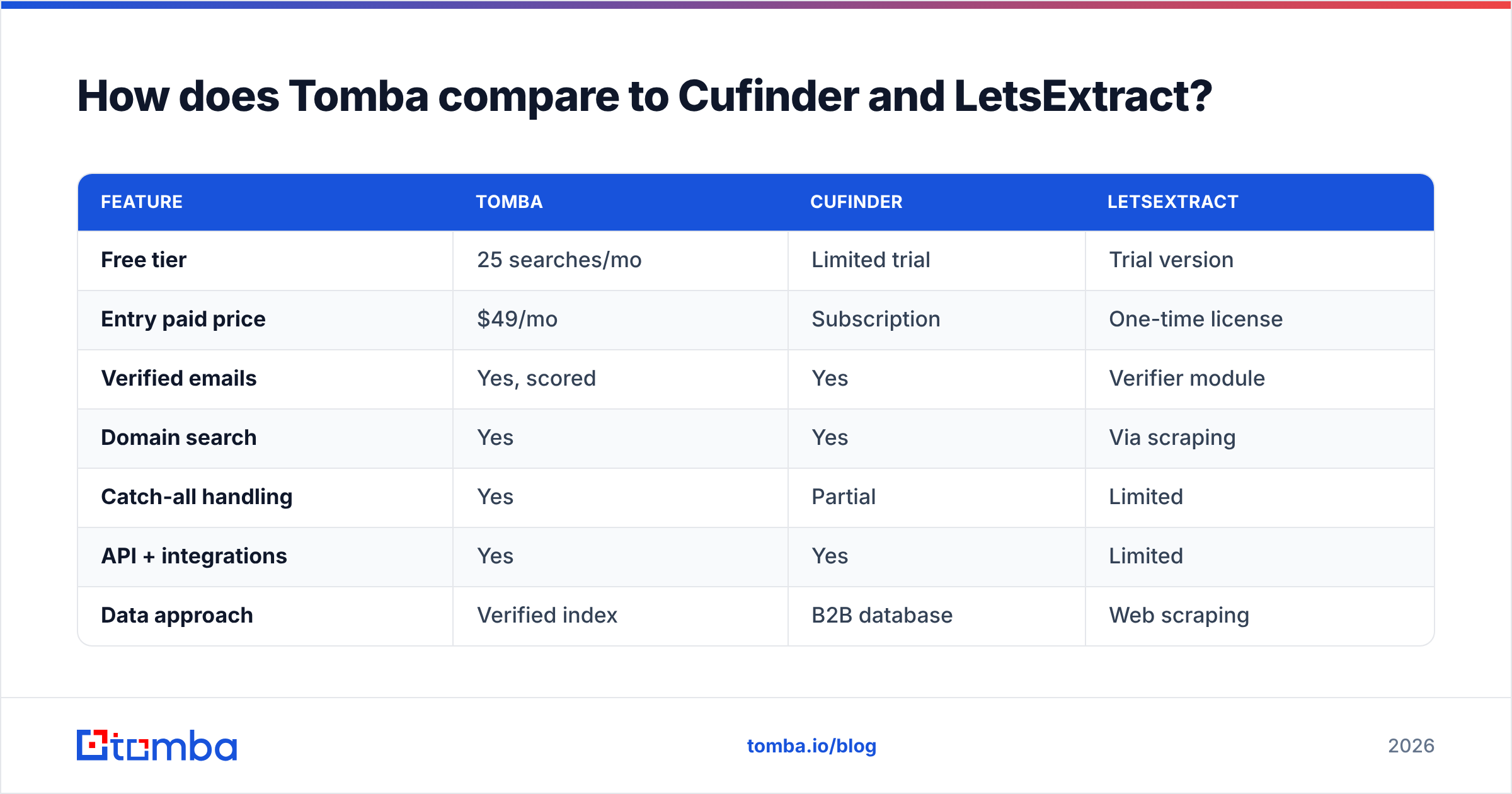
Instead of scraping like LetsExtract or charging desktop-license premiums, Tomba runs a cloud email finder with a verification score on every result, domain-level search, catch-all handling, and a bulk email finder for scale. Pricing is straightforward SaaS: a free tier with 25 searches/month, then Starter at $49/mo, Growth at $99/mo, and Pro at $249/mo — full Tomba pricing is public.
| Feature | Tomba | Cufinder | LetsExtract |
|---|---|---|---|
| Free tier | 25 searches/mo | Limited trial | Trial version |
| Entry paid price | $49/mo | Subscription | One-time license |
| Verified emails | Yes, scored | Yes | Verifier module |
| Domain search | Yes | Yes | Via scraping |
| Catch-all handling | Yes | Partial | Limited |
| API + integrations | Yes | Yes | Limited |
| Data approach | Verified index | B2B database | Web scraping |
The point isn't that Tomba beats both on every axis — Cufinder is a strong enrichment play and LetsExtract can be economical for one-off volume. It's that for the specific job of finding a real person's business email and knowing it will deliver, a verification-first finder is the more reliable tool.
Which should you choose?#
Match the tool to the bottleneck:
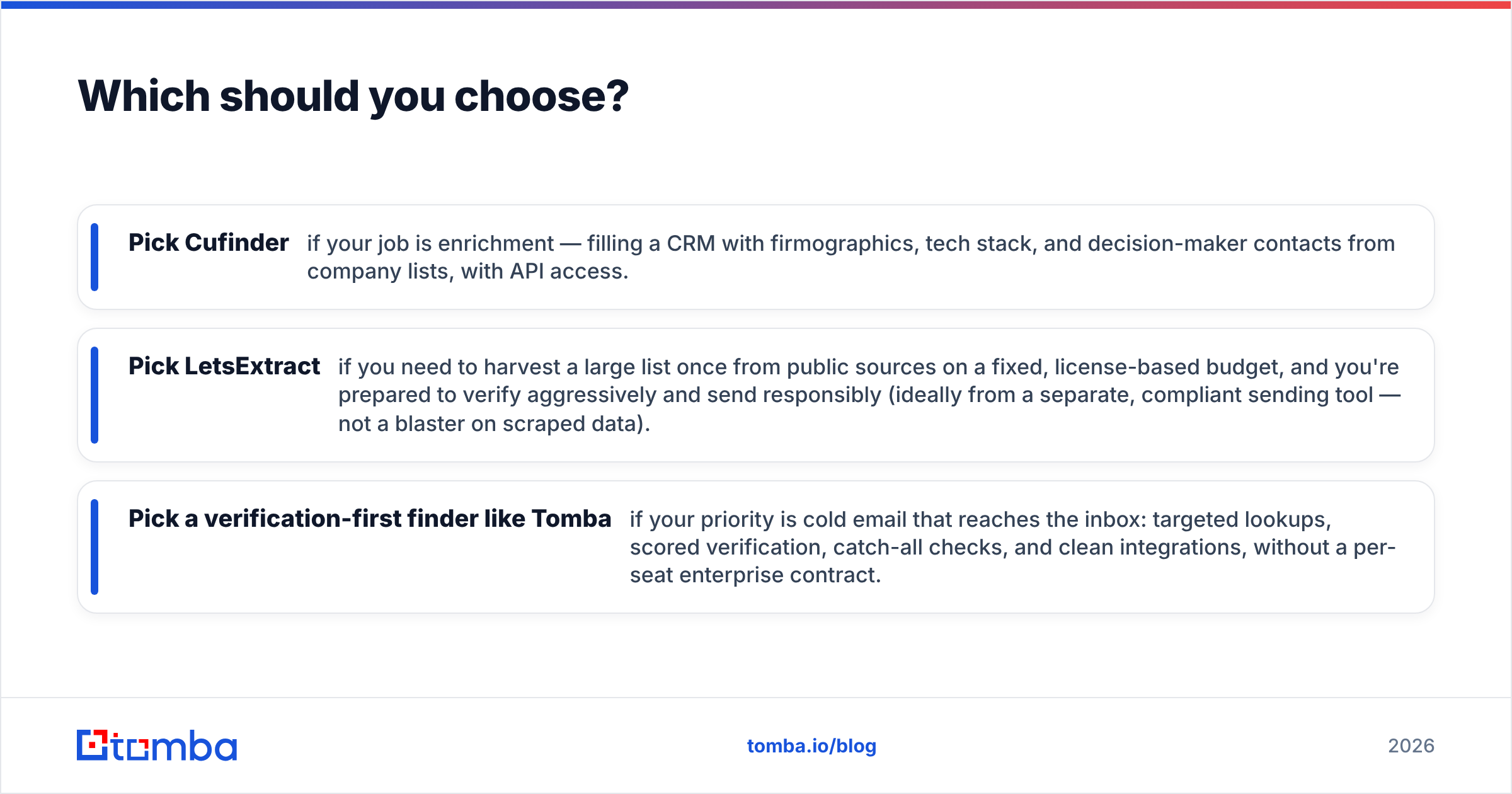
- Pick Cufinder if your job is enrichment — filling a CRM with firmographics, tech stack, and decision-maker contacts from company lists, with API access.
- Pick LetsExtract if you need to harvest a large list once from public sources on a fixed, license-based budget, and you're prepared to verify aggressively and send responsibly (ideally from a separate, compliant sending tool — not a blaster on scraped data).
- Pick a verification-first finder like Tomba if your priority is cold email that reaches the inbox: targeted lookups, scored verification, catch-all checks, and clean integrations, without a per-seat enterprise contract.
Most teams end up combining approaches — enrichment for account intelligence, a finder-plus-verifier for the actual outreach contacts. What you should not do is treat a bulk scraper's output as send-ready. Compare tools on your real targets before committing; you can cross-check any provider's claims against reviews on G2 and the vendors' own docs at cufinder.io and letsextract.com.
Frequently asked questions#
Is LetsExtract legal to use? The software itself is legal, but how you use it determines your exposure. Scraping public pages is generally permissible; mass-mailing unconsented harvested addresses can violate GDPR, CAN-SPAM, and CASL. Consent and suppression discipline matter more than the tool.
Does Cufinder include email sending? No. Cufinder focuses on data and enrichment. You'll need a separate outreach or email platform to actually send, which is arguably safer than LetsExtract's bundled blaster.
Which is cheaper? It depends on volume and time horizon. LetsExtract's perpetual license can be cheaper for a one-time bulk build; Cufinder's subscription fits ongoing enrichment. For predictable outreach volume, a transparent SaaS finder often lands in between.
Can I trust scraped emails without verification? No. Whatever the source, verify before sending. Even database-sourced records decay, and scraped lists carry traps and role accounts that spike your bounce rate.
Start with verified data#
If your real goal is outreach that gets replies, start where deliverability starts — with contacts you can trust. The Tomba Email Finder returns business emails with a verification score, handles domain search and catch-all domains, and scales through bulk lookups and an API, on a free tier you can test today before touching a paid plan. Find the right person, confirm the address is real, and send with confidence — instead of gambling on a scraped list.
Related guides#
Ready to find emails that actually work?
Join 150,000+ professionals who stopped guessing and started sending. Free credits on signup — no credit card required.
Get the Tomba newsletter
Practical outbound tactics and product updates — once every two weeks.
About the author