Cufinder vs Limeleads (2026): B2B Data Tools Compared
Cufinder vs Limeleads, tested head-to-head on data accuracy, coverage, pricing, and export limits — plus where a dedicated email finder beats both.
Choosing between Cufinder vs Limeleads comes down to one question: do you want an enrichment engine that fills gaps in records you already have, or a searchable lead database you can pull lists from? They sound similar, they get bundled into the same "B2B data" bucket, and they are built for opposite workflows.
This is a neutral, hands-on breakdown of where each tool wins, where each one quietly costs you money, and why a lot of teams end up pairing either one with a dedicated email finder to fix the part both do worst: fresh, verified email addresses.
TL;DR — Cufinder vs Limeleads at a glance#
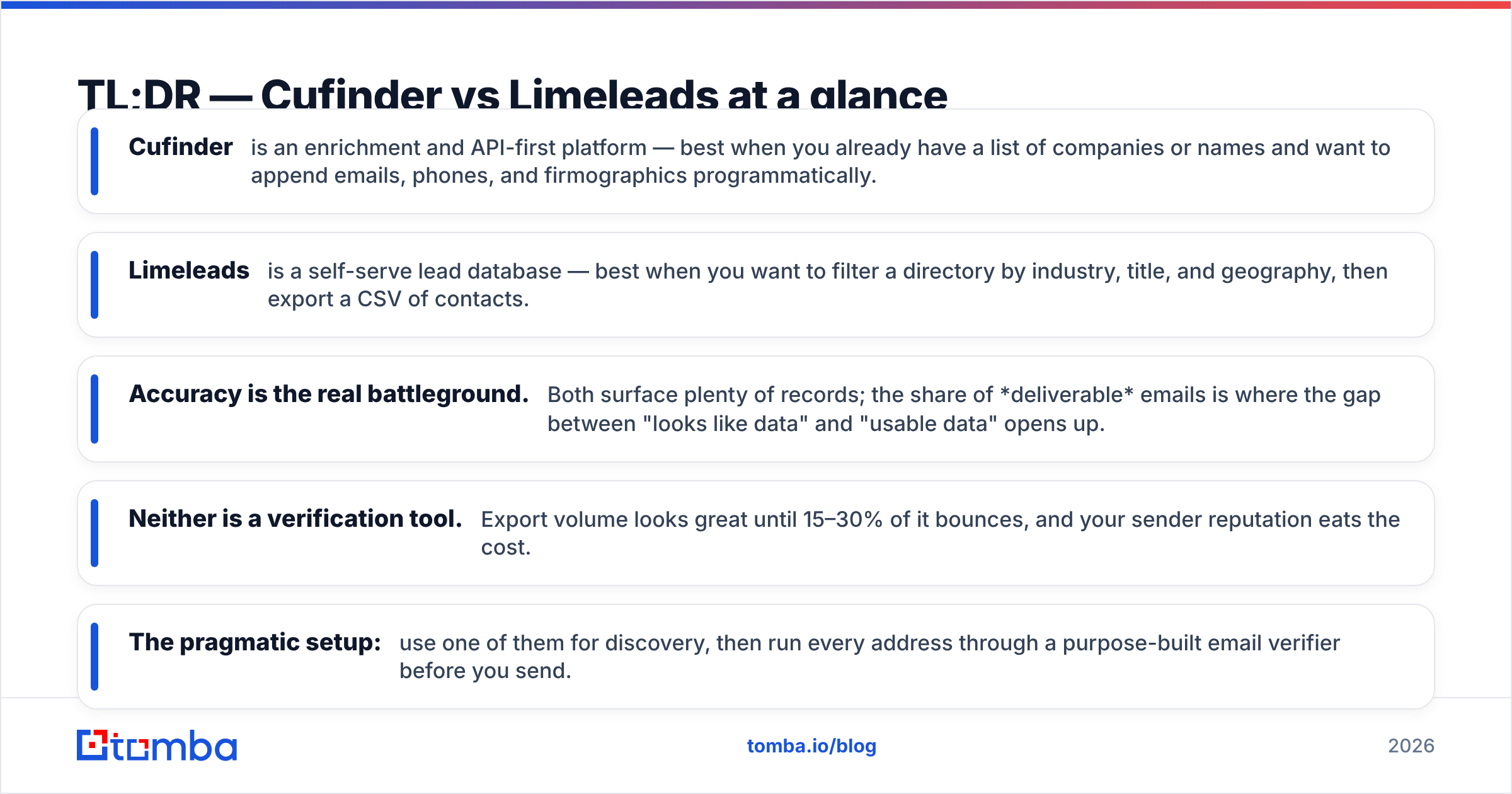
- Cufinder is an enrichment and API-first platform — best when you already have a list of companies or names and want to append emails, phones, and firmographics programmatically.
- Limeleads is a self-serve lead database — best when you want to filter a directory by industry, title, and geography, then export a CSV of contacts.
- Accuracy is the real battleground. Both surface plenty of records; the share of deliverable emails is where the gap between "looks like data" and "usable data" opens up.
- Neither is a verification tool. Export volume looks great until 15–30% of it bounces, and your sender reputation eats the cost.
- The pragmatic setup: use one of them for discovery, then run every address through a purpose-built email verifier before you send.
What is Cufinder?#
Cufinder is a B2B data enrichment and lead generation platform built around an API and a set of point tools (company-name-to-domain, domain-to-email, enrichment lookups). Its center of gravity is append: you bring a seed — a company name, a website, a LinkedIn URL — and Cufinder returns firmographic and contact data mapped to it.
That makes it a developer-and-ops tool as much as a salesperson's tool. If you run enrichment inside a CRM workflow or a custom pipeline, an API-first design like Cufinder's (or Tomba's own API) is the shape you want. If you just want to eyeball a list and export it, an API is friction you have to wrap a spreadsheet around.
You can see the vendor's own positioning on the Cufinder homepage, and independent user sentiment on G2.
What is Limeleads?#
Limeleads is a self-serve B2B contact database. You open a search builder, filter by industry, company size, job title, location, and revenue, preview the matching contacts, and export what you need as a CSV or push it to your CRM. Credits are consumed on export, not on search.
The workflow is the opposite of Cufinder's. Limeleads is discovery-first: you don't need a seed list because the database is the starting point. That's genuinely useful for a rep who needs 500 marketing directors in US SaaS companies by Friday and doesn't care about wiring up an integration.
The trade-off is the classic database trade-off: a static directory ages. A contact who was a VP of Sales when the record was scraped may have changed jobs, and the email tied to the old role quietly dies. You can review Limeleads' plans on the Limeleads site.

Cufinder vs Limeleads: the core comparison#
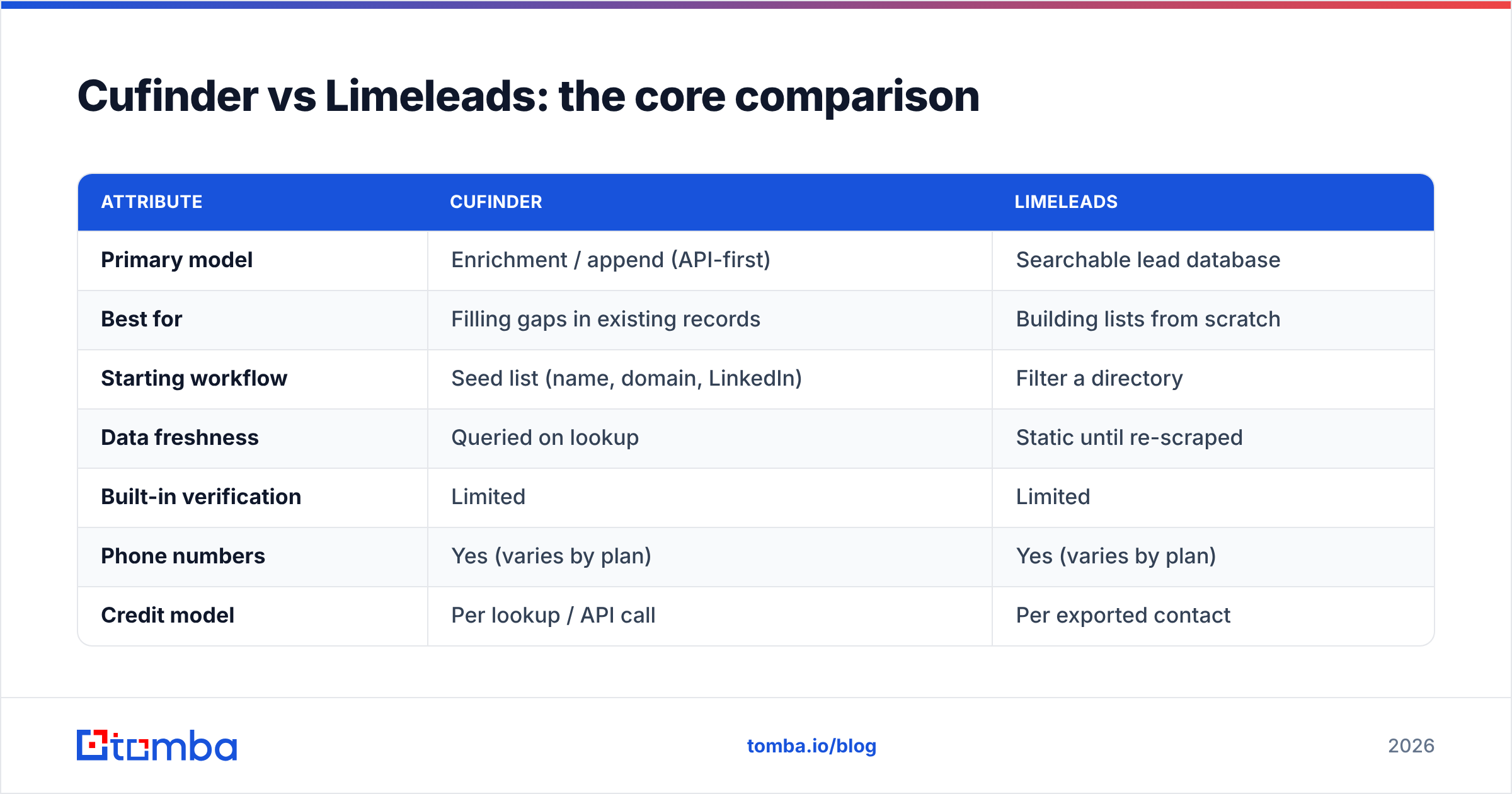
Here is the head-to-head on the attributes that actually change your results, not just the feature checkboxes.
| Attribute | Cufinder | Limeleads |
|---|---|---|
| Primary model | Enrichment / append (API-first) | Searchable lead database |
| Best for | Filling gaps in existing records | Building lists from scratch |
| Starting workflow | Seed list (name, domain, LinkedIn) | Filter a directory |
| Data freshness | Queried on lookup | Static until re-scraped |
| Built-in verification | Limited | Limited |
| Phone numbers | Yes (varies by plan) | Yes (varies by plan) |
| Credit model | Per lookup / API call | Per exported contact |
| Ideal user | RevOps, developers, growth eng | SDRs, list-builders, agencies |
Read that table as "different tools," not "better and worse." The mistake is buying one when your workflow needs the other — paying for a database when you already have accounts to enrich, or paying for enrichment credits when you have no seed list at all.
Is Cufinder or Limeleads more accurate?#
Accuracy is where both tools should be judged, and where marketing claims and reality diverge the most. A provider can advertise "millions of contacts" and still hand you a list where a meaningful slice of emails no longer resolve. Coverage (how many records exist) and accuracy (how many are deliverable today) are different numbers, and only the second one protects your domain.

Two things move the accuracy number more than the brand on the invoice:
- Recency of the underlying data. An email captured 18 months ago and never re-checked is a coin flip. Enrichment done at query time (Cufinder's model) has an edge here over a static export (Limeleads' model) — but only if the source behind the query is itself fresh.
- Whether the address was SMTP-verified. Neither platform is primarily a verification engine. That's the gap you have to close yourself, and it's the single biggest driver of bounce rate.
The honest takeaway: don't pick between Cufinder and Limeleads on accuracy claims alone. Pick on workflow fit, then bolt verification onto whichever you choose. That's exactly why teams route both tools' output through a dedicated finder-plus-verifier layer — you can read how sources are built and refreshed on Tomba's data page.
Pricing: Cufinder vs Limeleads vs a dedicated finder#
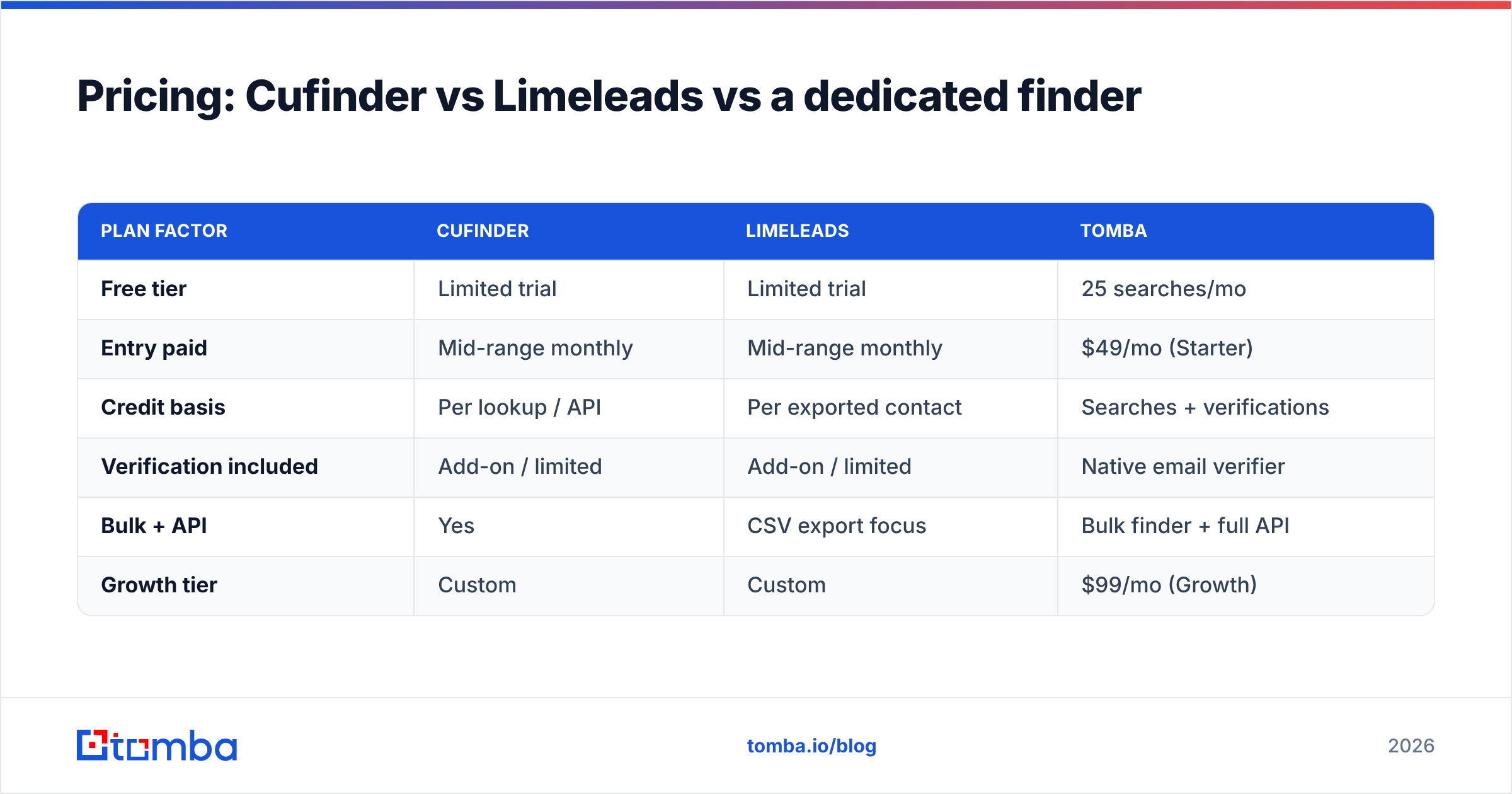
Both vendors move pricing around and gate features by tier, so treat any specific number as "check before you buy." The structural difference matters more than the sticker: Cufinder tends to price around lookups and API volume, Limeleads around exported contacts. Below is how the shape of the cost compares to a dedicated email finder like Tomba, whose tiers are public on the Tomba pricing page.
| Plan factor | Cufinder | Limeleads | Tomba |
|---|---|---|---|
| Free tier | Limited trial | Limited trial | 25 searches/mo |
| Entry paid | Mid-range monthly | Mid-range monthly | $49/mo (Starter) |
| Credit basis | Per lookup / API | Per exported contact | Searches + verifications |
| Verification included | Add-on / limited | Add-on / limited | Native email verifier |
| Bulk + API | Yes | CSV export focus | Bulk finder + full API |
| Growth tier | Custom | Custom | $99/mo (Growth) |
The number that surprises people isn't the monthly fee — it's the cost of a bounce. If you export 5,000 contacts and 20% are undeliverable, you didn't save money by skipping verification; you paid for 1,000 dead records and then paid again in deliverability damage. A free or bundled bulk verify step usually costs less than the reputation hit it prevents.
When should you use Cufinder?#
Choose Cufinder when:
- You already have accounts or names and need to append emails, phones, and firmographics.
- You're building an automated pipeline — CRM enrichment on record creation, lead routing, scoring — and want to call an API rather than upload spreadsheets.
- Your team includes developers or RevOps who can wire lookups into existing systems.
- You value query-time freshness over the convenience of a browsable directory.
Cufinder is the wrong pick if you have no seed data and just want to discover net-new companies from filters. That's a database job, not an enrichment job.
When should you use Limeleads?#
Choose Limeleads when:
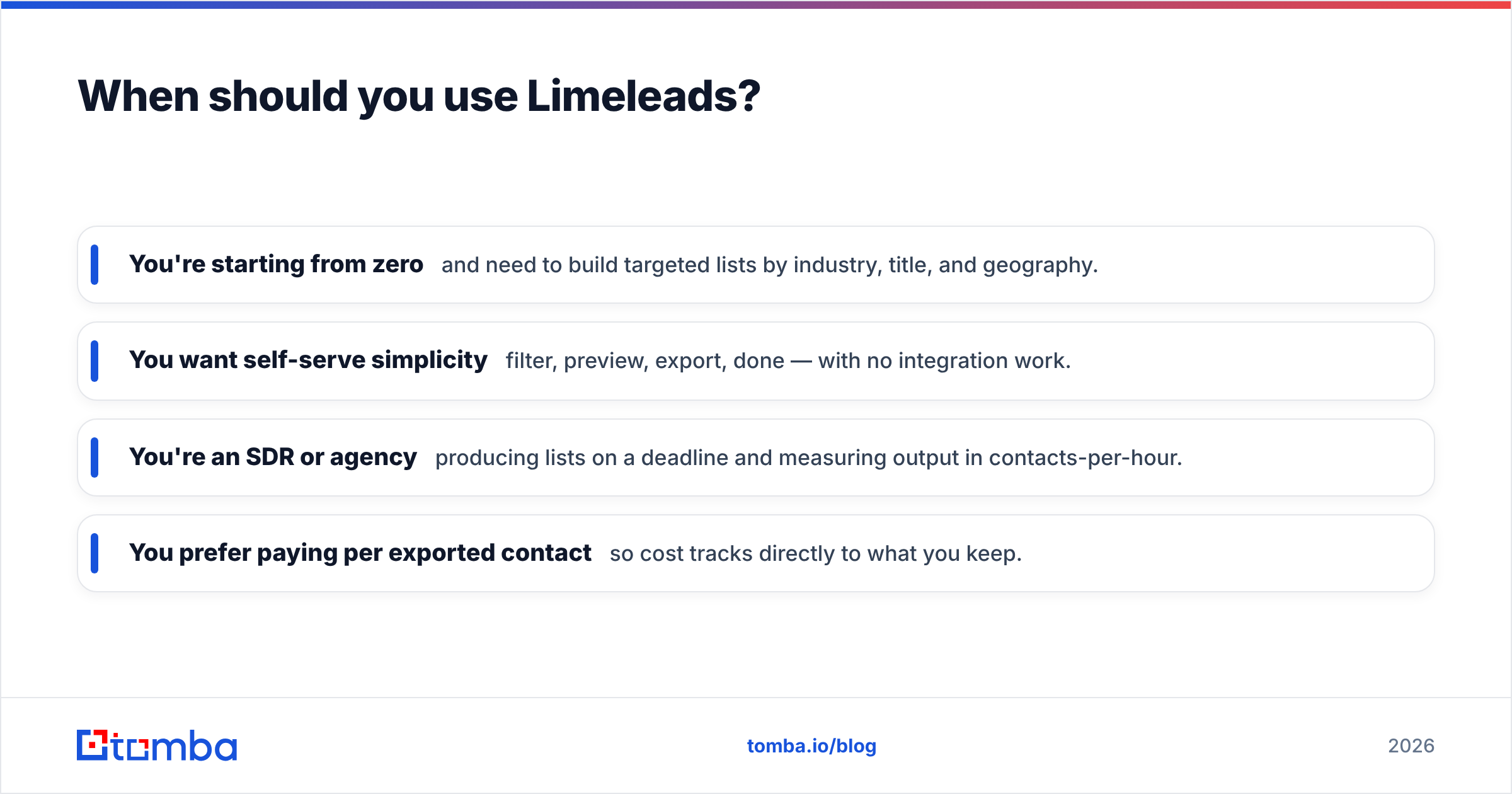
- You're starting from zero and need to build targeted lists by industry, title, and geography.
- You want self-serve simplicity — filter, preview, export, done — with no integration work.
- You're an SDR or agency producing lists on a deadline and measuring output in contacts-per-hour.
- You prefer paying per exported contact so cost tracks directly to what you keep.
Limeleads is the wrong pick if your real need is topping up records you already own, or if you require guaranteed real-time freshness on every field. A static directory, however large, drifts between refreshes.

Where both tools leave a gap — and how to close it#
Here's the pattern that shows up across almost every Cufinder-or-Limeleads deployment: the discovery step works, and then bounce rate ruins the campaign. Both platforms are optimized to surface contacts. Neither is built to guarantee that a given mailbox will accept your message right now.
That gap has a concrete fix. Whichever tool you pick for discovery or enrichment, add three things on top:
- Verify every address before send. Run the full list through SMTP-level verification. This is the highest-ROI step in the entire outbound stack and the one both tools under-deliver on.
- Handle catch-all domains deliberately. A large share of B2B domains accept all mail at the server, so a naive "valid" check lies. A dedicated catch-all verifier scores these instead of guessing.
- Fill the email gaps a database can't. When a record has a name and company but no email, a purpose-built email finder resolves the address from the domain pattern — the exact case where directory exports come back blank.
None of that replaces Cufinder or Limeleads. It makes whichever you chose actually land in the inbox. Poor list hygiene is one of the top drivers of email deliverability problems, and it's entirely preventable.
Quick decision guide#
- You enrich existing records via API → Cufinder.
- You build net-new lists from filters → Limeleads.
- You need guaranteed-deliverable emails either way → add a dedicated finder + verifier.
- You're on a tight budget and want a free tier to test → start with Tomba's 25 free searches, then layer in a database only if you outgrow it.
Cufinder vs Limeleads: the verdict#
There's no universal winner between Cufinder vs Limeleads — there's a winner for your workflow. Cufinder is the enrichment engine for teams with seed data and an appetite for automation. Limeleads is the self-serve database for reps who need to build lists fast without touching an API. Match the tool to the job and either one earns its keep.
But both share the same blind spot, and it's the one that decides whether your campaign works: verified, deliverable email. If your outbound lives or dies on inbox placement — and it does — start with accuracy, not directory size. Run your discovery through whichever platform fits, then close the loop with the Tomba Email Finder and its built-in verification to turn "found a contact" into "reached a person." You can begin on the free tier and only pay once it's pulling its weight.
Related guides#
Ready to find emails that actually work?
Join 150,000+ professionals who stopped guessing and started sending. Free credits on signup — no credit card required.
Get the Tomba newsletter
Practical outbound tactics and product updates — once every two weeks.
About the author