Cufinder vs Mailshunt (2026): Which Email Finder Wins?
Cufinder vs Mailshunt compared on accuracy, verification, pricing, and data coverage — plus where a third option quietly beats both on cost per valid email.
Cufinder vs Mailshunt (2026): Which Email Finder Wins?
Choosing between Cufinder and Mailshunt usually comes down to one question you can't see on a pricing page: how many of the emails they return actually land in an inbox. Both promise fast contact discovery. Both wrap it in dashboards, bulk uploads, and API access. But the tool that "finds more emails" is worthless if half of them bounce and torch your sender reputation.
This is a neutral, hands-on comparison. We'll break down accuracy, verification depth, data coverage, pricing, and the workflows each tool fits — then tell you where a third option is worth a look before you commit a card.
TL;DR — Cufinder vs Mailshunt at a glance#
- Cufinder leans into being a broad B2B data platform: company enrichment, technographics, and email/phone lookup bundled together. Good if you want firmographic data alongside contacts.
- Mailshunt leans into the cold-email side: find, verify, and send from closer to one place. Good if your team wants outreach and discovery under one login.
- Accuracy is the real battleground. Both quote high hit rates; real-world valid-email rates after verification are what matter, and neither publishes an independent benchmark.
- Pricing favors whoever matches your volume. Credit models differ, and "found" vs "verified" credits are not the same thing — read the fine print.
- Best value pick: if cost per valid email is your metric, test a dedicated finder like Tomba Email Finder against both before scaling.

What is Cufinder?#
Cufinder positions itself as an all-in-one B2B data and lead-generation engine. Beyond email lookup, it markets company search, contact enrichment, technographic filters, and a prospecting database you can slice by industry, size, and location. The pitch is breadth: instead of stitching together a finder plus an enrichment tool, you get firmographics and contacts in the same place.
For teams that build lists top-down — "give me every SaaS company in Germany with 50-200 employees, then the decision-makers" — that breadth is genuinely useful. You can read verified user impressions on G2 and Capterra before trusting any marketing number, and you should.
The trade-off with broad platforms is depth. When a tool spreads across enrichment, technographics, and email finding, its email verification often isn't as rigorous as a specialist's. That's not a knock unique to Cufinder — it's the structural tension in every "do everything" data tool.
What is Mailshunt?#
Mailshunt is closer to a cold-email operating system. It combines email finding, list verification, and sending/sequencing so a small team can prospect and launch campaigns without hopping tools. If your bottleneck is "I found the emails, now I need to actually send," having discovery and outreach in one dashboard reduces friction.
The upside is workflow continuity. The downside is the same as any bundled suite: the finder and the verifier are components of a sending product, not the product itself. When deliverability is your north star, you want your verification layer to be paranoid — and bundled verifiers sometimes optimize for "send it anyway" over "protect the domain."
Check Mailshunt's current feature set and limits on its official site directly, since bundled suites change plan boundaries frequently.

Cufinder vs Mailshunt: the head-to-head table#
Here's the core comparison. Treat the pricing figures as indicative — both vendors adjust tiers and credit definitions often, so confirm on their pages before you buy.
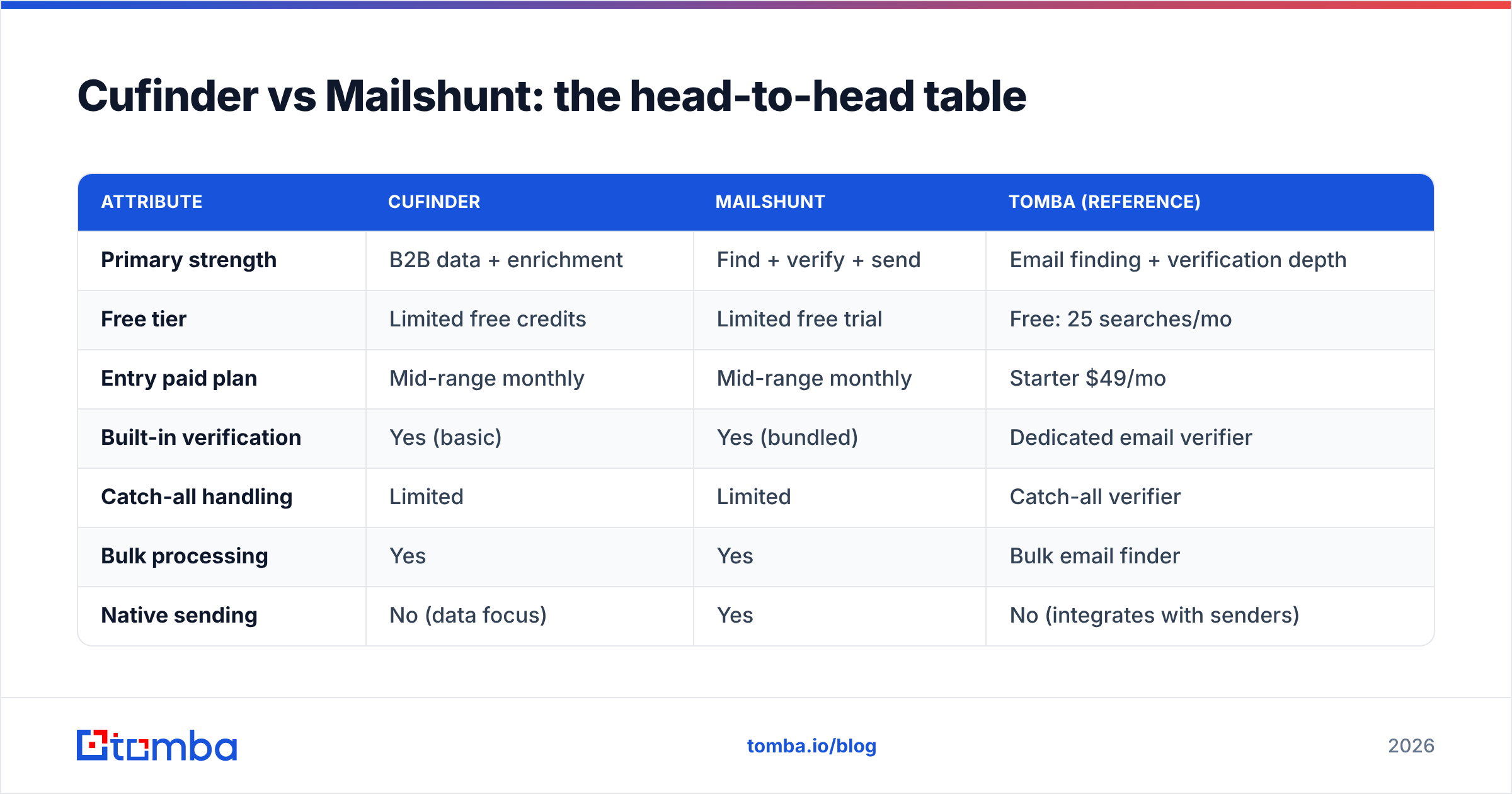
| Attribute | Cufinder | Mailshunt | Tomba (reference) |
|---|---|---|---|
| Primary strength | B2B data + enrichment | Find + verify + send | Email finding + verification depth |
| Free tier | Limited free credits | Limited free trial | Free: 25 searches/mo |
| Entry paid plan | Mid-range monthly | Mid-range monthly | Starter $49/mo |
| Built-in verification | Yes (basic) | Yes (bundled) | Dedicated email verifier |
| Catch-all handling | Limited | Limited | Catch-all verifier |
| Bulk processing | Yes | Yes | Bulk email finder |
| Native sending | No (data focus) | Yes | No (integrates with senders) |
| API access | Yes | Yes | Tomba API |
| Best for | List-building from firmographics | Solo/SMB outreach in one tool | Cost per valid email at scale |
The pattern is clear: Cufinder wins on data breadth, Mailshunt wins on workflow consolidation, and a specialist wins on verification rigor. Which one you need depends entirely on where your pipeline actually leaks.
Is Cufinder or Mailshunt more accurate?#
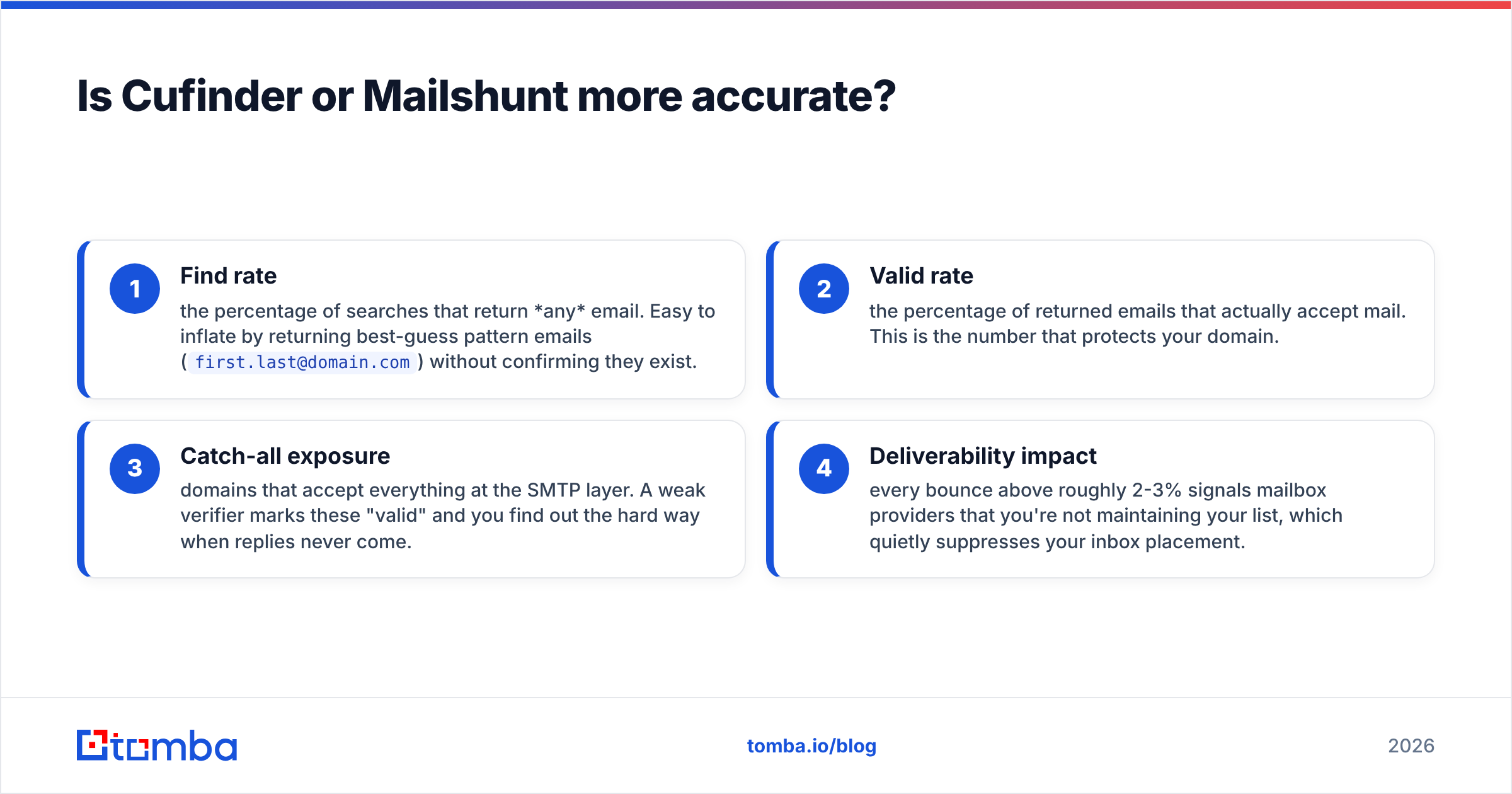
Accuracy is where marketing copy and reality drift apart. Both tools advertise high find rates, but a "find rate" and a "valid rate" are different animals:
- Find rate — the percentage of searches that return any email. Easy to inflate by returning best-guess pattern emails (
first.last@domain.com) without confirming they exist. - Valid rate — the percentage of returned emails that actually accept mail. This is the number that protects your domain.
- Catch-all exposure — domains that accept everything at the SMTP layer. A weak verifier marks these "valid" and you find out the hard way when replies never come.
- Deliverability impact — every bounce above roughly 2-3% signals mailbox providers that you're not maintaining your list, which quietly suppresses your inbox placement.
Neither Cufinder nor Mailshunt publishes an independent, third-party accuracy audit, so the honest answer is: run your own test. Take 100 known-good contacts, run them through each tool, and measure valid rate after independent verification. That single test tells you more than any vendor claim.
This is also where a dedicated verification stack matters. A tool built around a serious email verifier and a separate catch-all verifier treats "is this real?" as a first-class job, not a checkbox on a sending suite. Pairing a finder with real deliverability hygiene is the difference between a list that converts and one that gets you filtered — see email deliverability for why bounce rates cascade.

How does pricing compare between Cufinder and Mailshunt?#
Both use credit-based pricing, and both blur an important line: a credit spent to find an email is not the same as a credit that guarantees a valid one. If a tool charges you for a returned pattern guess that later bounces, your effective cost per usable contact is far higher than the sticker price.
Questions to ask before you compare monthly numbers:
- Do failed or unverified lookups still burn credits? Some tools only charge on a confirmed result — a big deal at scale.
- Is verification bundled or metered separately? Bundled sounds cheaper until you hit a hard cap mid-campaign.
- What's the rollover policy? Credits that expire monthly punish spiky prospecting cycles.
- API vs UI parity — some plans gate the email finder API behind higher tiers even when the UI is cheap.
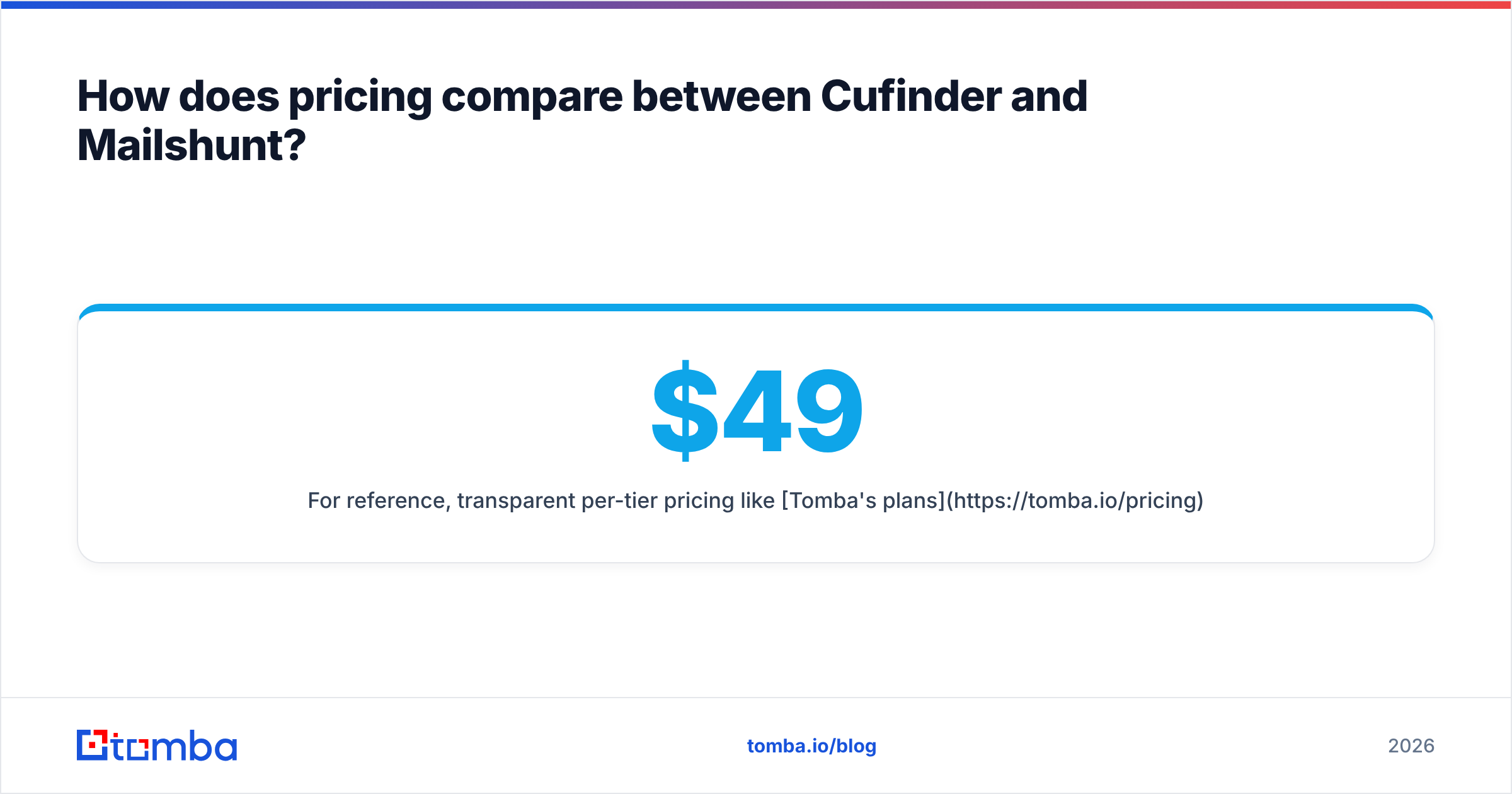
For reference, transparent per-tier pricing like Tomba's plans — Free (25 searches), Starter $49/mo, Growth $99/mo, Pro $249/mo — makes it easy to model cost per valid email because the tiers map to search volume directly. When you evaluate Cufinder and Mailshunt, rebuild their pricing into the same "dollars per 1,000 verified contacts" metric. That normalization usually flips the ranking you'd guess from headline prices.
Which tool fits your workflow?#
Feature parity is a trap. The better question is which tool disappears into how you already work.
Choose Cufinder if:
- You build lists from firmographics first, contacts second.
- You want technographic and company data in the same query as emails.
- Enrichment of an existing CRM matters more than sending.
Choose Mailshunt if:
- You're a solo founder or small team that wants find-verify-send in one login.
- You value fewer tools over best-in-class in any single category.
- Your volume is modest enough that bundled verification limits won't bite.
Choose a dedicated finder (like Tomba) if:
- Cost per valid email is the number your boss actually tracks.
- You need serious domain search to map every contact at a target account.
- You run high volume and want bulk discovery plus deep verification, then push into whatever sender you already use.

What about deliverability and list hygiene?#
This is the section most comparisons skip, and it's the one that decides whether your outreach works. Finding an email is step one; keeping it clean is what protects your ability to reach inboxes at all.
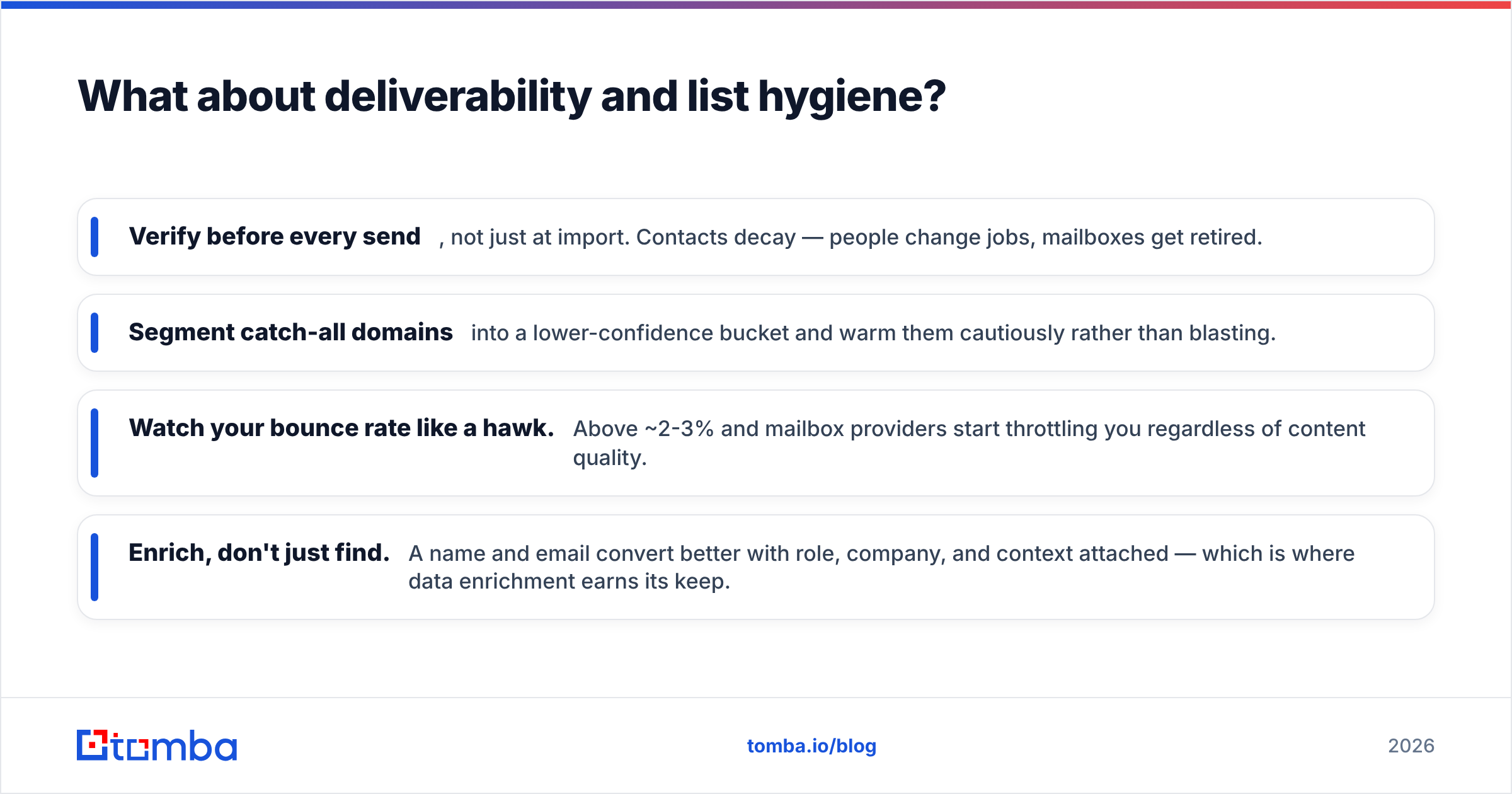
Whichever tool you pick, wire in these habits:
- Verify before every send, not just at import. Contacts decay — people change jobs, mailboxes get retired.
- Segment catch-all domains into a lower-confidence bucket and warm them cautiously rather than blasting.
- Watch your bounce rate like a hawk. Above ~2-3% and mailbox providers start throttling you regardless of content quality.
- Enrich, don't just find. A name and email convert better with role, company, and context attached — which is where data enrichment earns its keep.
Cufinder's enrichment breadth helps with the last point; Mailshunt's integrated sending helps with the first if you use its verification aggressively. But neither replaces a disciplined process. A mediocre finder with rigorous hygiene beats a great finder you dump straight into a sequence.
Cufinder vs Mailshunt: the verdict#
There's no universal winner — there's a winner for your constraint. If you're building lists from company data and want enrichment in the same tool, Cufinder is the more natural fit. If you're a lean team that wants discovery and sending consolidated, Mailshunt's bundled workflow saves you logins and context-switching.
But if the metric that actually matters is cost per valid email that reaches an inbox, both bundled platforms leave a gap that a verification-first specialist fills. Before you standardize on either, run the 100-contact test described above and compare valid rates head to head. The results are frequently the opposite of what the pricing pages suggest.
Whatever you choose, don't buy on find-rate marketing alone. Buy on the number of real conversations your list produces per dollar — and verify relentlessly to keep it that way.
Try a verification-first finder before you commit#
Before you lock into Cufinder or Mailshunt, put a specialist in the mix. Tomba Email Finder is built around finding professional emails by name, domain, or company — then confirming they're real with a dedicated verifier and catch-all checks, so you spend credits on contacts that actually land. Start on the free tier with 25 searches, run the same 100-contact accuracy test against both tools above, and compare valid rates yourself. If cost per valid email is what your pipeline lives on, that side-by-side is the only benchmark that counts. Check Tomba pricing to see how the tiers map to your real prospecting volume.
Related guides#
Ready to find emails that actually work?
Join 150,000+ professionals who stopped guessing and started sending. Free credits on signup — no credit card required.
Get the Tomba newsletter
Practical outbound tactics and product updates — once every two weeks.
About the author