CUFinder vs Market Location: B2B Data Tools Compared for 2026
CUFinder and Market Location both promise clean B2B contact data, but they solve different problems. Here's an honest breakdown of accuracy, coverage, pricing, and the faster alternative most teams actually need.
Choosing between CUFinder and Market Location comes down to a question most comparison pages dodge: are you buying a contact-discovery engine or a regional company directory? They look similar on a features grid, but they were built for different jobs — and picking the wrong one wastes both budget and weeks of pipeline.
This is a neutral breakdown. No vendor wrote it, and where one tool genuinely wins, it wins. Where Tomba is the better-fit answer, we'll say so and show why.
TL;DR — CUFinder vs Market Location at a glance#
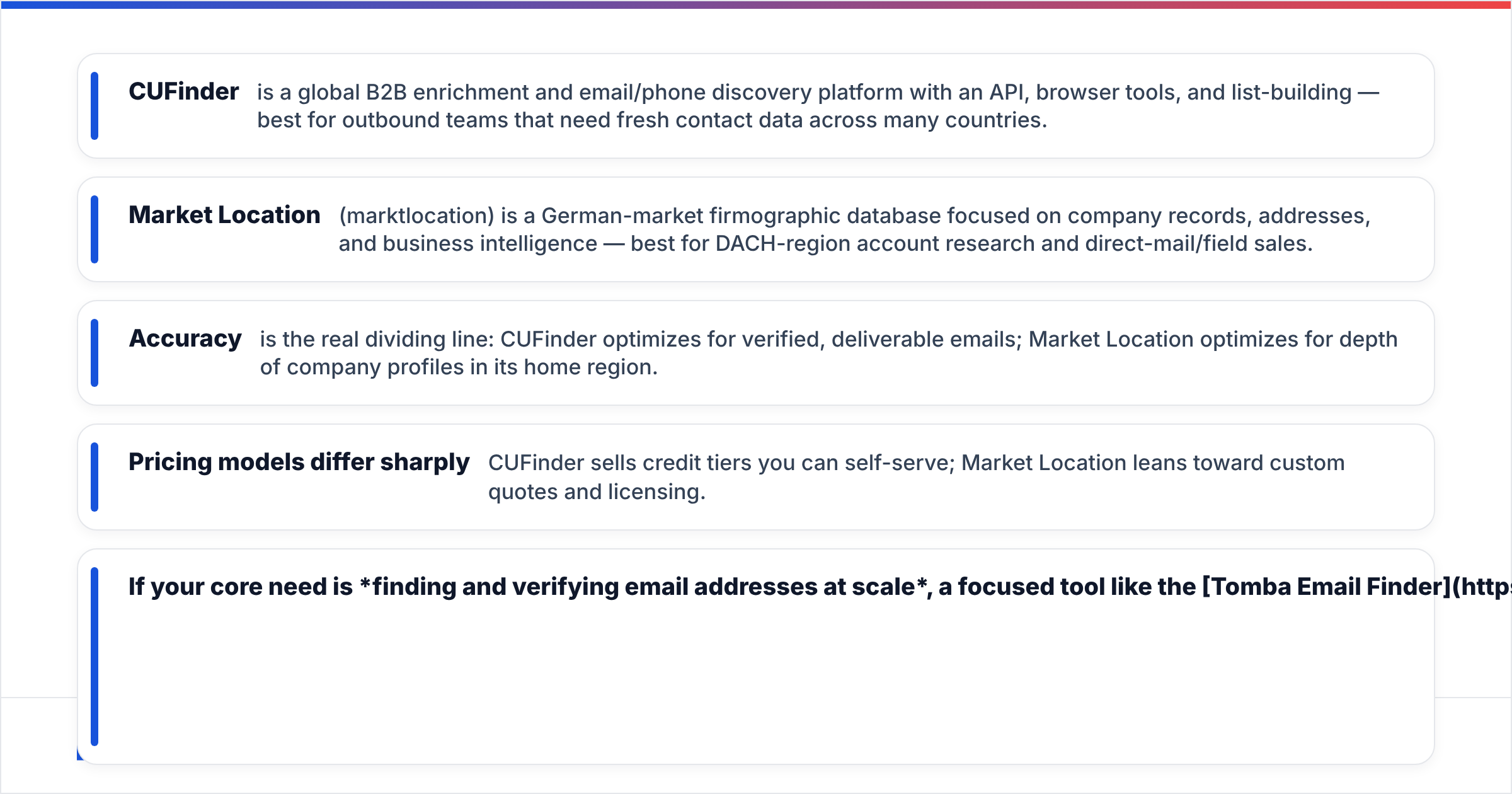
- CUFinder is a global B2B enrichment and email/phone discovery platform with an API, browser tools, and list-building — best for outbound teams that need fresh contact data across many countries.
- Market Location (marktlocation) is a German-market firmographic database focused on company records, addresses, and business intelligence — best for DACH-region account research and direct-mail/field sales.
- Accuracy is the real dividing line: CUFinder optimizes for verified, deliverable emails; Market Location optimizes for depth of company profiles in its home region.
- Pricing models differ sharply — CUFinder sells credit tiers you can self-serve; Market Location leans toward custom quotes and licensing.
- If your core need is finding and verifying email addresses at scale, a focused tool like the Tomba Email Finder will usually out-deliver both on cost-per-valid-contact.
What is CUFinder?#
CUFinder is a lead-generation and data-enrichment platform. You feed it a domain, a company name, or a partial record, and it returns enriched fields: emails, phone numbers, company firmographics, social profiles, and technographics. It ships a web app, a Chrome extension, bulk enrichment, and an API, so it fits both hands-on prospectors and engineering teams wiring data into a CRM.
Think of CUFinder as a general contractor for B2B data — it touches many trades (email, phone, company info, enrichment) across global markets. That breadth is its strength for outbound sales and growth teams who prospect internationally and need one tool to cover most of the funnel.

The trade-off with any broad platform is that "covers everything" rarely means "best at everything." Email verification depth, catch-all handling, and per-region freshness vary — which is exactly where a comparison earns its keep.
What is Market Location?#
Market Location (branded as marktlocation in its home market) is a German business-data provider. Its center of gravity is firmographic depth in the DACH region: company records, legal-entity details, addresses, industry classifications, revenue bands, employee counts, and decision-maker roles. It's the kind of database field-sales and marketing teams use for territory planning, direct mail, and account research inside Germany, Austria, and Switzerland.
If CUFinder is a general contractor, Market Location is a specialist surveyor — deep, authoritative, and detailed on the ground it covers, but narrow by design. That focus is a genuine advantage if your total addressable market is DACH-centric and you value regulatory-grade company records over global email volume.
Where it's a poor fit: if you sell across North America, APAC, or emerging markets, or if your motion is high-volume cold email that lives or dies on deliverability, a region-locked firmographic database leaves gaps you'll fill manually.
CUFinder vs Market Location: the core comparison#
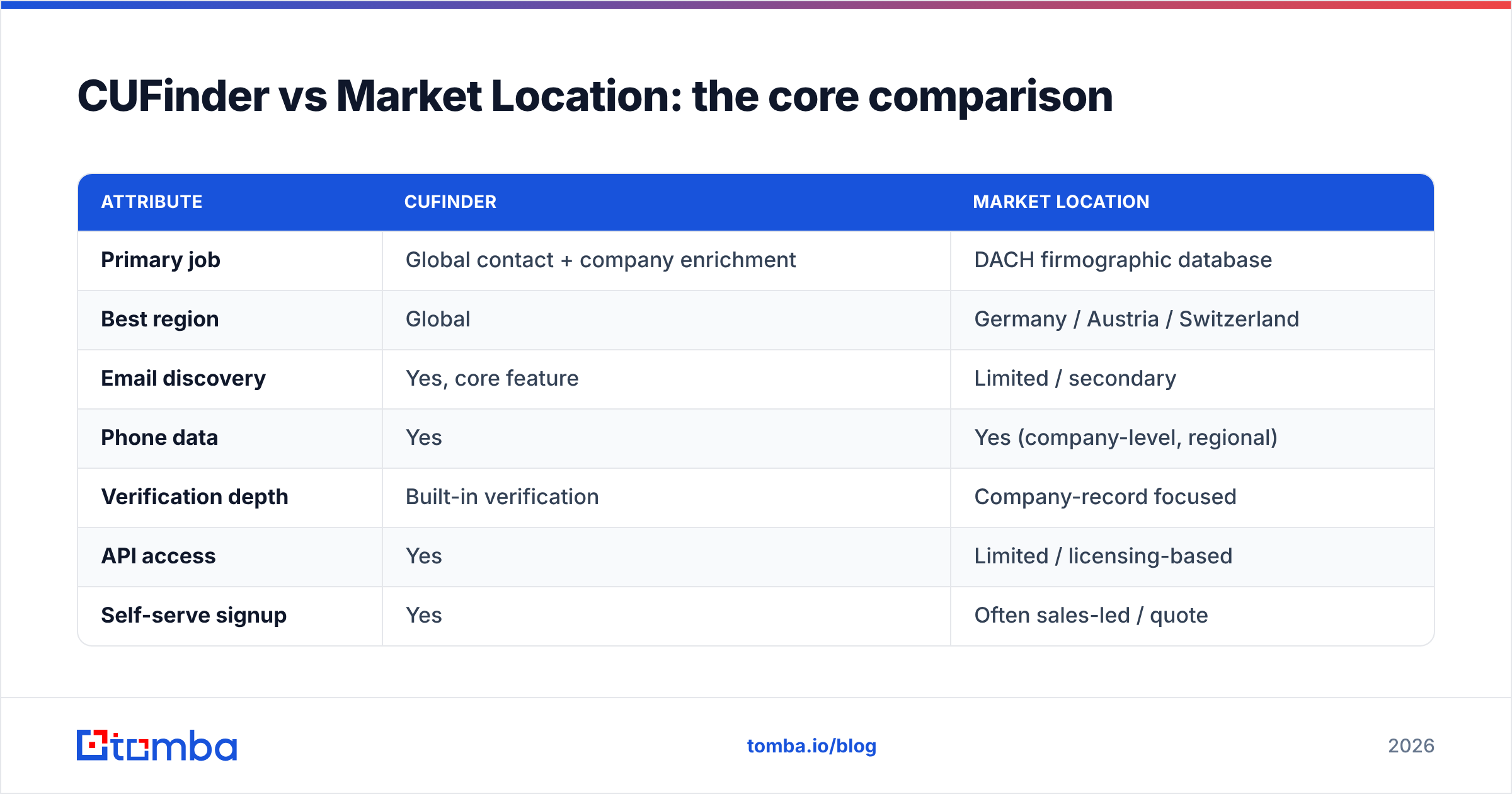
Here's the head-to-head on the attributes that actually change your results. Treat the pricing figures as directional — both vendors adjust tiers and quote enterprise deals individually.
| Attribute | CUFinder | Market Location |
|---|---|---|
| Primary job | Global contact + company enrichment | DACH firmographic database |
| Best region | Global | Germany / Austria / Switzerland |
| Email discovery | Yes, core feature | Limited / secondary |
| Phone data | Yes | Yes (company-level, regional) |
| Verification depth | Built-in verification | Company-record focused |
| API access | Yes | Limited / licensing-based |
| Self-serve signup | Yes | Often sales-led / quote |
| Pricing model | Credit tiers | Custom quote / license |
| Ideal user | Outbound & growth teams | Field sales & account research in DACH |
The pattern is clear: these tools rarely compete for the same buyer. You pick CUFinder when reach and email deliverability matter most, and Market Location when regional company depth and compliance-grade records matter most.

Which has better data accuracy?#
Accuracy is where most "vs" pages hand-wave, so let's be concrete about what accuracy even means, because the two tools optimize different metrics.
For an email-first workflow, accuracy = the percentage of returned addresses that actually accept mail. That means SMTP validation, catch-all detection, and bounce risk — not just "we found an address." CUFinder invests here because deliverability is central to its value. Market Location's records are authoritative on company attributes, but individual email verification isn't its main event.
For an account-research workflow, accuracy = how current and complete the firmographics are — revenue, headcount, industry code, address, legal status. Market Location's DACH depth is hard to beat inside its region.
A practical rule: validate before you send, regardless of source. Even the best database decays — people change jobs every few years, and a contact that was valid last quarter may bounce today. Running any list through a dedicated email verifier before a campaign protects your sender reputation far more than trusting a single vendor's freshness claim. If a chunk of your list sits on catch-all domains, a catch-all verifier tells you which "risky" addresses are actually safe to send.
For the mechanics of why lists rot and how validation protects deliverability, the industry-standard reference is HubSpot's guidance on email bounce rates — the principle holds no matter which data vendor you buy from.
CUFinder vs Market Location on pricing#
Pricing is the part where the two diverge hardest, and where surprises hide.
CUFinder uses self-serve credit tiers — you buy a plan, spend credits on enrichment and lookups, and scale up as you grow. That's predictable and easy to trial. The gotcha with any credit model is cost-per-valid-record: if 30% of returned emails bounce, your effective price per usable contact is much higher than the sticker.
Market Location leans sales-led — expect a scoped quote or license rather than a public price list, which is common for regional data providers selling depth and compliance. That can be excellent value for a DACH-focused team, but it means slower procurement and less ability to "just try it this week."

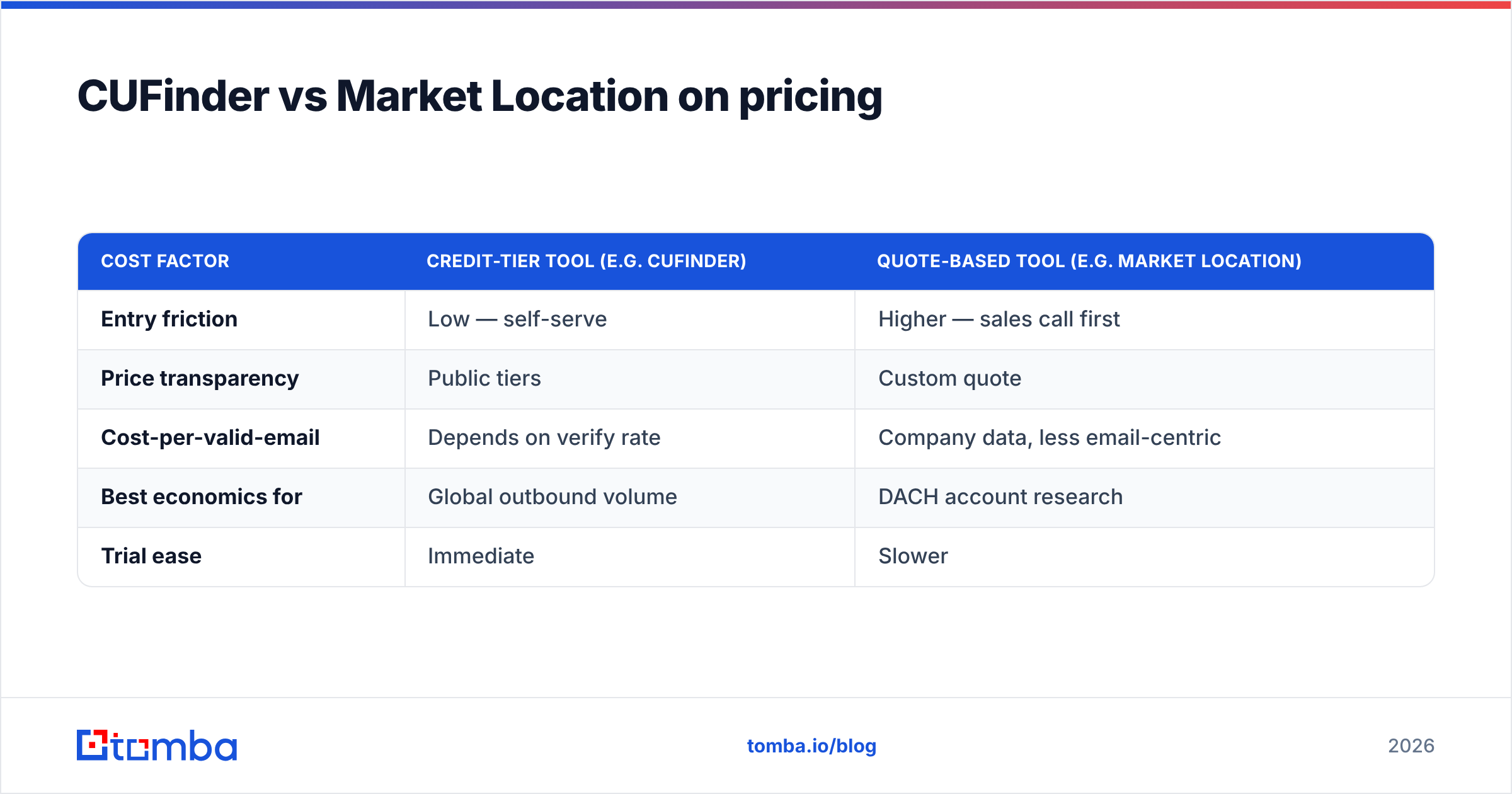
Here's a simplified way to think about total cost, using round numbers for illustration:
| Cost factor | Credit-tier tool (e.g. CUFinder) | Quote-based tool (e.g. Market Location) |
|---|---|---|
| Entry friction | Low — self-serve | Higher — sales call first |
| Price transparency | Public tiers | Custom quote |
| Cost-per-valid-email | Depends on verify rate | Company data, less email-centric |
| Best economics for | Global outbound volume | DACH account research |
| Trial ease | Immediate | Slower |
For teams whose whole question is "how do I find and verify emails cheaply at scale," it's worth benchmarking both against a purpose-built finder. Transparent, credit-style Tomba pricing starts with a free tier of 25 searches, then Starter at $49/mo and Growth at $99/mo — so you can measure real cost-per-valid-contact before committing to an enterprise license.
How do they compare on features and workflow?#
Beyond data, the day-to-day workflow decides whether a tool actually gets used.
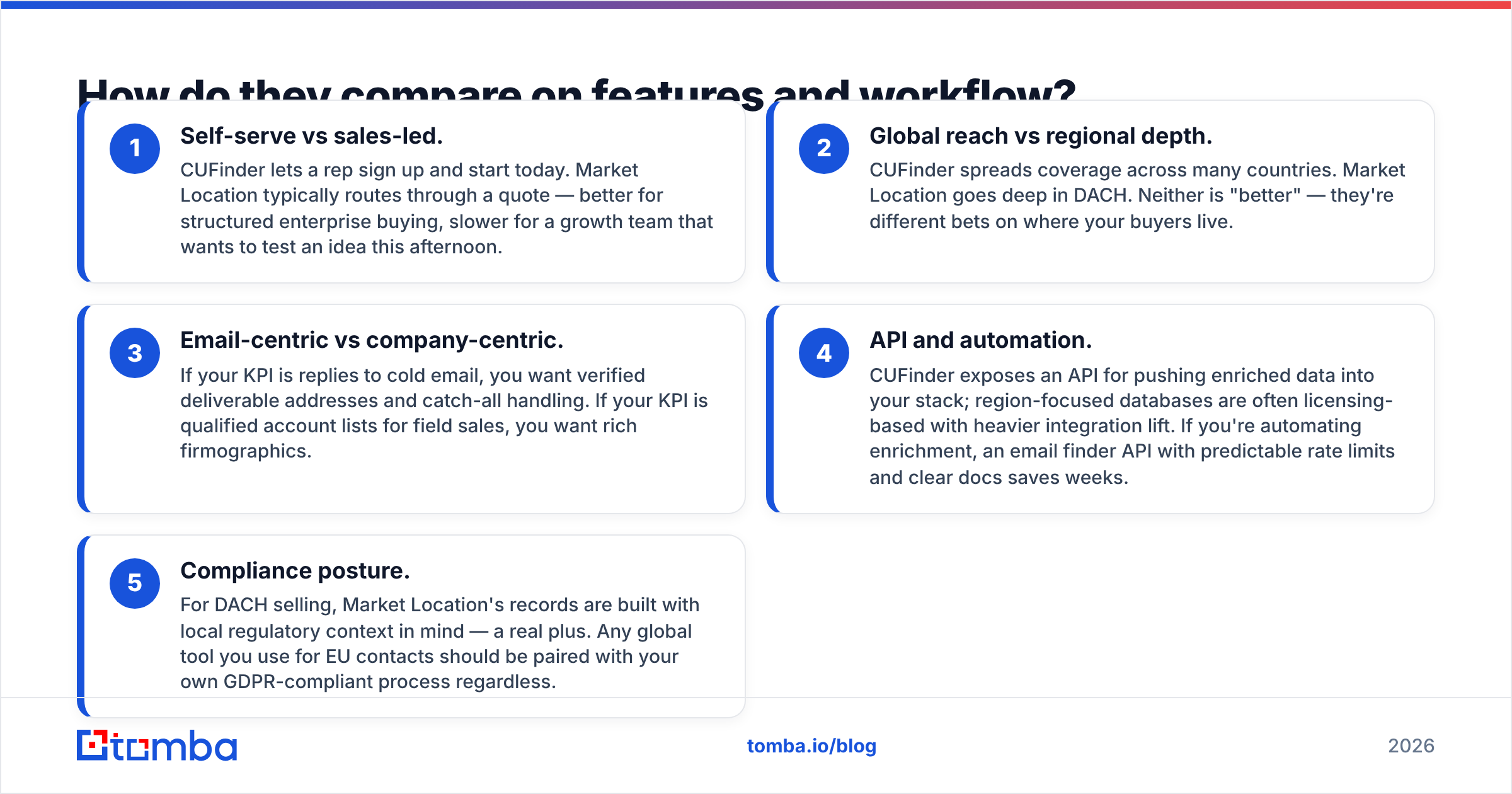
Self-serve vs sales-led. CUFinder lets a rep sign up and start today. Market Location typically routes through a quote — better for structured enterprise buying, slower for a growth team that wants to test an idea this afternoon.
Global reach vs regional depth. CUFinder spreads coverage across many countries. Market Location goes deep in DACH. Neither is "better" — they're different bets on where your buyers live.
Email-centric vs company-centric. If your KPI is replies to cold email, you want verified deliverable addresses and catch-all handling. If your KPI is qualified account lists for field sales, you want rich firmographics.
API and automation. CUFinder exposes an API for pushing enriched data into your stack; region-focused databases are often licensing-based with heavier integration lift. If you're automating enrichment, an email finder API with predictable rate limits and clear docs saves weeks.
Compliance posture. For DACH selling, Market Location's records are built with local regulatory context in mind — a real plus. Any global tool you use for EU contacts should be paired with your own GDPR-compliant process regardless.
For a wider view of how buyers rate these categories, cross-check independent reviews on G2 rather than relying on any vendor's own case studies.
When should you pick a focused email finder instead?#
Sometimes the honest answer is "neither fully" — because your actual need is narrower and cheaper to solve.
Choose a dedicated email finder when:
- Your primary motion is cold email or LinkedIn outreach, and deliverability is the whole game.
- You want transparent, low-friction pricing you can start free and scale without a sales call.
- You need clean CRM enrichment via data enrichment without paying for firmographic depth you won't use.
- You prospect by company and want to pull every contact on a domain with a domain search.
- You run lists in bulk and need bulk email finder plus verification in one pass.
This is where Tomba fits: it's not trying to be a DACH firmographic vault or a do-everything enrichment suite. It does the finding-and-verifying job with high accuracy and a price you can predict. If your CUFinder or Market Location evaluation is really a hunt for reliable, deliverable emails, a focused tool almost always wins on cost-per-valid-contact.
The verdict: CUFinder vs Market Location#
- Pick CUFinder if you prospect globally and want one self-serve platform for emails, phones, and company enrichment across many markets.
- Pick Market Location if your world is DACH and you value deep, compliance-minded company records for field sales and account research over global email volume.
- Pick a focused email finder if the real job is finding and verifying deliverable addresses at the lowest cost per valid contact — which describes most outbound teams.
There's no universal winner, only a best fit for your motion. Map the tool to your KPI — replies, or account depth — and the choice makes itself.
Ready to test the deliverable-data option?#
If your evaluation keeps circling back to "I just need emails that actually land," skip the enterprise quote cycle and benchmark it directly. Start free with the Tomba Email Finder — 25 searches on the house, no sales call — find contacts by domain or name, verify them in the same workflow, and measure your real cost-per-valid-contact against CUFinder or Market Location before you sign anything. That's the fastest way to turn a comparison into a decision.
Related guides#
Ready to find emails that actually work?
Join 150,000+ professionals who stopped guessing and started sending. Free credits on signup — no credit card required.
Get the Tomba newsletter
Practical outbound tactics and product updates — once every two weeks.
About the author