Enrichley vs Pubrio (2026): Which B2B Data Tool Wins?
Enrichley and Pubrio both promise clean B2B contact data, but they solve different problems. Here is how they compare on coverage, verification, pricing, API access, and where a dedicated email finder beats both.
TL;DR
- Enrichley is built around enrichment: you bring records (domains, names, partial rows) and it fills in the blanks. It is strongest when you already have a list and need it completed.
- Pubrio leans toward discovery: search a database, build a target list, pull contact details, and push them into outreach. It is strongest when you are starting from zero.
- Neither tool is a drop-in replacement for the other. Buying the wrong one means paying for a workflow you do not run.
- Verification is the real differentiator. A record that "resolves" is not the same as a record that will land in an inbox.
- If your bottleneck is finding and verifying work emails at volume — not browsing a database UI — a dedicated email finder with a real API is usually the cheaper, faster layer.
What are Enrichley and Pubrio, actually?#
Short answer: both sell B2B contact data, but they attack the funnel from opposite ends.
Enrichley positions itself as a data enrichment layer. The core loop is: you upload or connect a set of incomplete records — a domain, a company name, a first/last pair, a LinkedIn URL — and it returns appended fields: work email, job title, company size, industry, sometimes phone. Think of it as a translator sitting between your messy CRM and the outreach tool that refuses to send to blank rows.
Pubrio sits earlier in the funnel. It is a lead intelligence platform: you filter a database by firmographics and personas, save a list, reveal contact details, and export or sync. The mental model is closer to a search engine for buyers than a cleanup crew for spreadsheets.
That distinction sounds academic until renewal. Teams who buy an enrichment tool and then use it as a prospecting database burn credits at a terrible rate, because enrichment pricing assumes you already know who you want. Teams who buy a prospecting database and then use it to clean a 40,000-row CRM export hit rate limits and per-record ceilings almost immediately.
Before you compare feature checklists, answer one question: do you have a list, or do you need one?

How do Enrichley and Pubrio compare head-to-head?#
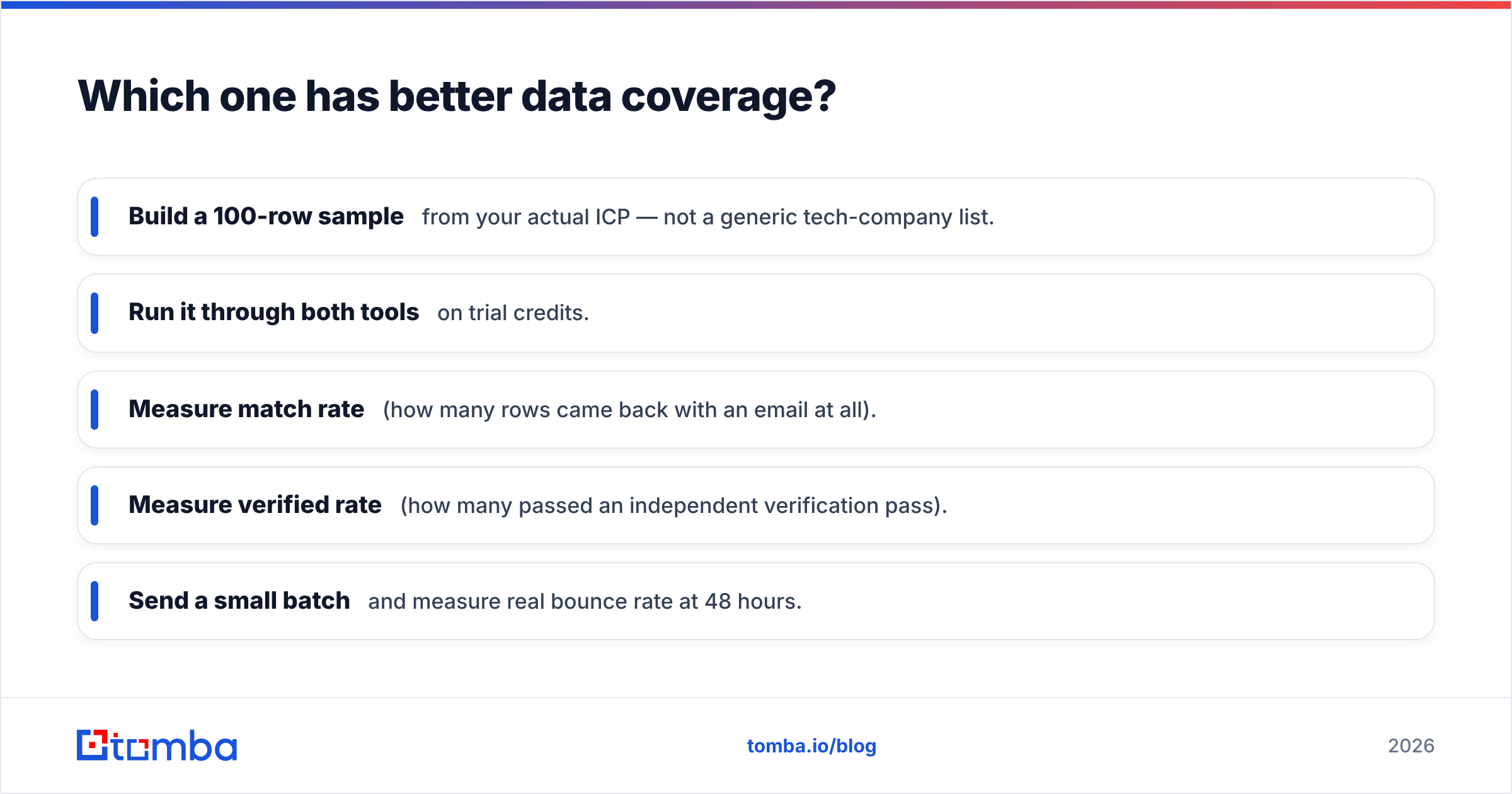
Here is the practical comparison. Pricing for both vendors changes frequently and varies by contract, credit bundle, and region — treat the tiers below as a shape, not a quote, and confirm on the vendor's own pricing page before you buy.
| Dimension | Enrichley | Pubrio | Tomba |
|---|---|---|---|
| Primary job | Enrich existing records | Discover new prospects | Find + verify work emails |
| Starting point | Your CSV / CRM | Their database filters | Domain, name, or LinkedIn URL |
| Free tier | Limited trial credits | Limited trial credits | 25 searches/mo, no card |
| Entry paid plan | Low-double-digit to ~$50/mo band | Low-double-digit to ~$50/mo band | $49/mo Starter |
| Mid tier | Credit-bundle based | Seat + credit based | $99/mo Growth |
| Bulk processing | Yes, CSV-first | Yes, list export | Bulk email finder + bulk verify |
| Native verification | Basic / bundled | Basic / bundled | Dedicated email verifier + catch-all handling |
| API access | Yes, plan-gated | Yes, plan-gated | Tomba API on every paid plan |
| Best for | RevOps cleaning a CRM | SDRs building fresh lists | Anyone whose bottleneck is deliverable emails |
The row that matters most is the second-to-last one. Enrichment platforms and prospecting databases both include verification, but for both it is a supporting feature, not the product. When verification is a bolt-on, the vendor optimises for "we returned a value" rather than "this value will not bounce."
Which one has better data coverage?#
Neither wins outright — and any blog that tells you one does with a precise percentage is guessing.
Coverage is not a single number. It is a function of three things:
- Geography. North American mid-market is well covered by nearly every vendor. Coverage falls off sharply for EMEA SMBs, APAC, and non-English company records. If 60% of your ICP is German Mittelstand, a US-centric database's headline "500M contacts" is irrelevant.
- Seniority. VP-and-above contacts at companies over 200 employees are the most-sold, most-verified records in the industry. Individual contributors at sub-50-person companies are where databases go stale fastest.
- Recency. B2B contact data decays at roughly 2-2.5% per month as people change jobs — which compounds to a meaningful chunk of any list per year. A large database that refreshes annually is worse than a smaller one that refreshes weekly.
The honest test is not reading vendor marketing. It is this:
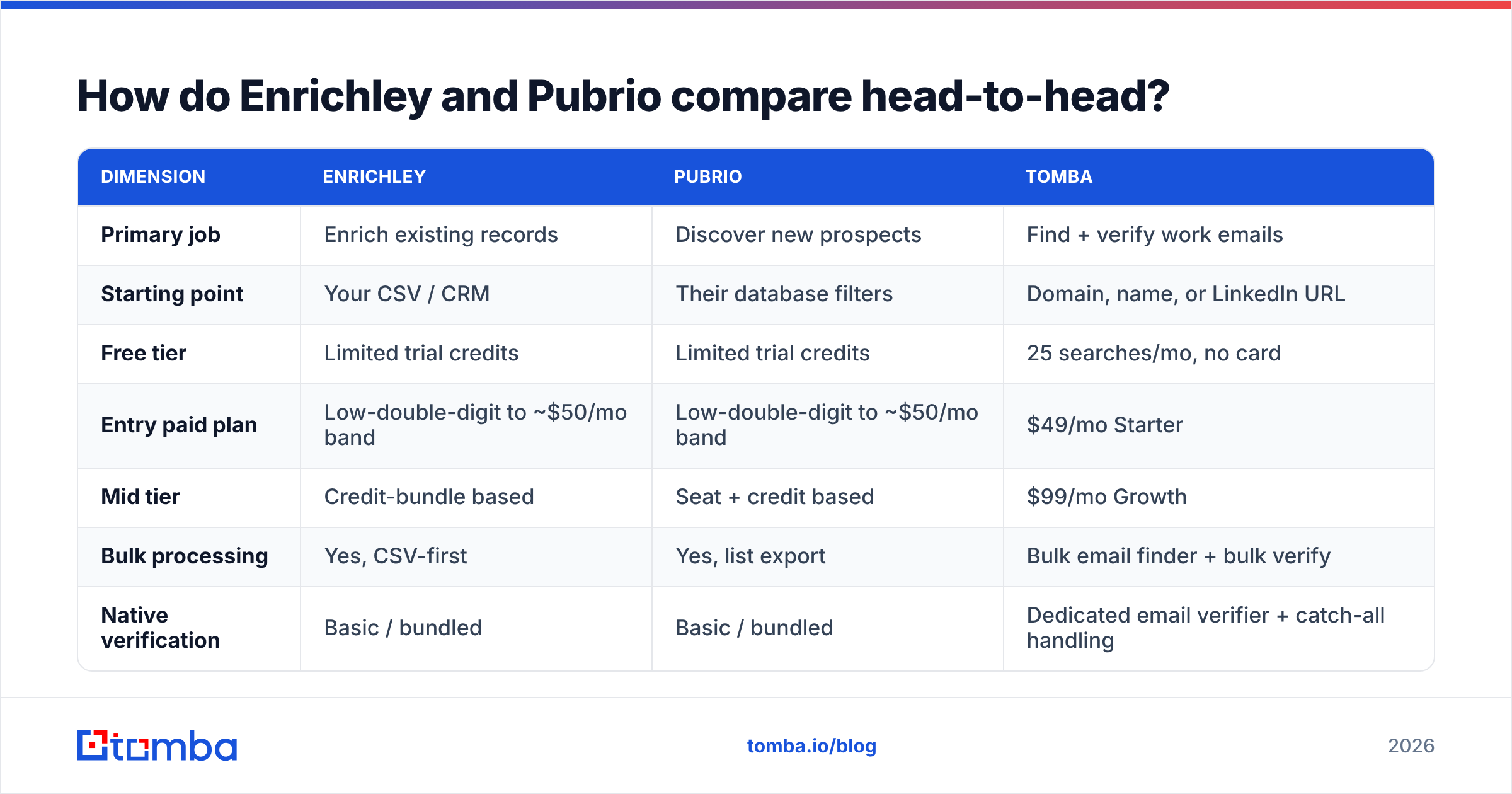
- Build a 100-row sample from your actual ICP — not a generic tech-company list.
- Run it through both tools on trial credits.
- Measure match rate (how many rows came back with an email at all).
- Measure verified rate (how many passed an independent verification pass).
- Send a small batch and measure real bounce rate at 48 hours.
Step four is where most evaluations quietly fall apart. Run the outputs of both tools through a neutral third-party checker — Tomba's free email checker works for spot checks — instead of trusting each vendor to grade its own homework. Vendors have every incentive to mark ambiguous records as "valid." A neutral verifier does not.
Also check how each tool labels catch-all domains. A catch-all mail server accepts everything at SMTP time, so naive verification marks every address on that domain as valid. Some domains genuinely accept mail; many silently discard it. If a vendor returns a flat "valid" on catch-alls with no separate flag, your bounce rate will look fine and your reply rate will be zero. Tools with a dedicated catch-all verifier treat those records as their own risk class instead of hiding them in the "valid" bucket.
Is Pubrio better than Enrichley for outbound teams?#
For a pure SDR motion starting from a blank list, yes — Pubrio's model fits better. You define a persona, filter, and get names. Enrichley cannot help you if you do not know who to enrich.
But "outbound team" is doing a lot of work in that question. Three common variants:
1. Founder-led outbound, 50-200 contacts a month. You already know your accounts. You need emails for named people at named companies. This is enrichment-shaped work, and honestly it is also the cheapest use case to solve with a straight domain search — type the company domain, get the pattern and the people, done. Paying for a full database seat here is overkill.
2. SDR team, 2,000+ new contacts a month. You need discovery, filters, saved searches, and CRM sync. Pubrio's shape fits. Budget for a separate verification pass regardless of what is bundled.
3. RevOps cleaning an inherited database. You have 80,000 rows, 30% with no email and 20% with dead ones. This is enrichment plus verification at volume — Enrichley's shape fits, and API-based bulk processing matters far more than a pretty UI.
Most teams end up with a hybrid: a discovery source, an enrichment/verification layer, and a sequencer. The mistake is assuming one vendor does all three well. Very few do, and the ones that claim to usually charge platform pricing for it. Independent review sites like G2's lead intelligence category are useful here mainly for spotting the complaints that repeat across dozens of reviews — those are the real product limits.

What does each tool actually cost you?#
Sticker price is the least interesting number. Four hidden costs decide your real cost per usable contact:
- Credit burn on misses. Some vendors charge for a lookup even when it returns nothing or returns a risky record. Ask explicitly: do I pay for unmatched rows? A tool at half the price that charges for misses can be more expensive per usable contact.
- Verification double-spend. If bundled verification is not trustworthy, you pay twice — once for the record, once for an external verifier. Price that second pass in from day one.
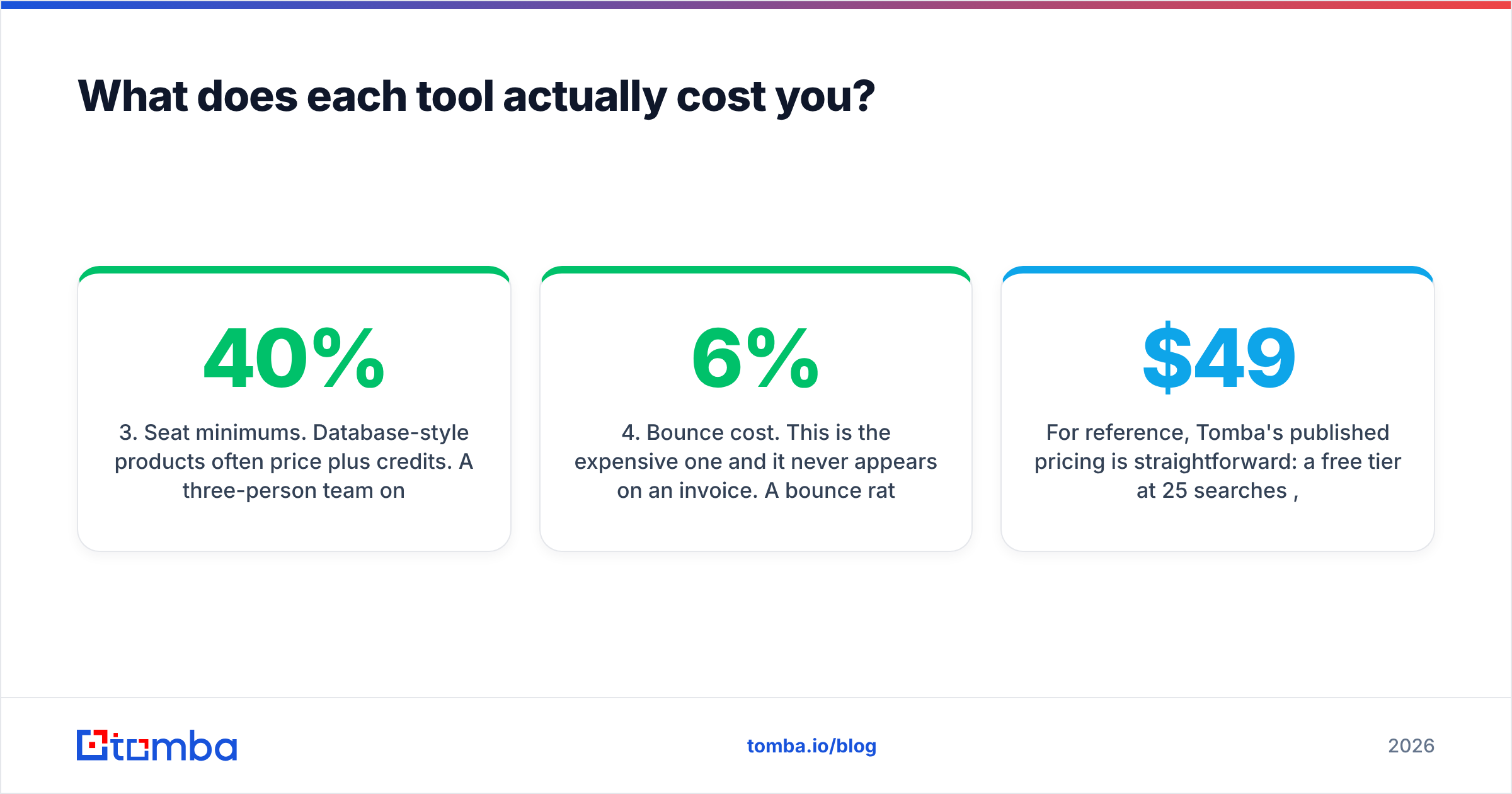
- Seat minimums. Database-style products often price per seat plus credits. A three-person team on a five-seat minimum is paying 40% overhead before a single lookup.
- Bounce cost. This is the expensive one and it never appears on an invoice. A 6% bounce rate on a new sending domain damages sender reputation and suppresses deliverability for every campaign you run after it — including the clean ones. Cheap dirty data is not cheap.
For reference, Tomba's published pricing is straightforward: a free tier at 25 searches per month, Starter at $49/mo, Growth at $99/mo, Pro at $249/mo, and custom Enterprise. Full Tomba pricing details, including API rate limits per tier, are public rather than gated behind a demo call. Whichever vendor you evaluate, insist on that transparency — "contact sales for pricing" on an entry tier is a signal about how the negotiation will go.
Run this calculation before signing anything:
- Cost per matched record = monthly price ÷ records that returned an email
- Cost per deliverable record = monthly price ÷ records that passed independent verification
- Effective cost = cost per deliverable record + external verification spend
Vendors compete on the first number. Your pipeline is built on the second and third.
When should you use a dedicated email finder instead?#
When your bottleneck is emails, not discovery.
A lot of teams buy a full data platform to solve a narrow problem. The symptoms are recognisable:
- You already know your accounts. Account list comes from your ICP, partner referrals, or an intent tool. You do not need another database — you need contacts at accounts you have already chosen.
- Your CRM has domains but no people. Classic post-webinar or post-trial state. That is a data enrichment job, not a prospecting job.
- Your bounce rate is above 3%. No amount of extra records fixes this. You need a verification layer, and you need it before the sequencer, not after.
- You want this in code, not a UI. If your team lives in scripts, Sheets, or an internal tool, a clean API beats any dashboard. Being able to call an endpoint from your enrichment job — or from Google Sheets — removes an entire manual export/import step.
- You need one-off lookups. A single email for a single person should not require a seat license.
This is where a purpose-built finder earns its place in the stack. It does one job — resolve a name and domain into a deliverable work email, and tell you honestly when it cannot — and it does not charge platform pricing for it. You can keep Enrichley or Pubrio for what each is genuinely good at, and stop asking either one to be your verification system of record.
It is also worth noting that the "one platform for everything" pitch is under pressure across the whole category. Buyers increasingly assemble a thin stack — a source, a resolver, a sequencer — because each component is replaceable when it degrades. Consolidated platforms make degradation invisible until renewal. That is a general pattern in lead generation tooling, not a knock on any specific vendor.
How should you run the evaluation?#
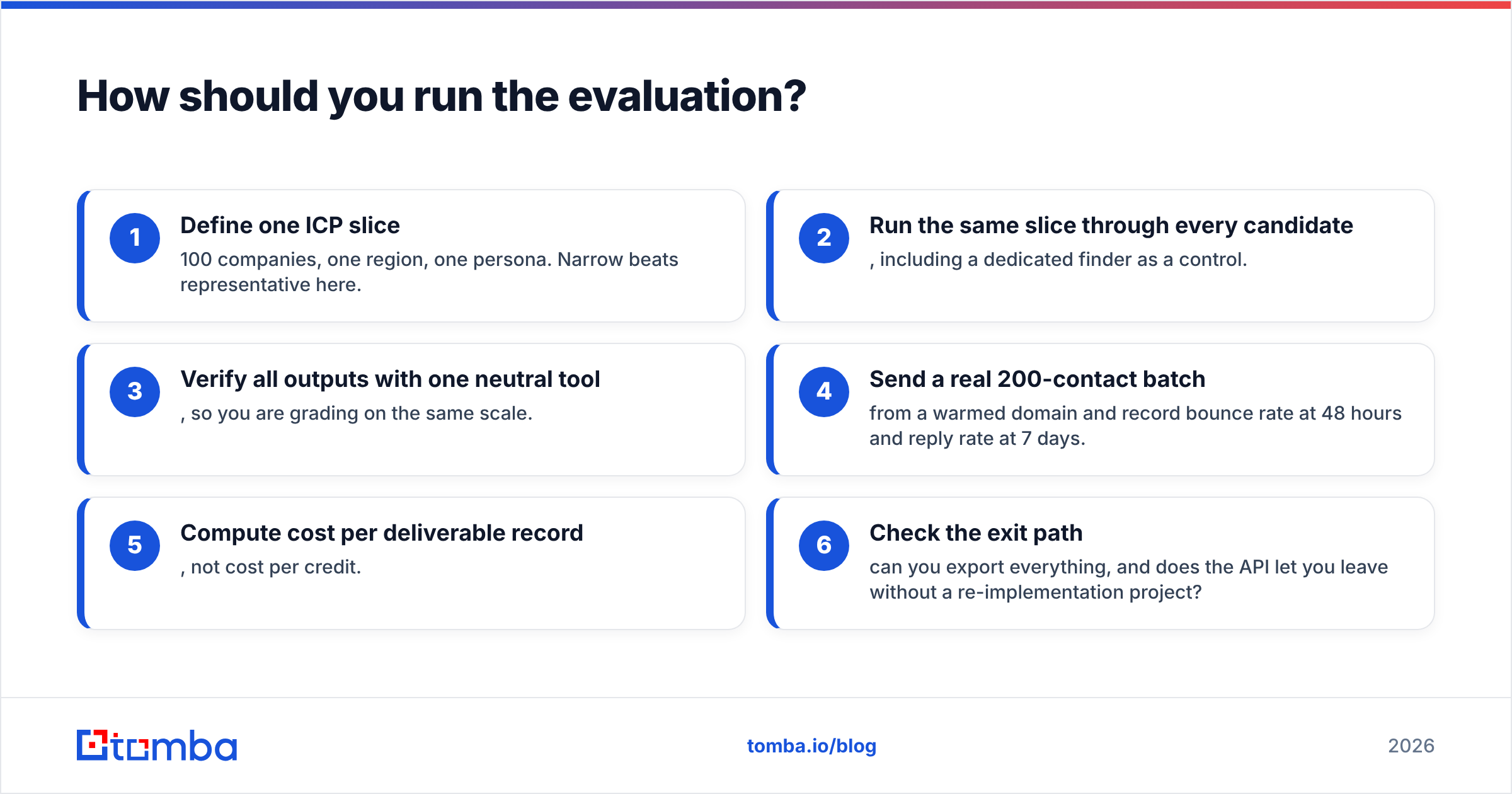
Do not evaluate on features. Evaluate on outcomes, in this order:
- Define one ICP slice — 100 companies, one region, one persona. Narrow beats representative here.
- Run the same slice through every candidate, including a dedicated finder as a control.
- Verify all outputs with one neutral tool, so you are grading on the same scale.
- Send a real 200-contact batch from a warmed domain and record bounce rate at 48 hours and reply rate at 7 days.
- Compute cost per deliverable record, not cost per credit.
- Check the exit path — can you export everything, and does the API let you leave without a re-implementation project?
Step six saves the most pain long-term. Data vendors churn. A contract that traps your enriched records is a contract you will regret in eighteen months.
Also test support during the trial, not after. Send one hard question — "how do you classify catch-all domains?" — and see whether you get a real technical answer or a link to a marketing page. The answer to that question predicts the next two years of the relationship better than any feature grid. Both vendors publish their own positioning; Pubrio's site is the place to confirm current plan details rather than trusting a third-party summary, including this one.
The verdict#
Pick Pubrio if you are starting from zero and need discovery: filters, personas, saved lists, and a database to browse.
Pick Enrichley if you already have records and need them completed at volume — CRM cleanup, form-fill enrichment, partial-row repair.
Pick neither as your verification layer. Both bundle it; neither is built around it. Add a dedicated verifier regardless of which you choose, and treat catch-all domains as their own risk category.
If what you actually need is deliverable work emails — by domain, by name, by company, at volume, via API, without a seat minimum — start with the Tomba Email Finder. The free tier gives you 25 searches a month with no card, which is enough to run the 100-row bake-off described above and see the match and verification rates against your own ICP rather than a vendor's demo list. Paid plans start at $49/mo with API access included, so the tool scales from a founder's manual list-building to a scripted enrichment pipeline without a replatform in the middle.
Run the test on your own data. That is the only comparison that predicts your pipeline.
Related guides#
Ready to find emails that actually work?
Join 150,000+ professionals who stopped guessing and started sending. Free credits on signup — no credit card required.
Get the Tomba newsletter
Practical outbound tactics and product updates — once every two weeks.
About the author