Forager vs Salesbot (2026): Which B2B Email Tool Wins?
Forager sells fresh, API-first contact data. Salesbot sells AI-assisted prospecting. We compare coverage, verification, credits, and real cost — and name the setup that actually fits most outbound teams in 2026.
TL;DR
- Forager is a data-first platform: it sells continuously refreshed B2B contact records and an API to pull them. You buy coverage and freshness.
- Salesbot is a workflow-first platform: it wraps contact discovery in AI-assisted prospecting and outreach. You buy convenience and speed.
- Neither one is strictly "better" — they solve different halves of the same problem. The mistake is paying for both halves twice.
- On raw email accuracy, what matters is not the marketing claim but the verification layer: SMTP checks, catch-all handling, and how bounces are refunded.
- If your bottleneck is finding and verifying addresses at volume rather than writing sequences, a dedicated finder like Tomba Email Finder plus a sequencer you already own is usually cheaper and more accurate than either all-in-one.
What are Forager and Salesbot?#
Forager (forager.ai) positions itself as a real-time B2B data provider. Its pitch is freshness: rather than shipping a static database that ages between quarterly refreshes, it continuously re-crawls professional profiles and company records so that job changes, title updates, and departures surface faster. Access is API-first, with a UI layered on top. The buyer is typically a RevOps or data engineer who wants records flowing into a warehouse or CRM, not a rep clicking around a search screen.
Salesbot (salesbot.io) sits closer to the rep. It bundles prospect discovery with AI-assisted message generation and sending, aiming to compress "find lead → write email → send sequence" into one screen. The buyer is usually a founder or a small sales team that wants one subscription instead of three.
That difference in center of gravity explains almost every other difference between them. Forager optimizes for the quality of the record. Salesbot optimizes for the time between having a target account and having a sent email.

How do Forager and Salesbot actually differ?#
Strip the marketing and the split comes down to five structural choices:
- Data ownership model — Forager is built around delivering records you keep and store (API, bulk export, warehouse sync). Salesbot is built around records you use inside its own sending workflow. If you want a clean, portable dataset, that distinction matters at renewal time.
- Verification depth — A finder is only as good as its verifier. Real verification means MX lookup, SMTP handshake, role-address detection, disposable-domain filtering, and an honest "unknown" bucket for catch-all domains. Tools that skip the unknown bucket and mark everything "valid" look better in a demo and worse in your bounce report.
- Freshness cadence — Forager's core claim is refresh speed. Salesbot leans on live enrichment at the moment of search. Both beat a static CSV, but they fail differently: stale records bounce, live lookups time out.
- AI surface area — Salesbot puts AI in the message layer (drafting, personalization, reply handling). Forager keeps AI in the data layer (entity resolution, dedup, title normalization). Neither approach makes the other obsolete.
- Who has to be technical — Forager rewards a team with an engineer or a strong ops person. Salesbot rewards a team with neither. Buying the wrong one for your org chart is the most common and most expensive mistake here.

Which one finds more valid email addresses?#
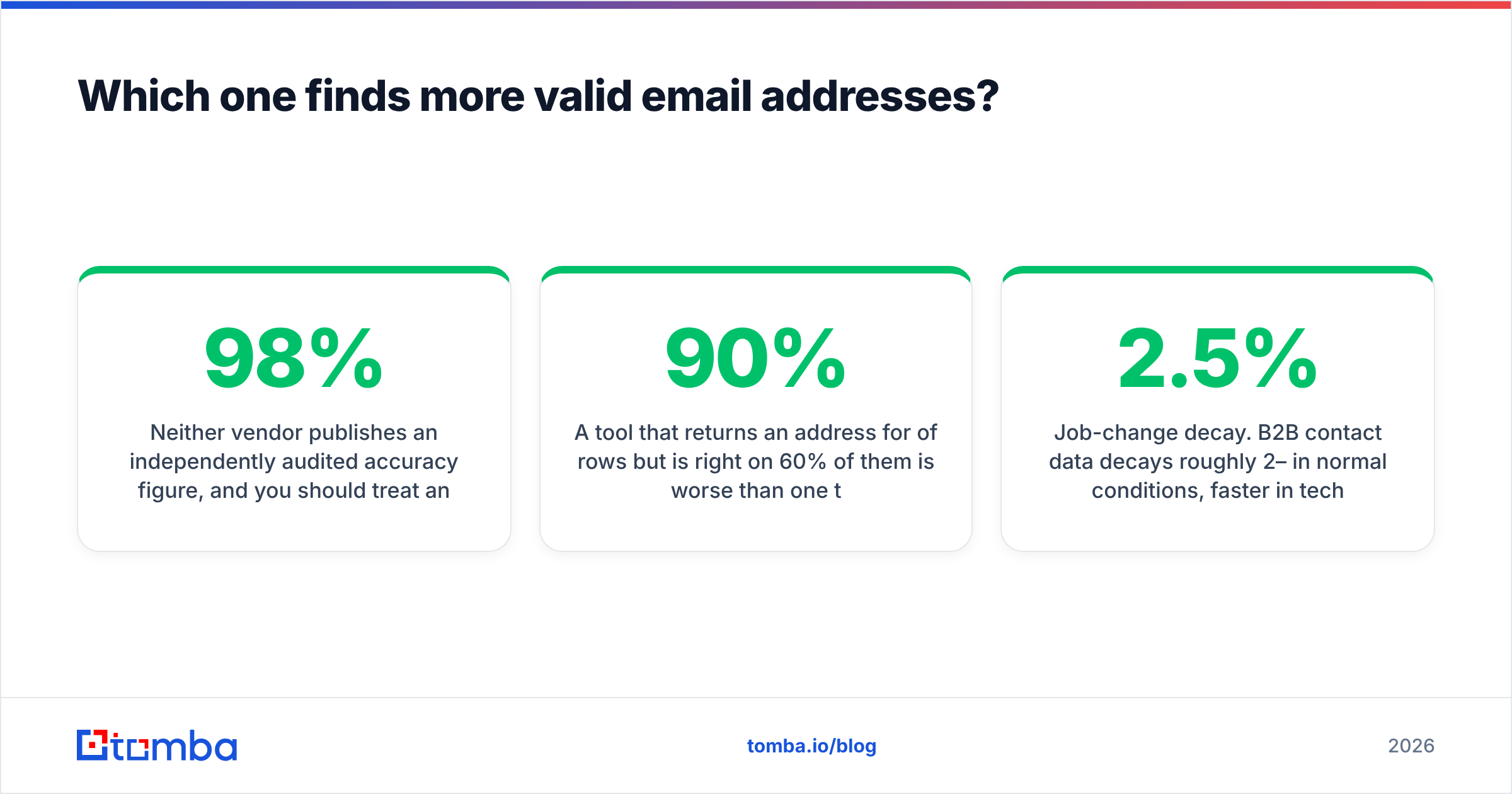
Neither vendor publishes an independently audited accuracy figure, and you should treat any single number — "98% accurate", "95% deliverable" — as a marketing artifact until you test it on your own list. Accuracy is not a property of a tool; it's a property of a tool against a specific segment.
Here's how to run the test properly, in about an hour:
- Pull 200 contacts you already have confirmed, valid emails for — ideally from closed-won accounts, across the industries and company sizes you actually sell to.
- Strip the emails. Feed name + domain into each tool.
- Score three things separately: hit rate (did it return anything?), match rate (did it return the right address?), and bounce rate (what happened when you sent).
A tool that returns an address for 90% of rows but is right on 60% of them is worse than one that returns for 65% and is right on 62%. High hit rates are easy to fake by falling back to pattern guessing — first.last@domain.com will "work" often enough to look impressive and often enough to poison your sender reputation.
Two failure modes to watch specifically:
- Catch-all domains. Roughly a fifth of B2B domains accept everything at the MTA level. A verifier that reports these as "valid" is guessing. A good one flags them as risky and gives you a separate confidence signal — that's the entire reason a dedicated catch-all finder exists as its own product category.
- Job-change decay. B2B contact data decays roughly 2–2.5% per month in normal conditions, faster in tech during layoff cycles. This is Forager's home turf and the strongest argument for its pricing. If your list sits in a CRM for six months before anyone touches it, freshness matters more than raw coverage.
How do Forager and Salesbot compare on pricing and features?#
Vendor pricing moves; verify on the live pages before you commit. The shape of each model, however, is stable and is what you should actually compare.
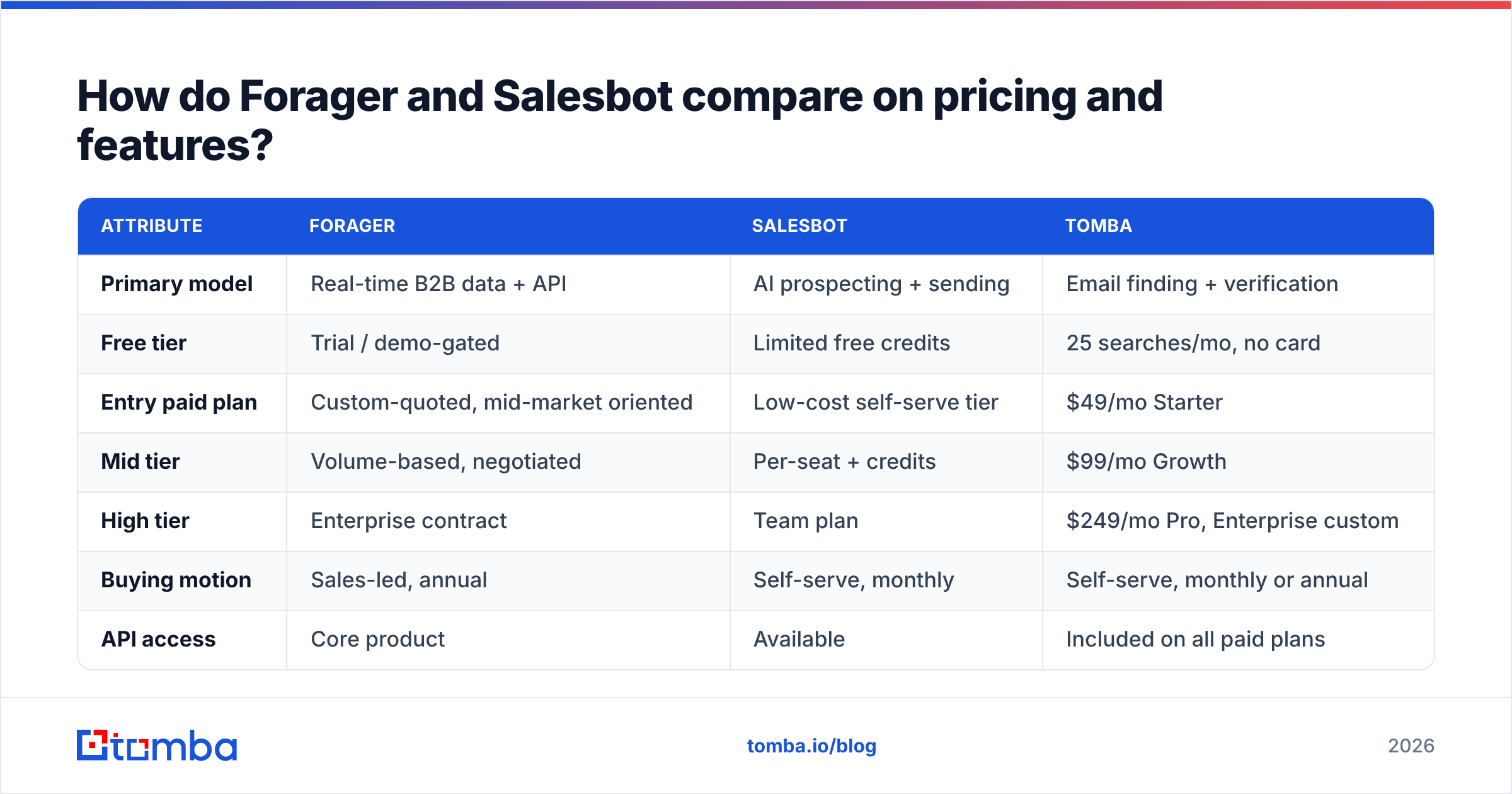
| Attribute | Forager | Salesbot | Tomba |
|---|---|---|---|
| Primary model | Real-time B2B data + API | AI prospecting + sending | Email finding + verification |
| Free tier | Trial / demo-gated | Limited free credits | 25 searches/mo, no card |
| Entry paid plan | Custom-quoted, mid-market oriented | Low-cost self-serve tier | $49/mo Starter |
| Mid tier | Volume-based, negotiated | Per-seat + credits | $99/mo Growth |
| High tier | Enterprise contract | Team plan | $249/mo Pro, Enterprise custom |
| Buying motion | Sales-led, annual | Self-serve, monthly | Self-serve, monthly or annual |
| API access | Core product | Available | Included on all paid plans |
| Bulk processing | Yes, warehouse-oriented | Limited | Yes — bulk finder and verifier |
| Verification included | Bundled with record | Bundled | Standalone verifier + catch-all |
| Sequencing / sending | No | Yes | No — integrates with yours |
The row that decides most deals is buying motion. A sales-led, annually-contracted data vendor is a fine choice if you know your volume and can commit. It's a bad choice if you're still figuring out whether outbound works for you — you'll pay for twelve months of credits to answer a question that ninety days would have answered.

Note the second structural difference: Salesbot charges partly per seat because sending is a per-human activity. Data platforms charge per record because data is not. If your team grows from 3 reps to 10, a seat-based tool triples in cost while a credit-based tool doesn't move at all. Model that before you sign.
Is an all-in-one better than a specialist stack?#
The honest answer: all-in-one wins on setup time, specialist stacks win on unit economics and on ceiling.
Where all-in-one genuinely wins:
- You are one to three people. Vendor sprawl has a real cost measured in your attention. One login beats four.
- Your volume is under a few thousand contacts a month. The savings from unbundling won't cover the integration work.
- You have no ops function. Someone has to own the plumbing. If that person doesn't exist, don't build plumbing.
Where the specialist stack wins:
- Deliverability is already a problem. When bounces climb, you need a verifier you can point at any list from any source — not one that only works on leads sourced inside the same tool. A standalone email verifier is the fix.
- You have multiple data sources. Conference lists, inbound signups, partner referrals, scraped events. All-in-ones are weakest exactly here: their verification is tuned for their own data.
- You're doing anything programmatic. Enrichment on form submit, CRM hygiene jobs, lead routing. That's an API problem, and a clean email finder API beats a UI-first product every time.
- Your sequencer is non-negotiable. Plenty of teams already run Instantly, Smartlead, HubSpot, or Outreach. Buying a second sending engine inside a prospecting tool means paying twice and splitting your reply data across two systems.
Which should you choose for your team?#
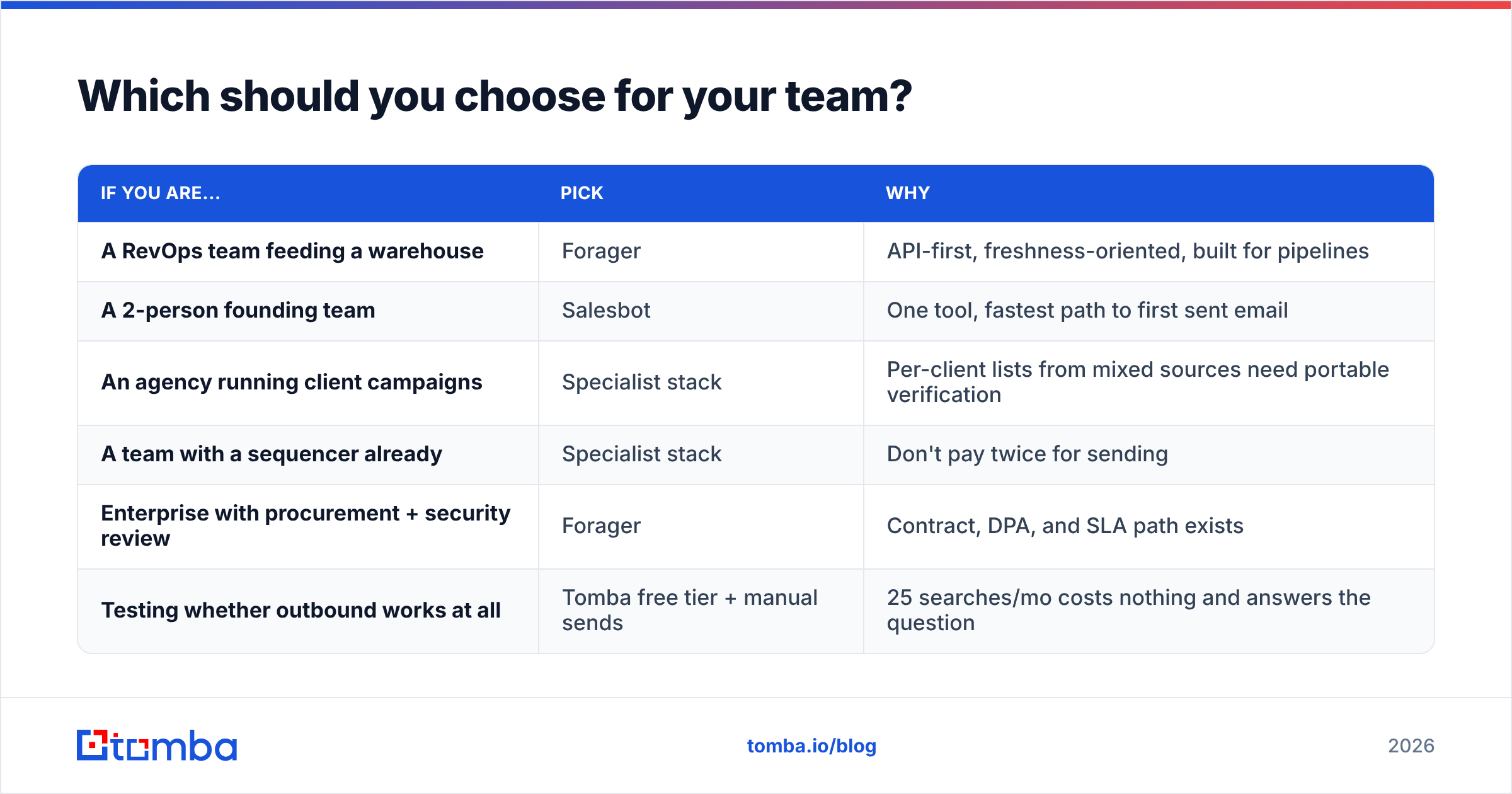
| If you are... | Pick | Why |
|---|---|---|
| A RevOps team feeding a warehouse | Forager | API-first, freshness-oriented, built for pipelines |
| A 2-person founding team | Salesbot | One tool, fastest path to first sent email |
| An agency running client campaigns | Specialist stack | Per-client lists from mixed sources need portable verification |
| A team with a sequencer already | Specialist stack | Don't pay twice for sending |
| Enterprise with procurement + security review | Forager | Contract, DPA, and SLA path exists |
| Testing whether outbound works at all | Tomba free tier + manual sends | 25 searches/mo costs nothing and answers the question |
A note on sourcing ethics and compliance, since both categories touch it: under GDPR, legitimate interest can cover B2B outreach, but it does not cover ignoring opt-outs or scraping personal (non-business) addresses. Ask any vendor where the data comes from and whether they honor suppression at the source level. Tomba publishes its data sources for this reason; ask the others for the same and treat a vague answer as a finding.
What does a sane 2026 outbound stack look like?#
Most teams under 50 reps converge on roughly the same four layers, and the layers matter more than the logos:
- Targeting — a list of accounts and roles that fit, built from a filterable database or your own research. Garbage here cannot be fixed downstream.
- Contact discovery — turning "VP Marketing at Acme" into a real, current address. This is where domain search and a bulk finder earn their keep.
- Verification — a separate, deliberate step before anything gets sent. Non-negotiable if you send more than a few hundred emails a month.
- Sequencing and reply handling — the part reps actually live in.
Forager competes on layers 1–2. Salesbot competes on 2–4. Tomba competes on 2–3 and deliberately stays out of 4. Once you see the stack this way, "Forager vs Salesbot" stops being an either/or and becomes a question about which layer is currently costing you the most money.
Frequently asked questions#
Does Forager or Salesbot offer a genuinely free plan? Salesbot offers limited free credits for evaluation; Forager's entry point is trial- and demo-gated because it sells annually. If you want ongoing free usage to test coverage against your own list, Tomba's free tier gives you 25 searches a month with no card — see Tomba pricing for what each paid tier adds.
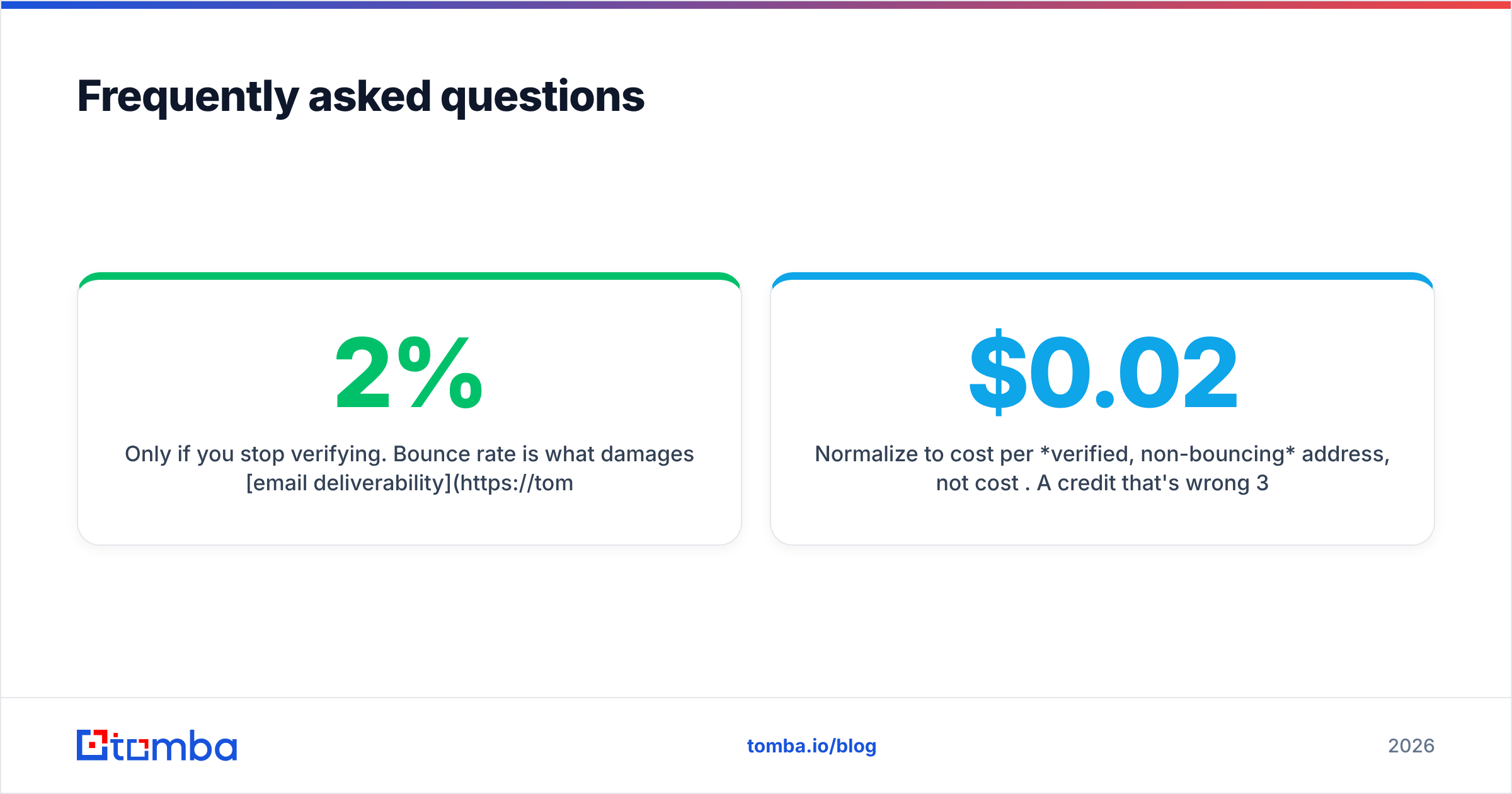
Will switching tools hurt my deliverability? Only if you stop verifying. Bounce rate is what damages email deliverability, not the logo on the invoice. Keep hard bounces under 2% and warm any new sending domain regardless of which finder you use.
Can I use both? Yes, and some teams do — Forager for continuous CRM refresh, a specialist verifier before each send. The waste comes from overlapping sending tools, not from overlapping data sources.
How do I compare them fairly on price? Normalize to cost per verified, non-bouncing address, not cost per credit. A $0.02 credit that's wrong 30% of the time costs $0.029 per usable record. Run the 200-contact benchmark above and do the division.
Where can I see independent reviews? Filter G2's lead intelligence category by company size close to yours. Reviews from 500-person orgs tell you almost nothing about how a tool behaves for a 5-person team.
The bottom line#
Forager and Salesbot aren't really competitors — they're neighbors. Forager sells you better records; Salesbot sells you fewer steps. Pick based on which one your team is currently short of, and be honest about whether you have the ops muscle to run an API-first data platform.
If what you actually need is the middle layer done properly — accurate addresses, honest catch-all handling, bulk throughput, and an API you can wire into anything — start with the Tomba Email Finder. The free tier gives you 25 searches a month to benchmark it against whatever you're using now, Starter is $49/mo when you're ready to scale, and every paid plan includes API access so you're never locked into someone else's sending workflow. Run your 200-contact test against all three and let the bounce report pick the winner.
Related guides#
Ready to find emails that actually work?
Join 150,000+ professionals who stopped guessing and started sending. Free credits on signup — no credit card required.
Get the Tomba newsletter
Practical outbound tactics and product updates — once every two weeks.
About the author