GetProspect vs Lead Kahuna: Which Email Finder Wins in 2026?
One is a cloud B2B database with a LinkedIn extension. The other is a Windows desktop scraper built for link builders. Here is how GetProspect and Lead Kahuna actually compare on accuracy, cost per lead, and workflow fit in 2026.
GetProspect vs Lead Kahuna comes down to one question: do you prospect people, or do you prospect websites? Answer that and the choice is nearly automatic. Get it wrong and you pay for a tool that cannot build the list you need. This comparison covers match rate, real cost per verified lead, and workflow fit in 2026.
TL;DR
- GetProspect is a cloud B2B contact database plus a LinkedIn extension. Search by filters, get work emails, keep them in a browser-based list.
- Lead Kahuna is a Windows desktop scraper for link builders and agency prospectors. It crawls sites, pulls contact pages, and dumps CSVs. It is not a database.
- Pick GetProspect if your ICP lives on LinkedIn. Pick Lead Kahuna if you prospect by website rather than by person.
- Neither tool is a verification engine, so you still need an email verifier before you send.
- Want discovery, verification, and enrichment in one API call? That is a third category, covered at the end.
What are GetProspect and Lead Kahuna?#
They solve the same surface problem, "get me contact details," from opposite architectural ends.
- GetProspect is database-first. You search a hosted index of companies and people, filter by title, headcount, industry, location, or tech, and the platform returns work email addresses. There is a Chrome extension for LinkedIn and Sales Navigator, plus CSV enrichment and an API. Details on the official GetProspect site.
- Lead Kahuna is crawler-first. It is desktop software you install on Windows. You feed it search queries, footprints, or a URL list, and it crawls the open web for contact pages, emails, social profiles, and site metrics. Details on the official Lead Kahuna site.
Three consequences follow from that split.
- The unit of work differs. GetProspect's unit is a person record. Lead Kahuna's unit is a domain. That single difference explains almost every trade-off below.
- The data freshness model differs. A cloud database is only as fresh as its last refresh cycle. A live crawler is fresh by definition but shallow. A contact page rarely tells you a job title, seniority, or department.
- The compliance surface differs. Hosted databases publish data sourcing and opt-out processes. Self-run scrapers push that job onto you, which matters if you sell into the EU or UK.
Neither is "better." They answer different prospecting questions. Teams pick wrong mostly because they never asked which question they were solving.
How do the two tools actually work day to day?#
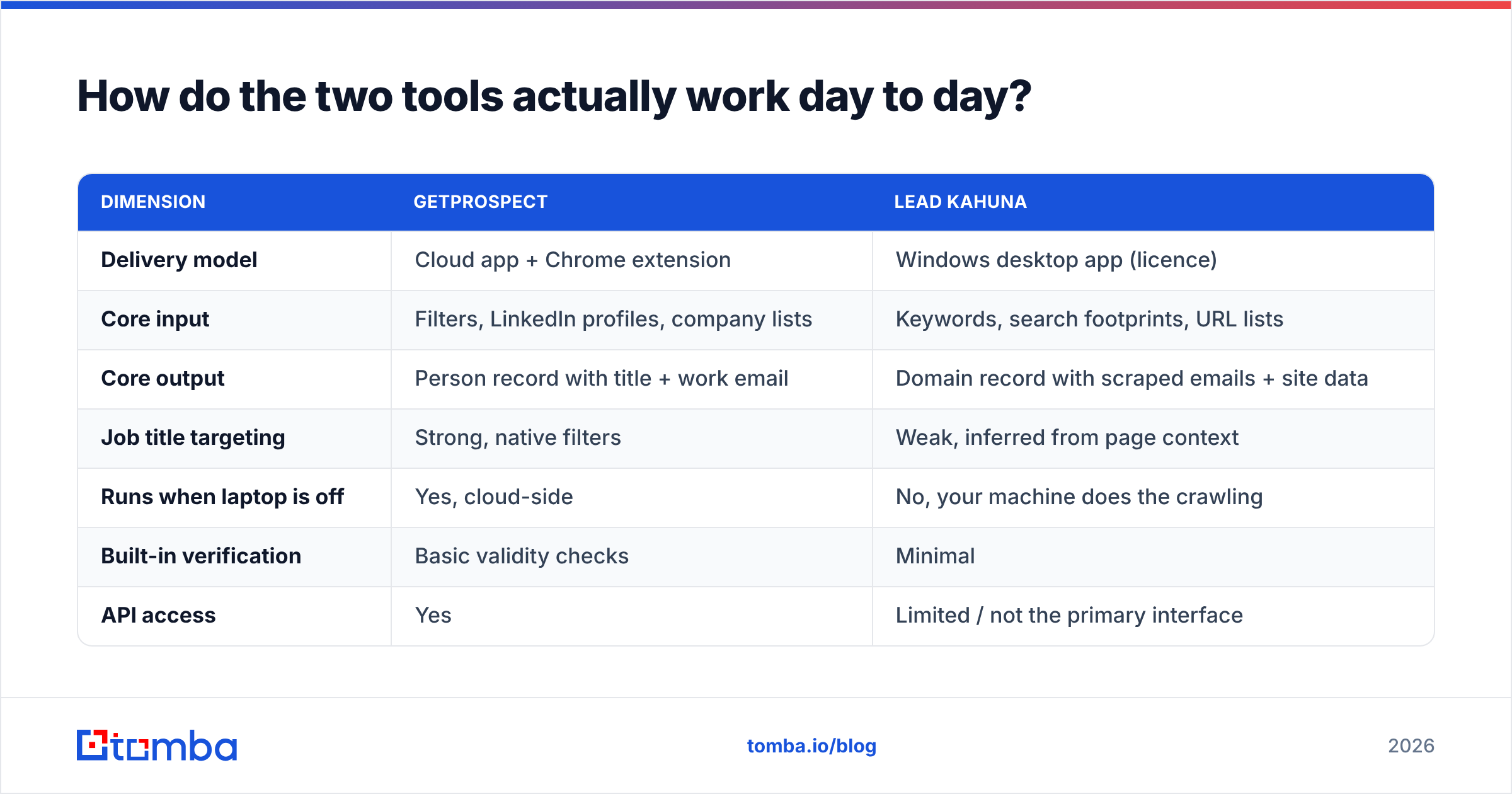
| Dimension | GetProspect | Lead Kahuna |
|---|---|---|
| Delivery model | Cloud app + Chrome extension | Windows desktop app (licence) |
| Core input | Filters, LinkedIn profiles, company lists | Keywords, search footprints, URL lists |
| Core output | Person record with title + work email | Domain record with scraped emails + site data |
| Job title targeting | Strong, native filters | Weak, inferred from page context |
| Runs when laptop is off | Yes, cloud-side | No, your machine does the crawling |
| Built-in verification | Basic validity checks | Minimal |
| API access | Yes | Limited / not the primary interface |
| Team collaboration | Shared lists, seats | File-based, manual sharing |
| Typical buyer | SDR team, founder-led sales | SEO agency, link builder, local lead gen |
Read that table twice before you look at price. Most buyer's remorse here takes one of two shapes. An agency buys a person-database when it needed a domain crawler. Or an SDR team buys a crawler, then finds it cannot filter for "VP of Engineering at 200-500 headcount SaaS companies."

Which one finds more valid emails?#
Neither vendor publishes an audited hit rate. Treat every marketing number, including the ones on this blog, as a hypothesis to test on your own list.
What you can reason about structurally:
GetProspect wins on person-level match rate for mid-market and enterprise targets in North America and Western Europe. Say the target has a LinkedIn profile and the company has a known email pattern. A database plus pattern inference resolves that address more often than a contact-page crawl does.
Lead Kahuna wins on the long tail. Local businesses, small e-commerce shops, one-person blogs, and niche site owners often have no LinkedIn presence. They still publish info@, hello@, or an owner's address on a contact page. A B2B database will not have those rows.
The catch is the same on both sides: raw discovery output is not deliverable output. Role-based inboxes (info@, contact@, support@) inflate a crawler's apparent hit rate and quietly sink reply rates. Stale database rows do the same, more politely. The address parses fine and bounces anyway, because the person left 14 months ago.

So benchmark on 200 rows of your own ICP, not on a vendor's sample. Run the same 200 companies through both tools. Then push every result through an independent verifier and compare verified results, not returned ones. That is the only number that maps to pipeline.
How do pricing models compare?#
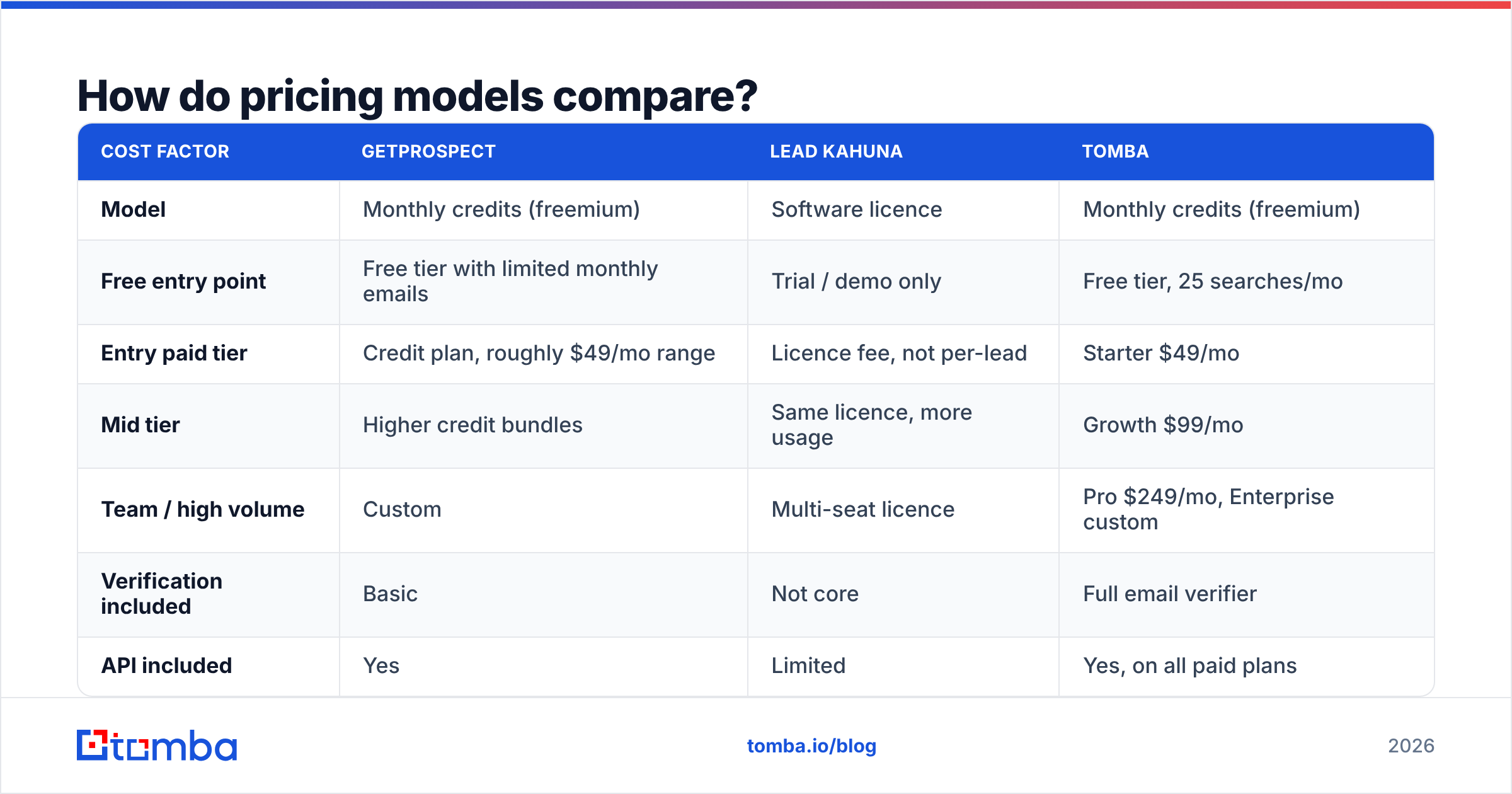
GetProspect vs Lead Kahuna is not an apples-to-apples price comparison. The two tools do not price on the same axis, so the headline numbers mislead.
GetProspect sells monthly credits with a free tier, so cost scales with volume. Lead Kahuna sells a software licence. Cost is roughly fixed, and volume is bounded by how long you let a crawler run. Check both vendor pages before you budget. Credit definitions and tier boundaries change more often than the marketing pages suggest.
| Cost factor | GetProspect | Lead Kahuna | Tomba |
|---|---|---|---|
| Model | Monthly credits (freemium) | Software licence | Monthly credits (freemium) |
| Free entry point | Free tier with limited monthly emails | Trial / demo only | Free tier, 25 searches/mo |
| Entry paid tier | Credit plan, roughly $49/mo range | Licence fee, not per-lead | Starter $49/mo |
| Mid tier | Higher credit bundles | Same licence, more usage | Growth $99/mo |
| Team / high volume | Custom | Multi-seat licence | Pro $249/mo, Enterprise custom |
| Verification included | Basic | Not core | Full email verifier |
| API included | Yes | Limited | Yes, on all paid plans |
| Marginal cost of lead 10,001 | Buy more credits | Near zero (your time + proxies) | Buy more credits |

The hidden costs run in opposite directions. With credits, you pay for misses: a plan that returns a catch-all domain still burns the credit. With a desktop licence, you pay in proxies, IP blocks, machine time, and the hours your ops person spends babysitting a crawl. A licence that looks free at scale is rarely free once you price an operator's afternoon.
Do the math on cost per verified, non-role-based, ICP-matching contact. That number often lands 3-5x above the sticker price on both sides.
Who should pick GetProspect?#
Choose GetProspect if most of these are true:
- Your ICP is identifiable by job title. You prospect "Head of RevOps," not "any dentist in Ohio."
- Your team works in a browser. The LinkedIn extension is the daily driver, and seat-based collaboration beats raw throughput.
- You need it to run without your laptop. Cloud enrichment jobs and API calls do not care whether anyone is at a desk.
- You want structured firmographics. Headcount, industry, and location filters that a contact-page crawl cannot reconstruct.
- You care about a documented data supply chain. For GDPR-sensitive outbound, a hosted vendor with a published opt-out flow is easier to defend.
Where it will frustrate you: coverage outside core B2B tech and services markets, and per-credit costs that climb fast once you move from 1,000 to 20,000 contacts a month.
Who should pick Lead Kahuna?#
Choose Lead Kahuna if most of these are true:
- You prospect by domain, not by person. Link building, guest posting, local services, directory scraping, partnership outreach.
- You need site-level signals. Domain metrics, contact pages, and social profiles alongside the email, which a person-database does not surface.
- Volume matters more than titles. A 5,000-domain sweep where the "right person" is whoever answers
info@. - You are Windows-native and comfortable with desktop tooling. No Mac, no cloud, no seats.
- Your economics reward fixed cost. If you run large crawls monthly, a licence beats credits on arithmetic alone.
Where it will frustrate you: no seniority targeting, heavier data hygiene work, and results that swing with your IP reputation and how aggressively target sites block crawlers.
Where does Tomba fit between them?#
Tomba sits deliberately in the middle: an API-first email finder with verification built in rather than bolted on afterward.
The practical differences:
- Domain search covers the Lead Kahuna use case. It returns every known address at a domain, with role and personal flags plus confidence scores. No crawler, no proxies.
- Email finder covers the GetProspect use case. Give it a name and a domain, or a LinkedIn URL, and it resolves the work email.
- Verification is in-line, catch-all handling included. You do not pay a second vendor to check the first vendor's output.
Pricing sits in the open too:
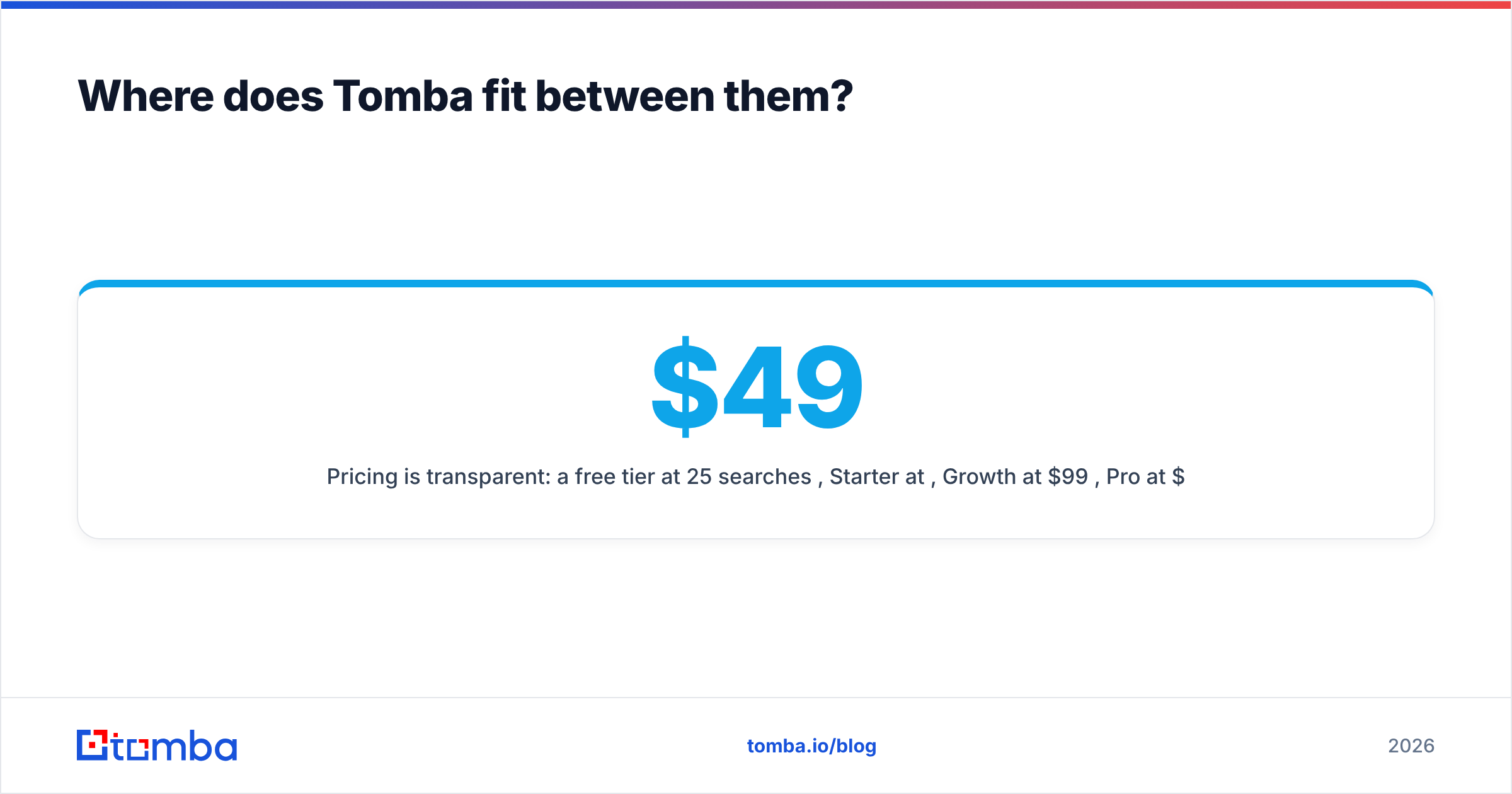
- A free tier at 25 searches/mo, Starter at $49/mo, Growth at $99/mo, Pro at $249/mo, Enterprise custom. Full Tomba pricing is public, and the API ships on every paid plan.
- Bulk processing handles the "8,000 rows and a deadline" job that breaks browser extensions.
One honest caveat. For prepackaged list buying, a database vendor like BookYourData solves a different job well, especially when you want records delivered rather than discovered. Tomba's edge is the API and the verification layer, for teams that want discovery inside their own workflow. Cross-check any of these on a neutral source such as G2 before you commit budget.
Does verification actually change your results?#
Yes, and it is the single highest-leverage step in this entire comparison.

Here is the chain most teams skip. Mailbox providers score your domain on complaint rate, spam-trap hits, and bounce rate. A hard-bounce rate above roughly 2-3% starts to damage sender reputation. That drags down inbox placement for every message you send next, including replies to warm leads. You do not lose one campaign. You lose the channel.
An unverified export from either tool typically carries 8-20% invalid addresses. The exact share depends on the vertical and the age of the source data. That is enough to burn a sending domain in two campaigns.
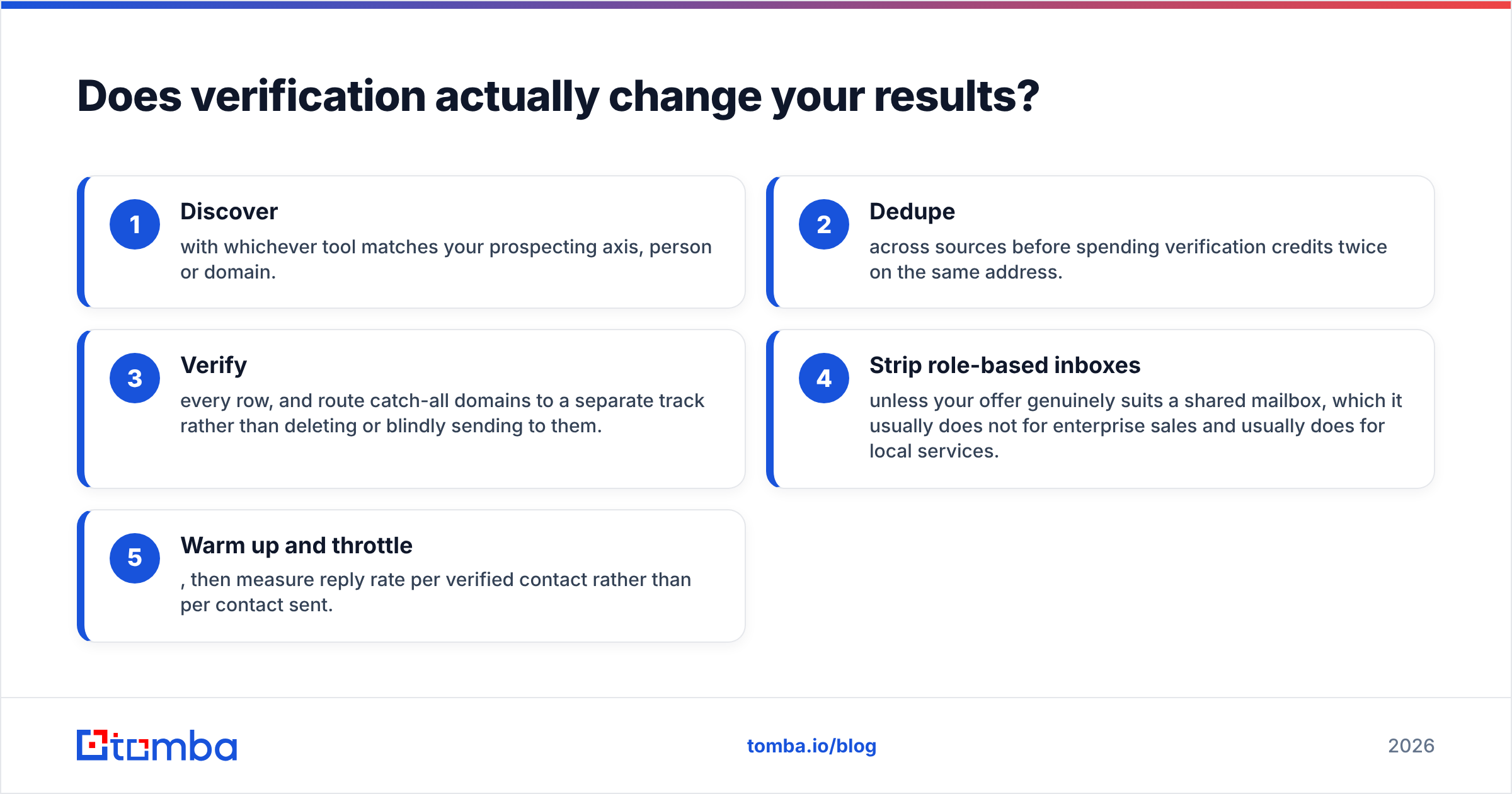
A working sequence:
- Discover with whichever tool matches your prospecting axis, person or domain.
- Dedupe across sources before you spend verification credits twice on the same address.
- Verify every row, and route catch-all domains to a separate track rather than deleting them or sending blind.
- Strip role-based inboxes unless your offer suits a shared mailbox. It rarely does in enterprise sales. It often does for local services.
- Warm up and throttle, then measure reply rate per verified contact rather than per contact sent.
Step 3 is where a general email verifier or a dedicated catch-all verifier earns its keep. Catch-all domains are exactly where both tools report "found" with the least evidence behind it.
GetProspect vs Lead Kahuna: what is the verdict?#
If you sell to named roles at identifiable companies, GetProspect is the better fit. Its filters and LinkedIn workflow match how modern SDR teams build lists, and cloud execution beats desktop for anything a team shares.
If you prospect the open web by domain, Lead Kahuna is the better fit. Nothing in the database category covers the small-site long tail as cheaply once the licence is paid for.
If you want discovery and verification in one API, neither is the answer. Both leave you assembling a stack. That assembly cost, in credits and in engineering hours, usually beats the tool price.
The honest test costs one afternoon. Take 200 accounts from your real pipeline. Run them through each option, verify the output independently, and compare cost per verified ICP contact. Whatever wins that test wins your budget, no matter what any comparison post says.
Ready to run that test? Start with the Tomba Email Finder free tier at 25 searches a month, no card required. Check the results against whatever you use today. If the verified match rate holds up on your own list, the $49/mo Starter plan and full API access are one click away.
Related guides#
Ready to find emails that actually work?
Join 150,000+ professionals who stopped guessing and started sending. Free credits on signup — no credit card required.
Get the Tomba newsletter
Practical outbound tactics and product updates — once every two weeks.
About the author