GetProspect vs LeadEngineAI: Which B2B Data Tool Wins?
GetProspect sells verified B2B emails at list scale. LeadEngineAI sells AI-scored pipeline. They solve different problems — here is how they actually compare on data accuracy, pricing model, and workflow fit.
GetProspect vs LeadEngineAI is not a fair fight, because the two tools were built for different jobs. One builds lists. The other ranks them. Here is how they compare on data, price, and fit.
TL;DR
- GetProspect is a list-building tool first. It is a LinkedIn-driven B2B database, an email finder, and a verifier, priced on monthly email credits. Its job is to hand you a clean CSV.
- LeadEngineAI sits in the newer "AI lead engine" category. It layers intent signals, scoring, and automated sequencing on top of contact data it mostly licenses or aggregates rather than builds.
- They are not true substitutes. GetProspect competes on cost per verified email. LeadEngineAI competes on which lead you should call first.
- If your bounce rate is the problem, buy data quality (GetProspect, Tomba, or a dedicated verifier). If your reps are working the wrong 200 accounts, buy scoring.
- Credit models differ enough to change your real cost by 3–5x. Read the "what burns a credit" section before you compare sticker prices.
What is GetProspect and who actually uses it?#
GetProspect is a B2B contact-data platform built around a LinkedIn-first workflow. You filter a database by job title, company size, industry, geography, and tech stack. Then you export the contacts with work emails attached. A Chrome extension pulls profiles while you browse. A bulk finder takes a list of names and domains. A built-in verifier grades each address before export.
The typical user is an SDR, a founder doing their own outbound, or a growth marketer building a 5,000-row list for a campaign. The value promise is blunt: get a list, get emails on the list, get out. It does not try to be your CRM, your dialer, or your sequencer.
That focus is a feature. Tools that try to own the whole funnel usually do the data part worst. Data is costly to keep fresh and easy to fake with stale scrapes. GetProspect publishes its verification tiers openly, which is more than much of the market does. You can see how peers rate it on G2 instead of trusting a vendor's own landing page — including this one.
Where it gets awkward: the database leans toward profiles with a strong LinkedIn footprint. Say you sell to plant managers, franchise owners, or municipal buyers. Coverage thins out fast in those segments. You feel it as "no email found" rather than as a bounce.
What is LeadEngineAI and how is it different?#
LeadEngineAI belongs to a category that barely existed five years ago: the AI lead engine. Instead of selling you rows, it sells you a ranked queue. The pitch is that raw contact data is now a commodity. A dozen vendors resell overlapping pools, so the real edge is deciding which contacts deserve a touch this week.
In practice these platforms combine four things:
- A contact layer — usually licensed, aggregated, or waterfall-sourced from other providers rather than built in-house. That is why AI-engine tools often quote coverage numbers that look a lot like their upstream vendors'.
- A signal layer — hiring posts, funding events, tech-stack changes, website visits, job-change alerts. This is the part you truly cannot rebuild with a CSV.
- A scoring model — turns signals into a 0–100 number so reps stop arguing about priority.
- An action layer — sequences, AI-drafted first lines, CRM sync, sometimes a dialer.
Judge LeadEngineAI as an email finder and you will be let down. That is layer one of four, and rarely the layer the company invests in. Judge it as a ranking system sitting on top of data you already trust, and it looks much stronger.
Before you sign anything, check current features and pricing on the vendor's own site. AI-engine products in this category rewrite their credit models roughly every two quarters. Any third-party review older than six months is describing a different product.

GetProspect vs LeadEngineAI: the head-to-head comparison#
Here is the honest side-by-side. Where a number moves often, I describe the model instead. A quoted figure would be stale by the time you read this.
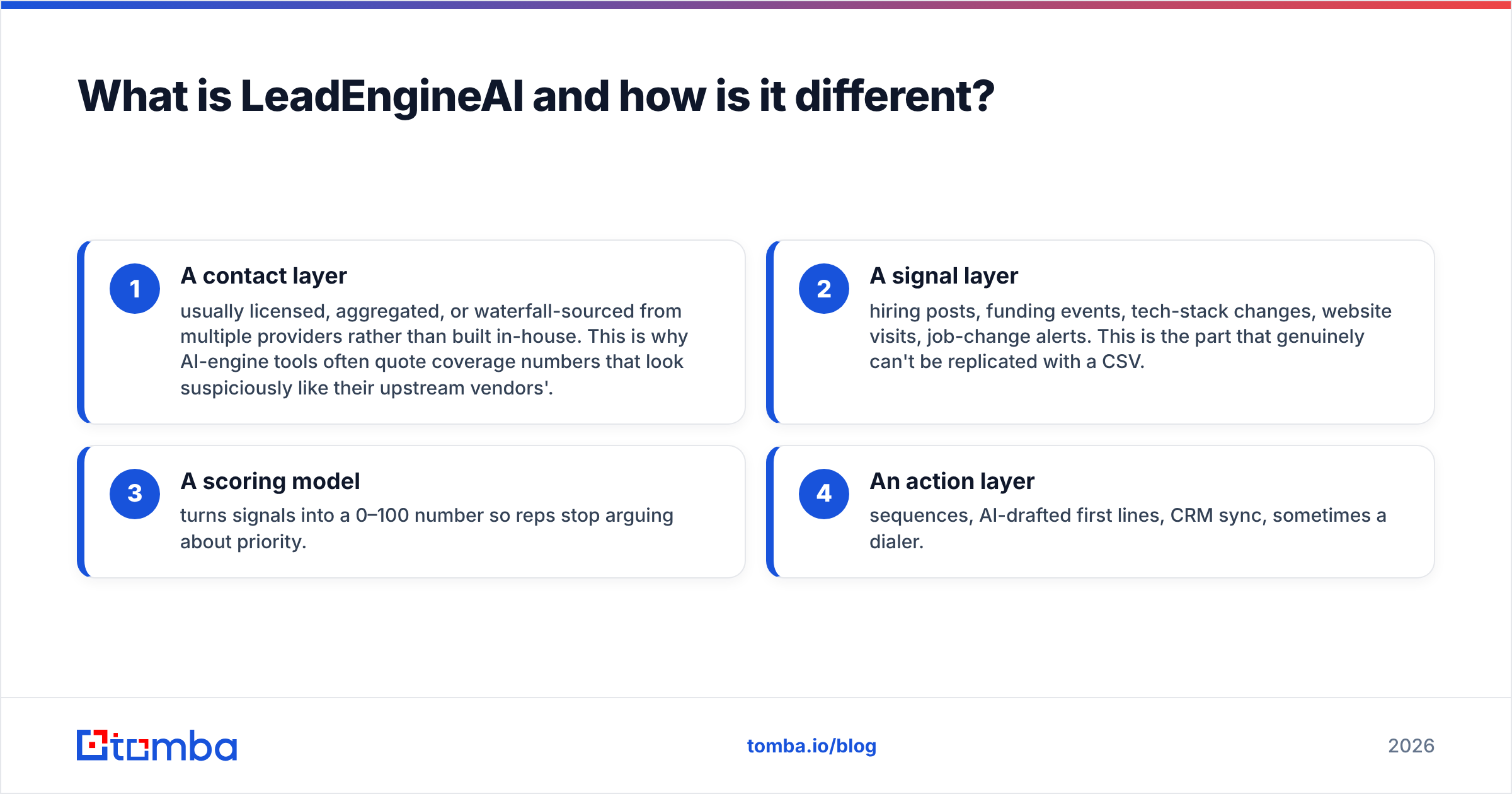
| Dimension | GetProspect | LeadEngineAI | Tomba |
|---|---|---|---|
| Primary job | Build + verify B2B email lists | Score and route leads | Find + verify emails at API scale |
| Data origin | Own LinkedIn-centric database | Mostly aggregated / licensed | First-party crawl + pattern engine, documented sources |
| Free tier | Yes, limited monthly credits | Usually trial or demo-gated | Yes — 25 searches/mo |
| Entry paid plan | Credit-based, mid-double-digits/mo | Seat + platform fee, quoted | $49/mo Starter |
| Verification included | Yes, tiered results | Passthrough from upstream | Yes, native email verifier |
| Catch-all handling | Marked as risky, limited resolution | Rarely surfaced to the user | Dedicated catch-all verifier |
| API depth | Available, list-oriented | Available, workflow-oriented | Full REST email finder API, CLI, MCP |
| Intent / signals | No | Core product | No — data layer only |
| Best for | List builders, agencies, founders | Teams with too many leads, not too few | Developers, RevOps, high-volume outbound |
| Worst for | Teams needing prioritization | Teams needing coverage in thin verticals | Teams wanting sequencing in-app |
The pattern in that table is the whole article. GetProspect and Tomba are supply-side tools. LeadEngineAI is a demand-side tool. Buying the wrong side of that line is the most common and most costly mistake here.

Which one has better data accuracy?#
Accuracy is where vendor marketing gets slippery. Define your terms before you compare anything.
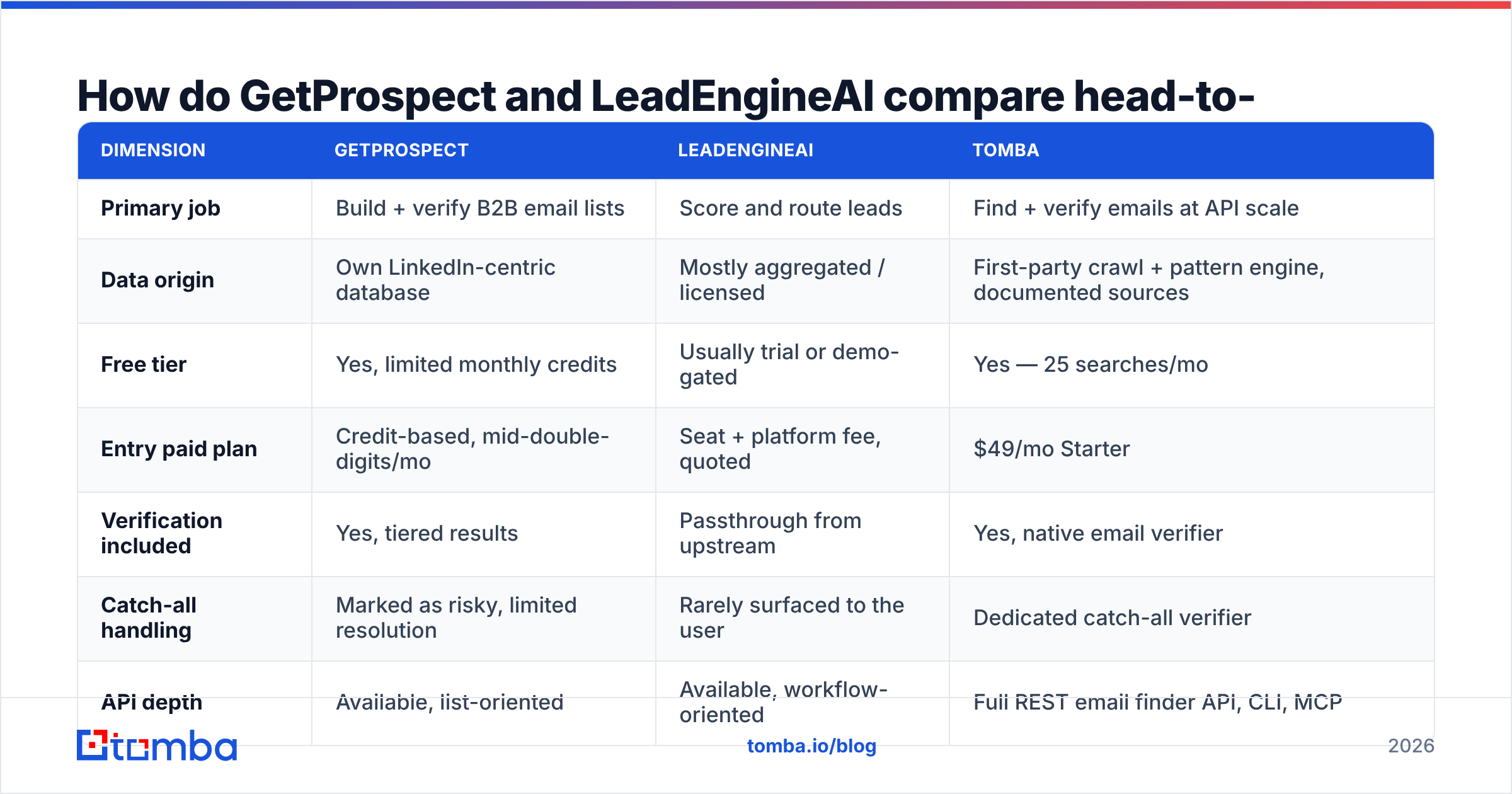
- Coverage — of 1,000 target contacts, how many return any email? This is where most tools quietly fail. A 95% accuracy claim on a 40% hit rate is worse than 90% accuracy on an 80% hit rate.
- Validity — of the emails returned, how many actually accept mail? This is what bounce rate measures.
- Freshness — how old is the record? A valid address for someone who left in January is a wasted touch, not a bounce.
- Catch-all honesty — does the tool admit an address is unverifiable? Or does it quietly label it "valid" to protect its own accuracy stat?
GetProspect does reasonably well on validity and is open about its tiering. Its weak spot is coverage outside LinkedIn-heavy segments.
LeadEngineAI-style platforms inherit the accuracy of whoever they buy from. That can be excellent or mediocre. You often cannot tell which without running your own test. If the vendor will not name its data sources or let you run a blind 250-row sample, treat the accuracy claim as marketing.
Tomba takes a third route: a first-party crawl plus a pattern engine. Catch-all domains get routed to a catch-all verifier instead of being force-labelled. The benefit is simple. "Unknown" stays "unknown", so you decide whether to risk the send. You do not learn the answer from your bounce report.
The only accuracy test that matters is yours. Take 250 contacts you already know are real — closed-won accounts, current customers, people who have replied to you. Run them through each tool's free tier. Measure the hit rate, then check the returned addresses on your own. Fifteen minutes of that beats fifteen review sites.

How does pricing really compare?#
Pricing is where GetProspect vs LeadEngineAI stops being an apples-to-apples call. Sticker price is the least useful number in this category. What matters is what burns a credit.
| Cost driver | Why it wrecks budgets |
|---|---|
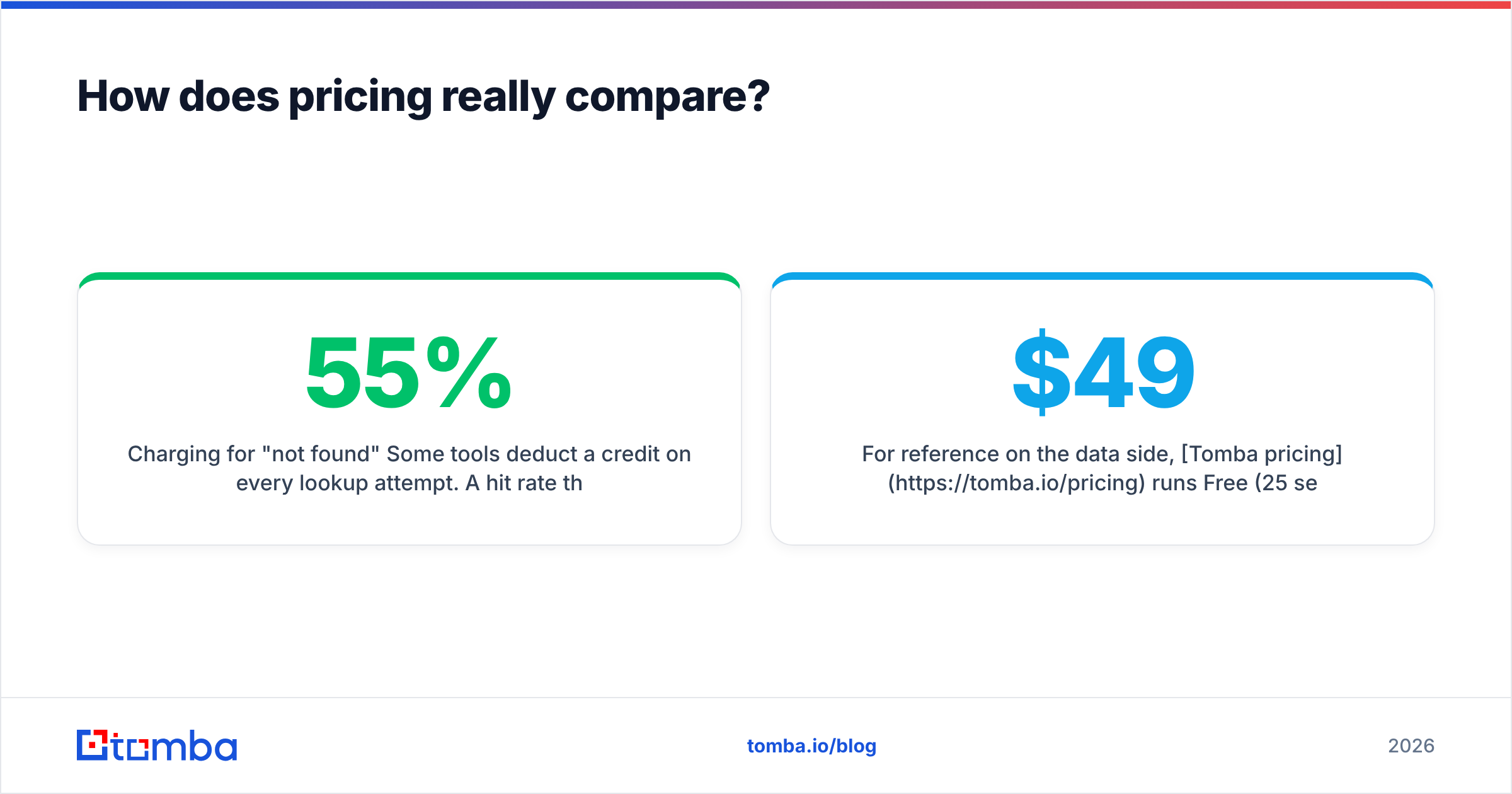
| Charging for "not found" | Some tools deduct a credit on every lookup attempt. A 55% hit rate then means you pay ~1.8x the advertised per-email price. |
| Verification billed separately | Find + verify as two credits doubles unit cost silently. |
| Seat-based floors | AI engines often price per rep. A 6-rep team pays 6x for data one person exports. |
| Annual-only discounts | The advertised monthly rate is frequently the annual-commit rate. |
| Rollover rules | Unused credits expiring monthly means you pay for peak, use average. |
| Export caps | Credits you have but can't export in bulk are credits you don't have. |
GetProspect prices on monthly email credits with verification bundled, so it is easy to model. LeadEngineAI and similar platforms mix a platform fee, per-seat pricing, and a credit pool. That is harder to model. The total is also a step up from a pure data tool, because you are buying the scoring and sequencing layers too.
On the data side, Tomba pricing runs Free (25 searches/mo), Starter $49/mo, Growth $99/mo, Pro $249/mo, and Enterprise custom. The API is included rather than sold as an upgrade tier. That detail matters more than it sounds. Gating API access behind an enterprise plan is the most common way data vendors turn a $49 trial into a $1,200 invoice.

Which should you choose for your team?#
Skip the feature matrix. Answer one question: what is currently broken?
Choose GetProspect if:
- You need lists, and you build them from LinkedIn filters.
- Your ICP lives in tech, SaaS, agencies, or professional services, where LinkedIn coverage is dense.
- You want find + verify bundled in one credit so finance stops asking questions.
- You are a solo founder or a 1–3 person team, and per-seat pricing would kill you.
Choose LeadEngineAI if:
- You already have more leads than your reps can work. The bottleneck is triage, not supply.
- You can point to a real signal that predicts your deals: funding, hiring, tech installs, site visits.
- You have enough closed-won history to make a scoring model non-random. Under ~50 closed deals, the model is guessing with confidence.
- You can actually change rep behaviour based on a score. If reps ignore the queue, you bought a dashboard.
Choose a dedicated data layer like Tomba if:
- You want to own the enrichment step in code and feed whatever sequencer, CRM, or AI engine you already run.
- You need bulk email finding plus verification in one pipeline, not two vendors stitched together.
- You need coverage beyond one social network. Domain search, author lookup, and reverse email lookup cover cases a LinkedIn-first database structurally cannot.
- Your engineers, not your SDRs, are the ones consuming the data.
Worth saying plainly: these are not mutually exclusive. A common mature stack is one data layer feeding one prioritization layer feeding one sequencer. For that data layer, pick Tomba, GetProspect, or BookYourData if you prefer buying pre-built lists by industry. The mistake is paying three vendors for overlapping contact pools and calling it a waterfall.
What do most buyers get wrong in this comparison?#
Four failure modes show up over and over in the GetProspect vs LeadEngineAI decision.
Buying scoring to fix a supply problem. If reps have 40 accounts each, an AI engine ranks 40 accounts. It cannot create the 41st. Ranking only pays off when there is a real surplus.
Ignoring the sender-reputation cost of bad data. Bounces above roughly 2% start damaging email deliverability, and the damage outlives the campaign. A cheap tool with a 12% bounce rate is not cheap. It is a tax on every future send from that domain. Google and Yahoo's bulk-sender rules made this much stricter, and HubSpot's research on email benchmarks is a fair sanity check on where your rates should sit.
Comparing accuracy claims instead of running a test. Every vendor's number comes from a sample that flatters them. Yours is the only one measured on your ICP.
Treating "AI" as a data quality claim. AI improves ranking, drafting, and summarizing. It does not know whether an address accepts mail. That is an SMTP question, not a language-model question. Any vendor blurring the two is telling you something about their data layer.
The bottom line#
GetProspect vs LeadEngineAI comes down to two different questions. GetProspect answers "who can I email?" LeadEngineAI answers "who should I email first?" Buy the one that matches your real bottleneck, and be honest about which bottleneck that is. Most teams that think they need better scoring simply need more, cleaner contacts.
If the contact layer is what is failing you, start there. Do not start with a platform that bundles six things around it. The Tomba Email Finder gives you 25 free searches a month with no card. You also get native verification, catch-all handling that admits uncertainty instead of hiding it, and a full API on the $49/mo Starter plan. Run your own 250-row accuracy test today, and let the results pick the winner instead of the landing pages.
Related guides#
Ready to find emails that actually work?
Join 150,000+ professionals who stopped guessing and started sending. Free credits on signup — no credit card required.
Get the Tomba newsletter
Practical outbound tactics and product updates — once every two weeks.
About the author