GetProspect vs Mailarrow: Which B2B Email Tool Wins in 2026?
GetProspect finds the emails. Mailarrow sends them. Comparing the two head-to-head only makes sense once you know which layer of your outbound stack is actually broken — here's how to tell.
TL;DR
- GetProspect and Mailarrow are not really competitors. GetProspect is a contact-data tool (find and verify B2B emails). Mailarrow is a sending tool (sequences, warmup, deliverability). Most teams that "compare" them actually need one of each.
- If your bounce rate is above 3%, your problem is data — that's the GetProspect layer, and it's where a dedicated email finder earns its keep.
- If your emails land but nobody replies, your problem is sending and copy — that's the Mailarrow layer.
- Buying both means paying two subscriptions plus a manual CSV handoff between them. Buying one and using an API for the other half is usually cheaper and faster.
- Budget reality check: a finder plus a sender typically runs $80–$200/mo for a small team. Tomba's Starter plan is $49/mo, and the free tier gives you 25 searches to test data quality before you commit to anything.
What is GetProspect and what does it actually do?#
GetProspect is a B2B contact database with an email finder layered on top. You search by company domain, job title, industry, headcount, or location, and it returns work email addresses. Its most-used feature is the LinkedIn Chrome extension: you run a Sales Navigator search, click the extension, and it pulls emails for the profiles in the list.
The output is a lead list. Names, emails, company, title, sometimes phone. You export to CSV, push to a CRM, or send to a sequencer.
What GetProspect does not do is send email. There's no inbox rotation, no warmup pool, no reply detection, no sequence builder. It hands you the list and stops. That's a legitimate design decision — the vendors that try to do both usually do one badly — but it means GetProspect alone cannot run a cold campaign.
Three things determine whether a tool like this is worth paying for:
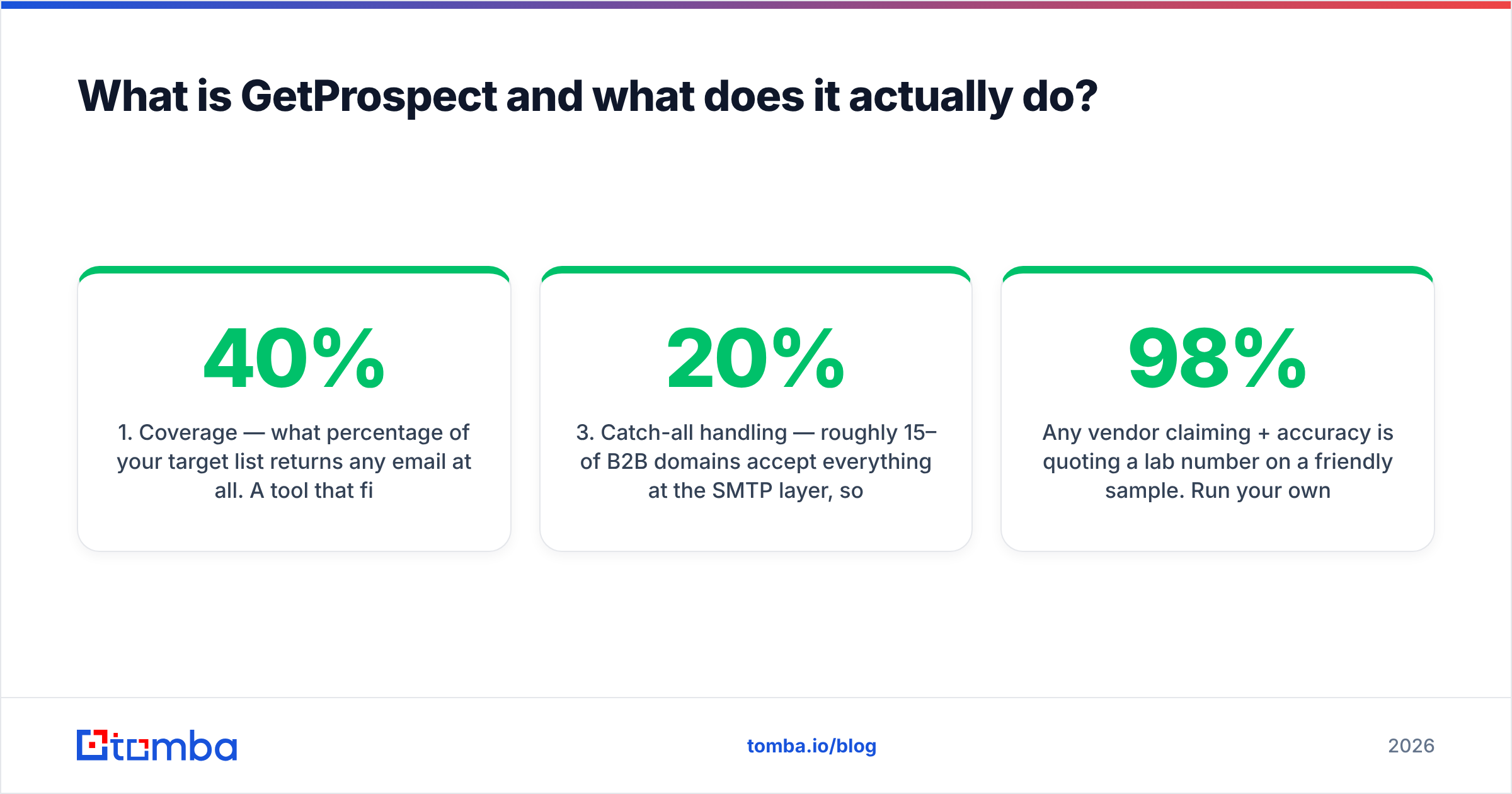
- Coverage — what percentage of your target list returns any email at all. A tool that finds 40% of your ICP is functionally half a tool.
- Accuracy — of the emails it does return, how many actually deliver. This is the number that decides your bounce rate.
- Catch-all handling — roughly 15–20% of B2B domains accept everything at the SMTP layer, so "valid" means nothing without a real catch-all verifier.
Any vendor claiming 98%+ accuracy is quoting a lab number on a friendly sample. Run your own test on 100 rows of your actual ICP before you believe anyone, including us.
What is Mailarrow and where does it fit?#
Mailarrow is a cold email outreach platform. You connect mailboxes, upload or sync a list, build a multi-step sequence with delays and conditions, and it sends. Its pitch centers on the deliverability layer: unlimited connected inboxes on most plans, built-in warmup, spintax and AI personalization, automatic reply detection that pulls a prospect out of the sequence, and per-inbox sending caps so you don't torch a domain.
Mailarrow does not build your list. It has no database, no domain search, no LinkedIn scraper. You bring contacts; it delivers messages to them.
That division matters more than any feature bullet. Sending platforms inherit your data quality. If you feed Mailarrow a list with 12% invalid addresses, no amount of warmup saves the domain — mailbox providers read hard bounces as a spam signal within days. Deliverability tooling is downstream of email verification, never a substitute for it.
GetProspect vs Mailarrow: how do they compare feature by feature?#
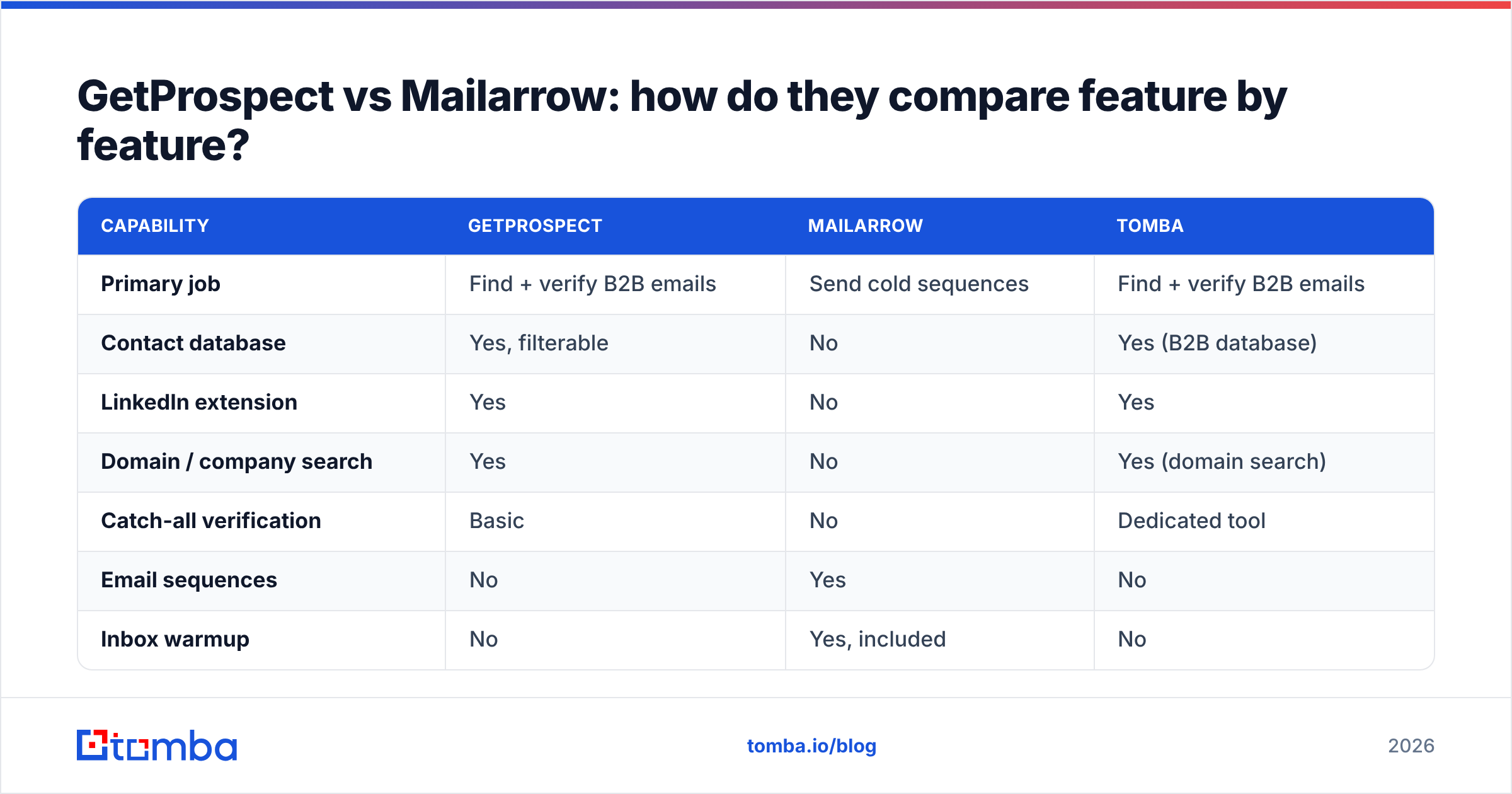
Here's the honest side-by-side. Note that half the rows are "no" for one product or the other — that's the point, not a knock.
| Capability | GetProspect | Mailarrow | Tomba |
|---|---|---|---|
| Primary job | Find + verify B2B emails | Send cold sequences | Find + verify B2B emails |
| Contact database | Yes, filterable | No | Yes (B2B database) |
| LinkedIn extension | Yes | No | Yes |
| Domain / company search | Yes | No | Yes (domain search) |
| Catch-all verification | Basic | No | Dedicated tool |
| Email sequences | No | Yes | No |
| Inbox warmup | No | Yes, included | No |
| Reply detection | No | Yes | No |
| Phone numbers | Partial | No | Yes (phone finder) |
| Public API | Yes | Yes | Yes (Tomba API) |
| Free tier | Limited monthly credits | Trial | 25 searches/mo |
| Entry paid price | ~$49/mo range | ~$49/mo range | $49/mo |
Pricing on both platforms shifts with credit bundles, annual discounts, and seat counts, so treat those last two rows as a starting point and confirm on getprospect.com and mailarrow.com before you budget. Also check current user reviews on G2 — support responsiveness and credit-rollover policies change faster than feature pages do.
Is GetProspect better than Mailarrow?#
Wrong question, and it's the question that costs teams money. The right question is: which layer of my outbound is failing?
Diagnose it in ten minutes:
- Bounce rate above 3% → data problem. More sending sophistication won't help. Fix the list.
- Bounce under 2% but open rate under 25% → deliverability or subject lines. Check SPF, DKIM, DMARC, and your domain reputation before touching copy.
- Opens fine, replies under 1% → targeting or message. Neither tool fixes this; your ICP definition does.
- You can't build a list at all → finder problem. That's GetProspect's category.
- You have 10,000 clean contacts and no way to reach them at scale → sender problem. That's Mailarrow's category.
Most teams I see comparing these two have a data problem and are shopping for a sending tool because sending tools market harder. Warmup dashboards are more fun to look at than a bounce report.
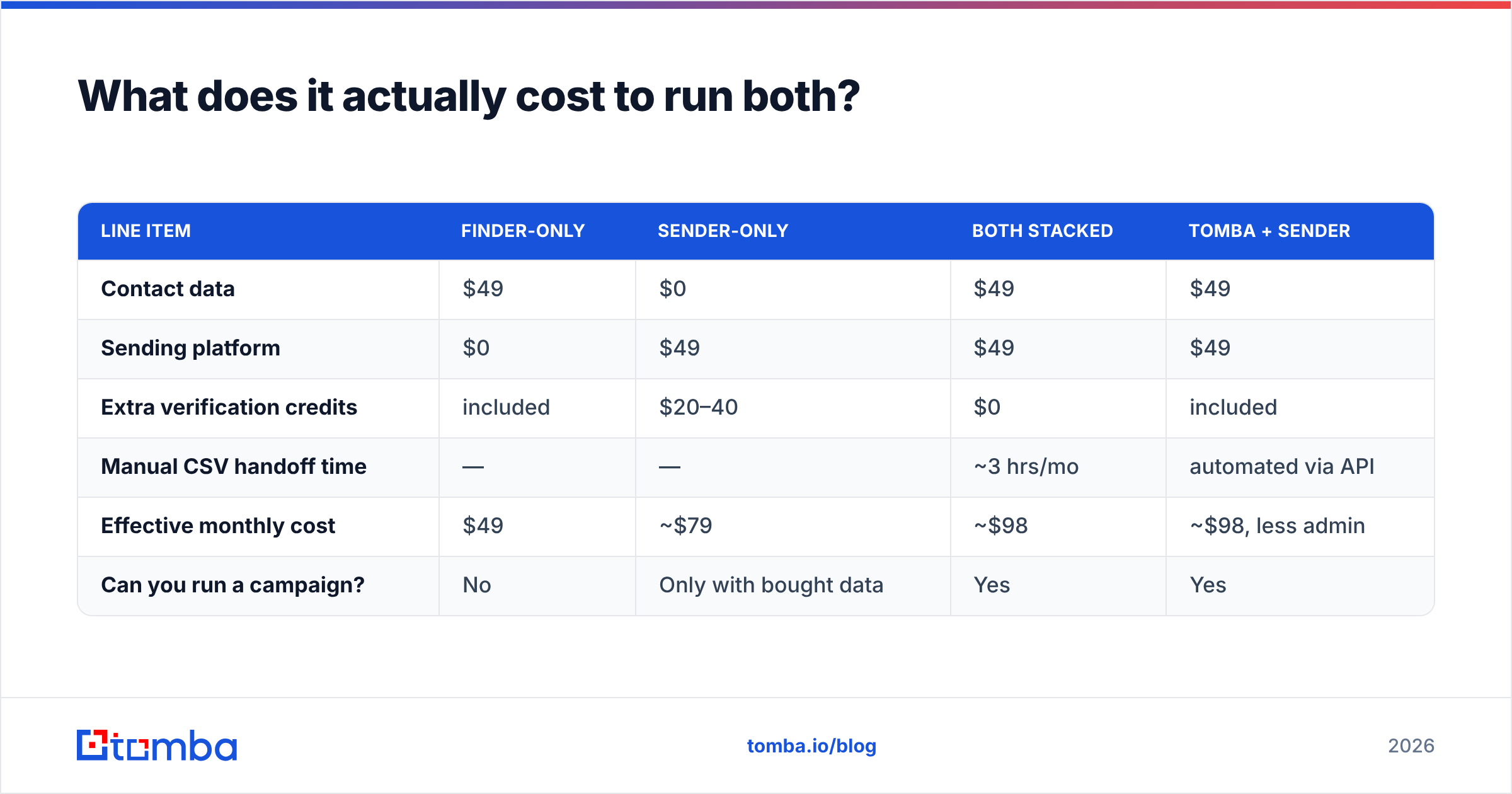
What does it actually cost to run both?#
A realistic two-person outbound setup, monthly:
| Line item | Finder-only | Sender-only | Both stacked | Tomba + sender |
|---|---|---|---|---|
| Contact data | $49 | $0 | $49 | $49 |
| Sending platform | $0 | $49 | $49 | $49 |
| Extra verification credits | included | $20–40 | $0 | included |
| Manual CSV handoff time | — | — | ~3 hrs/mo | automated via API |
| Effective monthly cost | $49 | ~$79 | ~$98 | ~$98, less admin |
| Can you run a campaign? | No | Only with bought data | Yes | Yes |
The "sender-only" column is where teams quietly bleed money. Without a finder, you end up buying scraped lists or paying your sending platform's marked-up verification add-on — which is usually a white-labeled third-party verifier at a premium.
The "both stacked" column is the honest baseline. Two tools, two invoices, and a CSV that somebody exports on Monday and re-uploads on Wednesday. That handoff is where lists go stale: B2B contact data decays roughly 22–30% a year as people change jobs, so a list built in January is materially wrong by June.
The fix is not a third tool. It's an API call. If your finder exposes a clean endpoint, your sequencer or your automation layer can pull and verify contacts at send time instead of at export time. That's the difference between a stack and a pile.
Where does Tomba fit in this comparison?#
Tomba competes with GetProspect, not Mailarrow. Same category: find work emails, verify them, enrich the record.
Where it differs from GetProspect in practice:
- Verification is a first-class product, not a checkbox. The email verifier and the catch-all tooling are separate, documented endpoints with their own result codes — so you can decide what to do with a "risky" address instead of accepting a binary valid/invalid.
- The API is built to be the primary interface. Tomba's API, CLI, and MCP server exist so the finder lives inside your pipeline rather than beside it. If you're piping into Mailarrow, Instantly, Smartlead, or a homegrown sender, that matters more than the UI.
- Distribution surfaces where you already work. Google Sheets, Excel, Airtable, HubSpot, and a Chrome extension — so ops people who don't write code aren't blocked on an engineer.
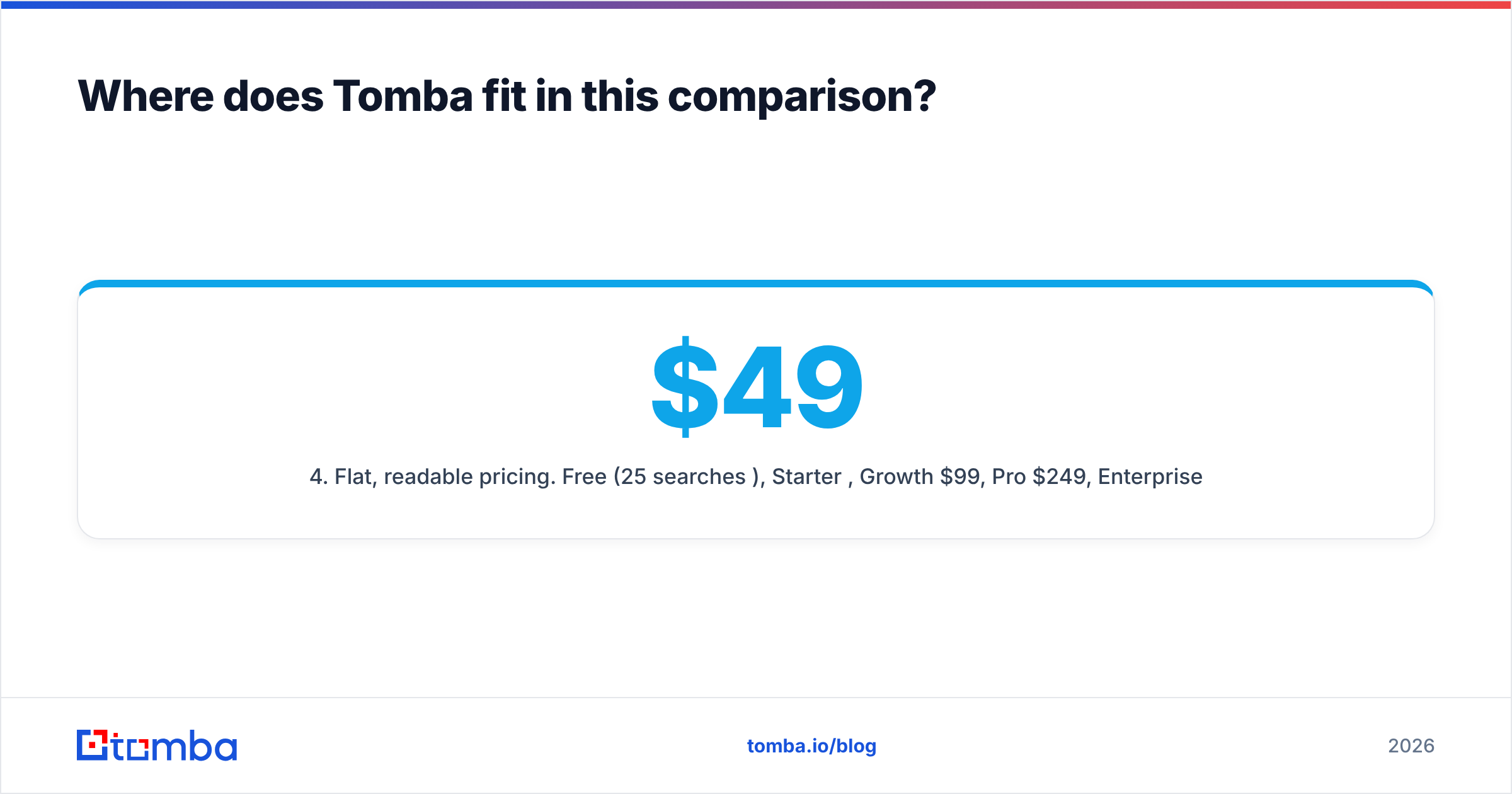
- Flat, readable pricing. Free (25 searches/mo), Starter $49, Growth $99, Pro $249, Enterprise custom. No credit-type maze where a "search" and a "verification" and an "enrichment" each cost differently.
What Tomba does not do: send email. No sequences, no warmup, no inbox rotation. If you need that, Mailarrow is a reasonable pick and so are several others. We'd rather be the best data layer under your sender than a mediocre everything-box.
How do you test data quality before you buy either one?#
Don't trust accuracy claims — including the ones in this post. Run a controlled test. It takes an hour.
- Build a 100-row control list from your real ICP. Not tech companies if you sell to manufacturers. Not US-only if half your pipeline is EMEA. Vendors optimize for the easy segments.
- Run the same 100 rows through every tool on your shortlist. Free tiers usually cover this — Tomba's 25 free searches, GetProspect's monthly free credits, and trial credits elsewhere.
- Record coverage first. How many rows returned any email? A tool with 92% accuracy on the 45% of rows it can find is worse than one with 96% accuracy on 80% of rows.
- Send a real, low-volume test. 25 addresses from each tool, from a warmed domain, spread over two days. Count hard bounces. This is the only number that matters.
- Check the catch-all rows separately. Tools differ most on domains that accept everything. Some mark them valid (dangerous), some mark them invalid (wasteful), some give you a graded risk score (useful).
- Note the enrichment fields. Title accuracy and seniority mapping decide whether personalization is possible at all. An email with a stale job title produces a message that reads like spam because it is wrong.
Log the results in a sheet. The winner is rarely the tool with the loudest accuracy claim on its homepage.
Which should you choose for your specific situation?#
| Your situation | Recommended stack |
|---|---|
| Solo founder, first 500 cold emails | Free finder tier + a single warmed inbox; skip the sequencer until volume justifies it |
| 2–5 SDRs, running daily sequences | Dedicated finder ($49–$99) + Mailarrow or equivalent sender |
| Agency running client campaigns | Finder with API + bulk endpoints, sender with unlimited inboxes, strict per-client domain separation |
| RevOps automating CRM enrichment | Finder API + enrichment endpoint; no sender needed — this is a data job |
| High bounce rate, existing list | Verification-only pass first; do not buy a sender until bounces are under 2% |
| Need phone as well as email | Finder with both channels; sequencers rarely supply phone data |
Two rules that hold across all six rows. First, never let a sending platform be your only source of verification — the incentives are wrong, since a platform that sells you sending volume has no reason to shrink your list. Second, verify at send time, not at export time. A contact verified 90 days ago is an assumption, not a fact.
If you want the reasoning behind picking a data vendor at all, our writeups on where Tomba gets its data and the B2B glossary cover the terminology vendors use loosely.
The verdict#
GetProspect and Mailarrow solve different problems and both do their own job reasonably well. If you force a winner, you get a wrong answer — the useful comparison is finder-vs-finder (GetProspect vs Tomba vs the rest) and sender-vs-sender (Mailarrow vs Instantly vs Smartlead).
Pick the sender on deliverability controls, inbox limits, and reply handling. Pick the finder on coverage and bounce rate, measured on your own list, not on a case study.
Start with the data layer. It's the cheaper half to get right and the more expensive half to get wrong — a burned domain costs weeks of recovery, while a mediocre sequence costs one afternoon of rewriting. Test Tomba's Email Finder on 25 real prospects from the free tier, send them, and count the bounces. If the number is under 2%, you've fixed the half of your stack that most teams never diagnose. Then go pick a sender.
Related guides#
Ready to find emails that actually work?
Join 150,000+ professionals who stopped guessing and started sending. Free credits on signup — no credit card required.
Get the Tomba newsletter
Practical outbound tactics and product updates — once every two weeks.
About the author