GetProspect vs SalesIntel: Which B2B Data Tool Wins in 2026?
GetProspect sells cheap email volume. SalesIntel sells human-verified contacts with phone numbers. We break down pricing, accuracy, coverage, and which one actually fits your motion in 2026.
GetProspect vs SalesIntel is a budget question first and a data question second. One tool sells cheap email volume. The other sells human-checked contacts and direct dial numbers. Here is how the two compare on price, accuracy, phone data, and coverage.
TL;DR
- GetProspect is a low-cost email finder with a LinkedIn extension and a large self-serve database. It wins on price per contact and speed to first list.
- SalesIntel is an enterprise contact-data platform built on human-verified records and direct dials. It wins on phone coverage and US mid-market depth.
- The price gap is not small. GetProspect starts around $49/mo self-serve. SalesIntel is an annual contract, usually $10K–$30K+ depending on seats and credits.
- Neither is a universal answer. If you send high-volume email, a cheap finder plus a strong verifier is enough. If you cold call US decision-makers, SalesIntel's research-on-demand model is hard to match cheaply.
- A third path exists: pair a per-credit email finder with a dedicated phone finder and skip the annual commitment.
What are GetProspect and SalesIntel, exactly?#
They solve overlapping problems from opposite ends of the market.
GetProspect started as a LinkedIn email extractor. It now includes a contact database, a light CRM layer, and basic email sending. The center of gravity is self-serve. You sign up, install the Chrome extension, scrape a LinkedIn search, and export emails. Pricing is published and easy to read. The product assumes you are a founder, an SDR, or a small agency that wants volume fast.
SalesIntel sits in the enterprise data category next to ZoomInfo and Cognism. Its edge is human verification. A research team re-checks contacts on a rolling cycle. You can also file "research on demand" requests when the database is thin for an account. The platform bundles firmographics, technographics, intent data through Bombora, and direct dials. Pricing is quote-only and annual.
The short version: GetProspect optimizes for cost per record. SalesIntel optimizes for confidence per record.
GetProspect vs SalesIntel: the head-to-head comparison#
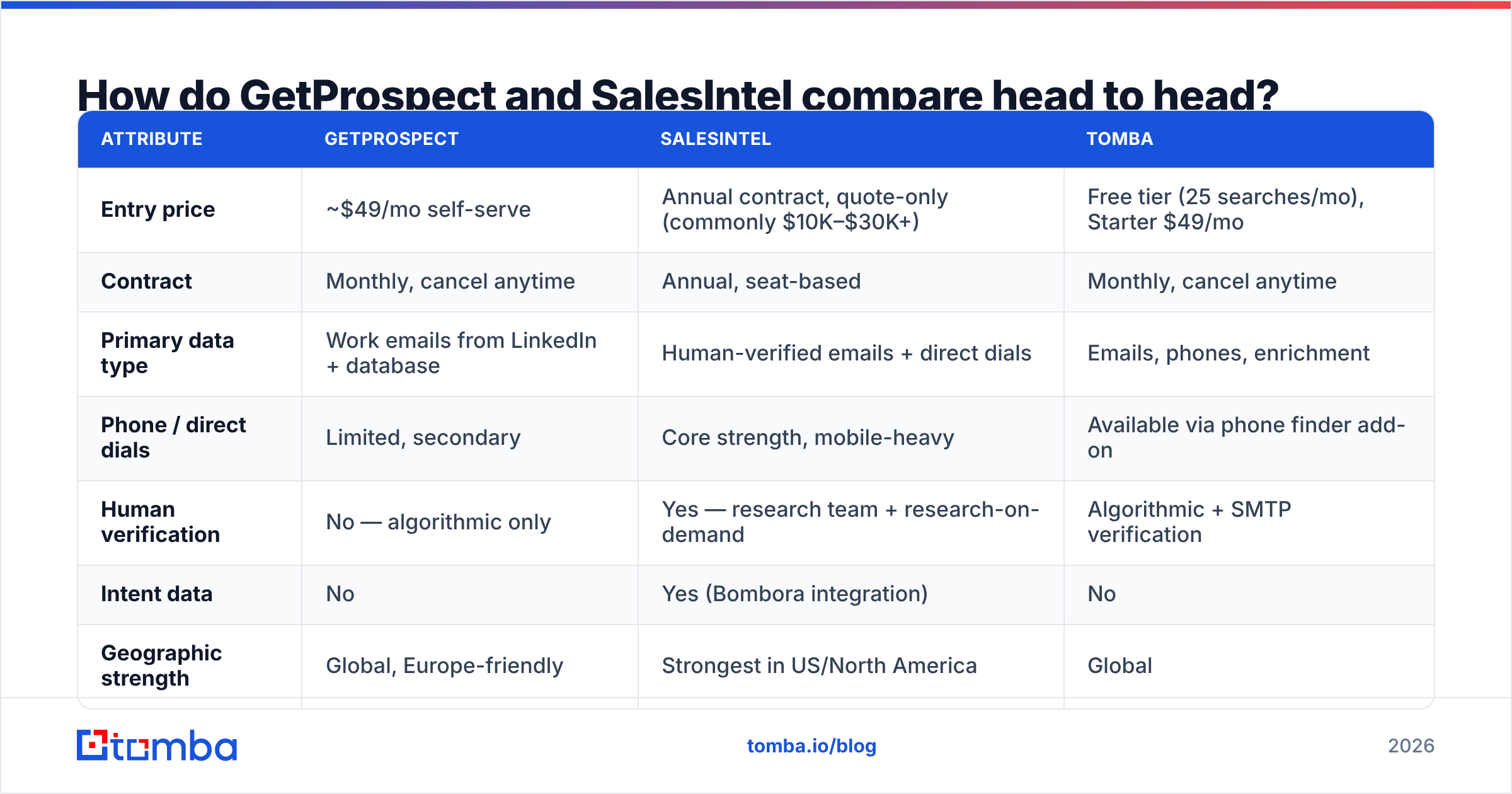
Here is the side-by-side on the attributes that actually change your decision. Tomba is included as a reference point for the per-credit model.
| Attribute | GetProspect | SalesIntel | Tomba |
|---|---|---|---|
| Entry price | ~$49/mo self-serve | Annual contract, quote-only (commonly $10K–$30K+) | Free tier (25 searches/mo), Starter $49/mo |
| Contract | Monthly, cancel anytime | Annual, seat-based | Monthly, cancel anytime |
| Primary data type | Work emails from LinkedIn + database | Human-verified emails + direct dials | Emails, phones, enrichment |
| Phone / direct dials | Limited, secondary | Core strength, mobile-heavy | Available via phone finder add-on |
| Human verification | No — algorithmic only | Yes — research team + research-on-demand | Algorithmic + SMTP verification |
| Intent data | No | Yes (Bombora integration) | No |
| Geographic strength | Global, Europe-friendly | Strongest in US/North America | Global |
| API access | Yes, on paid plans | Yes, enterprise tier | Yes, all paid plans |
| Best fit | Volume email prospecting, SMB budgets | US cold calling, ABM, enterprise RevOps | Precision email finding, developer workflows |
Contract type decides most of these evaluations. SalesIntel asks for a year up front. That turns a trial into a buying project. If your team cannot forecast twelve months of usage, stop there. Data quality will not rescue the deal.
Which one has better data accuracy?#
Each vendor defines accuracy differently, so compare with care.
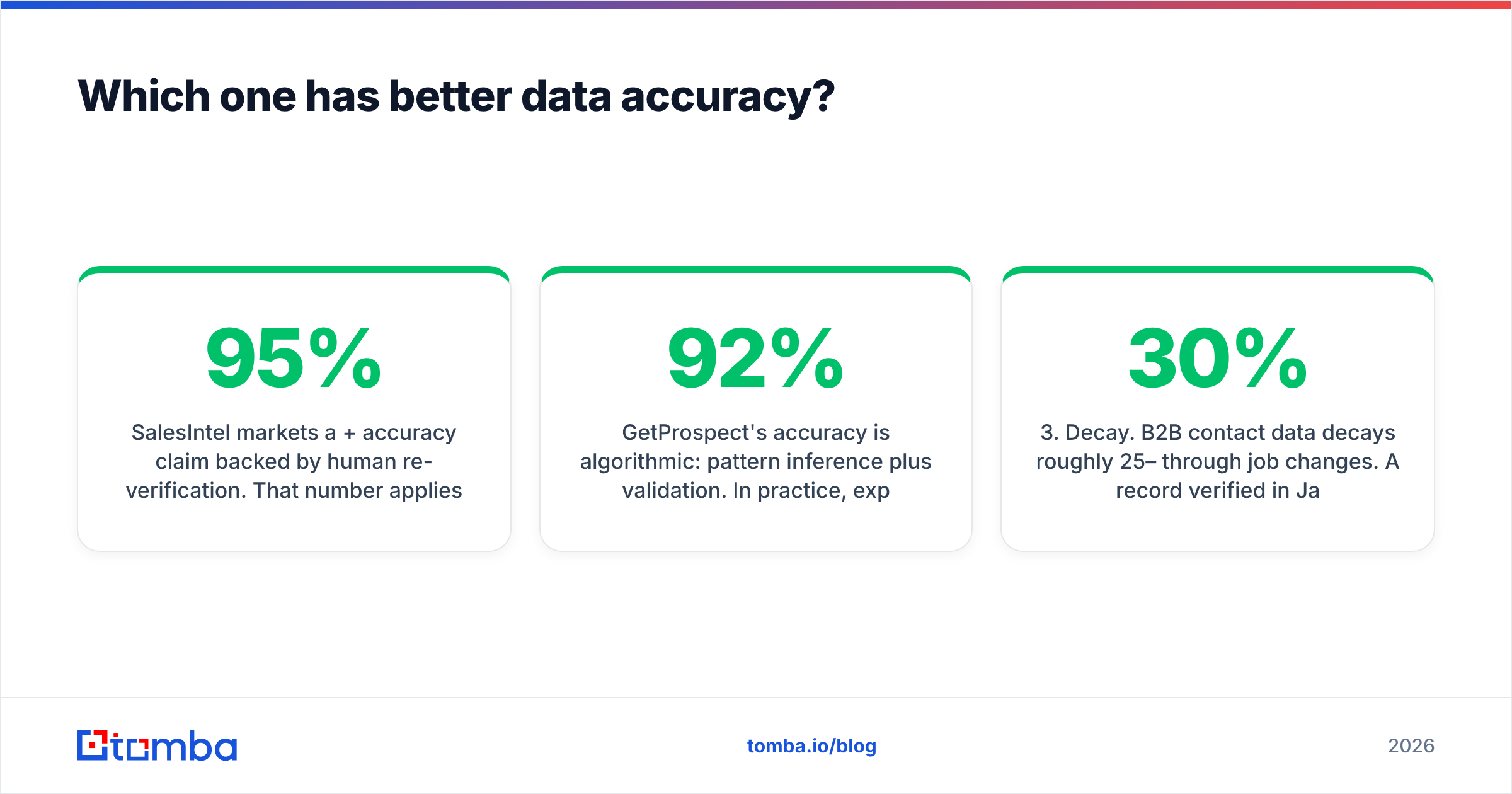
SalesIntel claims 95%+ accuracy, backed by human re-checks. That number covers the verified subset only — records a person touched inside the stated window. It is genuinely strong for US contacts at director level and above, at companies with 50+ employees. Where the database is thin, you file a research request and wait a few business days.
GetProspect's accuracy is algorithmic. It infers the email pattern, then validates it. Expect solid results at companies with predictable formats, like firstname.lastname@ or first initial plus last name. Expect weaker results on catch-all domains and small companies with odd formats. Public benchmarks and G2 reviews put self-serve finders in the 80–92% deliverable range. The exact number moves with your market.
Three things distort every accuracy claim you will read:
- Denominator games. A tool that only returns emails it feels sure about shows a higher accuracy rate and a lower hit rate. Ask for both numbers together.
- Catch-all handling. Domains that accept all mail cannot be checked by SMTP alone. Some vendors count them as valid, some as risky, some drop them. Run your own catch-all verification first.
- Decay. B2B contact data decays 25–30% a year as people change jobs. A record verified in January is a different asset in November.
One test settles it. Pull 200 contacts from your real ICP through both tools. Verify them yourself. Then compare how many are correct and deliverable. A benchmark run on the vendor's own sample tells you nothing about your market.
What does each one actually cost?#
The sticker prices are not comparable, because the units are not comparable.
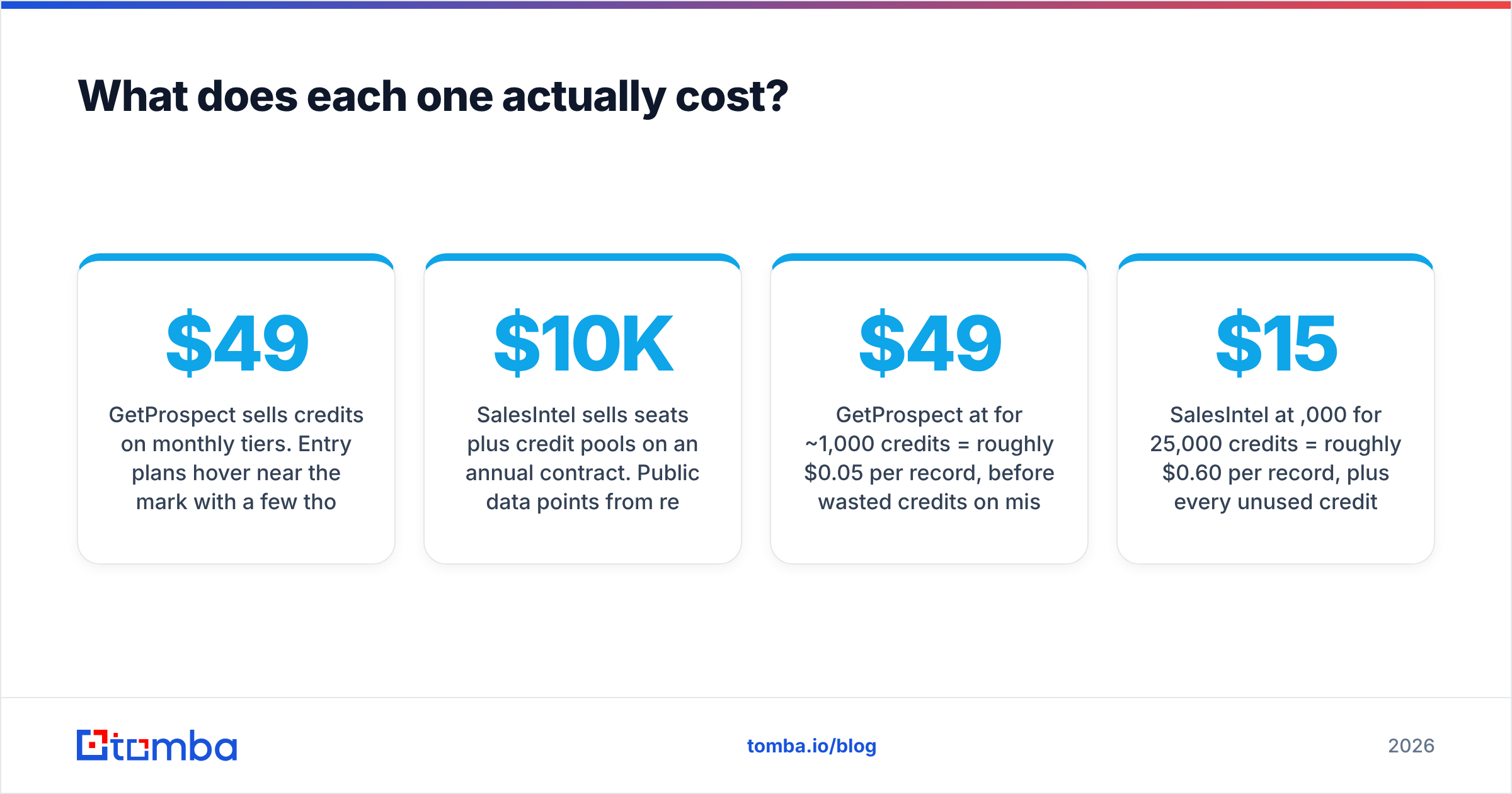
GetProspect sells credits on monthly tiers. Entry plans sit near $49/mo with a few thousand credits. Larger volumes run to a few hundred dollars a month. Export caps, valid-email-only counting, and team seats change by tier. Read those limits before you commit. "Credits" sometimes means searches and sometimes means records returned.
SalesIntel sells seats plus a credit pool on an annual contract. Review sites and buyer chatter put typical deals in the $10K–$30K range. Large deployments run well above that. The price buys the research team, intent signals, CRM integrations, and account support. That is real value if you use it and dead weight if you do not.
Run the per-contact math before you talk to a rep:
- GetProspect at $49/mo for ~1,000 credits = about $0.05 per record, before credits wasted on misses.
- SalesIntel at $15,000/yr for 25,000 credits = about $0.60 per record, and every unused credit is a sunk cost.
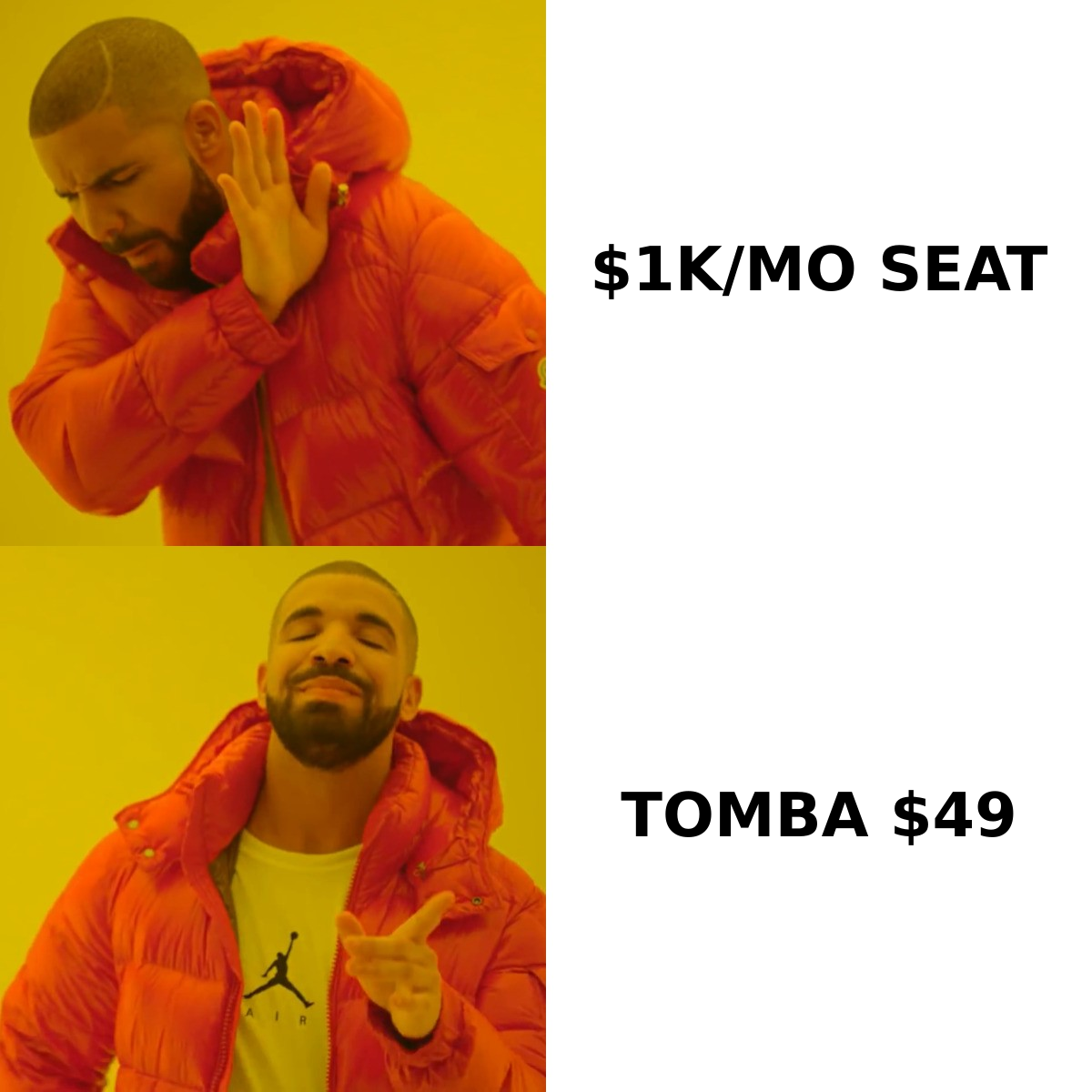
- Tomba Starter at $49/mo = similar per-record economics to GetProspect, with monthly flexibility and no seat minimums. Full Tomba pricing is public, so there is no quote call.
That 12x gap is easy to defend when each contact is a direct dial for a $100K deal. It is hard to defend when you send 5,000 cold emails a month to Series A founders.
Is SalesIntel worth the enterprise premium?#
Yes, in three cases. No in most others.
Buy SalesIntel if:
- You run a phone-first motion. Your reps dial more than they email, and mobile numbers drive pipeline. This is the strongest case. Email-first tools do not match direct-dial coverage at any price.
- You sell to US mid-market and enterprise. Coverage is deepest in North America. If half your market sits in EMEA or APAC, you pay for a database that thins out where you need it.
- You will really use research-on-demand. Teams that file requests every week get real value. Teams that forget the feature paid for a service they never touched.
Skip it in the common cases. You have fewer than 10 reps. Your deal size is under $10K. Your motion is email only. Your accounts sit outside the US. In each case the premium buys features you will not touch. Worse, the annual lock-in stops you from fixing the mistake mid-year.

Is GetProspect good enough on its own?#
Mostly, with one gap you have to close yourself.
The LinkedIn extension is genuinely fast for list building. Run a Sales Navigator search, extract, export, and you have a working list in minutes. The light CRM and basic sending features help solo operators who do not want a separate sequencer.
The gap is verification. Algorithmic finders return addresses that match a pattern but were never confirmed to accept mail. Send to them at volume and you damage your sender reputation before your copy gets a fair test. The fix is mechanical. Run every export through a dedicated email verifier and drop anything not marked deliverable. Budget for that step. It costs less than one blocked domain.
The second gap is phone data. If your sequence includes calls, GetProspect will not carry that load. You either add another provider or stay email-only.
What about the alternatives neither vendor mentions?#
The GetProspect vs SalesIntel framing is a false binary. Three other shapes cover the same ground.
- Per-credit finders with an API-first design. Tools like Tomba sell finding and verification as separate operations, not as a seat license. You pay for what you resolve. You call the Tomba API from your own enrichment pipeline. There is no annual contract. This suits RevOps teams that already have a warehouse and want data, not another UI.
- Waterfall enrichment. Send each contact through several providers in order and stop at the first confident hit. It costs more per lookup, but coverage beats any single vendor. Build it once your volume justifies the plumbing.
- Curated database platforms. BookYourData sells pay-as-you-go, pre-verified B2B lists with a bounce guarantee. It fits when you want a clean list without running your own verification stack or signing up for a subscription.
The right setup usually mixes these. Use a cheap finder for breadth. Use a verifier as a gate. Buy a premium source for tier-one accounts only. Most teams pay enterprise rates for their whole market, even though 10% of it drives 80% of revenue. That is the most common budget error in this category.
How to run the GetProspect vs SalesIntel evaluation#
Do not start with demos. Start with a test set.
- Build a 200-contact ICP sample. Use real accounts and real roles. Spread them across the company sizes and regions you sell into.
- Request trial access to both. GetProspect is self-serve. SalesIntel needs a sales call. Ask for trial credits against your own sample, not a curated demo list.
- Measure hit rate and accuracy separately. Hit rate is records returned ÷ records requested. Accuracy is correct-and-deliverable ÷ records returned. A tool can win one and lose the other.
- Verify independently. Do not trust either vendor's validity flag. Run both outputs through a neutral email verification pass.
- Price the outcome, not the plan. Divide total annual cost by the contacts that were correct, deliverable, and in-ICP. That cost per usable record is the number to compare.
- Check the exit. Ask about data export on cancellation, credit rollover, and mid-term downgrades. Annual contracts hide their real cost in those clauses.
Most teams that run this process find their real need is narrower than the pitch. Work out which side of the accuracy-versus-coverage tradeoff you sit on. Then buy exactly that.
The verdict#
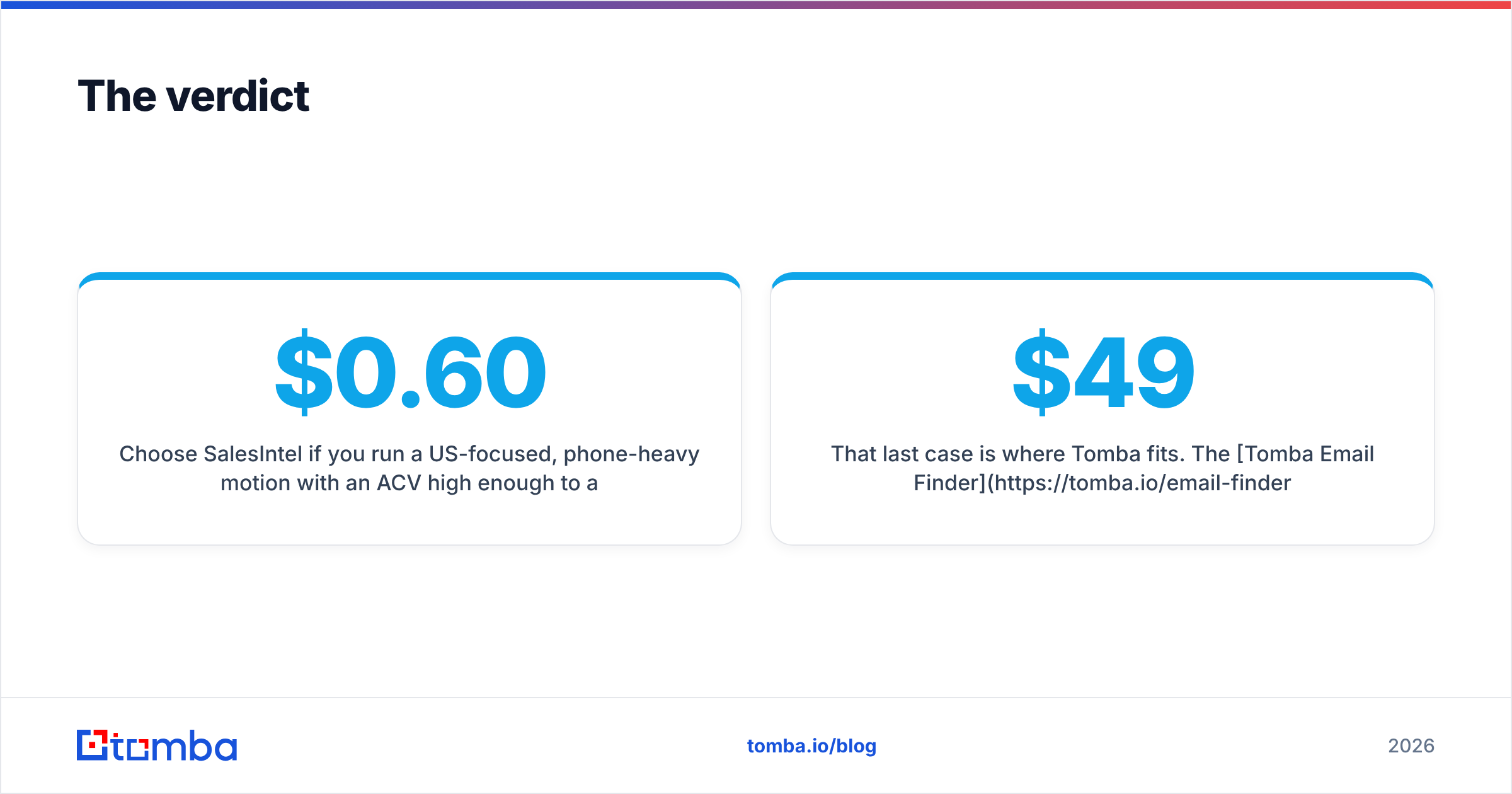
Choose SalesIntel if you run a US-focused, phone-heavy motion. Your deal size has to absorb roughly $0.60 per contact. You also need the discipline to use research-on-demand every week. The human verification layer is real, and no self-serve tool matches its direct-dial coverage.
Choose GetProspect if you are email-first, budget-conscious, and building lists from LinkedIn. Pair it with a real verifier. It then covers most SMB and mid-market outbound needs at a fraction of the cost.
Choose neither if your bottleneck is a pipeline rather than a UI. When you need email finding as an API call inside an existing flow, both products make you pay for interfaces you will never open.
That last case is where Tomba fits. The Tomba Email Finder resolves work emails by domain, name, or company, with SMTP verification built in. It starts free at 25 searches a month. Paid plans run $49/mo Starter and $99/mo Growth, with no annual commitment and no seat minimums. Test it against your own 200-contact sample alongside whichever tool you are considering. If it wins on cost per usable record, the evaluation just answered itself.
Related guides#
Ready to find emails that actually work?
Join 150,000+ professionals who stopped guessing and started sending. Free credits on signup — no credit card required.
Get the Tomba newsletter
Practical outbound tactics and product updates — once every two weeks.
About the author