Hunter vs Tomba: Which Email Finder Wins in 2026?
Hunter and Tomba both find and verify B2B email addresses, but they price credits differently and win on different data types. Here's the honest breakdown of cost, accuracy, and API depth.
TL;DR
- Hunter is the category default: the biggest brand, the cleanest UI, and the most third-party integrations. You pay a premium for that maturity.
- Tomba covers more finder types per dollar — author finder, LinkedIn finder, catch-all verifier, phone finder, and reveal all sit inside one plan instead of behind separate SKUs.
- On pricing, Tomba's Starter is $49/mo and Hunter's comparable paid tier lands close, but the credit math differs: Hunter counts a search and a verification separately on most plans, so real cost per verified contact is what you should compare, not sticker price.
- Accuracy is close enough on common corporate domains that neither wins outright. The gap shows up on catch-all domains, small companies, and non-US TLDs.
- Pick Hunter if you want the safest, most familiar tool and your team lives in Sheets and HubSpot. Pick Tomba if you need API depth, catch-all handling, or more tool types without stacking subscriptions.
What are Hunter and Tomba, actually?#
Both are B2B contact-data tools that answer one question: given a company and a person, what is the email address, and will it bounce?
Hunter launched in 2015 and is the name most SDRs learn first. Its core loop is Domain Search (list every public email on a domain), Email Finder (guess and validate one person's address), and Email Verifier (SMTP-check an address you already have). Around that it has added Campaigns, a lightweight sequencer, and a Discover company-search product.
Tomba covers the same core loop — email finder, domain search, email verifier — and then extends sideways rather than upward. Instead of adding a sequencer, it added more ways to get a contact: author finder for content prospecting, LinkedIn finder, reverse email lookup, phone finder, catch-all verifier, and website-visitor reveal.
That is the real philosophical split, and it should drive your decision more than any accuracy percentage:
- Hunter goes vertical. Find email → verify → send campaign, all in one account.
- Tomba goes horizontal. Find email from any starting signal — domain, name, LinkedIn URL, article byline, existing email, website visit — then hand off to whatever sequencer you already pay for.
- Hunter optimizes for the non-technical user. The UI is genuinely the best in the category, and the Sheets add-on is frictionless.
- Tomba optimizes for the operator. CLI, MCP server, Excel and Sheets add-ins, and a REST API with per-endpoint docs.
- Both sell credits, not seats — which means the comparison that matters is cost per usable contact, not per user.
How do Hunter and Tomba compare on features and price?#
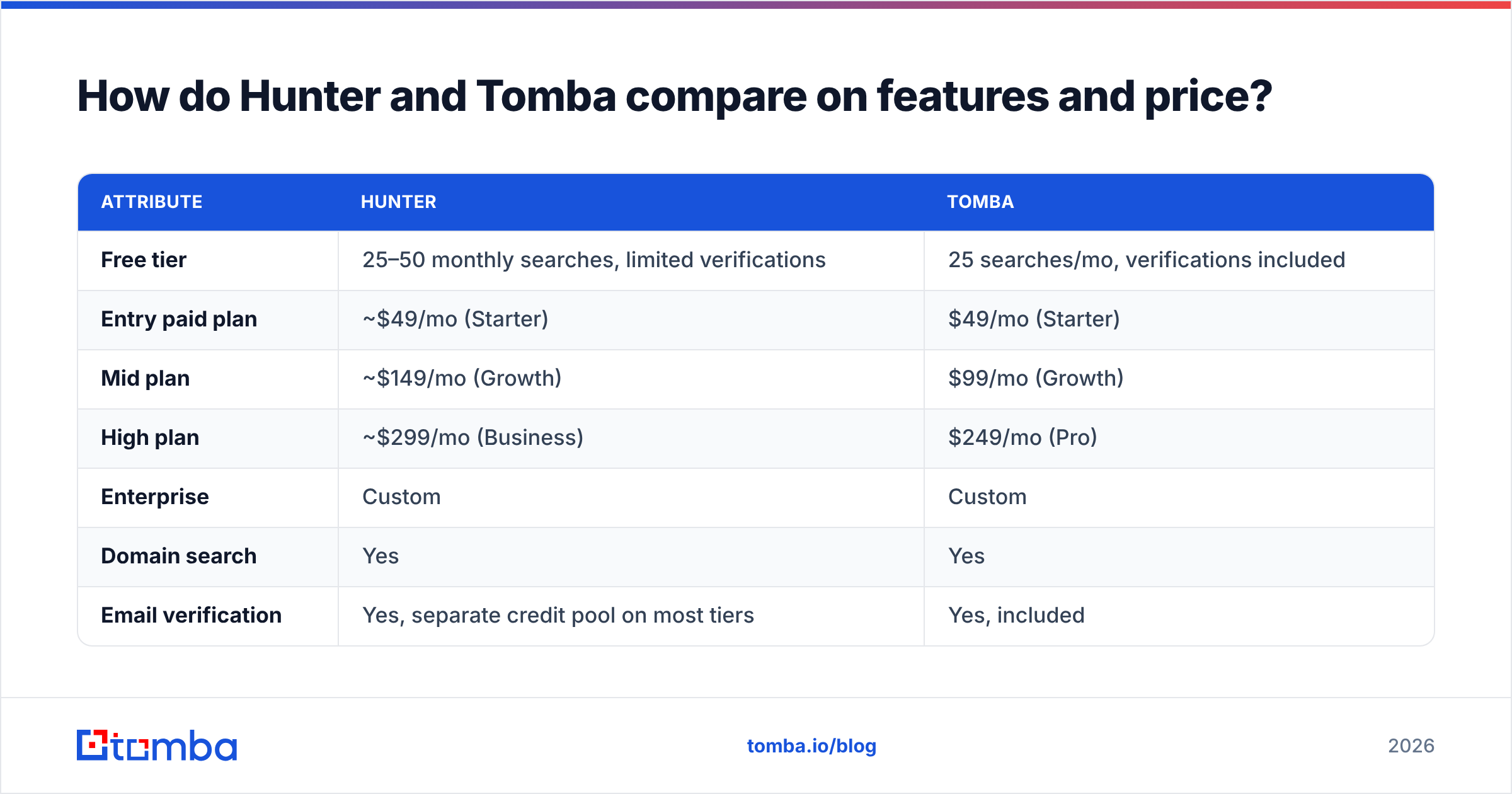
Here is the head-to-head. Prices are list prices as published by each vendor in 2026; check the vendor pages before you commit, because both change tiers regularly.
| Attribute | Hunter | Tomba |
|---|---|---|
| Free tier | 25–50 monthly searches, limited verifications | 25 searches/mo, verifications included |
| Entry paid plan | ~$49/mo (Starter) | $49/mo (Starter) |
| Mid plan | ~$149/mo (Growth) | $99/mo (Growth) |
| High plan | ~$299/mo (Business) | $249/mo (Pro) |
| Enterprise | Custom | Custom |
| Domain search | Yes | Yes |
| Email verification | Yes, separate credit pool on most tiers | Yes, included |
| Catch-all handling | Flags as "accept-all", no deeper resolution | Dedicated catch-all verifier + finder |
| Author finder (byline → email) | No | Yes |
| LinkedIn URL → email | Via extension only | Yes, dedicated endpoint |
| Phone numbers | No | Yes (phone finder + validator) |
| Website visitor reveal | No | Yes |
| Built-in email sequencer | Yes (Campaigns) | No — integrates instead |
| API | Yes, mature and well documented | Yes, plus CLI and MCP server |
| Native integrations | Very broad (HubSpot, Salesforce, Sheets, Zapier, +) | Broad (HubSpot, Salesforce, Pipedrive, Sheets, Airtable, Zapier, Make, Slack, Notion) |

Two lines in that table deserve more attention than the rest.
The sequencer line. Hunter Campaigns is real, and if you are a solo founder sending 200 emails a month it may be all you need. But most teams past seed stage already pay for Instantly, Smartlead, Lemlist, or Salesloft. In that case Hunter's Campaigns is a feature you fund and never open. Tomba's answer — no sequencer, deep integrations instead — is cheaper if you already have a sender.
The credit line. This is where the sticker price lies to you. Read the next section before you decide either tool is "cheaper".
Which one is actually cheaper per verified contact?#
Sticker price is the wrong unit. The right unit is cost per contact that survives verification and lands in the inbox.
Run the math on a realistic month. Say you need 2,000 net-new verified contacts.
- You will search roughly 2,600 names to get 2,000 hits, because no finder is at 100% coverage.
- Of those 2,000 hits, 10–18% will be risky, catch-all, or role-based and need a verification pass or a discard.
- If your tool bills searches and verifications from separate pools, your effective credit consumption is closer to 4,200 than 2,600.
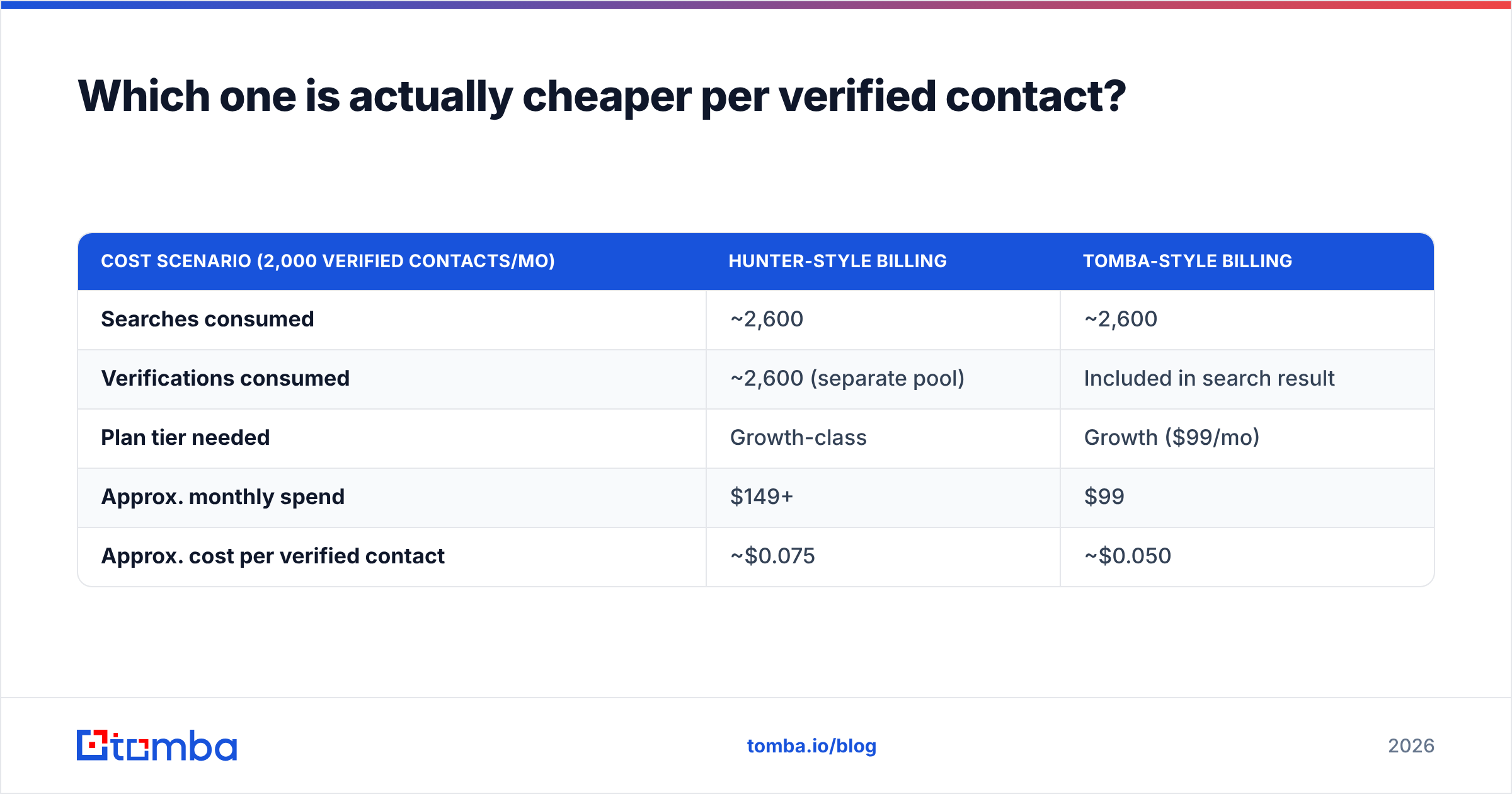
| Cost scenario (2,000 verified contacts/mo) | Hunter-style billing | Tomba-style billing |
|---|---|---|
| Searches consumed | ~2,600 | ~2,600 |
| Verifications consumed | ~2,600 (separate pool) | Included in search result |
| Plan tier needed | Growth-class | Growth ($99/mo) |
| Approx. monthly spend | $149+ | $99 |
| Approx. cost per verified contact | ~$0.075 | ~$0.050 |
That table is directional, not a quote — your mix of domains changes it a lot. If you prospect exclusively at Fortune 500 companies with predictable first.last@ patterns, both tools converge and the gap closes to noise. If you prospect at agencies, startups, and non-US SMBs, the verification pass matters more and the separate-pool model gets expensive fast.
Check Tomba pricing and Hunter's pricing page side by side with your own volume plugged in. Do not trust anyone's blog table, including this one, as a substitute for that ten-minute exercise.
How accurate is each one?#
Honest answer: on the domains you care most about, they are close, and public benchmarks are noisy because everyone tests a different list.

What actually moves accuracy in practice:
- Pattern confidence. Both tools infer a company's email pattern from known addresses on the domain. Hunter's public web crawl is enormous and its pattern confidence on well-indexed domains is excellent. Tomba's data sources combine crawl with verification signal, which helps on domains with a thin public footprint.
- Catch-all resolution. This is the single biggest differentiator. A catch-all domain accepts every address at SMTP, so a naive verifier returns "accept-all" and you are on your own. Hunter flags it and stops. Tomba's catch-all verifier attempts to resolve whether the specific mailbox exists using secondary signals. Neither is magic — catch-all is genuinely hard — but stopping at "accept-all" leaves 15–25% of many B2B lists unusable.
- Freshness. Job changes are the real killer. A contact verified in January is meaningfully less reliable in September. Both tools re-verify; neither publishes a decay curve you can audit.
- Non-US coverage. If your ICP is EMEA or APAC, test both on 100 of your accounts. Vendor-published accuracy numbers are almost always measured on US SaaS domains.
- Role-address filtering.
info@,sales@,support@inflate hit rates and destroy reply rates. Check whether the tool counts them as a "found" email in its own stats.
The only benchmark that matters is yours. Take 200 real target contacts, run both free tiers, and measure two numbers: hit rate and bounce rate after sending. Everything else is marketing.

When should you pick Hunter?#
Pick Hunter if any of these describe you:
- You want the boring, safe choice. Hunter is the most widely reviewed tool in the category on G2, your team has probably used it before, and onboarding takes minutes.
- You do not have a sequencer yet. Campaigns is decent, and one subscription beats two.
- Non-technical users own prospecting. The Sheets add-on and Chrome extension are the smoothest in the category, and marketing ops teams will not need engineering help.
- You need heavy compliance paperwork. Hunter's size means procurement, DPAs, and security reviews are well-trodden ground.
- Your prospecting is US-centric mid-market and up. Hunter's crawl depth on well-indexed domains is a genuine strength.
The tradeoff is cost at scale and a narrower set of input types. If your only starting signal is a name and a domain, Hunter is fine. If your signal is a LinkedIn URL, a byline, an anonymous website visit, or a phone-first motion, you will be bolting on a second tool.
When should you pick Tomba?#
Pick Tomba if any of these describe you:
- You already pay for a sequencer. You need data, not another sending tool, and you would rather not fund Campaigns.
- Catch-all domains are a real chunk of your list. The dedicated catch-all finder recovers contacts that would otherwise get filed as "unusable".
- You build workflows, not just lists. The Tomba API, CLI, and MCP server mean enrichment can live inside your own pipeline, your CRM, or an agent workflow rather than in a UI someone has to open.
- You prospect from content. The author finder turns an article byline into a contact — useful for link building, PR, and partnership outreach, and Hunter has no equivalent.
- You need phone as well as email. Multi-channel sequences fall apart when half your contacts have no number.
The tradeoff is brand familiarity and the sequencer gap. Tomba's UI is good but Hunter's is better-known, and if you genuinely want find-and-send in one login, Tomba will ask you to connect something else.
What about the other options?#
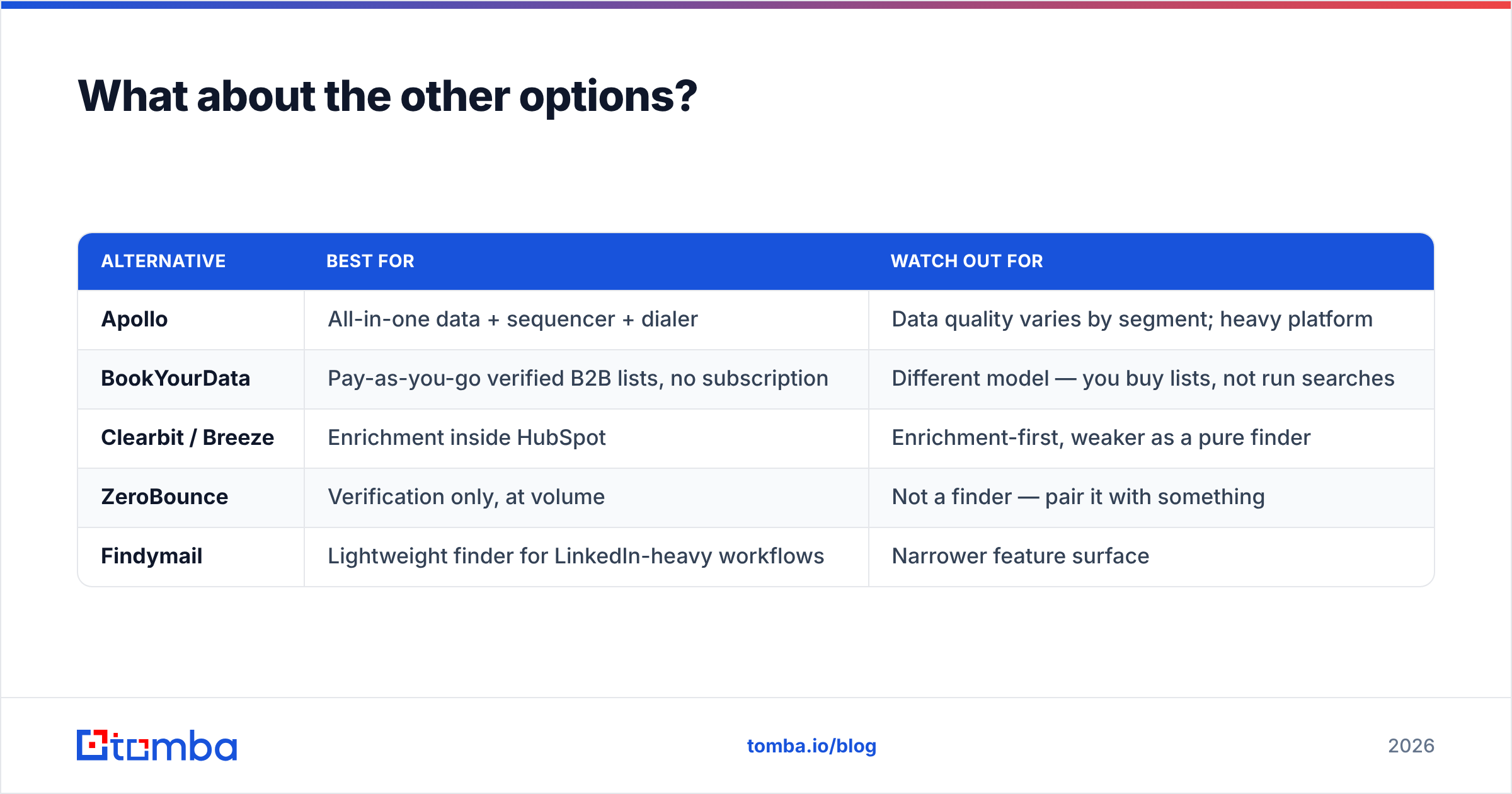
Neither tool exists in a vacuum, and the honest answer is that "Hunter vs Tomba" is often the wrong framing. A few adjacent choices worth a look:
| Alternative | Best for | Watch out for |
|---|---|---|
| Apollo | All-in-one data + sequencer + dialer | Data quality varies by segment; heavy platform |
| BookYourData | Pay-as-you-go verified B2B lists, no subscription | Different model — you buy lists, not run searches |
| Clearbit / Breeze | Enrichment inside HubSpot | Enrichment-first, weaker as a pure finder |
| ZeroBounce | Verification only, at volume | Not a finder — pair it with something |
| Findymail | Lightweight finder for LinkedIn-heavy workflows | Narrower feature surface |
BookYourData is worth a specific mention because it solves a different problem well: if you want a one-off verified list without a recurring seat or credit commitment, buying a list beats renting a search quota. Plenty of teams run a finder for ongoing prospecting and buy targeted lists for campaign pushes.
If you are evaluating broadly, Capterra and G2 category pages are the least biased starting point — both show pricing complaints and support gripes that vendor sites never will.
How should you run the evaluation?#
Do this in an afternoon rather than debating it for two weeks:
- Build a 200-row test set from your actual ICP — not a clean list. Include SMBs, agencies, and at least 30 non-US domains.
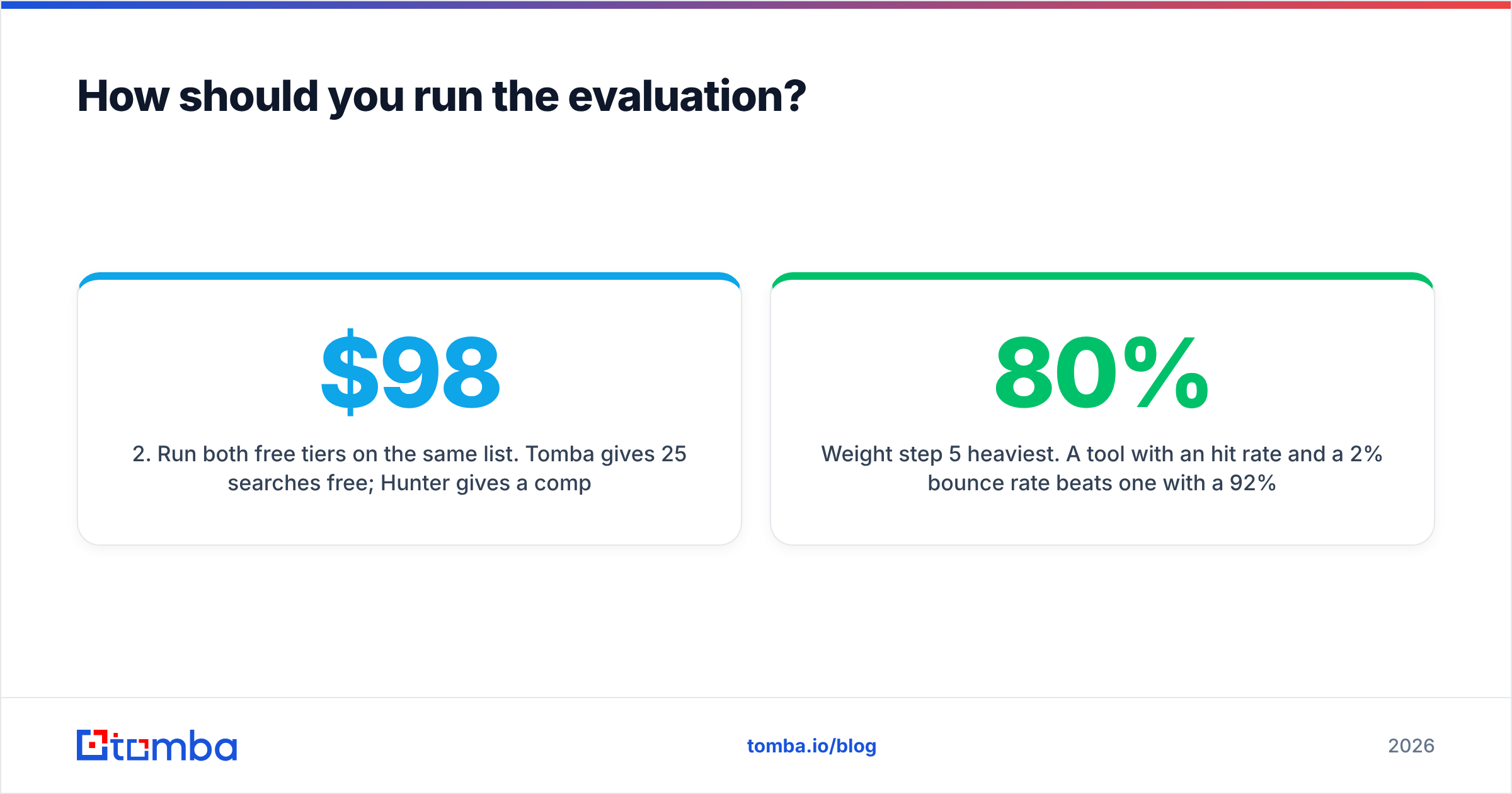
- Run both free tiers on the same list. Tomba gives 25 searches/mo free; Hunter gives a comparable free allowance. If 25 is too small for a real read, buy one month of the entry tier on both — that is $98 to make a decision worth thousands.
- Record hit rate — percentage of rows that returned any address.
- Record confidence distribution — how many came back high-confidence versus risky or catch-all.
- Send to a throwaway list of 100 addresses from each tool through your real sequencer and record actual bounce rate. This is the only number that cannot be gamed.
- Check API ergonomics if you plan to automate — read both docs and see which one you could wire up in an hour.
Weight step 5 heaviest. A tool with an 80% hit rate and a 2% bounce rate beats one with a 92% hit rate and a 9% bounce rate every single time, because bounces damage sender reputation and that damage outlives the campaign.
The verdict#
There is no universal winner, and anyone who tells you otherwise is selling something.
Hunter wins on familiarity, UI polish, and the all-in-one story. If you are a small team without a sequencer, or your prospecting is owned by non-technical marketers, it is the lower-risk pick and you will not regret it.
Tomba wins on breadth per dollar and on the hard cases — catch-all domains, LinkedIn and byline inputs, phone numbers, and API-driven enrichment. If you already own a sending tool, you are paying twice by choosing a platform that bundles one.
For most teams reading a comparison like this, the deciding question is simple: do you need another sequencer, or do you need better data going into the one you already have?
If it is the second, start with the free tier and run your own 200-row test. Tomba's Email Finder gives you 25 searches a month at no cost, with verification included rather than billed from a second pool — enough to benchmark it against Hunter on your own list before you spend anything. Bring your worst domains, not your easiest ones; that is where the difference shows up.
Related guides#
// get started
Find, verify and enrich your first contacts today
Start on the free plan with 25 searches a month, then scale when your team is ready.
Free plan · No credit card required · GDPR & CCPA
// about the author