Influno vs Wiza (2026): Which Outreach Tool Actually Wins?
Influno sends campaigns. Wiza turns LinkedIn lists into contact data. They overlap less than the comparison posts suggest — here's the honest breakdown of where each one wins, what each really costs, and which stack beats both.
TL;DR
- Influno and Wiza are not really the same product. Influno is an outbound execution platform (sequences, inboxes, replies). Wiza is a data tool that turns LinkedIn and Sales Navigator searches into exportable contact lists.
- Pick Wiza if your pipeline starts with a LinkedIn search URL and your SDRs already live in Sales Navigator.
- Pick Influno if you want sourcing and sending under one login and you're tired of paying for three separate subscriptions.
- Both charge by credit, and credits are where budgets quietly break. Model your real monthly volume before you commit to an annual plan.
- If you already have a sequencer you like, the cheapest upgrade is usually a dedicated data layer — a email finder plus verification — rather than a second all-in-one platform.
What are Influno and Wiza, exactly?#
Start here, because the category labels on review sites blur the difference and lead teams to buy the wrong thing.
Wiza is a LinkedIn-first prospecting tool. You run a search in LinkedIn or Sales Navigator, point Wiza at it via the Chrome extension, and it returns a list with work emails, personal emails and — on the right plan — phone numbers. Contacts are verified at export time, and the output pushes into a CRM or downloads as CSV. Wiza does not send your emails. It hands you the list.
Influno sits on the other side of that handoff. It's an outbound platform built around campaigns: multi-step sequences, multiple sending inboxes, warmup, a unified reply inbox, and list management. It also markets contact sourcing and verification inside the same product, which is why it shows up in "Wiza alternative" searches — but sending and deliverability tooling is the core of what you're buying.
So the real question behind influno vs wiza is usually not "which tool is better." It's "do I need a sender or do I need data?" Answer that first and the shortlist collapses to one.
How do Influno and Wiza compare at a glance?#
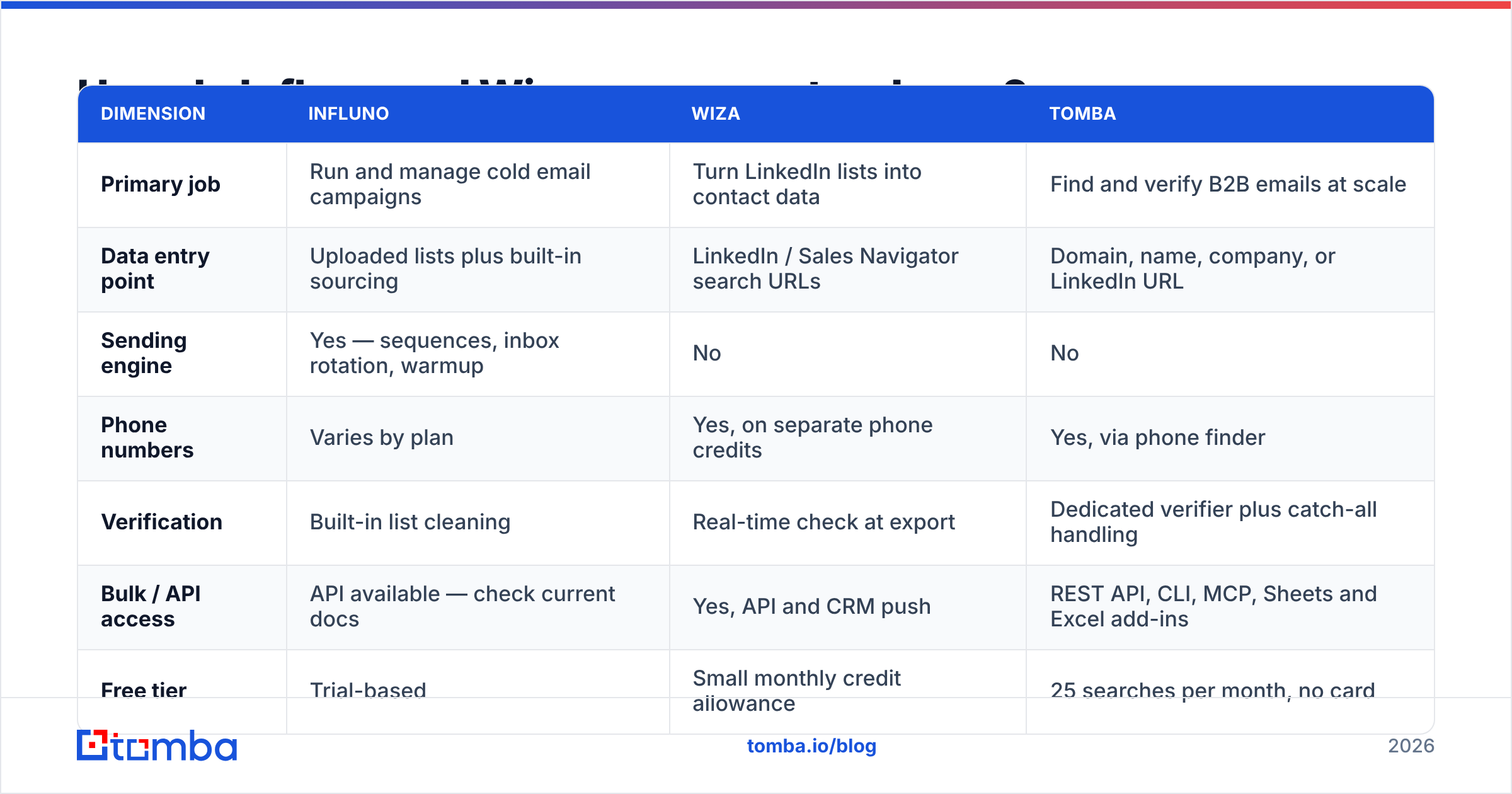
| Dimension | Influno | Wiza | Tomba |
|---|---|---|---|
| Primary job | Run and manage cold email campaigns | Turn LinkedIn lists into contact data | Find and verify B2B emails at scale |
| Data entry point | Uploaded lists plus built-in sourcing | LinkedIn / Sales Navigator search URLs | Domain, name, company, or LinkedIn URL |
| Sending engine | Yes — sequences, inbox rotation, warmup | No | No |
| Phone numbers | Varies by plan | Yes, on separate phone credits | Yes, via phone finder |
| Verification | Built-in list cleaning | Real-time check at export | Dedicated verifier plus catch-all handling |
| Bulk / API access | API available — check current docs | Yes, API and CRM push | REST API, CLI, MCP, Sheets and Excel add-ins |
| Free tier | Trial-based | Small monthly credit allowance | 25 searches per month, no card |
| Best for | Teams wanting sourcing and sending in one login | SDRs who prospect inside Sales Navigator | A data layer feeding whatever sequencer you already run |
Feature grids age fast. Treat this as the shape of each product, not a spec sheet — confirm current limits on the vendors' own pages before you sign anything.
Where does each tool actually get its data?#
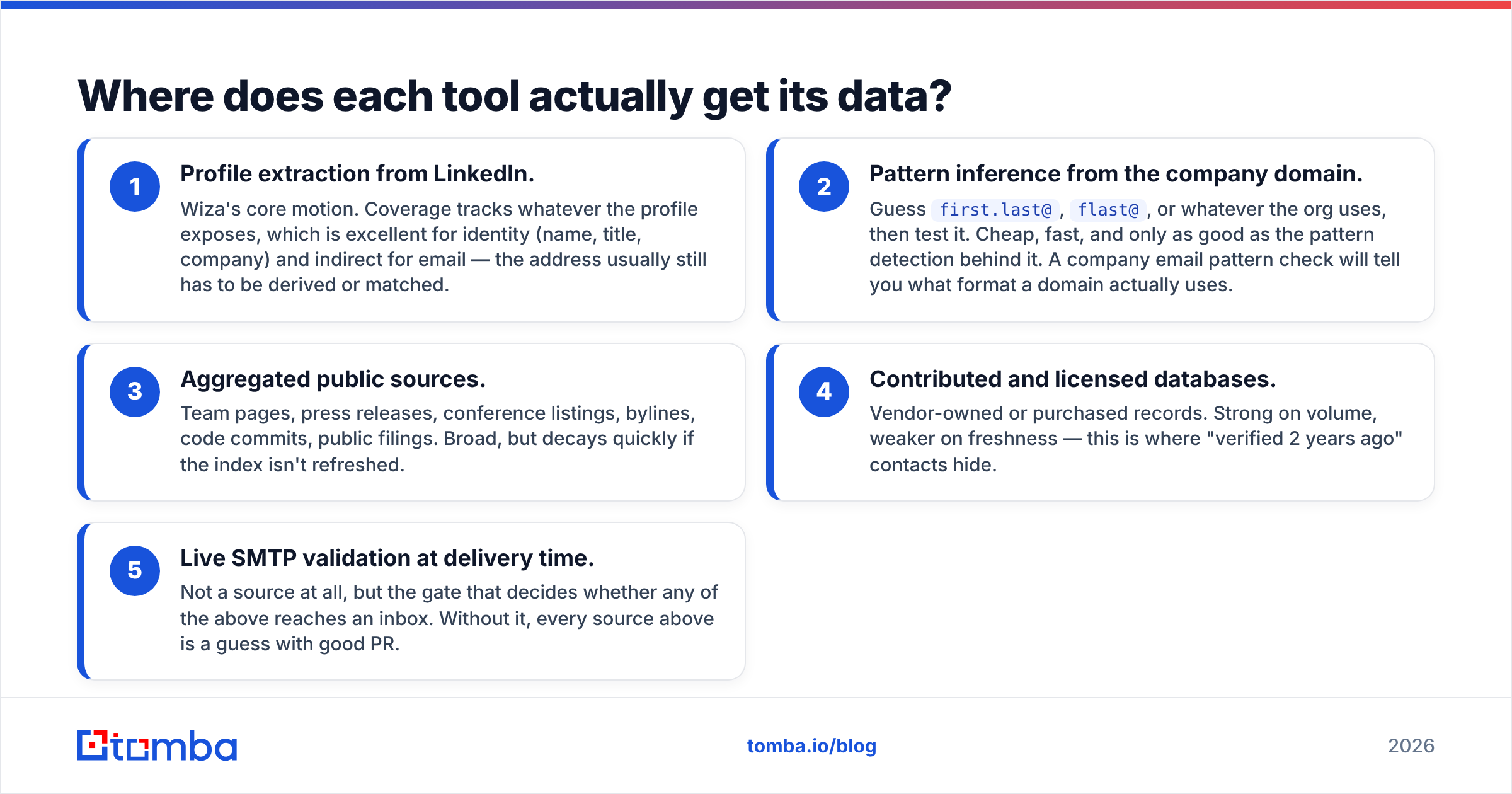
This is the part buyers skip, and it's the part that determines your bounce rate. Contact data comes from a handful of mechanisms, and each one has a distinct failure mode:
- Profile extraction from LinkedIn. Wiza's core motion. Coverage tracks whatever the profile exposes, which is excellent for identity (name, title, company) and indirect for email — the address usually still has to be derived or matched.
- Pattern inference from the company domain. Guess
first.last@,flast@, or whatever the org uses, then test it. Cheap, fast, and only as good as the pattern detection behind it. A company email pattern check will tell you what format a domain actually uses. - Aggregated public sources. Team pages, press releases, conference listings, bylines, code commits, public filings. Broad, but decays quickly if the index isn't refreshed.
- Contributed and licensed databases. Vendor-owned or purchased records. Strong on volume, weaker on freshness — this is where "verified 2 years ago" contacts hide.
- Live SMTP validation at delivery time. Not a source at all, but the gate that decides whether any of the above reaches an inbox. Without it, every source above is a guess with good PR.
Wiza leans hard on 1 and 5. Influno, like most all-in-one platforms, leans on 3 and 4 to populate its database and layers cleaning on top. Neither approach is wrong — but they fail differently. LinkedIn-first data is precise about who and thinner on how to reach them outside LinkedIn. Database-first data is broad and needs aggressive hygiene before it touches a sending domain.

Which one finds more usable emails?#
Neither vendor publishes an independent accuracy audit, and you shouldn't trust the ones that do publish their own. Run your own test — it takes twenty minutes and it's the only number that matters for your ICP.
Here's the protocol:
- Build a control list of 100 contacts you can independently confirm (existing customers, closed-lost accounts, people who've replied to you before).
- Run the same 100 through each tool's free tier.
- Score three things separately: found rate (did it return anything), accuracy (is the address correct), and deliverability (does it survive verification without a hard bounce).
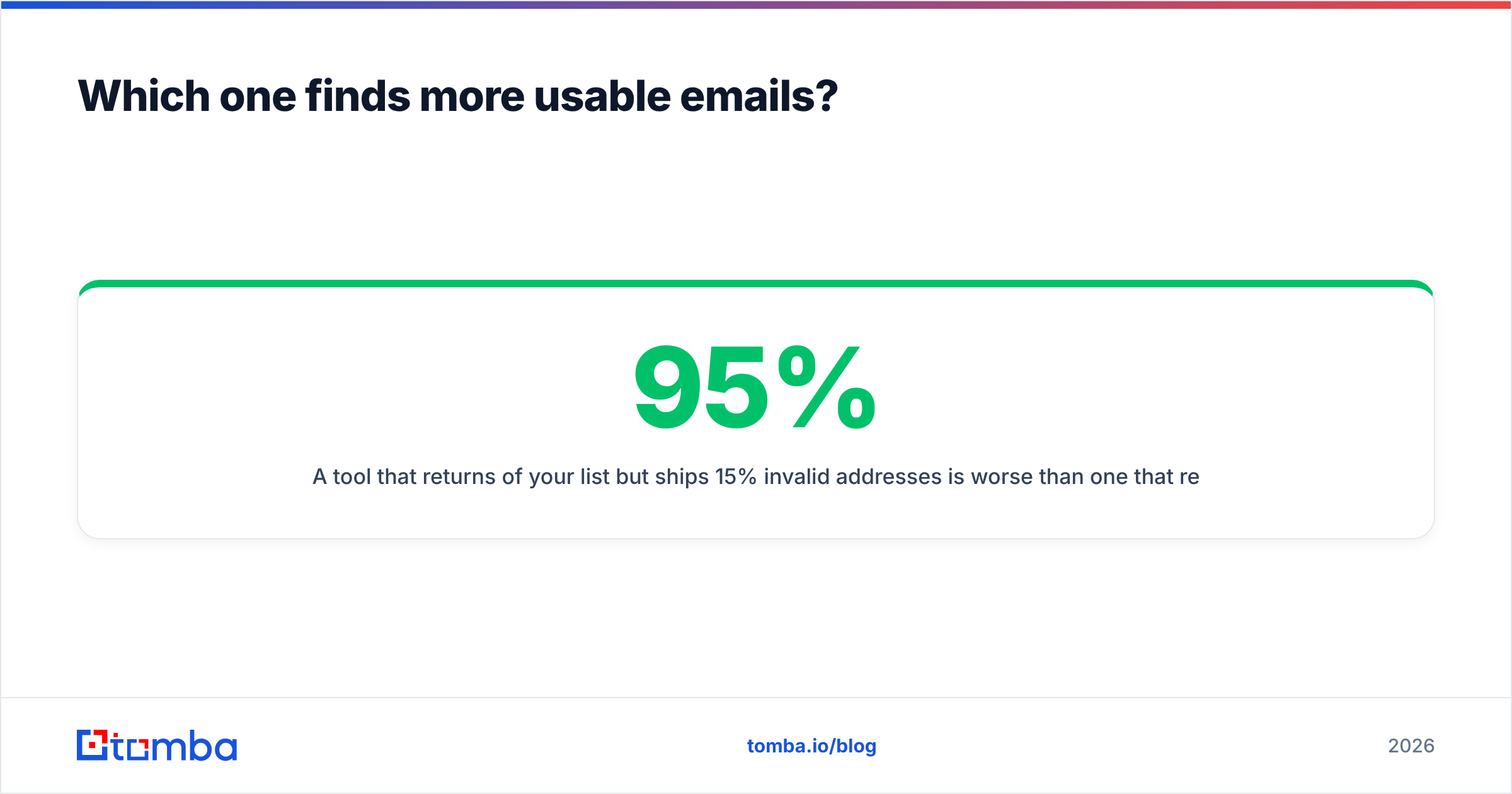
A tool that returns 95% of your list but ships 15% invalid addresses is worse than one that returns 70% clean, because bounces damage sender reputation and reputation damage is not credit-refundable. Providers generally treat a bounce rate above roughly 2–3% as a warning sign, and mailbox providers act on it long before you notice reply-rate decay.
The practical takeaway from influno vs wiza testing: LinkedIn-sourced lists skew toward senior titles at companies with a visible social presence. Domain-first search skews toward operational roles, smaller companies and industries where nobody updates their LinkedIn. If your ICP is manufacturing, logistics, healthcare admin, or local services, a LinkedIn-only pipeline will feel much thinner than the demo suggested — and a domain search across the target company will usually out-recover it.
How do the pricing models really compare?#
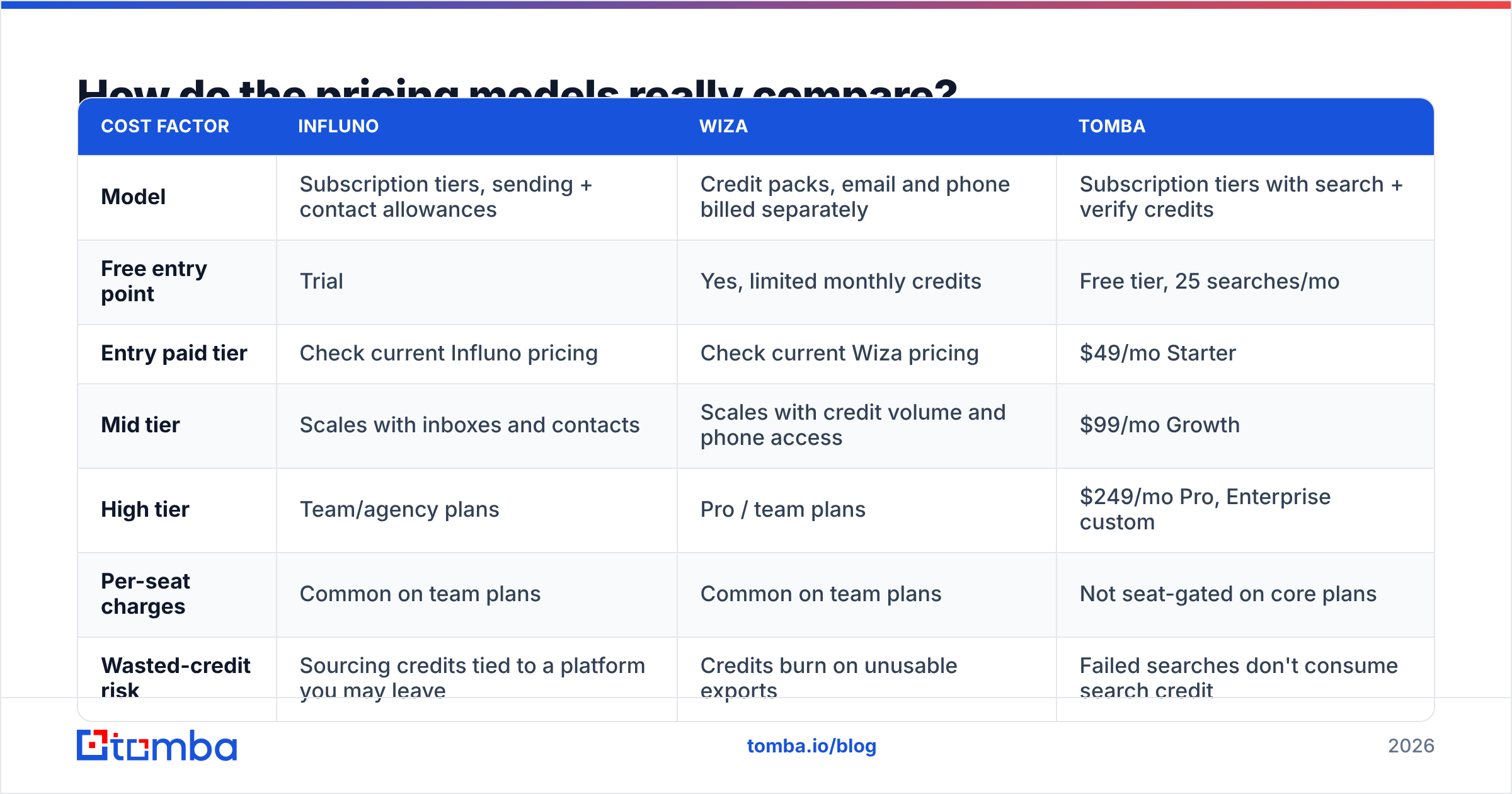
Both tools price on credits, and credit accounting is where the sticker price and the invoice diverge.
| Cost factor | Influno | Wiza | Tomba |
|---|---|---|---|
| Model | Subscription tiers, sending + contact allowances | Credit packs, email and phone billed separately | Subscription tiers with search + verify credits |
| Free entry point | Trial | Yes, limited monthly credits | Free tier, 25 searches/mo |
| Entry paid tier | Check current Influno pricing | Check current Wiza pricing | $49/mo Starter |
| Mid tier | Scales with inboxes and contacts | Scales with credit volume and phone access | $99/mo Growth |
| High tier | Team/agency plans | Pro / team plans | $249/mo Pro, Enterprise custom |
| Per-seat charges | Common on team plans | Common on team plans | Not seat-gated on core plans |
| Wasted-credit risk | Sourcing credits tied to a platform you may leave | Credits burn on unusable exports | Failed searches don't consume search credit |
Three questions decide your real cost, regardless of which logo you pick:
- Does a failed lookup consume a credit? If yes, your effective price per usable contact is your list price divided by your found rate. A $0.10 lookup at a 55% hit rate is really $0.18.
- Are verification and enrichment billed separately? Many stacks charge twice for the same contact — once to find it, once to confirm it's real.
- Are you paying per seat for people who only need the export? Ops folks pulling monthly lists rarely justify a full seat.

Compare your modeled number against transparent Tomba pricing before you commit — not because every team should swap platforms, but because it anchors what data should cost independently of what a sending platform bundles around it.
Is Influno better than Wiza for cold email?#
For actually sending, yes — that isn't a close call, because Wiza doesn't send. Wiza's job ends at the export.
But "better for cold email" is a bigger question than which tool has a sequence builder. Your reply rate is mostly decided before the first send:
- List quality sets your ceiling. Clean data, tight ICP fit, correct titles.
- Domain and inbox health decides whether good copy gets read. Separate sending domains, gradual ramp, correct SPF record, DKIM and DMARC.
- Copy and offer decide whether a read becomes a reply.
- Follow-up discipline decides whether a non-reply becomes a conversation. Most booked meetings come after the first email.
Influno gives you the second and fourth of those in one place, which is genuinely valuable if you're currently duct-taping a sequencer to a spreadsheet. What no all-in-one platform can do is make mediocre data perform. If the contacts going in are stale, the sending infrastructure just distributes the problem faster.
This is also the strongest argument for keeping data and sending separate: sending platforms get replaced. Teams switch sequencers every 18 months over pricing, deliverability incidents or acquisitions. If your contact data lives inside the sequencer, every migration is a data migration too.
Which should you pick for your workflow?#
Match the tool to how your pipeline actually starts:
- You prospect by scrolling Sales Navigator. Wiza. It's built exactly for that motion, and the extension-to-CSV loop is fast. Pair it with a sequencer you choose separately.
- You want one login for sourcing, sending and replies. Influno. Accept the tradeoff that your data quality is whatever the platform's database offers that quarter.
- You prospect by company, not by person. Neither is ideal alone. You need domain-level coverage — pull every reachable contact at an account, then filter by role.
- You run lists in bulk, monthly. A bulk email finder plus your existing sender beats paying platform seat fees for a workflow that's really a batch job.
- You're building automation or an internal tool. Go API-first. A documented email finder API with predictable credit behaviour is worth more than any UI.
- You're a solo founder testing outbound. Start on free tiers of both, send fewer than 50 emails a day, and don't buy anything annual until you've booked a meeting.
Check current user reviews on G2 before you buy either one — pay attention specifically to reviews from companies your size, in your vertical. A tool that's excellent for a 40-person SaaS SDR team can be badly over-built for a two-person agency.
Where does a dedicated email finder fit in?#
Between "who do I target" and "what do I send" there's a layer that neither an outreach platform nor a LinkedIn extractor owns cleanly: turning a name and a company into a verified, deliverable address, repeatedly, at volume, without re-buying contacts you already have.
That layer works best when it's tool-agnostic. You find and verify once, store the result in your CRM, and let the sequencer be a replaceable component. Practically, that means:
- Finding addresses from a domain, a name, or a LinkedIn profile — whichever input you happen to have.
- Verifying before import, including catch-all verification, which is where most "verified" lists quietly cheat.
- Enriching records over time so your CRM doesn't rot between campaigns.
If you're running Wiza for LinkedIn coverage, this fills the accounts your LinkedIn searches miss. If you're running Influno, it upgrades the input to a sending engine you've already paid for.
The verdict#
Wiza wins on LinkedIn-native prospecting. Influno wins on running the campaign end to end. Neither wins on being the other one, and the comparison posts that declare an overall champion are comparing a hammer to a saw.
The stack that outperforms both for most teams: a dedicated data layer, a sender you actually like, and a CRM that holds the truth. Buy each on its own merits and swap any piece without rebuilding the other two.
Start with the data. Tomba's Email Finder returns verified professional addresses from a domain, name, company or LinkedIn profile, with catch-all handling built in and an API that drops into whatever you're already running. The free tier gives you 25 searches a month with no card — enough to run the 100-contact accuracy test above and see which pipeline actually holds up on your ICP before you renew anything.
Related guides#
// get started
Find, verify and enrich your first contacts today
Start on the free plan with 25 searches a month, then scale when your team is ready.
Free plan · No credit card required · GDPR & CCPA
// about the author