Jet Leads Pro vs Leadzenai: Which B2B Tool Wins in 2026?
Jet Leads Pro and Leadzen.ai both promise verified B2B contacts, but they solve different problems. Here is an honest breakdown of coverage, accuracy, pricing models and API access — plus who each one actually fits.
Jet Leads Pro vs Leadzenai comes down to one question: do you need a list today, or do you need help deciding who to target first? That answer, not the feature grid, should pick your tool.
TL;DR
- Jet Leads Pro is a lightweight, self-serve lead finder. It suits solo operators and small agencies who want lists fast, with no sales call.
- Leadzen.ai is a heavier B2B intelligence platform. It goes deeper on company and people search, and it is strong in India and APAC.
- Neither vendor publishes audited accuracy numbers. Budget for your own bounce testing before you sign an annual contract.
- If your workflow is API-first or spreadsheet-first, both will feel tight. A dedicated email finder with an open API is usually the cheaper spine.
- Pick Jet Leads Pro for speed, Leadzen.ai for depth and regional reach, and add a verification layer either way.
What are Jet Leads Pro and Leadzen.ai?#
They are both "find me a contact" tools, but they sit at different altitudes.
Jet Leads Pro sells speed. Put in a company, a domain, or a filter set, and you get names and business emails back. Export to CSV and start sending. It is the kind of tool a freelancer buys on a Tuesday and uses on a Wednesday. There is no procurement cycle and no onboarding call. There is also no data-science team re-verifying the data behind the scenes.
Leadzen.ai is the more ambitious product. It sells B2B lead intelligence: company search, people search, and filters for industry, headcount, funding and tech signals. It also reveals contacts, both email and phone. Its centre of gravity is India, where its coverage is genuinely strong and where most Western databases go thin. Check the feature set on the Leadzen.ai site, then read buyer reviews on G2 before you trust any vendor page, including this one.
The practical difference is simple. Jet Leads Pro answers "who works at this company, and what is their email?" Leadzen.ai answers "which companies should I target, and who works there?" That is a strategy gap, not a feature gap. It should drive your choice more than any pricing table.
Jet Leads Pro vs Leadzenai: how do they compare head-to-head?#
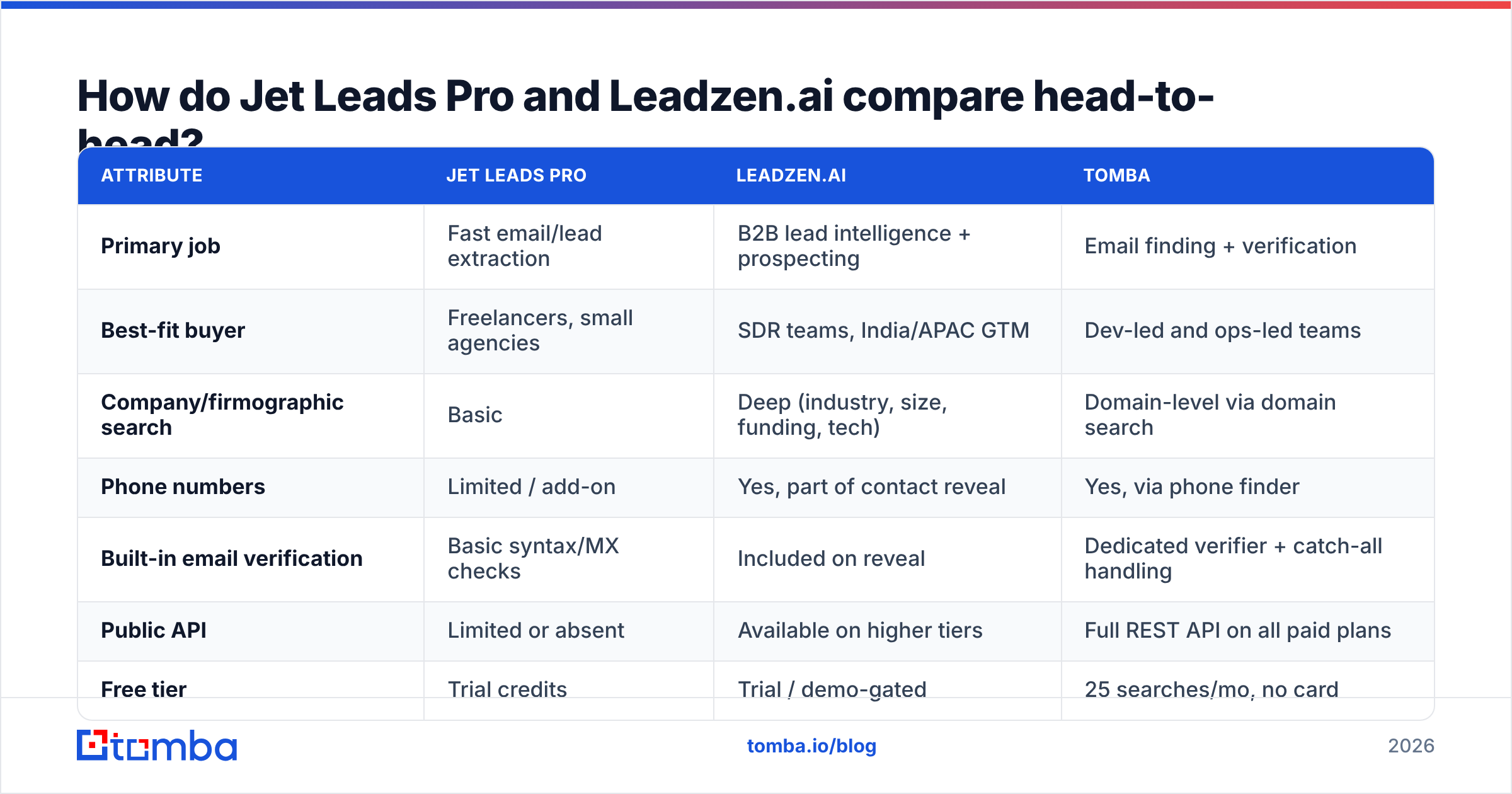
Here is the honest side-by-side. Where a vendor does not publish a number, this table says so instead of inventing one. Treat any comparison post that quotes exact accuracy figures for small vendors with suspicion.
| Attribute | Jet Leads Pro | Leadzen.ai | Tomba |
|---|---|---|---|
| Primary job | Fast email/lead extraction | B2B lead intelligence + prospecting | Email finding + verification |
| Best-fit buyer | Freelancers, small agencies | SDR teams, India/APAC GTM | Dev-led and ops-led teams |
| Company/firmographic search | Basic | Deep (industry, size, funding, tech) | Domain-level via domain search |
| Phone numbers | Limited / add-on | Yes, part of contact reveal | Yes, via phone finder |
| Built-in email verification | Basic syntax/MX checks | Included on reveal | Dedicated verifier + catch-all handling |
| Public API | Limited or absent | Available on higher tiers | Full REST API on all paid plans |
| Free tier | Trial credits | Trial / demo-gated | 25 searches/mo, no card |
| Entry paid price | Low, self-serve | Region-dependent, often quote-based | $49/mo Starter |
| Contract friction | None — card and go | Demo call common for real volume | Self-serve, monthly |
| Regional strength | US/EU SMB | India, APAC, growing EMEA | Global, domain-driven |
Two cells matter more than the rest.
The first is contract friction. Leadzen.ai, like most intelligence platforms, routes real volume through a sales call. That is not a criticism. It is how you get sensible pricing on a large database. But it means your evaluation takes two weeks, not two hours. Jet Leads Pro gets you to a first send much faster.
The second is API access. If you plan to enrich records inside a CRM, a Clay table, or your own product, an API is not a nice-to-have. A tool without one becomes a manual CSV chore that eats an SDR's Friday every week. Check this before anything else. It is the most common regret we hear six months into a contract.

How accurate is the data in each?#
Nobody knows, and that is the useful answer.
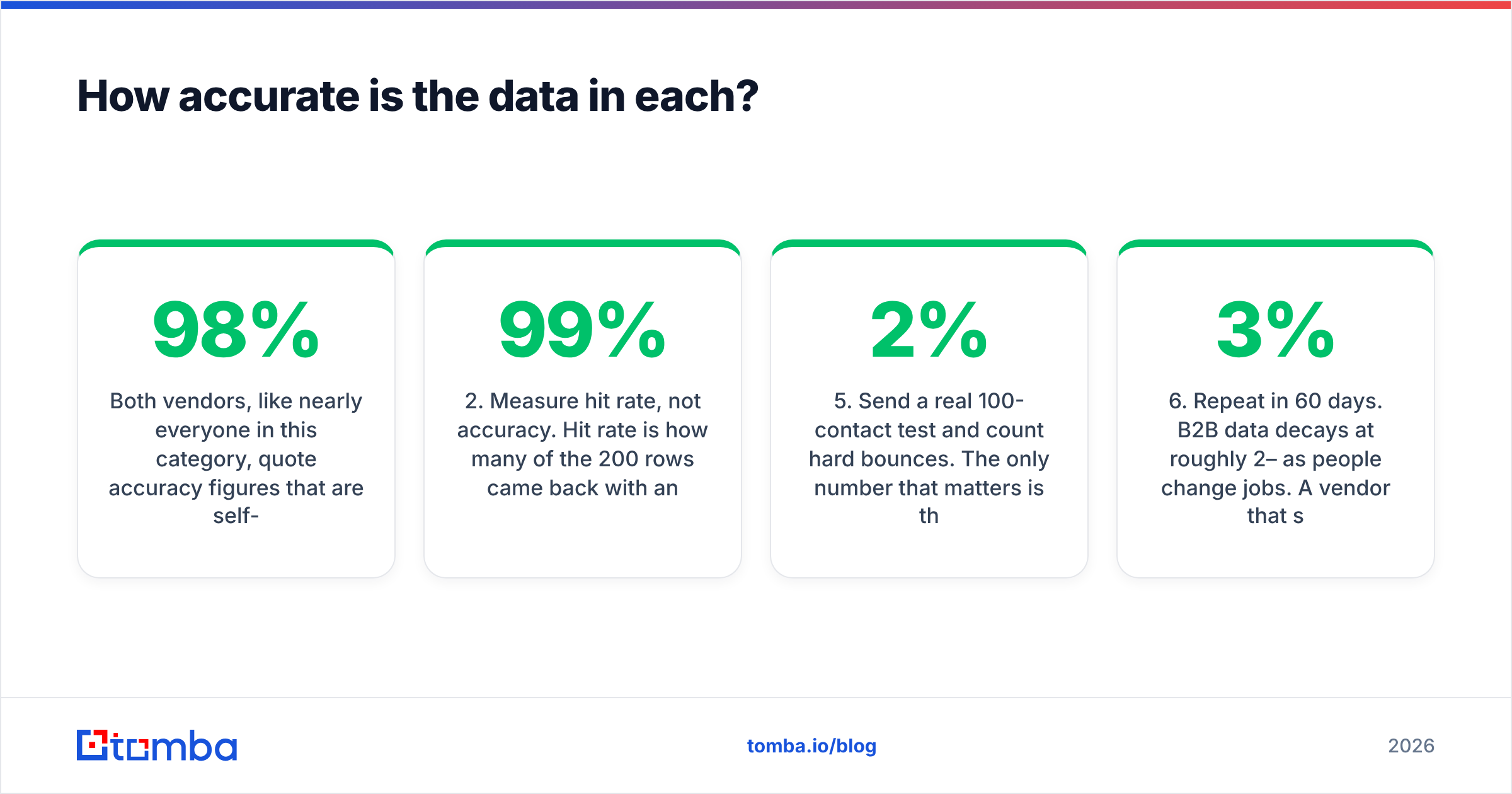
Both vendors quote accuracy figures they calculated themselves, on samples they picked. A "98% accuracy" claim usually means this: 98% of the addresses we chose to return passed our own SMTP check at that moment. That is a very different claim from "98% of the contacts you want will be found and will still land next month."
Here is how to test either tool properly, in under an hour.
Steps 1–3: build the sample and measure the right thing.
- Build a 200-row ground-truth list. Pull 200 real prospects from your ICP, across at least three countries and three company-size bands. Do not let the vendor pick the sample.
- Measure hit rate, not accuracy. Hit rate is how many of the 200 rows came back with an address at all. A tool with 99% accuracy and a 40% hit rate is worse for you than 92% accuracy at an 80% hit rate.
- Re-verify with a second tool. Run the returned addresses through an independent email verifier. Any address a neutral verifier flags as risky is a coin flip on your sender reputation.
Steps 4–6: stress the edge cases.
- Isolate catch-all domains. Catch-all servers accept everything, so both tools will hand you addresses that SMTP alone can never confirm. Put them in their own bucket and treat them as lower confidence.
- Send a real 100-contact test and count hard bounces. The only number that matters is the one your sending platform reports. Under 2% is healthy. Over 5% and you are burning sender reputation to save a few dollars on data.
- Repeat in 60 days. B2B data decays at roughly 2–3% per month as people change jobs. A vendor that scores well on a fresh snapshot but never refreshes will quietly degrade.
This test costs you an afternoon and saves you an annual contract. Run it against both tools at once, with the same 200 rows, and the decision usually makes itself.

What does each one actually cost?#
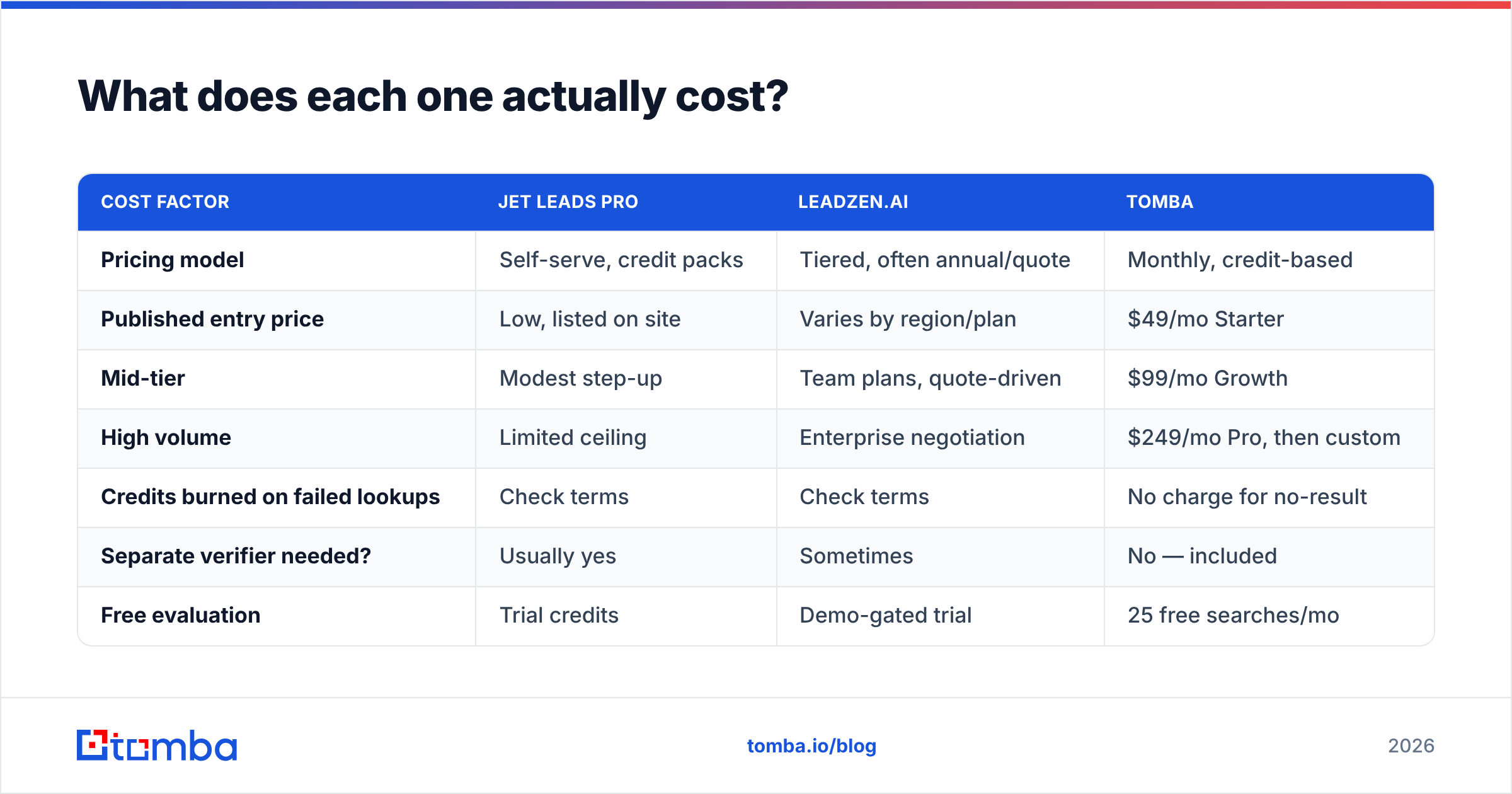
The Jet Leads Pro vs Leadzenai price gap is smaller than the sticker price suggests. Compare total cost of ownership instead. Credit-based tools hide cost in three places: failed lookups that still burn credits, annual commitments, and the extra verification tool you end up buying anyway.
| Cost factor | Jet Leads Pro | Leadzen.ai | Tomba |
|---|---|---|---|
| Pricing model | Self-serve, credit packs | Tiered, often annual/quote | Monthly, credit-based |
| Published entry price | Low, listed on site | Varies by region/plan | $49/mo Starter |
| Mid-tier | Modest step-up | Team plans, quote-driven | $99/mo Growth |
| High volume | Limited ceiling | Enterprise negotiation | $249/mo Pro, then custom |
| Credits burned on failed lookups | Check terms | Check terms | No charge for no-result |
| Separate verifier needed? | Usually yes | Sometimes | No — included |
| Free evaluation | Trial credits | Demo-gated trial | 25 free searches/mo |
Full Tomba pricing is public, and that is the point. When you have to ask for a price, you are already in a negotiation where the vendor knows more than you do. Before you sign, get three answers in writing: do failed searches consume credits, do unused credits roll over, and what happens to your exported data if you cancel.
One cost never shows up on a pricing page: the cost of a bad list. A 12% bounce rate on a new sending domain can park you in a Google Postmaster penalty box for weeks. Against that, a $49/month verification layer is not a line item. It is insurance.
Which tool should you choose?#
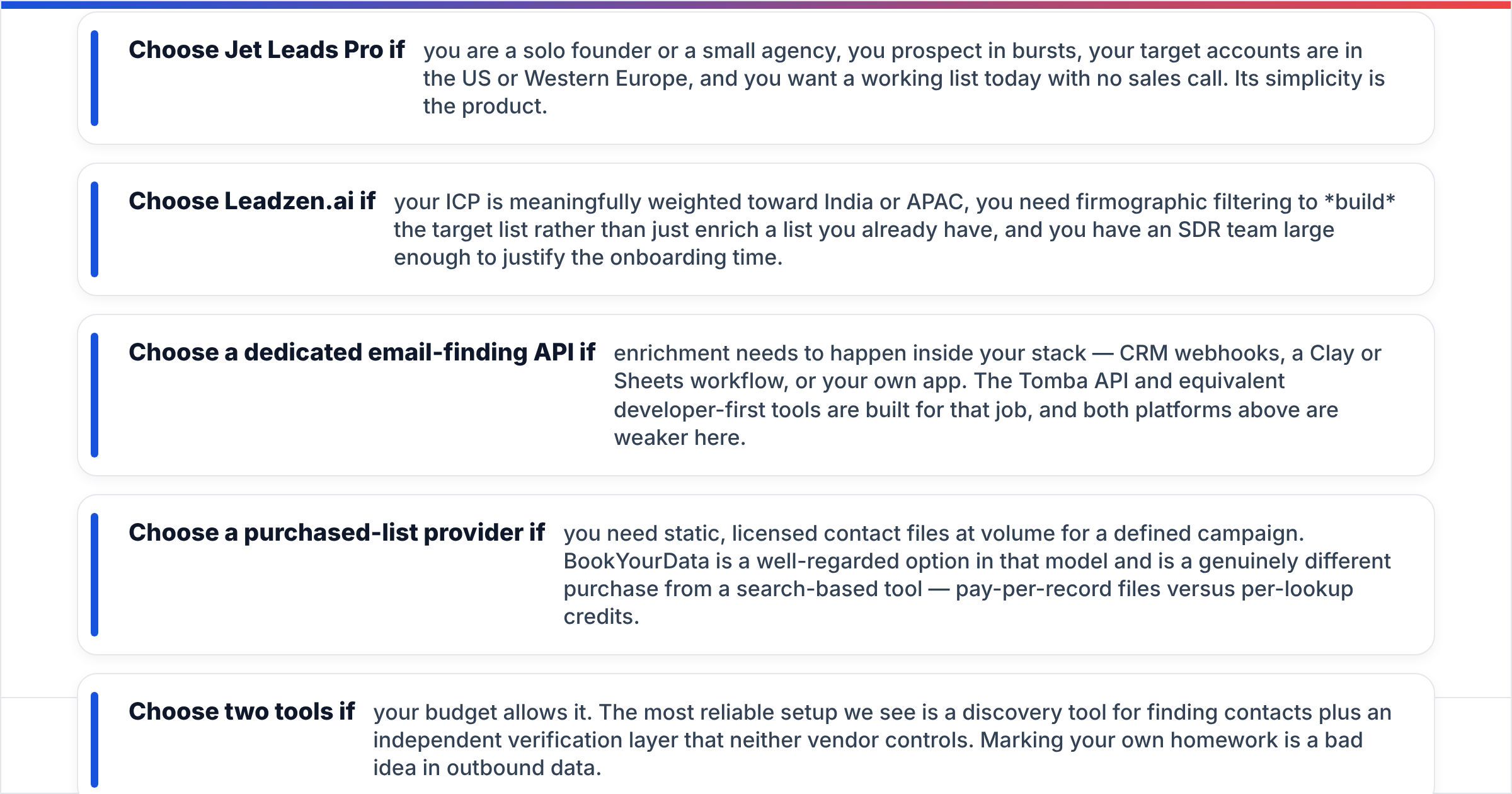
Match the tool to the shape of your motion, not to the feature count.
- Choose Jet Leads Pro if you are a solo founder or a small agency, you prospect in bursts, and your targets sit in the US or Western Europe. You get a working list today, with no sales call. Its simplicity is the product.
- Choose Leadzen.ai if your ICP leans toward India or APAC. You need firmographic filters to build the target list, not just enrich one you already have, and your SDR team is big enough to justify the onboarding time.
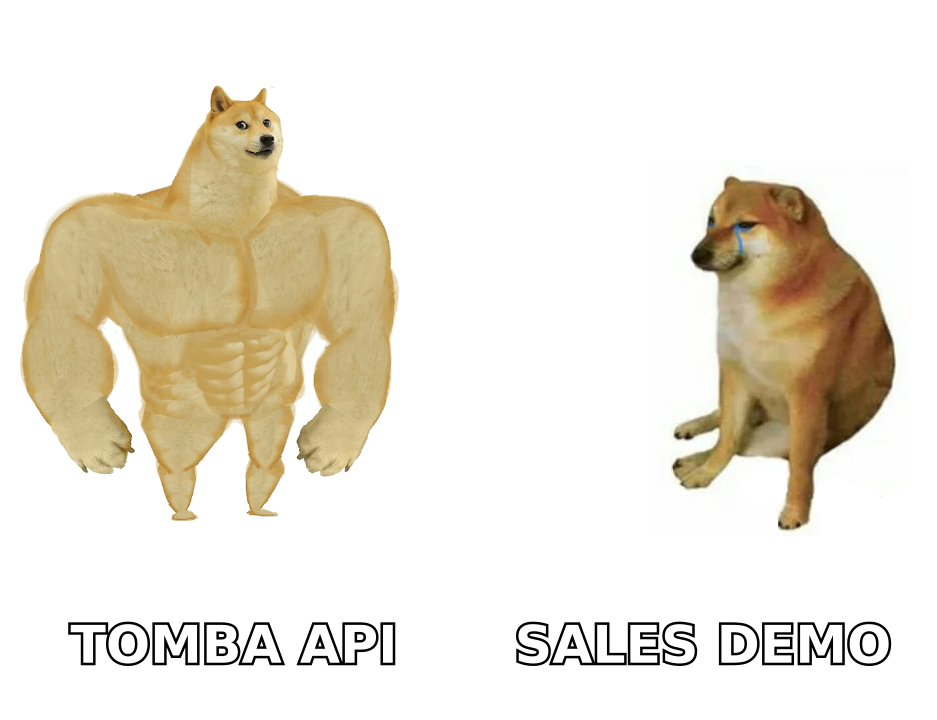
- Choose a dedicated email-finding API if enrichment has to happen inside your stack: CRM webhooks, a Clay or Sheets workflow, or your own app. The Tomba API and similar developer-first tools are built for that job.
Two more options are worth weighing before you commit.
- Choose a purchased-list provider if you need static, licensed contact files at volume for one defined campaign. BookYourData is well regarded in that model. Pay-per-record files are a different purchase from per-lookup credits.
- Choose two tools if the budget allows. The most reliable setup is a discovery tool plus an independent verification layer that neither vendor controls. Marking your own homework is a bad idea in outbound data.

Where do both tools fall short?#
Three gaps show up again and again in buyer reviews on sites like Capterra for tools in this bracket.
Coverage cliffs outside the home region. Every B2B database is strong somewhere and thin somewhere else. Jet Leads Pro thins out in APAC and Latin America. Leadzen.ai is excellent in India and weaker on European SMBs. Neither vendor will volunteer this. Your 200-row test will show it in twenty minutes.
Catch-all ambiguity. Roughly a fifth of B2B domains run catch-all mail servers. Tools handle this in one of two ways. They return the address and call it valid, which inflates their accuracy stat. Or they suppress it, which tanks their hit rate. Ask which one your vendor does. A dedicated catch-all verifier exists because this is the hardest bucket in the category.
Bulk workflow friction. Upload 5,000 rows, wait, download, de-duplicate, re-upload to your sequencer. That is where the hours go. Look for real bulk lead generation with queued jobs and a callback, not a browser tab you have to keep open. Also check whether the export includes a confidence score per row. Without it you cannot segment your sends by risk.
Compliance documentation. If you sell into the EU or California, ask both vendors for their lawful-basis documents and their deletion process, in writing, before the contract. "We're GDPR compliant" in a footer is not documentation. Vendors that publish where their data comes from make this conversation much shorter.
Is there a simpler way to run this stack?#
Yes, and it is usually cheaper than either option.
Most teams do not need a full intelligence platform. They need a reliable way to turn a company name or a LinkedIn profile into a verified, deliverable email address, at volume, inside the tools they already use. That is a narrower job, and narrower tools do it better for less.
If that sounds like you, start with Tomba's Email Finder. You get domain-level discovery, a confidence score per address, built-in verification with catch-all handling, and a REST API on every paid plan. You also get 25 free searches a month, which is enough to run the 200-row test above before you spend anything. Paid plans start at $49/month, pricing is public, and failed lookups do not burn credits. Run all three tools on the same sample list and count the hard bounces. That is the only Jet Leads Pro vs Leadzenai test that settles the argument.
Related guides#
// get started
Find, verify and enrich your first contacts today
Start on the free plan with 25 searches a month, then scale when your team is ready.
Free plan · No credit card required · GDPR & CCPA
// about the author