Jet Leads Pro vs Snappy Leads: Honest 2026 Comparison
Two lightweight lead-data tools, two very different bills. Here's how Jet Leads Pro and Snappy Leads compare on match rate, bounce rate, export limits and real 2026 cost — plus when neither is the right pick.
TL;DR
- Jet Leads Pro sells volume: big exports, broad filters, credits that roll into bulk jobs. It suits teams that prospect in batches and verify afterwards.
- Snappy Leads sells speed: a browser-first workflow, one-click capture off LinkedIn and company sites, CRM push in seconds. It suits reps who prospect one account at a time.
- Neither publishes an independently audited accuracy number, so treat every "98% accurate" claim as marketing until you run a 200-row bake-off on your own ICP.
- The real cost gap shows up in wasted credits — a tool with a 55% match rate at $0.02/credit is more expensive than one with an 85% match rate at $0.04/credit.
- If you mostly need clean, verified work emails and an API you can script against, a dedicated email finder will usually beat both on cost per usable contact.
What are Jet Leads Pro and Snappy Leads?#
Both tools live in the same crowded shelf of the B2B stack: lightweight lead-data platforms that sit between a full contact database (ZoomInfo, Apollo) and a pure verification service.
Jet Leads Pro is positioned as a batch prospecting tool. You define a segment — industry, headcount, geography, tech stack — pull a list, and export it as CSV or push it to your CRM. The pitch is throughput: thousands of rows per run, credit packs that scale down in unit price, and filters designed for list-builders rather than individual reps.
Snappy Leads is positioned as an in-the-moment tool. The centre of gravity is a Chrome extension. You land on a LinkedIn profile or a company's team page, click, and the contact is captured and (usually) enriched with an email and sometimes a phone number. The pitch is friction removal: no list-building step, no CSV round trip.
That difference in shape matters more than any feature checklist, because it decides who on your team actually uses the thing. Jet Leads Pro is bought by an ops or growth lead who owns the list. Snappy Leads is bought for reps who live in the browser. Buying the wrong shape produces the classic outcome: seats that log in twice and never again.
One caution before we go further. Both products are small vendors, and small vendors change pricing and packaging fast. Everything below reflects publicly stated packaging at the time of writing — verify current numbers on each vendor's own pricing page and cross-check the recent reviews on G2's lead intelligence category before you sign anything annual.
How do Jet Leads Pro and Snappy Leads compare feature by feature?#
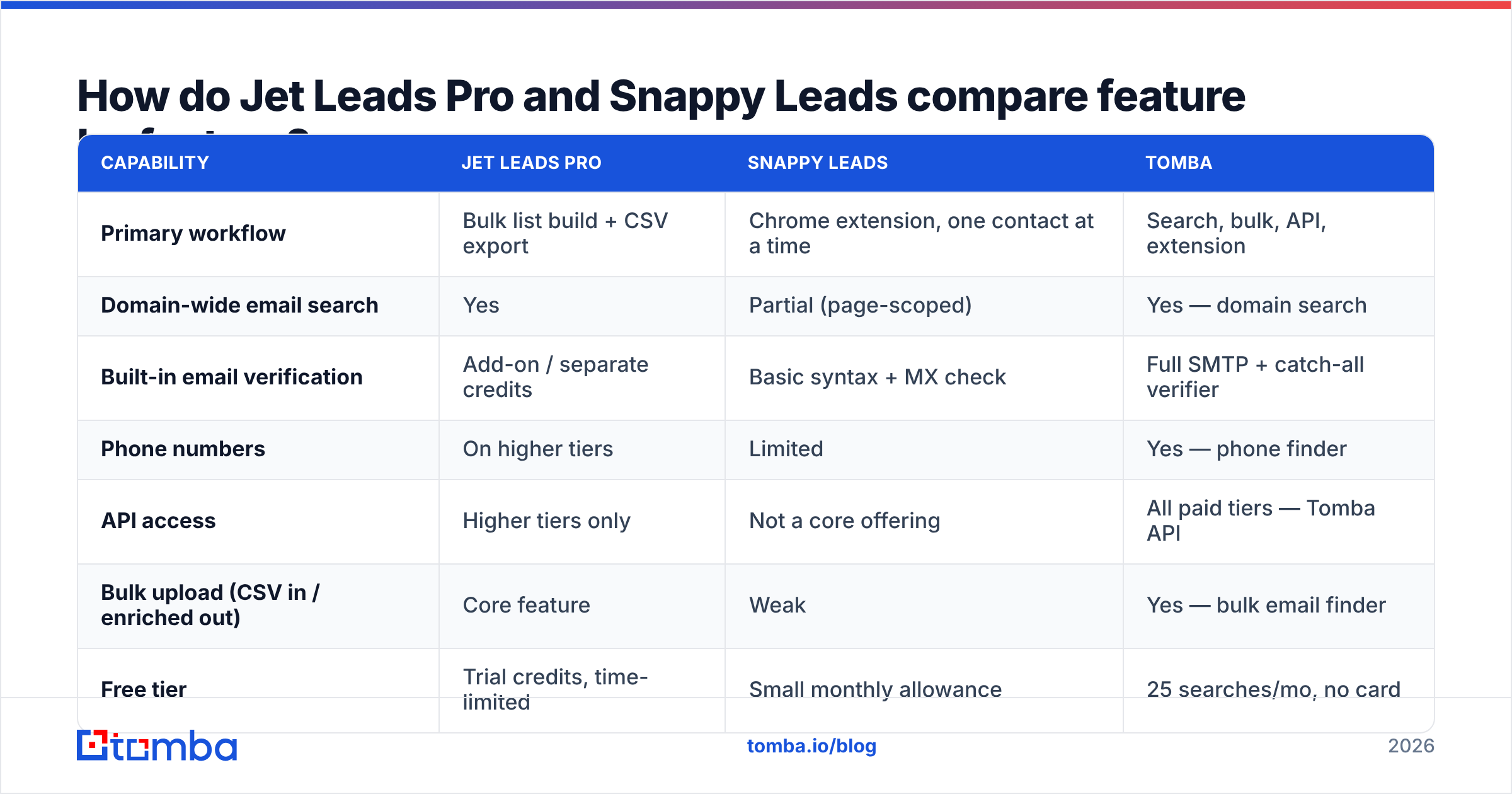
| Capability | Jet Leads Pro | Snappy Leads | Tomba |
|---|---|---|---|
| Primary workflow | Bulk list build + CSV export | Chrome extension, one contact at a time | Search, bulk, API, extension |
| Domain-wide email search | Yes | Partial (page-scoped) | Yes — domain search |
| Built-in email verification | Add-on / separate credits | Basic syntax + MX check | Full SMTP + catch-all verifier |
| Phone numbers | On higher tiers | Limited | Yes — phone finder |
| API access | Higher tiers only | Not a core offering | All paid tiers — Tomba API |
| Bulk upload (CSV in / enriched out) | Core feature | Weak | Yes — bulk email finder |
| Free tier | Trial credits, time-limited | Small monthly allowance | 25 searches/mo, no card |
| Entry paid price | Mid two figures/mo | Low two figures/mo | $49/mo Starter |
| Best fit | List-builders, agencies | Individual reps, founders | Teams that need verified emails + API |
Read that table as a shape comparison, not a scoreboard. Snappy Leads being weak at bulk is not a flaw — it is the product decision. Jet Leads Pro charging separately for verification is not a scam — it is how most list-first tools price. The question is which set of trade-offs you can live with.

Which tool actually finds more valid emails?#
This is the only question that moves revenue, and it is the one both vendors answer with a number you cannot audit.
Here is the honest framing: match rate and accuracy are different metrics, and vendors love to blur them.
- Match rate = of 100 contacts you asked for, how many came back with an email?
- Accuracy / valid rate = of those returned emails, how many are actually deliverable?
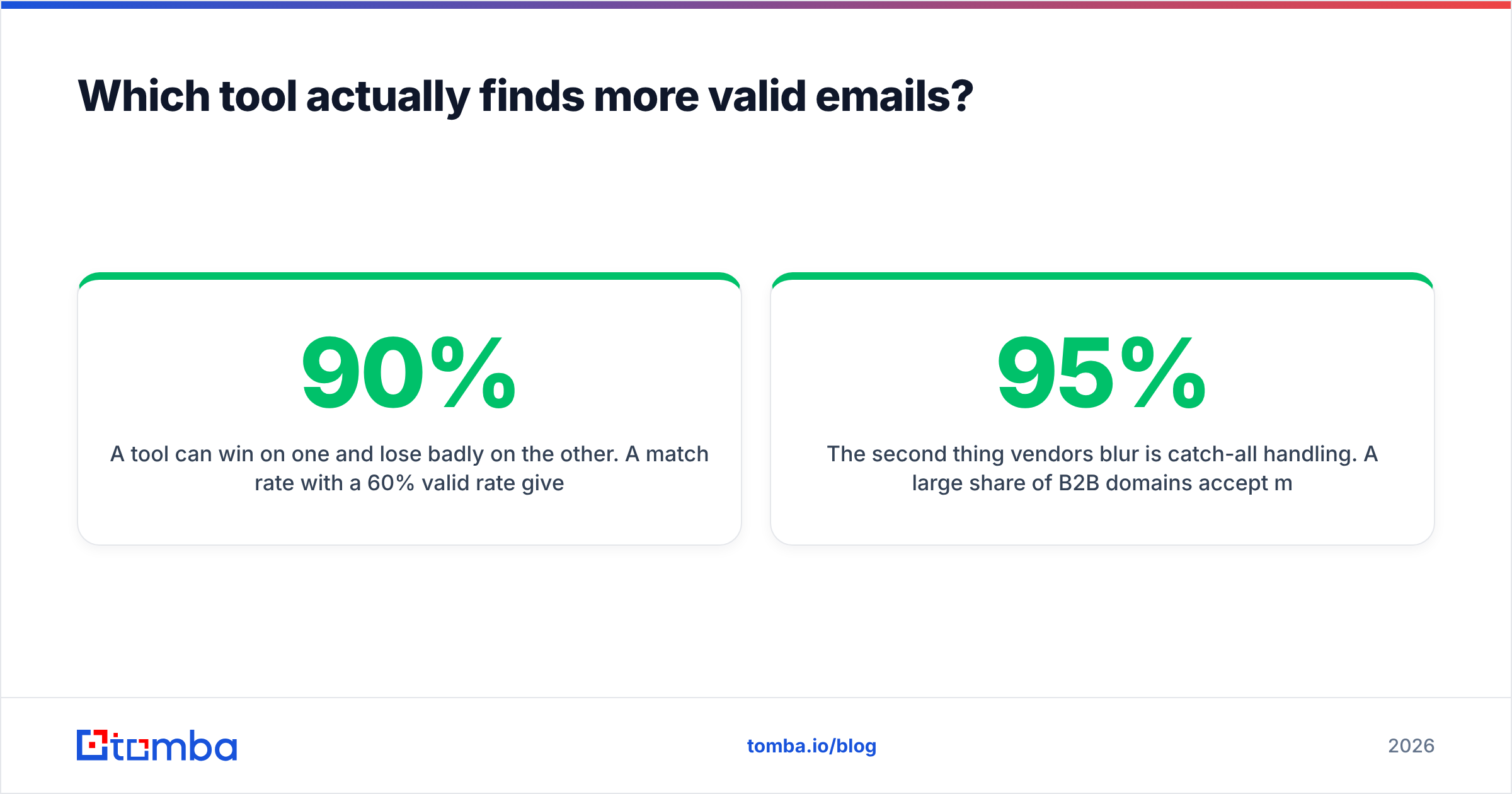
A tool can win on one and lose badly on the other. A 90% match rate with a 60% valid rate gives you 54 usable contacts per 100. A 65% match rate with a 95% valid rate gives you 62 — from fewer credits. The second tool is better and cheaper, even if its headline number looks worse.

The second thing vendors blur is catch-all handling. A large share of B2B domains accept mail to any address at the SMTP layer, which means a naive verifier marks every guessed permutation as "valid." If Jet Leads Pro or Snappy Leads returns a suspiciously round 95%+ valid rate on your test file, check how many of those domains are catch-alls. That is where a dedicated email verifier earns its keep — it separates "the server said yes to everything" from "this mailbox exists."
The 200-row bake-off you should run before buying#
- Build one seed file of 200 real prospects from your actual ICP — first name, last name, company domain. Not a vendor-supplied sample.
- Run it through every tool on a trial, same file, same day. Record credits consumed, not just rows returned.
- Verify all outputs with a neutral third party so no vendor grades its own homework.
- Send a small, warmed test campaign — 50 addresses per source — and record hard bounces after 72 hours.
- Compute cost per verified, non-bouncing contact. That single number decides the purchase.
- Repeat for one segment you expect to be hard (non-US domains, sub-20-employee companies, agencies). Tools diverge most at the edges.
Most teams skip steps 4 and 5, which is exactly why they end up paying twice: once for the data, once for the deliverability damage. If you want the background on why bounces compound, HubSpot's sales blog has a readable primer on list hygiene and bounce impact, and it is worth aligning your team on email deliverability terms before the test so everyone reads the results the same way.
What do Jet Leads Pro and Snappy Leads cost in 2026?#
Both vendors use credit-based pricing, which makes sticker comparison useless on its own. Model it per usable contact instead.
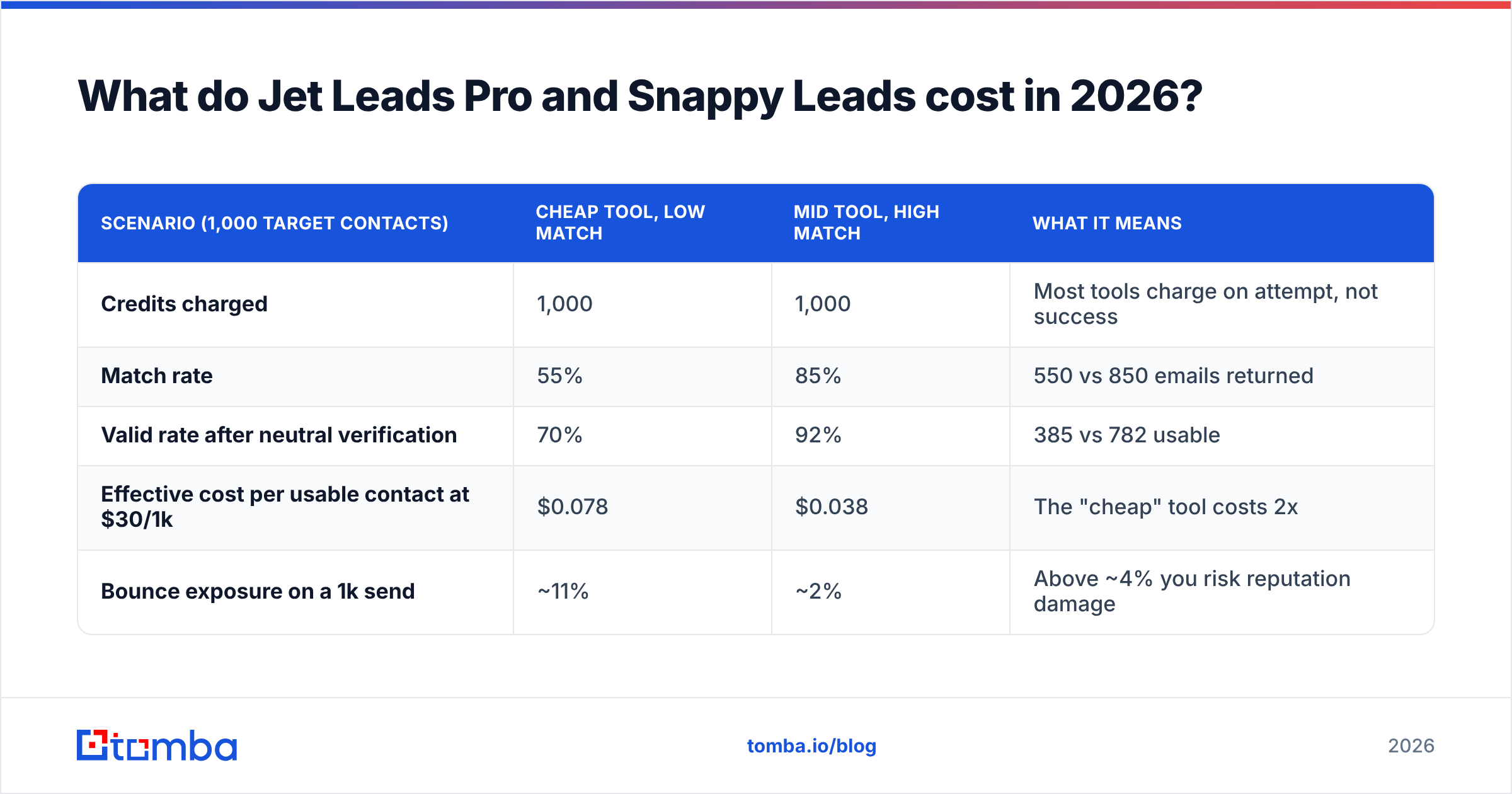
| Scenario (1,000 target contacts) | Cheap tool, low match | Mid tool, high match | What it means |
|---|---|---|---|
| Credits charged | 1,000 | 1,000 | Most tools charge on attempt, not success |
| Match rate | 55% | 85% | 550 vs 850 emails returned |
| Valid rate after neutral verification | 70% | 92% | 385 vs 782 usable |
| Effective cost per usable contact at $30/1k | $0.078 | $0.038 | The "cheap" tool costs 2x |
| Bounce exposure on a 1k send | ~11% | ~2% | Above ~4% you risk reputation damage |
Three pricing traps to check in the contract before you sign either tool:
- Do failed lookups burn credits? Some vendors only charge on a successful find. Others charge on every attempt. This single clause can double your real cost.
- Do credits roll over? Month-to-month prospecting is lumpy. Non-rolling credits punish seasonal teams.
- Is verification bundled or billed separately? If it is separate, add it to the comparison — an unverified list is not a deliverable product.
- What happens on annual downgrade? Small vendors often make it easy to go up and painful to come down.
For reference, Tomba's own packaging is deliberately flat: a free tier at 25 searches per month, Starter at $49/mo, Growth at $99/mo, Pro at $249/mo, and custom Enterprise — with verification included rather than sold as a bolt-on. Full details are on the Tomba pricing page.


Is Jet Leads Pro better than Snappy Leads for outbound teams?#
For a team running structured outbound — sequences, defined ICP, weekly list refresh — Jet Leads Pro is the better structural fit. Outbound at volume needs a list-in, enriched-list-out pipeline, and Snappy Leads' extension-first model makes that painful. You would be asking reps to click their way to a thousand contacts.
But "better fit" comes with two conditions:
- You must budget for verification separately. Batch tools that skip verification hand you a bounce problem at scale, and scale is the whole point of a batch tool.
- You need API or bulk access on the tier you can afford. If the API only unlocks two tiers above your budget, the automation you bought the tool for does not exist yet.
For a founder-led motion or a rep doing 20 highly researched accounts a week, Snappy Leads wins easily. The extension removes the context switch, and at that volume, credit efficiency barely matters. Paying more per contact is fine when you only need 80 contacts a month.
Which should you choose for your team?#
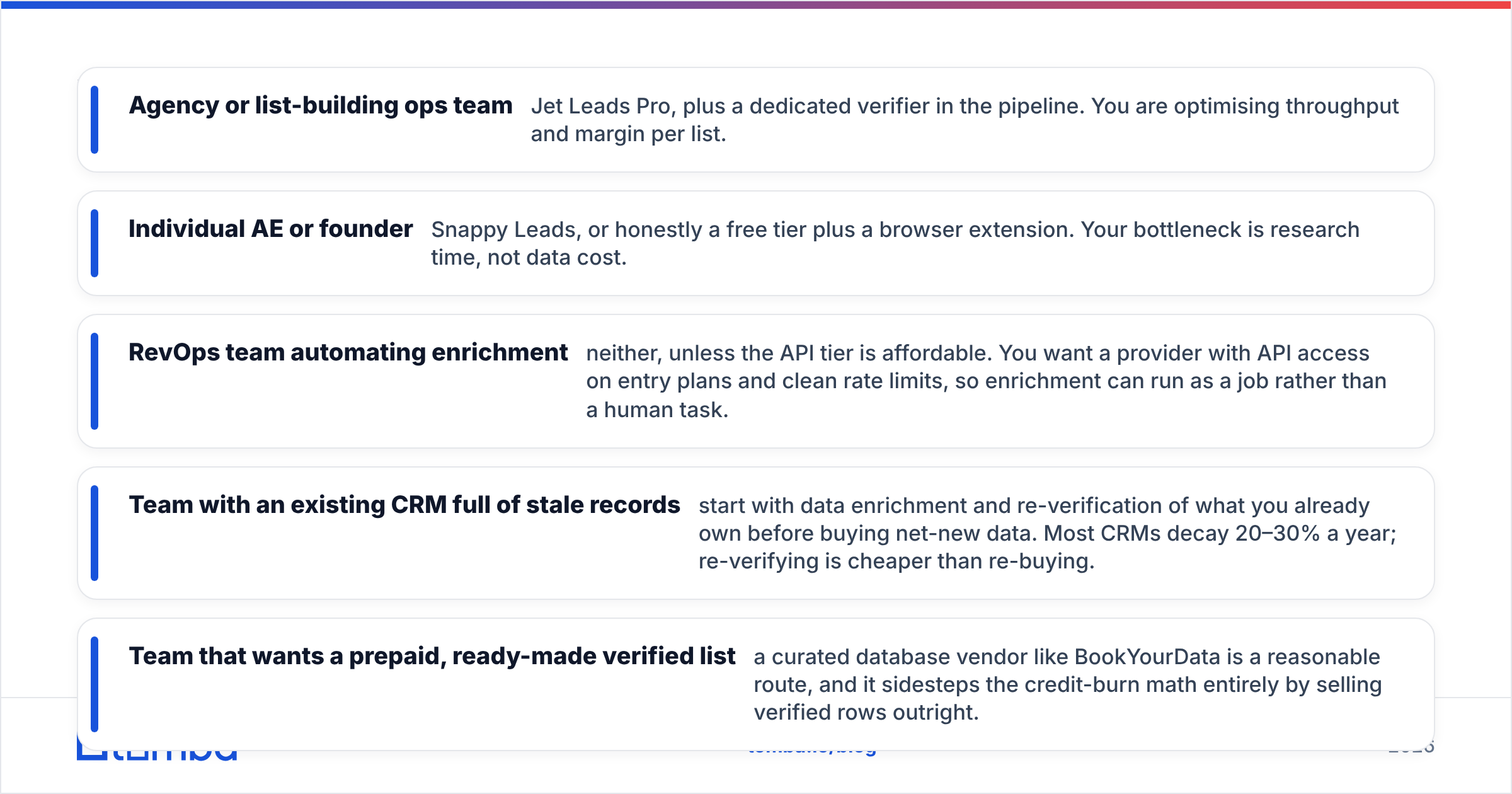
- Agency or list-building ops team — Jet Leads Pro, plus a dedicated verifier in the pipeline. You are optimising throughput and margin per list.
- Individual AE or founder — Snappy Leads, or honestly a free tier plus a browser extension. Your bottleneck is research time, not data cost.
- RevOps team automating enrichment — neither, unless the API tier is affordable. You want a provider with API access on entry plans and clean rate limits, so enrichment can run as a job rather than a human task.
- Team with an existing CRM full of stale records — start with data enrichment and re-verification of what you already own before buying net-new data. Most CRMs decay 20–30% a year; re-verifying is cheaper than re-buying.
- Team that wants a prepaid, ready-made verified list — a curated database vendor like BookYourData is a reasonable route, and it sidesteps the credit-burn math entirely by selling verified rows outright.
If you are still shortlisting, the review volume on Capterra's lead generation software category is a useful sanity check on how long each vendor has been around and how support responds when something breaks.
Where does Tomba fit in this comparison?#
Honestly: Tomba is not trying to be either of these tools, and that is the point of including it in the table above.
Jet Leads Pro optimises for list volume. Snappy Leads optimises for click speed. Tomba optimises for the correctness of the email address itself — finding it, verifying it, and handing it to your systems programmatically. The email finder is the core, with domain search, catch-all verification, phone lookup and enrichment sitting alongside it rather than behind a higher tier.
Where that matters:
- Verification is included, not an upsell. You are not buying a list and then buying permission to trust it.
- The API is available on paid plans, so enrichment can be a scheduled job instead of a person with a CSV.
- Data provenance is documented. If you need to explain to legal or a customer where a contact came from, see where Tomba gets data.
Where it does not fit: if what you actually want is a broad firmographic database to browse and filter by intent signals, a full data platform serves you better. Tomba will find and verify the contact; it is not an intent-data product.
What should you do next?#
Run the bake-off. Two hundred rows, three tools, one afternoon. Then compute cost per verified, non-bouncing contact and let that number pick the winner — not the pricing page, not this article.
If your bottleneck is finding accurate work emails and keeping bounce rates under control while you scale outbound, start with the Tomba Email Finder. The free tier gives you 25 searches a month with no card, which is enough to run half the bake-off above, and Starter is $49/mo with verification built in when you are ready to move real volume.
Related guides#
// get started
Find, verify and enrich your first contacts today
Start on the free plan with 25 searches a month, then scale when your team is ready.
Free plan · No credit card required · GDPR & CCPA
// about the author