7 Best JustCall Alternatives in 2026 Compared by Price
JustCall is a solid sales phone system, but it is not the cheapest, the most powerful dialer, or the best CRM-native option. Here are seven alternatives compared on price, dialer depth, SMS, and integrations.
TL;DR
- JustCall is a good all-in-one sales phone and SMS system, but most teams leave for one of three reasons: per-seat cost creep, dialer limits on high-volume outbound, or shallow CRM sync on lower tiers.
- If you want the closest like-for-like swap, look at Aircall, CloudTalk, or Ringover. If you want raw outbound throughput, look at Kixie, PowerDialer tools, or a parallel dialer.
- If your team lives inside the CRM, a CRM-native dialer (Close, HubSpot Sales Hub calling) usually beats bolting a separate phone system on top.
- Entry pricing across the category runs roughly $15 to $65 per user per month, with true power-dialing tiers landing closer to $95 to $150.
- Switching dialers fixes connect rates only if your phone data is clean. Bad numbers waste dials no matter which platform you buy.
What is JustCall and who is it actually for?#
JustCall is a cloud phone system built for sales and support teams. You get local and toll-free numbers in dozens of countries, a shared inbox for SMS and WhatsApp, call recording, an auto dialer and predictive dialer on higher tiers, and native integrations with the usual CRM suspects. In practice it sits between a plain VoIP provider and a full sales engagement platform.
It works best for small to mid-size teams that want calling, texting, and CRM logging from one vendor and do not want to assemble that from three tools. You can see their current plan structure on the JustCall site.
Where it strains: very high outbound volume, heavy compliance requirements, complex routing across large support orgs, and teams that want deep two-way CRM sync without paying for the top tier. Those are the pressure points that push people to search for JustCall alternatives in the first place.
Why do teams look for JustCall alternatives?#
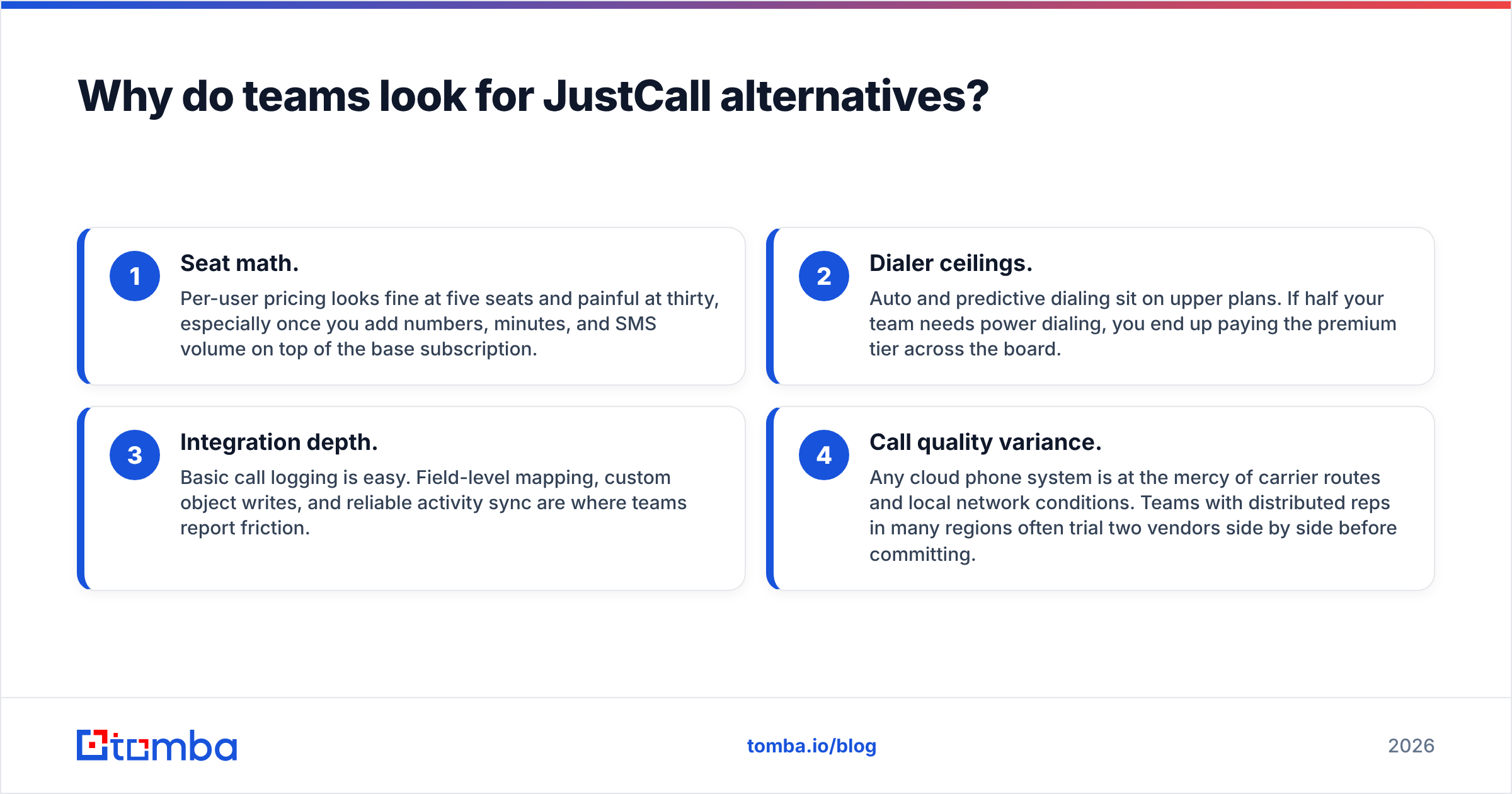
Four complaints show up repeatedly in review threads on G2 and in renewal conversations:
- Seat math. Per-user pricing looks fine at five seats and painful at thirty, especially once you add numbers, minutes, and SMS volume on top of the base subscription.
- Dialer ceilings. Auto and predictive dialing sit on upper plans. If half your team needs power dialing, you end up paying the premium tier across the board.
- Integration depth. Basic call logging is easy. Field-level mapping, custom object writes, and reliable activity sync are where teams report friction.
- Call quality variance. Any cloud phone system is at the mercy of carrier routes and local network conditions. Teams with distributed reps in many regions often trial two vendors side by side before committing.
None of these are disqualifying by themselves. They matter when your call volume doubles and the tool that was convenient at ten dials a day starts constraining you at a hundred.
How should you evaluate a JustCall alternative?#
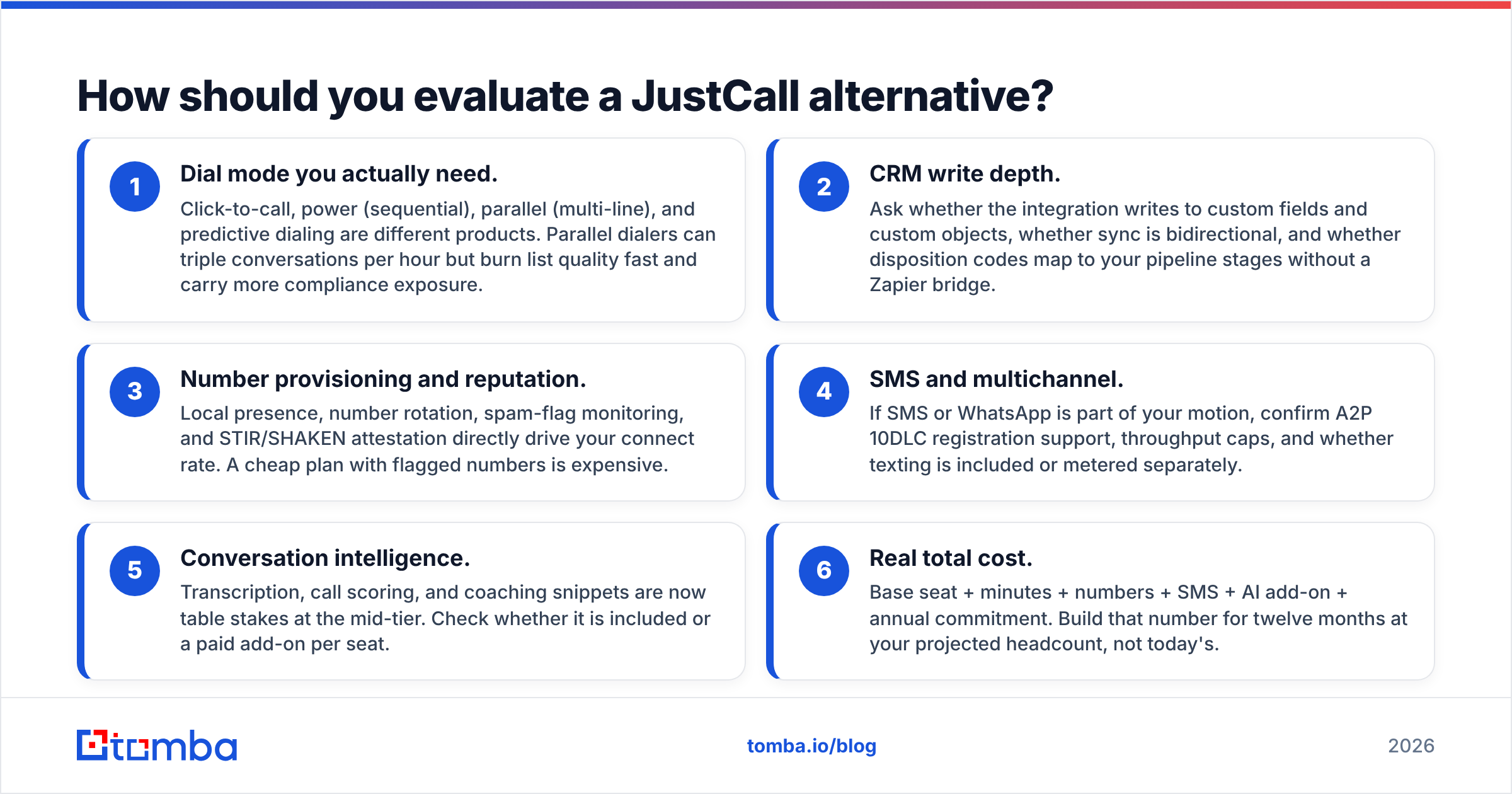
Score every candidate on these six dimensions before you look at price. Most buyers get this backwards and end up switching twice.
- Dial mode you actually need. Click-to-call, power (sequential), parallel (multi-line), and predictive dialing are different products. Parallel dialers can triple conversations per hour but burn list quality fast and carry more compliance exposure.
- CRM write depth. Ask whether the integration writes to custom fields and custom objects, whether sync is bidirectional, and whether disposition codes map to your pipeline stages without a Zapier bridge.
- Number provisioning and reputation. Local presence, number rotation, spam-flag monitoring, and STIR/SHAKEN attestation directly drive your connect rate. A cheap plan with flagged numbers is expensive.
- SMS and multichannel. If SMS or WhatsApp is part of your motion, confirm A2P 10DLC registration support, throughput caps, and whether texting is included or metered separately.
- Conversation intelligence. Transcription, call scoring, and coaching snippets are now table stakes at the mid-tier. Check whether it is included or a paid add-on per seat.
- Real total cost. Base seat + minutes + numbers + SMS + AI add-on + annual commitment. Build that number for twelve months at your projected headcount, not today's.
Which JustCall alternatives are worth shortlisting in 2026?#
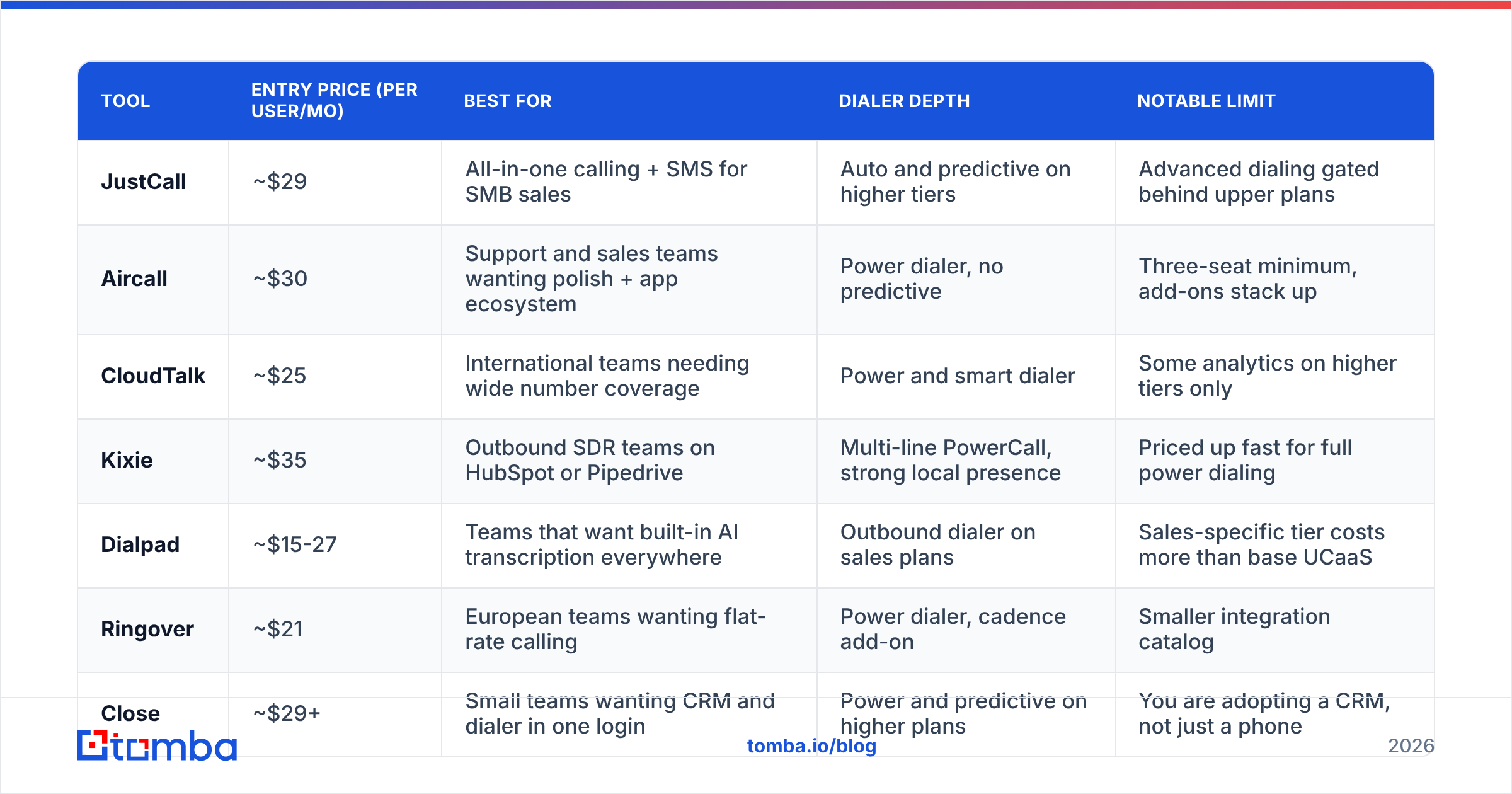
Here is the head-to-head. Prices are published list prices at the time of writing and reflect the entry paid tier; annual billing, seat minimums, and usage change the real number, so confirm on each vendor's pricing page before you buy.
| Tool | Entry price (per user/mo) | Best for | Dialer depth | Notable limit |
|---|---|---|---|---|
| JustCall | ~$29 | All-in-one calling + SMS for SMB sales | Auto and predictive on higher tiers | Advanced dialing gated behind upper plans |
| Aircall | ~$30 | Support and sales teams wanting polish + app ecosystem | Power dialer, no predictive | Three-seat minimum, add-ons stack up |
| CloudTalk | ~$25 | International teams needing wide number coverage | Power and smart dialer | Some analytics on higher tiers only |
| Kixie | ~$35 | Outbound SDR teams on HubSpot or Pipedrive | Multi-line PowerCall, strong local presence | Priced up fast for full power dialing |
| Dialpad | ~$15-27 | Teams that want built-in AI transcription everywhere | Outbound dialer on sales plans | Sales-specific tier costs more than base UCaaS |
| Ringover | ~$21 | European teams wanting flat-rate calling | Power dialer, cadence add-on | Smaller integration catalog |
| Close | ~$29+ | Small teams wanting CRM and dialer in one login | Power and predictive on higher plans | You are adopting a CRM, not just a phone |
| PhoneBurner | ~$149 | Pure high-volume outbound calling | Sequential power dialing, no ring delay | Expensive as a general phone system |
Is Aircall better than JustCall?#
For polish and ecosystem, usually yes. Aircall has a larger app marketplace, cleaner admin tooling, and a support-friendly routing model. For pure outbound economics, usually no. Aircall has no predictive dialer, has a three-seat minimum, and the add-ons (AI, analytics+) push the effective price above the sticker. Choose Aircall if calls flow in both directions and your ops team values reliability over dial volume.
When does CloudTalk win?#
CloudTalk is the pick when your team calls into many countries. Number coverage is broad, local presence is straightforward, and the call flow designer is easier to reason about than most. It is also the more predictable price at the low end. The tradeoff is that some reporting and workflow automation live on higher plans, so a small team that needs analytics may not save as much as the entry tier suggests.
When is Kixie the right swap?#
Kixie is built for SDR throughput. Multi-line dialing, automatic local presence, connection-rate optimization, and tight HubSpot and Pipedrive sync make it the most natural upgrade path for teams whose complaint about JustCall is "not enough dials per hour." Expect to pay for it. The tiers that unlock full power dialing land well above the mid-market average, and you will want disciplined list hygiene before turning on multi-line.
Is Dialpad worth it for sales teams?#
Dialpad's argument is AI everywhere: live transcription, real-time assist cards, and post-call summaries included rather than sold per seat. The base communications plan is cheap; the sales-specific tier with the outbound dialer costs more. If your org also wants a unified business phone system for non-sales staff, Dialpad consolidates two budgets into one, which is often the real saving.
What about Ringover and Close?#
Ringover suits European teams that want flat-rate calling to many destinations and a simple, fast interface. Its integration catalog is narrower, so verify your CRM first. Close takes the opposite approach: instead of adding a dialer to your CRM, it is a CRM with a dialer inside. For a five to twenty person sales team, that removes an entire sync layer. For anyone standing on Salesforce, it is a non-starter.
Who should look at PhoneBurner or a parallel dialer?#
If your entire job is volume outbound (insurance, recruiting, high-velocity SaaS SDR), a dedicated power dialer earns its price. PhoneBurner's no-delay connect and voicemail drop mechanics are measurably better than a general phone system's auto dialer. Parallel dialers go further still, but they demand very clean lists and a compliance owner. Do not run four lines against a scraped list.
Does switching dialers actually raise your connect rate?#
Partly. The rest is data.
A dialer controls how fast you place calls and how the number presents itself. It does not control whether the number belongs to the person you meant to reach, whether they still work there, or whether that direct line was reassigned eighteen months ago. Teams routinely switch platforms hoping to fix a connect-rate problem that lives entirely in their list.
Before you blame the phone system, audit a sample of 200 records and count how many failed for data reasons: wrong number, disconnected, switchboard instead of direct dial, wrong person entirely. If that number is above 20 percent, a new dialer buys you faster failure, not more conversations.
That is the layer worth fixing first. Pulling verified direct dials with a phone finder, then running them through a phone validator before import, removes dead records from the queue instead of paying a dialer to burn through them. The same logic applies to email on the multichannel side: contact records that are enriched and verified before they enter a cadence outperform volume increases almost every time.
How do you actually run the migration?#
Assume two to four weeks, not a weekend.
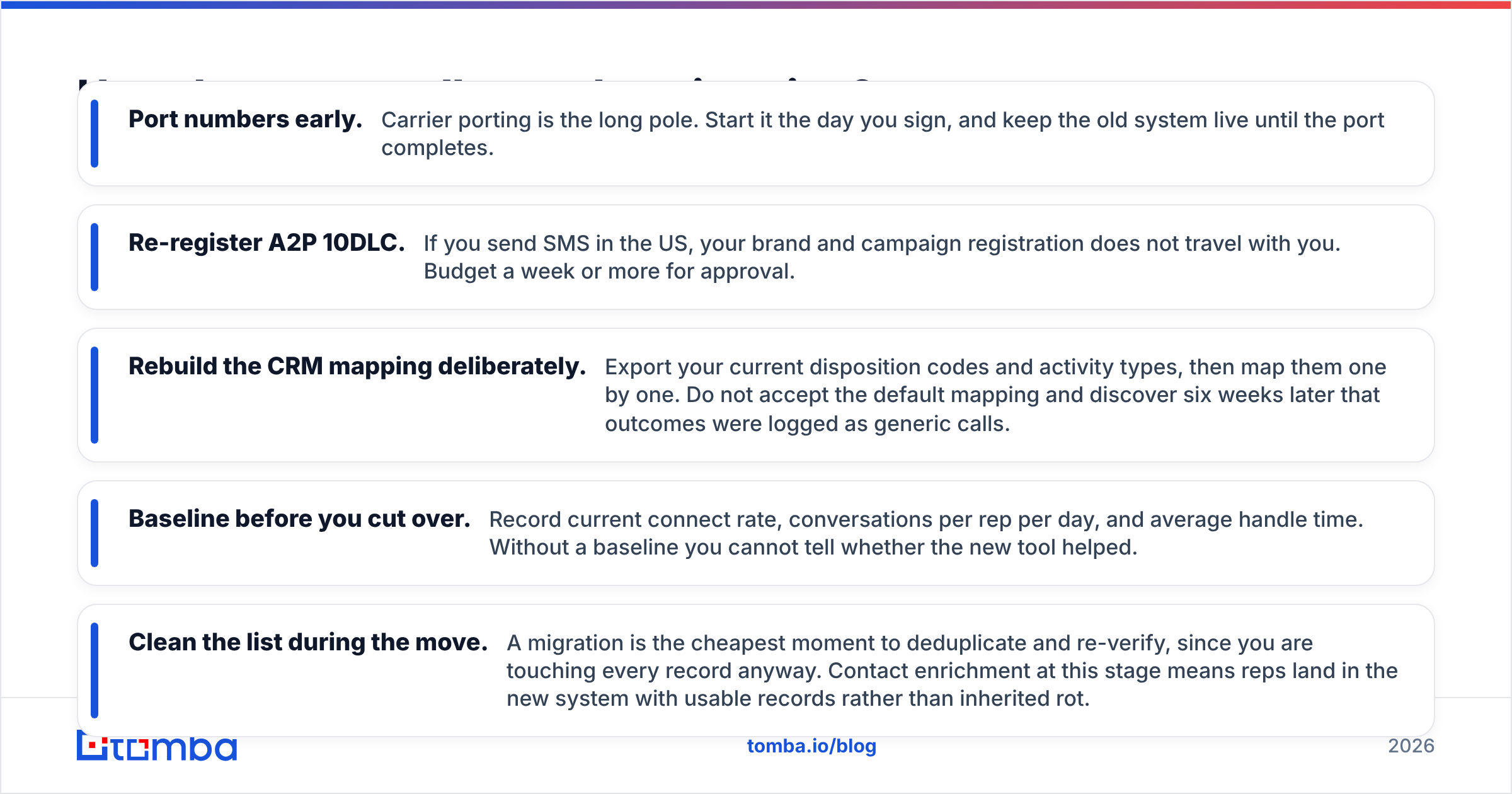
- Port numbers early. Carrier porting is the long pole. Start it the day you sign, and keep the old system live until the port completes.
- Re-register A2P 10DLC. If you send SMS in the US, your brand and campaign registration does not travel with you. Budget a week or more for approval.
- Rebuild the CRM mapping deliberately. Export your current disposition codes and activity types, then map them one by one. Do not accept the default mapping and discover six weeks later that outcomes were logged as generic calls.
- Baseline before you cut over. Record current connect rate, conversations per rep per day, and average handle time. Without a baseline you cannot tell whether the new tool helped.
- Clean the list during the move. A migration is the cheapest moment to deduplicate and re-verify, since you are touching every record anyway. Contact enrichment at this stage means reps land in the new system with usable records rather than inherited rot.
What is the honest verdict on JustCall alternatives?#
There is no single winner, and any article claiming one is selling something.
- Staying put is reasonable if your volume is moderate and SMS matters. JustCall's combined calling and texting inbox is genuinely convenient.
- Switch to Kixie or a dedicated power dialer if the constraint is dials per hour.
- Switch to Aircall or CloudTalk if the constraint is reliability, routing, or international coverage.
- Switch to Dialpad if you want AI features included and can consolidate the company phone system.
- Switch to Close if you are a small team tired of syncing two systems.
- Switch to nothing, and fix your data, if your connect rate problem traces back to bad numbers. That is more common than vendors like to admit. Research from HubSpot and most RevOps benchmarks consistently ties outbound performance to list accuracy more than to tooling.
Build the twelve-month cost model, run a two-week pilot with real reps and real lists, and measure conversations per rep per day. That single metric settles the argument faster than any feature matrix.
Start with data your dialer can actually use#
Whatever platform you land on, the queue is only as good as the records you load into it. Tomba's Email Finder gives you verified professional contact data by domain, name, or company, so your outbound sequences and your dialer work from the same clean source instead of a stale export. Pair it with the verifier and phone tools, and your reps spend their hours in conversations rather than in dial tones. The free tier covers 25 searches a month, and paid plans start at $49/mo, with full Tomba pricing published upfront. Fix the data, then pick the dialer.
Related guides#
// get started
Find, verify and enrich your first contacts today
Start on the free plan with 25 searches a month, then scale when your team is ready.
Free plan · No credit card required · GDPR & CCPA
// about the author