Kipplo vs Ninjapear: Honest 2026 Email Finder Comparison
Two email finders almost nobody has audited. Here is a six-point test that tells you which one deserves your budget — and when the honest answer is neither.
TL;DR
- Neither Kipplo nor Ninjapear has a meaningful public track record in 2026 — no substantial verified review volume, no published accuracy methodology, no widely cited API documentation. That absence is itself the most important data point in this comparison.
- When you cannot verify a vendor's claims, you do not compare feature lists. You run a controlled bounce test on your own list and let the numbers decide.
- Every email finder quotes accuracy as a single number. That number is meaningless unless you know how catch-all domains were counted — which is where most "98% accurate" claims quietly fall apart.
- Cost per usable contact, not cost per credit, is the only pricing metric that survives contact with reality. A cheap tool with a 22% bounce rate is more expensive than a $99/mo tool with a 2% one.
- If you need a provider you can actually audit today, an established finder with published data sources and a free tier — Tomba's free plan gives you 25 searches a month — lets you run the same test at zero risk.
Who are Kipplo and Ninjapear?#
Honest answer first: as of 2026, neither tool has the public footprint you would expect from a production-grade B2B data vendor. Search either name and you get thin results — no substantial body of verified customer reviews, no independently reproduced accuracy benchmarks, no widely referenced API documentation, no security or compliance posture you can read before signing.
That does not automatically mean either product is bad. Every vendor starts somewhere, and some of the best niche tools in this category launched with a landing page and a Stripe link. But it does change what this comparison can honestly be. Writing "Kipplo has 250M contacts and Ninjapear has 180M" would be inventing numbers, and inventing numbers is exactly how buyers in this market get burned.
So this post does something more useful than a fake spec sheet. It gives you the evaluation protocol that a data-buying professional actually runs — the same one you should run against any unfamiliar email finder, including these two — and shows you what the answers look like when a vendor is solid versus when a vendor is smoke.
Why is there so little public data on either tool?#
There are four realistic explanations, and they are not equally good news for you.
- Genuinely new. The product launched recently and hasn't accumulated reviews yet. Low risk if the team is transparent about data sourcing; you're an early adopter, priced accordingly.
- Reseller of a wholesale dataset. A large share of small email finders are thin wrappers over the same two or three underlying data brokers. The UI differs; the emails are identical. You're paying a margin for a skin.
- Regional or vertical niche. Some tools are excellent inside one geography or industry and invisible outside it. Perfectly legitimate — but you need to confirm your ICP sits inside that niche before you buy.
- Abandoned or barely maintained. Domain is live, checkout works, database hasn't been refreshed in eighteen months. This is the expensive failure mode, because the emails look fine and bounce anyway.
You cannot tell these apart from a marketing page. You can tell them apart in about forty minutes with the test below.
How do you evaluate an unknown email finder?#
Run these six checks in order. Stop at the first hard failure — there is no point benchmarking accuracy on a vendor who won't tell you where the data comes from.
- Read the data-sourcing page before anything else. A serious provider publishes where records originate and how they are refreshed. Tomba documents its data sources publicly; so do most credible vendors. No sourcing page, or a page that says only "proprietary AI," is a red flag under GDPR and CCPA, because you inherit the compliance exposure of whatever they scraped.
- Check for real, verified review volume. Not testimonials on the vendor's own site — third-party, verified-buyer reviews on G2 or Capterra. Ten verified reviews beats fifty anonymous quotes. Zero verified reviews for a tool claiming enterprise readiness is a contradiction.
- Open the API docs in a browser tab. Are endpoints documented with request/response examples, rate limits, and error codes? Does a changelog exist? API quality is the fastest proxy for engineering maturity, because it is the part of the product a marketing team cannot fake.
- Test 100 contacts you already know the answer for. Take a seed list where you have confirmed, replied-to addresses — past customers, colleagues, opted-in newsletter subscribers. Feed the names and domains through the tool and score the hit rate against known-truth. This is the single most informative hour you will spend.
- Force a catch-all decision. Include at least 15 domains you know are catch-all (they accept every address at SMTP time). Watch what the tool returns. "Valid" on all of them means the tool is lying by omission; "risky, unverifiable" means it is honest; a genuine catch-all resolution attempt means it is good.
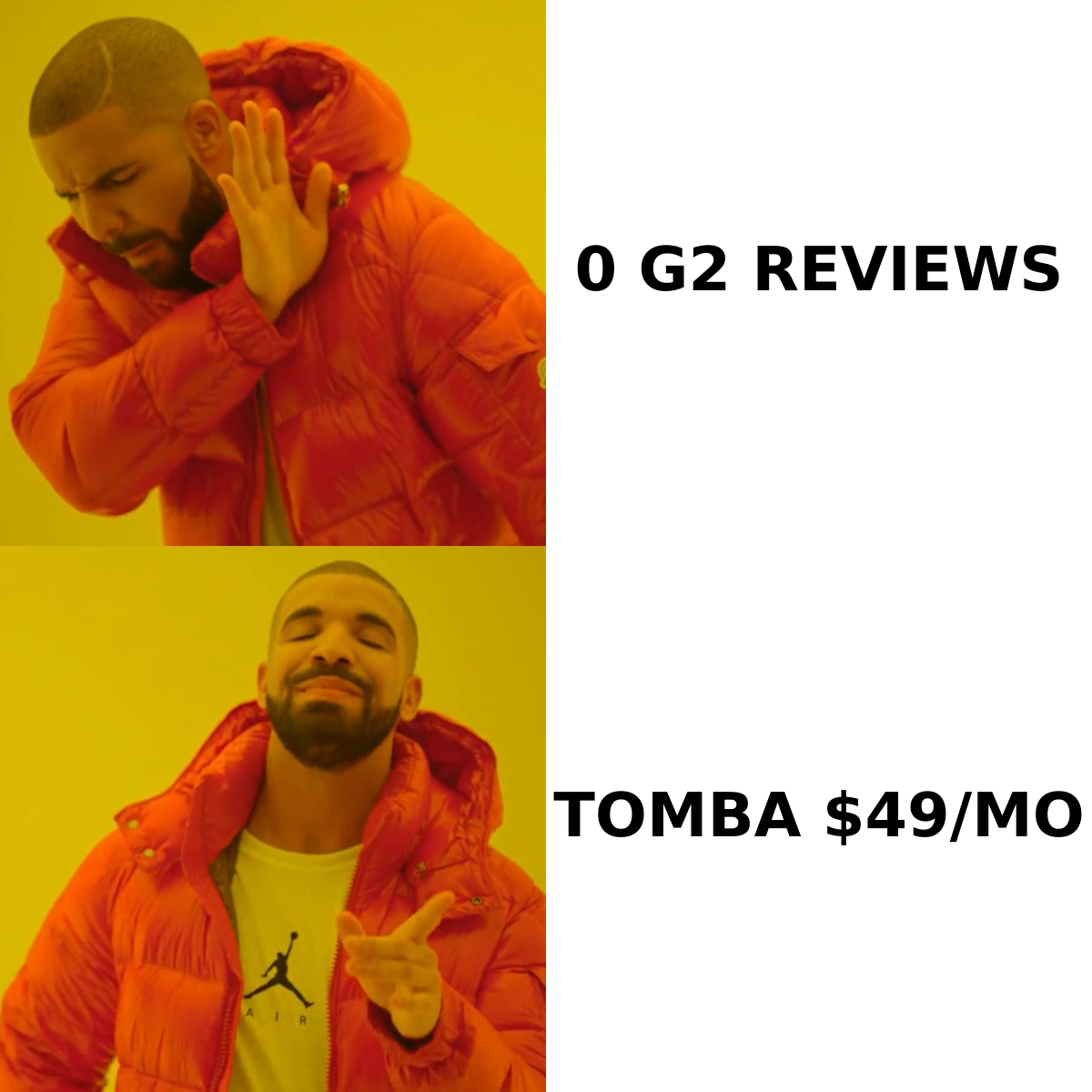
- Price the bounce, not the credit. Multiply your credit cost by the inverse of your measured deliverable rate. A $0.02 credit at a 78% usable rate costs $0.026 per usable contact — and the 22% that bounce also damage your sender reputation, which has a cost you'll pay for months.
Any tool — Kipplo, Ninjapear, or a market leader — that survives all six is worth a paid month. Any tool that fails step one or step five is not worth a free trial.
What does the head-to-head actually look like?#
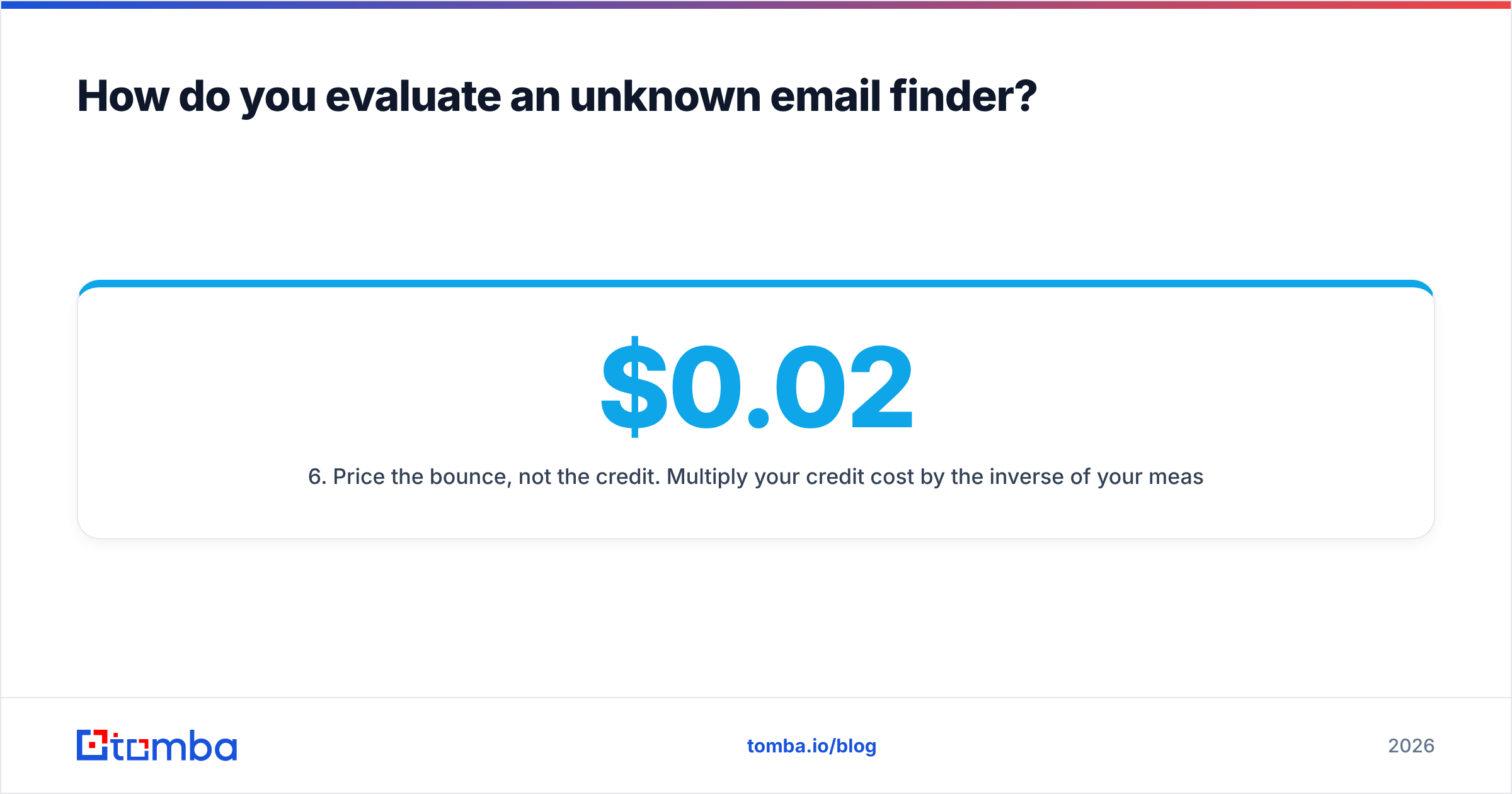
Here is the comparison matrix, filled in honestly. Where a value is not publicly documented, it says so — because "unknown" is a real answer and pretending otherwise is how buyers make bad decisions.
| Evaluation checkpoint | Kipplo | Ninjapear | Tomba (reference) |
|---|---|---|---|
| Public pricing page | Not publicly documented | Not publicly documented | Yes — Free, $49, $99, $249, custom |
| Free tier to test before paying | Not publicly documented | Not publicly documented | 25 searches/mo, no card |
| Verified third-party review volume | Negligible | Negligible | Established on G2/Capterra |
| Published data-sourcing page | Not found | Not found | Yes, public |
| Documented REST API + changelog | Not found | Not found | Yes, public docs |
| Catch-all handling disclosed | Unknown | Unknown | Dedicated catch-all verifier |
| Bulk processing / spreadsheet add-ins | Unknown | Unknown | Bulk, Sheets, Excel, Airtable |

Read that table the way a procurement analyst would. Six of seven rows for both Kipplo and Ninjapear are unverifiable from outside. That is not a tie between two products — it is a tie between two unknowns, and unknowns carry risk that a known quantity does not. If both tools were free, the comparison would be cheap to resolve empirically. If either asks for a credit card before showing you a result, the burden of proof sits with them.
Screenshot placeholder: side-by-side vendor pricing pages captured on the same date, annotated with what each page does and does not disclose.
How accurate is "accurate" in this category?#
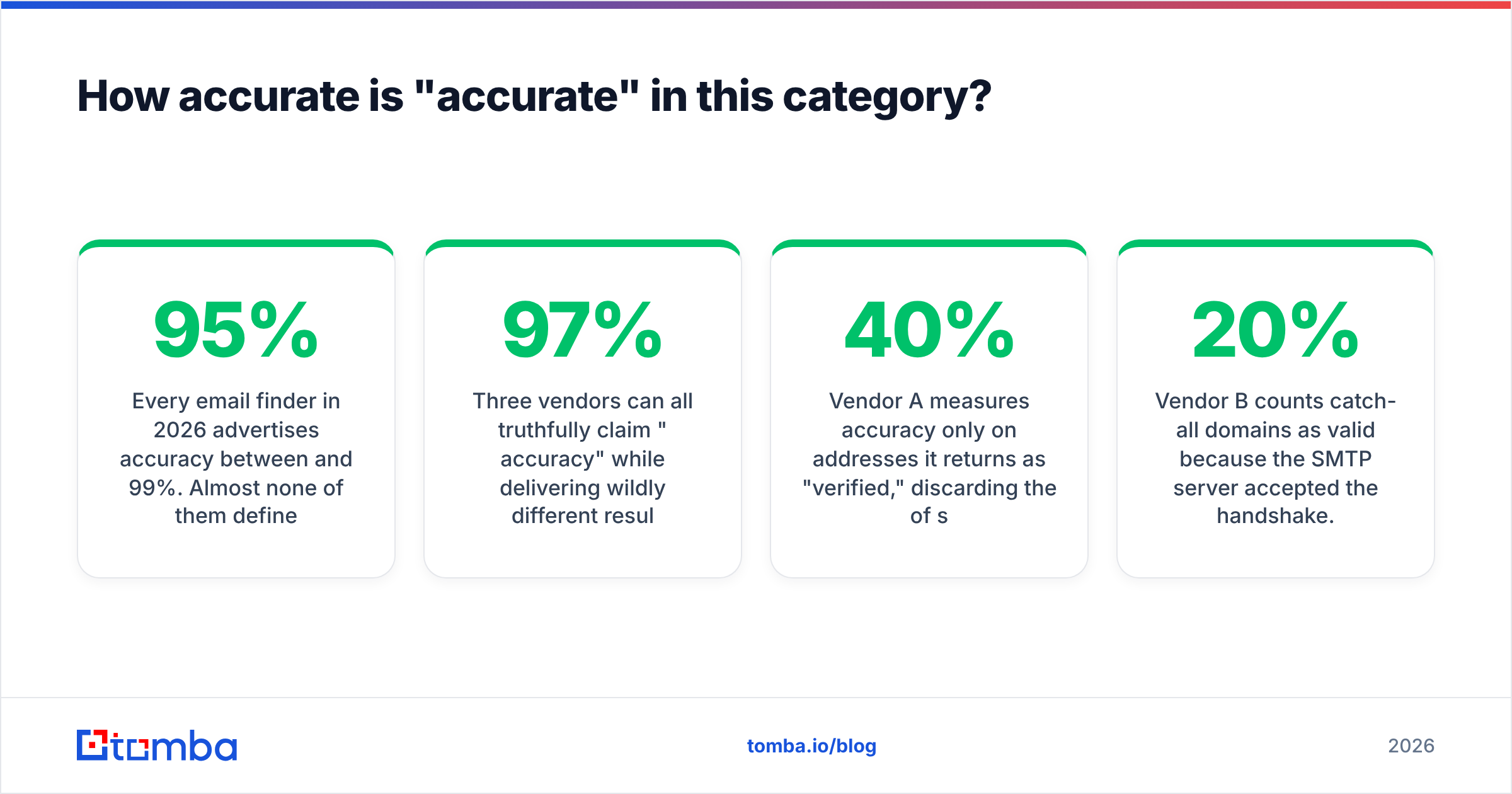
Every email finder in 2026 advertises accuracy between 95% and 99%. Almost none of them define the denominator, and that is where the whole claim lives or dies.
Three vendors can all truthfully claim "97% accuracy" while delivering wildly different results:
- Vendor A measures accuracy only on addresses it returns as "verified," discarding the 40% of searches where it found nothing. Real coverage: 58%.
- Vendor B counts catch-all domains as valid because the SMTP server accepted the handshake. Roughly 15-20% of B2B domains are catch-all, so a meaningful slice of that 97% is a coin flip.
- Vendor C measures against a stale ground-truth set built two years ago, before a third of those people changed jobs.
The only accuracy number that matters is the one you generate on your own list, in the same week you plan to send. That is why step four of the protocol is non-negotiable — and why the SMTP conversation underneath all of this matters more than any dashboard metric. Verification is a protocol-level question, not a marketing one.

When you run your own test, score four buckets, not two: confirmed valid, confirmed invalid, catch-all/unverifiable, and not found. A tool that puts everything in "valid" is not more accurate — it is less honest. If you want to sanity-check individual results outside the vendor's own dashboard, run a handful through an independent email verifier and compare verdicts. Disagreement on 5% of records is normal; disagreement on 30% tells you which tool to drop.
What does pricing really cost you?#
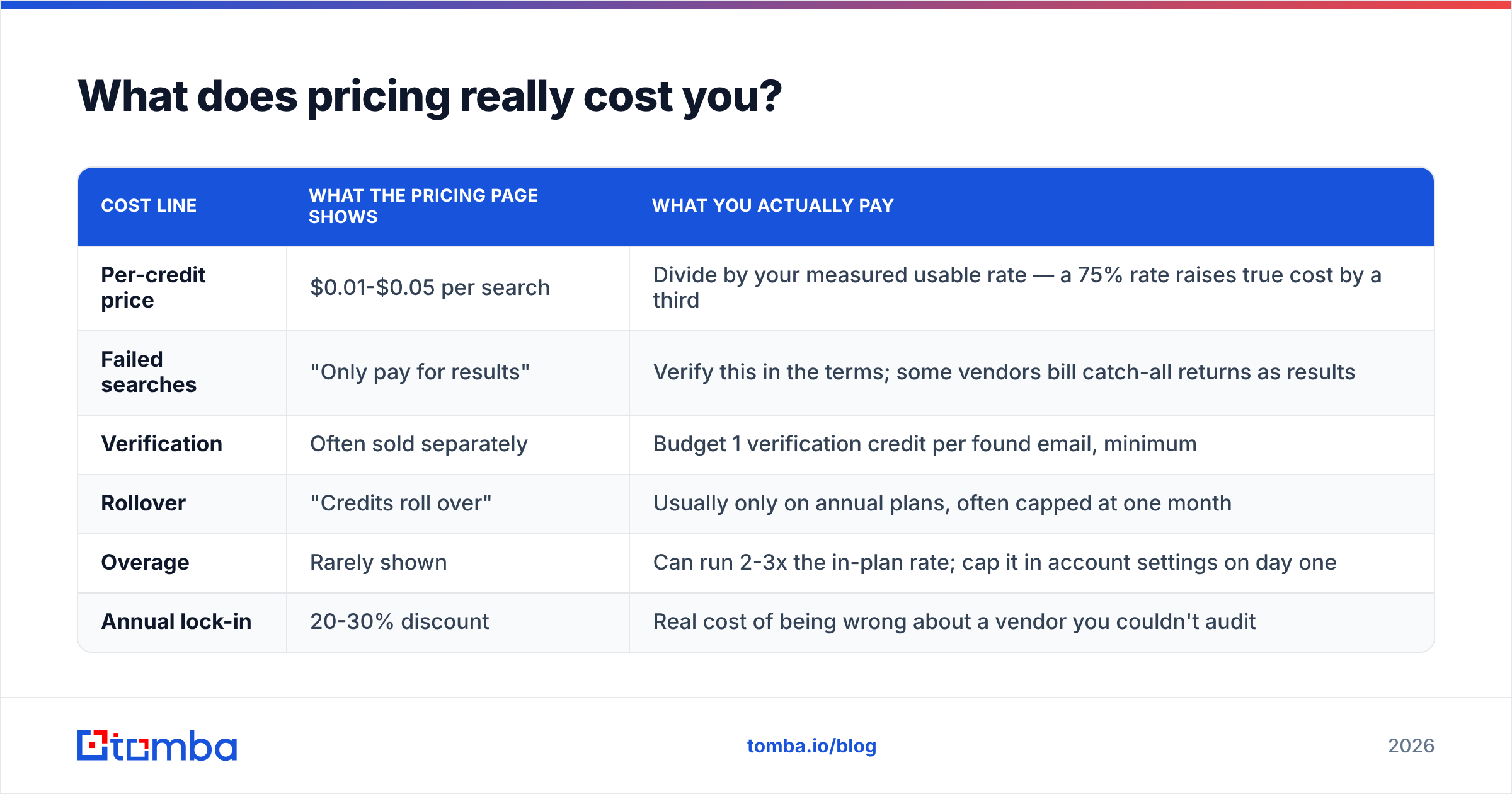
Credit pricing is deliberately hard to compare across vendors. Here is the translation layer.
| Cost line | What the pricing page shows | What you actually pay |
|---|---|---|
| Per-credit price | $0.01-$0.05 per search | Divide by your measured usable rate — a 75% rate raises true cost by a third |
| Failed searches | "Only pay for results" | Verify this in the terms; some vendors bill catch-all returns as results |
| Verification | Often sold separately | Budget 1 verification credit per found email, minimum |
| Rollover | "Credits roll over" | Usually only on annual plans, often capped at one month |
| Overage | Rarely shown | Can run 2-3x the in-plan rate; cap it in account settings on day one |
| Annual lock-in | 20-30% discount | Real cost of being wrong about a vendor you couldn't audit |
For reference, published Tomba pricing runs Free (25 searches/mo), Starter at $49/mo, Growth at $99/mo, Pro at $249/mo, and custom enterprise — which at least gives you a fixed anchor to compare any Kipplo or Ninjapear quote against. If an unknown vendor is materially cheaper, ask what they are cutting: refresh frequency, verification depth, or support. It is always one of the three.
One more line item nobody puts on a pricing page: the deliverability damage from a bad list. HubSpot's own email marketing guidance makes the same point from the other direction — list hygiene is upstream of every other sending metric you care about. A 20% bounce on a 2,000-record send can sideline a sending domain for weeks. Against that, the difference between a $0.015 and $0.03 credit is rounding error.
Which should you pick — Kipplo, Ninjapear, or neither?#
Decide by situation, not by brand.
- You found one of them because of a lifetime deal. Treat it as a lottery ticket, not infrastructure. Never point your primary outbound motion at a tool you cannot audit, and never let it write directly into your CRM.
- You need volume for a campaign next week. Neither is the right answer. Use a provider with a published free tier, run the 100-contact test tonight, and buy the one that wins on measured usable rate.
- You operate in a narrow region or vertical. A niche tool can genuinely beat the majors on local coverage. Prove it with your own seed list, then use it as a secondary waterfall source behind a primary provider.
- You're building on an API. Rule out any vendor without documented endpoints, rate limits, and a changelog. Integration debt against an undocumented API is the most expensive kind.
- You handle EU or California data. Sourcing transparency is not optional. No published data provenance means no purchase, regardless of price.
The mature play is a waterfall: one primary provider you trust and can audit, one or two secondary sources for the records the primary misses, and a verification layer in front of your sending tool so nothing untested reaches an inbox. Catch-all domains deserve their own step — a dedicated catch-all verifier resolves a category that most finders simply hand back to you labeled "risky."
Under that architecture, "Kipplo vs Ninjapear" stops being a binary. Either can occupy a secondary slot if it earns it on your test data. Neither should occupy the primary slot until it can show you its sourcing, its API, and its numbers on your own list.
What should you do this week?#
Block ninety minutes. Export 100 known-good contacts. Run them through every candidate tool, including a benchmark you already trust. Score the four buckets. Compute cost per usable contact. Pick the winner on that number and nothing else.
If you want a reference point that publishes its pricing, its data sources, and its API docs — so you can actually check the work — start with the Tomba Email Finder. The free plan gives you 25 searches a month with no card, which is enough to run the exact benchmark described above and see how any unfamiliar vendor stacks up against a known baseline. Whatever you conclude about Kipplo or Ninjapear, conclude it from your own data.
Related guides#
// get started
Find, verify and enrich your first contacts today
Start on the free plan with 25 searches a month, then scale when your team is ready.
Free plan · No credit card required · GDPR & CCPA
// about the author