Kipplo vs OneMoreLead: Which B2B Lead Tool Wins in 2026?
Kipplo and OneMoreLead both sell B2B contact data, but they solve different problems. Here is an honest breakdown of coverage, verification, pricing models, and which one actually belongs in your stack.
TL;DR
- Kipplo leans toward on-demand prospecting: search, find, enrich, and export contacts as you build a target list.
- OneMoreLead leans toward bulk list building from a large pre-built B2B database with firmographic filters — you pull volume, then filter down.
- The real difference is not the record count on the homepage. It's how fresh each record is at the moment you export it, and whether verification happens before or after the export.
- Neither is a full outbound suite. Both expect you to bring your own sending tool, and both expect you to verify before you send.
- If your bounce rate is the metric that keeps you awake, pair whichever you pick with a dedicated verification layer — or use a finder that verifies at lookup time, like Tomba Email Finder, starting at $49/mo after a free 25-search tier.
What are Kipplo and OneMoreLead?#
Both sell the same raw material — B2B contact records — but they package it differently.
Kipplo positions itself as a prospecting and lead-generation tool: you search for companies or people, the platform returns contact details, and you push them into a CRM or a CSV. The workflow is closer to "I know who I want, go get me their details." Kipplo is a smaller, newer vendor than the ZoomInfo-tier incumbents, which cuts both ways: pricing is friendlier, support tends to be more responsive, and the coverage footprint is narrower.
OneMoreLead is built around a large, pre-assembled B2B database — mostly US-weighted — with filters for industry, company size, job title, location, and technology. The workflow is inverted: you define a segment, the platform shows you how many records match, and you export in bulk. It has historically been marketed as a cheaper substitute for enterprise data platforms rather than as a precision finder.
That distinction — on-demand lookup vs. bulk segment export — drives almost every practical difference between the two. Everything else is downstream of it.
A quick honesty note before the comparison: both vendors are small enough that pricing pages and feature sets change without announcements. Treat every number below as a starting point to verify on the vendor's own site, not gospel. Independent review volume on G2 is thin for both, which means you should weight your own trial results far more heavily than star ratings.
How do Kipplo and OneMoreLead compare head-to-head?#
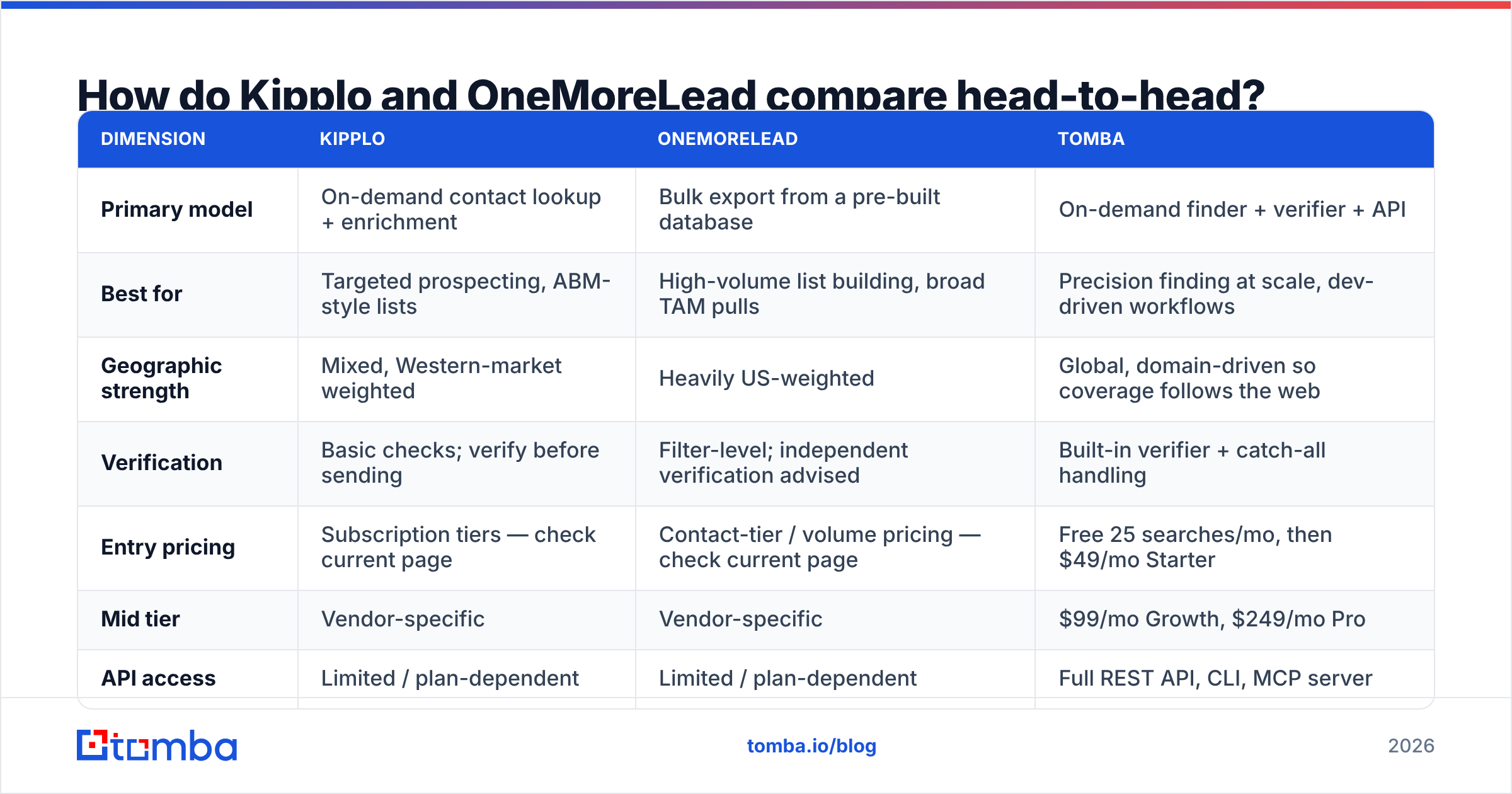
Here is the practical breakdown, with Tomba included as a third reference point because most teams evaluating these two are also evaluating a dedicated finder.
| Dimension | Kipplo | OneMoreLead | Tomba |
|---|---|---|---|
| Primary model | On-demand contact lookup + enrichment | Bulk export from a pre-built database | On-demand finder + verifier + API |
| Best for | Targeted prospecting, ABM-style lists | High-volume list building, broad TAM pulls | Precision finding at scale, dev-driven workflows |
| Geographic strength | Mixed, Western-market weighted | Heavily US-weighted | Global, domain-driven so coverage follows the web |
| Verification | Basic checks; verify before sending | Filter-level; independent verification advised | Built-in verifier + catch-all handling |
| Entry pricing | Subscription tiers — check current page | Contact-tier / volume pricing — check current page | Free 25 searches/mo, then $49/mo Starter |
| Mid tier | Vendor-specific | Vendor-specific | $99/mo Growth, $249/mo Pro |
| API access | Limited / plan-dependent | Limited / plan-dependent | Full REST API, CLI, MCP server |
| Bulk processing | CSV import/export | Native bulk export | Bulk finder + bulk verify |
| CRM integrations | Common CRMs | Common CRMs + CSV | HubSpot, Salesforce, Pipedrive, Zapier, Make |
| Free tier | Trial / limited | Trial / limited | Yes — 25 searches per month |
Read that table as a shape, not a scoreboard. If your motion is "pull 20,000 records matching a segment and run a broad campaign," OneMoreLead's model matches the job. If your motion is "I have 400 named accounts and I need the right person at each one," Kipplo's model matches better. Buying the wrong shape is the expensive mistake — not overpaying by $30/mo.
Which one has better data accuracy?#
Neither vendor publishes an independently audited accuracy figure, so anyone who tells you a precise percentage for either is guessing. What you can reason about is mechanism, and mechanism predicts accuracy better than marketing claims do.
Bulk-database products face a structural problem: a record's accuracy decays from the moment it is written to the index. B2B contact data goes stale fast — people change jobs, companies rebrand, mail servers get reconfigured. Estimates of annual B2B data decay commonly land in the 20–30% range, and that decay hits a static database harder than it hits a live lookup, because the static database has no reason to re-check a row you haven't queried yet.
On-demand finders face a different problem: coverage gaps. If the contact isn't discoverable at query time, you get nothing back — which is annoying, but far less damaging than getting a confidently wrong address that torches your sender reputation.

The practical implication for both Kipplo and OneMoreLead is the same: run every export through independent verification before it touches your sending tool. Do not trust a "verified" badge that was applied at index time rather than at export time. A quick email verifier pass on a sample of 500 records will tell you more about a vendor's real accuracy in ten minutes than a month of reading reviews.
And when you hit catch-all domains — which will be a meaningful slice of any B2B list — you need a tool that can actually adjudicate them rather than dumping them in an "unknown" bucket. That is what a catch-all verifier is for, and it is the single most common gap in cheap list products.
What does each one actually cost?#
Both vendors have moved their pricing more than once, so verify on their sites. What matters more than the sticker is the pricing model, because the model determines whether you get punished for the way you actually work.
- Credit-based, consumed on success. You pay only when a contact is returned. Best for targeted prospecting where hit rate is high. This is the fairest model for small teams.
- Credit-based, consumed on attempt. You pay whether or not you get a result. Watch for this — it silently doubles your effective cost on hard-to-find segments.
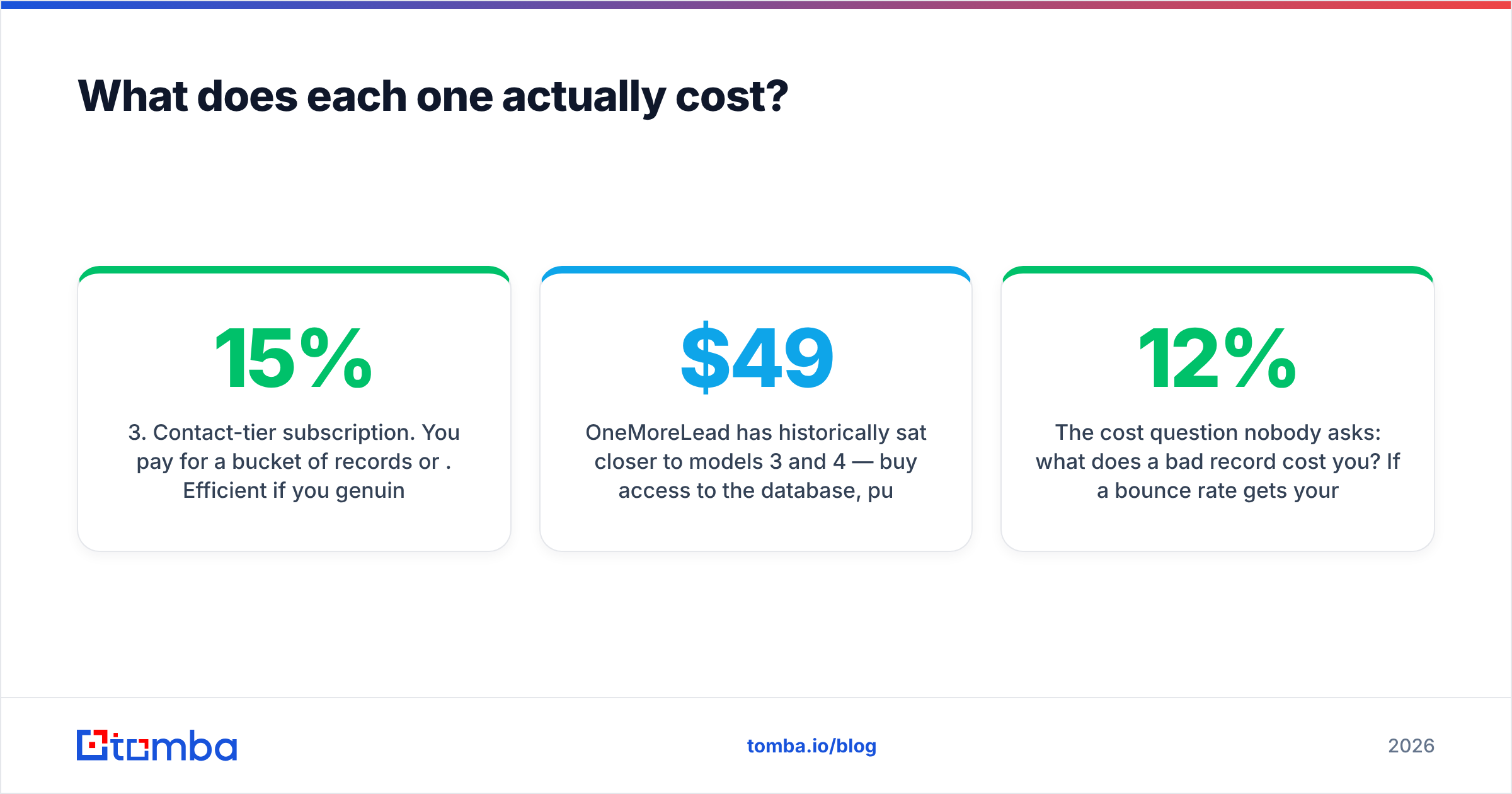
- Contact-tier subscription. You pay for a bucket of records per month or per year. Efficient if you genuinely use the volume; wasteful if you burn 15% of the allotment and let the rest expire.
- Seat-based with unlimited-ish exports. Attractive on paper, usually capped by fair-use language buried in the terms. Read the cap before you commit annually.
- API metering, separate from the UI. Common trap: the dashboard plan you bought does not include the API calls your engineer needs. Check this before you scope any automation.
OneMoreLead has historically sat closer to models 3 and 4 — buy access to the database, pull what you need. Kipplo sits closer to models 1 and 2 — pay as you look up. For reference on the third model type, Tomba pricing runs a free tier at 25 searches/month, Starter at $49/mo, Growth at $99/mo, Pro at $249/mo, and custom Enterprise, with the API included rather than bolted on.
The cost question nobody asks: what does a bad record cost you? If a 12% bounce rate gets your domain throttled, the $40/mo you saved on data is the most expensive $40 you ever saved. Price the data against the deliverability risk, not against the competitor's number.

Is Kipplo better than OneMoreLead for cold outreach?#
For cold outreach specifically, the honest answer is: it depends on list size and how disciplined your sending is.
Choose Kipplo if your campaigns are narrow and research-driven — 200 to 2,000 highly targeted contacts per quarter, where each record matters and you would rather have 400 good addresses than 4,000 mediocre ones. The lookup-based model rewards precision.
Choose OneMoreLead if you are running broad, volume-first campaigns into a US-heavy TAM and you have the infrastructure to handle the cleanup: multiple sending domains, warmed inboxes, aggressive suppression lists, and a verification step that you actually run every time. The database model rewards scale.
Choose neither as your only tool if you need any of the following: global coverage outside North America and Western Europe, programmatic access from your own application, catch-all resolution, or contact data attached to a specific article author or LinkedIn profile. Those are finder-category jobs, and both of these products are adjacent to that category rather than inside it.
One more scenario worth naming: if your bottleneck is not finding contacts but enriching the ones already sitting in your CRM, neither tool is the right first purchase. A dedicated data enrichment pass on your existing database usually surfaces more pipeline per dollar than any new list, because those records already have intent signals attached.

What do both tools get wrong?#
Three failure modes show up repeatedly with mid-market data vendors, and neither Kipplo nor OneMoreLead is exempt.
The freshness gap. A record that was accurate when indexed may be six months stale when you export it. Ask the vendor directly: when was this specific record last re-validated? If the answer is vague, assume it's old.
The "verified" asterisk. Many products apply syntax and MX checks and call the result verified. That is not the same as an SMTP-level check against the receiving server, and it is definitely not the same as resolving a catch-all domain. Run your own pass.
The compliance blind spot. If you are emailing EU or UK contacts, GDPR applies to you regardless of where the data was sourced. Confirm the vendor documents its lawful basis and honors deletion requests — HubSpot's GDPR resources are a reasonable primer if you need to get up to speed fast. Cheap data with an unclear provenance chain is a liability, not a bargain.
A fourth, softer issue: support latency. Smaller vendors are usually faster and more human than enterprise platforms, which is a genuine advantage — right up until the vendor gets acquired or pivots. Avoid annual prepay with any data vendor whose roadmap you cannot verify.
How should you actually run the evaluation?#
Skip the feature-matrix spreadsheet. Run this instead, and you'll have a defensible answer in under a week:
- Build one sample list of 300 contacts from your real ICP — same segment, same seniority, same geography — in each tool.
- Export both, then verify both with the same third-party verifier. Record valid / invalid / catch-all / unknown counts. This is your accuracy number, and it's the only one that matters.
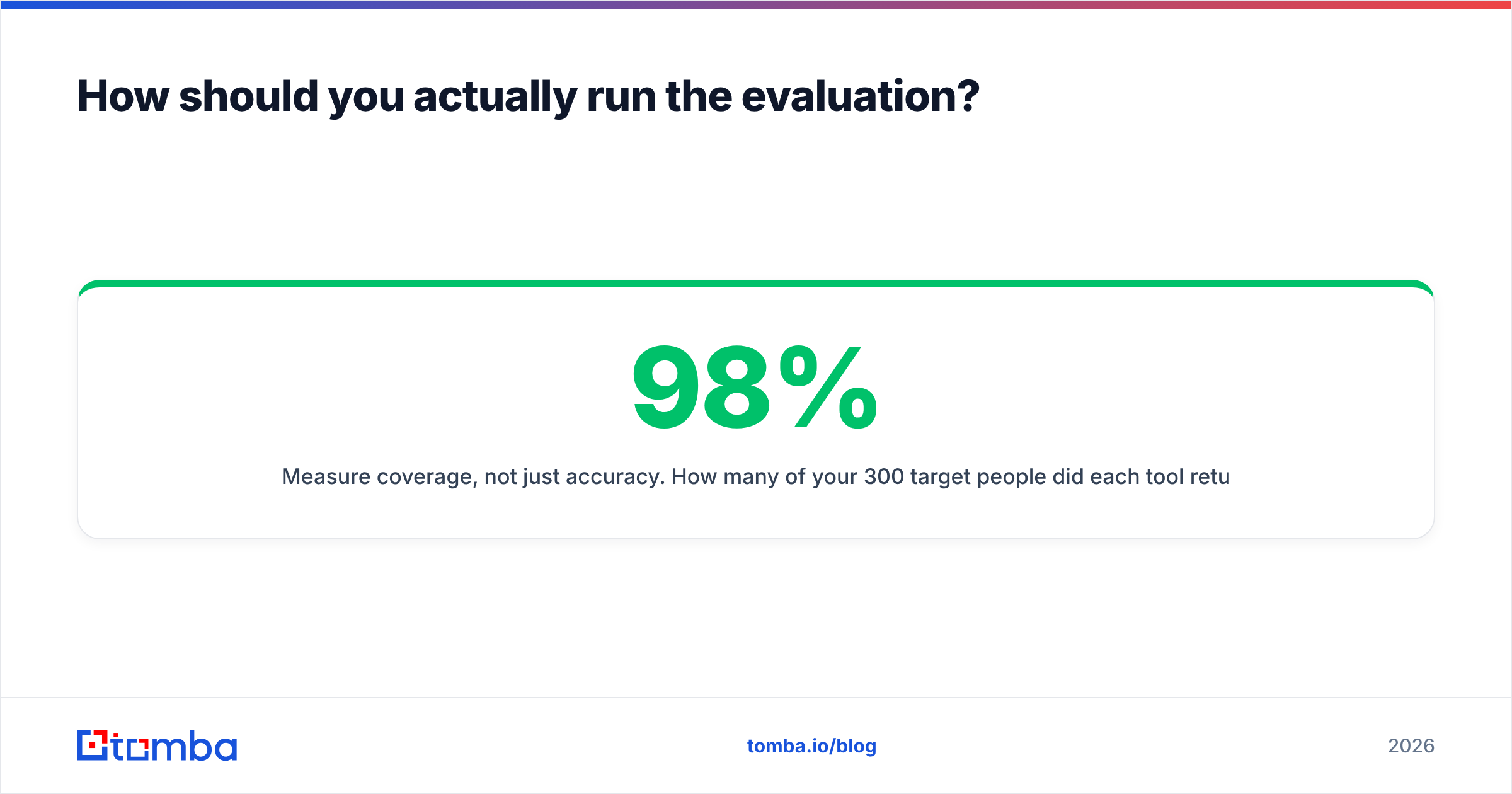
- Measure coverage, not just accuracy. How many of your 300 target people did each tool return at all? A 98% accurate tool that finds 40% of your list is worse than a 92% accurate tool that finds 85%.
- Time the workflow. How many clicks from "segment defined" to "clean CSV in hand"? Multiply by how often you'll do it.
- Test the API before you buy, if automation is anywhere on your roadmap. UI-only tools become bottlenecks the moment volume grows.
If you want a baseline to score the two against, run the same 300 contacts through a free-tier finder as a control. It costs nothing and it stops you from grading on a curve.
For domain-level work — mapping every reachable contact at a target account — a domain search pass is the fastest control test, because it exposes coverage depth per company rather than per person.
Frequently asked questions#
Is OneMoreLead's database bigger than Kipplo's? Probably, in raw US record count — that is OneMoreLead's core positioning. Bigger is not better if the extra records are stale or outside your ICP. Measure usable records in your segment, not total records.
Can I use either one for LinkedIn-sourced prospecting? Both handle standard B2B lookups, but neither is a LinkedIn-native tool. If your workflow starts from LinkedIn profiles, a purpose-built LinkedIn finder will convert profiles to contacts more reliably.
Do I still need a separate email verifier? Yes. Treat this as non-negotiable with any bulk data source. Verification is cheap; a damaged sending domain is not.
Which is better for non-US markets? Neither is strong outside North America. If your TAM is EMEA, APAC, or LATAM-heavy, test coverage hard before committing — this is where most bulk databases collapse.
The bottom line#
Kipplo wins on precision workflows; OneMoreLead wins on volume workflows. Pick by motion, not by feature count — and verify everything either one hands you.
If what you actually need is a finder that returns a verified address at lookup time, covers domains globally rather than just US records, and exposes the whole thing through an API your engineers can call, start with the Tomba Email Finder. The free tier gives you 25 searches a month to benchmark it against your current list before you spend anything, and Starter is $49/mo when you're ready to scale. Run your own 300-contact test — the results will settle the argument faster than any comparison post, including this one.
Related guides#
// get started
Find, verify and enrich your first contacts today
Start on the free plan with 25 searches a month, then scale when your team is ready.
Free plan · No credit card required · GDPR & CCPA
// about the author