Kipplo vs Safetymails (2026): Which Email Verifier Wins?
Kipplo and Safetymails both promise clean lists and fewer bounces, but they solve different halves of the problem. Here is how they compare on accuracy, catch-all handling, pricing and workflow fit in 2026.
TL;DR
- Kipplo is the lighter, developer-leaning option: fast bulk uploads, a simple credit model, and a verification API you can wire into a sequencer in an afternoon.
- Safetymails is the more compliance-and-deliverability-flavoured option: list hygiene reporting, sender-side risk scoring, and an interface built for marketing teams cleaning large opt-in databases.
- Neither tool finds emails. They only judge addresses you already have, which means your bounce rate is capped by the quality of whatever sourced the list in the first place.
- On catch-all domains, the two diverge the most. Read that section before you pick, because catch-alls are usually 20-35% of a B2B list.
- If your real problem is "I need verified contacts at these 800 companies," a finder-plus-verifier stack (Tomba, $49/mo Starter) removes the step where you buy a bad list and pay a second vendor to tell you it was bad.
What are Kipplo and Safetymails?#
Both are email validation services. You hand them a list, they hand it back sorted into deliverable, undeliverable, risky, and unknown. That is the whole product category.
Kipplo positions itself as a fast, low-friction verifier. The pitch is throughput and simplicity: drop in a CSV, get a scored file back, or call the API from your own pipeline. It appeals to people who already have a data source they trust and just want a bounce filter in front of their sending infrastructure.
Safetymails (safetymails.com) leans harder into list hygiene as an ongoing discipline rather than a one-off cleanup. Its reporting is built around understanding why a list is decaying: spam traps, role accounts, disposable domains, hard-bounce history. That framing matters more to email marketers with permission-based databases than to outbound SDRs blasting cold sequences.
The distinction is not marketing fluff. It changes which tool frustrates you. A cold-outreach team wants a binary verdict fast. A lifecycle marketing team wants a risk report they can defend to legal. Pick the one whose default answer matches the question you are actually asking.

How do Kipplo and Safetymails compare head-to-head?#
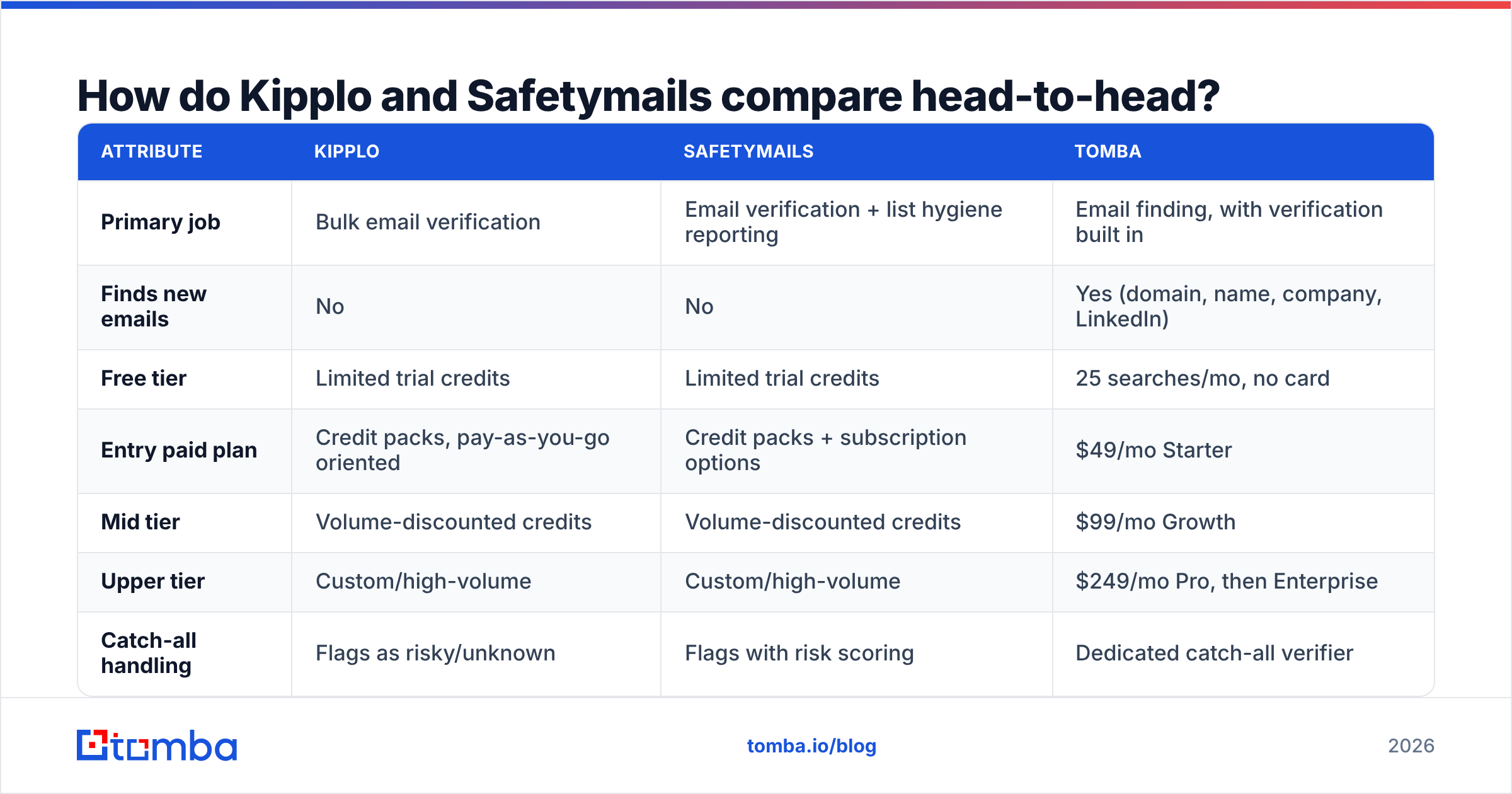
Here is the practical comparison, with Tomba included as the third column because most people evaluating these two are really deciding between "clean my list" and "build a better list."
| Attribute | Kipplo | Safetymails | Tomba |
|---|---|---|---|
| Primary job | Bulk email verification | Email verification + list hygiene reporting | Email finding, with verification built in |
| Finds new emails | No | No | Yes (domain, name, company, LinkedIn) |
| Free tier | Limited trial credits | Limited trial credits | 25 searches/mo, no card |
| Entry paid plan | Credit packs, pay-as-you-go oriented | Credit packs + subscription options | $49/mo Starter |
| Mid tier | Volume-discounted credits | Volume-discounted credits | $99/mo Growth |
| Upper tier | Custom/high-volume | Custom/high-volume | $249/mo Pro, then Enterprise |
| Catch-all handling | Flags as risky/unknown | Flags with risk scoring | Dedicated catch-all verifier |
| API | Yes | Yes | Yes, plus CLI, MCP, Sheets, Excel |
| Native CRM sync | Limited, mostly via Zapier | Limited, mostly via Zapier | HubSpot, Salesforce, Pipedrive, Airtable |
| Best for | Devs bolting verification onto a pipeline | Marketers maintaining opt-in databases | Teams sourcing and verifying in one step |
Credit pricing at both vendors moves, and both publish volume tiers that change with promotions. Check their current pages before you budget. The structural differences in the table are the stable part; the per-thousand rate is not.
Which one is more accurate on real lists?#
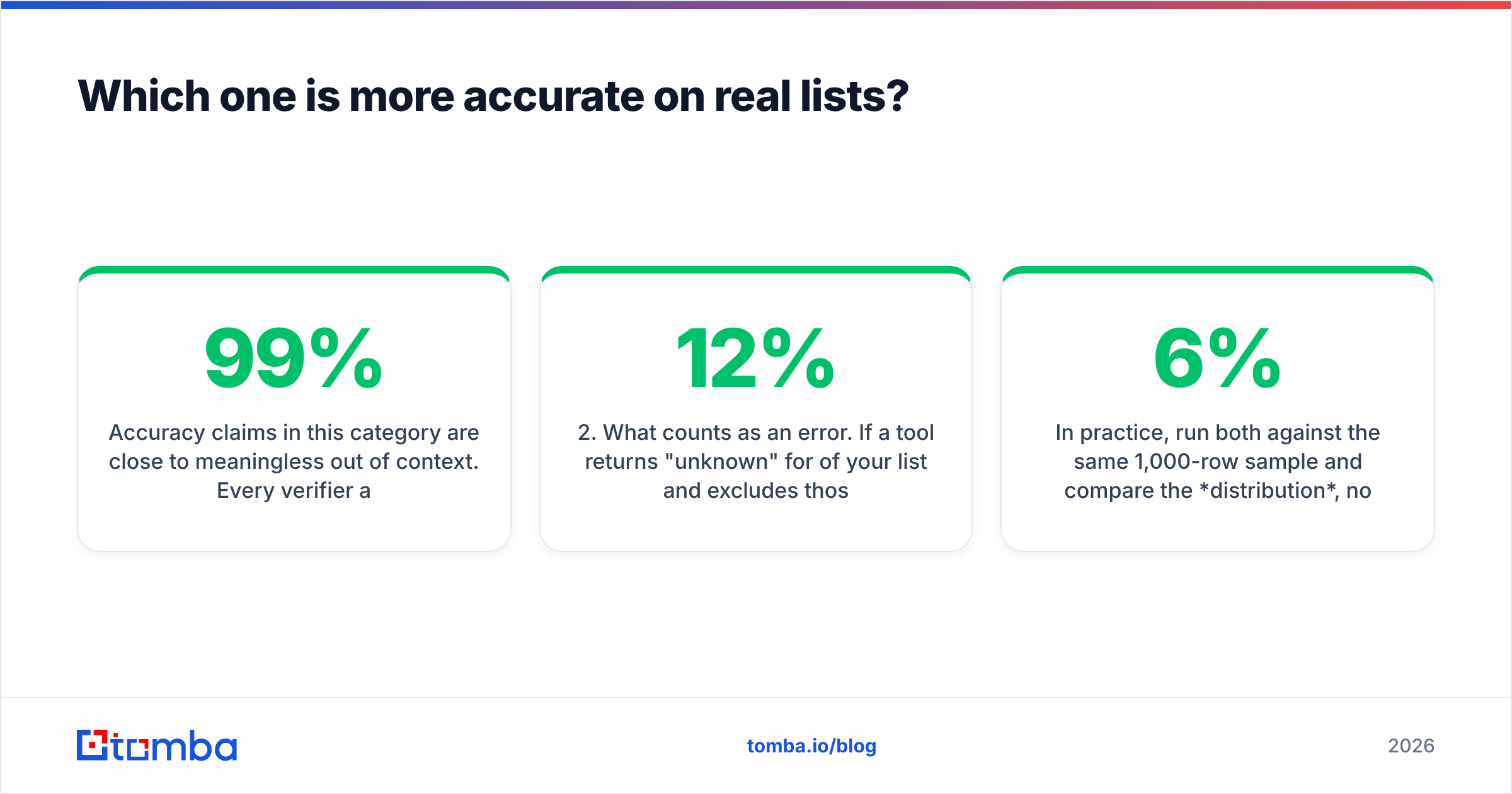
Accuracy claims in this category are close to meaningless out of context. Every verifier advertises 98-99%, and every one of them is measuring something slightly different.

What actually varies between vendors:
- What counts as "valid." Some tools count catch-all domains as valid. That single choice can swing a headline accuracy number by 15 points without changing a line of code.
- What counts as an error. If a tool returns "unknown" for 12% of your list and excludes those rows from its accuracy math, the published figure describes the easy 88%.
- SMTP depth. Shallow checks stop at MX records and syntax. Deeper checks open an SMTP conversation and read the server's response. The deep ones are slower and get throttled by Google and Microsoft more often.
- Recency of the bounce corpus. Verifiers cross-reference known-bad addresses. A vendor with a large, recent corpus catches decayed addresses that a syntax-and-MX check will happily approve.
In practice, run both against the same 1,000-row sample and compare the distribution, not the claimed accuracy. If Kipplo returns 6% unknown and Safetymails returns 14% unknown on the same file, the tools are not disagreeing about accuracy — they are disagreeing about how confidently to guess. Then send to a small segment and measure real bounces. That number is the only one that pays your bills.
The Wikipedia entry on bounce messages is a useful primer on why soft bounces, greylisting, and deferred rejections make any pre-send verdict probabilistic rather than certain.
How do they handle catch-all domains?#
This is where the two tools genuinely differ, and it is the section most buyers skip.
A catch-all domain accepts mail to every address, including asdkjh@company.com. SMTP verification cannot tell you whether a specific mailbox exists, because the server says yes to everything. On B2B lists, catch-alls routinely account for 20-35% of rows, and they skew toward exactly the enterprise accounts you most want to reach.
Kipplo typically buckets catch-alls into a risky/unknown category and leaves the decision to you. Clean, honest, and unhelpful if a third of your target accounts land there.
Safetymails applies risk scoring on top of the catch-all flag, using domain-level signals to estimate whether the address is likely real. That is more useful than a flat "unknown," though it is still an estimate rather than a verification.
A dedicated approach goes further: cross-referencing the address against pattern data, known-good contacts at the same domain, and sourced evidence that the mailbox exists. Tomba's catch-all verifier exists for exactly this gap, and Tomba's email verifier folds the result into a single confidence score rather than dumping the problem back on the user.
If most of your list is SMB and Google Workspace, catch-all handling barely matters and either tool is fine. If you sell enterprise, it is the deciding factor.
What do they actually cost per verified email?#
Both vendors sell credits, so the sticker price per thousand is easy to compare and easy to misread. The cost that matters includes the waste.
Work it out like this:
- Gross rate. What you pay per 1,000 verifications.
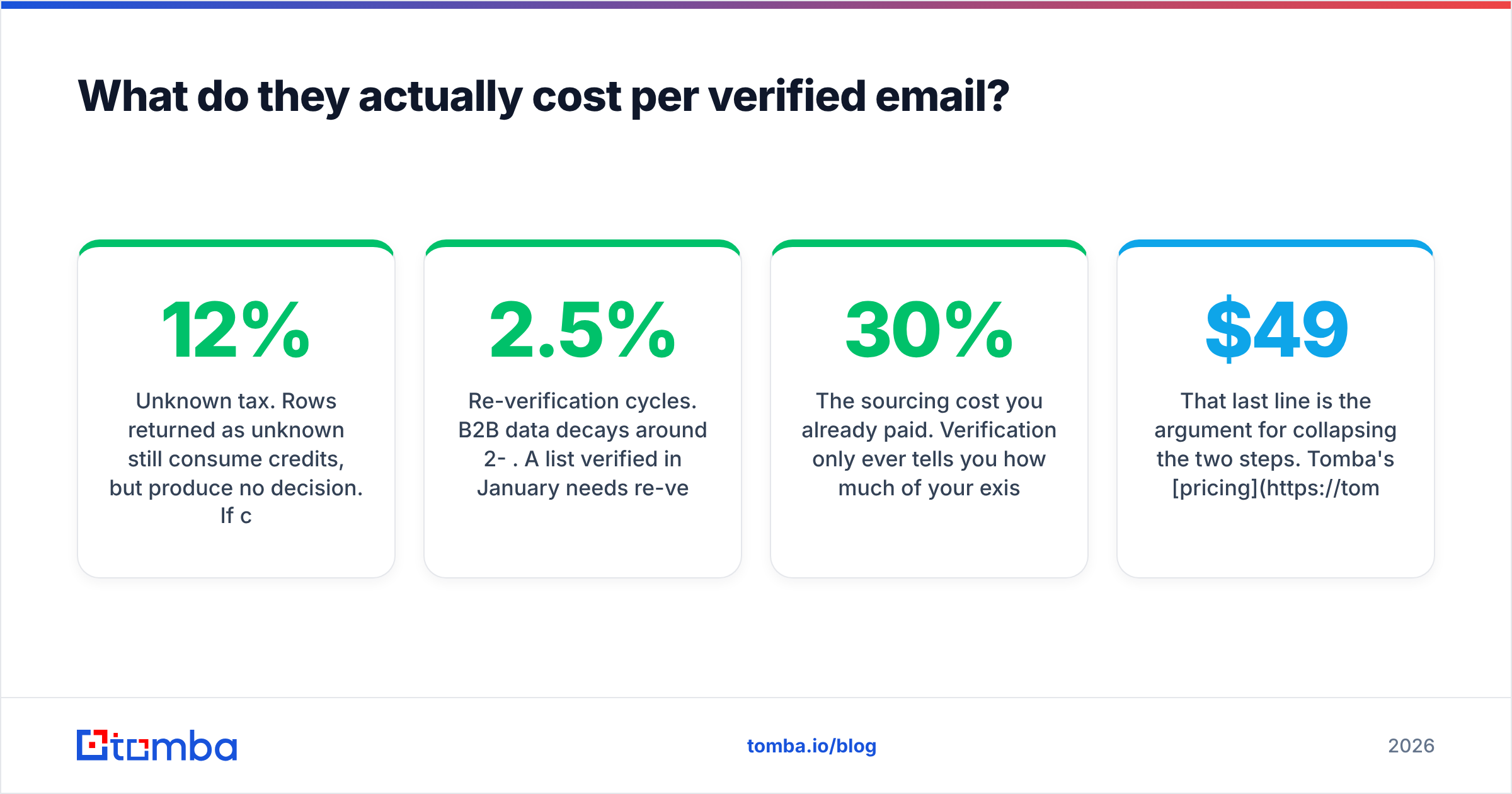
- Unknown tax. Rows returned as unknown still consume credits, but produce no decision. If 12% come back unknown, your effective rate is roughly 14% higher than the sticker.
- Re-verification cycles. B2B data decays around 2-2.5% per month. A list verified in January needs re-verification by April. Budget for two to four passes a year, not one.
- The sourcing cost you already paid. Verification only ever tells you how much of your existing spend was wasted. If you bought 10,000 contacts and 30% bounce, you paid for 10,000 and can mail 7,000.
That last line is the argument for collapsing the two steps. Tomba's pricing starts at $49/mo for Starter, $99/mo for Growth, and $249/mo for Pro, with a free tier of 25 searches a month to test the data before committing. Those credits cover finding and verifying, so you are not paying one vendor to source and a second to audit the first vendor's work.

Which fits your workflow: API, bulk, or CRM?#
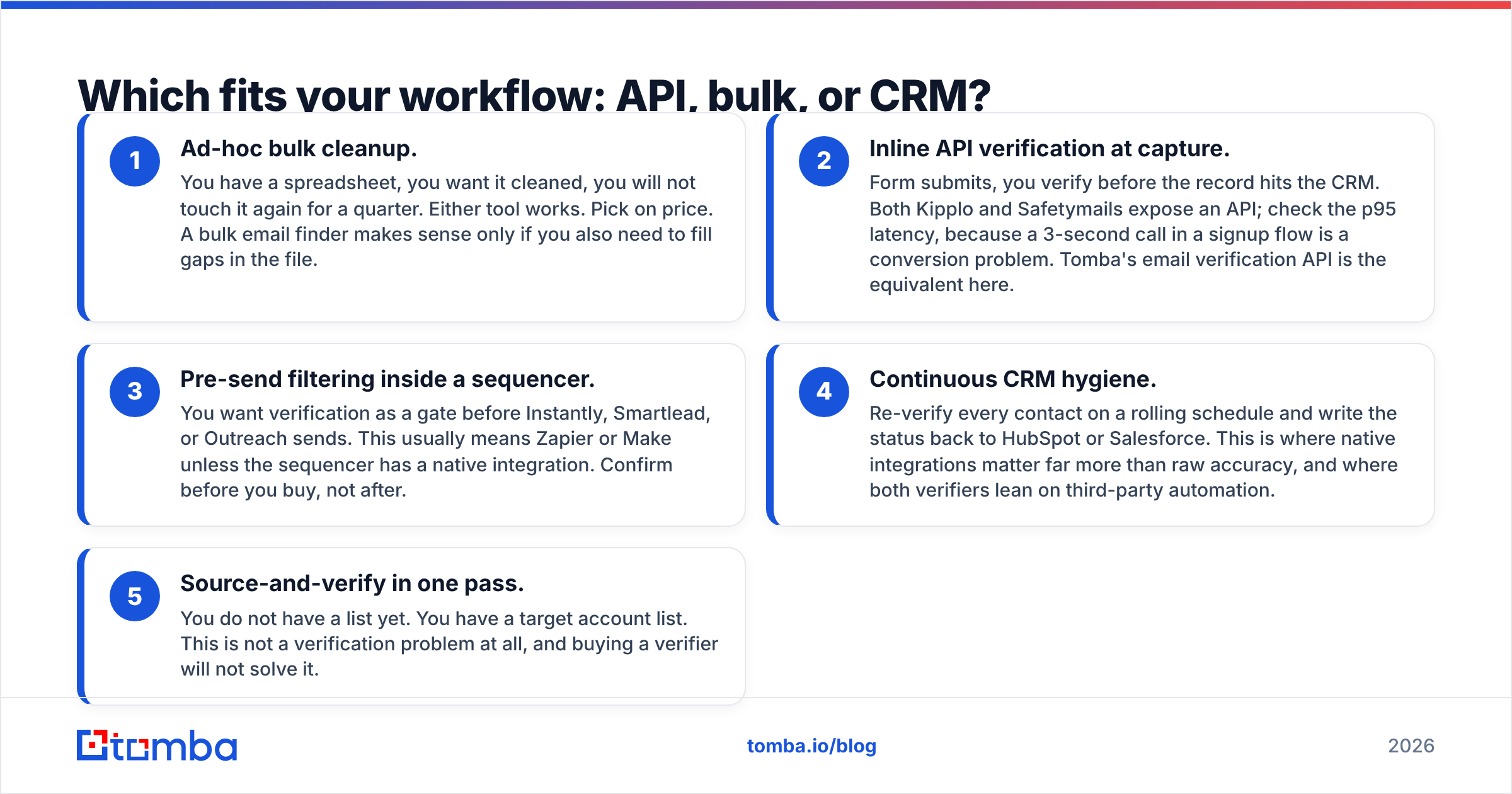
Workflow fit kills more tool evaluations than accuracy does. Map your actual process against these five patterns:
- Ad-hoc bulk cleanup. You have a spreadsheet, you want it cleaned, you will not touch it again for a quarter. Either tool works. Pick on price. A bulk email finder makes sense only if you also need to fill gaps in the file.
- Inline API verification at capture. Form submits, you verify before the record hits the CRM. Both Kipplo and Safetymails expose an API; check the p95 latency, because a 3-second call in a signup flow is a conversion problem. Tomba's email verification API is the equivalent here.
- Pre-send filtering inside a sequencer. You want verification as a gate before Instantly, Smartlead, or Outreach sends. This usually means Zapier or Make unless the sequencer has a native integration. Confirm before you buy, not after.
- Continuous CRM hygiene. Re-verify every contact on a rolling schedule and write the status back to HubSpot or Salesforce. This is where native integrations matter far more than raw accuracy, and where both verifiers lean on third-party automation.
- Source-and-verify in one pass. You do not have a list yet. You have a target account list. This is not a verification problem at all, and buying a verifier will not solve it.
Pattern 5 is the most common situation people find themselves in when they start googling "Kipplo vs Safetymails." They have a bounce problem, so they shop for a bounce tool, when the bounce problem is downstream of a sourcing problem.
Is Kipplo better than Safetymails for cold email?#
For cold outbound, Kipplo's simpler binary output is usually the better fit. Cold sequencers need a fast yes/no gate, and a rich hygiene report is noise when you are deciding whether row 4,812 gets an email tomorrow morning.
For permission-based marketing lists — newsletters, product announcements, re-engagement campaigns — Safetymails is the stronger pick. Spam-trap detection and role-account flagging protect your sender reputation in a way that matters more when you are sending 200,000 messages from one domain than when you are sending 50 a day from five inboxes.
Neither is a deliverability suite. Verification reduces hard bounces; it does not fix authentication, warmup, content, or sending cadence. If your open rates are collapsing and your list is already clean, the problem is somewhere else entirely.
Both vendors have reviews on G2's email verification category, which is worth ten minutes of reading for the complaint patterns rather than the star ratings. Look for repeated mentions of support responsiveness and credit expiry policies — those are the two things that generate refund requests in this category.
How does a finder-first tool compare to both?#

The structural difference is simple. A verifier answers "is this address real?" A finder answers "what is the address?" The second question contains the first.
When you run a domain search against a company, you get addresses that were sourced from evidence — public pages, published bylines, structured records — and then verified. The confidence score reflects both the sourcing method and the SMTP check. That is a meaningfully different signal from taking an address of unknown origin and asking a mail server to confirm it.
The trade-off is real: a finder gives you fewer contacts per company than a scraped 50,000-row list, and it will not verify a list you bought elsewhere as cheaply as a dedicated bulk verifier. If you already own a large, well-sourced database and only need hygiene, a standalone verifier is the cheaper tool and you should buy one.
Which should you pick?#
- Choose Kipplo if you have a trusted data source, want a fast API gate in front of your sending stack, and prefer a simple credit model over a subscription.
- Choose Safetymails if you maintain large opt-in marketing lists, care about spam traps and role accounts, and need reporting you can show to someone who is not on the growth team.
- Choose neither if your list does not exist yet. Buy a finder, not an auditor.
- Run a paid pilot on the same 1,000 rows before committing to any annual credit pack. Distribution of results plus real post-send bounce rate beats every vendor benchmark page, including this one.
Verification is a floor, not a strategy. It stops you from torching your domain with a bad list. It does not build the list, and it does not make the list worth sending to.
Start further upstream. If your bounce rate is really a sourcing problem, the Tomba Email Finder finds professional email addresses by domain, name, or company and verifies them in the same call, so you are not paying twice to learn a contact was never valid. The free tier gives you 25 searches a month with no card, and Starter runs $49/mo when you are ready to scale. Test it against whatever list you were about to send to a verifier and compare the overlap before you buy credits anywhere.
Related guides#
// get started
Find, verify and enrich your first contacts today
Start on the free plan with 25 searches a month, then scale when your team is ready.
Free plan · No credit card required · GDPR & CCPA
// about the author