What Is a Lead Directory? The 2026 Buyer's Guide for B2B Teams
Lead directories promise millions of ready-to-contact B2B contacts. Most of them sell you the same stale records twice. Here's how to tell a real directory from a repackaged list.
TL;DR
- A lead directory is a pre-built, searchable database of B2B contacts and companies you filter by firmographics — not a tool that finds a specific person on demand.
- Directory data decays fast: roughly 22–30% of B2B contact records go stale each year as people change jobs, so a "5 million contacts" claim tells you almost nothing about usable contacts.
- The three models — static directory, subscription database, and live lookup API — have different failure modes. Static lists fail on freshness, subscriptions fail on filter depth, APIs fail when you need bulk volume.
- Pay for verification, not volume. A directory that ships 2,000 verified, deliverable contacts beats one that ships 50,000 records with a 40% bounce rate.
- The practical setup for most teams in 2026: use a directory for discovery and segmentation, then re-verify every record with a real-time email verifier before it enters your sequence.
What is a lead directory?#
A lead directory is a searchable, pre-compiled database of business contacts and company records that you query by attributes — industry, headcount, location, job title, tech stack, revenue band — and export as a list.
Think of it as the difference between a phone book and directory assistance. The phone book is printed once and sits on your desk getting less accurate every month. Directory assistance looks the number up when you ask. A lead directory is the phone book. An email finder is directory assistance. Both are useful; they solve different problems.
The category name gets stretched to cover several very different products:
- Static downloadable lists — a CSV you buy once. Cheapest per record, fastest to decay, highest bounce risk. Common in the "10,000 SaaS CMOs for $199" corner of the market.
- Subscription contact databases — Apollo, ZoomInfo, Lusha, Cognism, BookYourData and similar. You pay monthly for search access and export credits against a maintained index.
- Live lookup tools and APIs — you supply a name and domain (or just a domain) and the system resolves and verifies the address in real time rather than serving a cached row.
- Vertical or association directories — a chamber of commerce member list, an industry association roster, a conference attendee list. Narrow, often free, usually missing direct email addresses.
- Intent-layered databases — a directory with a behavioral signal layer on top (6sense, Demandbase). You pay a large premium for the signal, not the contact data underneath.
Most buyers think they're comparing option 2 against option 2. They're often comparing option 1 dressed up as option 2.

Why does lead directory data go stale so fast?#
Because the underlying facts change constantly and nobody tells the directory.
The core decay drivers, roughly in order of impact:
- Job changes. Industry estimates put annual B2B contact churn between 22% and 30%. In tech and sales roles specifically it runs higher. Every departure turns a valid address into a hard bounce or, worse, a soft-bounce alias nobody reads.
- Domain and brand changes. Acquisitions, rebrands and domain migrations invalidate entire blocks of records at once.
- Email pattern shifts. A company moves from
first.last@toflast@, and every guessed address in the directory for that domain breaks simultaneously. - Catch-all adoption. More companies route unknown addresses to a catch-all, which makes naive verification return "valid" for addresses that don't exist. This is why a catch-all verifier matters more than it did three years ago.
- Suppression and compliance removals. GDPR and CCPA deletion requests remove records that the reseller downstream never learns about.
This is the part vendors bury. A directory advertising "275 million contacts" is describing a row count, not a deliverable-contact count. If the index was last refreshed 14 months ago on a given segment, a third of those rows are fiction. Ask any vendor one question: what percentage of your database was re-verified in the last 90 days, and how do you measure that? The answers separate the serious operators from the resellers fast.
How do the main lead directory models compare?#
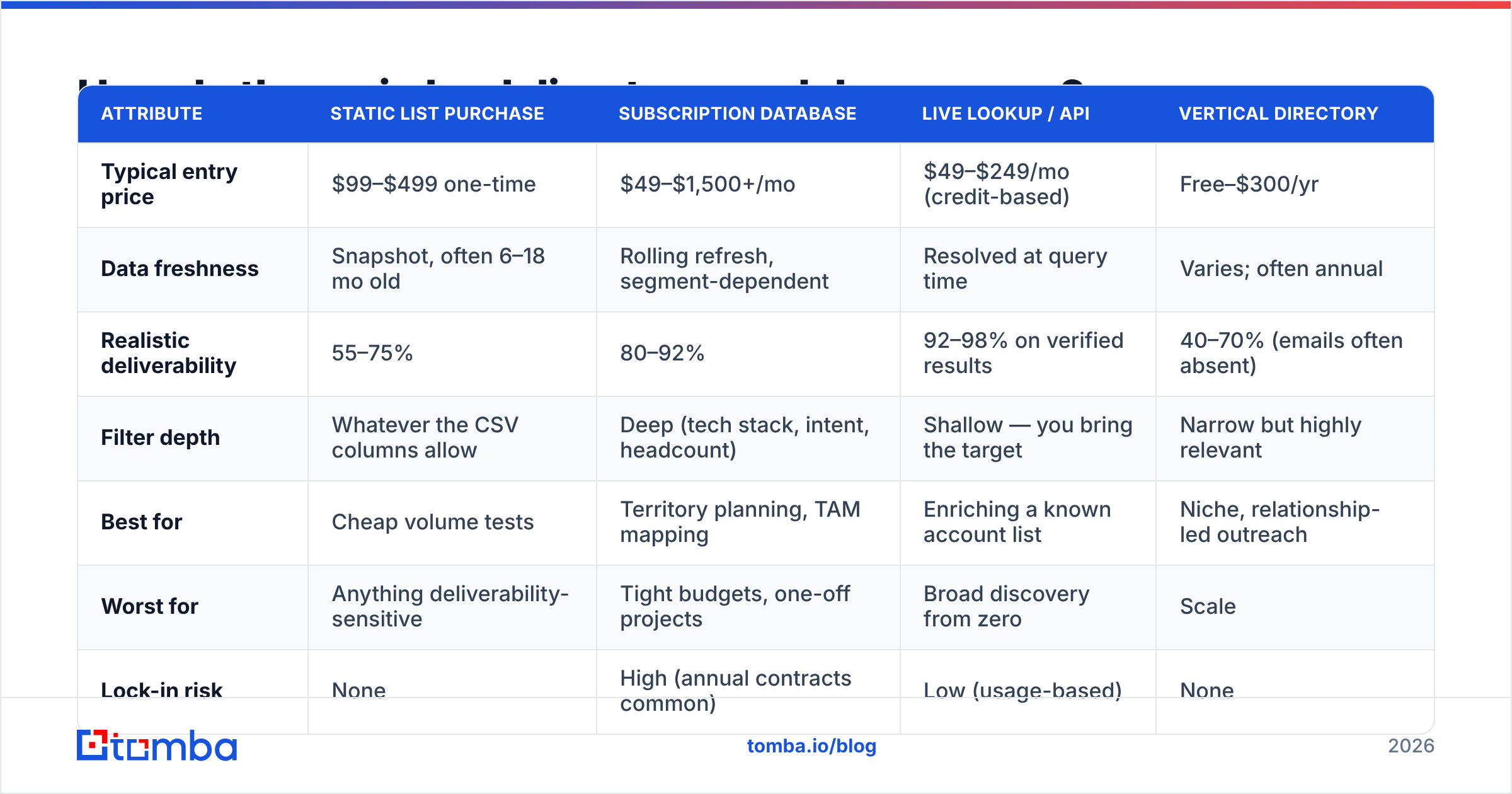
Here's the honest trade-off table. Prices reflect publicly listed 2026 entry tiers; enterprise contracts vary widely.
| Attribute | Static list purchase | Subscription database | Live lookup / API | Vertical directory |
|---|---|---|---|---|
| Typical entry price | $99–$499 one-time | $49–$1,500+/mo | $49–$249/mo (credit-based) | Free–$300/yr |
| Data freshness | Snapshot, often 6–18 mo old | Rolling refresh, segment-dependent | Resolved at query time | Varies; often annual |
| Realistic deliverability | 55–75% | 80–92% | 92–98% on verified results | 40–70% (emails often absent) |
| Filter depth | Whatever the CSV columns allow | Deep (tech stack, intent, headcount) | Shallow — you bring the target | Narrow but highly relevant |
| Best for | Cheap volume tests | Territory planning, TAM mapping | Enriching a known account list | Niche, relationship-led outreach |
| Worst for | Anything deliverability-sensitive | Tight budgets, one-off projects | Broad discovery from zero | Scale |
| Lock-in risk | None | High (annual contracts common) | Low (usage-based) | None |
A few things worth naming about this table.
Subscription databases are the default for a reason. If you need to answer "who are all the Series B fintechs in DACH with 50–200 employees running Segment," only a maintained index can do that. Apollo and ZoomInfo dominate the conversation; BookYourData has carved out a strong position on pay-as-you-go directory access with verified-on-delivery records, which sidesteps the annual-contract problem that makes the enterprise players painful for small teams. Compare real seat costs on G2 before you sign anything — listed pricing and negotiated pricing differ by a lot in this category.
Live lookup wins on accuracy, loses on discovery. If you already know the account list — from your CRM, a conference roster, a website visitor log — a lookup tool will out-deliver any directory because it resolves the address now rather than serving you a 2024 cache. It cannot tell you which accounts to target.
Static lists are almost always a false economy. $199 for 10,000 records looks like $0.02 per lead. At a 62% deliverability rate with 3% of the bad addresses being spam traps, you paid $0.032 per usable lead and took a sender-reputation hit that costs far more than the list did.
What should you actually check before buying a lead directory?#
Run this audit. It takes an afternoon and saves quarters.
- Request a 50-record sample in your exact ICP. Not a generic sample — your filters. Vendors who refuse are telling you something.
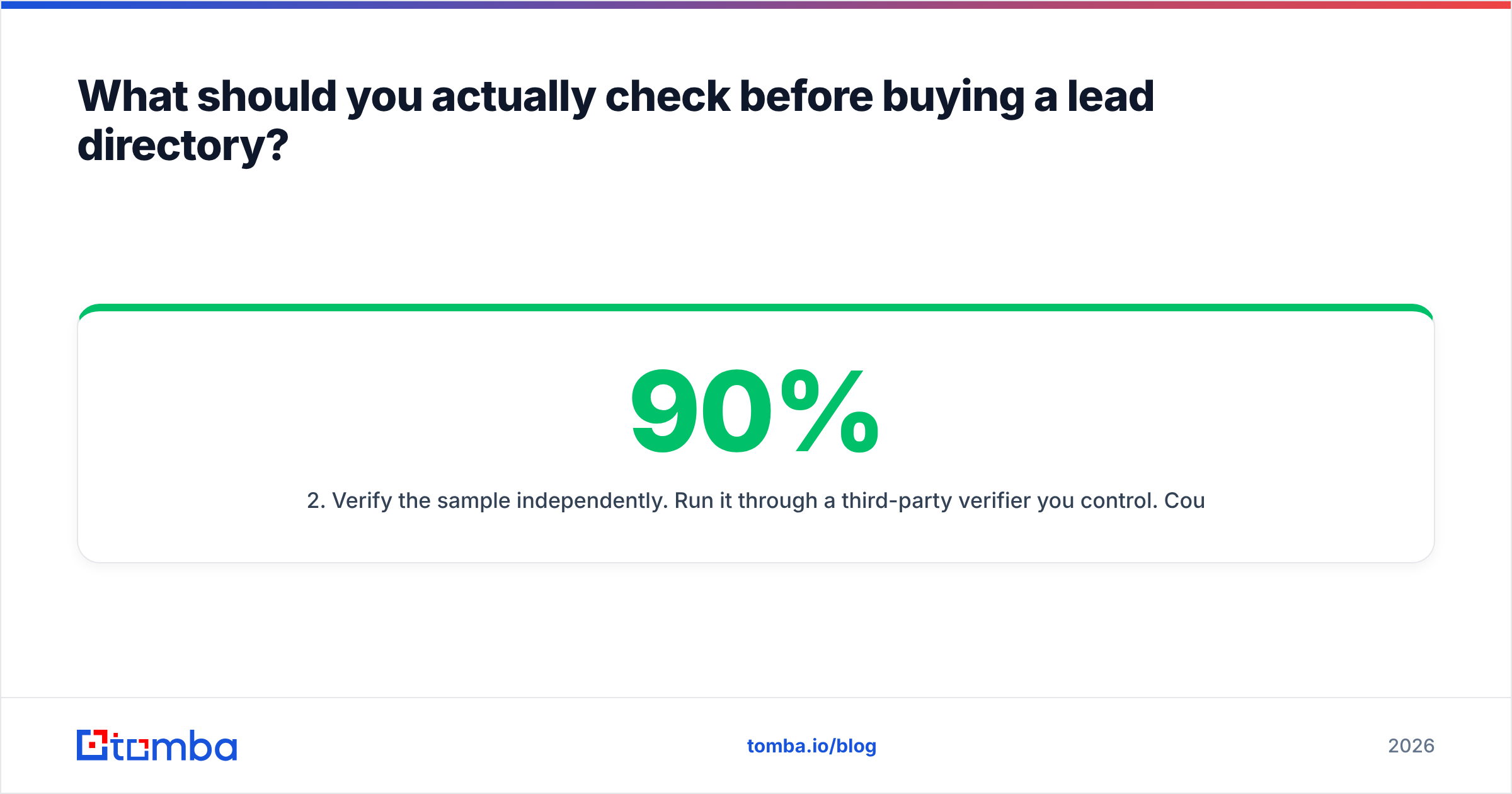
- Verify the sample independently. Run it through a third-party verifier you control. Count hard bounces, catch-alls and role addresses separately. A 90% "valid" rate where 35% are catch-alls is not a 90% valid rate.
- Spot-check 10 records against LinkedIn. Is the person still in that role? Is the title current? This single check exposes stale indexes faster than any vendor metric.
- Ask for the refresh cadence per data type. Email, phone and firmographic data usually refresh on different schedules. Phone data is typically the stalest.
- Check the sourcing disclosure. Where does the data come from — public web crawl, contributory network (users' inboxes), licensed panels, or resale? Contributory networks raise real compliance questions in the EU. Vendors should publish this; Tomba documents its own data sources publicly.
- Price the credit math at your real volume. Many directories price per export credit, then charge again when you re-export an updated record. Model 12 months, not one.

Is a lead directory better than building your own list?#
Not better — different, and the right answer is usually both.
Building your own list means starting from a target account list and resolving contacts yourself: scrape or source the companies, identify the right personas, then find and verify each address. It's slower up front and dramatically more accurate at the point of send. It also produces a list nobody else is emailing, which is worth more than most people account for. When a directory sells the same 8,000 "VP of Engineering, US SaaS" records to 400 buyers, every one of those prospects is getting 400 cold emails. Your reply rate reflects that.
A reasonable hybrid workflow:
- Discovery — use a subscription directory to map the TAM and pull the account list. This is what directories are genuinely good at.
- Persona resolution — identify specific humans at those accounts via LinkedIn, org charts, or a LinkedIn finder.
- Contact resolution — run domain search per account to surface the current email pattern and live addresses, rather than trusting the directory's cached guess.
- Verification gate — verify everything immediately before send, not at import time. A record verified 30 days ago is a record you haven't verified.
- Suppression hygiene — deduplicate against your CRM and existing sequences so you don't hit the same person from two motions.
That workflow costs more per contact and less per meeting. For most teams running under 5,000 sends a month, the math favors it clearly.
How does directory data affect deliverability?#
Directly, and it's the most underpriced risk in the category.
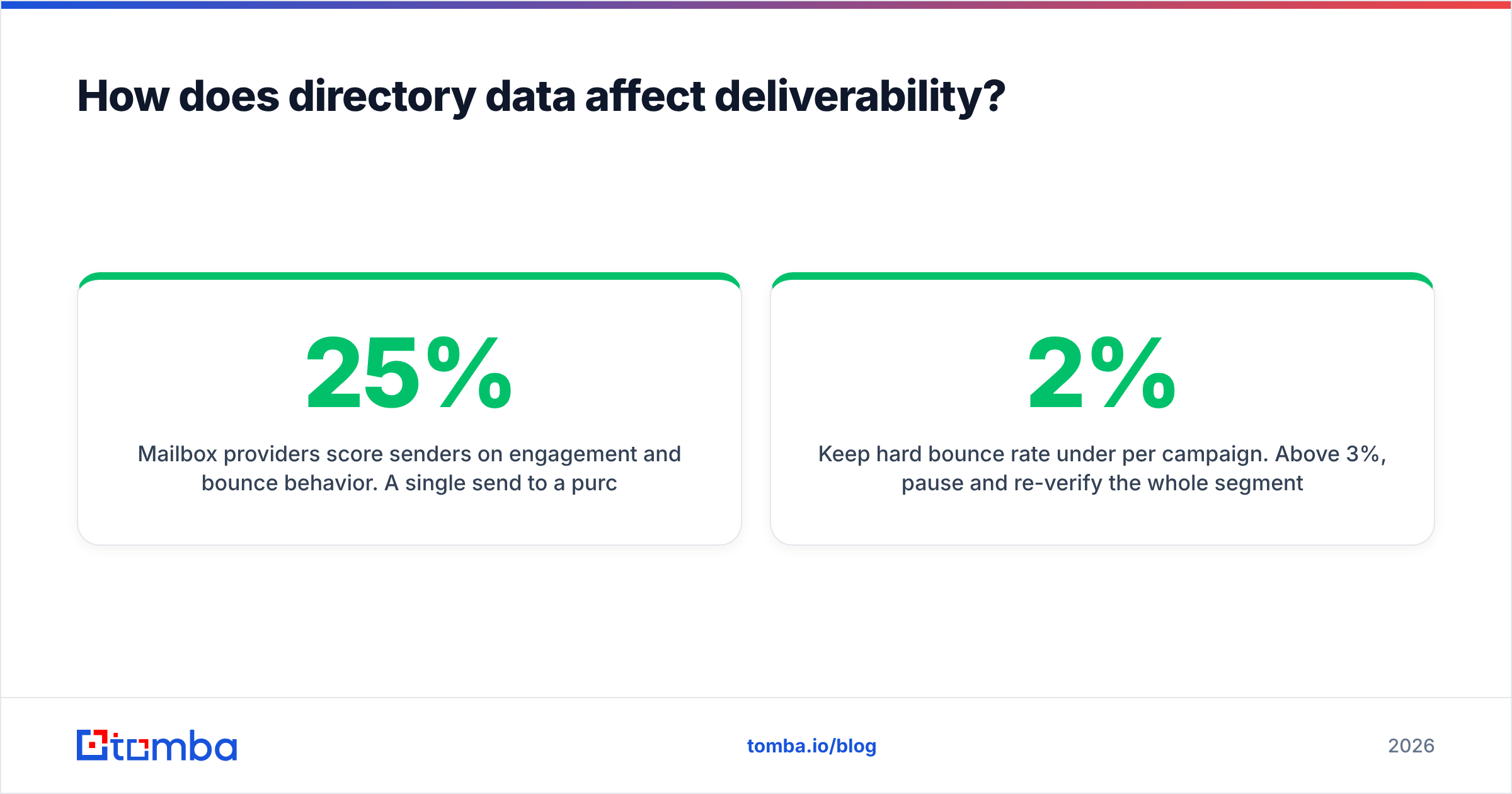
Mailbox providers score senders on engagement and bounce behavior. A single send to a purchased list with a 25% bounce rate can push a warm domain into spam placement for weeks. Recycled spam traps — addresses that were real, went dormant, and got reactivated as traps — are the specific hazard with old directory data, and they're concentrated exactly where static lists live.
Practical guardrails:
- Keep hard bounce rate under 2% per campaign. Above 3%, pause and re-verify the whole segment.
- Never send to a raw directory export. Verification is not optional overhead; it's the cost of using directory data at all.
- Treat catch-all domains as a separate risk tier with their own send policy rather than lumping them in as valid.
- Segment by data age. Records sourced more than six months ago should be re-verified before any send, regardless of what the directory says.
- Monitor sender reputation continuously, not after something breaks.
Google and Yahoo's bulk-sender requirements tightened the tolerance here considerably; their published sender guidelines now make complaint-rate thresholds explicit. Directory data that would have merely underperformed in 2021 will get you filtered in 2026.
What does a lead directory cost in practice?#
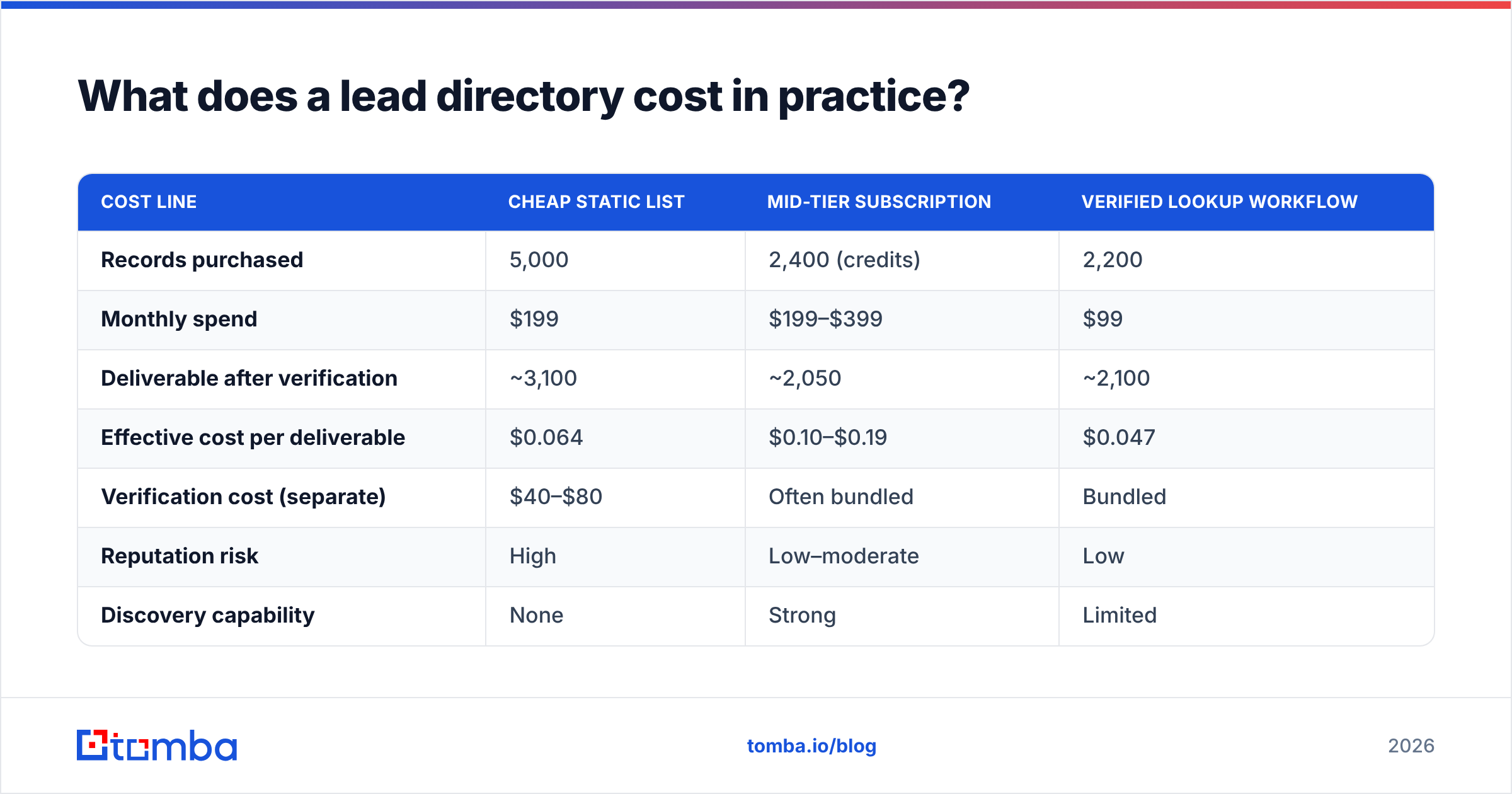
Sticker price and real cost diverge sharply. Here's the modeled comparison for a team needing 2,000 contactable prospects per month.
| Cost line | Cheap static list | Mid-tier subscription | Verified lookup workflow |
|---|---|---|---|
| Records purchased | 5,000 | 2,400 (credits) | 2,200 |
| Monthly spend | $199 | $199–$399 | $99 |
| Deliverable after verification | ~3,100 | ~2,050 | ~2,100 |
| Effective cost per deliverable | $0.064 | $0.10–$0.19 | $0.047 |
| Verification cost (separate) | $40–$80 | Often bundled | Bundled |
| Reputation risk | High | Low–moderate | Low |
| Discovery capability | None | Strong | Limited |
The lookup workflow wins on cost per deliverable but only when you already know your accounts. If you don't, you're paying the subscription premium for discovery — and that's a legitimate thing to pay for. Just don't pay it twice by buying a subscription database and a static list for the same motion.
For reference on where per-credit pricing sits, Tomba pricing starts with a free tier at 25 searches per month, Starter at $49/mo, Growth at $99/mo, and Pro at $249/mo, with verification included rather than billed as a separate line. Compare that structure against whatever you're quoted — bundled verification vs. billed-separately verification is one of the biggest hidden-cost gaps in this market, and reviews on Capterra surface it constantly in the complaints section.
Which lead directory approach fits your team?#
- Under 10 people, no dedicated RevOps. Skip the annual contract. Use a pay-as-you-go directory or a credit-based lookup tool. You need 200 good contacts a week, not 200,000 rows.
- Mid-market SDR team, defined territories. A subscription database earns its keep here — territory mapping and TAM sizing are worth the seat cost. Layer a verification step on export.
- Enterprise ABM. Directory data is the floor, not the product. You're buying intent and org-chart depth, and you should still re-verify contact-level data independently.
- Agencies running multiple client ICPs. Credit-based access beats seat-based every time, because your filters change per client. Check export-limit fine print carefully.
- Technical teams with a CRM to enrich. Skip directories entirely and go API-first. Pipe your account list through an email finder API and write verified results straight back to the CRM.
One more thing worth saying plainly: no directory is accurate everywhere. Every vendor has strong segments and weak segments, usually dictated by where their crawl and contributory data concentrate. US tech is well covered by nearly everyone. Mid-market manufacturing in Southern Europe is well covered by almost nobody. Test in your segment, not in the vendor's demo segment.
Where should you start?#
Start with the account list you already have. Most teams buy a lead directory before they've resolved contacts for the accounts sitting in their CRM right now — and those are the highest-intent, lowest-cost prospects available.
Run those domains through Tomba Email Finder to surface current, verified addresses at the accounts you already care about. Verification is included in every plan, the free tier gives you 25 searches to test accuracy against your own segment before paying anything, and the results are resolved live rather than served from a cache someone compiled last year. If the accuracy holds up in your vertical, scale it. If it doesn't, you've spent nothing finding out — which is exactly how every directory evaluation should start.
Related guides#
// get started
Find, verify and enrich your first contacts today
Start on the free plan with 25 searches a month, then scale when your team is ready.
Free plan · No credit card required · GDPR & CCPA
// about the author