Lead Kahuna vs Tomba: Local Lead Scraper or B2B Email Finder?
Lead Kahuna scrapes local business listings from your desktop. Tomba finds and verifies named decision-maker emails. Here's which one fits your pipeline, what each really costs, and when it makes sense to run both.
TL;DR
- Lead Kahuna is a Windows desktop scraper for local-business leads. You type a keyword and a city, and it collects business names, phone numbers, websites, addresses and any emails it can find. Pricing is listed from about $299 for one year.
- Tomba is a cloud B2B email finder. It returns named, verified professional emails by domain, by name + company, or from LinkedIn, and has a verifier, enrichment and an API alongside it. There's a free tier (25 searches/mo), and paid plans start at $49/mo.
- If you sell web design, SEO or POS systems to plumbers, dentists and restaurants in one town, Lead Kahuna's directory-style data is a good fit.
- If you sell to companies with job titles, like "VP of Sales at a 200-person SaaS", you need Tomba's person-level emails and verification.
- Plenty of agencies run both: Lead Kahuna builds the list of local businesses, and Tomba finds the owner's direct email and verifies it before you send.
What is Lead Kahuna?#
Lead Kahuna is desktop lead-generation software built for local prospecting. You enter a niche ("roofers", "dental clinics") and a location, and it pulls public business listings from directory-style sources. Each record usually includes business name, address, phone, website, and emails it finds on that business's site.
A few details shape how you'll use it day to day:
- Windows desktop app. You install it and run it on your own machine. It isn't a browser-based SaaS.
- Annual license. At the time of writing, pricing on the official Lead Kahuna site is listed from roughly $299 for one year. Check the site for current tiers before you buy.
- Proxy dependency at scale. Third-party comparisons report that you can pull about 150 leads per day before you need to plug in your own proxies. Proxies cost extra, and setting them up is your job.
- One city at a time. Searches run per location, so covering a whole region means running a queue of searches.
In practice, Lead Kahuna is a local-business web scraper packaged for agencies and freelancers. It does that job well. What it doesn't do is tell you who at the business you're emailing.
What is Tomba?#
Tomba is a B2B email finder and enrichment platform. You don't scrape listings with it. You ask it for people. Its core product is the email finder, and the email verifier, domain search, catch-all verifier, phone finder and data enrichment sit alongside it.
The main ways to use it:
- Domain search. Enter
acme.comand get every public professional email Tomba has for that company, with names, titles and sources. - Email finder. Enter a first name, last name and company, and Tomba returns the most likely address with a confidence score.
- LinkedIn finder. Paste a LinkedIn profile URL to get the person's work email.
- Verification. Check deliverability before you send, including catch-all domains.
- Integrations. Chrome extension, Google Sheets, API, CLI, Zapier, HubSpot, Salesforce and more.
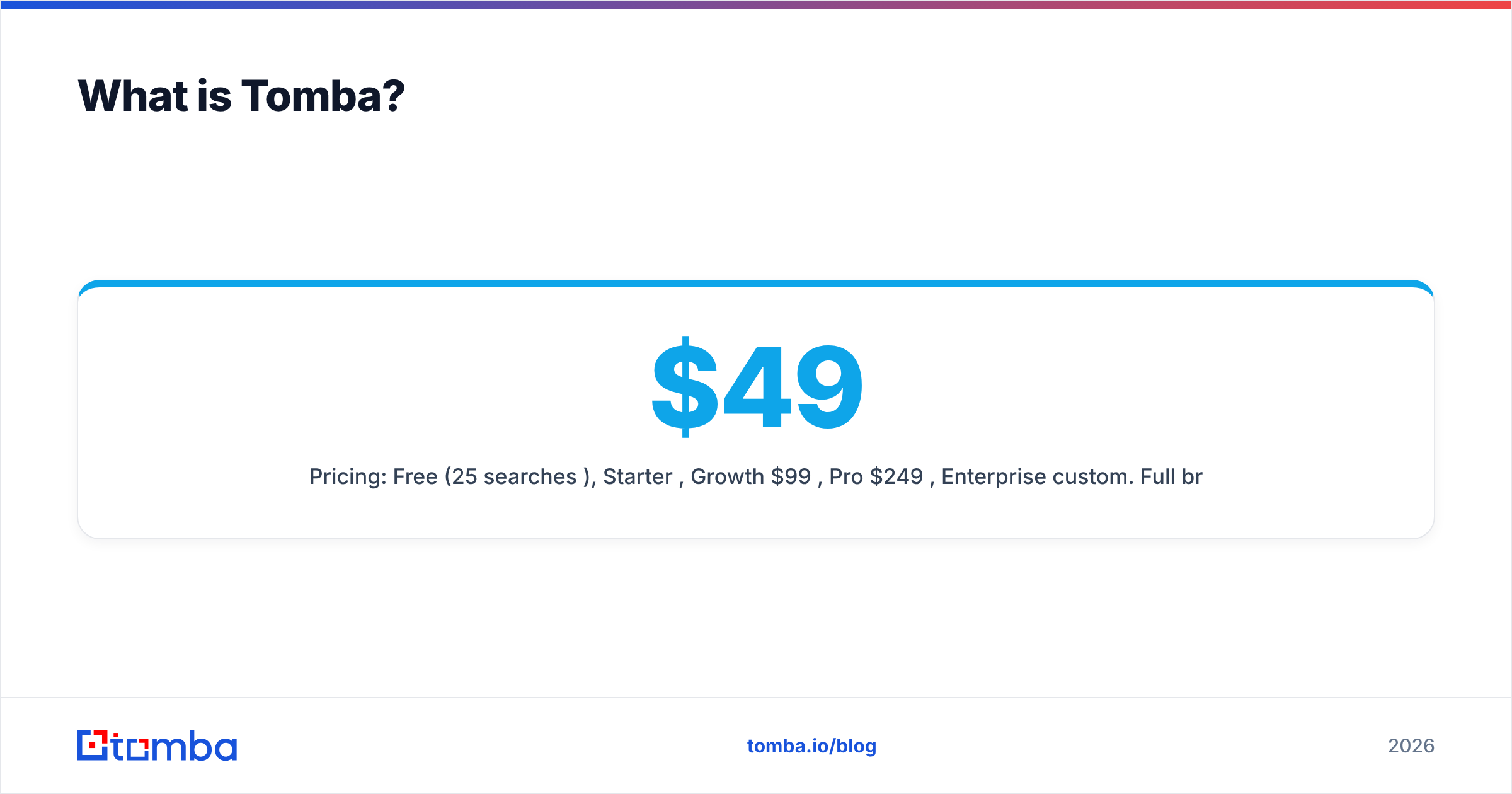
Pricing: Free (25 searches/mo), Starter $49/mo, Growth $99/mo, Pro $249/mo, Enterprise custom. Full breakdown on the Tomba pricing page.
How do Lead Kahuna and Tomba compare side by side?#
The short version is that these tools answer different questions. Lead Kahuna answers "which businesses of type X exist in city Y?" Tomba answers "what is the verified email of the person I want to reach at company Z?"
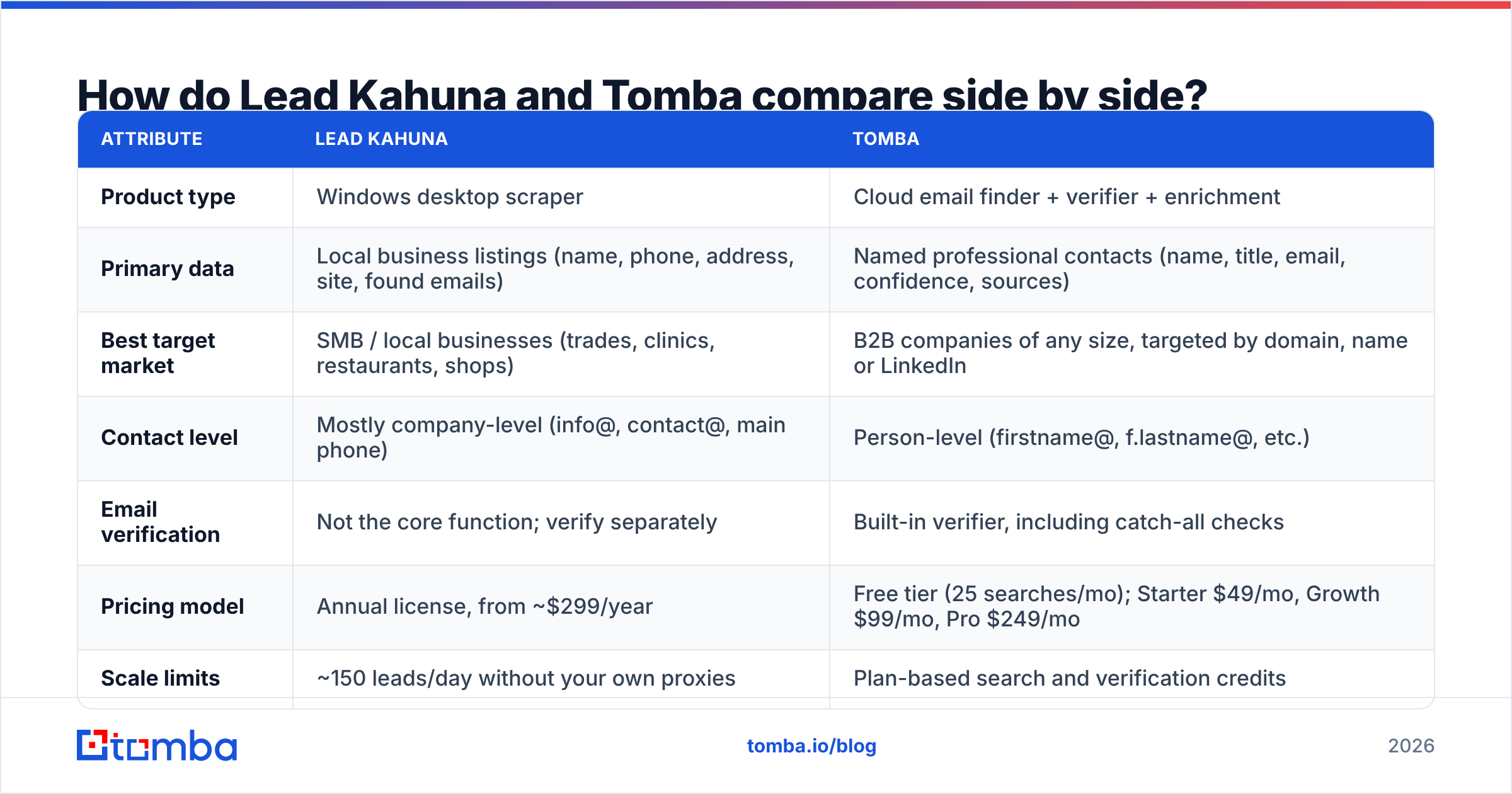
| Attribute | Lead Kahuna | Tomba |
|---|---|---|
| Product type | Windows desktop scraper | Cloud email finder + verifier + enrichment |
| Primary data | Local business listings (name, phone, address, site, found emails) | Named professional contacts (name, title, email, confidence, sources) |
| Best target market | SMB / local businesses (trades, clinics, restaurants, shops) | B2B companies of any size, targeted by domain, name or LinkedIn |
| Contact level | Mostly company-level (info@, contact@, main phone) | Person-level (firstname@, f.lastname@, etc.) |
| Email verification | Not the core function; verify separately | Built-in verifier, including catch-all checks |
| Pricing model | Annual license, from ~$299/year | Free tier (25 searches/mo); Starter $49/mo, Growth $99/mo, Pro $249/mo |
| Scale limits | ~150 leads/day without your own proxies | Plan-based search and verification credits |
| Infrastructure you manage | PC, proxies, exports | None: browser, extension, Sheets or API |
| Integrations | CSV export | Chrome, Sheets, Excel, Airtable, API, CLI, Zapier, HubSpot, Salesforce, Pipedrive |
| Platform | Windows | Web, any OS |
Which tool gives you better data quality?#
It depends which kind of quality you mean. There are three that matter.
1. Coverage of local businesses. Lead Kahuna wins here. If your targets are every HVAC contractor in Phoenix, directory-sourced data picks up businesses that barely exist in B2B databases. A one-location landscaping company with no LinkedIn presence won't show up in most person-level databases, and it will show up in a local listings scrape.
2. Who the email reaches. Tomba wins here. Scraped emails from local sites tend to be generic inboxes like info@, office@ or hello@. They reach someone, but often not the person who decides. Tomba's domain search returns named people with titles, so you can pick the owner, the marketing manager or the operations lead on purpose.
3. Deliverability. Tomba wins here as well. Any list you scrape needs cleaning before it touches your sending domain. Old listings, dead websites and role inboxes that bounce all hurt your sender reputation. Tomba verifies as part of the workflow. With Lead Kahuna you'll want a separate verification step, which is an extra tool and an extra cost if you're sending cold email at any volume.
One honest caveat: no email finder covers every tiny local business. If the business has one owner and a Gmail address, Tomba may not have a professional address for it, because none exists. In that niche, the phone number and website Lead Kahuna scrapes are often your best way in.
What does each tool actually cost?#
The sticker prices aren't directly comparable, so here's what you'll really spend.
Lead Kahuna's true cost:
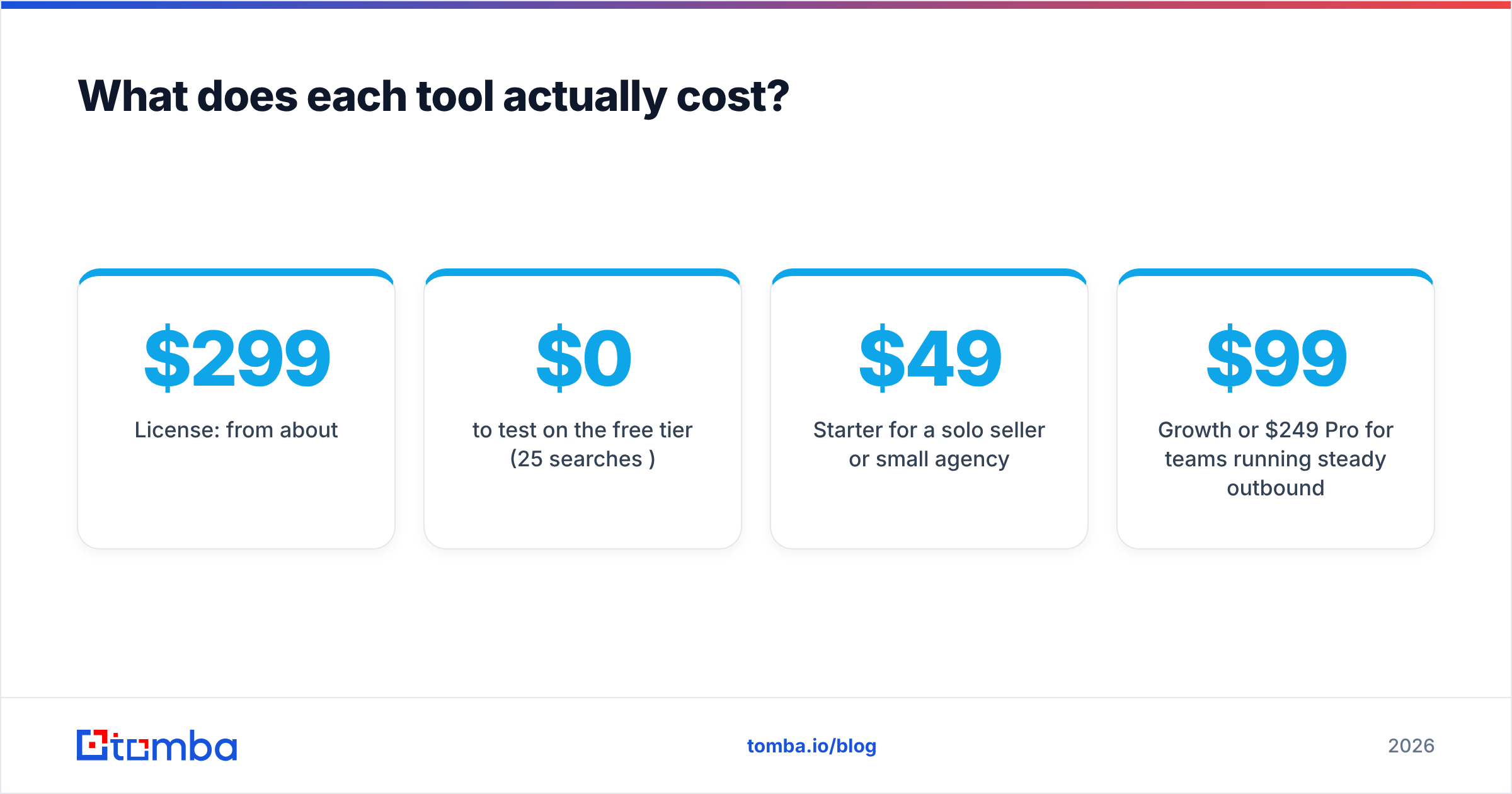
- License: from about $299/year
- Proxies: needed past ~150 leads/day, billed separately by a proxy vendor
- Verification: a separate verifier for any list you plan to email
- Your time: running searches city by city, managing exports, de-duplicating
Tomba's true cost:
- $0 to test on the free tier (25 searches/mo)
- $49/mo Starter for a solo seller or small agency
- $99/mo Growth or $249/mo Pro for teams running steady outbound
- Verification, enrichment and integrations included in the platform, with no proxies or local installs
For a freelancer who needs a few hundred local leads a month and mostly calls them, Lead Kahuna's annual license is cheap. For a team emailing named decision-makers every week, Tomba's monthly plan usually costs less once you add up proxies, a separate verifier and the bounces you'd otherwise eat.
Who should choose Lead Kahuna?#
Lead Kahuna is the right pick when all of these are true:
- Your buyers are local businesses. Web design, SEO, reputation management, POS, signage, cleaning services.
- Phone is a major channel. Scraped phone numbers and addresses are Lead Kahuna's strongest fields.
- You prospect by geography. "Every dentist in Leeds" is exactly the kind of search it's built for.
- You're on Windows and comfortable with setup. Proxies, desktop software and CSV handling don't bother you.
- You prefer an annual license to a monthly subscription.
Who should choose Tomba?#
Tomba is the better choice when:
- You sell B2B to companies with roles and titles. SaaS, agencies selling to mid-market, recruiting, partnerships, PR.
- You need the decision-maker, not the front desk. Named emails with titles let you write to the person who actually owns the budget.
- Cold email is your main channel. Built-in verification protects bounce rate and domain reputation.
- You work from domains, LinkedIn or a CRM. The Chrome extension, Sheets add-on, API and CRM integrations fit an existing stack.
- You're on Mac, Linux or a team. It's cloud-based, so there's nothing to install and share around.

Can you use Lead Kahuna and Tomba together?#
Yes, and for local-focused agencies this is often the strongest setup. Each tool covers the other's weak spot.
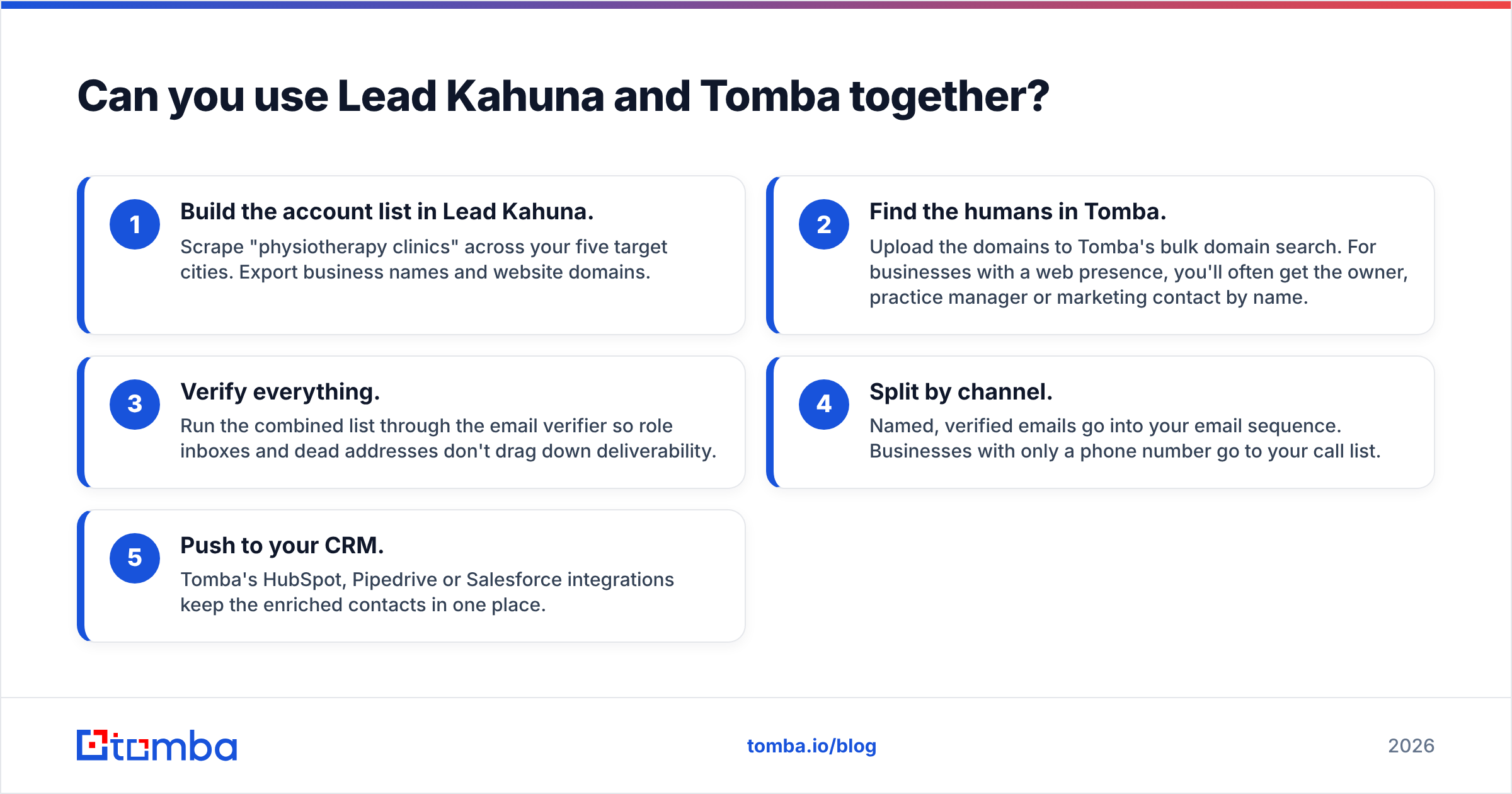
- Build the account list in Lead Kahuna. Scrape "physiotherapy clinics" across your five target cities. Export business names and website domains.
- Find the humans in Tomba. Upload the domains to Tomba's bulk domain search. For businesses with a web presence, you'll often get the owner, practice manager or marketing contact by name.
- Verify everything. Run the combined list through the email verifier so role inboxes and dead addresses don't drag down deliverability.
- Split by channel. Named, verified emails go into your email sequence. Businesses with only a phone number go to your call list.
- Push to your CRM. Tomba's HubSpot, Pipedrive or Salesforce integrations keep the enriched contacts in one place.
The result is one list that covers local businesses the way Lead Kahuna does and includes named, verified contacts the way Tomba does.
Is Lead Kahuna or Tomba better for cold email specifically?#
For cold email, Tomba is the safer core tool. Cold email lives or dies on three things: reaching the right person, not bouncing, and staying out of spam. Scraped generic inboxes do poorly on the first two. They're read by whoever answers the shared inbox, and older listings bounce more. A high bounce rate tells mailbox providers you're sending to lists you didn't build carefully, and that hurts every campaign after it.
Lead Kahuna's emails can still work for cold outreach to very small businesses where info@ is the owner. Verify them first, keep volumes modest, and write copy that makes sense to whoever opens that shared inbox.
What do reviewers and users say?#
Public review coverage is uneven. Tomba has listings on sites like G2 and Capterra, where users mostly mention ease of use, the Chrome extension and price relative to larger data platforms. Lead Kahuna gets less coverage on the big B2B software review sites. Most of the discussion happens in agency and freelancer communities and on competitor comparison pages. Those consistently say it's easy to use for local niches and mention the proxy requirement and one-city-at-a-time workflow as limitations.
Take competitor comparison pages, including this one, with some skepticism. The best test is a small trial of each against your target list: 50 accounts from your real ICP, run through both, then count usable, verified, decision-maker contacts.
How should you run a fair test before buying?#
Use this five-step check. It takes about an hour.
- Pick 50 real targets from your ideal customer profile, half from your usual niche and half from a stretch niche.
- Run Lead Kahuna on the relevant keyword + city combinations and note how many of your 50 appear and what fields they include.
- Run Tomba on the same 50 domains using the free tier and note named contacts, titles and confidence scores.
- Verify both outputs with the same verifier so you're comparing like for like.
- Score on what matters: verified, person-level emails of the decision-maker per account. Also note phone coverage if you do a lot of calling.
If most of your 50 targets are single-location local businesses without much web presence, Lead Kahuna will probably score well on coverage. If they're companies with teams and titles, Tomba will usually come out ahead on usable contacts.
Final verdict: Lead Kahuna vs Tomba?#
- Choose Lead Kahuna if you're a local-services agency or freelancer who prospects by city, calls a lot, runs Windows, and wants a one-time annual license.
- Choose Tomba if you do B2B outbound and need named, verified decision-maker emails, plus integrations and a workflow that doesn't depend on proxies.
- Use both if you sell to local businesses by email: Lead Kahuna for account discovery, Tomba for finding and verifying the right person.
Neither tool is universally better. They were built for different jobs, and the right pick depends on who you sell to.
If your pipeline depends on reaching real decision-makers rather than shared inboxes, start with the Tomba Email Finder. The free tier gives you 25 searches a month, enough to run the 50-account test above in two batches, and paid plans begin at $49/mo when you're ready to scale. Search by domain, name or LinkedIn profile, verify in the same place, and send your first sequence knowing who it goes to.
Related guides#
// get started
Find, verify and enrich your first contacts today
Start on the free plan with 25 searches a month, then scale when your team is ready.
Free plan · No credit card required · GDPR & CCPA
// about the author