Lead Kahuna vs Warpleads: Local Scraper or B2B Lead Database?
Lead Kahuna scrapes local businesses from your own Windows PC. Warpleads sells unlimited exports from a 100M+ B2B database. They solve different problems. Here's how to pick the right one.
TL;DR
- Lead Kahuna is a Windows desktop scraper for local business leads (restaurants, contractors, clinics, agencies). You buy it, install it, and pull records yourself. Most sources put the price around $299/year, but the vendor doesn't publish a pricing page.
- Warpleads is a cloud B2B contact database with 100M+ records, job-title and industry filters, and unlimited exports on flat plans ($59/mo Essentials, $99/mo Unlimited per workspace at the time of writing).
- If you sell to Main Street SMBs by city and category, pick Lead Kahuna. If you sell to named decision-makers at companies, pick Warpleads.
- Neither tool removes the need for a separate verification step before you send cold email. Budget for one either way.
- Our pick: Warpleads for most B2B outbound teams. Lead Kahuna for local-service agencies that are fine running their own scraping setup.
What is the real difference between Lead Kahuna and Warpleads?#
These two tools show up in the same "lead generation" searches, but they are built differently. Comparing them feature by feature can mislead you, because the bigger question is where the data comes from.
Lead Kahuna is software you run yourself. It pulls public business listings from online directories and maps sources and collects the data points attached to each business: name, address, phone, website, category, ratings, and emails where it can find them. Third-party reviews say it can collect 80+ data points per business record. Because the scraping runs on your own machine, your results depend on your IP address, your proxies, and how fresh the source listings are.
Warpleads is a hosted database. The vendor has already collected and structured more than 100 million B2B contacts. You filter by job title, industry, country, company size, technologies used, and skills, then export. Its main selling point is that exports are not metered by credits. You pay a flat monthly fee and export as much as you need, up to 10,000 records per export.
Put simply, Lead Kahuna finds businesses and Warpleads finds people at businesses. That difference drives most of the comparison below.
How do Lead Kahuna and Warpleads compare side by side?#
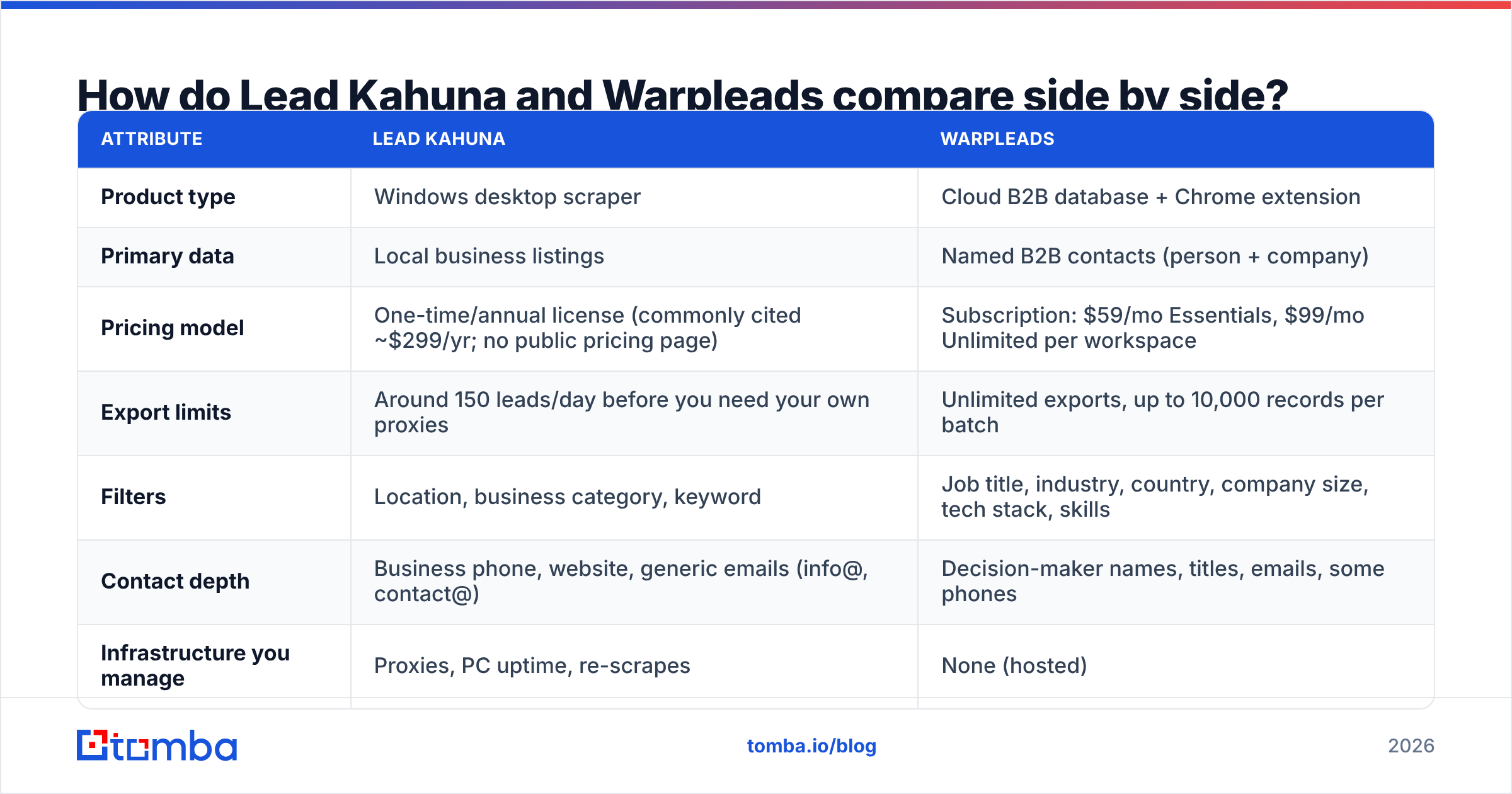
| Attribute | Lead Kahuna | Warpleads |
|---|---|---|
| Product type | Windows desktop scraper | Cloud B2B database + Chrome extension |
| Primary data | Local business listings | Named B2B contacts (person + company) |
| Pricing model | One-time/annual license (commonly cited ~$299/yr; no public pricing page) | Subscription: $59/mo Essentials, $99/mo Unlimited per workspace |
| Export limits | Around 150 leads/day before you need your own proxies | Unlimited exports, up to 10,000 records per batch |
| Filters | Location, business category, keyword | Job title, industry, country, company size, tech stack, skills |
| Contact depth | Business phone, website, generic emails (info@, contact@) | Decision-maker names, titles, emails, some phones |
| Infrastructure you manage | Proxies, PC uptime, re-scrapes | None (hosted) |
| De-duplication | Manual or spreadsheet-based | Built into every export |
| Best for | Local SEO/web agencies, home-services marketing | SaaS, agencies, recruiters selling to roles |
| Main risk | Stale listings, generic inboxes, IP blocks | Database decay, unverified addresses at scale |
Pricing changes often. Check the Warpleads pricing page and the Lead Kahuna website before you buy.
How does each tool actually get you leads?#
Your workflow will look different depending on which tool you choose. Here's what a typical day looks like with each:
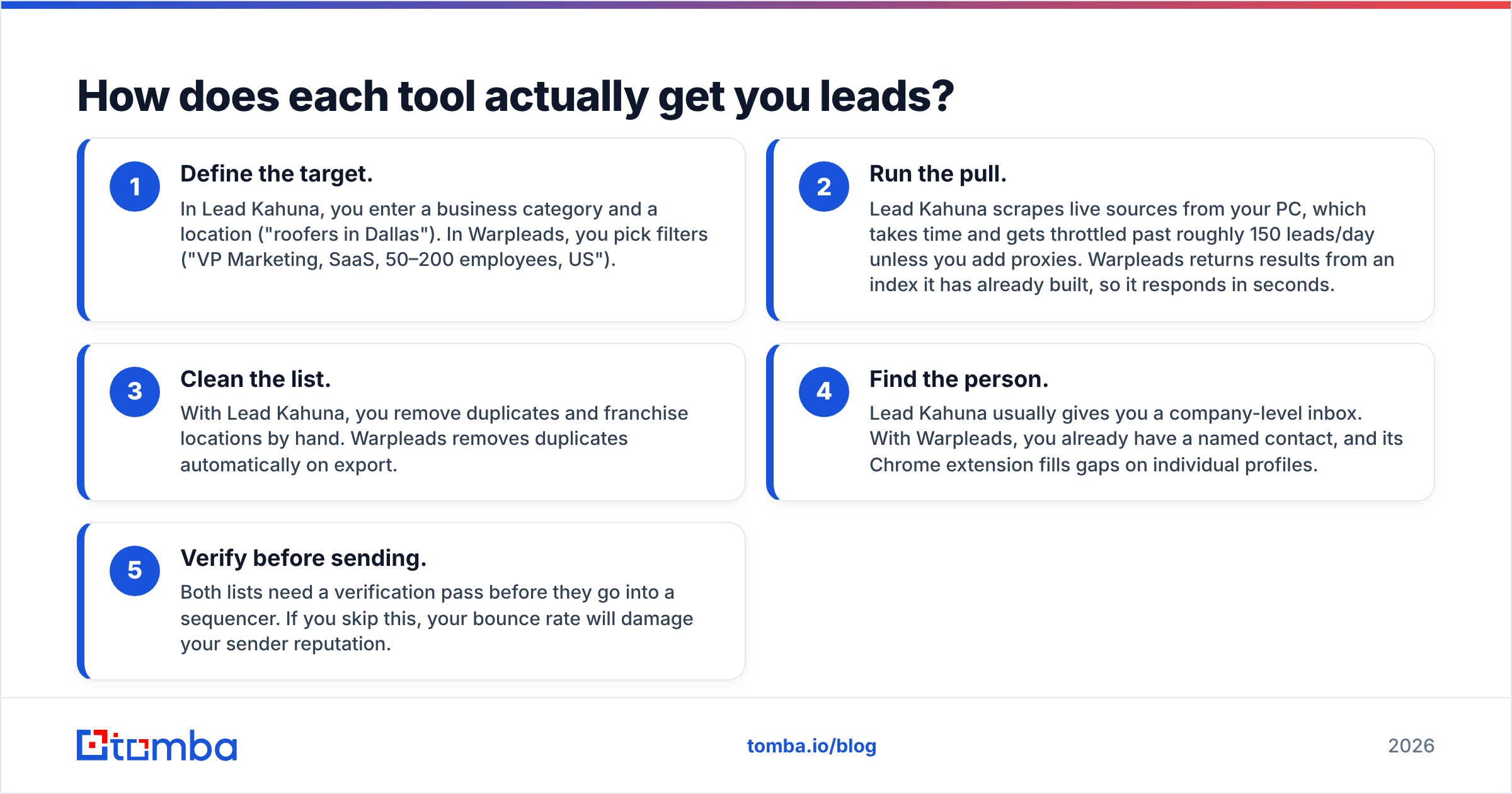
- Define the target. In Lead Kahuna, you enter a business category and a location ("roofers in Dallas"). In Warpleads, you pick filters ("VP Marketing, SaaS, 50–200 employees, US").
- Run the pull. Lead Kahuna scrapes live sources from your PC, which takes time and gets throttled past roughly 150 leads/day unless you add proxies. Warpleads returns results from an index it has already built, so it responds in seconds.
- Clean the list. With Lead Kahuna, you remove duplicates and franchise locations by hand. Warpleads removes duplicates automatically on export.
- Find the person. Lead Kahuna usually gives you a company-level inbox. With Warpleads, you already have a named contact, and its Chrome extension fills gaps on individual profiles.
- Verify before sending. Both lists need a verification pass before they go into a sequencer. If you skip this, your bounce rate will damage your sender reputation.
Step 4 is where most teams underestimate the gap. An info@ address at a dental clinic is useful for local-service pitches, where the owner reads that inbox. It's close to useless for enterprise software, where the buyer never sees it.
Is Lead Kahuna better than Warpleads for local businesses?#
Yes. For local-business prospecting, Lead Kahuna is the more natural fit, and it isn't close.
B2B databases like Warpleads are built around people with LinkedIn-style job titles at companies with firmographic data. A family-owned HVAC company with six technicians often isn't in those databases in any useful way, or it shows up with a single owner record and no category detail. Directory and maps listings are where local businesses actually publish their information, so a scraper that reads those sources will surface far more of them.
Lead Kahuna's strengths for this use case:
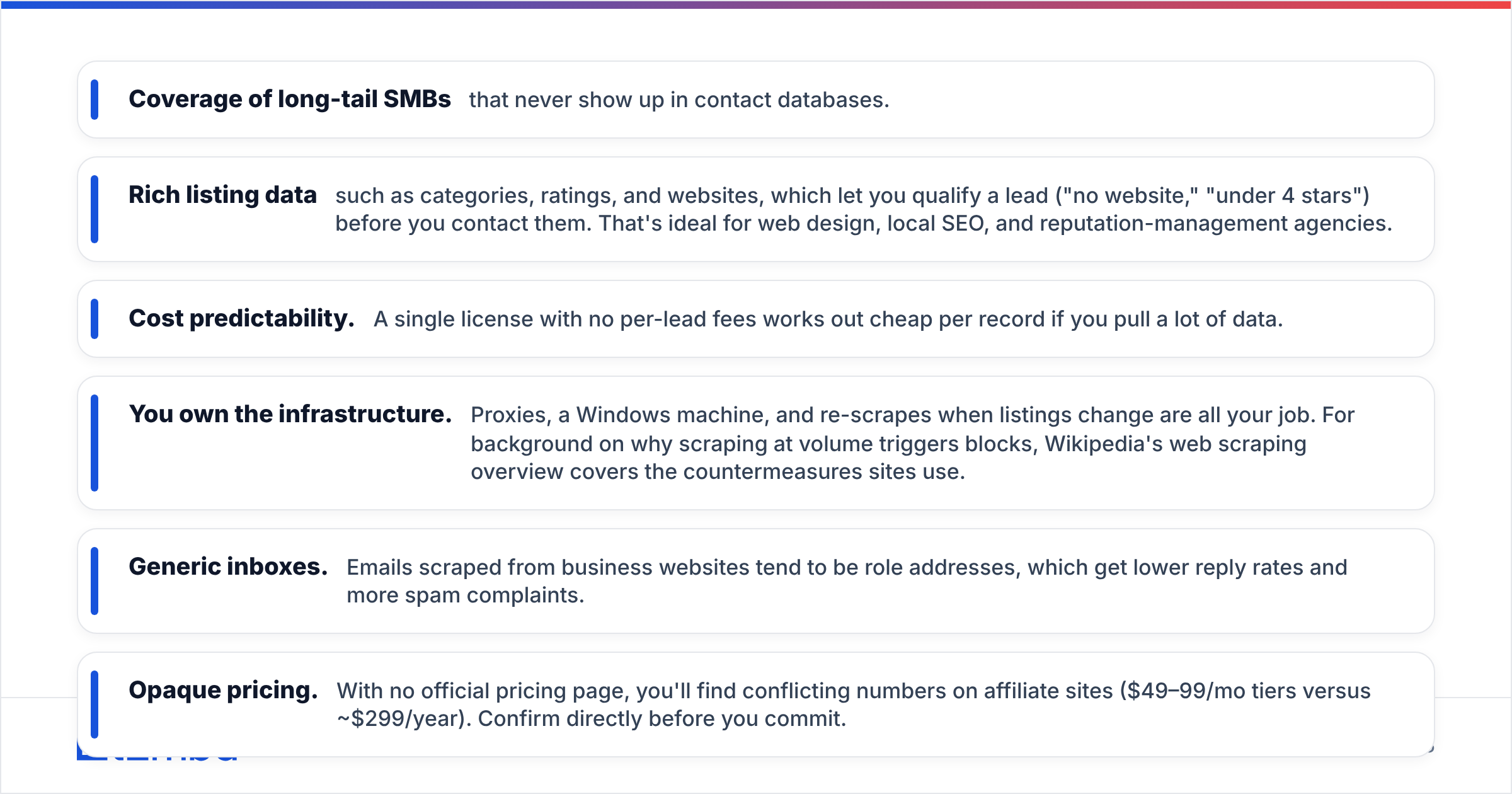
- Coverage of long-tail SMBs that never show up in contact databases.
- Rich listing data such as categories, ratings, and websites, which let you qualify a lead ("no website," "under 4 stars") before you contact them. That's ideal for web design, local SEO, and reputation-management agencies.
- Cost predictability. A single license with no per-lead fees works out cheap per record if you pull a lot of data.
Its weaknesses are just as concrete:
- You own the infrastructure. Proxies, a Windows machine, and re-scrapes when listings change are all your job. For background on why scraping at volume triggers blocks, Wikipedia's web scraping overview covers the countermeasures sites use.
- Generic inboxes. Emails scraped from business websites tend to be role addresses, which get lower reply rates and more spam complaints.
- Opaque pricing. With no official pricing page, you'll find conflicting numbers on affiliate sites ($49–99/mo tiers versus ~$299/year). Confirm directly before you commit.
Is Warpleads better than Lead Kahuna for B2B outbound?#
For outbound to defined roles at defined company types, yes.
Warpleads' unlimited-export model changes the economics compared with credit-based databases. With most B2B data tools, testing a new ICP slice costs you credits every time. With Warpleads, you can pull 5,000 contacts for a test segment, see who replies, and pull another 5,000 without doing credit math. For agencies running multiple clients or recruiters sourcing across roles, that flat pricing matters.
Where Warpleads fits well:
- Role-based targeting. Filtering by title, seniority, company size, and tech stack lets you build an ICP list in minutes.
- No infrastructure. No proxies and no desktop app to keep running.
- Built-in de-duplication, so repeat exports don't pollute your CRM.
- Chrome extension for one-off lookups when you're researching a specific account.
The caveats:
- "Unlimited" shifts the bottleneck to data quality. Cheap exports make it easy to load 20,000 contacts into a sequencer. If even 8% of them bounce, your domain pays for it. Every static database decays as people change jobs, and pulling unlimited volume doesn't fix that.
- Workspace-based pricing can add up if you need several separate workspaces.
- Thin local coverage. It's the reverse of Lead Kahuna's strength. Small owner-operated businesses are underrepresented.
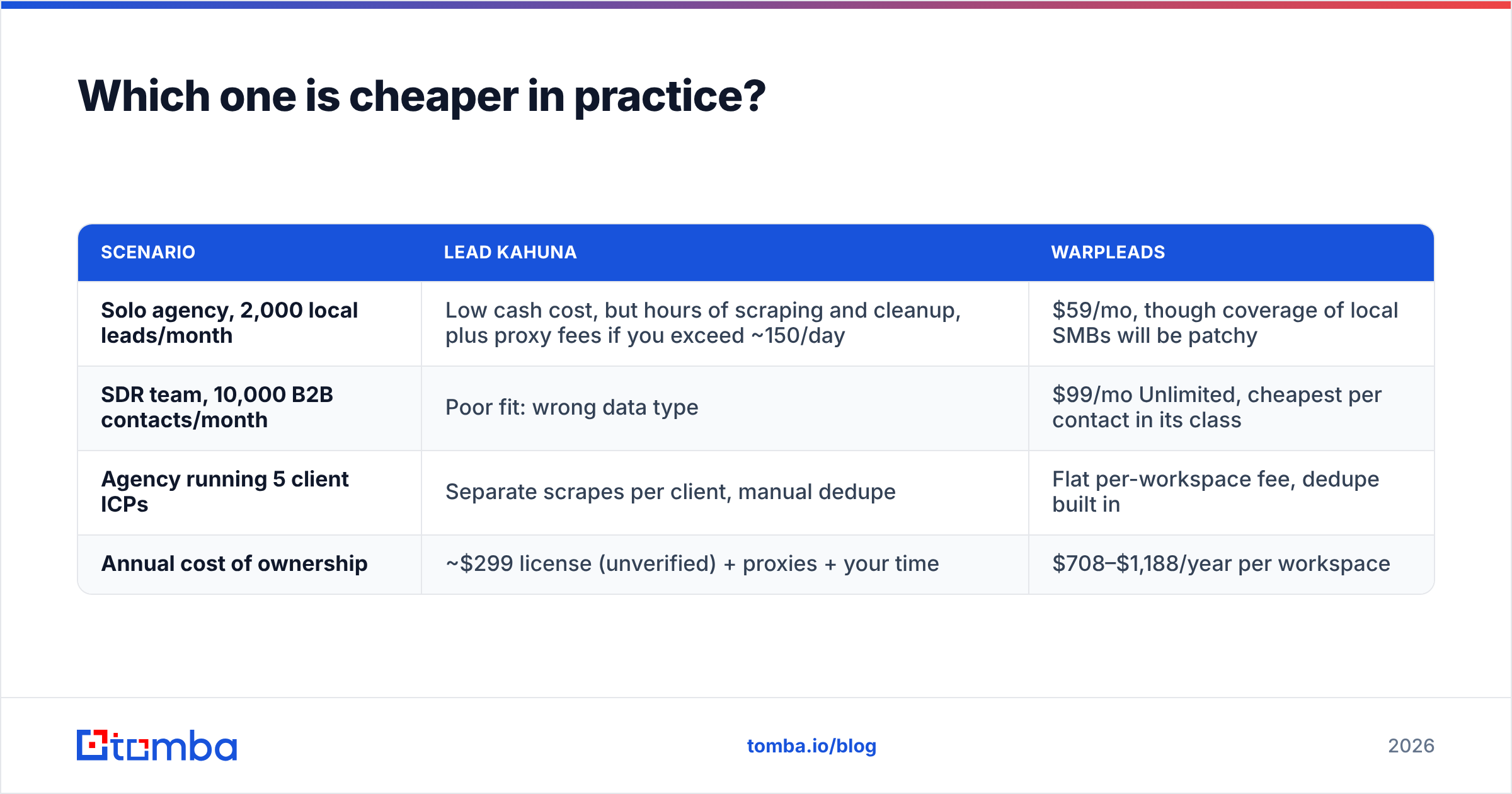
Which one is cheaper in practice?#
It depends on how much you pull and how much your time is worth.
| Scenario | Lead Kahuna | Warpleads |
|---|---|---|
| Solo agency, 2,000 local leads/month | Low cash cost, but hours of scraping and cleanup, plus proxy fees if you exceed ~150/day | $59/mo, though coverage of local SMBs will be patchy |
| SDR team, 10,000 B2B contacts/month | Poor fit: wrong data type | $99/mo Unlimited, cheapest per contact in its class |
| Agency running 5 client ICPs | Separate scrapes per client, manual dedupe | Flat per-workspace fee, dedupe built in |
| Annual cost of ownership | ~$299 license (unverified) + proxies + your time | $708–$1,188/year per workspace |
Most people leave hidden costs out of the math. For Lead Kahuna, the hidden cost is proxies and labor. For Warpleads, it's bounce management: you'll need a verification tool, and possibly a separate email finder for the contacts where the database has only a name and company.
How much does data quality matter between the two?#
It matters more than price, because bad data costs you deliverability, and deliverability determines whether any of your emails reach an inbox.
Both tools can put risky addresses on your list, for different reasons:
- Lead Kahuna scrapes emails that were published on websites at some point. Some are abandoned, some belong to former staff, and many are role accounts that sit on catch-all domains.
- Warpleads stores contacts that were accurate when they were collected. People change jobs, companies rebrand, and domains lapse. Any B2B database loses a meaningful share of its accuracy every year.
The fix is the same for both: run every list through an email verifier before it reaches your sending tool, and pay special attention to catch-all results. Mailbox providers publish sender guidelines that treat high bounce and complaint rates as spam signals. Google's email sender guidelines are the clearest reference if you send to Gmail and Workspace inboxes.
A second fix: when a record has a real person and a company but no reliable email, don't guess. Look it up. A domain search shows you the address format a company actually uses and which contacts are publicly known there, which turns a Lead Kahuna info@ into a named owner, or fills the gaps in a Warpleads export.

Who should choose Lead Kahuna?#
Choose Lead Kahuna if all of these are true:
- You sell to local businesses by city and category: agencies offering websites, SEO, reviews, ads, or bookkeeping to SMBs.
- You qualify on listing data such as reviews, missing websites, or business category, more than on job titles.
- You're comfortable running a desktop tool on Windows and adding proxies once you scale past the daily soft limit.
- You prefer a license to a monthly subscription.
Who should choose Warpleads?#
Choose Warpleads if these fit your team:
- You sell to roles, not storefronts: marketing leaders, founders, engineering managers, HR heads.
- You run volume outbound or test many ICP segments and don't want credits limiting experiments.
- You want a hosted tool your whole team can use without managing proxies or installs.
- You already have a verification step in your stack, or you're willing to add one.
Can you use Lead Kahuna and Warpleads together?#
You can, and some agencies do. Lead Kahuna covers the local SMB side of the business, and Warpleads covers mid-market and B2B clients. Just be aware that you're then managing two data pipelines with two different quality profiles. Run a single verification and enrichment layer across both so your CRM has one standard for what counts as a "good" contact. If you're comparing broader options, our breakdown of Apollo alternatives covers more all-in-one databases, and Tomba pricing shows what a credit-based finder plus verifier costs next to flat-rate exports.
What's our verdict on Lead Kahuna vs Warpleads?#
For most B2B outbound teams, Warpleads wins. It gives you named decision-makers, precise filters, no infrastructure to manage, and unlimited exports at a predictable monthly price. That's a strong package for SDR teams, recruiters, and agencies targeting companies.
For local-service agencies, Lead Kahuna wins. No B2B contact database matches a directory-and-maps scraper for coverage of small owner-operated businesses. If you accept the proxy setup and manual cleanup, it's a cost-effective way to build local lists.
In both cases, the tool that gets you the list is only half the job. The other half is making sure every address is real, current, and belongs to the person you want to reach.
Frequently asked questions#
Does Lead Kahuna work on Mac? Lead Kahuna is described as Windows desktop software. Mac users typically need a Windows virtual machine or a cloud Windows instance.
Is Warpleads really unlimited? Warpleads markets its paid plans as unlimited exports, with individual exports capped at 10,000 records. Check the current plan terms for fair-use limits before you commit.
Do I still need an email verifier with either tool? Yes. Scraped emails and database emails both decay. Verifying before you send protects your domain reputation.
Which is better for cold email reply rates? Named contacts (Warpleads) generally get better replies for B2B pitches than generic inboxes. For local SMB pitches, the owner often reads the generic inbox, so Lead Kahuna's data can still convert.
If you've settled on a lead source and need to turn company names or generic inboxes into verified, named contacts, try the Tomba Email Finder. Enter a name and a domain to get the professional address with a confidence score, then verify it in the same workflow before it reaches your sequencer. The free tier includes 25 searches a month, so you can test it on your own Lead Kahuna or Warpleads export before you pay anything.
Related guides#
// get started
Find, verify and enrich your first contacts today
Start on the free plan with 25 searches a month, then scale when your team is ready.
Free plan · No credit card required · GDPR & CCPA
// about the author