Lead411 vs Ninjapear (2026): Which B2B Data Tool Wins?
One is a 20-year-old sales intelligence platform with intent data. The other is a low-cost newcomer almost nobody has audited. Here's how Lead411 and Ninjapear actually compare — and when a standalone email finder beats both.
Lead411 vs Ninjapear is an odd matchup. One tool has sold B2B data since 2001. The other barely has a public paper trail. This guide compares the two on price, data accuracy, intent data, and export limits. Then it names the better buy for a lean outbound team.
TL;DR
- Lead411 is a mature sales intelligence platform. You get verified emails, direct dials, Bombora intent data, growth triggers, and CRM sync. It is sold per seat.
- Ninjapear is a newer, smaller, low-cost lead finder. Public docs, reviews, and accuracy tests are all thin. That gap matters more than any feature.
- Need intent signals, hiring triggers, and direct dials for a team of AEs? Lead411 is the safer buy. Need cheap volume lookups? Test the newcomer on your own list first.
- Most teams here have a narrower problem: find and verify work emails at scale. A dedicated email finder plus a verifier often costs less than either platform.
- Verify before you send. Every vendor defines "verified" its own way, and your sender reputation pays the difference.
What are Lead411 and Ninjapear?#
They are not the same category of product, and that is the crux of the comparison.
Lead411 launched in 2001. It has spent two decades building a B2B contact and company database. The pitch is breadth plus signal: emails, mobile numbers, firmographics, tech stack data, and buyer intent from Bombora's co-op. It adds "growth intent" triggers — funding rounds, hiring spikes, exec changes. Reps use those to time outreach instead of blasting a static list. Read the vendor's own pitch at lead411.com. Then check it against buyer reviews on G2's sales intelligence category.
Ninjapear is a newer, lighter lead finder. It sells on speed and price, not depth of signal. The shape is familiar: search by domain or person, get contacts back, export a CSV. Here is the caveat most "vs" articles skip. At the time of writing, almost no independent evidence about Ninjapear exists. No large review corpus. No published accuracy method. No stable public price sheet. That does not make it bad. It makes it unaudited, and that is a risk you should price in.
So the real question is not "which tool is better." It is simpler than that. Do you need a full platform, a lookup tool, or just reliable email data?

Lead411 vs Ninjapear: how do they compare feature by feature?#
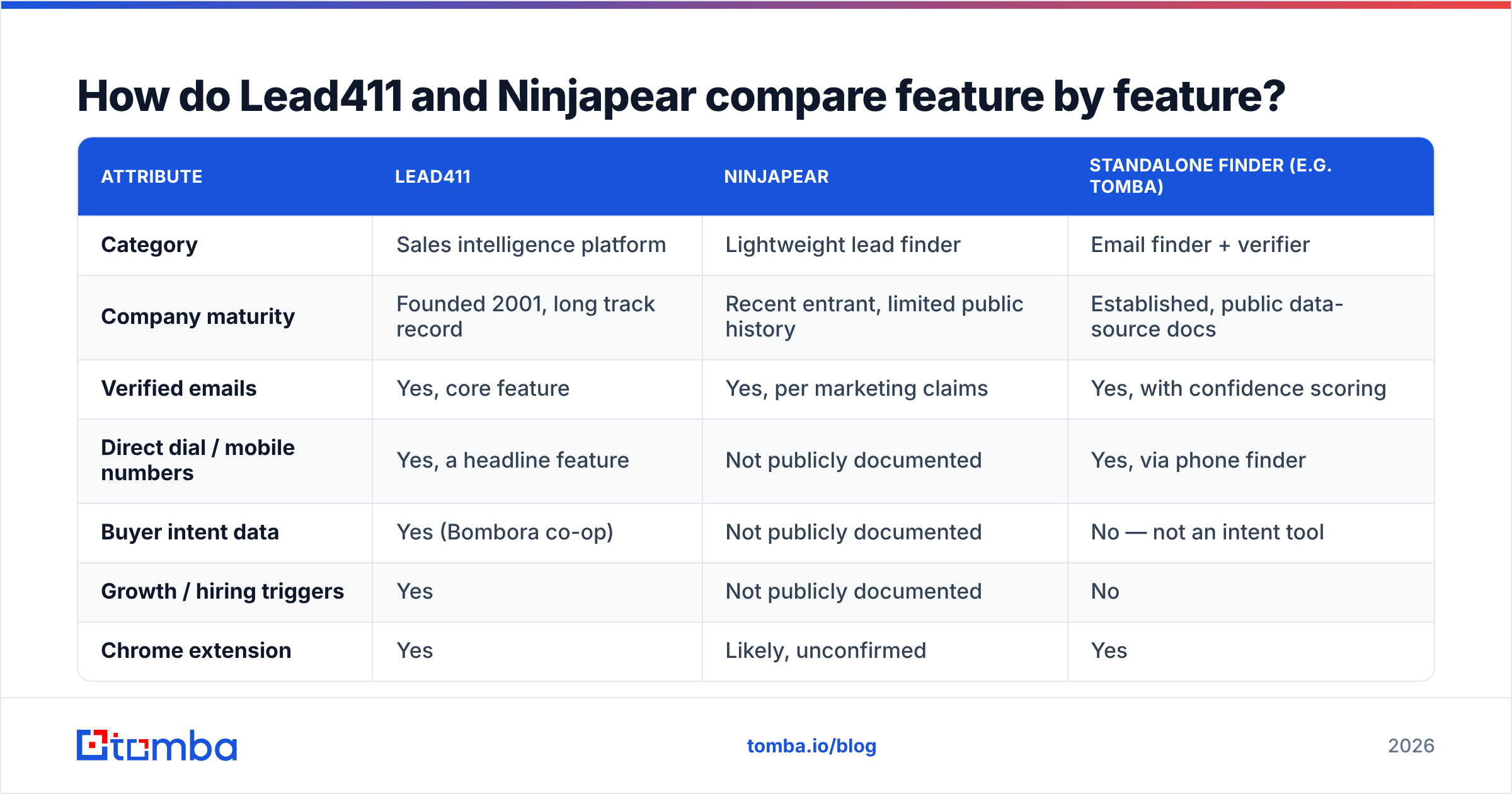
Here is the side-by-side. Where a fact is not public, the table says so rather than guessing.
| Attribute | Lead411 | Ninjapear | Standalone finder (e.g. Tomba) |
|---|---|---|---|
| Category | Sales intelligence platform | Lightweight lead finder | Email finder + verifier |
| Company maturity | Founded 2001, long track record | Recent entrant, limited public history | Established, public data-source docs |
| Verified emails | Yes, core feature | Yes, per marketing claims | Yes, with confidence scoring |
| Direct dial / mobile numbers | Yes, a headline feature | Not publicly documented | Yes, via phone finder |
| Buyer intent data | Yes (Bombora co-op) | Not publicly documented | No — not an intent tool |
| Growth / hiring triggers | Yes | Not publicly documented | No |
| Chrome extension | Yes | Likely, unconfirmed | Yes |
| Public API | Yes | Not publicly documented | Yes, documented |
| Bulk enrichment | Yes, with export caps | Unclear | Yes, CSV in / CSV out |
| Published pricing | Yes, per seat | Not consistently published | Yes, flat public tiers |
| Best for | AE teams needing signal + dials | Budget-conscious testers | Anyone who needs accurate emails |
Two rows deserve emphasis. Export caps are where these platforms quietly make their money. "Unlimited views" rarely means unlimited exports, and that gap is why teams churn to cheaper tools. "Not publicly documented" is not a slight against Ninjapear. It is a procurement flag. If a vendor will not show you API docs, data sourcing, and pricing before a sales call, you are buying on faith.
Is Lead411 worth the per-seat price?#
Lead411 earns its price when you use the signal layer. Do your reps ignore intent and triggers and just export lists? Then you are paying platform rates for a directory.
What Lead411 does genuinely well:
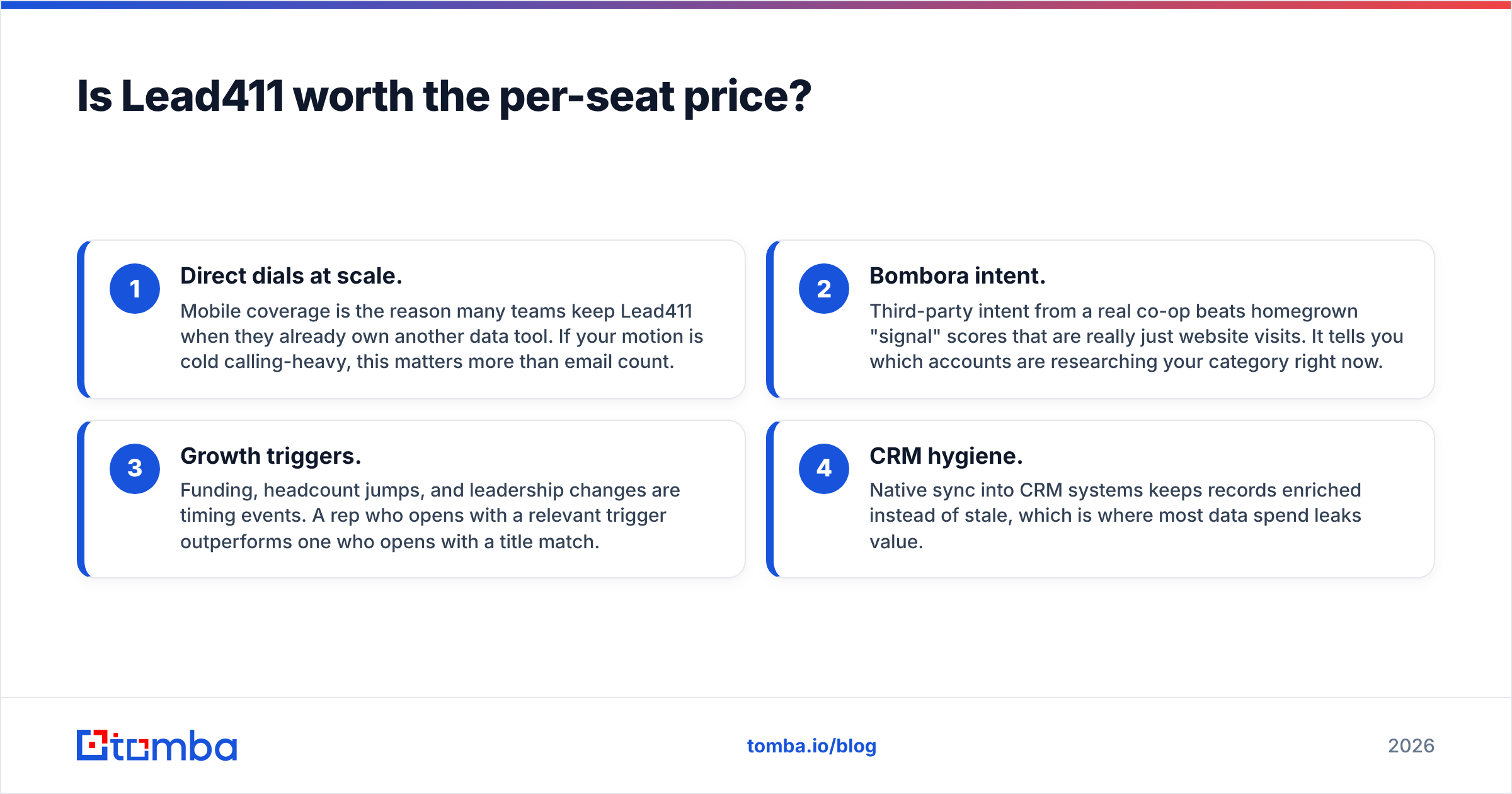
- Direct dials at scale. Mobile coverage is the reason many teams keep Lead411 when they already own another data tool. If your motion is cold calling-heavy, this matters more than email count.
- Bombora intent. Third-party intent from a real co-op beats homegrown "signal" scores that are really just website visits. It tells you which accounts are researching your category right now.
- Growth triggers. Funding, headcount jumps, and leadership changes are timing events. A rep who opens with a relevant trigger outperforms one who opens with a title match.
- CRM hygiene. Native sync into CRM systems keeps records enriched instead of stale, which is where most data spend leaks value.
Where it frustrates buyers:
- Per-seat pricing punishes small teams. Entry plans have sat near $99 per user per month on annual terms. Enterprise is quoted. Multiply by five reps before you call it cheap. Check current numbers on the vendor's own pricing page, since list prices move.
- Export limits. Read the credit terms carefully. "Unlimited" almost always has an export ceiling behind it.
- Overkill for founder-led outbound. If you are one person sending 300 emails a week, you will use perhaps 10% of the platform.
How accurate is the data on each side?#
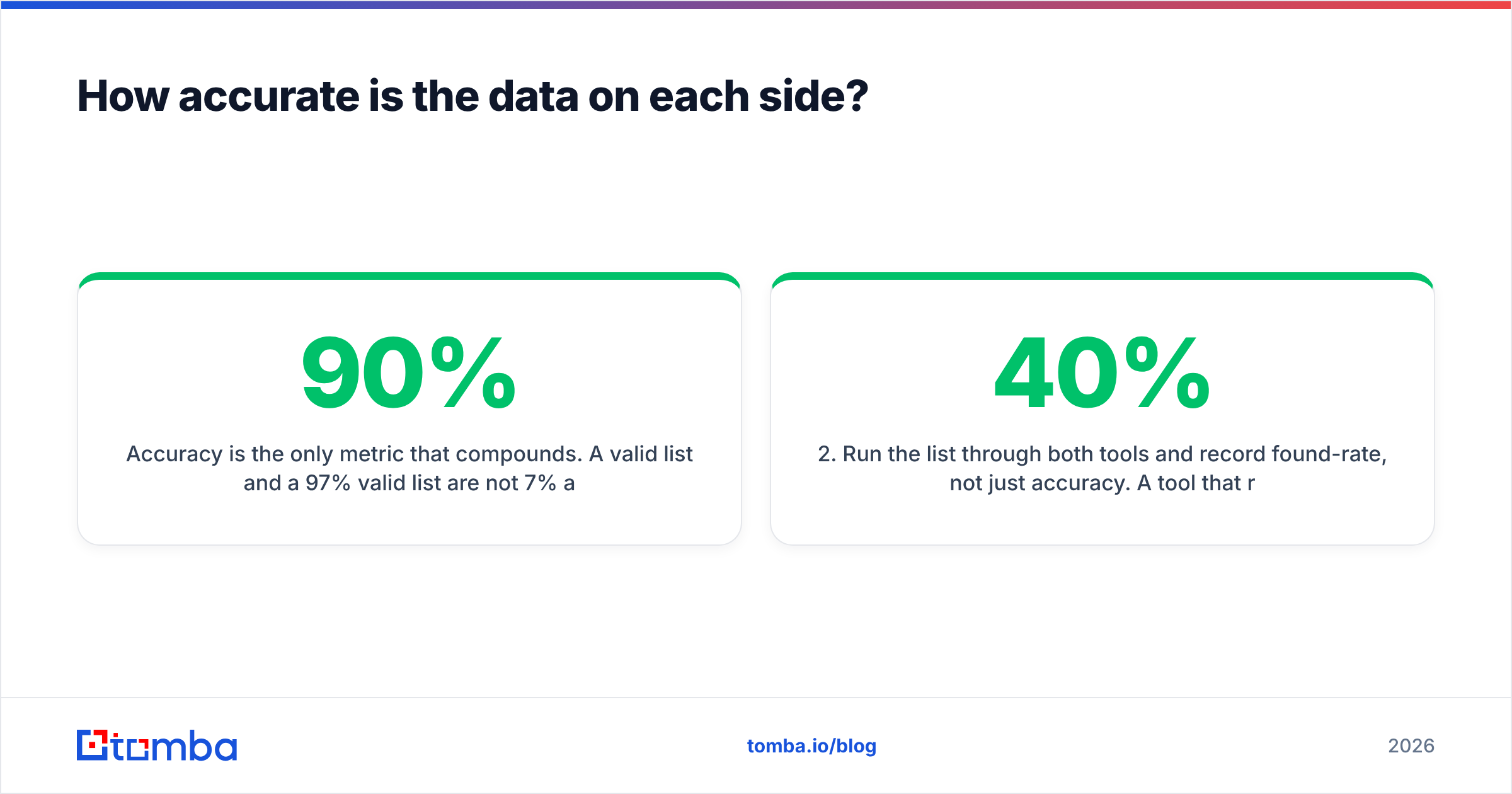
Accuracy is the only metric that compounds. A 90% valid list and a 97% valid list are not 7% apart in outcomes. That gap is the difference between a healthy sender score and a domain in the penalty box.

Lead411 claims email accuracy in the mid-to-high 90s. That is in line with the rest of the tier. But the claim is a fleet average across their database, not a promise about your ICP. Coverage on US mid-market tech is not coverage on European manufacturing. No headline number survives a niche vertical intact.
For Ninjapear, no independent accuracy benchmark exists that we can point you to. Any number you see is the vendor's own. That is not disqualifying, since every provider starts somewhere. It does mean the burden of proof sits with your trial, not their marketing page.
How to actually test either one in an afternoon:
- Build a 100-row control list from your real ICP. Use names and domains you already know, including 20 rows where you know the correct email.
- Run the list through both tools and record found-rate, not just accuracy. A tool that returns nothing for 40% of rows has a 100% "accuracy" rate and is still useless.
- Verify every returned address with a neutral third party, so neither vendor grades its own homework. An independent email verifier catches catch-all domains, role accounts, and traps that a finder hands you as "valid."
- Score catch-all handling separately. Roughly a fifth of B2B domains are catch-all. How a tool labels those — valid, risky, or unknown — changes your bounce math more than any other single factor.
- Check the cost per usable contact, not cost per credit. Credits spent on nulls and role addresses are the hidden tax.
Run that test honestly and one pattern shows up often. The two tools sit closer on email accuracy than the price gap suggests. They sit further apart on phone coverage than you expected.
What does each one cost?#
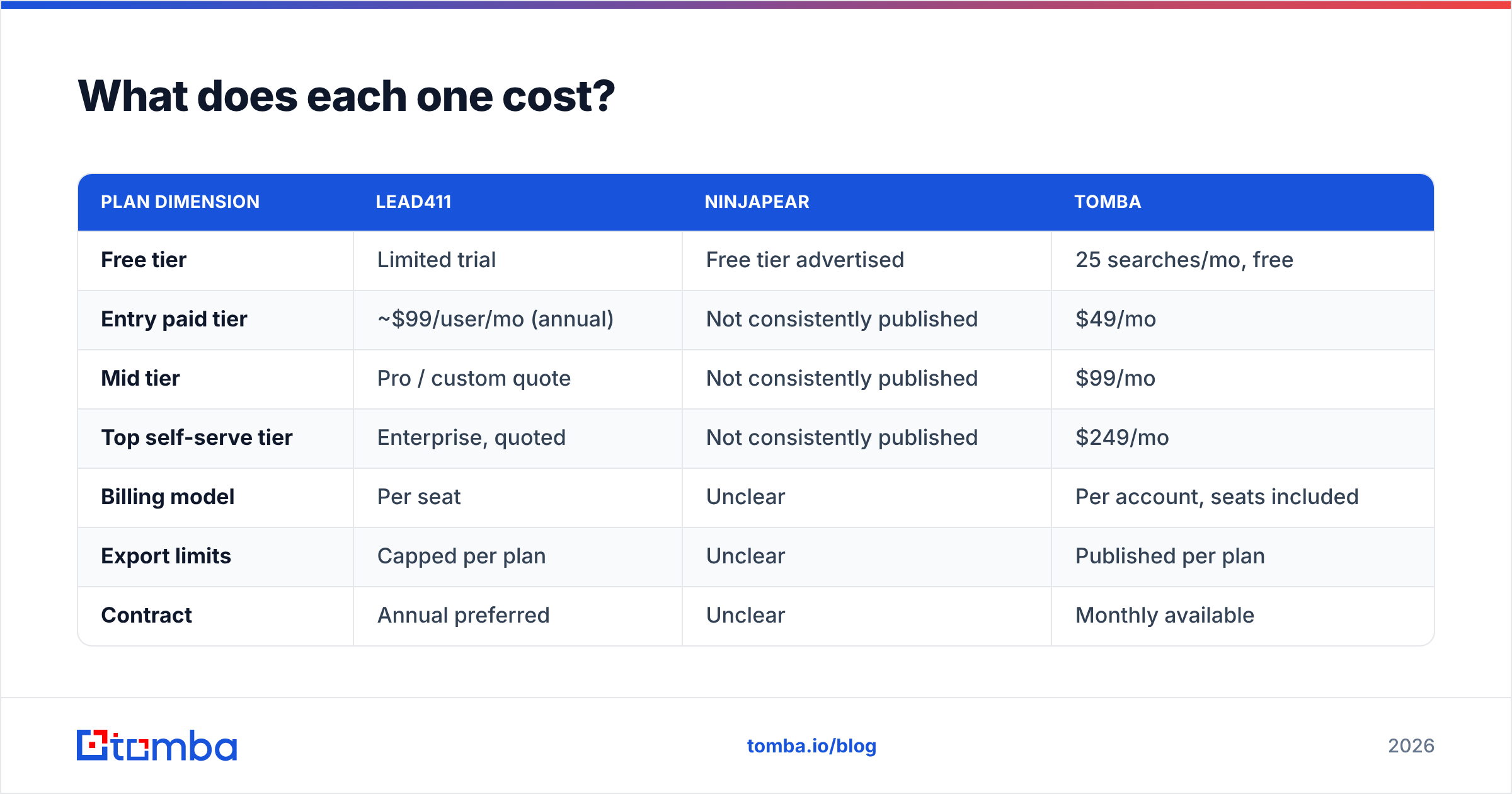
Pricing is where Lead411 vs Ninjapear gets uncomfortable. Only one side publishes it consistently.
| Plan dimension | Lead411 | Ninjapear | Tomba |
|---|---|---|---|
| Free tier | Limited trial | Free tier advertised | 25 searches/mo, free |
| Entry paid tier | ~$99/user/mo (annual) | Not consistently published | $49/mo |
| Mid tier | Pro / custom quote | Not consistently published | $99/mo |
| Top self-serve tier | Enterprise, quoted | Not consistently published | $249/mo |
| Billing model | Per seat | Unclear | Per account, seats included |
| Export limits | Capped per plan | Unclear | Published per plan |
| Contract | Annual preferred | Unclear | Monthly available |

The structure matters more than any single number. Per-seat pricing scales with your headcount. Per-account pricing scales with your usage. A four-person SDR pod on a seat-priced platform pays four times over for a database that is not four times bigger. If your team is small and your volume is modest, seat pricing is the wrong shape. That holds however good the data is.
Confirm every figure above on the vendor's live pricing page before you budget. Tomba pricing is flat and public, which is why this comparison is possible at all. The others need a quote or a sales call.

Which should you choose for your team?#
Pick by motion, not by feature count. Lead411 vs Ninjapear comes down to three cases.
- Choose Lead411 if you run a multi-rep outbound team, dial as much as you email, and will act on intent and trigger data. The per-seat cost is defensible when signal drives territory planning. It is the lower-risk buy of the two.
- Choose Ninjapear if you are cost-sensitive and happy to test an unproven vendor. Run the control-list test above first. Start on the free tier, pay monthly, and skip annual prepay with any vendor you cannot find reviews for.
- Choose neither if what you actually need is accurate work emails at a predictable price. That is a narrower problem, and platforms charge platform rates to solve it.
That third case covers more readers than the first two combined. Say your job is simple: you have companies and names, and you need valid inboxes. Then you do not need intent data or a seat license. You need a finder with a real API, an honest verifier, and a bulk mode.
What does the standalone alternative look like in practice?#
Concretely: domain search pulls every public contact at a target company. The finder resolves specific name-plus-domain pairs. The verifier is a gate before anything enters your sequencer. The bulk email finder handles list-level work. Sourcing is documented rather than hand-waved — see where Tomba gets data. Apply that same transparency test to every vendor on this page.
The workflow discipline matters more than the logo on the invoice:
- Never send to an unverified address, even one a premium platform returned this morning. Data decays roughly 2-3% per month as people change jobs.
- Treat catch-all domains as their own bucket. Send to them separately, at lower volume, and watch the bounce rate before scaling.
- Re-verify any list older than 30 days. This single habit does more for email deliverability than switching providers ever will.
- Log cost per booked meeting, not cost per contact. It reframes the whole vendor argument.
SMTP-level checks can only tell you so much. "Verified" is a probability, not a guarantee. The SMTP protocol overview is a useful primer on why.
The Lead411 vs Ninjapear verdict#
Lead411 wins this matchup on evidence. It has two decades of track record, published pricing, real intent data, and strong phone coverage. Ninjapear may well be capable and cheaper. But as of 2026 there is not enough public evidence to pick it over an established platform without your own trial first. That is a statement about available information, not about product quality.
But the better question is whether you need a platform at all. Is your bottleneck simply finding and verifying work emails? Then you are shopping in the wrong aisle.
Start with the narrow tool. Add the platform only when you can name the signal you are missing. Run 25 free searches through Tomba's Email Finder, push the results through the verifier, and check the usable-contact rate. Compare that against whatever quote is sitting in your inbox. If the numbers favor the platform, buy it with confidence. If they do not, you just saved a seat license.
Related guides#
// get started
Find, verify and enrich your first contacts today
Start on the free plan with 25 searches a month, then scale when your team is ready.
Free plan · No credit card required · GDPR & CCPA
// about the author