LeadEngineAI vs Salutary Data: Honest 2026 Comparison
One is an AI-first lead engine, the other a multi-source B2B data compiler. We compare sourcing, coverage, email accuracy, contracts and pricing — and show where a cheaper verification-first stack beats both.
TL;DR
- LeadEngineAI and Salutary Data solve different halves of the same problem. LeadEngineAI is an AI-first lead engine built to generate and score prospect lists; Salutary Data is a multi-source B2B contact and company data provider built to license clean records at scale.
- Sourcing is the real difference, not the UI. Compiled-and-cross-referenced databases age predictably. AI-assembled lists age unpredictably — they look fresh because they were built this morning, not because the contact still works there.
- Neither publishes simple public pricing. Both lean toward quote-based or annual-commitment deals, which means your effective cost per usable contact is invisible until after the demo.
- Email accuracy is the metric that decides ROI. A 30,000-record list at 72% deliverable is worth less than 9,000 records at 96% — and costs you more in sender reputation.
- The cheapest fix is a verification layer, not a bigger database. Running any vendor's export through an email verifier before send is the highest-ROI step in this entire comparison.
What are LeadEngineAI and Salutary Data?#
They are not competitors in the way a head-to-head title suggests. They are two answers to "where do my contacts come from," and the answers are structurally different.
Salutary Data is a US-based B2B contact and company data provider. Its positioning is aggregation plus curation: it pulls from multiple upstream data partners, cross-references records against each other, and sells the surviving set — typically direct dials, business emails, job titles, and firmographics — either as a licensed file, through an API, or pushed into your CRM. The pitch is coverage with provenance. You can generally ask where a record came from and get an answer, which matters if your legal team cares about data broker sourcing and opt-out handling.
LeadEngineAI sits in the newer "AI lead engine" category: describe your ideal customer profile in plain language, and the platform assembles a matching list, enriches it, scores it, and in many cases hands it straight to an outbound sequence. The pitch is speed and intent — less "buy a database," more "generate a list on demand."
The practical translation: Salutary Data is closer to a supplier. LeadEngineAI is closer to a workflow. You can buy both. You can also discover that you bought the same contact twice at different prices.
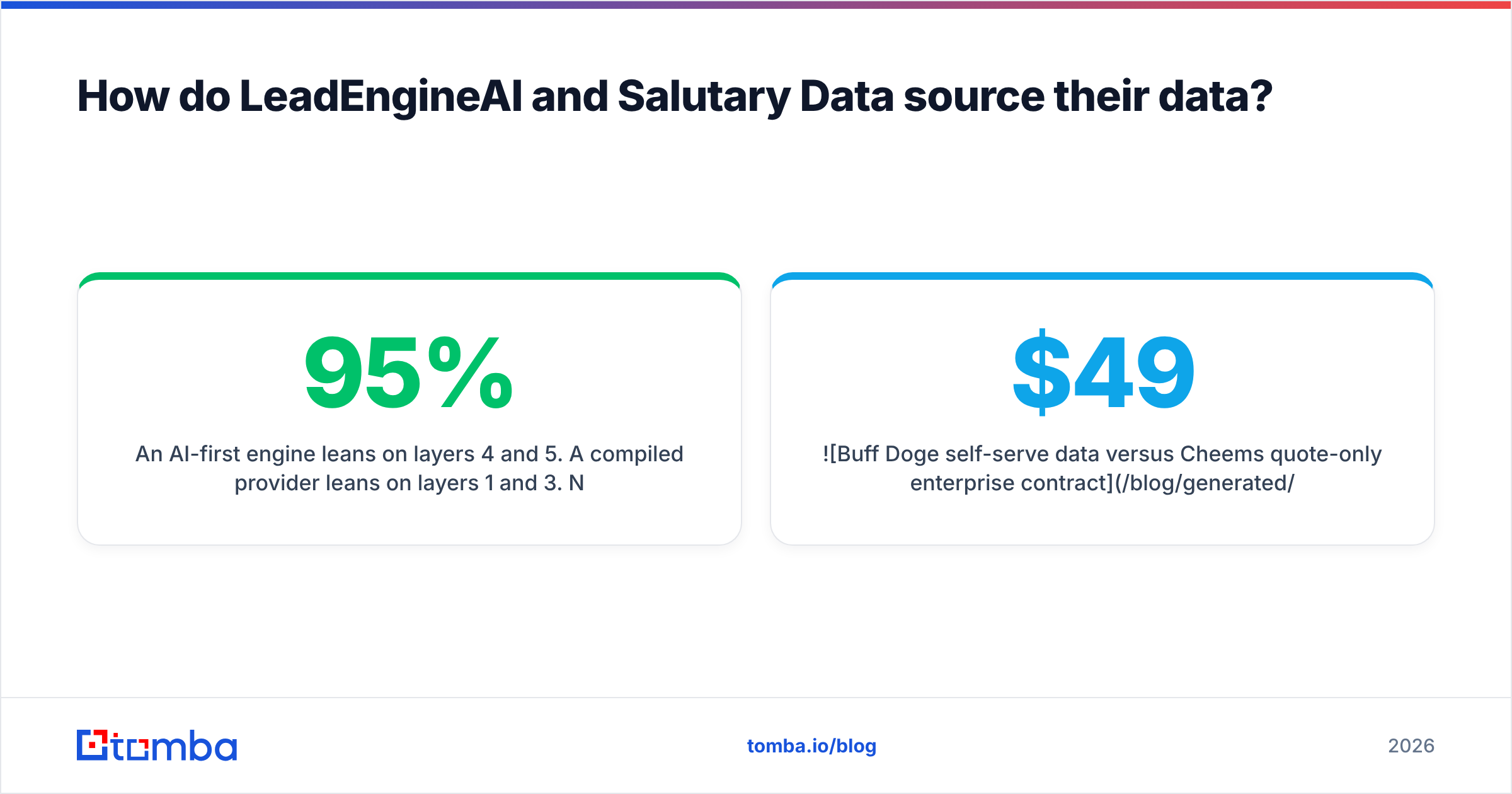
How do LeadEngineAI and Salutary Data source their data?#
This is the section most comparison posts skip, and it's the one that predicts your bounce rate six weeks from now. Here is how B2B contact data actually gets into a vendor's system, ranked roughly by how well it holds up:
- Multi-source aggregation with cross-validation — the same contact appears in three independent upstream feeds with matching attributes, so confidence is high. This is the model Salutary Data emphasizes, and it is the most defensible for compliance review because provenance survives the merge.
- Pattern inference plus SMTP verification — the vendor derives
first.last@company.comfrom a known company pattern, then confirms the mailbox exists at the server level. Fast, cheap, and accurate when the verification step is real rather than cosmetic. This is how a modern email finder works. - Contributory networks — users install an extension, the extension shares their address book. Enormous coverage, wildly uneven freshness, and the most common source of "this person left in 2023" records.
- Scraped public profiles — job boards, company sites, professional networks. Great for job titles and company mapping, poor for contact details, and the layer that ages fastest after a layoff cycle.
- AI inference on top of any of the above — the model predicts a plausible email or a likely buying signal. Useful as a ranking input, dangerous as a source of truth, because a confident guess and a verified record look identical in a CSV column.
An AI-first engine leans on layers 4 and 5. A compiled provider leans on layers 1 and 3. Neither is inherently dishonest — but layer 5 is where "95% accuracy" claims quietly turn into a 14% bounce rate, because prediction confidence is not the same thing as mailbox existence.

How do LeadEngineAI vs Salutary Data compare feature by feature?#
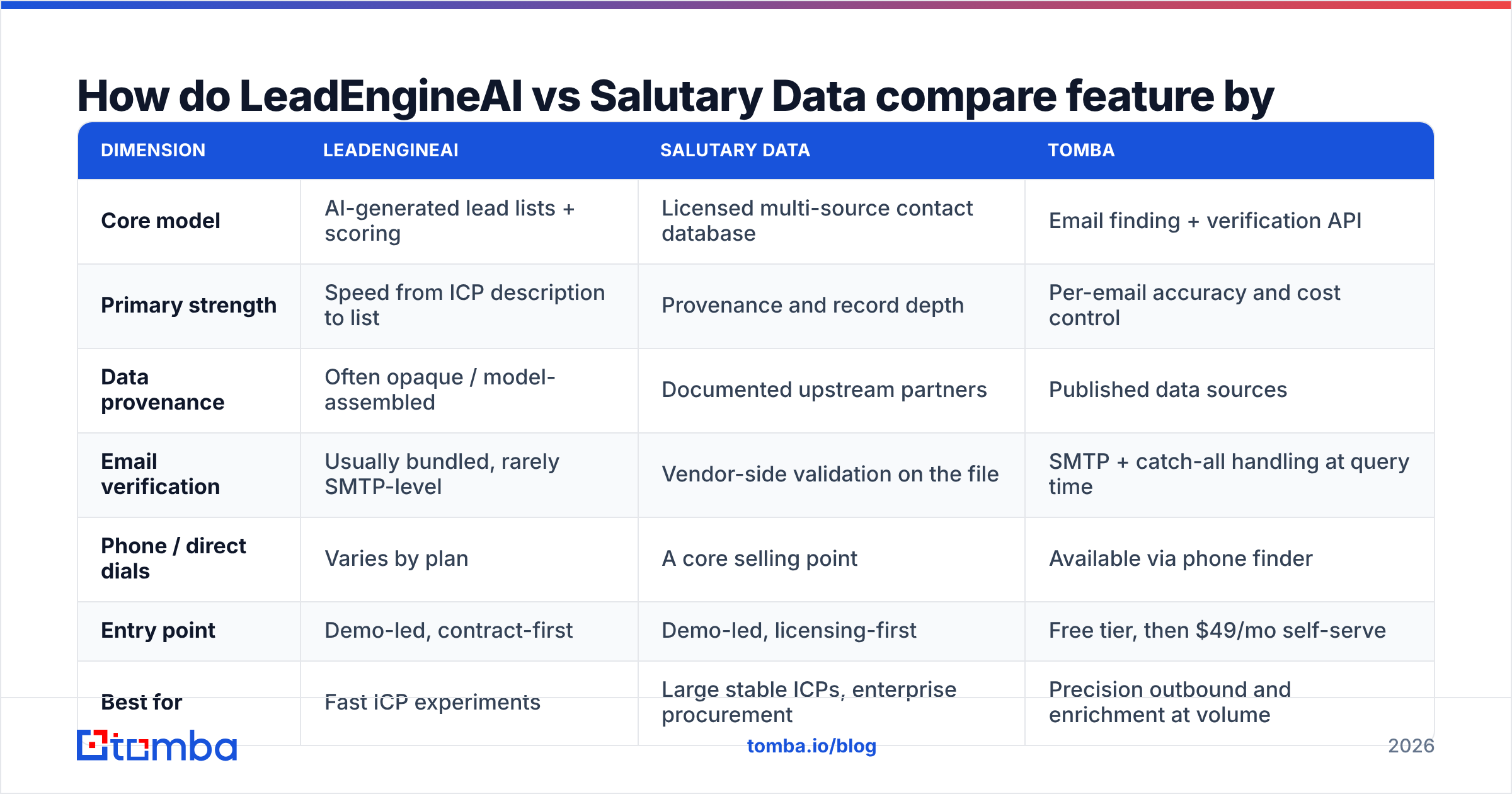
Vendor feature sets move, so treat this as a decision framework rather than a spec sheet — verify current details on Salutary Data's site and on LeadEngineAI's own pricing page before you sign anything.
| Dimension | LeadEngineAI | Salutary Data | Tomba |
|---|---|---|---|
| Core model | AI-generated lead lists + scoring | Licensed multi-source contact database | Email finding + verification API |
| Primary strength | Speed from ICP description to list | Provenance and record depth | Per-email accuracy and cost control |
| Data provenance | Often opaque / model-assembled | Documented upstream partners | Published data sources |
| Email verification | Usually bundled, rarely SMTP-level | Vendor-side validation on the file | SMTP + catch-all handling at query time |
| Phone / direct dials | Varies by plan | A core selling point | Available via phone finder |
| Entry point | Demo-led, contract-first | Demo-led, licensing-first | Free tier, then $49/mo self-serve |
| Best for | Fast ICP experiments | Large stable ICPs, enterprise procurement | Precision outbound and enrichment at volume |
| Worst for | Compliance-sensitive industries | Fast pivots between ICPs | Buying a 500k-record bulk file outright |
The pattern in that table: LeadEngineAI optimizes for time-to-list, Salutary Data optimizes for record integrity, and a verification-first tool optimizes for cost per deliverable contact. Most teams need the third thing and buy one of the first two.
Which one has better email accuracy?#
Nobody can answer that for your ICP from a blog post, and any post that claims a precise number for both vendors is inventing it. What you can do is run the same test both vendors will happily let you run.
Take 200 accounts you already know — customers, churned logos, companies where you have a verified contact. Ask each vendor for those contacts. Then measure four things:
- Match rate — how many of the 200 returned any contact at all
- Deliverable rate — how many passed independent SMTP verification (not the vendor's own score)
- Role-account rate — how many are
info@,sales@,contact@padding the match rate - Staleness — how many list a title or employer you know is out of date

The fourth metric is the one that separates the two models. Compiled providers like Salutary Data tend to fail visibly — a record is simply missing, and you know to look elsewhere. AI-assembled engines tend to fail invisibly — a plausible-looking address is returned with a high confidence score, and you only learn the truth from your bounce log.
That asymmetry matters more than raw percentages, because Google and Microsoft both weight hard-bounce rate heavily in inbox placement. A vendor that returns fewer contacts but tells you the truth about them protects your sender reputation. A vendor that returns more contacts with soft confidence spends it.
Independent signal helps too: read the recent, detailed reviews on G2 rather than the star average, and filter for reviewers in your company-size band. A 4.6 from 400 SMB users tells you almost nothing about enterprise coverage in EMEA.
How does pricing compare between LeadEngineAI and Salutary Data?#
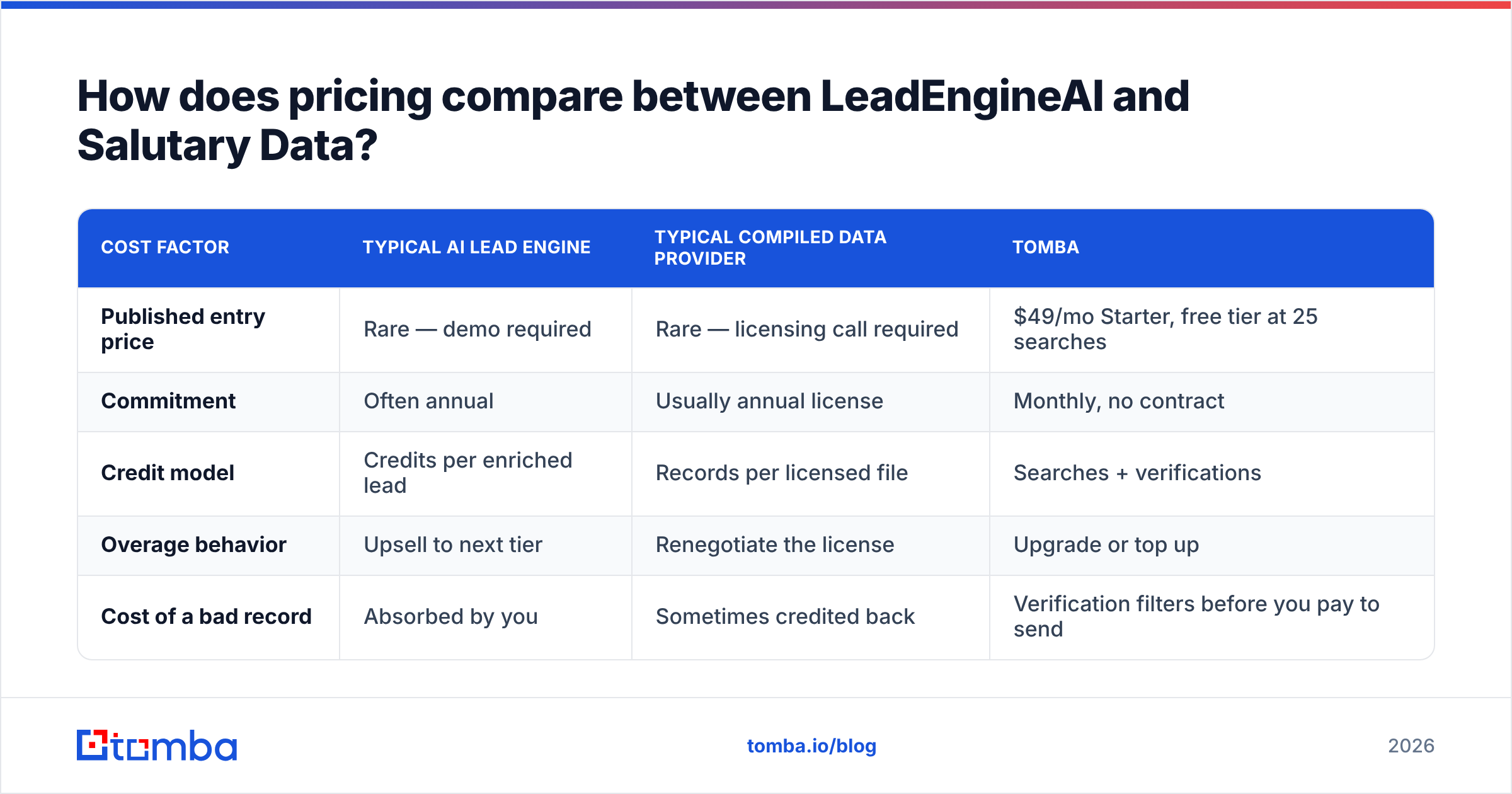
Both sit in the quote-based part of the market, which is a pricing model, not an accident. Quote-based pricing exists because cost per record varies enormously by ICP, and because vendors would rather negotiate than publish a number a competitor can undercut.
| Cost factor | Typical AI lead engine | Typical compiled data provider | Tomba |
|---|---|---|---|
| Published entry price | Rare — demo required | Rare — licensing call required | $49/mo Starter, free tier at 25 searches |
| Commitment | Often annual | Usually annual license | Monthly, no contract |
| Credit model | Credits per enriched lead | Records per licensed file | Searches + verifications |
| Overage behavior | Upsell to next tier | Renegotiate the license | Upgrade or top up |
| Cost of a bad record | Absorbed by you | Sometimes credited back | Verification filters before you pay to send |
Two things to insist on in either negotiation:
Ask for cost per verified contact, not per record. If a vendor quotes $0.18 per record and 22% of the file bounces, your real cost is $0.23 — plus the deliverability damage, which does not appear on any invoice.
Ask for a bounce credit clause. Reputable data providers will credit records that fail verification within a defined window. A vendor that refuses is telling you what it believes about its own file.
For reference on the transparent end of the market, Tomba pricing runs Free (25 searches/mo), Starter $49/mo, Growth $99/mo, Pro $249/mo, and custom Enterprise — published, monthly, no procurement cycle. That is not a claim to be better at everything; it is a claim that you can model your cost before a sales call, which neither quote-based vendor lets you do.

Which should you choose for your use case?#
- You're testing three ICPs this quarter and don't know which one wins. An AI lead engine earns its keep here. The value is throwput of hypotheses, not perfection per record. Just verify before you send.
- You sell into a stable, well-defined market and need direct dials. A compiled provider with documented sourcing is the safer buy. Depth and provenance beat speed when your total addressable market is 4,000 accounts you'll work for three years.
- Legal or procurement reviews your data sourcing. Compiled and documented wins, full stop. "The model assembled it" is not an answer your DPO will accept.
- You already have the account list and just need contact details. Neither. You need a finder plus verifier, and you'll spend a fraction of either contract. Use domain search to pull contacts per company, then verify.
- You're running 10k+ sends per month. Verification isn't optional at that volume. Route everything through bulk verification regardless of which vendor supplied the file.

What do most teams get wrong in this comparison?#
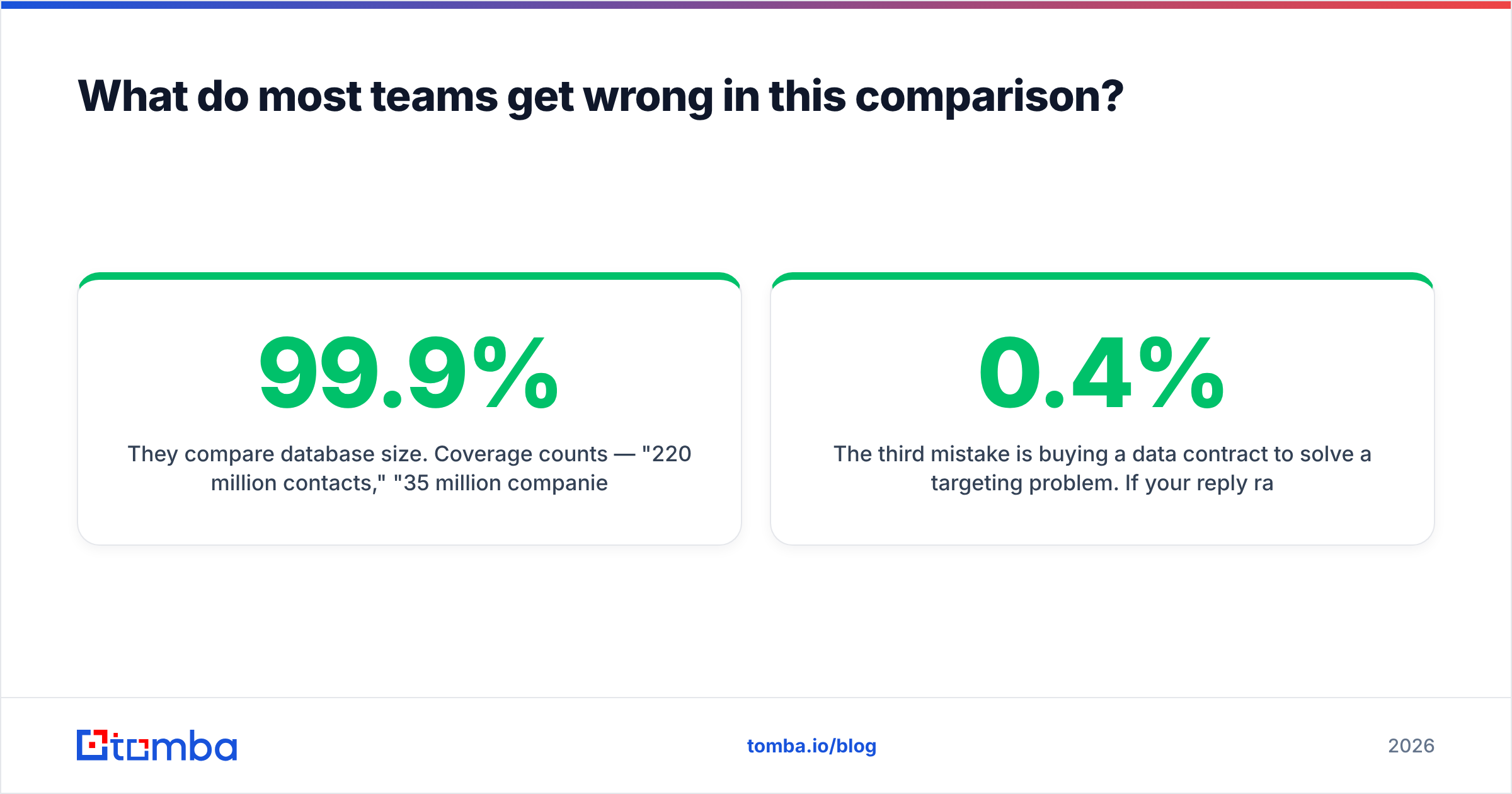
They compare database size. Coverage counts — "220 million contacts," "35 million companies" — are the least useful number in B2B data, because you will never touch 99.9% of that file. What matters is coverage of your ICP, which is a different and much smaller question.
They also treat the vendor's own confidence score as verification. It isn't. A vendor score is a prediction made by the party that profits from you believing it. Independent SMTP-level checking is a measurement. When the two disagree, the measurement is right — and if you want to see how the underlying inference works, the company email pattern checker shows exactly how a format gets derived before anything is confirmed.
The third mistake is buying a data contract to solve a targeting problem. If your reply rate is 0.4%, a cleaner list moves it to 0.6%. Better targeting and a better offer move it to 3%. Data quality is a floor, not a ceiling — it stops you failing for boring reasons, it doesn't make a weak campaign work.
The verdict: LeadEngineAI vs Salutary Data#
Pick Salutary Data if provenance and direct dials matter more than speed, and you have the procurement patience for a licensing conversation. Pick LeadEngineAI if you're moving fast across shifting ICPs and you're willing to verify aggressively on your own side. Both are reasonable purchases for the job they're actually designed to do.
But if you read this whole comparison because your outbound is bouncing and your CRM is full of dead contacts, the honest answer is that neither contract fixes that on its own. The fix is a verification layer between any data source and your sending domain, plus a finder you can call on demand instead of buying in bulk.
That's what Tomba's Email Finder is built for: find the address by domain, name, or company, confirm the mailbox at the SMTP level before it ever enters a sequence, and pay a published price you can model in a spreadsheet. Start on the free tier with 25 searches, test it against whatever vendor file you already have, and let the bounce rate settle the argument.
Related guides#
// get started
Find, verify and enrich your first contacts today
Start on the free plan with 25 searches a month, then scale when your team is ready.
Free plan · No credit card required · GDPR & CCPA
// about the author