LeadIQ vs Power Almanac: Which Contact Database Fits Your Team?
LeadIQ and Power Almanac both sell contact data, but to very different buyers. This guide covers coverage, workflow, pricing models and the gaps each tool leaves, so you can choose the right one.
TL;DR
- LeadIQ is a prospecting tool for B2B sales teams. It captures contacts from LinkedIn and Sales Navigator and sends them to your CRM and sequencer.
- Power Almanac is a database of US local government officials: cities, counties, townships and special districts. It is built for companies that sell to the public sector.
- They rarely compete. If your buyers work at private companies, choose LeadIQ. If your buyers are city managers, county clerks or public works directors, choose Power Almanac.
- Both have coverage gaps. LeadIQ is thin on small municipalities, and Power Almanac ignores the private sector completely. A domain-based email finder fills in the missing contacts.
- Pricing works differently. LeadIQ charges per seat with credits. Power Almanac sells database access by subscription. Check both vendors' current pricing pages before you commit.
What is LeadIQ?#
LeadIQ is a sales prospecting platform for SDR and AE teams that work from LinkedIn. You install its Chrome extension, open a LinkedIn or Sales Navigator profile, and click "capture." LeadIQ then tries to return a verified work email and, on higher tiers, a direct dial or mobile number. It can push the record straight into Salesforce, HubSpot, Outreach or Salesloft.
Its main features:
- One-click capture from LinkedIn, Sales Navigator and company websites
- CRM and sequencer sync, which prevents duplicates and routes new contacts into the right cadence
- Job-change tracking, which alerts you when a champion moves to a new company
- AI-assisted email drafting, which writes personalized first lines from profile data
LeadIQ works best for tech, SaaS and mid-market or enterprise B2B sellers whose buyers keep active LinkedIn profiles. It works less well when the person you need rarely logs in to LinkedIn.
What is Power Almanac?#
Power Almanac is a niche database of US local government decision-makers. It covers municipalities, counties, townships and special districts, including many small jurisdictions that never show up in general B2B databases. You can filter by jurisdiction type, population, state, department and job function. That lets you build a list like "public works directors in Ohio towns with 5,000–50,000 residents" in a few minutes.
Power Almanac says its team researches and updates records on an ongoing basis, and elected and appointed officials change often. You get names, titles, mailing addresses, phone numbers and emails where available, and you can export the list to your CRM or mailing tool.
Its buyers are govtech vendors, municipal consultants, engineering firms, insurance and benefits providers, and association marketers. For those teams, the key question is whether the record for a 3,000-person township's clerk is correct, not whether they can capture it from LinkedIn.
How do LeadIQ and Power Almanac compare side by side?#
Here is a direct comparison. Pricing models change, so treat the pricing rows as a guide to how each vendor charges and confirm current numbers on their sites.
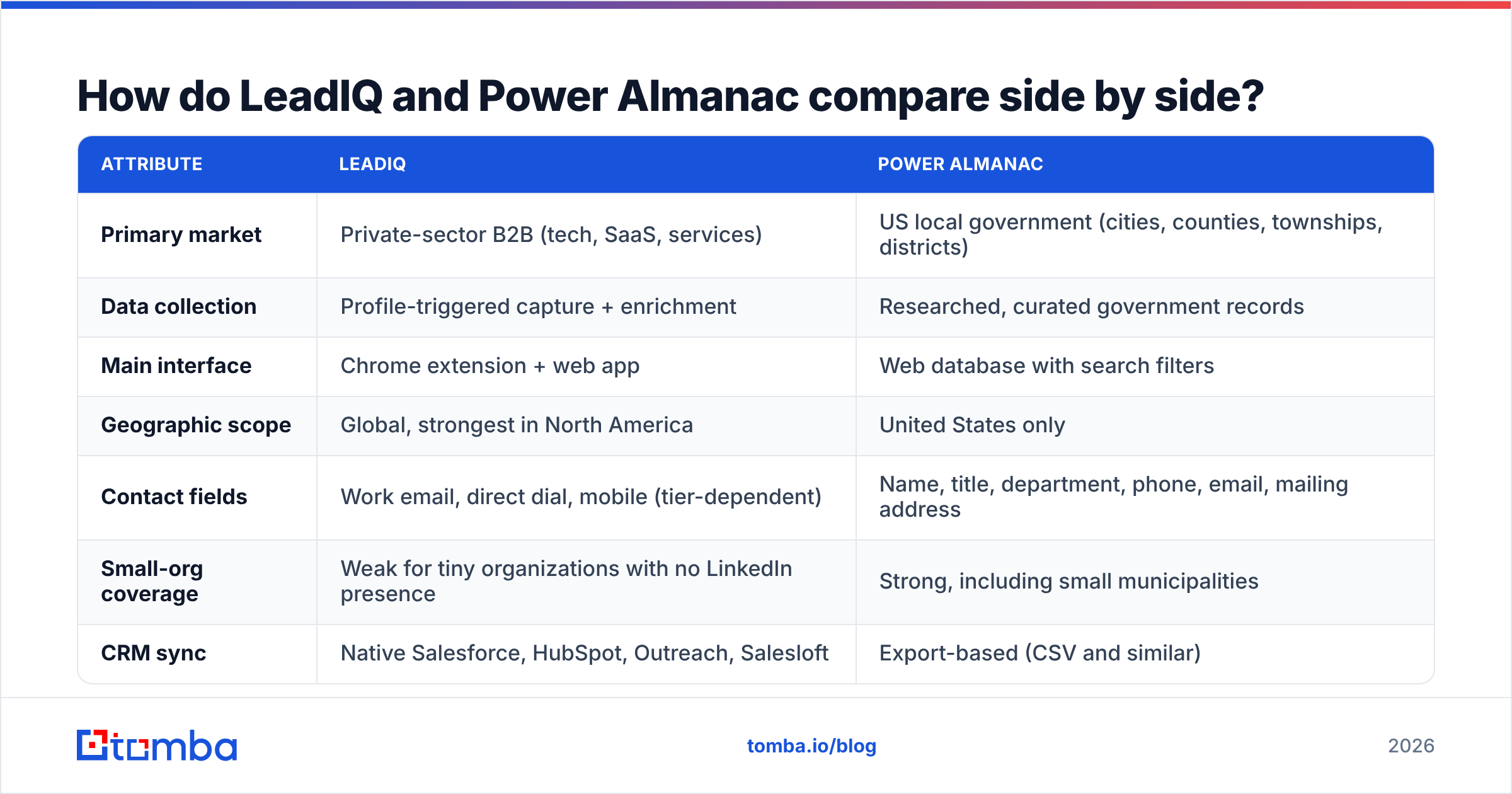
| Attribute | LeadIQ | Power Almanac |
|---|---|---|
| Primary market | Private-sector B2B (tech, SaaS, services) | US local government (cities, counties, townships, districts) |
| Data collection | Profile-triggered capture + enrichment | Researched, curated government records |
| Main interface | Chrome extension + web app | Web database with search filters |
| Geographic scope | Global, strongest in North America | United States only |
| Contact fields | Work email, direct dial, mobile (tier-dependent) | Name, title, department, phone, email, mailing address |
| Small-org coverage | Weak for tiny organizations with no LinkedIn presence | Strong, including small municipalities |
| CRM sync | Native Salesforce, HubSpot, Outreach, Salesloft | Export-based (CSV and similar) |
| Pricing model | Free tier, then per-seat monthly/annual plans with credits | Subscription access to the database, quoted by plan |
| Job-change alerts | Yes | Not a core feature (updates happen through record refreshes) |
| Best for | SDR teams working from LinkedIn | Public-sector sales and marketing teams |
The table shows why this matchup is unusual. Most "vs" comparisons weigh two tools that do the same job. Here the tools cover almost non-overlapping sets of people. The real decision is which kind of buyer you sell to.

Which tool has better data coverage?#
It depends on where your buyers work. There is no single winner.
LeadIQ covers companies well. If your ICP is "VP of Engineering at 200–2,000 employee SaaS companies," LeadIQ will have most of those people, because they keep LinkedIn profiles current. Coverage drops when you move away from white-collar, LinkedIn-active roles.
Power Almanac covers government well. A small-town clerk, a county road superintendent or a water district manager may have no LinkedIn profile at all. General B2B databases either miss these people or keep stale records from a previous administration. Power Almanac's whole business is keeping these records current.
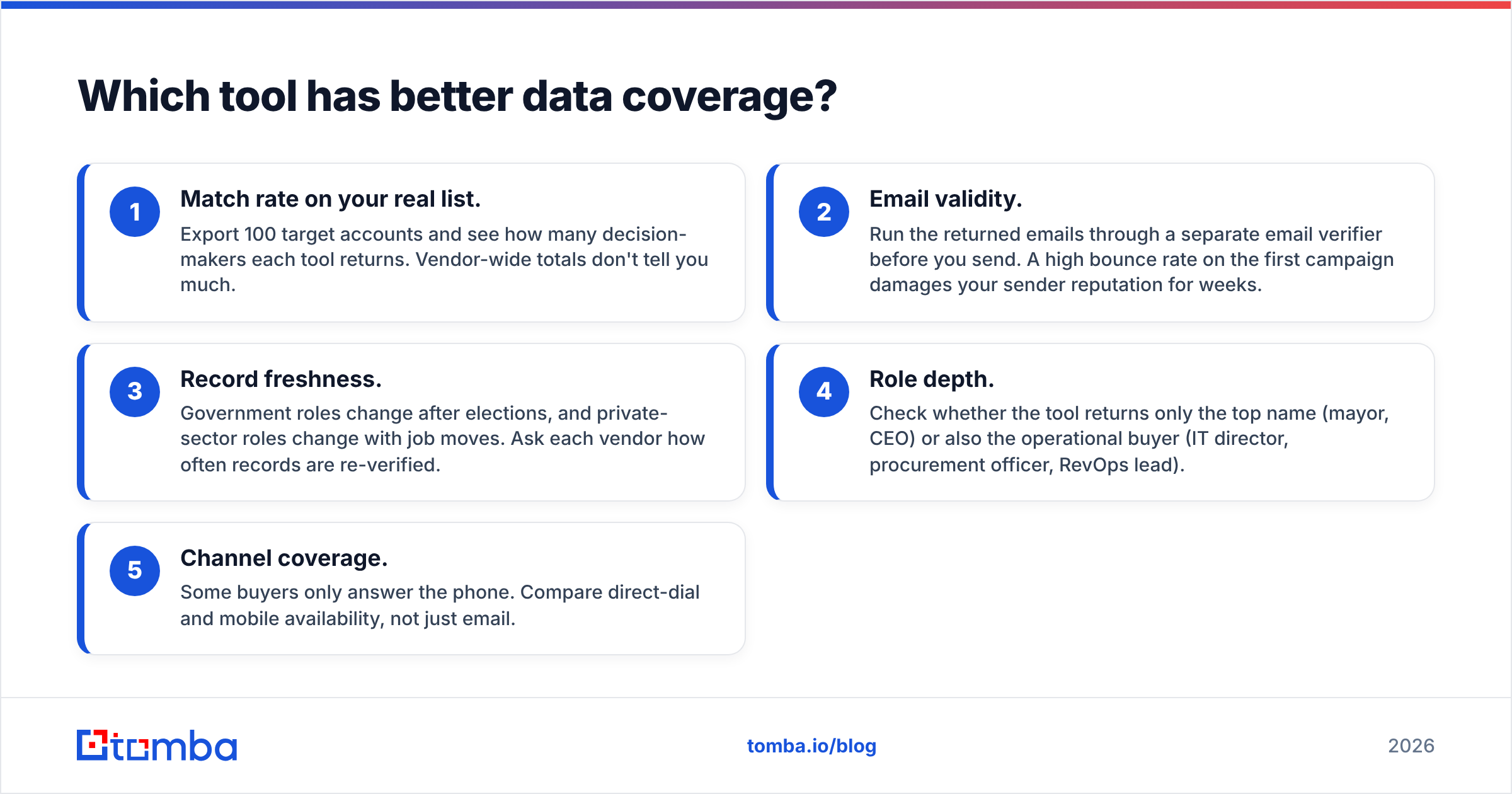
When you check coverage for yourself, focus on these five things:
- Match rate on your real list. Export 100 target accounts and see how many decision-makers each tool returns. Vendor-wide totals don't tell you much.
- Email validity. Run the returned emails through a separate email verifier before you send. A high bounce rate on the first campaign damages your sender reputation for weeks.
- Record freshness. Government roles change after elections, and private-sector roles change with job moves. Ask each vendor how often records are re-verified.
- Role depth. Check whether the tool returns only the top name (mayor, CEO) or also the operational buyer (IT director, procurement officer, RevOps lead).
- Channel coverage. Some buyers only answer the phone. Compare direct-dial and mobile availability, not just email.
Review sites like G2 have user feedback on LeadIQ's data quality in specific segments. Power Almanac has fewer public reviews because its market is smaller, so a trial on your own target list matters more there.
How does pricing work for each?#
The two vendors charge in very different ways.
LeadIQ has a free plan with a small monthly credit allowance. Paid tiers are billed per user, per month, and the higher tiers unlock more credits, phone numbers, CRM automation and team features. Enterprise plans are quoted. The main cost variable is headcount: a 10-person SDR team pays roughly ten times what a single founder pays. Phone numbers usually use more credits than emails.
Power Almanac sells subscription access to its government database. Plans differ in how much you can search and export and how many users get access. You're paying for the research behind the data, not for a capture tool.
A practical way to compare them:
- Solo founder or small team selling to SaaS companies: LeadIQ's free or entry tier is easier to start with.
- Govtech company whose whole pipeline is municipalities: Power Almanac's subscription covers the part of the market LeadIQ doesn't reach.
- Team selling to both: you'll probably pay for both, or pair one of them with a cheaper, general-purpose email finder to cover the gap.
Where does LeadIQ fall short?#
LeadIQ is well built for its core use case, but it has clear limits:
- It depends on LinkedIn. If the prospect's LinkedIn profile is missing or stale, capture fails or returns weak data.
- Costs grow with seats. Adding reps raises your spend directly, which some finance teams dislike.
- Credits run out quickly on phone numbers. Teams that rely on cold calling can use up their allowance before the month ends.
- It is weak on the public sector and small businesses. A 12-person HVAC company or a rural county won't have the profile data LeadIQ needs.
If these limits are a problem for you, our LeadIQ alternative breakdown covers tools that search by domain instead of by LinkedIn profile.
Where does Power Almanac fall short?#
Power Almanac is built for one market, and that focus is also its main limitation:
- It doesn't cover the private sector. It won't help with the engineering firms, contractors or vendors that often work alongside municipalities.
- It only covers the US. Canadian, UK and EU local governments are out of scope.
- It relies on exports. There's no LinkedIn-style capture workflow, and CRM sync is usually a manual export and import.
- Email availability varies. Some small jurisdictions only publish a general inbox or a phone number, so you may still need to find or verify an individual's address.
Is LeadIQ better than Power Almanac?#
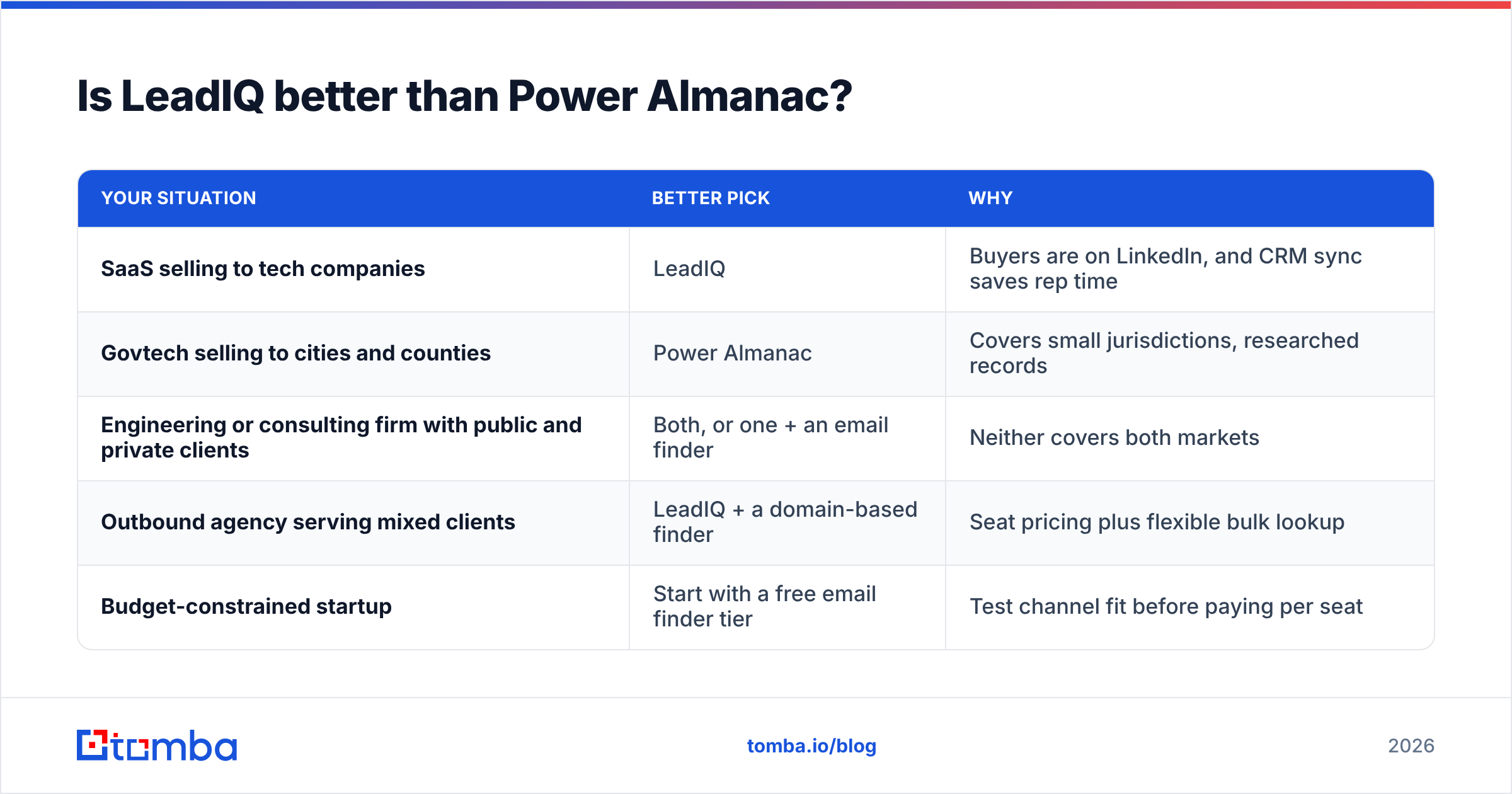
Only if you sell to companies. For public-sector sellers, Power Almanac is the better tool, because LeadIQ doesn't try to cover the municipal market in depth.
Here is how it breaks down:
| Your situation | Better pick | Why |
|---|---|---|
| SaaS selling to tech companies | LeadIQ | Buyers are on LinkedIn, and CRM sync saves rep time |
| Govtech selling to cities and counties | Power Almanac | Covers small jurisdictions, researched records |
| Engineering or consulting firm with public and private clients | Both, or one + an email finder | Neither covers both markets |
| Outbound agency serving mixed clients | LeadIQ + a domain-based finder | Seat pricing plus flexible bulk lookup |
| Budget-constrained startup | Start with a free email finder tier | Test channel fit before paying per seat |
How do you fill the gaps both tools leave?#
Most teams that evaluate these two find their list is split between public and private accounts. The fix doesn't have to be a third expensive subscription. Use a domain-based email finder as your default and keep the specialist tools for the segments where they're clearly better.
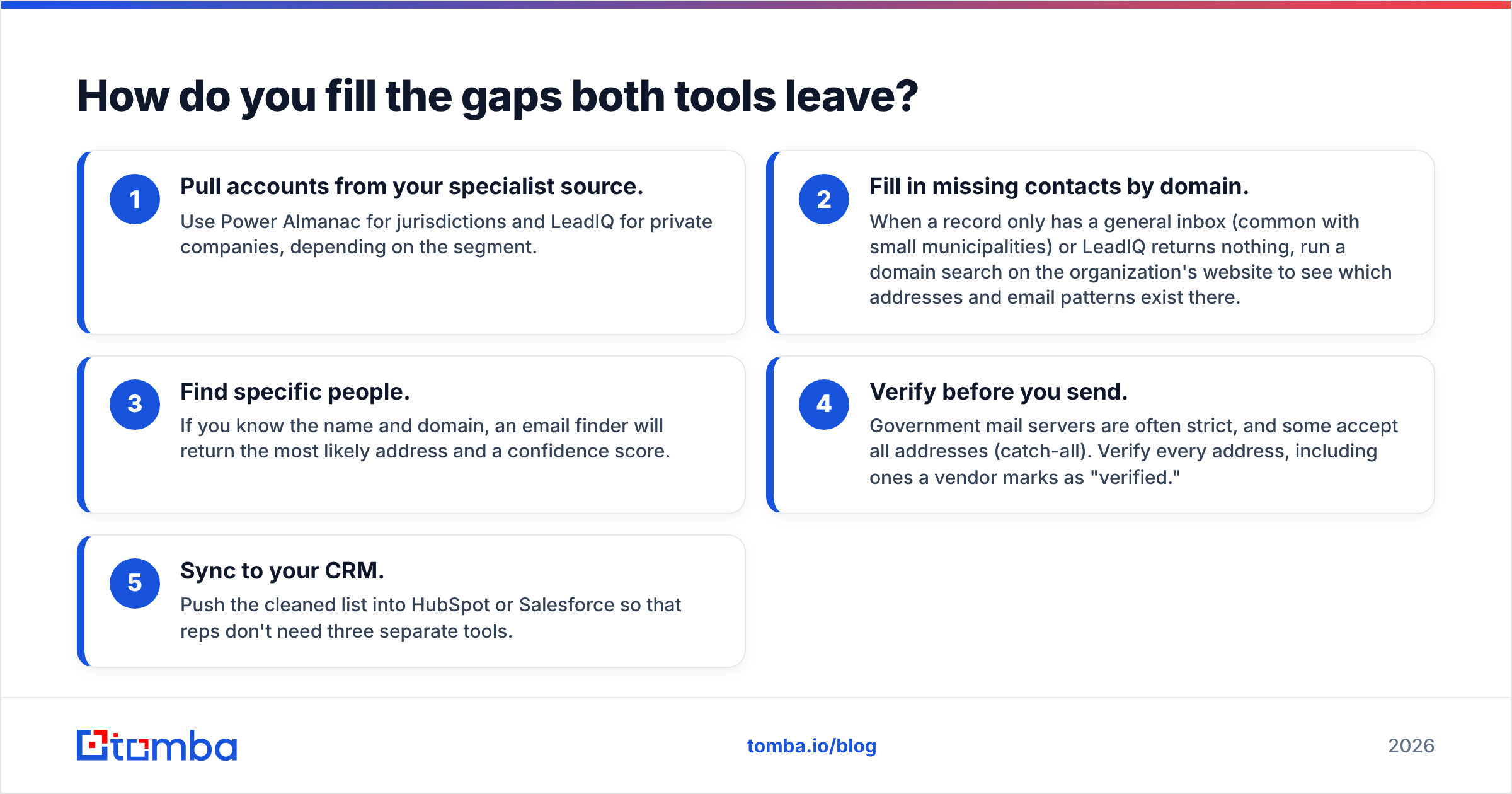
A typical setup:
- Pull accounts from your specialist source. Use Power Almanac for jurisdictions and LeadIQ for private companies, depending on the segment.
- Fill in missing contacts by domain. When a record only has a general inbox (common with small municipalities) or LeadIQ returns nothing, run a domain search on the organization's website to see which addresses and email patterns exist there.
- Find specific people. If you know the name and domain, an email finder will return the most likely address and a confidence score.
- Verify before you send. Government mail servers are often strict, and some accept all addresses (catch-all). Verify every address, including ones a vendor marks as "verified."
- Sync to your CRM. Push the cleaned list into HubSpot or Salesforce so that reps don't need three separate tools.
This lets you keep the specialist data where it's strongest without paying seat prices for every lookup. It also gives you a way to check each vendor's data: if your independent verifier regularly flags one source's emails, you'll know before renewal.
What should you ask vendors before buying?#
Ask these questions on the demo call, whichever tool you're considering:
- "What's your re-verification cycle for a record like this one?" Name a real contact from your list.
- "How are credits used for emails vs phone numbers?" This mainly applies to LeadIQ.
- "How many jurisdictions of my target size and state do you cover?" This mainly applies to Power Almanac.
- "Can I trial the data on my own list of 50–100 accounts?" A demo using the vendor's chosen examples tells you very little.
- "What happens to exported data if I cancel?" Read the licensing terms before you build workflows around the data.
The verdict on LeadIQ vs Power Almanac#
LeadIQ is a strong choice for LinkedIn-based prospecting into private companies. Power Almanac is one of the few serious options for reaching US local government decision-makers. Choosing between them is mostly a question of which market you sell to.
If you sell to both markets, or you're not ready to commit to seat pricing or a niche database subscription, start with a flexible email finder and add the specialist tools only where they clearly outperform it.
Next step: Tomba Email Finder finds professional email addresses from a name and domain or a company website, with confidence scores and built-in verification. It works on SaaS companies, contractors and municipal websites. The free tier gives you 25 searches a month to test it on your real target list, and paid plans start at $49/mo. See Tomba pricing to choose a volume that fits, then use it to fill the contact gaps LeadIQ and Power Almanac leave.
Related guides#
// get started
Find, verify and enrich your first contacts today
Start on the free plan with 25 searches a month, then scale when your team is ready.
Free plan · No credit card required · GDPR & CCPA
// about the author