LeadIQ vs Salesgenie: Data, Pricing, and Which Tool Fits Your Team
LeadIQ is built for SDRs working from LinkedIn. Salesgenie is built for list-building from a big US business database. Here's how they compare on data, workflow, pricing, and fit, so you buy the one that matches how your team actually sells.
LeadIQ vs Salesgenie is a common matchup for sales teams picking a prospecting tool. The short answer: they solve different problems.
TL;DR
- LeadIQ is a prospecting tool for SDR and AE teams that find leads on LinkedIn and Sales Navigator. It captures contacts in one click and adds work emails and mobile numbers. Then it pushes them into Salesforce, HubSpot, Outreach, or Salesloft.
- Salesgenie, from Data Axle, is a list-building database. It's strongest for US small and mid-sized businesses and territory-based selling. It suits teams that need firmographic filters, phone numbers, and mailing addresses.
- Choose LeadIQ if your reps prospect one account at a time from LinkedIn. Choose Salesgenie if you build lists by geography, industry, and company size.
- Neither tool is cheap per verified email once you add seat costs. If you mostly need work emails, an email finder with a verifier usually costs less.
- Whichever you buy, verify every exported email before it goes into a sequence.
What is the real difference between LeadIQ and Salesgenie?#
People compare these two because both "give you leads." But they were built for different sales motions, and the gap shows in daily use.
LeadIQ is capture-first. Your rep opens a LinkedIn or Sales Navigator profile and clicks the Chrome extension. LeadIQ then looks up the person's work email and phone number. The contact is written to your CRM and sales engagement tool, with duplicate checks. The product assumes you have already picked the person you want. Its job is to get that person's data into your stack fast and clean.
Salesgenie is search-first. You open a database and set filters: state, ZIP radius, SIC/NAICS code, employee count, sales volume, years in business. You get a list of businesses and decision-makers that match. The data comes from Data Axle, which has compiled US business and consumer data for decades. (It used to be Infogroup / infoUSA.) The product assumes you know your market and need to find the companies in it.
An analogy: LeadIQ is a sniper scope and Salesgenie is a phone book with good search. Neither is better in general. They answer different questions.
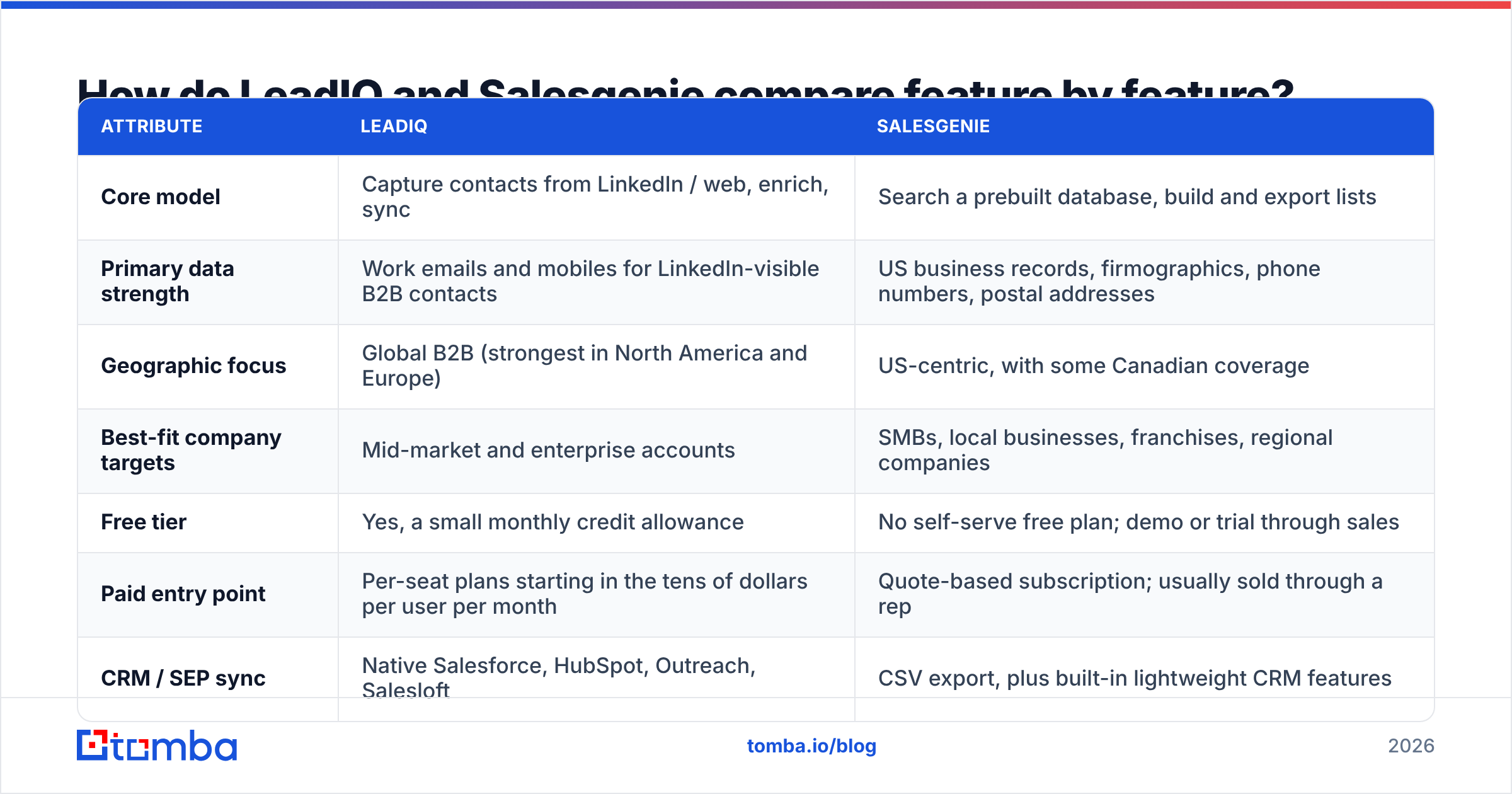
How do LeadIQ and Salesgenie compare feature by feature?#
Here is the LeadIQ vs Salesgenie side-by-side on the points that matter most. Pricing changes often, so check each vendor's current page before you commit.
| Attribute | LeadIQ | Salesgenie |
|---|---|---|
| Core model | Capture contacts from LinkedIn / web, enrich, sync | Search a prebuilt database, build and export lists |
| Primary data strength | Work emails and mobiles for LinkedIn-visible B2B contacts | US business records, firmographics, phone numbers, postal addresses |
| Geographic focus | Global B2B (strongest in North America and Europe) | US-centric, with some Canadian coverage |
| Best-fit company targets | Mid-market and enterprise accounts | SMBs, local businesses, franchises, regional companies |
| Free tier | Yes, a small monthly credit allowance | No self-serve free plan; demo or trial through sales |
| Paid entry point | Per-seat plans starting in the tens of dollars per user per month | Quote-based subscription; usually sold through a rep |
| CRM / SEP sync | Native Salesforce, HubSpot, Outreach, Salesloft | CSV export, plus built-in lightweight CRM features |
| AI features | Scribe (AI email drafting), job-change tracking | Search and list tools; less AI focus |
| Consumer (B2C) data | No | Yes, consumer lists are available |
| Ideal buyer | Outbound SDR/BDR team with a defined ICP on LinkedIn | Field sales, local B2B, direct mail, territory-based teams |
The table shows the overlap is small. LeadIQ has little to offer a team mailing postcards to every HVAC contractor in Ohio. Salesgenie is awkward for a team working 300 named SaaS accounts through Sales Navigator.

Which tool has better data accuracy?#
On accuracy, LeadIQ vs Salesgenie has no clear winner. Each one builds its data in a different way.
LeadIQ's accuracy is best for people who are active on LinkedIn at companies with a clear web presence. It combines several data sources and checks them at the moment of capture. So the data reflects the person's current job when you look them up.
That matters because B2B contact data decays fast. People change jobs, companies change domains, and mailboxes get shut down. LeadIQ's weak spot is coverage outside that profile. A plumbing company with eight staff and no LinkedIn presence often returns nothing.
Salesgenie's accuracy comes from Data Axle's compilation process: public records, directories, business filings, and phone checks. That gives it deep coverage of small US businesses that most B2B tools miss. It is very good on business name, address, phone, SIC code, and rough size. Its weaker spot is named-contact work emails at larger companies, so test that before you buy. Its database was built around companies and locations, not personal work inboxes.
Real-world advice for both tools:
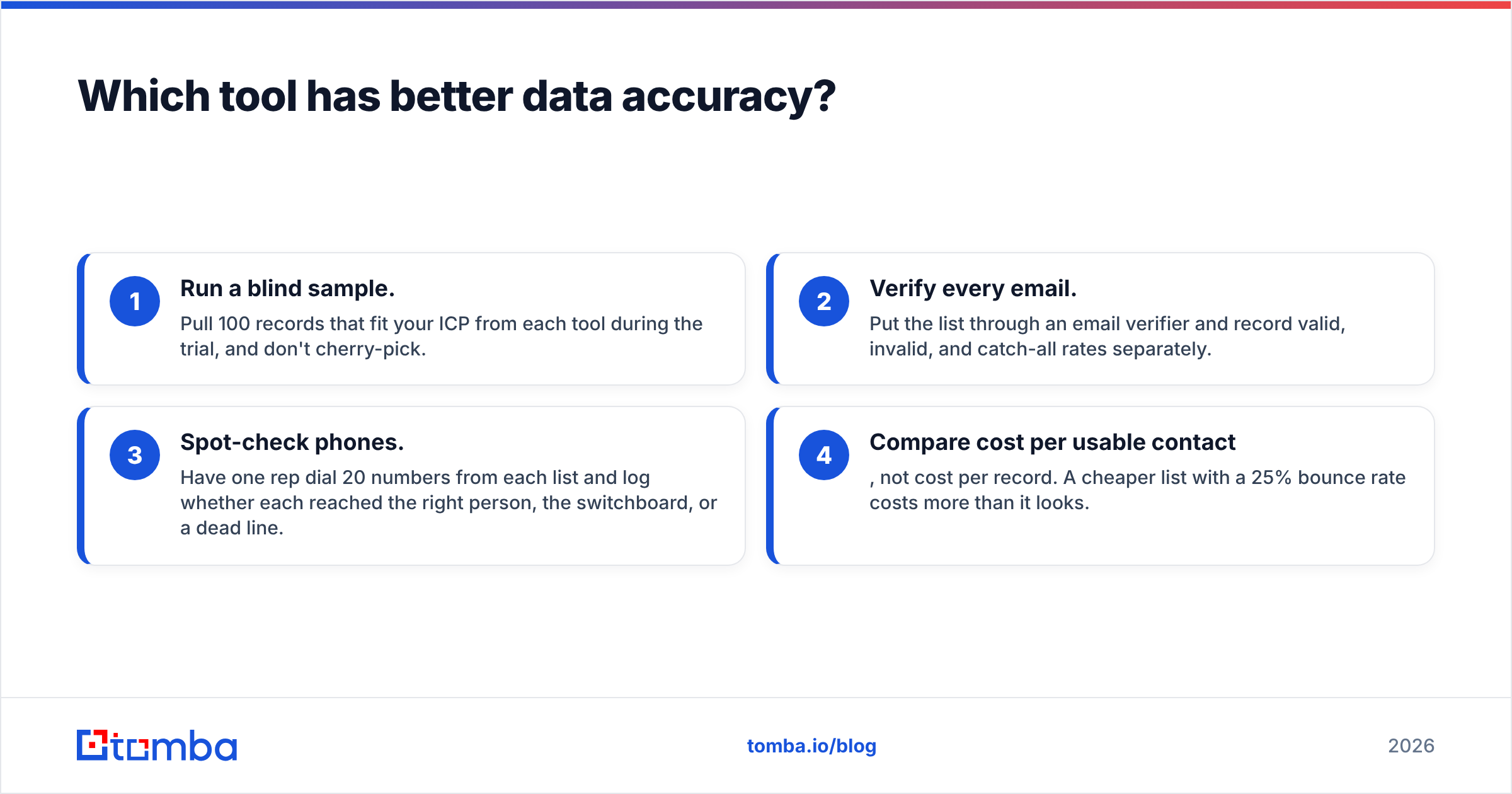
- Run a blind sample. Pull 100 records that fit your ICP from each tool during the trial. Don't cherry-pick.
- Verify every email. Put the list through an email verifier. Record valid, invalid, and catch-all rates separately.
- Spot-check phones. Have one rep dial 20 numbers from each list. Log whether each reached the right person, the switchboard, or a dead line.
- Compare cost per usable contact, not cost per record. A cheaper list with a 25% bounce rate costs more than it looks.
User reviews on G2 give a quick read on both tools. But your own sample test on your own ICP is the only accuracy number worth trusting.
Is LeadIQ or Salesgenie easier to fit into your workflow?#
Workflow is often the deciding factor in LeadIQ vs Salesgenie, and here the gap is clear.
LeadIQ lives in the tools your reps already use. The extension sits on LinkedIn, Sales Navigator, and company websites. Captured leads land in Salesforce or HubSpot with duplicate checks. They can go straight into an Outreach or Salesloft sequence.
Job-change tracking alerts you when a past champion moves to a new company. That is one of the best outbound triggers there is. Scribe drafts a first-touch email from the prospect's profile. For a modern SDR team, LeadIQ fits in without anyone changing how they work.
Salesgenie is a place you go to, not a layer on top. You log in, build a list, save it, and export it. It has basic CRM-style features like notes, saved lists, and simple lead management. Small teams without a real CRM find these useful. For teams already on Salesforce or HubSpot, the flow is more manual: export a CSV, clean it, dedupe it, import it. That's fine if you build lists monthly. It adds friction if reps prospect every day.
A quick way to decide:
- Reps prospect daily, one account at a time: LeadIQ.
- Ops or managers build territory lists monthly or quarterly: Salesgenie.
- You sell to local businesses by radius or ZIP code: Salesgenie, clearly.
- You sell to named accounts with buying committees: LeadIQ, clearly.
How does LeadIQ pricing compare to Salesgenie pricing?#
On pricing, LeadIQ vs Salesgenie is a contrast between published plans and quote-based deals.
LeadIQ publishes its pricing, which buyers like. There is a free plan with a small monthly allowance of email and phone credits. Paid per-user tiers add more credits, deeper CRM sync, job-change tracking, and Scribe. Enterprise is custom. The main cost driver is seats × credits. A 10-person SDR team on a mid-tier plan becomes a real line item, and mobile credits run out faster than email credits. Check the current numbers on LeadIQ's pricing page before you budget.
Salesgenie is mostly sold through a sales call. Plans are usually priced by user and by export volume, with add-ons for extra records or data types. Small businesses can start at a fair monthly cost, but comparison shopping is harder. Ask your rep three questions:
- How many records can I export per month, and what does an overage cost?
- Are emails, phone numbers, and executive names counted separately?
- What is the minimum contract length, and does it auto-renew?
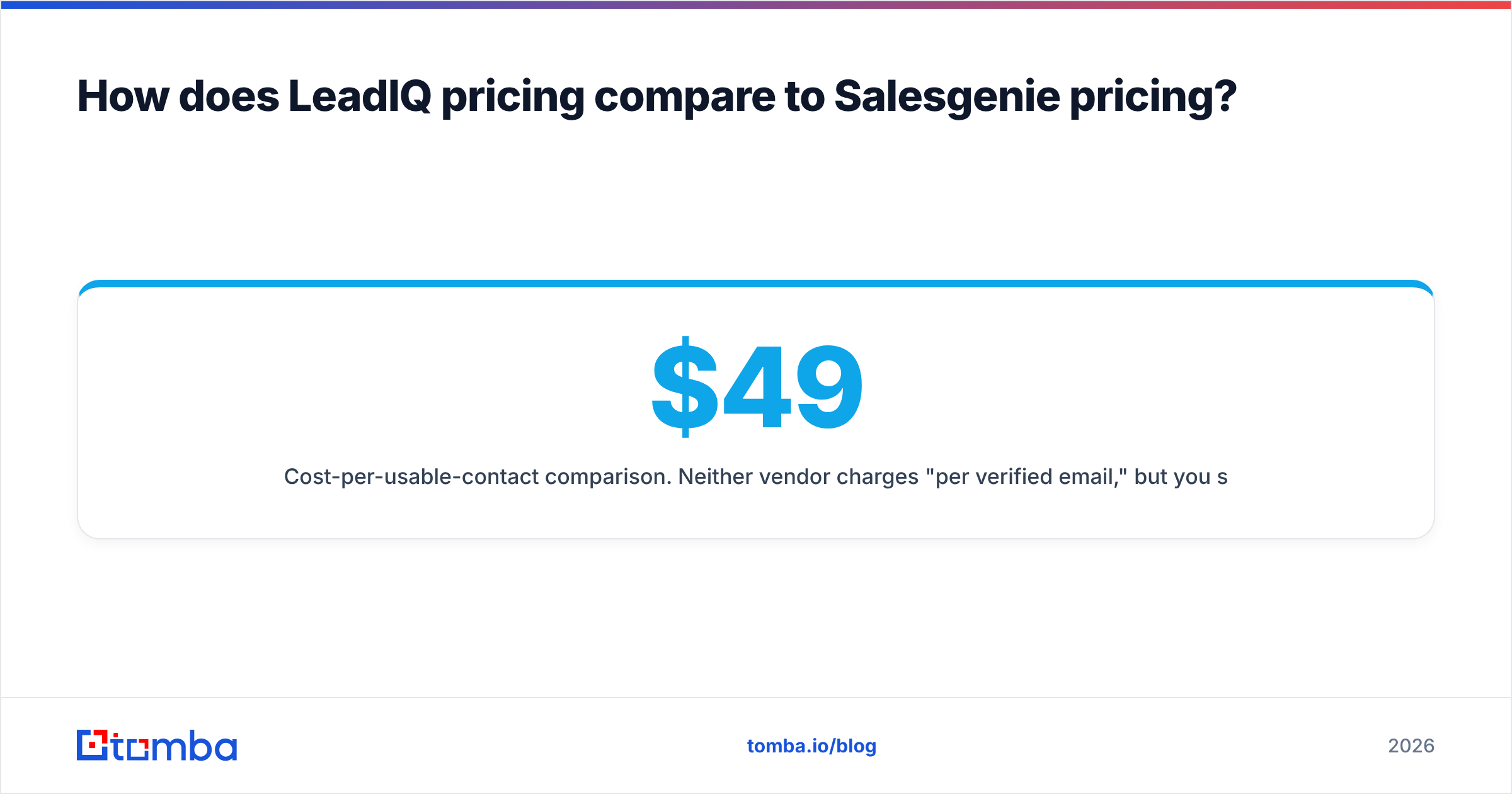
Cost-per-usable-contact comparison. Neither vendor charges "per verified email," so work that number out yourself. Take your monthly spend and divide it by the contacts that pass verification and match your ICP. Then compare.
Teams that do this often find emails cost much less with a dedicated email finder. A prospecting suite's seat price pays for workflow features you may not use. For reference, Tomba pricing starts with a free tier of 25 searches/month. Then it's Starter at $49/mo, Growth at $99/mo, and Pro at $249/mo, with no per-seat charge for extension use.
What are the pros and cons of each tool?#
LeadIQ: pros
- Very fast capture from LinkedIn and Sales Navigator
- Strong native sync with Salesforce, HubSpot, Outreach, and Salesloft
- Job-change tracking finds warm re-engagement chances
- Clear pricing with a usable free tier
- Good fit for mid-market and enterprise ICPs
LeadIQ: cons
- Coverage drops for small businesses with little LinkedIn presence
- Per-seat pricing grows quickly with team size
- Mobile-number credits are limited on lower tiers
- Not designed for bulk list-building by firmographics
Salesgenie: pros
- Deep US small-business and local coverage from Data Axle
- Detailed firmographic and geographic filters (radius, SIC/NAICS, sales volume)
- Postal addresses and phone numbers suit direct mail and cold calling
- Built-in lightweight lead management for teams without a CRM
- Consumer data is available if you also sell B2C
Salesgenie: cons
- Quote-based pricing makes comparison harder
- CSV-centric workflow for teams on modern sales stacks
- Named-contact work-email coverage at larger companies needs testing
- Less focus on AI-assisted outreach and intent signals
When should you choose LeadIQ over Salesgenie, and vice versa?#
The LeadIQ vs Salesgenie decision comes down to your sales motion.
Choose LeadIQ if:
- Your ICP is B2B companies with 50+ employees that are active on LinkedIn
- You have an SDR/BDR team running sequences in Outreach, Salesloft, or HubSpot
- You care about job-change triggers and account-based prospecting
- You want self-serve pricing and a free plan for testing
Choose Salesgenie if:
- You sell to US small businesses, franchises, or local service companies
- Your team works territories defined by geography
- You run direct mail or phone-heavy outreach alongside email
- You need list volume and firmographic depth more than per-contact enrichment
Consider neither (or add a third tool) if:
- You mostly need verified work emails for known companies and people. A domain-based finder is cheaper and more precise.
- You want to keep your current CRM and just fill in missing emails in bulk.
- You are weighing other options. Our LeadIQ alternative breakdown covers the wider field.

How do you get the most out of either tool?#
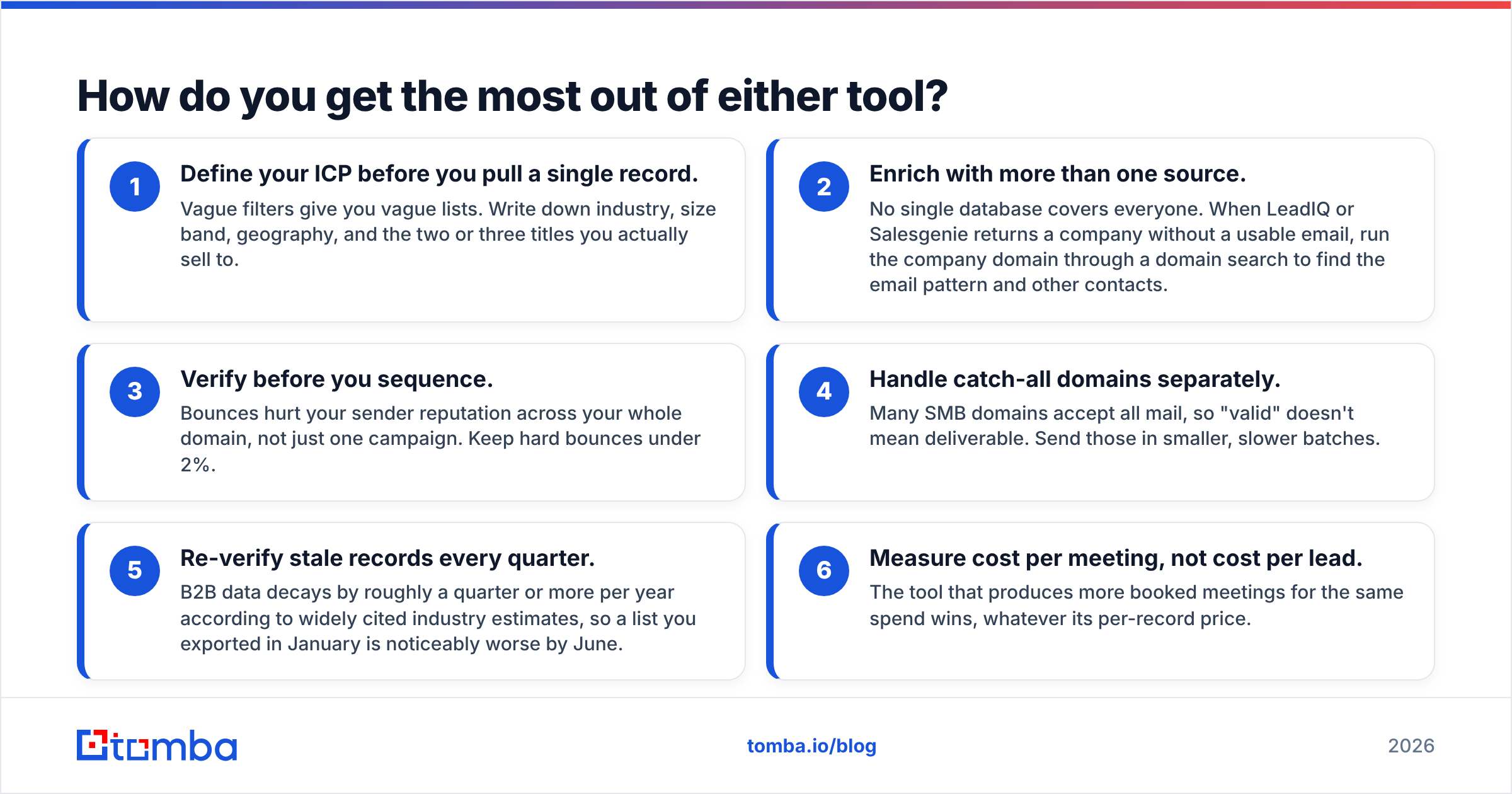
Whichever tool you choose, the teams that get the best return follow the same routine:
- Define your ICP before you pull a single record. Vague filters give you vague lists. Write down industry, size band, geography, and the two or three titles you sell to.
- Enrich with more than one source. No single database covers everyone. When a tool returns a company without a usable email, run the domain through a domain search. It finds the email pattern and other contacts.
- Verify before you sequence. Bounces hurt your sender reputation across your whole domain, not just one campaign. Keep hard bounces under 2%.
- Handle catch-all domains separately. Many SMB domains accept all mail, so "valid" doesn't mean deliverable. Send those in smaller, slower batches.
- Re-verify stale records every quarter. Widely cited industry estimates say B2B data decays by a quarter or more per year. A list you exported in January is noticeably worse by June.
- Measure cost per meeting, not cost per lead. The tool that books more meetings for the same spend wins, whatever its per-record price.
Frequently asked questions#
Is LeadIQ better than Salesgenie?#
Only for LinkedIn-based, account-focused B2B prospecting. For US small-business and territory list-building, Salesgenie is usually the better fit. They solve different problems, so "better" depends on your sales motion.
Does Salesgenie have email addresses?#
Yes, Salesgenie includes email addresses for many business contacts. Its strongest data points are business name, address, phone, and firmographics. Test email coverage on your ICP during a trial. Verify every address before sending.
Does LeadIQ have a free plan?#
Yes. LeadIQ offers a free tier with a limited number of monthly credits. It's enough to test data quality and CRM sync, but too small for a working SDR's full monthly volume.
Can I use LeadIQ and Salesgenie together?#
You can. Some teams use Salesgenie to build a territory account list and LeadIQ to find the right people at the larger accounts. Just watch for overlapping costs and duplicate records in your CRM.
What is a cheaper way to find verified work emails?#
If emails are your main need, use an email finder with built-in verification. It's usually cheaper per usable contact than a full prospecting suite. You're not paying for seats and workflow features you won't use.
What's the bottom line on LeadIQ vs Salesgenie?#
LeadIQ vs Salesgenie looks like a head-to-head on a spreadsheet. In practice, they rarely compete for the same buyer. LeadIQ suits outbound teams that prospect person by person from LinkedIn and want everything in their CRM automatically. Salesgenie suits teams that sell by territory into US small and mid-sized businesses. Those teams need list volume, firmographic filters, phone numbers, and postal addresses. Pick the one that matches how your reps spend their day. Run a 100-record sample test, and verify everything before it reaches a sequence.
Maybe your real bottleneck is simply getting accurate work emails for people you already want to reach. If so, you may not need either suite. Tomba Email Finder finds professional email addresses by name, company, or domain, and verifies them in the same step. It works from a Chrome extension, Google Sheets, or the API. Start on the free tier with 25 searches a month. Then compare its cost per verified contact with what you pay now.
Related guides#
// get started
Find, verify and enrich your first contacts today
Start on the free plan with 25 searches a month, then scale when your team is ready.
Free plan · No credit card required · GDPR & CCPA
// about the author