LeadRocks vs Mailshunt (2026): Which Email Finder Should You Pick?
LeadRocks sells a large B2B contact database priced by credit. Mailshunt is a smaller tool that finds and verifies emails for a flat monthly rate. Here is which one fits your outbound workflow, and when neither is the right choice.
TL;DR
- LeadRocks is a B2B contact database with a LinkedIn extension. It includes emails and phone numbers, and you pay per credit: a free tier with 50 credits, then paid plans from $29/mo for 1,000 credits.
- Mailshunt is a smaller tool for finding and verifying emails. It checks addresses over SMTP, flags disposable ones, handles bulk CSVs, and has an API that works with n8n and Make. Third-party listings put its flat-rate pricing at about $49/mo, with a free trial.
- Pick LeadRocks if you need to search for prospects and want phone numbers too. Pick Mailshunt if you already have a lead list and mainly need clean, verified emails.
- A reported LeadRocks drawback is that a credit is used on every lookup, even when the result is blank or invalid. Work out your cost per usable contact, not the advertised price per credit.
- If you want finding, verification, catch-all handling, and an API in one tool with published plans, Tomba is a third option worth testing on the same sample.
What are LeadRocks and Mailshunt, in one sentence each?#
Each tool deals with a different part of the prospecting problem, so it helps to describe them plainly before comparing.
LeadRocks (leadrocks.io) is a searchable B2B contact database. You filter by title, company, industry, and location, then reveal emails and phone numbers with credits. A Chrome extension pulls contact data from LinkedIn profiles while you browse.
Mailshunt is an email finder and verifier for outbound teams. You give it a name and a domain, or upload a CSV, and it returns an address that has been checked over SMTP, along with disposable-domain detection and an export-ready file. Its API connects to automation platforms such as n8n and Make.
An analogy: LeadRocks is a phone book you can filter. Mailshunt is a fact-checker that confirms the numbers you already copied are still valid. Both deal with contact data, but they handle different jobs.
This matters because most comparisons treat the two as interchangeable. They aren't. Before you look at pricing, decide whether your bottleneck is finding who to contact or confirming how to reach them.
How do LeadRocks and Mailshunt compare feature by feature?#
Here is the side-by-side view. Pricing and feature details come from each vendor's public pages and third-party listings at the time of writing. Mailshunt in particular is a young product with little independent coverage, so check the current details on its site before you buy.
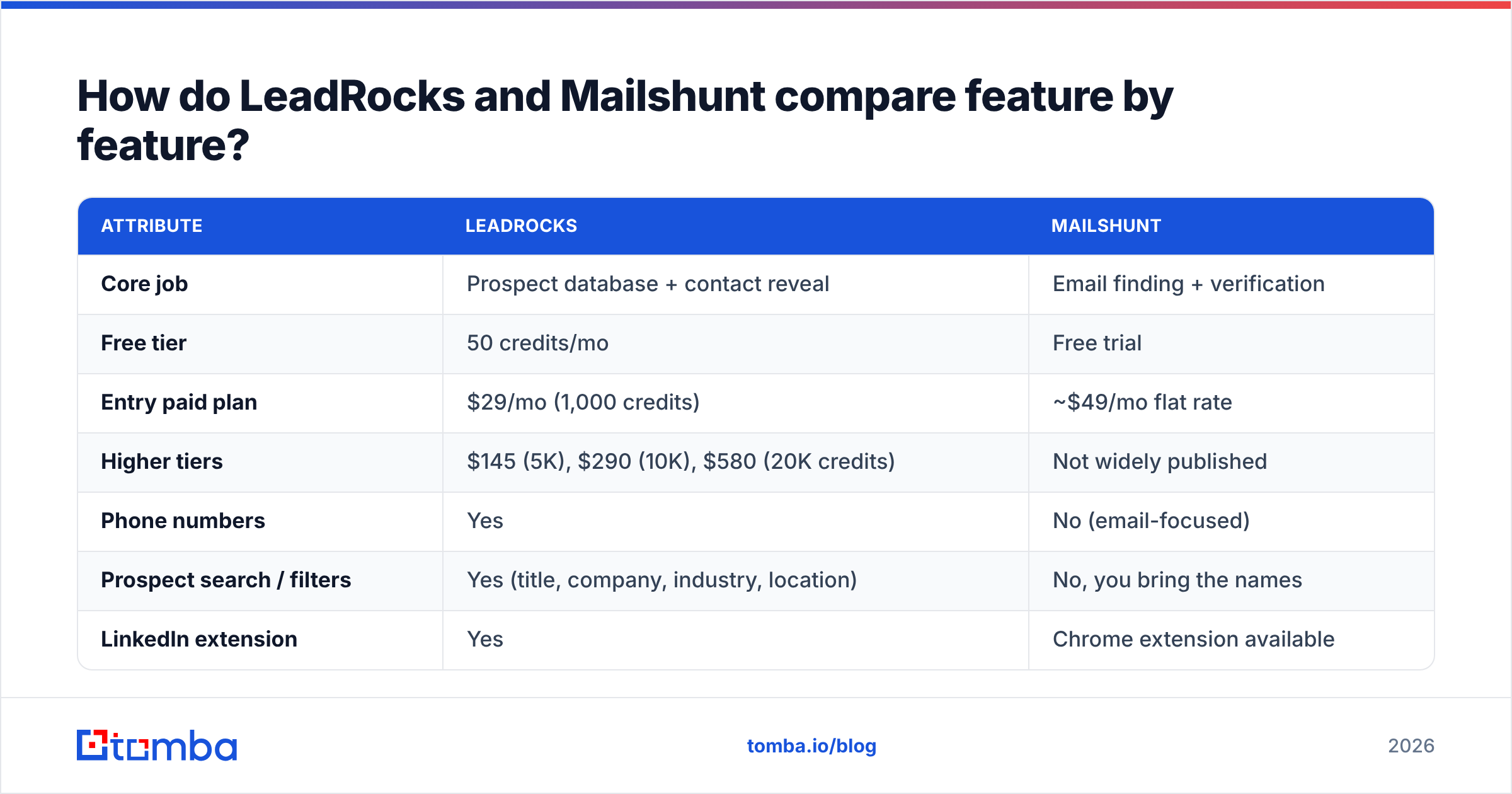
| Attribute | LeadRocks | Mailshunt |
|---|---|---|
| Core job | Prospect database + contact reveal | Email finding + verification |
| Free tier | 50 credits/mo | Free trial |
| Entry paid plan | $29/mo (1,000 credits) | ~$49/mo flat rate |
| Higher tiers | $145 (5K), $290 (10K), $580 (20K credits) | Not widely published |
| Phone numbers | Yes | No (email-focused) |
| Prospect search / filters | Yes (title, company, industry, location) | No, you bring the names |
| LinkedIn extension | Yes | Chrome extension available |
| SMTP verification | Contact reveal, not a dedicated verifier | Yes, core feature |
| Disposable email detection | Not a headline feature | Yes |
| Bulk CSV processing | Yes (list building + enrichment) | Yes (upload, verify, export) |
| API / automation | Enrichment available | API with n8n and Make.com integrations |
| Seats | Unlimited users on all plans | Check plan details |
| Credit charged on blank results | Reported yes | Flat rate, so less relevant |

Two rows in the table do most of the work: prospect search and SMTP verification. LeadRocks is built on the first. Mailshunt is built on the second. Everything else, including pricing, follows from that difference.
Which tool is cheaper in practice?#
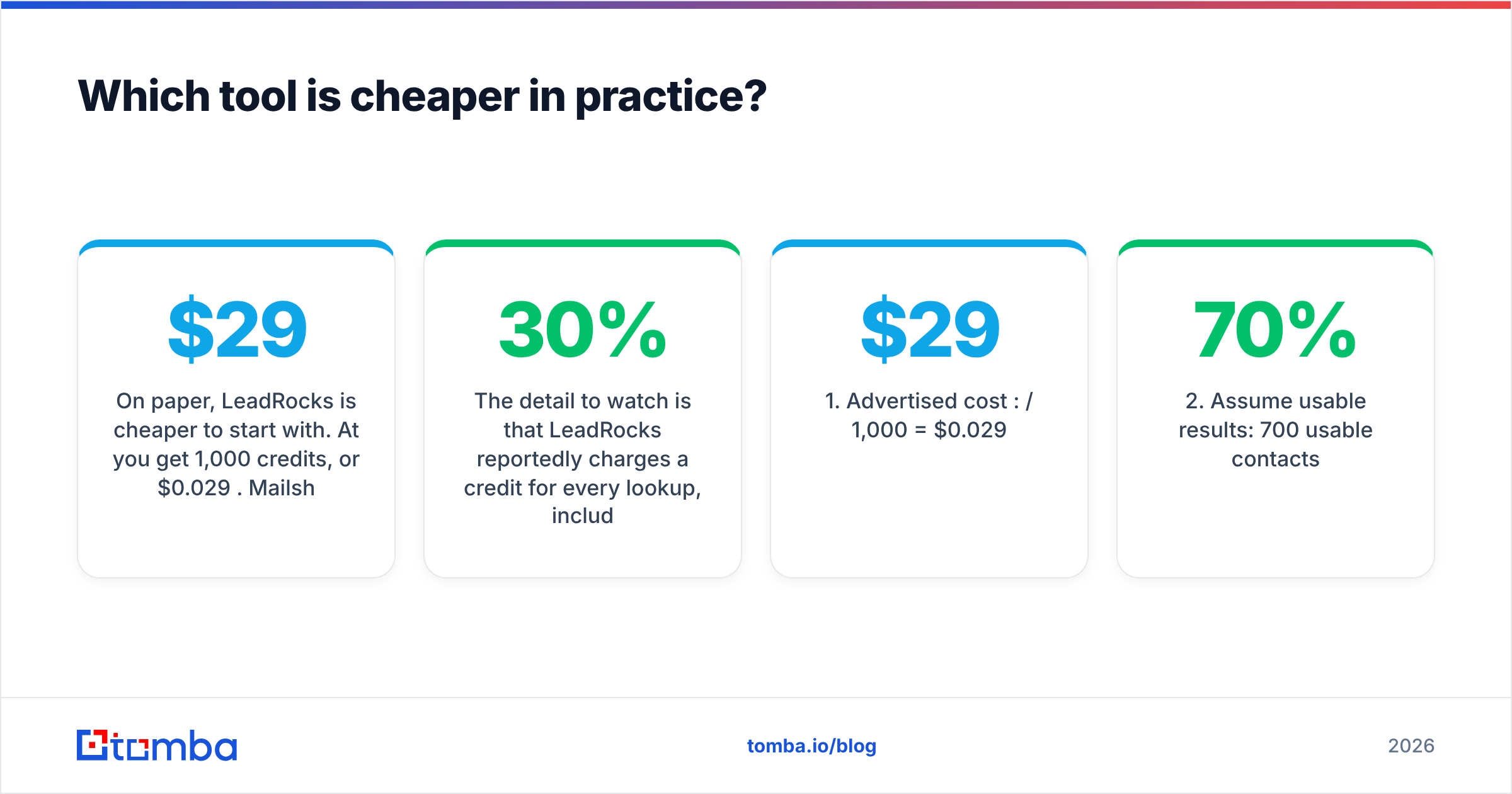
On paper, LeadRocks is cheaper to start with. At $29/mo you get 1,000 credits, or $0.029 per credit. Mailshunt's roughly $49/mo flat rate looks more expensive until you consider what a credit actually buys you.
The detail to watch is that LeadRocks reportedly charges a credit for every lookup, including ones that return a blank or invalid contact. If 30% of your reveals come back empty or bounce, your real cost per usable email rises by about 43%. The simple calculation looks like this:
- Advertised cost per credit: $29 / 1,000 = $0.029
- Assume 70% usable results: 700 usable contacts
- Real cost per usable contact: $29 / 700 ≈ $0.041
- Add bounce cleanup: if you then run those 700 through a separate verifier, add that tool's cost on top.
A flat-rate tool like Mailshunt changes the question. You stop asking "what does each lookup cost?" and start asking "will I use enough volume to justify $49 a month?" A team verifying a few thousand addresses a month gets predictable billing. A founder sending 200 cold emails a month is probably overpaying.
For reference, Tomba pricing sits between the two models: a free tier with 25 searches a month, then Starter at $49/mo, Growth at $99/mo, and Pro at $249/mo, with Enterprise priced on request. Credits cover finding, and verification is built in, so you don't need a second tool to clean the list.

Which one returns more accurate emails?#
No independent benchmark we could find tests LeadRocks and Mailshunt against each other on the same sample. Anyone claiming a precise accuracy gap between these two tools is guessing. What we can say is how each architecture affects accuracy.

Database tools (LeadRocks) return contacts that were collected and stored at some point. The risk is data decay. People change jobs, companies rebrand domains, and a stored email that was valid last year may bounce today. Industry estimates commonly put B2B contact-data decay at roughly 20–30% a year, so any database needs either frequent refreshes or a verification step before you send.
Find-and-verify tools (Mailshunt) create or look up a likely address and then check it live against the mail server using SMTP. That confirms deliverability at the moment you check. The weak spot is catch-all domains: servers configured to accept mail for any address. On those domains, a live check can't tell jane@company.com apart from nobody@company.com, so the result comes back "risky" or "unknown" instead of "valid."
Neither tool handles every case. Practical takeaways:
- Always verify database exports before loading them into a sequencer. A dedicated email verifier catches most of the decay.
- Treat catch-all results as a separate group. Send to them at lower volume or confirm them another way. Don't mix them into your main send.
- Run your own test. Take 100 contacts you already know are valid (customers, partners), remove the emails, and see how many each tool recovers correctly. It takes an afternoon and tells you more than any review.
Who should choose LeadRocks?#
LeadRocks makes sense when you don't yet have a list and need to build one quickly with contact details included.
It fits well if you:
- Prospect from scratch by job title and industry. The filters let you go from "VP Marketing, SaaS, 50–200 employees, Germany" to a list without a separate data provider.
- Need phone numbers alongside emails. For teams that call as well as email, getting both from one reveal saves time.
- Work mostly from LinkedIn. The extension pulls contact data while you browse profiles, which suits SDRs doing manual, research-heavy prospecting.
- Have a large team on a small budget. Unlimited users on every plan, including the free tier, is unusual and helps agencies and shared-seat teams.
- Want a low-risk entry point. 50 free credits, then $29/mo, is enough to test on a real campaign before committing.
Where it's weaker: you'll likely want a separate verification pass before sending at volume, and you should track how many credits go to empty results.
Who should choose Mailshunt?#
Mailshunt makes sense when you already know who you want to reach and the problem is getting deliverable addresses for them.
It fits well if you:
- Get lead lists from events, CRMs, or scraped sources. Upload the CSV, verify it, and export a clean file.
- Care most about your sender reputation. SMTP checks and disposable-address detection target the bounces that damage domain reputation.
- Build workflows in n8n or Make. API access with those integrations lets you verify new leads automatically when they come in, with no manual CSV step.
- Prefer predictable billing. A flat monthly rate is easier to budget than credits that run out mid-campaign.
Where it's weaker: there's no prospect database, so you still need somewhere to find the people. It's also a newer, less-reviewed product, so there's less independent evidence on uptime, support quality, and data handling than for established tools. Ask directly about data retention and GDPR compliance if you sell into the EU.
Can you use LeadRocks and Mailshunt together?#
Yes, and for some teams that's the most sensible setup. The stack looks like this:
- Build the list in LeadRocks using its filters or the LinkedIn extension.
- Export to CSV with names, companies, and whatever emails were revealed.
- Run the file through Mailshunt to verify existing emails and find missing ones.
- Split the output into valid, catch-all, and invalid groups.
- Load only the valid group into your sequencer, and handle catch-alls separately.
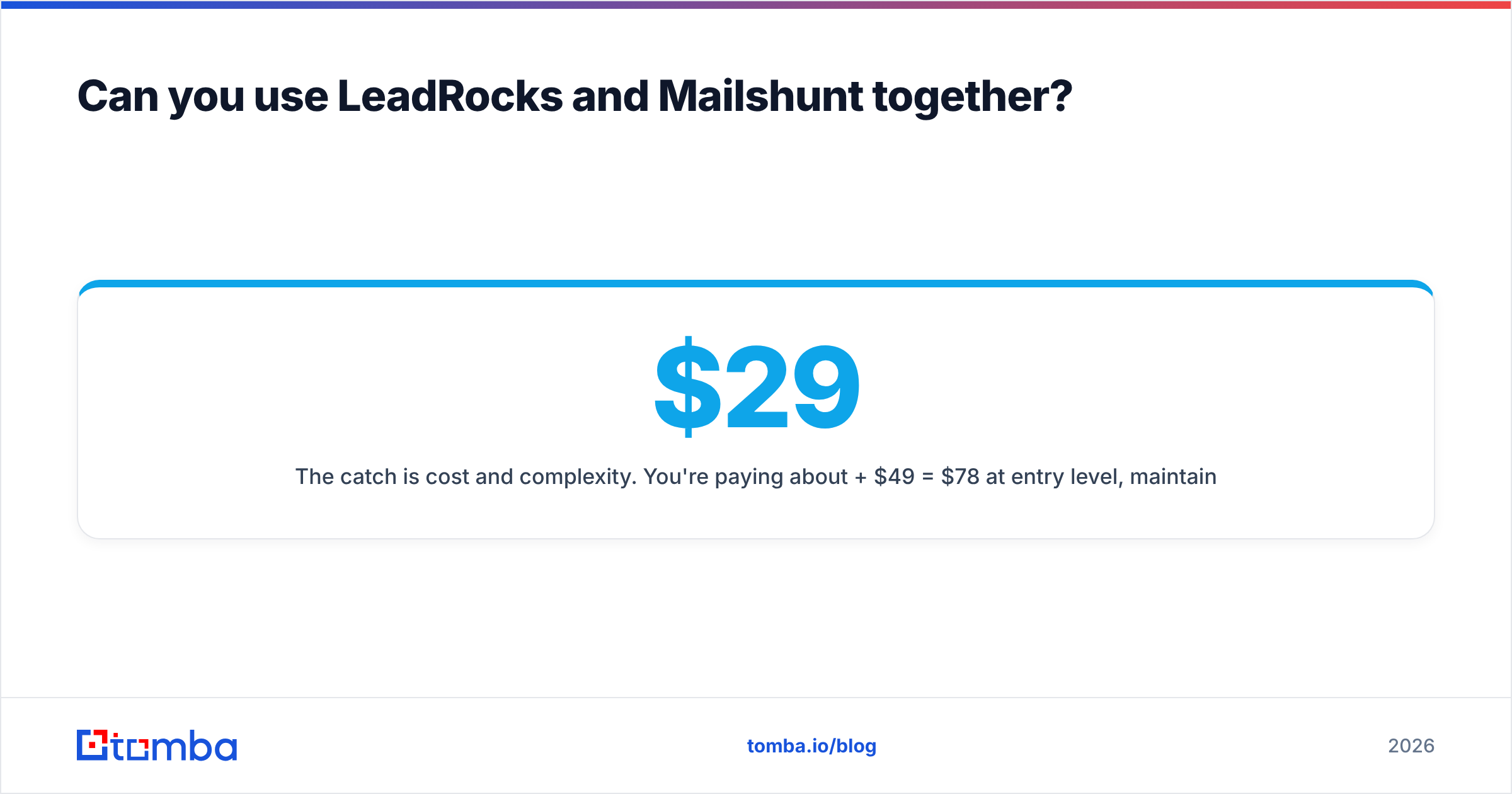
The catch is cost and complexity. You're paying about $29 + $49 = $78/mo at entry level, maintaining two logins, and moving CSVs between tools. That trade makes sense if each tool clearly does its own job better than one combined option. It doesn't make sense if a single platform covers both steps well enough.

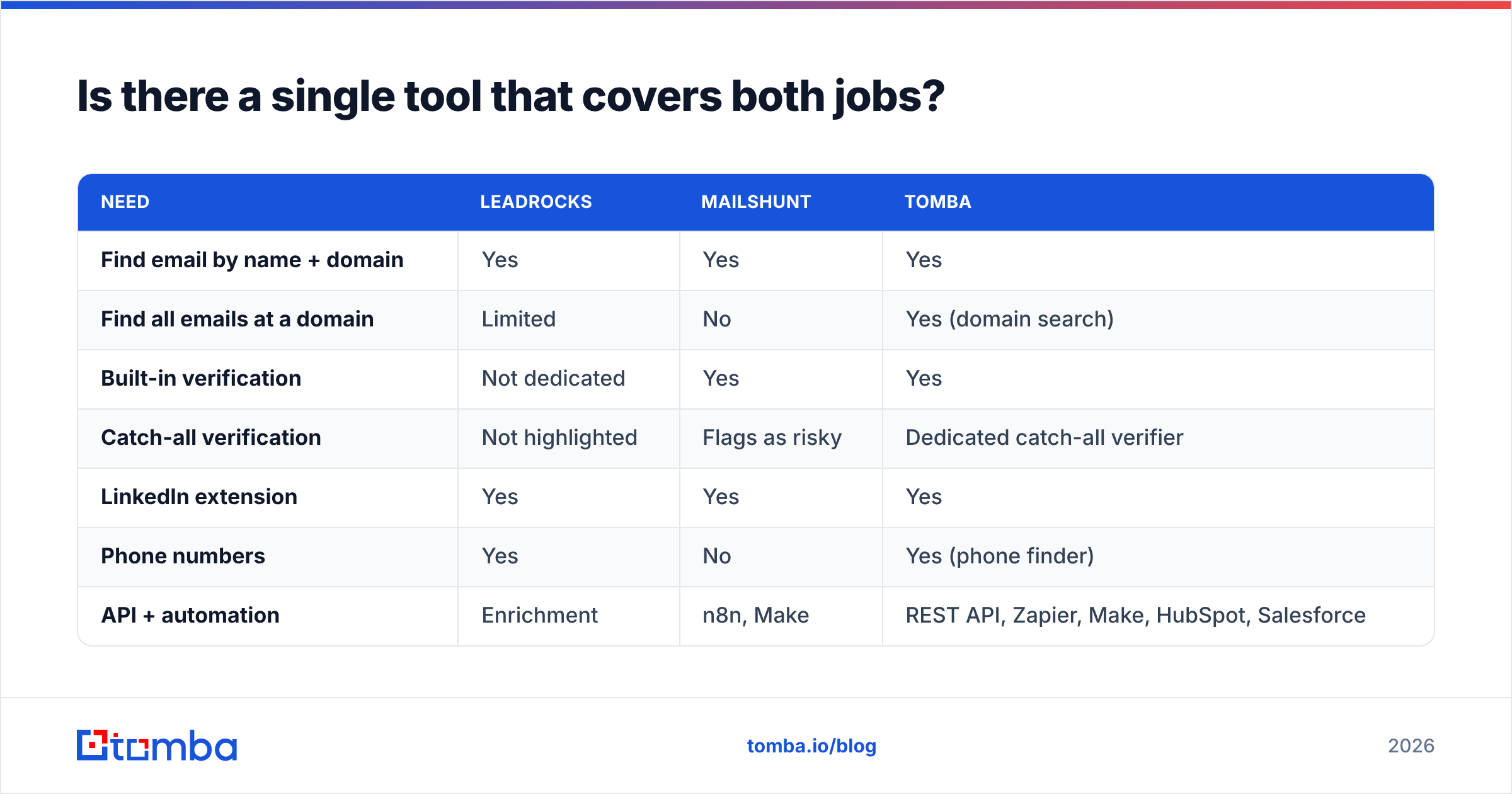
Is there a single tool that covers both jobs?#
This is where you should consider tools outside the head-to-head. Several email-finder platforms combine discovery and verification, so you don't have to pick one side of this comparison.
Tomba is one of them, and it's fair to say where it fits and where it doesn't:
| Need | LeadRocks | Mailshunt | Tomba |
|---|---|---|---|
| Find email by name + domain | Yes | Yes | Yes |
| Find all emails at a domain | Limited | No | Yes (domain search) |
| Built-in verification | Not dedicated | Yes | Yes |
| Catch-all verification | Not highlighted | Flags as risky | Dedicated catch-all verifier |
| LinkedIn extension | Yes | Yes | Yes |
| Phone numbers | Yes | No | Yes (phone finder) |
| API + automation | Enrichment | n8n, Make | REST API, Zapier, Make, HubSpot, Salesforce |
| Entry paid plan | $29/mo | ~$49/mo | $49/mo |
Where LeadRocks still has the edge: unlimited seats on every plan and a lower entry price, which matter for large, budget-limited teams. Where Mailshunt still has the edge: flat-rate simplicity if verification is the only thing you need.
Where a combined tool helps: one credit system, one API, and fewer handoffs between tools. If you prospect from LinkedIn, the LinkedIn finder covers the same workflow as LeadRocks' extension. And if catch-all domains are a large part of your market (common in mid-market and enterprise), a dedicated catch-all verifier resolves results that a plain SMTP check leaves as "unknown."
How should you decide? A five-step checklist#
Skip the feature lists and answer these in order:
- Do you have a list already? No → you need a database or domain search (LeadRocks or a combined tool). Yes → you need verification first (Mailshunt or a combined tool).
- Do you need phone numbers? If yes, Mailshunt is out.
- What's your monthly volume? Under ~500 contacts, use free tiers and trials. Over a few thousand, compare the real cost per usable contact, not per credit.
- How much of your market uses catch-all domains? If it's a lot, prioritize tools with real catch-all handling over basic SMTP checks.
- Where does the data need to go? If you're automating into a CRM or sequencer, check that the integration exists natively before you pay.
Then run the 100-known-contacts test on your shortlist. Two hours of testing beats reading another review.
Final verdict: LeadRocks vs Mailshunt#
Pick LeadRocks if you're building prospect lists from scratch, want emails and phone numbers together, and value unlimited seats at a low entry price. Budget for a verification pass and watch how many credits go to blank results.
Pick Mailshunt if you already have leads and your priority is protecting sender reputation with SMTP-verified, disposable-free lists, especially when you're automating through n8n or Make. Keep in mind it's a newer product with limited independent reviews.
Consider a combined tool if you'd otherwise end up paying for both. Running two tools to find and then verify costs more at entry level than one platform that does both.
If you want to test that last option, Tomba Email Finder lets you find professional email addresses by name, domain, or company, with verification built into each result. Start on the free tier with 25 searches a month, run the same 100-contact test you'd run on LeadRocks and Mailshunt, and compare the results before you pay.
Related guides#
// get started
Find, verify and enrich your first contacts today
Start on the free plan with 25 searches a month, then scale when your team is ready.
Free plan · No credit card required · GDPR & CCPA
// about the author