LeadRocks vs No2Bounce: Finder or Verifier? 2026 Comparison
LeadRocks finds B2B contacts. No2Bounce checks whether emails are valid. We compare pricing, data quality, and workflow fit so you know whether you need one, both, or one tool that does both jobs.
TL;DR
- LeadRocks and No2Bounce do different jobs. LeadRocks is a B2B contact database and email finder. No2Bounce is an email verification service. Picking one over the other isn't really the question.
- Pick LeadRocks if you have no contacts yet and need emails, phone numbers, and LinkedIn-sourced leads on a small budget. There's a free tier with 50 credits a month, and paid plans reach about $580/mo on Enterprise.
- Pick No2Bounce if you already have a list and need to clean it before sending. It has cheap bulk credits (around $17 for 10,000), catch-all detection, and a real-time API.
- Many outbound teams end up paying for both, which means two logins, two credit pools, and a CSV hand-off between them.
- If you'd rather have one tool, look at a platform that combines an email finder with a built-in verifier. That's covered at the end.
What is the real difference between LeadRocks and No2Bounce?#
People search "LeadRocks vs No2Bounce" as if the two compete head-to-head. They mostly don't. They sit at two different points in the same outbound pipeline:
- Sourcing. You find the right people at the right companies and get their contact details. LeadRocks works here.
- Validation. You check that each email address will accept mail before it goes into a sequence. No2Bounce works here.
Think of it like a moving company and a building inspector. The movers (LeadRocks) get furniture into the house. The inspector (No2Bounce) tells you whether the floor will hold it. You don't pick one instead of the other. You decide whether you need both, and whether someone can do both jobs.
That's the useful version of the comparison. Below we cover what each tool does well, where each falls short, what they cost, and which setup suits your team.
What is LeadRocks?#
LeadRocks is a B2B contact database with a LinkedIn-scraping browser extension. Its marketing claims more than 100 million records, covering business emails, direct phone numbers, and LinkedIn profiles. The typical workflow:
- Search the database by job title, industry, company size, and location to build a lead list.
- Use the Chrome extension on LinkedIn or Sales Navigator to pull contact details for the profiles you're viewing.
- Enrich an existing list by uploading names and companies and getting back emails and phone numbers.
- Export to CSV or push leads into your outreach tool.
Every plan includes unlimited users, so a small agency or a sales team of three won't pay per-seat fees. That's a real advantage over tools that charge by the seat.
The main weakness is that it's a database. Data ages, people change jobs, and any contact database will return some share of addresses that were valid when collected but aren't anymore. LeadRocks does run its own checks, but it's built for coverage first. Before a large campaign, most teams still pass the export through a dedicated verifier.
What is No2Bounce?#
No2Bounce is a cloud email verification service. It doesn't give you new contacts. It tells you which of the contacts you already have are safe to email. Core features:
- Bulk list cleaning. Upload a CSV and each address comes back tagged valid, invalid, catch-all, or risky.
- Real-time API. Check a single address at the point of capture, such as a signup form or a CRM webhook.
- Catch-all detection. It flags domains that accept every address, where a normal SMTP check can't confirm that a specific mailbox exists.
- GDPR-oriented data handling. Uploaded lists are processed under data protection rules.
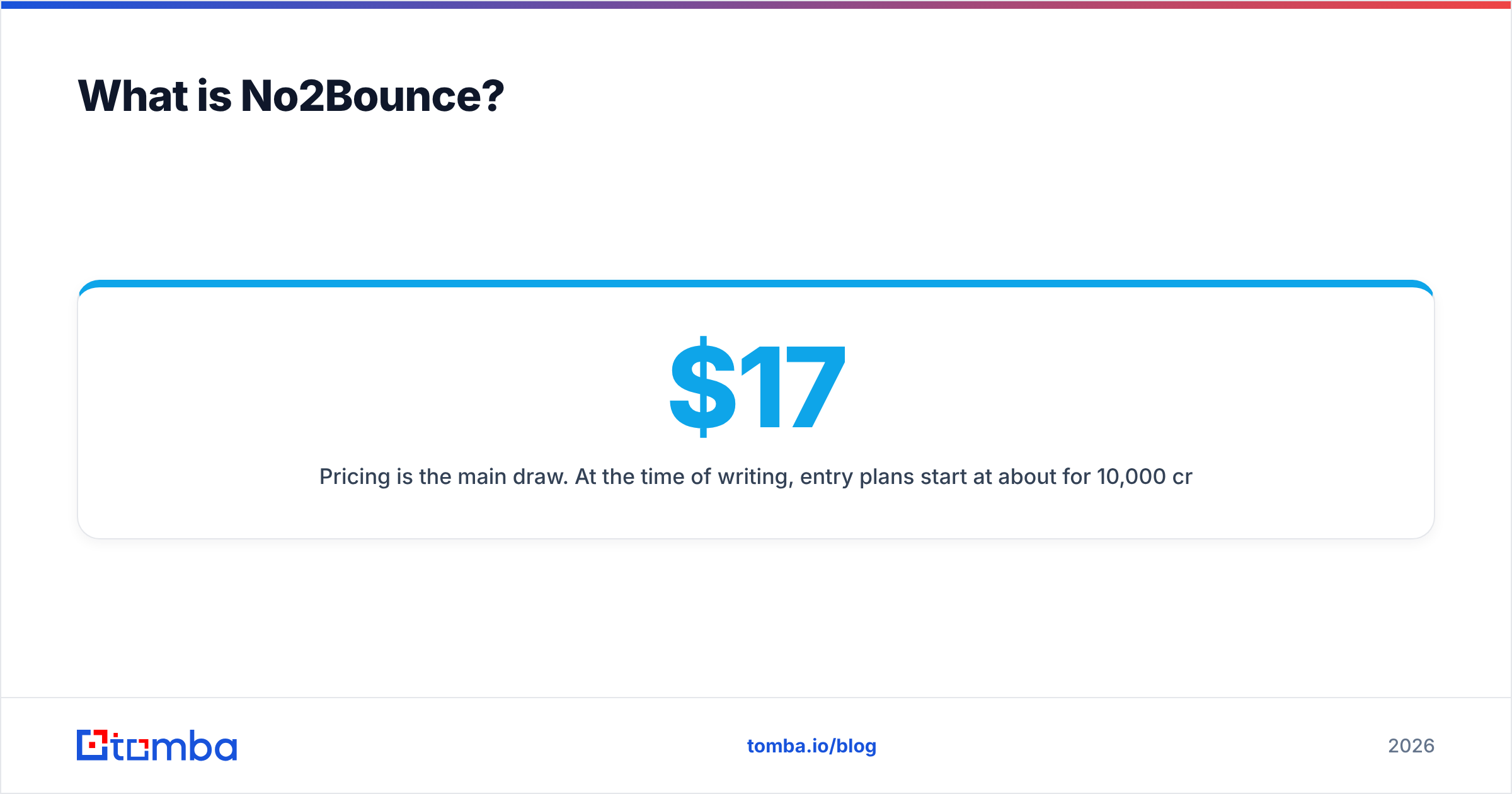
Pricing is the main draw. At the time of writing, entry plans start at about $17 for 10,000 credits, and 25,000 credits cost about $30. That's roughly $0.0012 per check. Pay-as-you-go credits don't expire, which suits teams that clean lists in bursts rather than every month. Reviews on G2 mostly praise the price and speed. The usual complaints are about how catch-all results are handled, which is a hard problem for every verifier.
The limitation is simple: No2Bounce won't find a single new lead for you.

How do LeadRocks and No2Bounce compare side by side?#
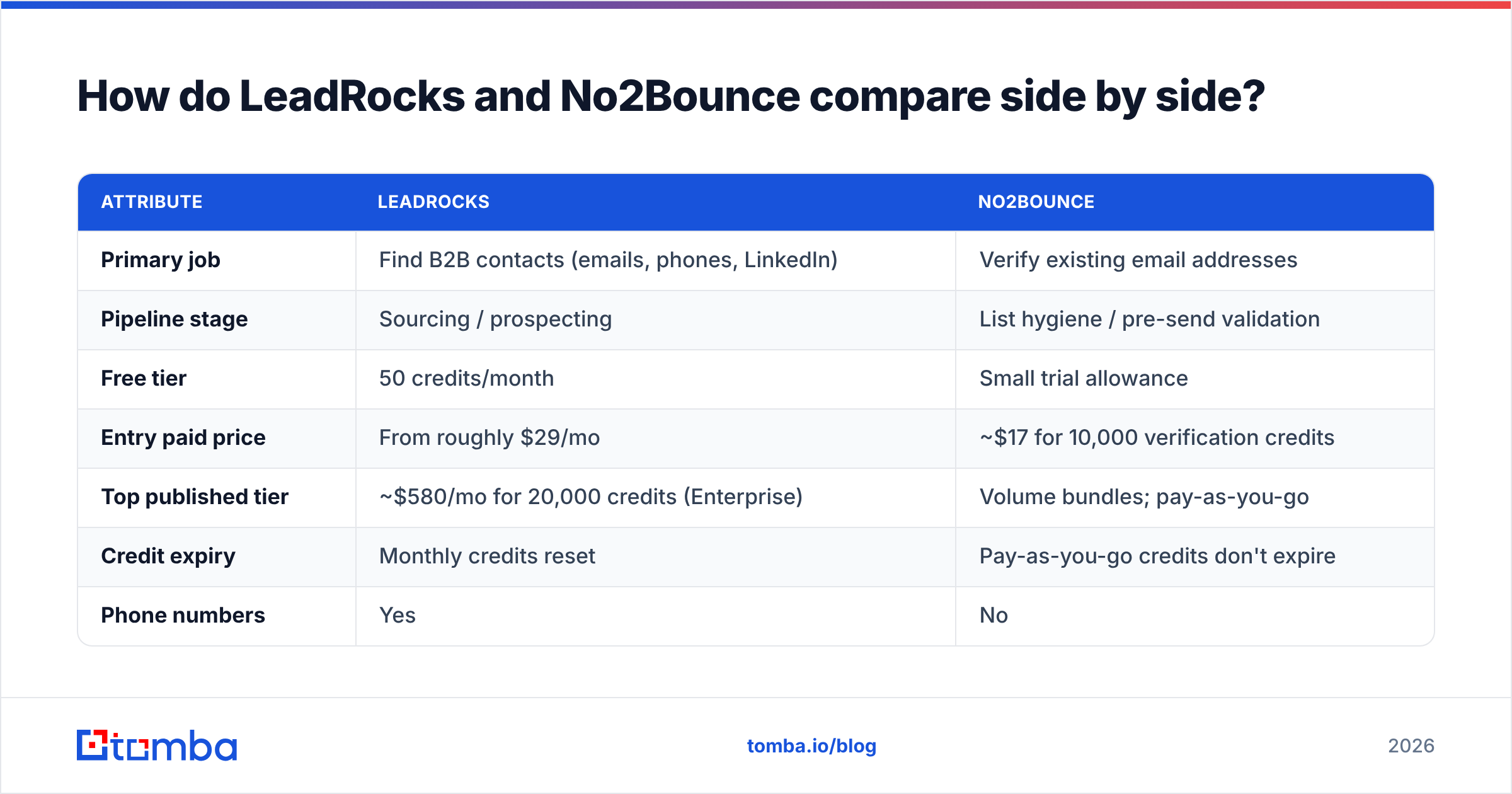
The table puts both tools on the same attributes so you can see where each one fits. Prices are from each vendor's public pricing at the time of writing. Check the live pages before you buy, because credit bundles change often.
| Attribute | LeadRocks | No2Bounce |
|---|---|---|
| Primary job | Find B2B contacts (emails, phones, LinkedIn) | Verify existing email addresses |
| Pipeline stage | Sourcing / prospecting | List hygiene / pre-send validation |
| Free tier | 50 credits/month | Small trial allowance |
| Entry paid price | From roughly $29/mo | ~$17 for 10,000 verification credits |
| Top published tier | ~$580/mo for 20,000 credits (Enterprise) | Volume bundles; pay-as-you-go |
| Credit expiry | Monthly credits reset | Pay-as-you-go credits don't expire |
| Phone numbers | Yes | No |
| Catch-all detection | Limited, not its focus | Yes, core feature |
| Real-time API | Enrichment-oriented | Yes, verification API |
| Browser extension | Yes (LinkedIn) | No |
| Users | Unlimited on all plans | Account-based |
| Best for | Building lists from scratch | Cleaning lists before sending |
The table shows the two tools barely overlap. LeadRocks has no serious verification layer. No2Bounce has no contact data. Where they appear to compete, for example both touching "email quality," they're actually doing different things.
Is LeadRocks better than No2Bounce?#
LeadRocks is better if your problem is "I don't have enough contacts." No2Bounce is better if your problem is "my contacts bounce." Put another way:
- You're a founder or SDR starting outbound from nothing. LeadRocks. You need names and emails before verification matters.
- You bought a list, scraped a conference attendee page, or inherited an old CRM. No2Bounce. You have volume and don't know how clean it is.
- You run steady cold outbound at 1,000+ new contacts a month. Probably both, or a combined tool, because every sourced list should be verified before it goes into a sequence.
The costs are also on different scales. A LeadRocks credit buys a contact. A No2Bounce credit buys a yes/no check on a contact you already have. A cost-per-credit comparison between them tells you nothing.
Which one gives you better data accuracy?#
This is where people get confused, so here are the terms.
Finder accuracy is how often the email a tool returns is actually the right person's working address. It depends on data freshness, pattern inference, and whether the provider checks results at lookup time.
Verifier accuracy is how often a verification verdict (valid, invalid, catch-all) turns out to be correct when you send to that address.
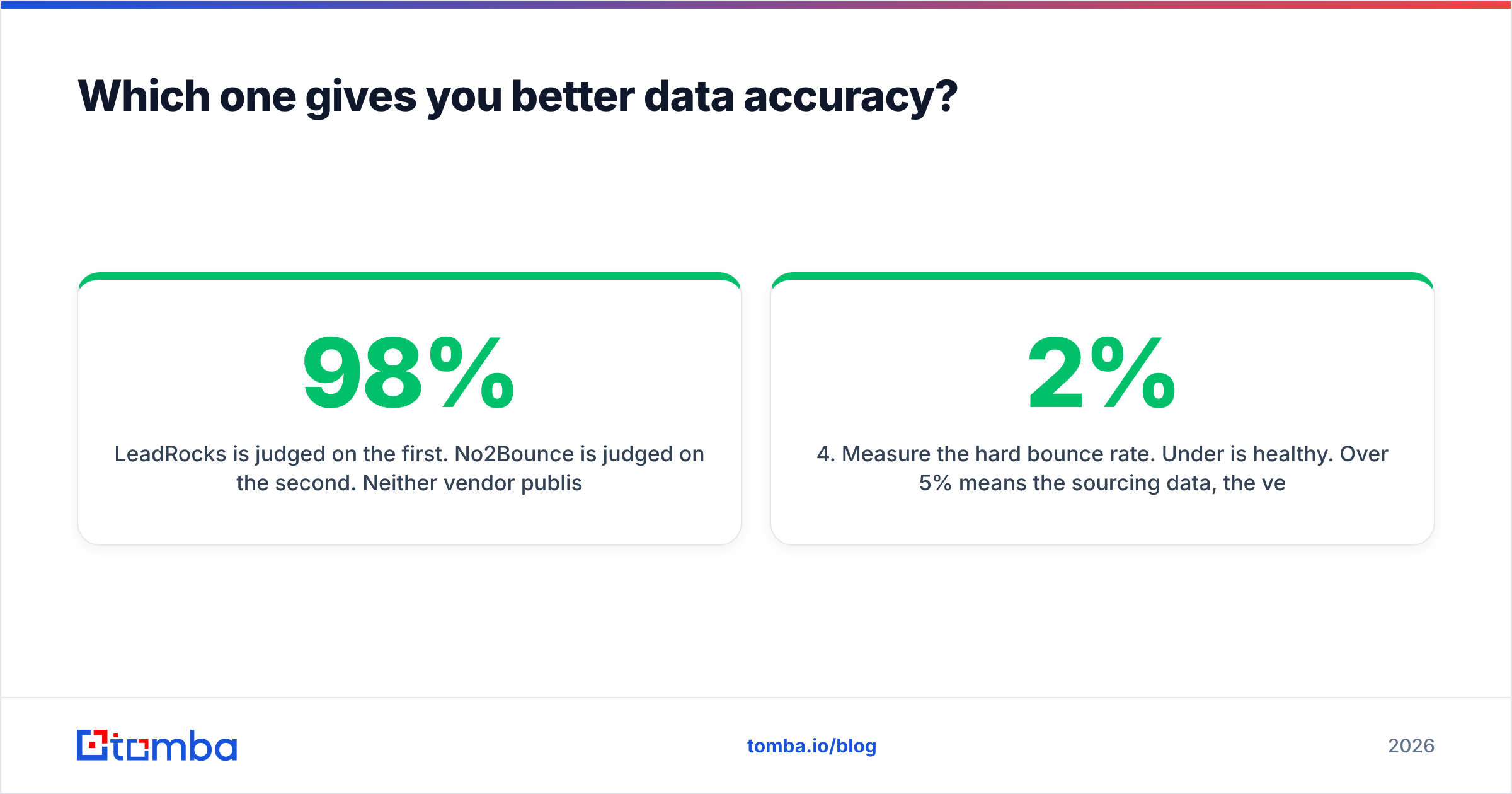
LeadRocks is judged on the first. No2Bounce is judged on the second. Neither vendor publishes an independent third-party benchmark we could confirm, so treat any "98% accurate" marketing claim as a claim and test it yourself. Here's a quick way:
- Pull 200 contacts from LeadRocks for a narrow ICP.
- Run all 200 through No2Bounce and record the verdicts.
- Send a low-volume, plain-text campaign only to addresses marked valid, from a warmed secondary domain.
- Measure the hard bounce rate. Under 2% is healthy. Over 5% means the sourcing data, the verification, or both aren't doing their job.
This test also shows why the two tools are complementary. Raw database exports from almost any provider bounce more than verified ones. Verification is the step that gets your bounce rate into a range your email deliverability can survive.
For the catch-all problem specifically, you want a dedicated catch-all verifier that goes beyond a basic SMTP handshake. That's the case where standard verifiers, No2Bounce included, most often return "unknown."
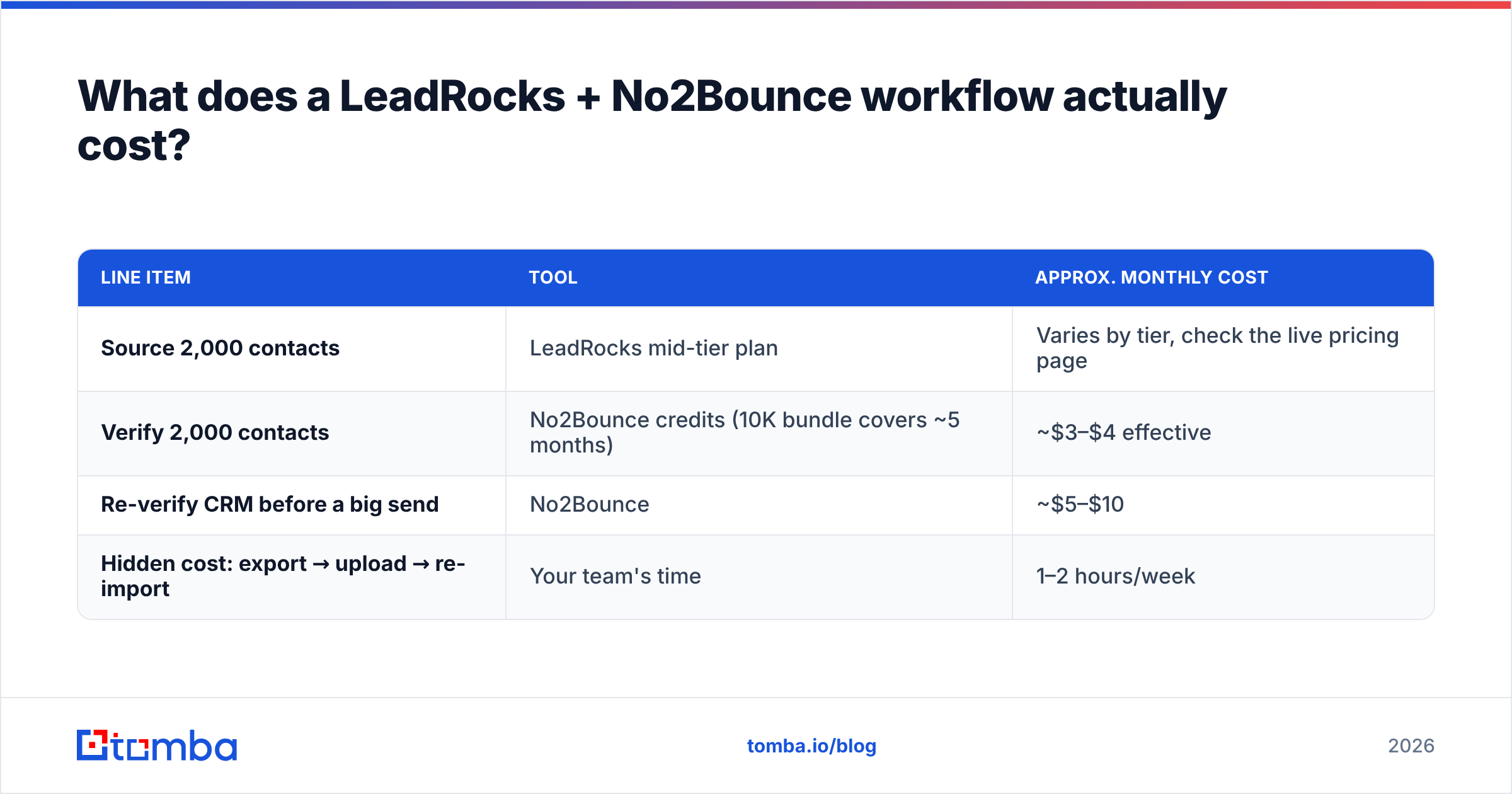
What does a LeadRocks + No2Bounce workflow actually cost?#
Say a two-person outbound team needs 2,000 new verified contacts a month.
| Line item | Tool | Approx. monthly cost |
|---|---|---|
| Source 2,000 contacts | LeadRocks mid-tier plan | Varies by tier, check the live pricing page |
| Verify 2,000 contacts | No2Bounce credits (10K bundle covers ~5 months) | ~$3–$4 effective |
| Re-verify CRM before a big send | No2Bounce | ~$5–$10 |
| Hidden cost: export → upload → re-import | Your team's time | 1–2 hours/week |
The verification bill is small. The hidden cost is the hand-off: exporting from LeadRocks, uploading to No2Bounce, downloading results, filtering, and re-importing into your sequencer. It's not hard, but it happens every week, and it's where errors creep in: wrong column mapping, forgetting to drop catch-alls, or sending the unverified file by mistake.
That operational cost is the strongest argument for a tool that finds and verifies in one step.
What are the pros and cons of each tool?#
LeadRocks: pros
- Large claimed database (100M+ records) with emails and phone numbers
- LinkedIn extension for prospecting as you browse
- Unlimited users on every plan
- Free tier for testing, plus a lifetime deal that was once sold on AppSumo
LeadRocks: cons
- No robust built-in verification, so exports still need cleaning
- Monthly credits don't roll over
- Data freshness varies by region and industry, like every static database
No2Bounce: pros
- Very low cost per verification
- Pay-as-you-go credits that never expire
- Catch-all and risky-address flags
- Real-time API for forms and CRM hooks
No2Bounce: cons
- Doesn't source contacts at all
- Catch-all results still leave a gray zone you have to decide about
- Adds a separate step to the workflow

Should you use one tool that finds and verifies emails?#
For most small and mid-sized outbound teams, yes. The two-tool setup made sense when finders and verifiers were separate categories. Now several platforms verify each address at the moment you find it, so the sourcing step and the hygiene step become one.
What to look for in a combined tool:
- Verification at lookup time. Every returned email should come with a validity status, not just a confidence score.
- Catch-all handling. A separate pass or a dedicated check for accept-all domains.
- Domain-level search. Pull every public address for a company, not only one person at a time.
- Bulk mode. Upload a CSV of names and domains and get back found, verified addresses in one file.
- Integrations. Push results straight into your CRM or sequencer, such as HubSpot, Salesforce, or Pipedrive, with no CSV in between.
Tomba is one option here. Its email finder returns addresses with a verification status attached, and a separate email verifier handles lists you already own. That covers both halves of the LeadRocks + No2Bounce workflow. It doesn't match LeadRocks' unlimited-users model, and if you only need to clean a huge existing list once, No2Bounce's pay-as-you-go verification credits are hard to beat on price. Match the tool to your bottleneck.
Which should you choose in 2026?#
Use this as a rule of thumb:
| Your situation | Best fit |
|---|---|
| No list, tight budget, need phones too | LeadRocks (free tier to start) |
| Big existing list, one-off clean-up | No2Bounce pay-as-you-go |
| Ongoing outbound, want best-of-breed per step | LeadRocks + No2Bounce |
| Ongoing outbound, want one workflow and one credit pool | A combined finder + verifier (e.g., Tomba) |
| Inbound forms leaking fake signups | No2Bounce real-time API |
What you shouldn't do is send a raw database export without verifying it, whatever tool it came from. Bounce rates hurt sender reputation faster than they recover, and a single bad send can undo weeks of domain warmup.
Final verdict: LeadRocks or No2Bounce?#
LeadRocks and No2Bounce aren't rivals. LeadRocks helps you find contacts and No2Bounce helps you avoid emailing ones that no longer work. If you're choosing one, start with the bottleneck that's costing you meetings right now, whether that's too few leads or too many bounces. If both are problems, work out what the export-and-upload routine is costing you before you commit to two subscriptions.
If you want sourcing and verification in one step, try the Tomba Email Finder. Search by name, domain, or company, get each address with its verification status, and push the results into your CRM with no hand-off. The free tier includes 25 searches a month, and paid plans start at $49/mo. Compare plans on the Tomba pricing page and run the same 200-contact bounce test described above so you can judge it on your own data.
Related guides#
// get started
Find, verify and enrich your first contacts today
Start on the free plan with 25 searches a month, then scale when your team is ready.
Free plan · No credit card required · GDPR & CCPA
// about the author