LeadRocks vs Pipileads: Pricing, Data Quality and Which to Pick in 2026
LeadRocks and Pipileads both sell cheap B2B contact data, but their credit rules are very different. Here is what each one really costs per usable email, and which fits your outbound workflow.
TL;DR
- Pipileads usually costs less per usable email. Paid plans start at $9.95/mo for 250 credits, you can also buy credits pay-as-you-go, and the vendor says unused credits roll over. That suits bursty, list-by-list buying.
- LeadRocks is closer to a full workflow. You get a 100M+ contact index, a LinkedIn Chrome extension and basic email sequencing, with a free tier of 50 credits and paid plans from about $29 to $580/mo.
- Credit rules matter more than sticker price. Third-party reviews say LeadRocks charges a credit even when a lookup comes back blank or invalid. Pipileads frames one credit as one verified email.
- Neither one replaces verification. Whichever you pick, run exports through an independent verifier before a list touches your sending domain.
- Pick Pipileads for cheap bulk lists sorted by title and industry. Pick LeadRocks if you want database search, LinkedIn capture and light sequencing in one budget login.
What are LeadRocks and Pipileads?#
Both tools belong to the same bracket: low-cost B2B contact databases for founders, agencies and small SDR teams who can't justify Apollo or ZoomInfo contracts. They get there in different ways.
LeadRocks (leadrocks.io) calls itself a B2B contact database and enrichment tool. You filter the index by job title, location, company name, industry and headcount. You reveal contacts with credits, and you can capture contacts from LinkedIn profiles with its Chrome extension. It also ships basic email sequencing, so a small team can go from search to first touch without a second tool. It has had an AppSumo lifetime deal, which is why many solo founders already have an account.
Pipileads (pipileads.com) is built for list building. You describe your target audience, filter, and export verified emails in bulk. It also offers a LinkedIn Chrome extension and a standalone email verifier, and its higher tiers include phone numbers. Its pitch is simple: one credit gets you one verified email address.
In short, LeadRocks is a cheap all-in-one prospecting seat. Pipileads is a cheap list factory.
How do LeadRocks and Pipileads compare at a glance?#
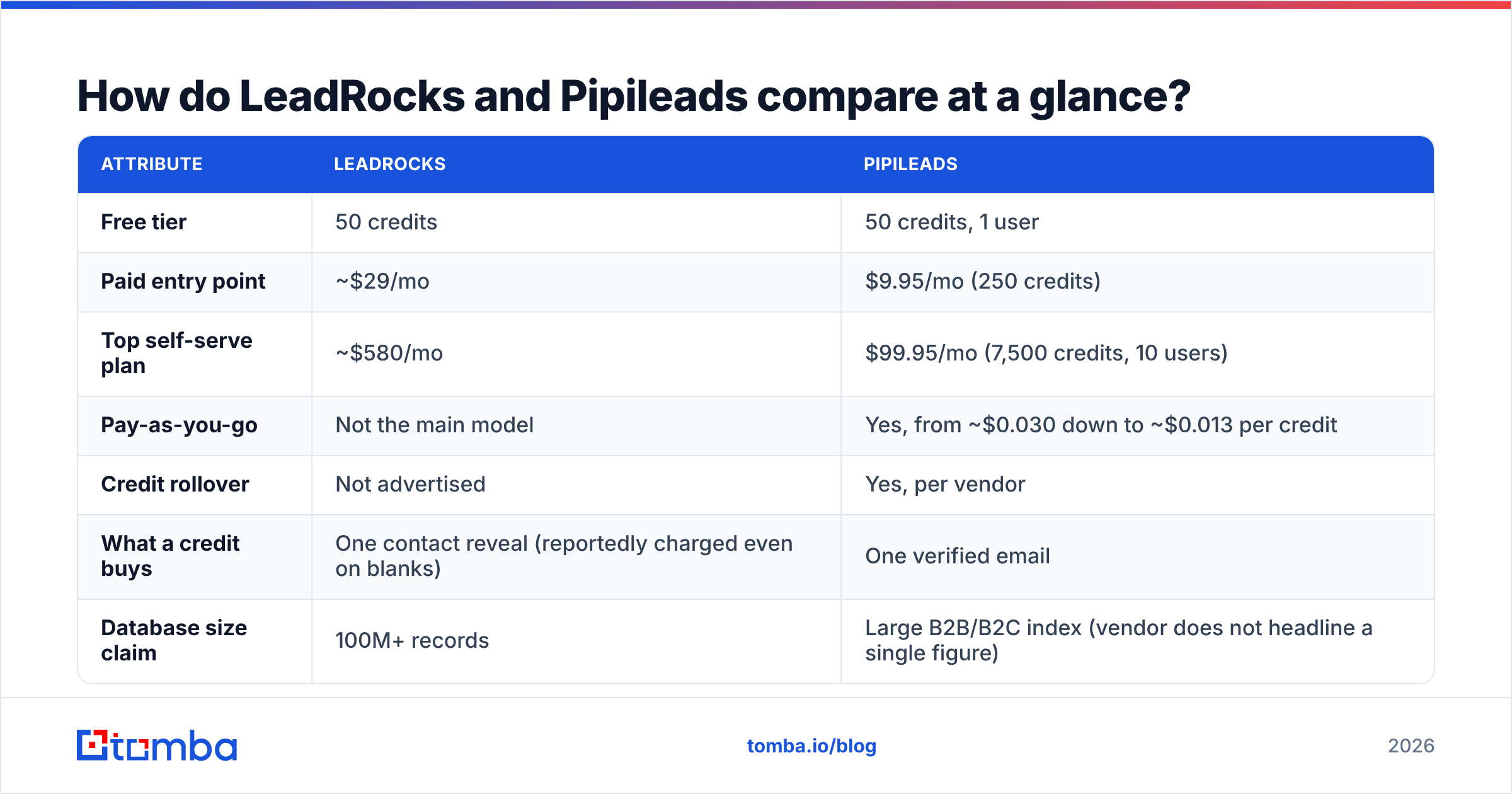
Prices and limits below come from each vendor's public pricing pages and recent third-party reviews at the time of writing. Budget-tier vendors change plans often, so check the live Pipileads pricing page and the LeadRocks site before you commit.
| Attribute | LeadRocks | Pipileads |
|---|---|---|
| Free tier | 50 credits | 50 credits, 1 user |
| Paid entry point | ~$29/mo | $9.95/mo (250 credits) |
| Top self-serve plan | ~$580/mo | $99.95/mo (7,500 credits, 10 users) |
| Pay-as-you-go | Not the main model | Yes, from ~$0.030 down to ~$0.013 per credit |
| Credit rollover | Not advertised | Yes, per vendor |
| What a credit buys | One contact reveal (reportedly charged even on blanks) | One verified email |
| Database size claim | 100M+ records | Large B2B/B2C index (vendor does not headline a single figure) |
| LinkedIn Chrome extension | Yes | Yes |
| Built-in sequencing | Basic | No |
| Standalone verifier | No dedicated product | Yes |
| Phone numbers | Limited | Included on higher plans |
| Best for | Solo founders wanting one tool | Agencies and teams buying lists in bulk |

How should you evaluate a budget lead database?#
Comparing sticker prices is how most people get this wrong. Buying B2B data is like buying produce by the crate: the price on the label means little if a third of the crate has gone bad. Before you pick either tool, score it on these five things:
- Cost per usable email, not per credit. Divide the plan price by the number of contacts that pass independent verification. That figure is the one you should compare.
- Credit burn rules. Find out whether a lookup that returns nothing, or a catch-all guess, still costs a credit. This one rule can double or triple your real cost.
- Filter depth. Title, seniority, headcount, industry and geography are the minimum. Missing technographic or recency filters mean you'll spend more time cleaning lists by hand.
- Freshness and source transparency. People change jobs constantly. Ask how often records are re-verified and where the data comes from.
- Workflow fit. A Chrome extension, CSV export, CRM sync and sequencing each save a step. Only pay for the steps you actually use.
LeadRocks and Pipileads score differently on almost every one of these.
Which is cheaper: LeadRocks or Pipileads?#
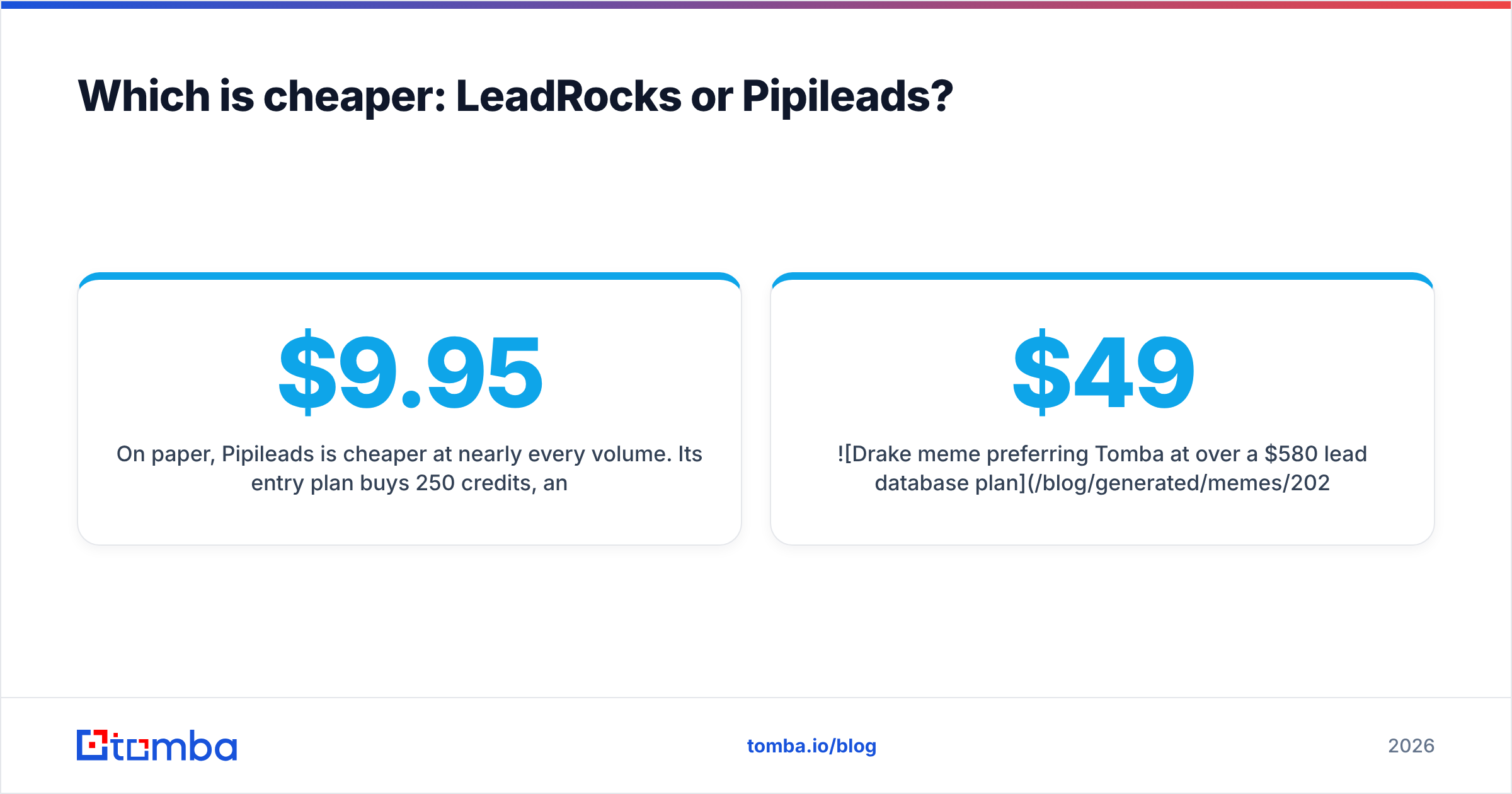
On paper, Pipileads is cheaper at nearly every volume. Its $9.95 entry plan buys 250 credits, and pay-as-you-go pricing falls to about $0.013 per credit at 50,000 credits. Paid LeadRocks plans start around $29/mo, and the top self-serve tier is about $580/mo.
The more important difference is what happens when a lookup fails. At least one 2026 LeadRocks review reports that credits are spent on every lookup, including ones that return an invalid or blank email. The same review estimates the real cost per usable lead at 2 to 5 times the sticker price. That estimate comes from a third party, so treat it as a warning to test, not a settled fact.
Pipileads defines a credit as one verified email. If that holds for your segment, your cost per usable contact stays close to the listed price. Unused credits roll over, according to Pipileads, so a slow month doesn't waste money.
A quick way to find the truth for your own ICP:
- Pull the same 200 target accounts in both tools.
- Export everything that comes back.
- Run both exports through the same independent email verifier.
- Divide what you spent by the number of valid addresses.
That test takes an afternoon and tells you more than any review, this one included.

Which has better data accuracy?#
Neither vendor publishes an independent accuracy audit, so be skeptical of any precise percentage you see quoted for either one.
Here is what the evidence does support:
- Pipileads gets consistently positive user feedback on accuracy and support, and it bundles a verifier in the product. Users also mention interface issues such as a loading spinner that hangs and occasional export problems. That's annoying, but it doesn't affect data quality.
- LeadRocks has a bigger claimed index (100M+). Bigger indexes usually mean better coverage in niche segments, but also more stale records. If blank or invalid lookups really do cost credits, weaker accuracy costs you money directly.

Accuracy in B2B data depends heavily on the segment. A tool that does well on US SaaS VPs can fall apart on German manufacturing plant managers. Catch-all domains make this worse. Many mid-market and enterprise companies accept every address at the mail server, so a basic SMTP check marks everything "valid." If you prospect into those accounts, add a dedicated catch-all verifier step. Otherwise you'll send to guessed addresses and hurt your sender reputation.
For broader context on how buyers rate these tools, compare user reviews on G2 against your own test results. Treat the reviews as a signal about vendor behavior (support, billing, UX) rather than proof of accuracy.
Which fits your prospecting workflow better?#
This is where the two tools differ most.
Choose LeadRocks if you want one budget login for the whole motion. A solo founder can search the database, grab a few contacts from LinkedIn with the extension, and send a simple sequence without paying for a separate outreach tool. For a team of one to three sending low volume, fewer tools is worth something. The trade-off is that the sequencing is basic. Once you need inbox rotation, warmup or deep A/B testing, you'll move to a dedicated sender anyway.
Choose Pipileads if list building is a separate step in your process. Agencies and outbound teams that already run Instantly, Smartlead or Lemlist usually want one thing from a data vendor: a clean CSV of verified emails matching a filter, at the lowest cost per row. Pipileads fits that. Pay-as-you-go and credit rollover suit agency work, where volume jumps when a new client signs and drops between campaigns. The 10-user top tier also covers a small team without per-seat pricing.
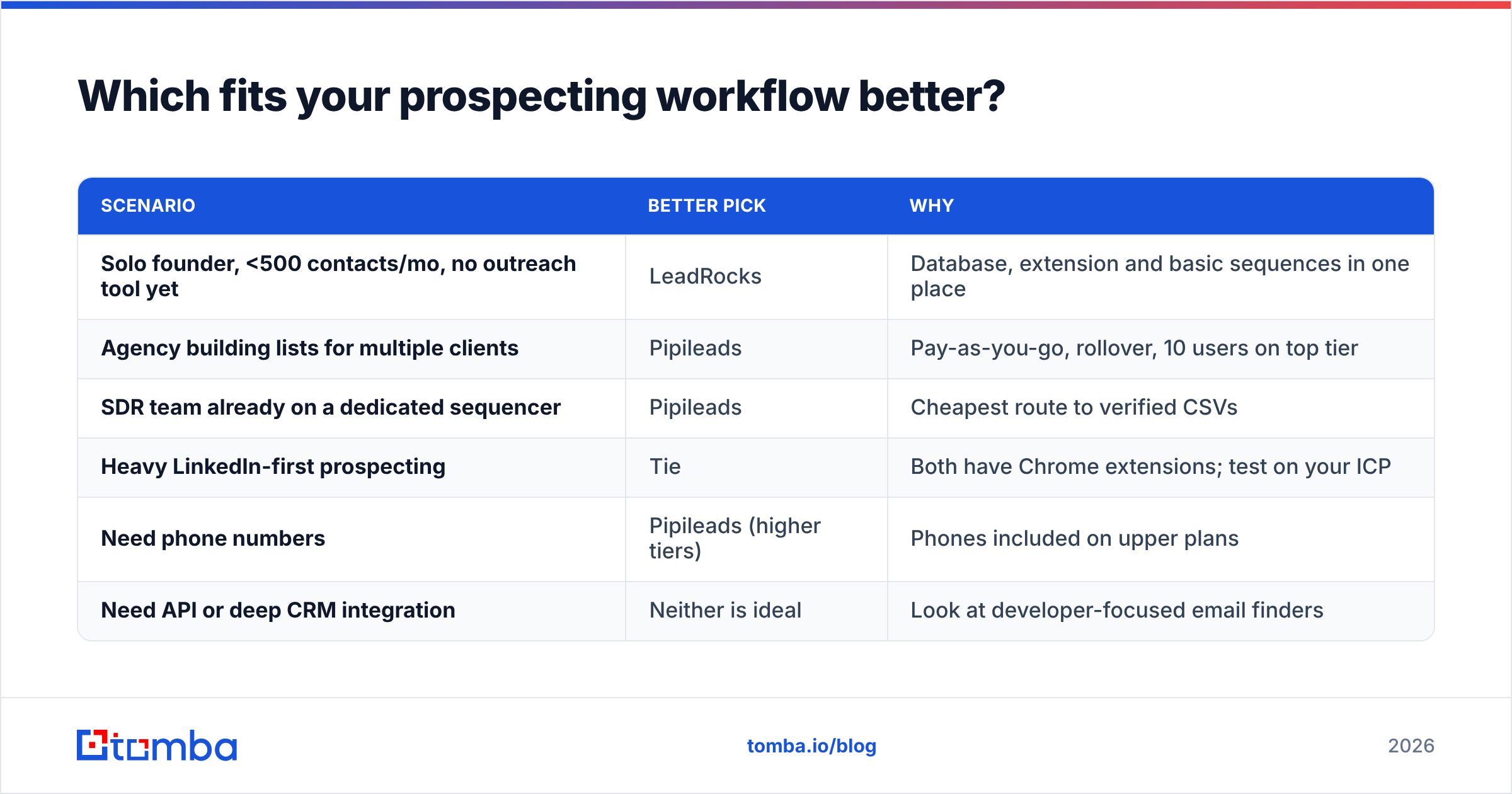
| Scenario | Better pick | Why |
|---|---|---|
| Solo founder, <500 contacts/mo, no outreach tool yet | LeadRocks | Database, extension and basic sequences in one place |
| Agency building lists for multiple clients | Pipileads | Pay-as-you-go, rollover, 10 users on top tier |
| SDR team already on a dedicated sequencer | Pipileads | Cheapest route to verified CSVs |
| Heavy LinkedIn-first prospecting | Tie | Both have Chrome extensions; test on your ICP |
| Need phone numbers | Pipileads (higher tiers) | Phones included on upper plans |
| Need API or deep CRM integration | Neither is ideal | Look at developer-focused email finders |
What are the pros and cons of each?#
LeadRocks pros
- 100M+ record index with standard firmographic filters
- LinkedIn Chrome extension for one-off captures
- Basic email sequencing included, so small teams need fewer tools
- Free tier, plus a lifetime deal that has run on AppSumo
LeadRocks cons
- Credits reportedly consumed on blank or invalid lookups
- Top self-serve tier (~$580/mo) gets close to mid-market tool pricing
- Sequencing too basic for serious cold email volume
Pipileads pros
- Very low entry price ($9.95/mo) and pay-as-you-go down to ~$0.013/credit
- Credit rollover, per vendor
- One credit = one verified email, per vendor
- Built-in verifier and phone numbers on higher tiers
- Strong user feedback on support
Pipileads cons
- No outreach or sequencing; you'll need a separate sender
- Some reports of UI hangs and export problems
- Little public detail on data sources and refresh cadence
Is there a third option worth considering?#
Maybe. Both tools revolve around searching a database you rent. That works well for list building, but many teams hit the same limit: the person they want isn't in the index, or the record is 18 months old.
The other approach is a domain- and name-based email finder. You bring the account list, from your CRM, a trade show or intent data, and the tool finds and verifies the address for each person. Tomba works this way. You can run a domain search to see every public address at a company, look up a specific person by name and domain, and check results with the built-in verifier and catch-all checks. It's a complement to a list database more than a replacement. If you already know who you want to reach, it avoids paying for a filtered export full of people you don't.

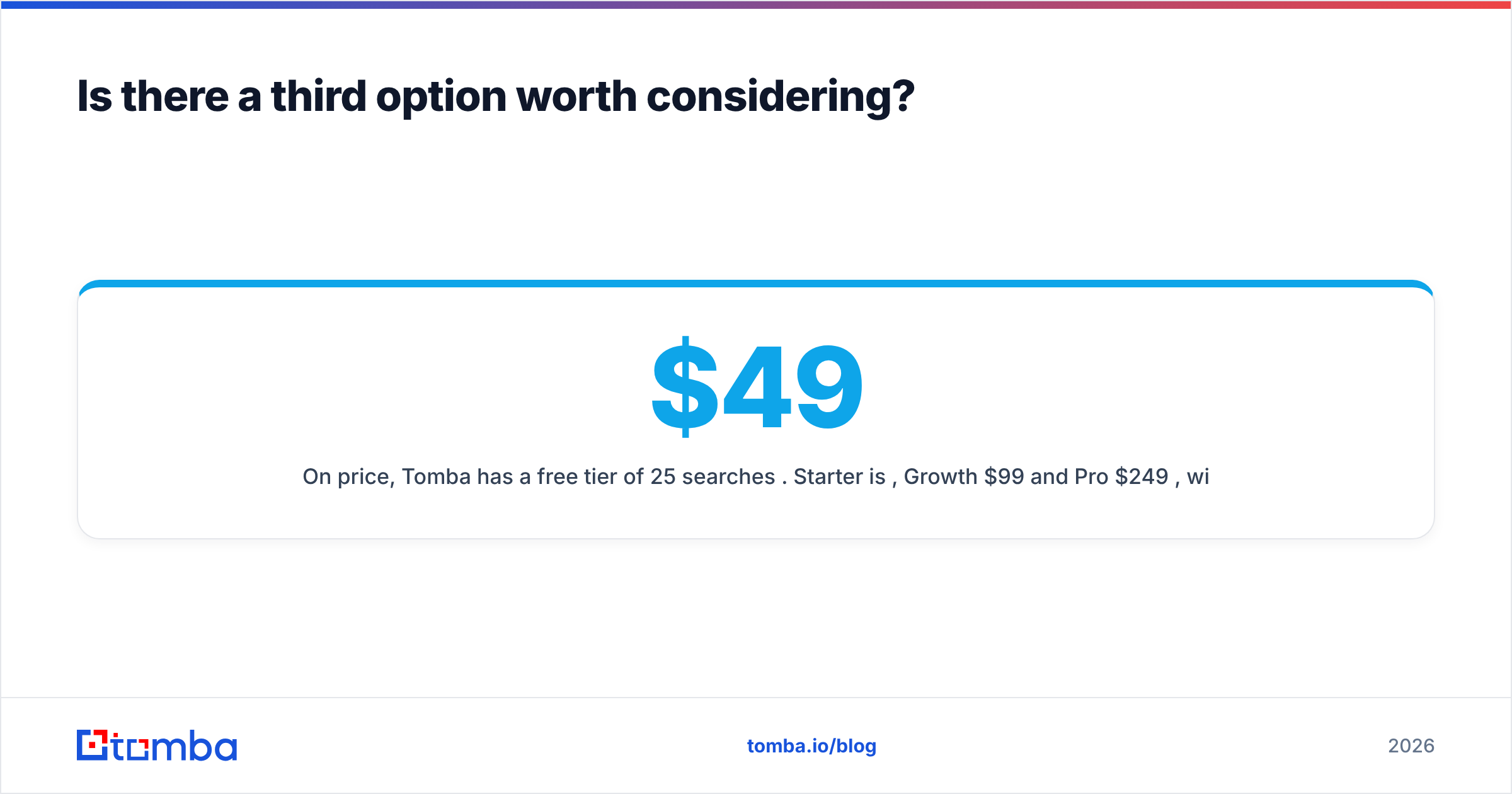
On price, Tomba has a free tier of 25 searches per month. Starter is $49/mo, Growth $99/mo and Pro $249/mo, with custom Enterprise plans (full Tomba pricing). That costs more than Pipileads' entry plan and sits inside LeadRocks' range. The trade is precision over volume: you pay to find the specific decision-maker, not to browse a list.
So, LeadRocks vs Pipileads: which should you choose?#
In a straight leadrocks vs pipileads matchup, Pipileads is the better value for most outbound teams in 2026. It's cheaper to start, pay-as-you-go and rollover make its credits more flexible, and its one-credit-one-verified-email rule makes cost per usable contact easier to predict. It's the stronger choice if list building is its own step and you already have a sending tool.
LeadRocks makes sense in a narrower case: a solo founder or very small team that values having database search, LinkedIn capture and basic sequencing in one budget tool, and will check how credits burn on failed lookups before scaling up.
Whichever you choose, follow three rules:
- Run a 200-account head-to-head on your own ICP before paying for an annual plan.
- Verify every export independently, and give catch-all domains their own check.
- Measure cost per valid email, not cost per credit.
If your pipeline starts from a named account list rather than a filtered database export, try the Tomba Email Finder. Enter a name and company domain and you get a verified professional address with source and confidence data, so you're paying for the person you meant to reach. The free tier gives you 25 searches a month to run the same accuracy test you'd run on LeadRocks or Pipileads, and paid plans start at $49/mo when you're ready to scale.
Related guides#
// get started
Find, verify and enrich your first contacts today
Start on the free plan with 25 searches a month, then scale when your team is ready.
Free plan · No credit card required · GDPR & CCPA
// about the author