Leadsforge vs Snappy Leads: Pricing, Data, and Which to Pick in 2026
Leadsforge builds AI lead lists from a plain-English ICP prompt. Snappy Leads sells unlimited contact lookups for £10 a month. We compare pricing, data, workflow, and risk so you can pick the right one for your outbound motion.
Leadsforge vs Snappy Leads comes down to one trade-off: targeted AI lists or cheap, unlimited lookups. Here's the short version before we dig in.
TL;DR
- Leadsforge is an AI list builder from the Salesforge ecosystem. You describe your ideal customer in plain English and it returns a lead list. Credit-based pricing starts at $49/month for 2,000 credits, and unused credits don't expire.
- Snappy Leads is a UK-built contact lookup platform. It charges a flat £10/month for what it calls unlimited access to emails, phone numbers, and social profiles, plus a long list of AI add-ons.
- Pick Leadsforge if you need targeted lists that feed a sequencing tool, and you'd rather pay per lead than babysit filters.
- Pick Snappy Leads if your budget is tight, your volume is high, and you're willing to verify the data yourself before you send.
- Whichever you choose, run every exported address through a verifier before it goes into a sequence. Both tools return data, and neither one takes the bounce risk for you.
What is Leadsforge?#
Leadsforge is a B2B lead generation tool built by the team behind Salesforge, the cold email sequencing platform. It works like a chat interface. Instead of setting 15 filter dropdowns, you type something like "Series A fintech companies in Germany with 50-200 employees, heads of finance" and Leadsforge turns that into a list.
Three details matter most in practice:
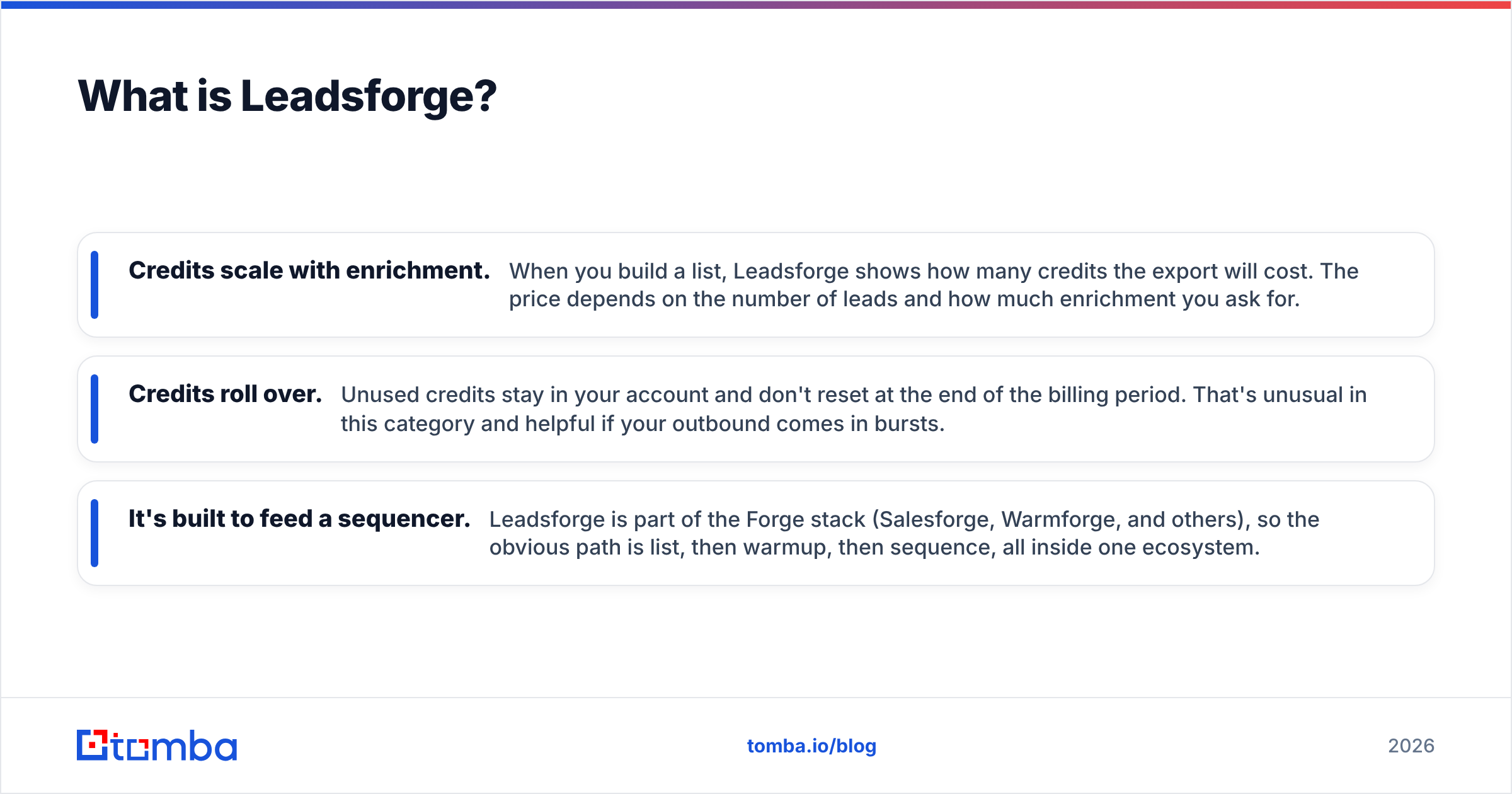
- Credits scale with enrichment. When you build a list, Leadsforge shows how many credits the export will cost. The price depends on the number of leads and how much enrichment you ask for.
- Credits roll over. Unused credits stay in your account and don't reset at the end of the billing period. That's unusual in this category and helpful if your outbound comes in bursts.
- It's built to feed a sequencer. Leadsforge is part of the Forge stack (Salesforge, Warmforge, and others), so the obvious path is list, then warmup, then sequence, all inside one ecosystem.
On current Leadsforge pricing, the monthly plan is $49 for 2,000 credits. The annual plan is $588 and grants 28,000 credits upfront, with no per-seat charge. New accounts get 100 free credits to test with.
What is Snappy Leads?#
Snappy Leads is a British contact-finding platform. Its pitch is simple: a flat subscription (advertised at £10/month) gets you unlimited lookups of business emails, phone numbers, and social profiles. You enter a company URL or a query, click "Get Contacts," and it returns people.
The feature list is broad for the price. According to the vendor's site, it includes:
- Basic and "AI Advanced" search, plus geography search
- Bulk enrichment and email verification
- A LinkedIn-to-email finder
- "Recently funded" leads and buyer-intent signals
- An "AI Head-Hunter," plus AI content tools (auto-tweets, image and video generation)
- A web toolkit and a free trial
One thing to note: the database size claims don't match across sources. The main site mentions 1B+ verified contacts, while third-party listings quote 200M+. That doesn't mean either figure is wrong, since they may count different record types. It does mean you should test coverage in your own niche before you commit, not trust the headline number.

Leadsforge vs Snappy Leads: how do they compare side by side?#
Here's the head-to-head on the attributes that decide real buying decisions.
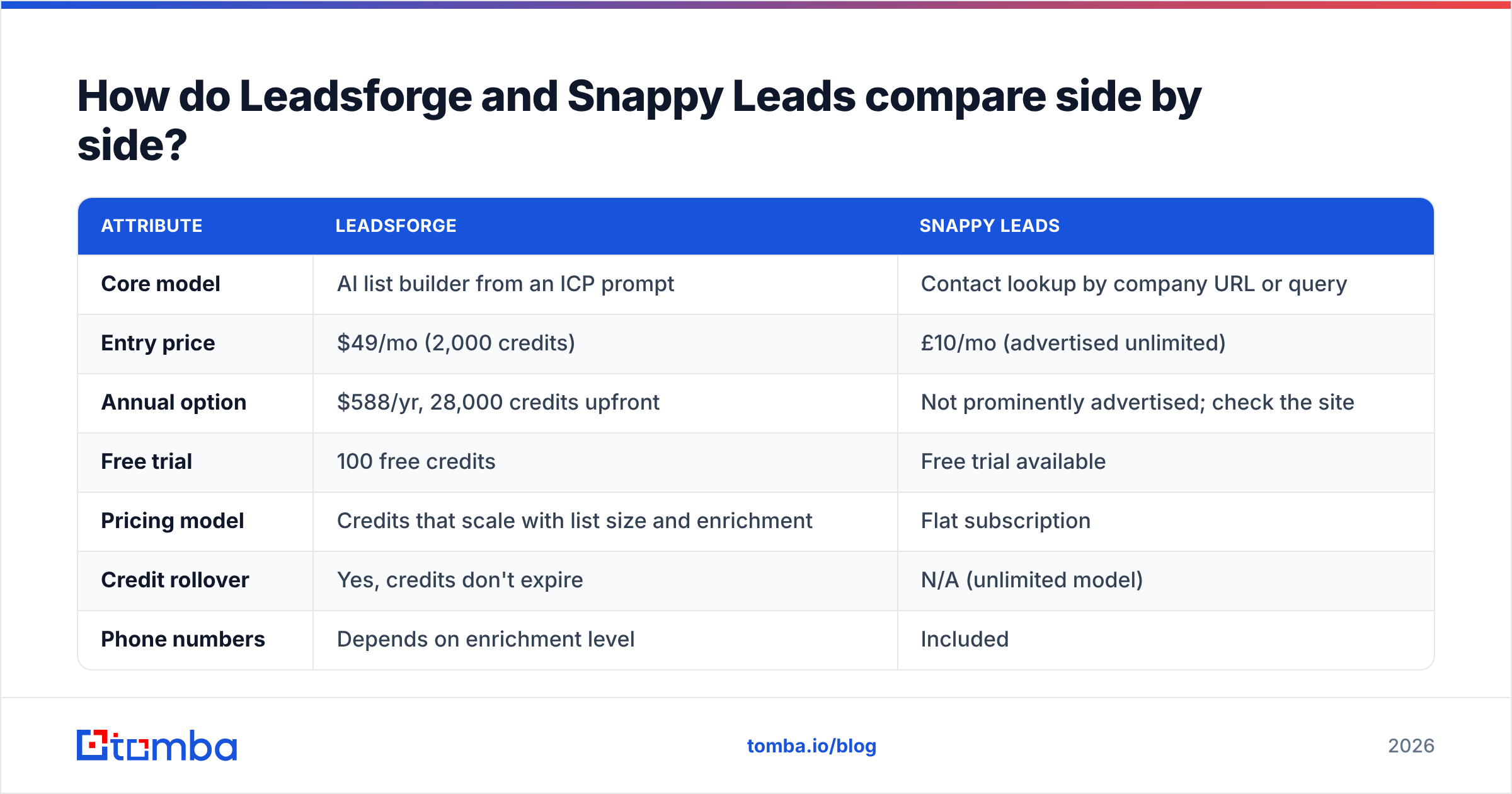
| Attribute | Leadsforge | Snappy Leads |
|---|---|---|
| Core model | AI list builder from an ICP prompt | Contact lookup by company URL or query |
| Entry price | $49/mo (2,000 credits) | £10/mo (advertised unlimited) |
| Annual option | $588/yr, 28,000 credits upfront | Not prominently advertised; check the site |
| Free trial | 100 free credits | Free trial available |
| Pricing model | Credits that scale with list size and enrichment | Flat subscription |
| Credit rollover | Yes, credits don't expire | N/A (unlimited model) |
| Phone numbers | Depends on enrichment level | Included |
| Built-in verification | Leads verified before export | Email verification listed as a feature |
| Ecosystem | Salesforge, Warmforge, Forge stack | Standalone, with AI content add-ons |
| Best for | Targeted outbound lists feeding a sequencer | High-volume, budget-limited lookups |
| Main risk | Cost climbs with heavy enrichment | "Unlimited" plans need your own QA on data quality |
The pricing gap looks huge at first. It shrinks once you count your own time. With Leadsforge, you pay more per lead but spend less time building and cleaning lists. With Snappy Leads, the plan costs almost nothing, but you do more of the targeting and quality control yourself.
How do you decide between the two?#
Most teams get this choice wrong by comparing sticker prices. Compare what one usable lead costs you instead. That means a contact that fits your ICP, has a deliverable email, and lands in a sequence. Work through these five questions in order:
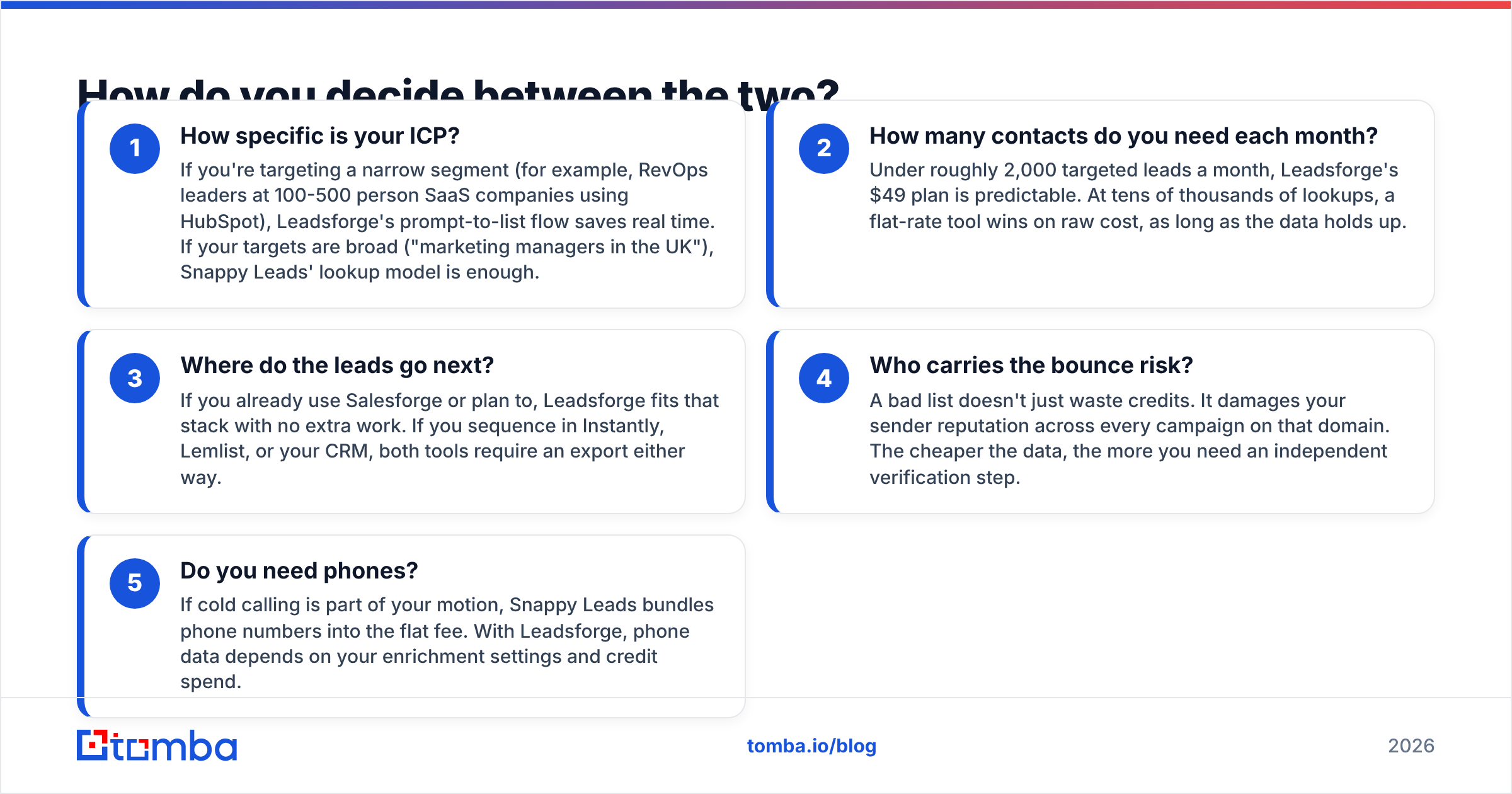
How specific is your ICP? Say you target a narrow segment, like RevOps leaders at 100-500 person SaaS companies using HubSpot. Leadsforge's prompt-to-list flow saves real time there. If your targets are broad ("marketing managers in the UK"), Snappy Leads' lookup model is enough.
How many contacts do you need each month? Under about 2,000 targeted leads a month, Leadsforge's $49 plan is predictable. At tens of thousands of lookups, a flat-rate tool wins on raw cost, as long as the data holds up.
Where do the leads go next? If you use Salesforge or plan to, Leadsforge fits that stack with no extra work. If you sequence in Instantly, Lemlist, or your CRM, both tools need an export either way.
Who carries the bounce risk? A bad list doesn't just waste credits. It hurts your sender reputation across every campaign on that domain. The cheaper the data, the more you need a separate verification step.
Do you need phones? If cold calling is part of your motion, Snappy Leads bundles phone numbers into the flat fee. With Leadsforge, phone data depends on your enrichment settings and credit spend.
Is Leadsforge better than Snappy Leads for outbound email?#
For structured outbound email programs, Leadsforge is usually the safer choice. There are three reasons.
First, targeting quality compounds. A list built from a precise ICP prompt gets better reply rates than a list pulled by company URL and filtered by hand. When 30% of a list is off-target, you pay twice: once for the lead, and again in wasted sends and spam complaints.
Second, the workflow is designed for sequencing. Leadsforge's parent ecosystem covers mailbox warmup and multi-inbox sending. Fewer data handoffs mean fewer chances to break formatting, lose custom fields, or send to duplicates.
Third, pricing is predictable. Credits that roll over and no seat fees mean a three-person SDR team doesn't pay three times for the same data.
That said, Leadsforge isn't cheap per contact once you turn on heavy enrichment. If you mostly need a name and a work email at scale, you're paying for intelligence you won't use.
When does Snappy Leads make more sense?#
Snappy Leads is a good fit in a few specific situations:
- Solo founders and freelancers doing their own outreach on a shoestring budget. At £10/month, even a mediocre hit rate is cheap.
- Agencies running many small campaigns across different niches, where per-credit pricing would add up fast.
- Phone-heavy motions, where bundled numbers matter more than perfect ICP targeting.
- Research and prospect discovery, where you're mapping an account's buying committee rather than sending immediately.
The trade-off is that "unlimited" pricing moves quality control onto you. Flat-rate data tools don't pay more when they return a bad email. So you need your own safety net: dedupe, verify, and spot-check before anything reaches a sending inbox.
A simple routine: take a 200-contact sample from your target segment and push it through an independent email verifier. Then see what share comes back valid, catch-all, or invalid. That number tells you more than any database-size claim.
What about data privacy and compliance?#
Both tools return personal data about real people. If you prospect into the UK or EU, GDPR applies no matter where the vendor is based. B2B cold email under legitimate interest is workable, but you still need to:
- Document why each contact is relevant to your offer
- Include a clear opt-out in every email
- Honor deletion requests quickly
- Avoid sending to personal addresses unless you have a solid basis
Snappy Leads says it returns both business and personal emails. For B2B cold outreach, stick to work addresses. Personal Gmail and Outlook addresses carry far more compliance and deliverability risk than business domains do.

Where does Tomba fit alongside either tool?#
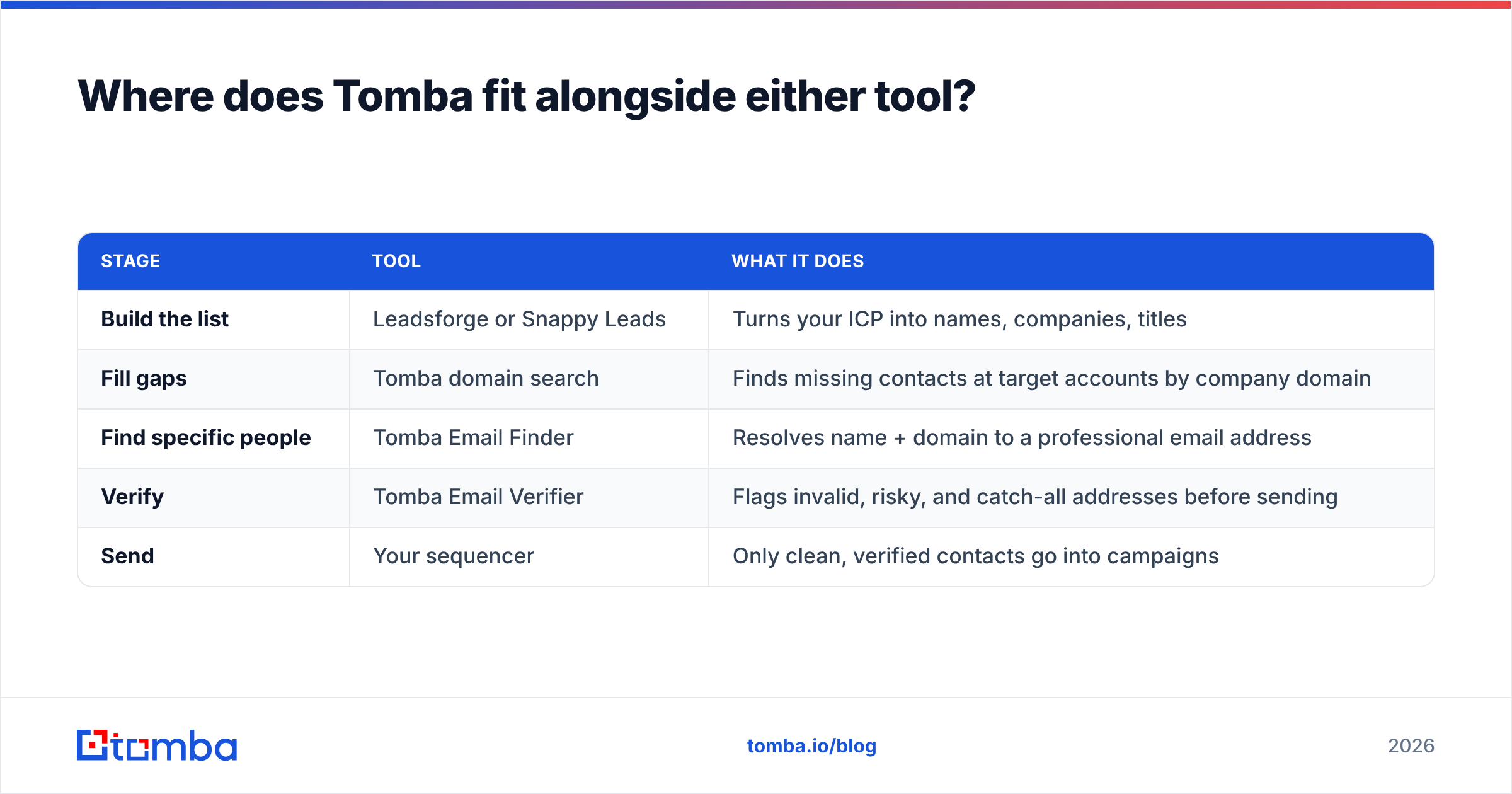
Leadsforge and Snappy Leads both answer "who should I contact?" Neither is the best final check on "will this email actually deliver?" That last step is where a dedicated email finder and verifier layer earns its place in the stack.
Here's a practical setup that works with either tool:
| Stage | Tool | What it does |
|---|---|---|
| Build the list | Leadsforge or Snappy Leads | Turns your ICP into names, companies, titles |
| Fill gaps | Tomba domain search | Finds missing contacts at target accounts by company domain |
| Find specific people | Tomba Email Finder | Resolves name + domain to a professional email address |
| Verify | Tomba Email Verifier | Flags invalid, risky, and catch-all addresses before sending |
| Send | Your sequencer | Only clean, verified contacts go into campaigns |
This matters most with lookup-style tools. When Snappy Leads returns a company but misses the specific VP you want, domain search fills that gap. When Leadsforge returns a lead you've already emailed from another source, a verification pass also catches formatting drift and duplicates before they damage your domain.
On cost: Tomba's free tier covers 25 searches a month, which is enough to benchmark either tool's output. Paid plans start at $49/month (Starter), then $99 (Growth) and $249 (Pro), with custom Enterprise pricing. Full Tomba pricing details are on the site.
Which should you choose in 2026?#
Here's the short verdict on Leadsforge vs Snappy Leads:
- Choose Leadsforge if you run structured outbound, have a clearly defined ICP, and want lists that drop straight into a sequencing workflow. The extra cost per lead pays off in targeting precision and less manual work.
- Choose Snappy Leads if cost is your main constraint, you need phone numbers bundled in, or you run high-volume discovery across many niches, and you have the discipline to verify before you send.
- Use neither on its own if deliverability is critical to your business. Any list source, premium or budget, should go through an independent verification step before a single email goes out.
The best way to settle Leadsforge vs Snappy Leads is a one-week bake-off. Give each tool the same ICP and export 200 contacts. Verify both samples with the same verifier. Then compare three numbers: ICP fit rate, valid-email rate, and reply rate from a small test send. Those results will settle it faster than any feature comparison, this one included.
Frequently asked questions#
Is Snappy Leads really unlimited for £10 a month?#
That's how the vendor advertises it: unlimited lookups of emails, phones, and profiles on a flat subscription. As with any "unlimited" data plan, read the current terms for fair-use limits, and judge it by the quality of the data you get back, not the quantity.
Do Leadsforge credits expire?#
No. According to Leadsforge, unused credits stay in your account after the billing period ends. You can also buy more credits in the app once you're on a plan.
Can I use Leadsforge without Salesforge?#
Yes. Leadsforge exports lists you can load into any sequencer or CRM. The Salesforge integration is a convenience, not a requirement.
Which tool has better data accuracy?#
Neither vendor publishes independent, third-party accuracy audits that make a fair comparison possible. The only reliable answer comes from testing a sample from your own target segment and verifying it independently. Check user reviews on G2 for extra signal, but weigh them against your own test results.
Whether your list comes from Leadsforge, Snappy Leads, or a spreadsheet you've built over years, the weak point is the same: the gap between a name on a list and an email address that actually reaches an inbox. The Tomba Email Finder closes that gap. Enter a name and company domain and it returns the professional address, with verification built in, so only deliverable contacts reach your sequences. Start on the free tier, run your bake-off sample through it, and see how much cleaner your next campaign lands.
Related guides#
// get started
Find, verify and enrich your first contacts today
Start on the free plan with 25 searches a month, then scale when your team is ready.
Free plan · No credit card required · GDPR & CCPA
// about the author