Leadsforge vs Techsalerator: B2B Data Tools Compared for 2026
Leadsforge lets you type your ideal buyer into a chat box and export verified leads. Techsalerator sells bulk datasets from 190+ countries on custom quotes. Here's how to tell which one your team needs.
TL;DR
- Leadsforge is a self-serve AI prospecting tool. You describe your ideal customer in plain English, and it builds a lead list you can export or push into Salesforge. Public pricing starts at $49/mo for 2,000 credits.
- Techsalerator is a data provider, not a prospecting app. It sells B2B, B2C, and alternative datasets covering 190+ countries through file delivery or API, and every deal is priced by quote.
- Pick Leadsforge if you're a small or mid-sized outbound team that needs lists this week. Pick Techsalerator if you're a data, product, or RevOps team buying records in bulk to feed your own systems.
- Neither tool removes the need to verify emails before you send. Bad data hurts your sender reputation no matter which vendor it came from.
- If you mainly need to find and verify a named contact's work email, a dedicated email finder is often cheaper and quicker than either.
"Leadsforge vs Techsalerator" searches usually come from buyers who think the two tools compete directly. For the most part they don't. One is a prospecting workflow wrapped around a contact database. The other is a data wholesaler with a catalog of datasets. Both can put a list of B2B contacts in front of you, but how you buy, what you pay, and what you do next are very different.
This guide compares them on use case, data coverage, pricing model, workflow, and accuracy risk, so you can choose on fit rather than feature-list length.
What is Leadsforge?#
Leadsforge is an AI lead-generation tool from the team behind Salesforge, the cold email platform. You don't build a list with dozens of filters. You type a prompt such as "Series A fintech companies in the UK with 50–200 employees, heads of finance," and Leadsforge turns it into a search, shows matching contacts, and lets you refine the results in conversation.
Here are the key facts:
- Pricing model: credit-based subscription. The Essential plan costs $49/mo and includes 2,000 export credits. An email lookup uses 1 credit and a phone lookup uses 10. Annual billing lowers the per-credit cost.
- Free trial: 100 credits when you sign up.
- Credit rollover: unused credits carry over to the next month, which is unusual in this category and helpful for teams whose volume varies.
- Output: CSV export or a direct push into Salesforge sequences.
- Buyer: founders, SDR teams, agencies, and anyone running outbound without a data engineer.
Its biggest strength is speed. You can go from an ICP idea to an exportable list in minutes. Its biggest limitation is scope. Leadsforge is designed for prospecting lists, not for bulk data licensing, deep firmographic modeling, or non-B2B datasets.
What is Techsalerator?#
Techsalerator is a global data provider. Its catalog goes well beyond sales contacts. It includes company firmographics, B2B and B2C contact records, technographics, financial data, points of interest, foot-traffic and mobility data, ESG metrics, and satellite imagery. The company says it covers more than 320M businesses across 190+ countries, and it lists its data products on marketplaces like Datarade.
Here are the key facts:
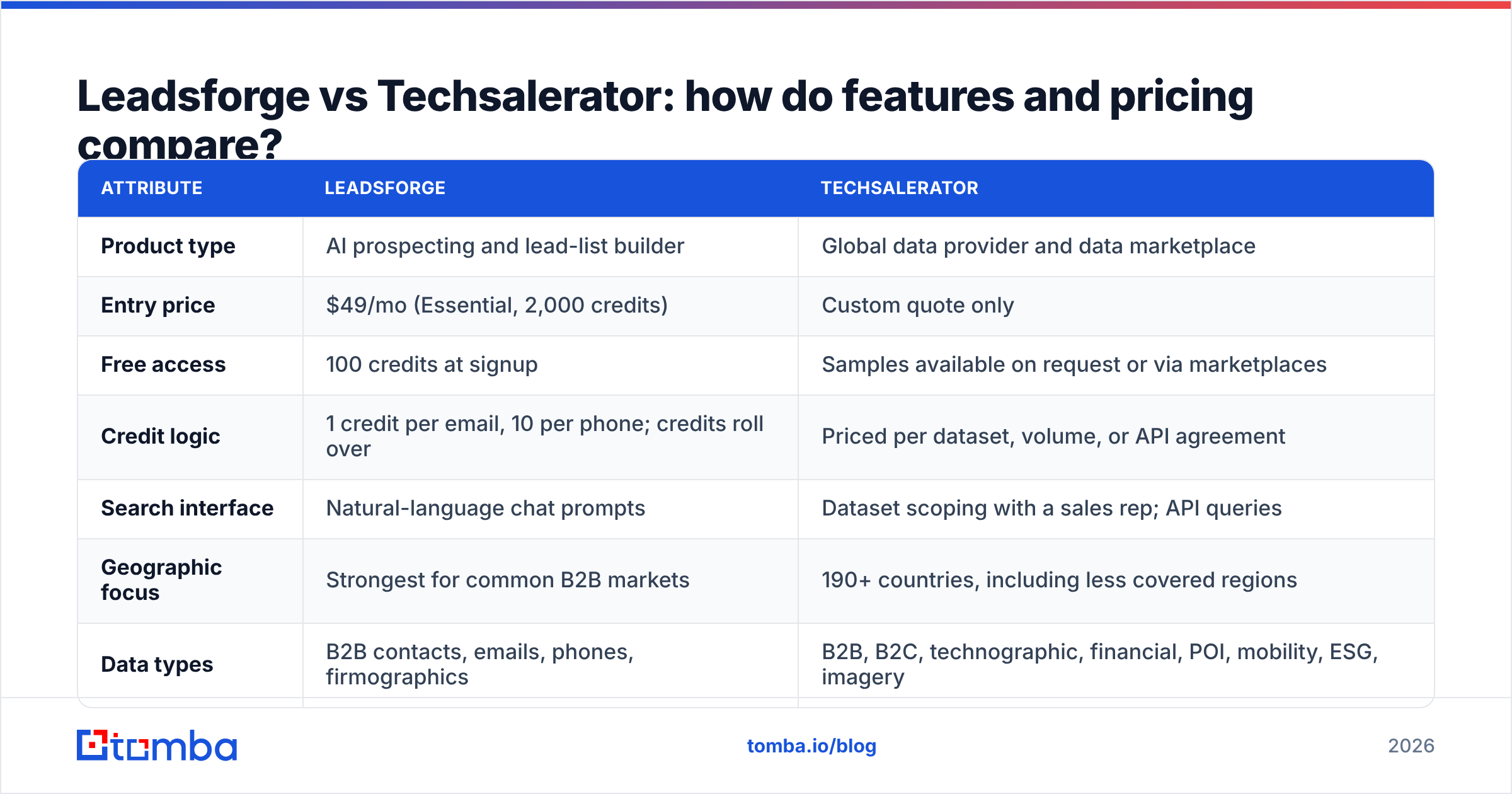
- Pricing model: custom quotes. There's no public per-seat or per-credit price list. You describe the dataset you need (geography, fields, volume, refresh frequency) and receive a quote.
- Delivery: file drops over SFTP, email, or S3, or real-time lookups through an API.
- Output: raw records you load into your warehouse, CRM, or product.
- Buyer: data teams, RevOps, product teams embedding enrichment, researchers, and companies that need coverage in markets many US-focused vendors handle poorly.
Techsalerator's strength is breadth, both geographic and by data type. The trade-off is that you do more of the work yourself. There's no chat-based list builder and no sequencing tool. You get data and decide what to do with it.

How do Leadsforge and Techsalerator differ at the core?#
The simplest way to frame the choice is to ask whether you're buying a workflow or buying inventory. Everything else follows from that.
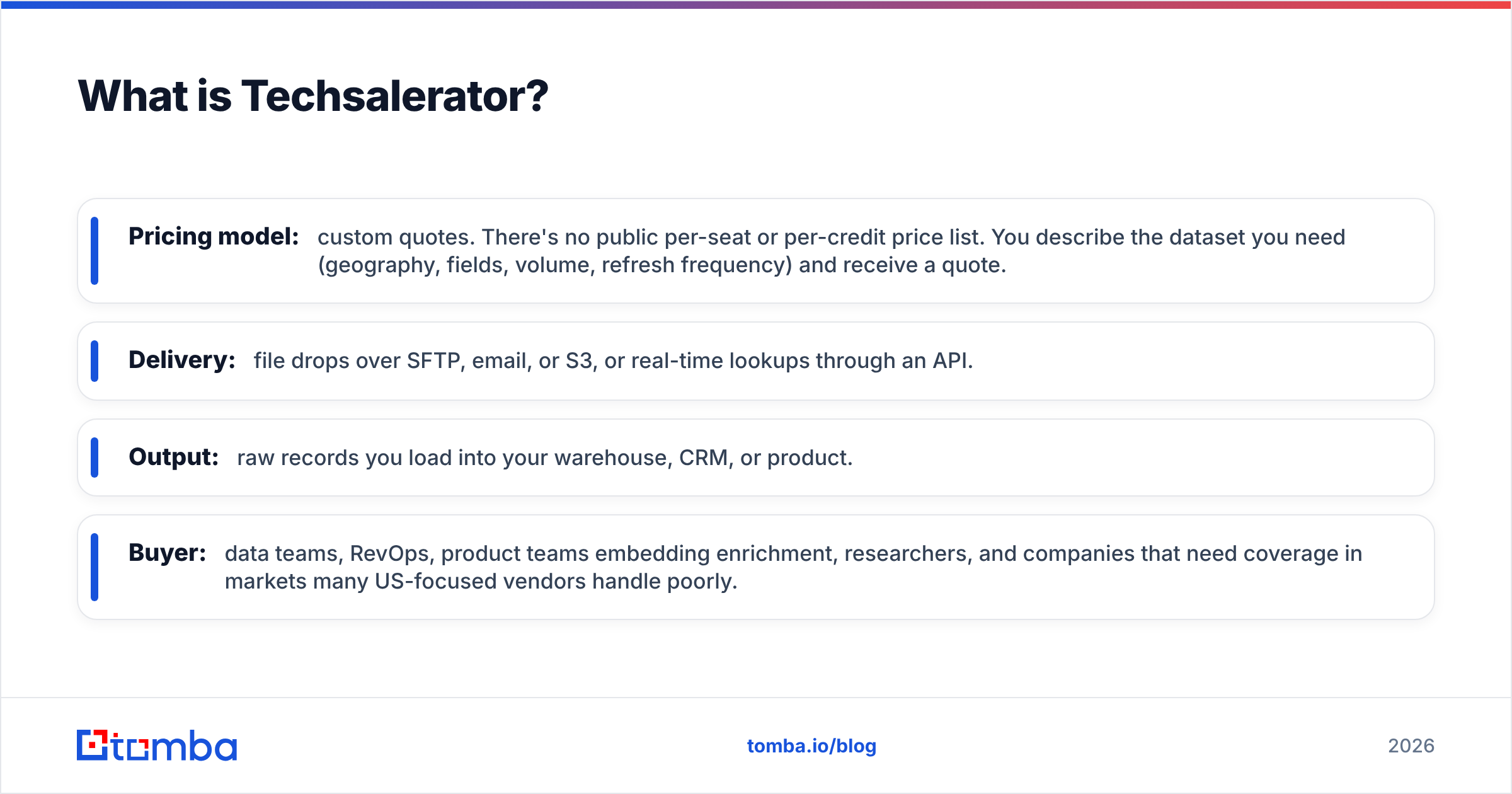
- Buying motion: Leadsforge is self-serve. You sign up, get 100 credits, and start searching. Techsalerator is sales-assisted. You scope a dataset, agree on terms, and then receive delivery.
- Unit of value: Leadsforge charges per exported contact or phone number. Techsalerator charges per dataset, volume tier, or API agreement.
- Who does the filtering: Leadsforge's AI turns your prompt into filters. With Techsalerator, you define the fields and segments up front, then filter further in your own tools.
- Where the data ends up: Leadsforge data usually goes straight into an outbound sequence. Techsalerator data usually goes into a warehouse, CRM, or product first.
- Data scope: Leadsforge focuses on B2B contacts for prospecting. Techsalerator covers B2B, B2C, and alternative data across many countries.
- Time to first value: minutes for Leadsforge. Days to weeks for a scoped Techsalerator delivery, faster if you use an API plan that's already in place.
If most of your answers point to "I need leads for a campaign that starts Monday," you're a Leadsforge buyer. If they point to "I need a licensed dataset that feeds our systems," you're a Techsalerator buyer.
Leadsforge vs Techsalerator: how do features and pricing compare?#
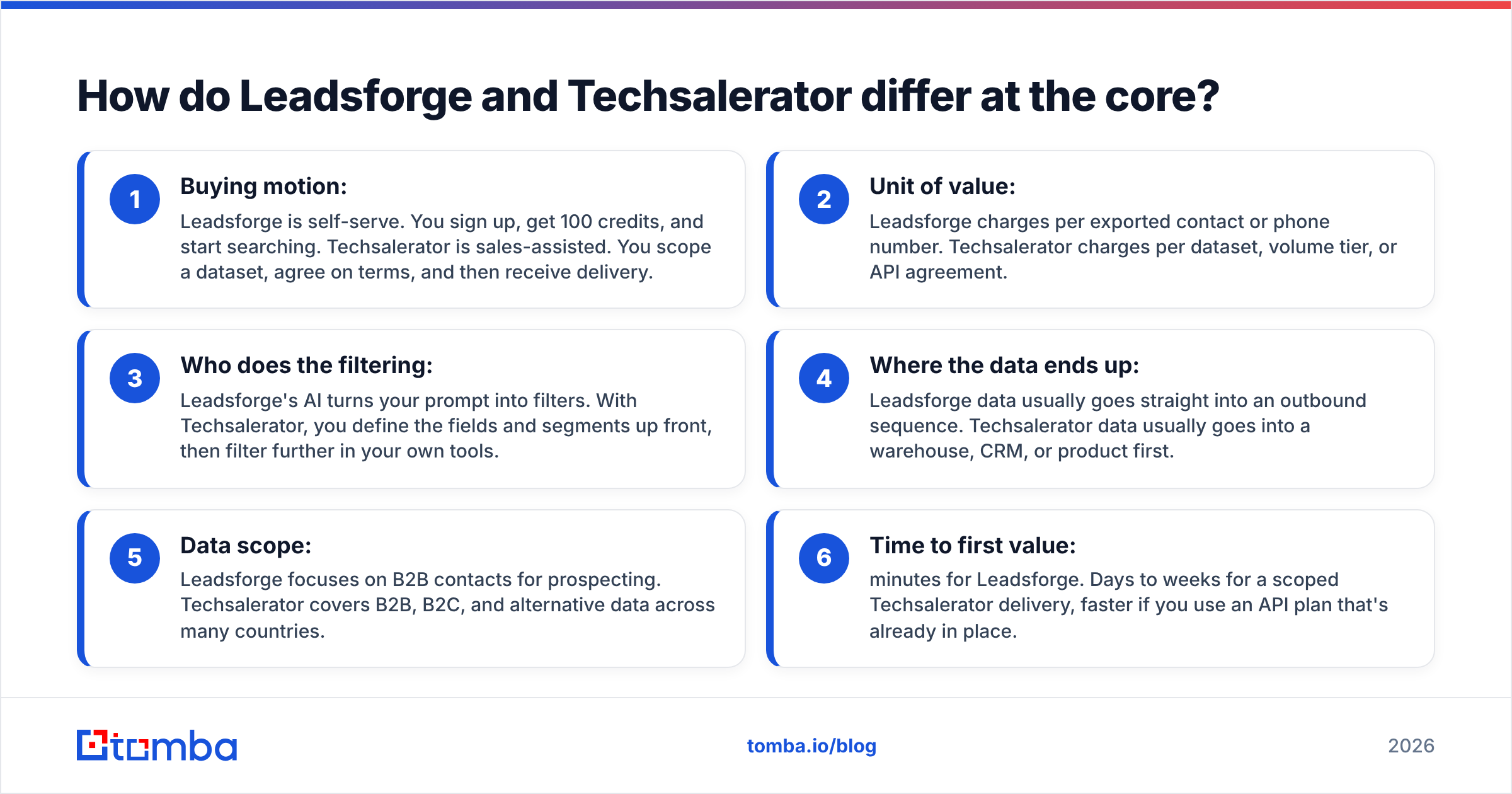
| Attribute | Leadsforge | Techsalerator |
|---|---|---|
| Product type | AI prospecting and lead-list builder | Global data provider and data marketplace |
| Entry price | $49/mo (Essential, 2,000 credits) | Custom quote only |
| Free access | 100 credits at signup | Samples available on request or via marketplaces |
| Credit logic | 1 credit per email, 10 per phone; credits roll over | Priced per dataset, volume, or API agreement |
| Search interface | Natural-language chat prompts | Dataset scoping with a sales rep; API queries |
| Geographic focus | Strongest for common B2B markets | 190+ countries, including less covered regions |
| Data types | B2B contacts, emails, phones, firmographics | B2B, B2C, technographic, financial, POI, mobility, ESG, imagery |
| Delivery | CSV export, Salesforge integration | SFTP, email, S3, API |
| Outreach built in | Yes, through Salesforge | No |
| Best for | SDRs, founders, agencies | Data teams, RevOps, product and analytics teams |
| Main trade-off | Narrower scope than a data wholesaler | Slower to start; you need your own tooling |
For pricing, the key point is predictability. With Leadsforge you know your cost per contact before you begin: at $49 for 2,000 credits, an email costs about $0.0245 on monthly billing and a bit less on annual. Techsalerator can be much cheaper per record at high volume, because bulk licensing usually is, but you won't know until you get a quote, and minimum deal sizes are common among quote-based data vendors.
Which tool has better data accuracy?#
Neither vendor publishes an independent, audited accuracy benchmark for its full dataset, so be skeptical of any single number you see quoted, including in third-party reviews. What you can control is how you test.
For Leadsforge, use the 100 free credits on a list where you already know the right answers, such as 50 current customers or recently closed deals. Compare the returned emails and titles against what's in your CRM. Watch in particular for role changes in the past six months, because that's where every contact database loses accuracy.
For Techsalerator, request a sample file for your exact segment rather than a generic demo file. Check field fill rates (the share of rows where email, phone, and title are actually filled in), not only the headline record count. A dataset with 1M companies and a 20% email fill rate gives you far fewer usable contacts than the number suggests.
For both, run every email through an email verifier before sending. B2B data decays constantly as people change jobs, companies rebrand, and domains lapse. A list that was 95% valid at export can drop noticeably within a quarter. Sending to invalid addresses increases bounces, and bounces damage your sender reputation. Mailbox providers like Google publish sender guidelines that tie inbox placement directly to spam and bounce signals.
Is Leadsforge better than Techsalerator for outbound sales?#
For most outbound teams, yes. This isn't because its data is necessarily better. It's because the workflow is designed for outbound:
- You can iterate on your ICP in real time. If "VP Sales at SaaS companies" returns too many results, you narrow it in the next prompt without rebuilding a filter tree.
- Credits line up with how SDR teams actually spend: a few hundred to a few thousand contacts per campaign, not millions of rows.
- The Salesforge connection means the list moves into sequences without a CSV round-trip.
- Rollover credits mean a slow month doesn't waste your budget.
Techsalerator can support outbound, but only once you've built the missing pieces: a place to store and deduplicate records, a way to segment them, verification, and a sending tool. If your RevOps team already has that setup, Techsalerator's wider coverage can be an advantage. If it doesn't, you'll spend weeks on plumbing before you send a single email.
When does Techsalerator make more sense than Leadsforge?#
Techsalerator wins in situations where Leadsforge isn't really competing:
- International coverage. If your target market is Southeast Asia, Africa, Latin America, or Eastern Europe, Techsalerator's country-by-country catalog is worth evaluating. Many prospecting tools thin out quickly outside North America and Western Europe.
- Embedding data in a product. If you're building enrichment, KYC checks, caller ID, or lead scoring into your own software, you need an API licensing agreement, not a prospecting seat.
- Non-contact data. Foot traffic, points of interest, ESG, and satellite imagery aren't available from Leadsforge at all.
- Market sizing and analytics. When the goal is to count and model a market rather than email it, bulk firmographic files are the right format.
- Enterprise procurement. Some companies need negotiated contracts, custom refresh schedules, and data processing agreements that a self-serve plan can't provide.
In these cases, comparing per-credit prices misses the point. You're buying a data asset.
What are the pros and cons of each?#
Leadsforge pros
- Natural-language search is fast and easy to learn
- Transparent entry pricing at $49/mo
- Credits roll over month to month
- Native integration with Salesforge for sending
- Free trial credits let you test before paying
Leadsforge cons
- Focused on B2B prospecting; no B2C or alternative datasets
- Phone lookups cost 10x an email lookup, which adds up for call-heavy teams
- Tied most closely to the Salesforge ecosystem for sending
- Less suited to bulk licensing or warehouse-scale data needs
Techsalerator pros
- Very broad geographic reach across 190+ countries
- Wide range of data types beyond sales contacts
- Flexible delivery through file drops or API
- Can be cost-efficient at high volume
Techsalerator cons
- No public pricing; every deal needs a quote
- No built-in prospecting interface or outreach tools
- Longer time to first value
- You're responsible for cleaning, deduplication, and verification

Do you need either tool if you only want verified work emails?#
This is worth asking before you sign anything. Many teams researching "Leadsforge vs Techsalerator" really have a narrower goal: they know which accounts they want and need the right person's email address at each one.
For that task, a dedicated email finder is usually the better fit. You enter a name and a company domain and get back an address with a confidence signal and source information. You don't need an ICP prompt or a dataset contract. If you have a list of target accounts and need everyone at those companies, domain-level search handles that, and data enrichment can add firmographics to records already in your CRM.
This approach also scales well in technical environments. The Tomba API lets you add finding and verification to your own pipeline, which covers part of what teams sometimes license a full dataset for, but with pay-as-you-go economics.
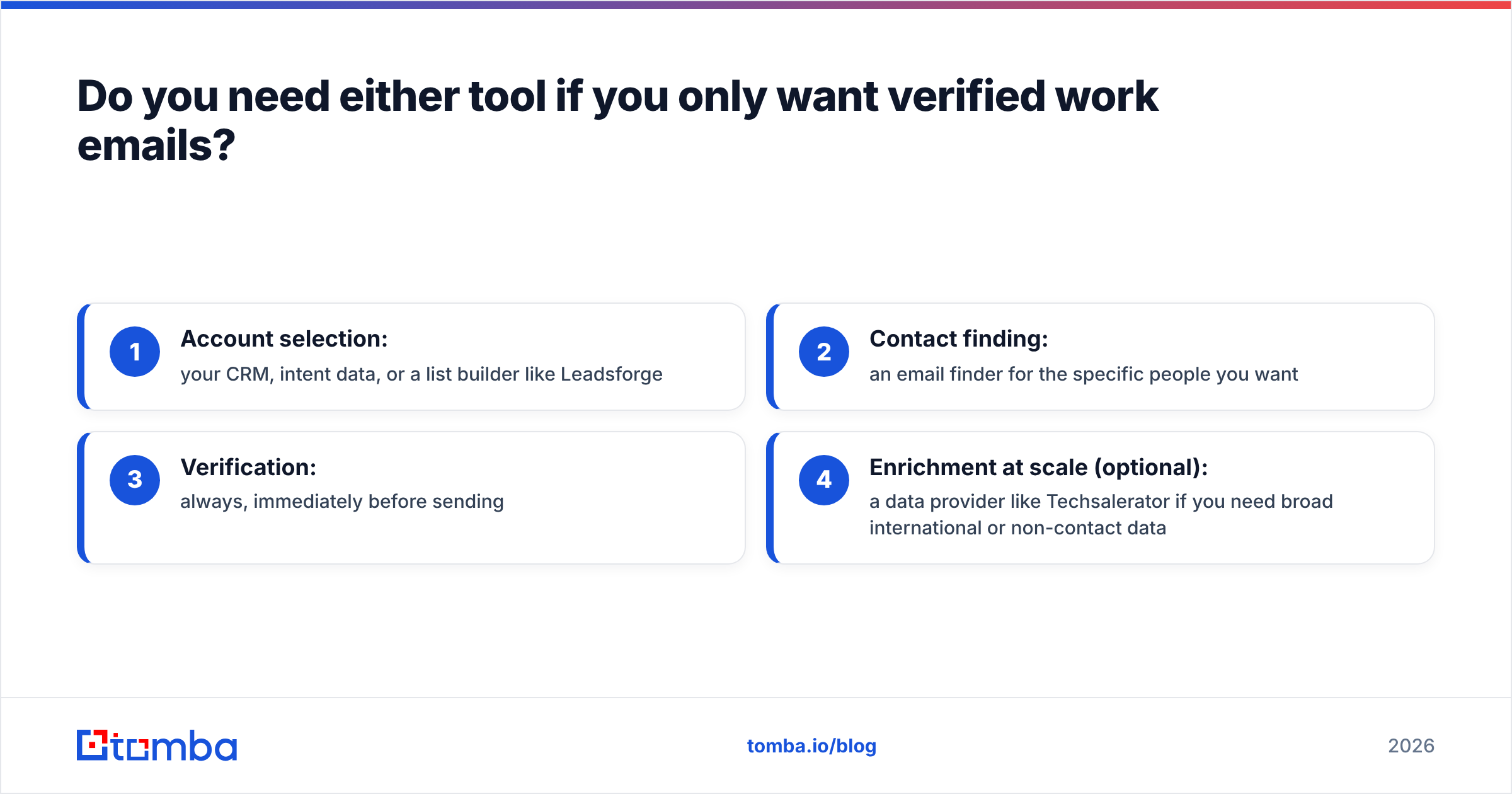
A practical stack for many teams looks like this:
- Account selection: your CRM, intent data, or a list builder like Leadsforge
- Contact finding: an email finder for the specific people you want
- Verification: always, immediately before sending
- Enrichment at scale (optional): a data provider like Techsalerator if you need broad international or non-contact data
How should you decide between Leadsforge and Techsalerator?#
Use this decision shortcut:
- You're an SDR, founder, or agency that needs leads this week → Leadsforge
- You're already using Salesforge → Leadsforge, since the integration alone saves time
- You need data from many countries, B2C records, or alternative datasets → Techsalerator
- You're building a product that needs an enrichment API with licensing terms → Techsalerator
- You mainly need verified emails for named people at known accounts → a dedicated email finder plus verifier, and possibly neither of the two
Whichever way you go, run a paid pilot on a small segment, measure bounce rate and reply rate, and only then commit to annual pricing. Independent review sites like G2 are useful for spotting common complaints, but your own pilot data is the only accuracy benchmark that reflects your market.
Frequently asked questions#
Is Leadsforge cheaper than Techsalerator? For small volumes, almost certainly, because Leadsforge starts at $49/mo with published credit costs. For very large bulk purchases, Techsalerator's quoted pricing may come out cheaper per record, but you have to ask for a quote to know.
Does Techsalerator have a free trial? It doesn't offer a self-serve trial like Leadsforge's 100 credits. Sample datasets are typically available when you request them or through data marketplaces.
Can I use Leadsforge data outside Salesforge? Yes. You can export to CSV and import into any sequencing tool or CRM.
Do I still need to verify emails from these tools? Yes. Every B2B database decays over time. Verify right before each send, not just at the moment you export.
What's the bottom line?#
Leadsforge and Techsalerator solve different problems. Leadsforge is the faster, more affordable way for outbound teams to turn an ICP into a list they can send to. Techsalerator is the broader, more flexible option for teams that buy data as a strategic asset, especially across international markets or non-contact data types. Choose based on your workflow, not on database size.
If what you actually need is a verified work email for a specific person at a specific company, start with Tomba Email Finder. Search by name and domain, see where each address was found, verify it in the same place, and try it on the free tier's 25 monthly searches before moving to a paid plan. Full Tomba pricing starts at $49/mo.
Related guides#
// get started
Find, verify and enrich your first contacts today
Start on the free plan with 25 searches a month, then scale when your team is ready.
Free plan · No credit card required · GDPR & CCPA
// about the author